The biggest difference between Webflow and WordPress really comes down to this: Webflow is an all-in-one platform built for incredible visual design control, while WordPress gives you near-endless flexibility through its massive world of plugins. The right choice for you hinges on what you value more: a smooth, design-first workflow or the ability to add almost any function you can imagine.
Webflow vs WordPress Quick Comparison
To get started, here’s a quick look at how the two platforms stack up on the essentials. This should give you a feel for their core differences right away.
| Feature | Webflow | WordPress |
|---|---|---|
| Best For | Designers, agencies, and visually-driven sites | Bloggers, content-heavy sites, and complex functionality |
| Ease of Use | Steeper learning curve, but intuitive for designers | Beginner-friendly start, but complexity grows with plugins |
| Design Control | Granular, code-free visual control over CSS | Theme-based, customization via code or page builders |
| Hosting | Included, managed, and optimized | Self-hosted, you're responsible for setup and management |
| Maintenance | Minimal; handled by Webflow | Regular updates for core, themes, and plugins are required |
| Cost Structure | All-in-one monthly subscription | Lower initial cost, variable expenses for hosting & plugins |
This table lays out the trade-offs pretty clearly. Now, let's dig into what those differences mean in the real world.
Comparing the Core Philosophies
Choosing between Webflow and WordPress is less about ticking off feature boxes and more about aligning with a core philosophy. Each platform was built from the ground up with a different kind of user and goal in mind, and that DNA influences everything from the user interface to how you'll handle maintenance down the road.
There's no denying WordPress's dominance. It's held the top spot in the CMS market for more than a decade, and as of 2025, it powers a staggering 43.2% of all websites. That market share, consistently over 60% of the CMS world, makes it the default choice for millions. It’s an open-source giant built on a community-driven ecosystem.
On the other hand, Webflow is a closed-source, all-in-one solution. Think of it as a finely tuned machine where the design tool, CMS, and hosting are all built to work together seamlessly.
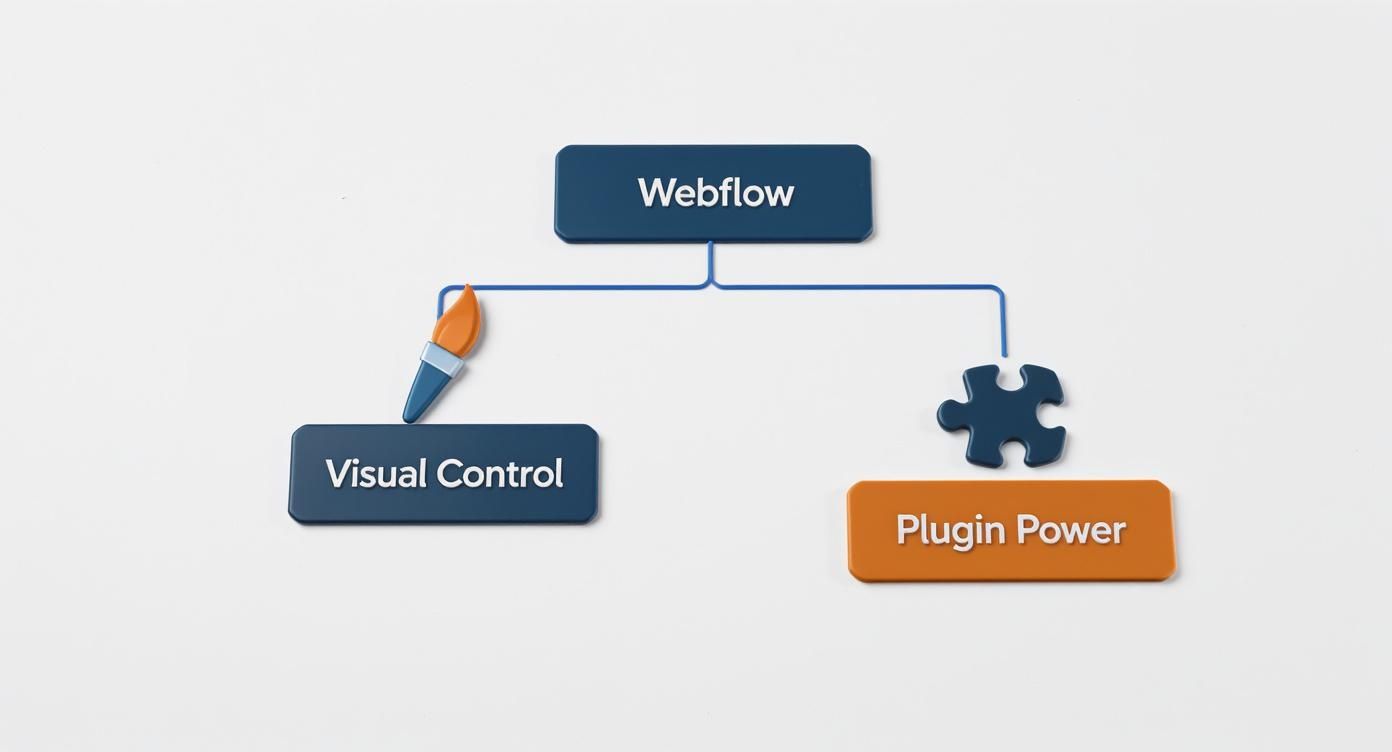
If your project demands total design freedom without writing code, Webflow is probably your answer. If you need a specific, complex function and are confident you can find a plugin for it, WordPress is likely the better path.
Of course, no matter which platform you lean toward, a successful project often depends on the team behind it. Taking the time to understand the ins and outs of hiring a website development company can make all the difference.
Comparing Usability and Learning Curve
When we talk about "usability" in the Webflow vs. WordPress debate, we’re really talking about two completely different philosophies. One platform asks you to learn its language upfront for a deeply integrated experience. The other lets you jump in quickly but can become a maze of add-ons and settings down the road. Which one feels more natural to you will honestly depend on your background and how you prefer to work.
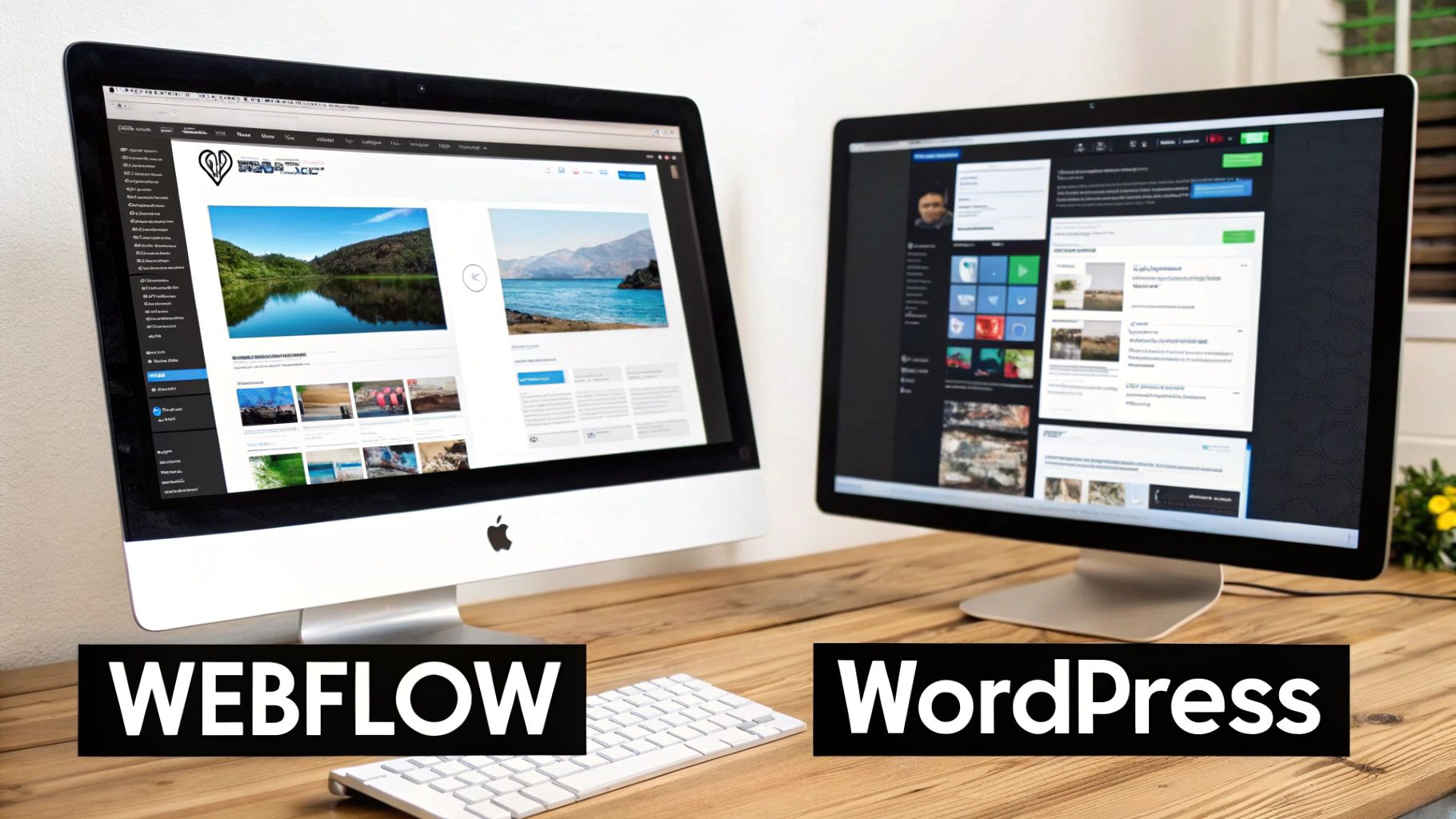
It boils down to a simple trade-off: invest your time learning at the beginning, or spend it troubleshooting a fragmented system later on. Neither is right or wrong, they just fit different types of builders.
The Webflow Experience: A Unified but Demanding Environment
Opening Webflow for the first time feels familiar if you’ve ever touched design software like Figma or Adobe XD. It’s a powerful, all-in-one visual canvas where everything—styling, animations, and content management—lives in one cohesive interface. This is Webflow's killer feature.
But that power comes with a price: a steep learning curve for anyone new to web design principles. Don't mistake it for a simple drag-and-drop builder; it's a visual coding tool. To really make it sing, you have to get comfortable with the fundamentals.
You’ll need to understand concepts like:
- The Box Model: The idea that every element on a page is a box with margins, padding, and borders.
- CSS Properties: How to control layouts using modern tools like Flexbox and Grid.
- Class-based Styling: Creating reusable styles (classes) to apply them consistently across your entire site.
Webflow essentially front-loads the learning. You put in the work to master its system, but your reward is the ability to build just about anything you can dream up from a single, unified dashboard. It makes for a much cleaner workflow in the long run.
For designers and visually-driven creators, Webflow’s learning curve is an investment in control. Once you get the hang of it, the platform feels less like a tool and more like an extension of your creative process, letting you build exactly what you see in your head without fighting plugin conflicts.
The WordPress Experience: Deceptively Simple and Fragmented
WordPress, on the other hand, rolls out the welcome mat. The famous "five-minute install" and a simple dashboard for writing posts make it incredibly approachable. If you can use a word processor, you can start publishing content right away.
The trouble starts when you want to customize your site beyond what your theme offers out of the box. This is where the clean, simple WordPress experience starts to fracture. To get a unique design, you're almost guaranteed to be using a mix of third-party tools.
This creates a fragmented workflow where you find yourself hopping between different interfaces:
- The main WordPress Dashboard for content and global settings.
- The Theme Customizer for basic tweaks like colors and fonts.
- A Page Builder Plugin (think Elementor or Divi) that has its own, separate visual editor.
- The individual settings pages for dozens of other plugins controlling everything from SEO to contact forms.
Each of these tools has its own logic and its own learning curve. This modular approach is what makes WordPress so flexible, but it also means there’s no single, consistent "user experience." How easy your site is to manage depends entirely on the combination of themes and plugins you choose.
So, when it comes to usability, the choice is clear: Do you want to master one powerful, integrated system (Webflow) or learn to orchestrate a collection of separate, specialized tools (WordPress)?
Design Freedom and Customization
When you're talking about design in Webflow vs. WordPress, you’re really talking about two different philosophies. Think of it like a sculptor working with raw clay versus an architect using prefabricated panels. One gives you absolute freedom to shape every curve, while the other lets you build impressive structures quickly from a massive library of components.
Which one is right for you boils down to your design goals. Do you need a completely unique, pixel-perfect creation, or do you want a professionally designed foundation you can adapt and launch quickly?
Webflow: The Designer's Canvas
Webflow is a visual development platform, plain and simple. It gives you a blank canvas and a powerful set of tools that write clean HTML and CSS as you design. You aren't just dragging and dropping pre-made blocks; you're manipulating the very properties of the web—margins, padding, flexbox, grids—all through a visual interface.
This is exactly why designers love it. You can build whatever you can dream up in a tool like Figma, but the end result is a real, production-ready website. This approach is perfect for creating bespoke, highly-branded sites with complex animations and interactions, all without touching a line of code.
This unique control has fueled its rise. As of 2025, Webflow's global market share hovers between 0.9% and 1.1%, a testament to its popularity among agencies and designers who refuse to be boxed in by templates. For a deeper look at its market growth, you can check out recent Webflow vs WordPress analyses.
Webflow shines when the design itself is non-negotiable. If your brand relies on a unique visual identity, intricate animations, or a truly custom layout, Webflow gives you the tools to build it without compromise.
If this new wave of visual development interests you, it's a good idea to see where Webflow fits in the larger ecosystem. We break it down further in our guide to the best no-code website builders.
WordPress: A World of Themes and Builders
At its heart, WordPress customization starts with a theme. You pick a foundational design from tens of thousands of options, which gives you an immediate structure, layout, and style. This is a huge head start for anyone who needs to get a great-looking site online without starting from scratch.
The catch? You're often working within the confines of what the theme developer allows. Simple tweaks like changing colors or fonts are usually easy through the WordPress Customizer. But if you want to fundamentally change a header or restructure a page layout, you might find yourself hitting a wall, forced to dig into code or navigate a maze of theme options.
This is where page builder plugins come into play.
How Page Builders Reshaped WordPress Design
Tools like Elementor and Divi completely changed the game by adding a visual, drag-and-drop layer on top of WordPress. They give you far more control over individual page layouts than a standard theme ever could.
But this added power isn't without its costs:
- Performance Hits: Page builders are notorious for adding "code bloat"—extra CSS and JavaScript that can slow your site down.
- Plugin Spaghetti: Stacking a powerful page builder on top of a theme and other plugins can create a house of cards, increasing the risk of conflicts and bugs.
- The Lock-In Problem: If you ever decide to switch off your page builder, you'll often find your pages are a jumbled mess of shortcodes and broken formatting.
With WordPress, you can achieve just about any design you can imagine. The ecosystem is massive. But it often involves a balancing act of piecing together the right theme and plugins, which can sometimes come at the expense of performance and streamlined maintenance.
Diving Into CMS and Content Management
A website builder is more than just a design tool; how it handles your content is where the real magic happens. This is where the core differences between Webflow and WordPress truly come into focus. One platform offers a classic, blog-first system that has been refined for nearly two decades, while the other gives you a flexible, almost database-like setup to build whatever you can imagine.
Getting this choice right is crucial. It will shape your daily workflow and define the very structure of what you can build on your site.
WordPress: The Tried-and-True Publishing Powerhouse
WordPress became the giant it is today by perfecting the art of blogging, and its CMS is a direct reflection of that history. It’s a rock-solid system built for one thing: publishing traditional content like articles and pages. The whole dashboard is designed around a simple publishing process that millions of people already know and understand.
It’s fantastic at organizing standard content with its built-in tools:
- Categories: Broad buckets for your posts, like "Company News" or "Product Updates."
- Tags: Finer-grained labels for specific topics, such as "SEO" or "content marketing."
WordPress also has a mature user role system, which makes it easy to manage a team of writers, editors, and administrators. If you're running a straightforward blog or a news-style site, the WordPress CMS is powerful, familiar, and ready to go right out of the box. Its greatest strength is its laser focus on a proven content model.
Webflow: A Flexible, Visual Database
Webflow thinks about content differently—not as simple pages or posts, but as structured pieces of information. The heart of this is the Webflow CMS, which acts like a visual database that you get to design yourself. Instead of being locked into "Posts" and "Pages," you create your own custom Collections.
A Collection is simply a content type you define. For instance, you could create Collections for:
- Team Members: With fields for Name, Photo, Job Title, and Bio.
- Real Estate Listings: With fields for Address, Price, Square Footage, and an Image Gallery.
- Case Studies: With fields for the Client, the Challenge, the Solution, and the Results.
Once you set up a Collection, your content team can add new items through a clean, simple form. They don't need to touch the design at all. The real power move is connecting these Collections to your layouts. You can pull information from any field and place it anywhere on your site, creating dynamic, data-powered designs without ever writing a line of code.
For a closer look at how various platforms handle their content, our complete CMS comparison guide provides some great insights.
Webflow's CMS is the clear winner when your content doesn't fit into the "blog post" box. It gives you the structural freedom to build truly custom, data-rich websites where the content drives the design, not the other way around.
So, Which One Should You Choose?
The right CMS really comes down to what your content looks like. The Webflow vs. WordPress decision hinges on its structure.
Go with WordPress if:
- A traditional blog or news site is your main goal.
- Your content fits neatly into the standard model of posts, pages, categories, and tags.
- You need to manage complex permissions for a large publishing team.
Go with Webflow if:
- You need to manage custom content types like portfolios, team directories, or product listings.
- Your site is data-driven and needs a flexible, database-style structure.
- You want to create dynamic layouts by visually connecting your structured content to the design.
At the end of the day, WordPress remains the king of conventional publishing. But for modern, data-centric websites that require more than just a blog, Webflow’s flexibility offers a far more powerful and adaptable foundation.
SEO Performance and Technical Optimization
Getting your site to rank on Google isn't just about picking the right keywords. The technical guts of your website—its code, speed, and structure—are just as important. When we look at Webflow vs. WordPress, we see two very different philosophies. One gives you a pristine, controlled environment right away, while the other offers unlimited potential through a world of plugins.
Webflow was clearly built with technical SEO in mind from day one. Since it’s a closed system, it manages everything from the code it spits out to the servers your site lives on. This all-in-one approach has some real benefits right out of the gate.
Webflow’s Built-In SEO Edge
Webflow produces incredibly clean, semantic HTML and CSS. For non-techies, this just means search engine bots can easily read and understand your site's content and hierarchy, which is a huge plus for ranking. You don’t have to worry about clunky code from a dozen different plugins or a bloated theme slowing things down.
Plus, a ton of critical SEO features are already baked in:
- Top-Tier Hosting: Every Webflow site sits on a global CDN (Content Delivery Network), which means fast load times for visitors anywhere in the world. Speed is a massive ranking factor, so this is a big deal.
- Auto-Generated Sitemaps: It creates and updates your XML sitemap for you whenever you add or change content. Set it and forget it.
- SSL Included: An SSL certificate comes standard and is turned on by default, giving you the little padlock in the address bar that Google loves to see.
Handling your day-to-day on-page SEO is also a breeze. You get direct control over title tags, meta descriptions, alt text, and social sharing settings without needing to hunt for a plugin. It feels like performance was part of the original blueprint, not something bolted on later.
Webflow’s biggest SEO advantage is its pristine, controlled environment. By managing the code, hosting, and security itself, it sidesteps the most common technical issues that tank a website's performance in search results.
WordPress SEO: All About the Plugins
The basic WordPress installation is actually pretty bare-bones when it comes to SEO. The default settings are okay, but they won't get you very far. The real magic happens when you tap into its legendary plugin ecosystem. This is how a standard WordPress site transforms into an SEO juggernaut.
For anyone serious about ranking a WordPress site, plugins like Yoast SEO or Rank Math are non-negotiable. They do more than just fill in the gaps; they give you a complete toolkit that often goes beyond what other platforms offer natively.
These tools put you in the driver's seat with fine-grained control over:
- Advanced Schema Markup: Easily add structured data for things like reviews, events, or FAQs. This is what helps you get those fancy rich snippets in Google search results.
- Deep Content Analysis: As you write, you get live feedback on how well your content is optimized for your target keywords and how easy it is to read.
- Smart Internal Linking: Get suggestions for linking to other relevant pages on your site while you’re writing, which helps build your site’s authority.
The catch? You’re the one in charge of putting it all together and making sure it runs smoothly. A WordPress site's performance hinges entirely on your choice of hosting, your theme, and the plugins you install. A slow theme or too many conflicting plugins can completely undo all your hard work, creating a site that’s powerful on paper but crawls in practice.
Ultimately, WordPress has a higher ceiling for what's possible with SEO, but it also has a much lower floor if you're not careful.
7. Evaluating Costs, Hosting, and Maintenance
The price tag is often a huge factor in the Webflow vs. WordPress debate, but just looking at the initial cost is a classic rookie mistake. Sure, WordPress is famously “free” to download, but that number doesn't even begin to tell the whole story. The real comparison is between Webflow’s predictable, all-in-one subscription and the often unpredictable, and sometimes escalating, costs of a self-hosted WordPress site.
Let's break down the real-world costs so you can figure out which model actually fits your budget and how you like to work.
The All-in-One Webflow Model
Webflow makes budgeting a breeze. It bundles all the technical necessities—hosting, security, maintenance—into one straightforward monthly payment. This means no surprise bills or hidden fees.
So, what does a typical Webflow plan cover?
- High-Performance Hosting: Your site lives on a global CDN (Content Delivery Network), which means it loads incredibly fast for visitors anywhere in the world.
- SSL Certificate: Security is handled from day one. An SSL certificate is included, which is non-negotiable for building user trust and for SEO.
- Platform Maintenance: Webflow’s team manages all the server updates and security patches behind the scenes. You never have to lift a finger to deal with vulnerabilities from outdated software.
- Customer Support: When things go wrong, you have direct access to a support team. It’s a huge relief knowing there’s someone to call.
This all-inclusive approach simplifies everything. You pick a plan based on your needs, and that’s your fixed operational cost. Done.
Deconstructing the WordPress Cost Puzzle
On the other hand, WordPress is open-source, which means the core software itself is free. But running a professional website on it means you’re on the hook for piecing together a bunch of different services and tools, and those costs add up fast. It's crucial to understand the true cost of a small business website before you commit.
Here’s a look at the variable costs you’ll need to budget for:
- Domain Name: An annual fee for your site's address (e.g., yourcompany.com).
- Web Hosting: A monthly or annual fee to keep your site online. Costs can swing wildly depending on the quality and performance you need.
- Premium Themes: While free themes are available, most businesses end up spending $50-$200 on a premium theme for better design, features, and support.
- Essential Plugins: You'll need plugins for SEO, security, backups, and contact forms. Premium versions can run anywhere from $50 to over $500 per year.
- Ongoing Maintenance: This is the big hidden cost. You are personally responsible for all updates, security scans, and backups. This takes time, or it costs money if you hire someone to do it. You can check out professional hosting and maintenance services to get an idea of the pricing.
It all boils down to responsibility. With Webflow, you pay a premium for a managed, hands-off experience. With WordPress, you trade a lower upfront cost for the ongoing responsibility—and potential expense—of managing every single technical piece yourself.
Annual Cost Breakdown Example for a Small Business Site
To make this crystal clear, let's look at a sample cost breakdown for a typical small business site on both platforms. This assumes you need a CMS for blogging and want reliable performance.
| Cost Item | Webflow (CMS Plan) | WordPress (Self-Hosted) |
|---|---|---|
| Platform Fee | $276 (at $23/mo) | $0 |
| Hosting | Included | $180 (quality shared hosting) |
| Premium Theme | N/A | $60 (one-time, averaged) |
| Key Plugins | Included | $150 (SEO, security, backups) |
| SSL Certificate | Included | Often included with hosting |
| Maintenance | Included | ~$600 (or your time) |
| Estimated Annual Total | $276 | ~$990 |
As you can see, a professionally run WordPress site with the necessary features and maintenance can easily end up costing more than Webflow's predictable plan. The choice is yours: a fixed, all-inclusive fee or a hands-on approach where you control (and pay for) every component separately.
Frequently Asked Questions
When you're trying to pick between Webflow and WordPress, a few key questions always seem to pop up. Let's tackle them head-on to help clear up any lingering doubts.
Which Is Better for Ecommerce: Webflow or WordPress?
If you're planning to build a large online store, WordPress paired with WooCommerce is tough to beat. The platform is built for scale, offering thousands of extensions for everything from unique payment gateways to complex inventory systems. It can handle a virtually unlimited number of products, making it the go-to for ambitious ecommerce businesses.
On the other hand, Webflow's e-commerce feature is a fantastic choice for businesses with smaller, more curated product catalogs where design and brand experience are paramount. Think of it as the perfect tool for creating a stunning online boutique. While it has fewer third-party integrations and some product limits, the visual and user experience is incredibly polished right out of the box.
Think of it this way: WooCommerce is a massive, customizable superstore that can sell anything. Webflow Ecommerce is a high-end, bespoke boutique where every detail is perfect. Both are great, but they serve entirely different types of businesses.
Can I Migrate from WordPress to Webflow?
Yes, you can absolutely move a site from WordPress to Webflow, but it’s not a simple push-button process. Webflow provides a CSV import tool that helps bring over your blog posts and other CMS content, which is a great start.
However, your site's design, theme, and custom functionality will need to be rebuilt from the ground up inside Webflow's visual designer. This is actually a good thing, as it forces you to create a clean, modern site that takes full advantage of what Webflow offers. For larger or more complex sites, bringing in an expert can make the transition much smoother.
Is Webflow Truly a No-Code Platform?
It’s more accurate to call Webflow a visual development platform. While you aren't writing lines of code, you are working with the fundamental principles of web development. To really get the most out of it, you'll need a solid grasp of concepts like the box model, CSS classes, and how responsive design works.
Webflow essentially hands a designer the power of a front-end developer through a visual interface. This means it has a steeper learning curve than a simple drag-and-drop builder, but the payoff is a much higher degree of control and a far more professional result.
Ready to build a website that not only looks incredible but also performs flawlessly? At OneNine, we specialize in expert web design and development on both Webflow and WordPress. Let us handle the technical details so you can focus on your business. Get in touch with us today to start your project.


