You launch a new website. It looks polished. The photos are sharp, the copy sounds right, and your contact form works when you test it yourself. Then actual visitors arrive, browse a little, and leave.
That's the frustrating part for most small business owners. You can see traffic, but you can't see confusion. You can tell people visited the pricing page, but you can't tell whether they got stuck, lost trust, or never even noticed the button you wanted them to click.
That's where user behavior tracking becomes useful. Consider observing how shoppers move through a physical store. Do they walk straight to the product they need? Do they pause at a display? Do they pick something up, then put it back when the checkout line feels awkward? Your website has the same patterns. You just need a way to observe them.
Behavior tracking is no longer some niche tactic used only by enterprise teams. The global behavior analytics market was valued at $1.5 billion in 2025 and is projected to grow from $2.06 billion in 2026 to $7.63 billion by 2034, according to Fortune Business Insights' behavior analytics market overview. That shift tells you something important. Businesses now treat behavior data as part of the basic infrastructure of running a modern website.
Introduction Why Visitors Leave and How to Find Out
A common small business scenario looks like this. You're getting enough visitors to know the site isn't invisible, but not enough leads or sales to feel good about it. You ask your team what's wrong, and everyone has a theory. The headline needs work. The form is too long. The offer isn't clear. The traffic is bad. The design is too plain.
The problem is that opinions pile up fast when evidence is thin.
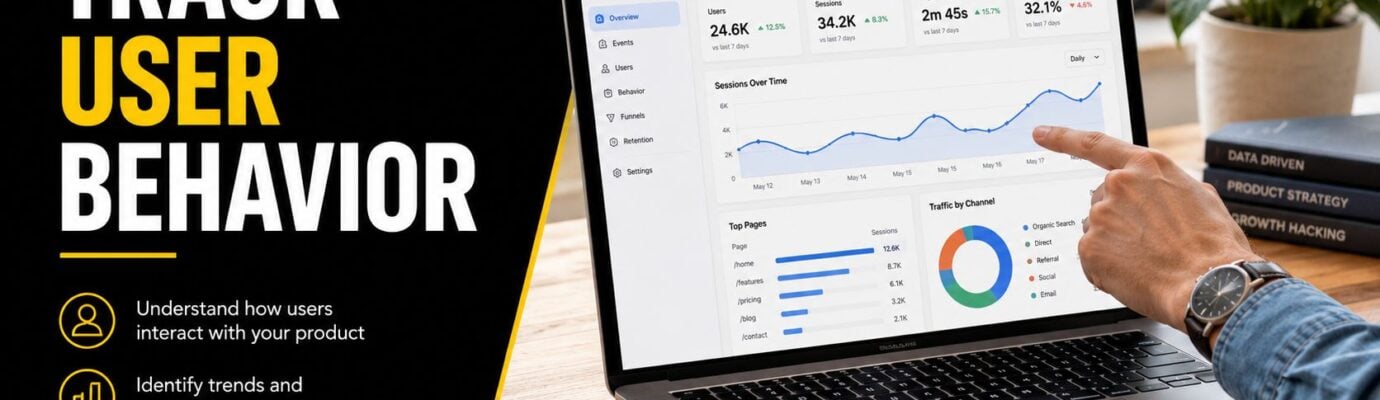
User behavior tracking gives you that missing evidence. It helps you see how people move through your pages, where they hesitate, what they click, how far they scroll, and where they leave. Instead of guessing why visitors disappear, you can inspect the path they took before they left.
Practical rule: If visitors aren't converting, don't redesign the whole site first. Find the point where behavior changes.
For a small business, that's a big deal. You probably don't have endless traffic, a dedicated analyst, or budget for long testing cycles. You need to make fewer, smarter changes. Tracking helps you do that by turning “something feels off” into “people keep stopping at this exact step.”
It also helps you understand the flow of the full visit, not just isolated pages. If you've never mapped that flow before, this guide to user journey mapping is a useful companion because it shows how visitors move from first click to final action.
A good website doesn't fail all at once. It usually leaks value in small places. A weak call to action. A broken mobile interaction. A pricing table people skim past. User behavior tracking helps you spot those leaks before they cost you more business.
What Is User Behavior Tracking
At its simplest, user behavior tracking is the process of collecting and analyzing how people interact with your website or app. It focuses on actions. Clicks, scrolls, taps, form activity, page movement, and the paths people take from one step to the next.

Think Like a Store Owner
A retail manager doesn't just count how many people entered the store. They watch what shoppers do once they're inside.
They notice things like:
- Traffic patterns: Which aisle people walk toward first
- Interest signals: Which products they stop to inspect
- Friction points: Where they look confused or turn around
- Checkout behavior: Where they abandon a purchase
Your website works the same way. A visitor lands on a page, scans it, clicks something, hesitates, scrolls, maybe opens a form, and then either continues or leaves. Behavior tracking helps you observe that sequence.
How It Differs From Basic Analytics
Traditional analytics tools often answer the question what happened. They show pageviews, traffic sources, and top pages. That's helpful, but incomplete.
Behavior tracking tries to answer why it happened.
A simple comparison makes the difference clearer:
| Tool view | What you learn |
|---|---|
| Basic analytics | The pricing page had visits, but many people exited |
| Behavior tracking | Visitors clicked the plan cards, missed the CTA, and stopped at the form |
That “why” is where most website improvements come from. A page may have strong traffic but weak results because people don't understand the next step. Or because a button looks clickable but isn't. Or because mobile users hit a layout issue that desktop users never see.
Good tracking doesn't just report activity. It gives context to the activity.
What Small Businesses Should Focus On
If you run a low-traffic site, you don't need to track everything. In fact, that usually makes things worse.
Start with actions tied to business outcomes:
- Lead actions such as contact form starts, submissions, and call clicks
- Sales actions such as add-to-cart, checkout steps, and purchases
- Engagement actions such as scrolling key pages, viewing pricing, or clicking service details
- Drop-off moments such as exits from forms, checkout, or booking pages
For a small business owner, the main purpose isn't surveillance. It's clarity. You want to know whether visitors are moving smoothly toward action or getting stuck somewhere you didn't notice before.
Key User Behavior Tracking Methods Explained
Different tracking methods answer different business questions. That's the easiest way to choose the right one. Don't start with the tool. Start with the question.
This visual gives a simple comparison.

Analytics Events
Events track specific actions on your site. A button click. A form submission. A video play. A download.
These are the backbone of structured tracking. Modern systems use scripts to collect these actions and pair them with more qualitative evidence like session replays, as explained in UXCam's guide to user behavior tracking.
Use event tracking when you want answers to questions like:
- Did people click the main CTA
- How many visitors started the contact form
- Which service card gets the most interaction
Events are useful because they turn website actions into countable signals. If you run a campaign to a landing page, event data helps you see whether visitors took the next step.
If you're comparing tools for this kind of setup, this guide to click tracking software is a helpful overview of what different platforms measure.
Session Recordings
Session recordings show a replay of an individual visit. You can watch where someone moved, clicked, paused, or got stuck.
At this point, many business owners finally understand the fundamental problem. A visitor taps a button three times. Nothing happens. Or they reach a form field, hesitate, erase, and leave. Or they scroll quickly past the exact section you thought was your strongest selling point.
Session recordings are the closest thing to standing behind a shopper and watching them try to buy.
That's especially valuable on small sites. If you don't have huge traffic volume, a handful of recordings can reveal a pattern faster than waiting for dashboard trends.
After you understand the basics, this comparison of Google Tag Manager vs Google Analytics can help you sort out which platform handles collection and which one handles reporting.
To see a walkthrough of how behavior tools work in practice, this video is a useful primer.
Heatmaps
Heatmaps show aggregated behavior across many visitors. Instead of replaying one session, they show broader visual patterns.
A click heatmap can reveal that users keep clicking an image that isn't linked. A scroll heatmap can show that most visitors never reach the testimonials near the bottom of the page. A movement map can suggest where attention clusters.
Heatmaps are best for questions like:
| Method | Best question |
|---|---|
| Click heatmap | Where do people expect something to happen? |
| Scroll heatmap | How far down the page do people get? |
| Move map | Which areas seem to hold attention? |
Funnel Tracking
Funnels track a sequence of steps. For example: landing page → pricing page → form start → form submit.
This method is ideal when you know the path people should take and want to find where they drop off. If lots of visitors reach the cart but fewer continue to checkout, the funnel shows where the leak is. It doesn't tell you the full story by itself, but it points you to where deeper investigation should begin.
For most SMBs, the strongest setup is a mix. Use events to count actions, funnels to locate drop-off points, heatmaps to see page-level patterns, and session recordings to explain behavior that numbers alone can't explain.
How Tracking Drives Business Growth and Key KPIs
Tracking matters when it changes decisions. If it doesn't lead to a fix, it's just more reporting.
A simple example is a service business with a quote request form. Traffic reaches the form page, but submissions stay low. A session replay shows people clicking into the phone number field, then backing out. That might tell you the field feels too demanding, confusing, or unnecessary for first contact. Once you simplify the form, the key KPI to monitor is form completion rate.
Another example is an online store with a long product page. Scroll behavior shows many visitors never reach the shipping details and return policy. If those details matter to your buyers, moving them higher can improve confidence. The KPI there might be add-to-cart rate or checkout progression.
The Business Outcomes That Matter
Here are some practical pairings between behavior signals and business goals:
- Checkout friction and revenue: If funnel tracking shows drop-offs between cart and payment, watch checkout completion.
- Broken interactions and retention: If recordings show rage clicks on a non-working element, watch task completion and repeat visits.
- Content engagement and lead quality: If heatmaps show visitors ignoring key proof points, watch time on key pages and lead intent.
Research from UXCam's UX statistics roundup found that 88% of people are less inclined to return after a bad user experience. That's why behavior fixes are not just usability tweaks. They affect retention, trust, and revenue.
Useful KPIs for SMBs
Don't build a giant dashboard. Track a short list tied to your site's purpose.
| Website goal | KPI to watch |
|---|---|
| Generate leads | Form starts, form submissions, call clicks |
| Sell products | Add-to-cart, checkout progression, purchases |
| Book appointments | Booking page visits, booking starts, completed bookings |
| Improve content | Scroll depth on core pages, CTA clicks, return visits |
A KPI is only useful if someone on your team can act on it this month.
Tracking also helps you spend marketing dollars more wisely. If you're running paid traffic, behavior data shows whether visitors from ads behave differently from visitors who arrive through search or referrals. For businesses investing in local Google Ads campaigns, this is especially useful because it helps connect ad intent with what people do after the click.
If you want a broader framework for judging whether a site is improving, these website performance indicators help connect user behavior to business-level measurement.
A 4 Step Implementation Strategy for Your Website
Small businesses often make tracking harder than it needs to be. The right setup is usually straightforward. The trick is choosing what to measure before you install anything.

Step 1 Define What Success Looks Like
Start with your business questions, not your tools.
An effective tracking stack requires a tracking plan before instrumentation so your reports stay understandable, as noted in Mixpanel's behavioral analytics guide. For an SMB, that means writing down a short list of critical actions and the pages involved.
For example:
- Lead generation site: homepage CTA click, service page visit, contact form start, contact form submit
- Ecommerce site: product view, add-to-cart, cart view, checkout start, purchase
- Appointment-based business: service page visit, calendar open, booking complete
If you skip this step, you'll collect a lot of noise. Noise feels productive at first. Later, it becomes a pile of reports nobody trusts.
Step 2 Pick a Small, Practical Tool Stack
You don't need an enterprise stack.
Most SMBs can start with a combination like this:
- A standard analytics platform for traffic and source data
- A heatmap or recording tool for visual behavior
- A tag manager or app integration to deploy scripts cleanly
- A reporting habit so insights lead to action
Choose based on ease of use, privacy controls, and whether the tool works with your platform. WordPress usually supports plugins. Shopify often has app-based integrations. Webflow can handle tracking code through its custom code settings. Custom sites may need a developer to place scripts or events correctly.
If you want outside help, OneNine is one option for businesses that need website support across WordPress, Shopify, Webflow, and custom platforms.
Step 3 Install Only the Tracking You Need
This part sounds more technical than it is.
For a simple site, implementation usually means adding a script, turning on session replays or heatmaps, and setting up a few event rules. A developer may help with custom buttons, forms, or checkout actions, but many platforms now make basic setup manageable without deep engineering work.
A basic checklist helps:
- Core pages first: homepage, service pages, pricing, cart, checkout, contact, booking
- Primary actions second: CTA clicks, form interactions, cart actions
- Mobile review always: test your tracking on phones, not just desktop
- Naming discipline: keep event names clear so reporting doesn't become a mess
Step 4 Review the Data and Make One Change at a Time
This is where value actually happens.
Look at the data on a regular schedule. Weekly is often enough for SMBs. Ask a small set of questions each time:
- Where are visitors dropping off?
- Which CTA gets attention but not action?
- Which recordings show confusion?
- Which pages get traffic but fail to move people forward?
Don't open a dashboard to admire activity. Open it to decide what you'll change next.
Then make one focused improvement. Rewrite the CTA. Shorten the form. Move trust signals higher. Fix the mobile layout. After that, keep watching the same path. Tracking works best when it supports repeated improvement, not one giant redesign.
Navigating Privacy and Compliance for SMBs
Many tracking guides stop at setup. That's risky for small businesses, because collecting behavior data without a privacy plan can create legal and trust problems.
A 2025 report found that 68% of small businesses using third-party behavior tracking tools are at risk of non-compliance penalties because they lack the framework to anonymize data at the collection point. For SMBs, the lesson is simple. Don't treat privacy as paperwork after installation. Treat it as part of installation.

What Privacy Means in Plain Language
You don't need to be a lawyer to follow the core principles.
Privacy-friendly tracking usually comes down to five habits:
- Ask first: Use a clear consent banner before loading non-essential tracking where required.
- Explain clearly: Tell visitors what you collect, why you collect it, and which tools you use.
- Collect less: Don't record more data than you need to solve business problems.
- Protect the data: Limit access and choose tools with sensible security controls.
- Respect user rights: Be ready to respond if someone asks about their data.
Where SMBs Usually Slip
The common mistake isn't bad intent. It's copying a tool setup from a blog post and assuming the default settings are safe.
Third-party scripts can inherit data from your pages. Session recordings can accidentally capture more than you intended if fields aren't masked properly. Consent tools can be installed, but configured poorly. Privacy policies can be generic and outdated.
A safer approach looks like this:
| Risk area | Better approach |
|---|---|
| Session recordings | Mask sensitive fields and review default capture settings |
| Third-party scripts | Load only what you need and understand what each tool collects |
| Consent banners | Match banner behavior to actual script loading behavior |
| Privacy policy | Describe your real setup in plain language |
Privacy-by-design is just a practical habit. Decide what you should collect before you decide what you can collect.
If you're unsure, start narrower. Track core page interactions and key conversion steps first. Expand only when you know why the added data is necessary. That protects users, simplifies compliance, and keeps your reporting cleaner.
Common Pitfalls and How to Avoid Them
The first pitfall is tracking too much. Small teams often install every possible event because it feels safer to have more data. In practice, that makes reports harder to read and decisions slower to make. Track the few actions that connect directly to leads, sales, or bookings.
The second pitfall is more specific to SMBs. Low traffic can produce misleading patterns. A Harvard Business Review study noted that 74% of SMBs misinterpret random visitor spikes as engagement trends, especially on sites with under 500 monthly visitors. That means one unusual day can look like a breakthrough when it's really just noise.
To avoid that mistake, use a calmer reading of the data:
- Look for repeated patterns: One odd session means little. Several similar sessions matter.
- Use longer windows: Weekly or monthly reviews are often more reliable than daily reactions.
- Pair counts with observation: If a metric changes, check recordings or heatmaps before acting.
- Avoid big conclusions fast: On low-volume sites, certainty usually arrives slowly.
Another mistake is ignoring the story behind the metric. A drop-off rate tells you where a problem sits, not what caused it. That's why the combination of funnels, replays, and page-level observation works better than any single report.
The last pitfall is treating privacy as separate from performance. It isn't. A clean, consent-aware setup gives you data you can use with confidence. A messy setup creates risk, confusion, and wasted effort.
User behavior tracking works best when it stays simple, focused, and tied to real decisions.
If your team needs help setting up user behavior tracking, cleaning up noisy reporting, or turning website data into clear next steps, OneNine works with SMBs on WordPress, Shopify, Webflow, and custom sites to support design, development, and ongoing website management.


