

Think of website hosting and maintenance as the two essential pillars holding up your online presence. You can't have one without the other. Hosting is what puts your website on the internet, giving it a digital address. Maintenance is the ongoing work that keeps it secure, fast, and functioning flawlessly.
It’s a bit like owning a house. Hosting is the plot of land and the physical structure. Maintenance is everything else: the security system, the regular cleaning, and the occasional repairs to fix a leaky faucet or a broken window. Neglect either one, and your home—or in this case, your website—starts to fall apart.
What's the Difference Between Hosting and Maintenance?
At first glance, it's easy to see why people lump hosting and maintenance together. Many companies even sell them as a single package. But in reality, they are two completely different services that handle very distinct aspects of your website's health.
Let's stick with our house analogy to make this crystal clear.
-
Website Hosting is Your Property Lease: Imagine you’ve found the perfect location for a new retail shop. The lease you sign for that physical space is your hosting. It gives you a plot of land and a building where customers can find you. In the digital world, a hosting provider rents you space on a server, which is basically a powerful computer that’s always connected to the internet. This makes your site accessible to anyone, anywhere, at any time.
-
Website Maintenance is Your Facilities Team: Now, what about keeping that beautiful new shop in pristine condition? That’s where maintenance comes in. This is your security guard, your cleaning crew, and your handyman all rolled into one. They lock the doors at night (security scans), keep the aisles clean (software updates), and make sure the lights are always on (performance checks). Without this team, your shop would quickly become messy, unsafe, and a place customers avoid.
To make it even simpler, here’s a quick breakdown of their core functions.
Hosting vs Maintenance At a Glance
This table breaks down the core functions of website hosting and maintenance services to clarify their distinct roles.
| Aspect | Website Hosting | Website Maintenance |
|---|---|---|
| Core Function | Provides server space for website files to "live" online. | Actively manages, protects, and updates the website's software. |
| Primary Goal | To keep the website accessible to visitors 24/7. | To ensure the website runs securely, quickly, and without errors. |
| Key Activities | Server management, uptime monitoring, bandwidth allocation. | Software updates, security scans, backups, performance optimization. |
| Analogy | Renting the physical storefront and land. | The security, cleaning, and repair crew for the store. |
Understanding this distinction is the first step toward making sure your website has the solid foundation it needs to succeed.
Why You Can't Have One Without the Other
This is where things often go wrong. Many business owners invest in premium hosting but completely overlook maintenance, assuming the job is done. But here's the reality: world-class hosting can't protect your site if a plugin is two years out of date. That single outdated piece of software is like leaving the back door of your store wide open for hackers.
The reverse is also true. You could have the best maintenance team in the world, but if your hosting is cheap and unreliable—like a shop with a faulty power grid in a bad neighborhood—your website will constantly go down. No amount of maintenance can fix a server that keeps crashing. The two are completely codependent.
A website isn't a "set it and forget it" project. It’s a living, breathing part of your business that needs constant attention. Skipping hosting or maintenance is like buying a brand-new car and refusing to change the oil. It’s not a matter of if it will break down, but when.
A stable hosting environment gives your website a safe place to operate, while proactive maintenance keeps everything running smoothly within that environment. When they work together, you create a fast, secure, and reliable experience for your visitors—and that’s how you build trust and grow your business online.
Why Quality Hosting and Maintenance Matters

It’s easy to see hosting and maintenance as just another technical expense on a spreadsheet. But that’s a big mistake. In reality, this is a core investment in your business's stability, reputation, and ability to grow. The quality of these services has a direct line to your bottom line, influencing everything from security to sales.
Think of it like the foundation of a skyscraper. Nobody really pays attention to the reinforced concrete and steel beams buried deep underground, but they are absolutely essential. If you cut corners there, the entire structure is in jeopardy. The exact same principle applies to your website.
The High Price of Neglect
Putting off professional upkeep is a gamble you really don't want to take. A single security breach, for instance, isn't just a technical hiccup—it's a full-blown business disaster. The average cost of a data breach is now in the millions, but the long-term damage to customer trust can be far worse and sometimes impossible to repair.
Imagine an e-commerce site crashing during a huge holiday sale. It's not just about the transactions lost in those few hours. It’s about losing repeat customers who had a frustrating experience and decided to shop with a competitor instead. These aren't just what-if scenarios; they are the real-world consequences of treating your website’s foundation as an afterthought.
Boosting SEO and User Experience
Top-notch hosting and maintenance is also a huge driver for your search engine optimization (SEO) and overall user satisfaction. Search engines like Google have made it clear that they prioritize websites that are fast, reliable, and secure. Slow load times and frequent downtime are major red flags that can tank your rankings.
A one-second delay in page load time can lead to a 7% reduction in conversions. For a site earning $100,000 per day, that one-second delay costs $2.5 million in lost sales every year.
This is where you see how hosting and maintenance work together perfectly.
- Speed: A quality host provides the raw server power for fast loading, while good maintenance keeps your site’s code, images, and databases running at peak efficiency.
- Uptime: Reliable hosting means your site is almost always available, and proactive maintenance stops software conflicts and errors before they can cause a crash.
- Security: A secure host guards the server itself, while maintenance keeps your site's software patched and updated to protect against the latest vulnerabilities.
Beyond just keeping your site online, a key part of this is to optimize server performance to increase Google crawl rate, which helps your content get discovered faster. This powerful combination creates a smooth user experience that builds trust and nudges visitors toward becoming customers.
From Technical Cost to Strategic Investment
Ultimately, deciding to invest in quality services is about changing how you think. It’s not just about paying a monthly bill to keep the lights on. It’s about building a strong, resilient digital asset that actively supports your business goals. Professional management protects your revenue, strengthens your brand, and gives you a real competitive advantage.
When looking at your options, think about the potential cost of not having a solid plan in place. For a closer look at what professional management involves, checking out different website maintenance plans can show you what services are available to protect and grow your online presence. It’s an investment that pays for itself over and over by preventing disasters and creating new opportunities.
Choosing Your Web Hosting Type
Picking the right web hosting is a lot like choosing a physical home for your business. You wouldn't try to run a massive warehouse out of a tiny apartment, and you don't need a sprawling corporate campus for a personal blog. Let's break down the main types of hosting using a simple housing analogy to find the perfect spot for your website.
Think of each hosting type as a different kind of property. Each one comes with its own set of rules, resources, and costs, all of which directly affect how your website performs. Getting a handle on these differences is the first big step toward building a solid foundation for your online presence.
Shared Hosting: The Apartment Building
Shared hosting is easily the most popular and affordable option, making it the perfect starting point for most people. Imagine it as renting an apartment in a big building. You get your own private space, but you share the building’s main resources—like electricity, water, and security—with all the other tenants.
This model works so well because the server costs are split among hundreds, or even thousands, of websites. It’s a great fit for:
- New bloggers and personal websites.
- Small businesses with simple, low-traffic sites.
- Anyone on a tight budget who’s just getting started.
The catch? A noisy neighbor can definitely affect you. If another website on the same server gets a huge spike in traffic, it can slow your site down. You have less control and fewer dedicated resources, but that low entry cost makes it an incredibly attractive choice.
Shared hosting is a huge piece of the pie. It's still a dominant force, making up 34% of the market revenue in 2023, and it's the go-to for countless small businesses and personal sites. You can dig into more stats in this web hosting market analysis on hostopia.com.
VPS Hosting: The Townhouse
As your website grows, you might start to feel like your shared hosting "apartment" is getting a bit cramped. The natural next step is Virtual Private Server (VPS) hosting. Think of this as moving into a townhouse. You still share the main property (the physical server) with a few other tenants, but you have your own dedicated floors, a private entrance, and full control over your own utilities.
With a VPS, a powerful physical server is digitally partitioned into several virtual servers. Each one gets its own guaranteed slice of resources, like memory and processing power. This means another website’s traffic spike won't drag down your performance.
VPS hosting is ideal for:
- Growing businesses that have outgrown shared hosting.
- E-commerce sites with moderate and steady traffic.
- Websites that need more control and customization.
This visual gives you a good idea of what's involved with managing your hosting hardware.
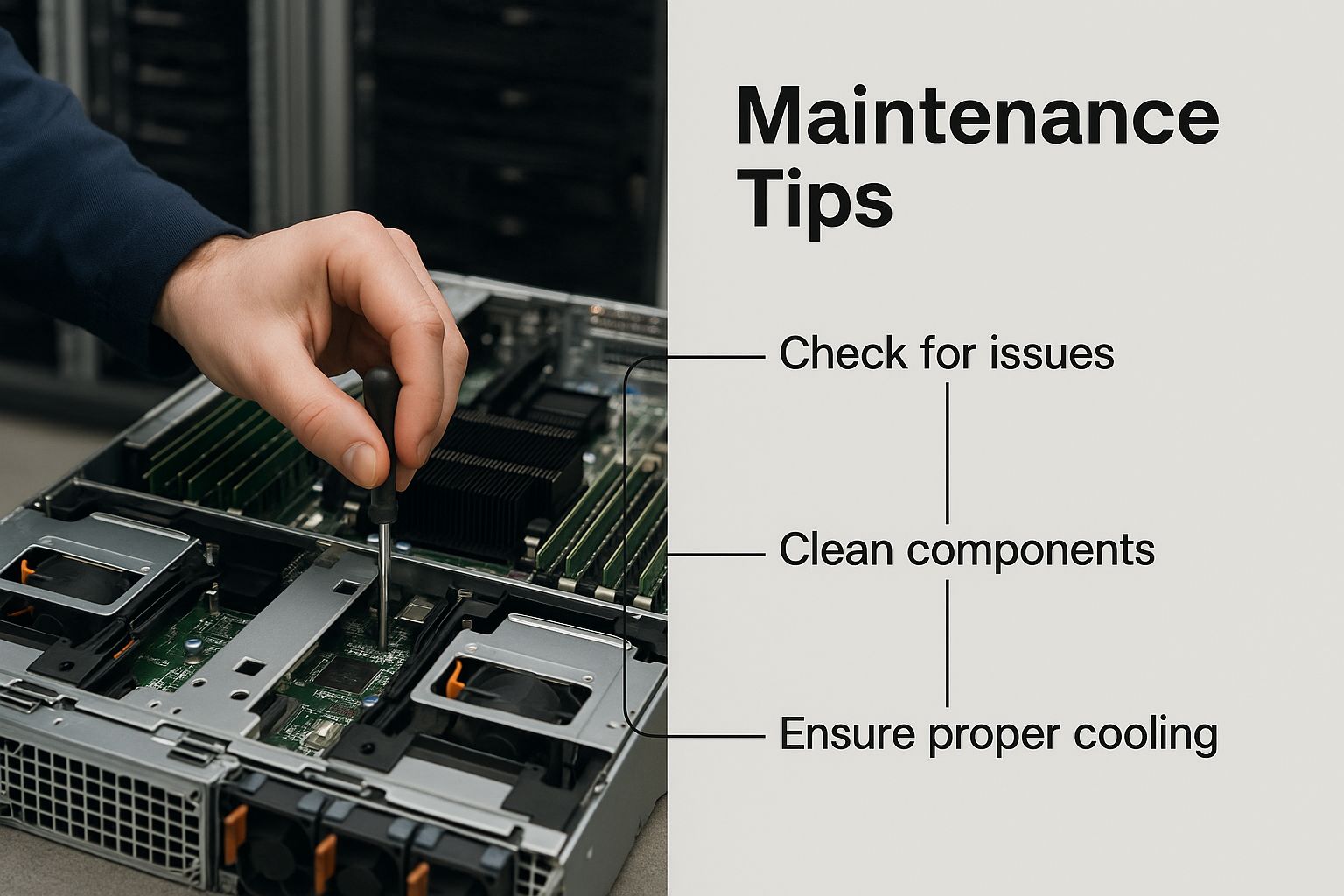
As you can see, the more advanced hosting you get, the more hands-on the management becomes, which is why having the right expertise is so important.
Dedicated Hosting: The Single-Family Home
For those who need the absolute best, there's dedicated hosting. This is the top tier, and it’s like owning your own single-family home. You lease an entire physical server just for your website. You have complete control over everything, from the operating system to the security protocols. All of the server's resources are yours and yours alone.
This option delivers the highest level of performance, security, and customization you can get. Because of its power (and cost), dedicated hosting is usually reserved for:
- Large e-commerce stores with huge transaction volumes.
- Enterprise-level websites with millions of monthly visitors.
- Applications that handle sensitive data and require maximum security.
Of course, owning the whole house means you’re also responsible for all its upkeep, which demands some serious technical know-how. It's the most powerful option, but also the most demanding. For most small to medium businesses, finding the best web hosting for small business is about striking a balance between shared and VPS features.
Cloud Hosting: The Modern, Scalable Condo
Finally, we have cloud hosting, the most modern and flexible approach of them all. Think of it as living in a futuristic, scalable condo complex. Instead of relying on a single physical server, your website is powered by a whole network of interconnected servers—the "cloud." If one server has an issue, another one instantly picks up the slack, which means you get virtually zero downtime.
The real game-changer here is scalability. If your new marketing campaign goes viral and traffic explodes, the cloud can instantly assign more resources to handle it. You only pay for what you use, which makes it incredibly efficient. This model is perfect for businesses with fluctuating traffic or anyone planning for rapid growth.
Anatomy of a Website Maintenance Plan
Think of a website maintenance plan like the regular service schedule for your car. You don't wait for a weird noise or for smoke to start pouring from the hood before you get an oil change, right? Of course not. You follow a proactive checklist to keep your car running smoothly and safely.
A solid plan for your website works the same way. It's all about preventing small, hidden issues from snowballing into catastrophic failures that take your site—and maybe your business—offline. A truly comprehensive maintenance strategy is built on four core pillars. Let's break down what that actually looks like.
Pillar 1: Security and Monitoring
This is the absolute, non-negotiable foundation. Cyber threats are a constant reality, so proactive security isn't just a "nice-to-have" feature; it's a must. The goal here is simple: lock down your digital property and keep a close watch for anything that looks out of place.
Key security tasks include:
- Regular Malware Scans: This is your digital security patrol, actively searching for malicious code that hackers might have slipped into your site.
- Firewall Management: A good Web Application Firewall (WAF) acts as a bouncer, stopping shady traffic from ever reaching your website's front door.
- User Access Audits: You need to regularly check who has the keys to your website’s backend. Removing old or unnecessary user accounts closes off easy entry points for trouble.
Pillar 2: Performance Optimization
Let's face it: a slow website is a failing website. Performance optimization is all about making sure your site loads in a snap and gives every visitor a smooth, frustration-free experience. Even a one-second delay can send your conversion rates plummeting and hurt your search engine rankings.
A slow website directly hits your bottom line. Studies consistently show that 40% of users will abandon a website that takes more than three seconds to load. That makes performance a critical part of any maintenance routine.
Common performance-boosting tasks involve:
- Image Optimization: Compressing images so they load quickly without looking pixelated.
- Database Cleanup: Over time, your database gets cluttered with junk—old post revisions, spam comments, and trashed drafts. Cleaning this out keeps your site feeling nimble.
- Caching Implementation: This is like creating a "snapshot" of your pages. It allows the server to show visitors a saved version instantly instead of building the page from scratch every single time.
Pillar 3: Software Updates
Outdated software is one of the most common ways hackers get in. Every time a new update is released for your CMS (like WordPress), plugins, or themes, it often contains crucial security patches. Ignoring these updates is like leaving your front door wide open.
This pillar is all about:
- Core CMS Updates: Applying updates to your main platform as soon as they're available to patch known vulnerabilities.
- Plugin and Theme Updates: Keeping all your add-ons and design templates current is just as important, as they are frequent targets.
- Compatibility Checks: After an update, it's vital to do a quick run-through of your site to make sure everything still plays nicely together.
Pillar 4: Backups and Recovery
Even with the best defenses in the world, things can still go wrong. That’s where a reliable backup and recovery plan comes in—it’s your ultimate safety net. It means that if your site ever gets hacked or a critical error breaks everything, you can get it back online quickly with minimal drama.
To truly protect any digital asset, you need a solid strategy. Learning more about creating an effective software maintenance plan will help you cover these principles in greater detail.
A strong backup plan includes three key steps:
- Automated Daily Backups: Backups should run automatically every day. This way, you always have a recent, clean version of your site ready to go.
- Off-Site Storage: Never store your backups on the same server as your website. Keeping them in a separate cloud location protects them if the main server is compromised.
- Regular Restoration Tests: A backup is useless if it doesn't work. Periodically testing a restore on a staging site confirms your files are healthy and ready for an emergency.
For a closer look at how these tasks apply in the real world, our guide on website maintenance for small business offers some practical tips. By consistently managing these four areas, you build a resilient, secure, and fast website that actually helps you achieve your goals.
Essential Website Maintenance Checklist
To give you a clearer picture, here’s a breakdown of critical tasks organized by how often they should be done. Following a schedule like this ensures nothing slips through the cracks.
| Task | Weekly | Monthly | Quarterly |
|---|---|---|---|
| Visual Inspection of Site | ✅ | ||
| Check for Broken Links | ✅ | ||
| Update Plugins & Themes | ✅ | ||
| Full Site Backup | ✅ | ||
| Malware & Security Scans | ✅ | ||
| Review Site Speed | ✅ | ||
| Update Core CMS | ✅ | ||
| Database Optimization | ✅ | ||
| Audit User Access | ✅ | ||
| Test Backup Restoration | ✅ | ||
| Review SEO Performance | ✅ |
This checklist isn't exhaustive, but it covers the fundamentals. Think of it as your starting point for building a routine that keeps your website healthy, secure, and running at peak performance year-round.
How to Select the Right Provider

Choosing a partner for your website's hosting and maintenance feels like a big deal because, frankly, it is. The right provider works behind the scenes to keep you successful, while the wrong one can become a constant source of frustration. With so many choices out there, how do you find one you can actually trust?
The trick is to look past the flashy ads and focus on what really matters for your site's performance, security, and future. Think of it like hiring a key employee—you need to do your homework.
Uptime Guarantees and Reliability
At its core, a host's most important job is simply keeping your website online. This is measured by uptime, which is the percentage of time a server is up and running. Even tiny differences in that percentage can have a massive impact.
- An uptime of 99.9% means your site could be offline for about 43 minutes every month.
- An uptime of 99.99% shrinks that downtime to just over 4 minutes per month.
You should always look for a provider that offers a Service Level Agreement (SLA) guaranteeing a specific uptime, ideally 99.9% or higher. It’s their way of putting their money where their mouth is, showing they have confidence in their own systems. Anything less is a serious red flag.
Quality and Speed of Customer Support
When your site breaks at 2 AM or a plugin update goes haywire, you can't afford to wait hours for an email reply. This is where great support becomes non-negotiable, something people often forget about until they're in the middle of a crisis.
Look for providers offering 24/7/365 support through multiple channels, like live chat, phone, and a helpdesk. A good tip is to test them out before you commit. Send a few pre-sales questions and see how quickly—and how well—they respond. A company that invests in top-notch support is a company that cares about its customers.
A great provider acts as a true partner. They don't just fix problems when they happen; they proactively monitor your site to prevent issues from occurring in the first place. Their support team should feel like an extension of your own.
Core Security Features
In today's world, security isn't optional; it has to be built-in from the ground up. A solid hosting and maintenance provider will weave security into every part of their service. Don't settle for the bare minimum.
Here’s what should be on your checklist:
- Free SSL Certificates: This is the standard for encrypting data and giving visitors that secure lock icon.
- Web Application Firewall (WAF): Acts as a guard, blocking malicious traffic before it even gets to your site.
- Regular Malware Scanning: Constantly looks for and gets rid of any harmful code.
- Automated Backups: Your safety net. If something goes wrong, you can restore your site in a flash.
These aren't nice-to-haves anymore. They are absolute musts for protecting your website and your business.
Scalability for Future Growth
The hosting plan that fits you perfectly today might not be enough in a couple of years. As your business succeeds, your website traffic and resource needs will grow, too. A great provider makes it easy to scale up without the headache of a complex migration.
The global web hosting market is exploding, which just shows how much demand there is for solid online infrastructure. The market jumped from $94.64 billion in 2022 to $124.80 billion in 2023 and is expected to climb to $159.9 billion by 2025. You can dig into more of this data in these web hosting market share statistics on bluehost.com.
Before you sign on, ask potential providers how they handle upgrades. Can you easily jump from a shared plan to a VPS? How smooth is that process? Choosing a host with a clear growth path ensures your hosting and maintenance plan can grow with you.
Common Hosting and Maintenance Questions
Let's dig into some of the practical questions that always come up when talking about hosting and maintenance. Getting these answers straight is the key to making smart decisions for your website without getting lost in the technical weeds.
Think of this as a quick-and-dirty FAQ, designed to give you clear, actionable answers to the stuff that really matters.
Can I Manage Hosting and Maintenance Myself?
You absolutely can, but the real question is, should you? It all boils down to two things: how comfortable you are with the tech, and how much time you have to spare. If you’re running a personal blog or a simple portfolio, going the DIY route is often totally fine. It’s a great way to learn, and the stakes are pretty low.
But for a business website, it's a completely different ballgame. When your site's uptime is tied directly to your bottom line, the risks skyrocket. One wrong move—a missed security update or a bad server setting—can lead to a hack, lost data, or downtime that sends customers running to your competitors.
Professional services aren't just about handing off tasks; they're about outsourcing risk. You're paying for the peace of mind that comes from having experts watch over your most important digital asset, 24/7.
Do a quick cost-benefit analysis. What's an hour of your time worth? Now, compare that to the potential cost—in both dollars and reputation—of a major website meltdown. For most businesses, the investment in a professional plan pays for itself the first time it prevents a disaster.
How Much Should I Budget for These Services?
There’s no magic number here. The cost for hosting and maintenance is all over the map, and for good reason—it’s completely dependent on what your website needs to thrive.
You can find basic shared hosting for just a few bucks a month, while a high-powered dedicated server for a massive e-commerce site could run you several hundred. Likewise, a no-frills maintenance plan might start around $50 per month for the basics like updates and backups. If you need more comprehensive support with advanced security and performance tuning, you can expect to pay more.
The trick is to look past the price tag and focus on the value. A cheap plan that crashes all the time and has non-existent support isn't a bargain; it's a liability.
As you plan your budget, ask yourself these questions:
- Hosting Type: Are you okay with shared hosting (the cheapest), or do you need the power of a VPS, Cloud, or Dedicated server?
- Maintenance Scope: Do you just need the essentials covered, or are you looking for a full-service plan that proactively keeps your site fast and secure?
- Support Level: Is 24/7 expert help included, or will you have to pay extra when something breaks at 2 a.m.?
- Security Features: Does the plan come with critical tools like a firewall, malware scanning, and free SSL certificates?
Answering these helps you figure out what you’re really getting for your money and ensures you pick a solution that can actually support your business goals.
What's the Difference Between a Domain and Hosting?
This is probably one of the most common points of confusion, but a simple analogy clears it right up. Imagine your website is a brand-new house.
- Your domain name is its street address (like
yoursite.com). It's the unique address people type in to find you. - Your web hosting is the actual plot of land your house is built on. It's the physical space where all your website’s files, images, and content are stored.
You can't have one without the other. The domain is just a signpost pointing to the right piece of land (your hosting server). Without the domain, no one can find your house. Without the hosting, there’s no house to find. You usually buy them from the same company for convenience, but they are two distinct things.
How Often Should My Website Be Backed Up?
There’s no single right answer here—it all depends on how often your website changes. The guiding principle is simple: back up your site often enough that you won’t lose anything important if the worst happens.
The web hosting world is booming. The global market was valued at $130.1 billion in 2023 and is projected to hit nearly $355.8 billion by 2029. As our websites become more and more valuable, protecting them with solid backups is non-negotiable. You can read up on the latest trends and discover additional insights about web hosting statistics on hostinger.com.
Here’s a quick guide to help you figure out your frequency:
- High-Traffic Sites (like an E-commerce Store): If you’re processing orders, adding new products, or getting customer comments every day, you need daily backups, minimum. Real-time backups are even better.
- Active Content Sites (like a Business Blog): If you're publishing new articles or updating pages a few times a week, weekly backups are a solid baseline.
- Static Sites (like a Brochure Site): If your content almost never changes, monthly backups might be okay, but honestly, setting up automated weekly backups is so easy there's no reason not to.
The best practice is to have an automated system that backs up your site daily and, crucially, stores those backups somewhere else (like in the cloud). And remember, a backup is useless if it doesn't work. Test your restoration process every once in a while to make sure you can actually get your site back online when you need it most.
Managing your website shouldn't feel like a second job. At OneNine, we handle all the technical heavy lifting—from expert hosting to proactive maintenance and dedicated support—so you can get back to what you do best: growing your business. Visit us at https://onenine.com to see how we can help.


