

Understanding your customer is the bedrock of any successful business. How do you move from abstract data to a clear, actionable picture of their experience? This is where a user journey template becomes indispensable. It's not just a diagram; it's a strategic tool that visualizes every touchpoint, emotion, and pain point a user encounters with your brand. From initial awareness to long-term loyalty, mapping this path reveals critical opportunities for improvement and innovation.
However, finding the right template can be a challenge. Some are overly complex for a small team, while others are too simplistic to offer real insight. To help you cut through the noise, we’ve curated a definitive list of the best user journey template resources available today. We’ll explore options for every need, from collaborative whiteboards like Miro and Mural to design-focused files for Figma and practical templates within Atlassian.
This guide gets straight to the point. Each entry includes a direct download link, screenshots, and practical advice on when and how to use it. Our goal is to help you select the perfect template to transform your user understanding and drive meaningful results for your business.
1. Ultimate Guide To User Journey Mapping Tools
The "Ultimate Guide To User Journey Mapping Tools" from OneNine stands out as a premier resource, not just for a downloadable user journey template, but for the strategic framework it provides. It’s an expert-led guide that helps businesses select and implement the right tools by connecting user journey mapping directly to core business objectives. This approach ensures the resulting maps are not just theoretical diagrams but actionable blueprints for growth.
This guide excels by offering platform-specific advice, a rare and valuable feature. Whether your site is on WordPress, Shopify, or Webflow, the insights are tailored to help you optimize the user experience within your specific tech stack. It bridges the gap between high-level strategy and practical website management. For teams collaborating on these maps, understanding the 10 reasons to use an online whiteboard for remote collaboration can further amplify the effectiveness of the tools recommended in the guide.
Key Strengths & Use Cases
Why it stands out: OneNine’s deep expertise in web design and development infuses the guide with practical, field-tested wisdom. It moves beyond generic advice to provide a clear path for turning user journey insights into measurable improvements in engagement and conversions.
- Best For: Strategists, marketers, and business owners who need to align their website's user experience with concrete business goals.
- Practical Tip: Use this guide during your planning phase to choose a mapping tool that integrates well with your existing analytics and CMS. This ensures a smoother workflow from data gathering to implementation. The concepts also align well with structuring your site's foundation; explore their resources on website information architecture to create a cohesive user experience.
| Feature Analysis | Assessment |
|---|---|
| Content Focus | In-depth analysis of various mapping tools, not just a single template. |
| Platform Specificity | Actionable insights tailored for WordPress, Shopify, and Webflow. |
| Strategic Alignment | Strong emphasis on connecting user journeys to business growth and conversions. |
| Access | Free to access on the OneNine website. |
Final Takeaway: While it doesn't offer a direct template download on the landing page, this guide is an indispensable resource for any team serious about making data-driven decisions. Its value lies in teaching you how to select and use the right tools for a user journey template that delivers real results.
Visit the Ultimate Guide to User Journey Mapping Tools
2. Mural
Mural is a digital whiteboard platform that excels at collaborative visualization, making it a powerhouse for distributed teams building a user journey template. Its strength lies in transforming the static mapping process into a dynamic, real-time workshop. Teams can simultaneously add sticky notes, comments, and images to a shared canvas, creating a rich, multi-layered view of the customer's experience.
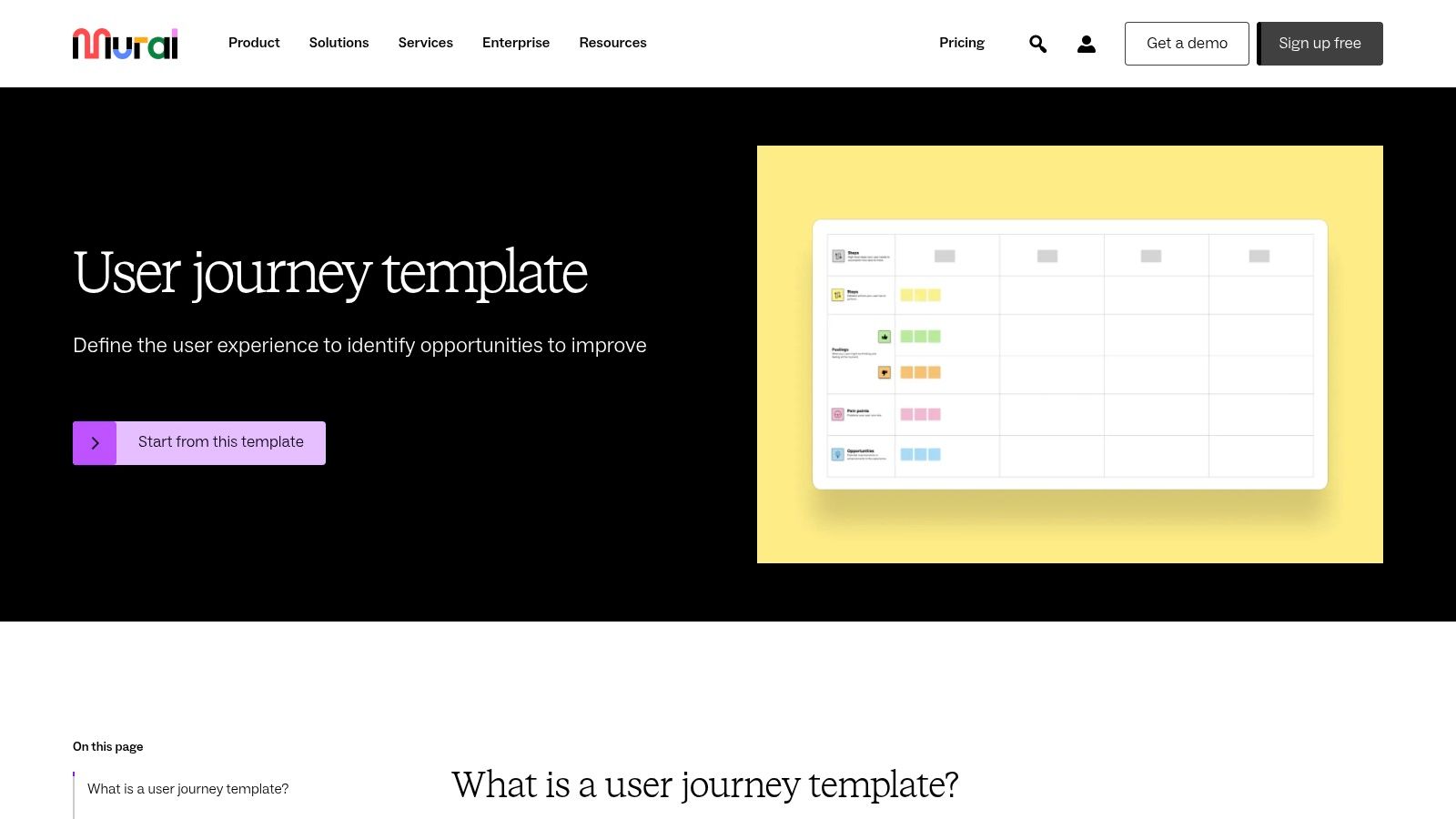
Unlike static downloadable templates, Mural provides a live, interactive environment. This is especially useful for workshops where you need to capture ideas from multiple stakeholders at once. The platform's extensive template library gives you a solid starting point, but its true value is in the real-time collaboration it fosters.
Key Details & Use Case
- Best For: Remote teams, UX/UI designers, and product managers conducting collaborative journey mapping workshops.
- Access: Mural operates on a subscription model. It offers a free plan with limited features, but full access to its advanced tools and unlimited murals requires a paid subscription.
- Practical Tip: Use Mural’s built-in voting feature during a team session to quickly prioritize user pain points or opportunities identified on the journey map. This helps turn discussion into actionable decisions efficiently.
Explore Mural’s User Journey Template
3. Figma (FigJam)
Figma’s online whiteboard, FigJam, offers a highly accessible and intuitive platform for creating a user journey template. Because it lives within the same ecosystem as Figma’s design tool, it is the go-to choice for product teams who want to bridge the gap between initial customer research and final UI design. The ability to link journey map elements directly to design mockups creates a powerful, unified workflow.
Unlike standalone mapping tools, FigJam excels at integrating the journey map directly into the design process. Its pre-built components and drag-and-drop interface make it easy to quickly visualize touchpoints, pain points, and opportunities. The real-time collaboration is seamless, allowing designers, product managers, and marketers to contribute simultaneously, making it an ideal environment for brainstorming and refinement.
Key Details & Use Case
- Best For: Design-centric teams, UX/UI designers, and product managers who need to align journey maps with active design projects in Figma.
- Access: FigJam offers a generous free tier that includes access to templates and core collaborative features. More advanced functionality is available through paid Figma Professional, Organization, or Enterprise plans.
- Practical Tip: Use FigJam’s “Components” feature to create a master set of journey mapping elements (e.g., touchpoint, emotion, pain point). This ensures consistency across multiple journey maps and allows you to update all instances at once if your visual language changes.
Explore Figma's Customer Journey Map Template
4. Lucidchart
Lucidchart is an intelligent diagramming application that simplifies the creation of complex visuals, making it an excellent choice for a detailed user journey template. It stands out with its clean drag-and-drop interface and vast shape libraries, allowing teams to build highly customized and professional-looking maps. Its 5-Stage User Journey Map template offers a structured framework for visualizing customer interactions from initial awareness to post-purchase advocacy.
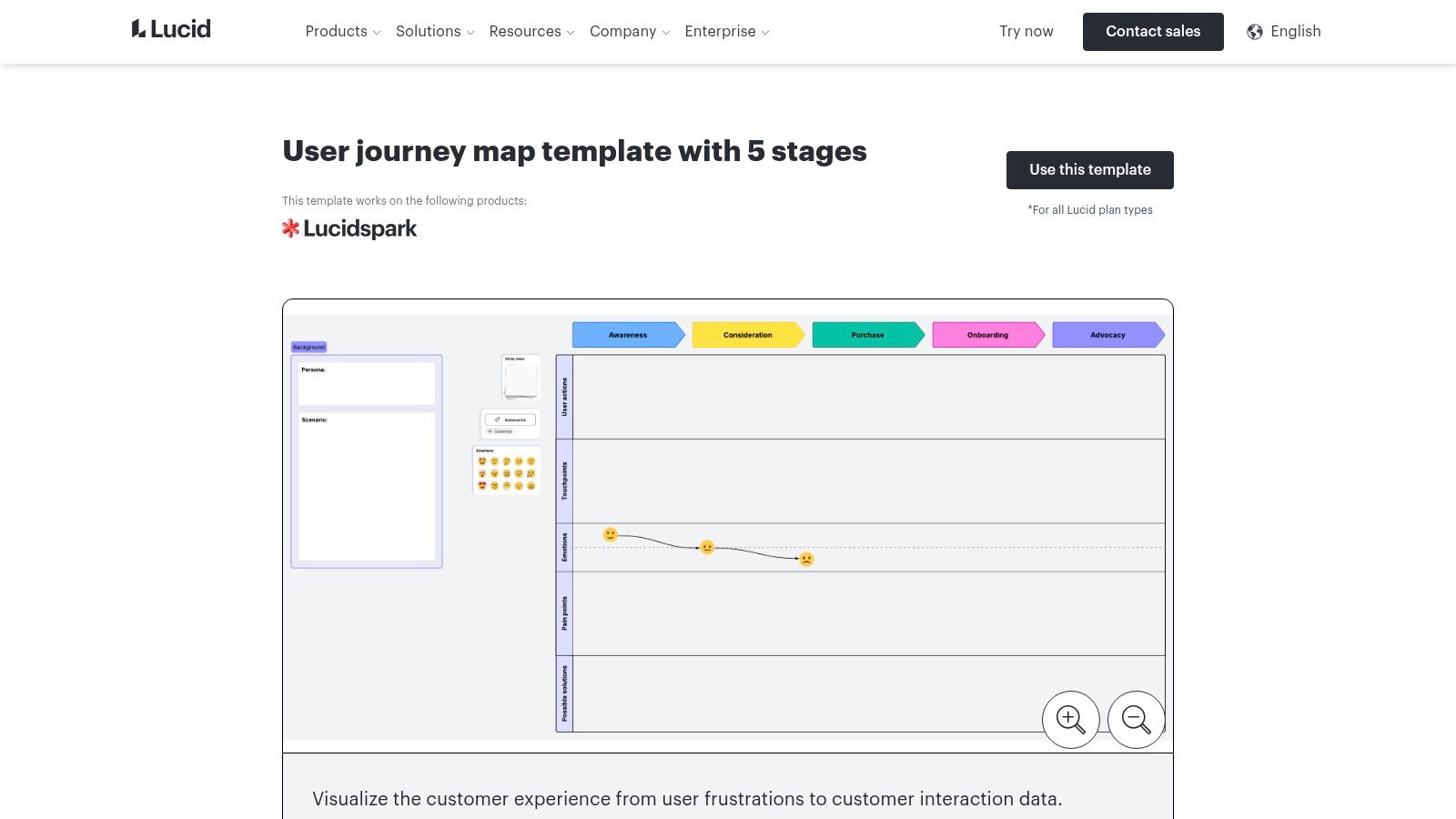
Unlike more freeform whiteboard tools, Lucidchart provides a more structured and data-driven approach to diagramming. Its strength is in creating polished, presentation-ready documents that can be easily shared across an organization. The platform’s robust integration capabilities with tools like Slack, Google Drive, and Jira mean your journey map can live and evolve directly within your existing workflows, ensuring it remains a relevant, active document.
Key Details & Use Case
- Best For: Product teams, business analysts, and marketers who need to create polished, professional diagrams and integrate them into other business systems.
- Access: Lucidchart offers a free plan with limitations on document complexity and features. Full access to its premium templates, integrations, and collaboration tools requires a paid subscription.
- Practical Tip: Use Lucidchart’s conditional formatting feature to automatically color-code different stages or sentiment scores on your journey map. This creates a powerful visual heat map, instantly highlighting problem areas or positive touchpoints without manual effort.
Explore Lucidchart’s User Journey Template
5. Miro
Miro is an online collaborative whiteboard platform that serves as a flexible and powerful space for creating a detailed user journey template. Its infinite canvas allows teams to build expansive, complex maps without worrying about running out of space, making it ideal for mapping multiple personas or intricate, multi-channel journeys. The platform's real-time collaboration features enable distributed teams to work together seamlessly.
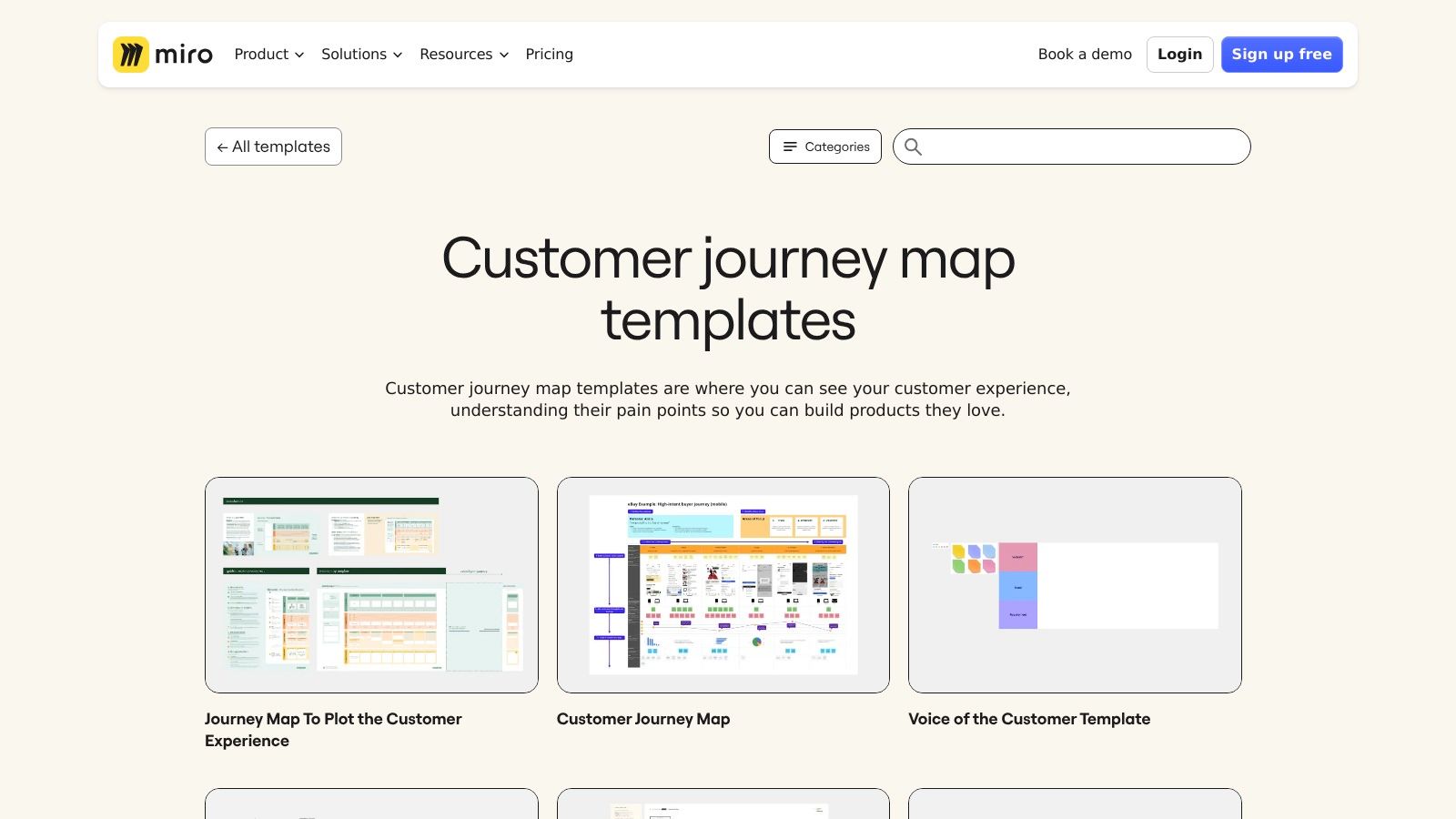
Unlike some dedicated mapping tools, Miro’s versatility shines through its extensive template library and deep integrations with tools like Jira, Asana, and Slack. This transforms your user journey map from a static document into a dynamic, connected part of your project workflow. It's an excellent choice for teams that want a central hub for all their visual collaboration needs, from initial brainstorming to final roadmap planning.
Key Details & Use Case
- Best For: Product teams, UX researchers, and agile development squads needing an all-in-one visual collaboration tool.
- Access: Miro offers a freemium model. A free plan provides access to core features and three editable boards, while paid subscriptions unlock unlimited boards, advanced features, and more robust integrations.
- Practical Tip: Use Miro’s Jira Card integration to pull live issues directly onto your journey map. This allows your team to link specific user pain points to actionable development tickets, ensuring insights from your map are translated into real product improvements. The data from these maps can also inform your website usability testing.
Explore Miro’s User Journey Template
6. Slickplan
Slickplan offers a suite of website planning tools, and its user journey template is designed for clarity and efficiency. The platform emphasizes a no-frills, straightforward approach, allowing teams to build comprehensive journey maps without a steep learning curve. Its strength is in providing an integrated environment where a journey map can exist alongside sitemaps, diagrams, and content plans.
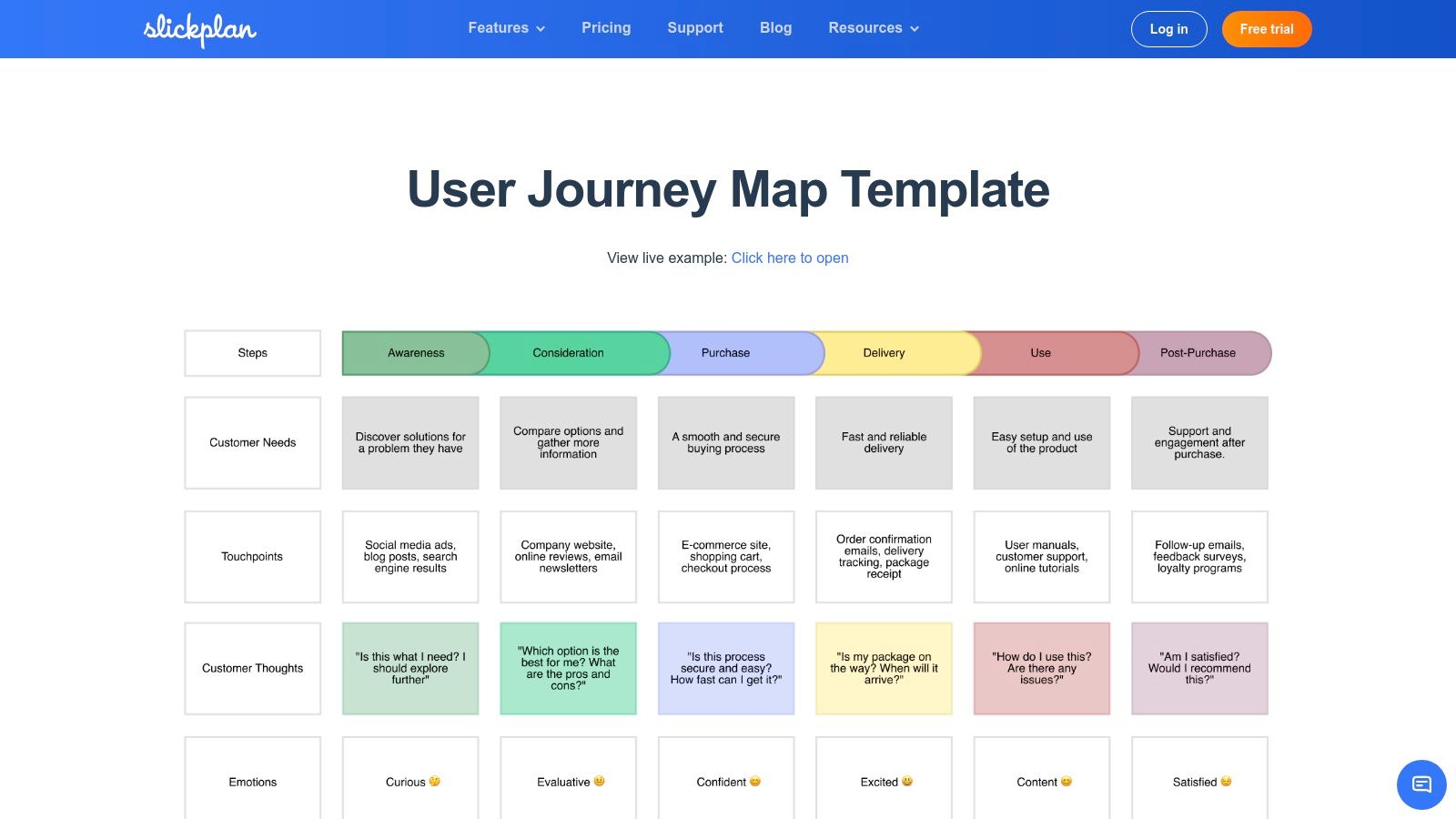
Unlike more complex, whiteboard-style platforms, Slickplan focuses on structured mapping with a clean drag-and-drop interface. This makes it ideal for teams who need to create professional, easy-to-read diagrams quickly. The built-in collaboration features allow for real-time feedback and edits, ensuring the entire team stays aligned on the customer’s experience from start to finish.
Key Details & Use Case
- Best For: Web designers, content strategists, and agencies looking for an all-in-one website planning tool that includes journey mapping.
- Access: Slickplan is a subscription-based service. It offers a free 14-day trial, with various paid plans available depending on the number of projects and collaborators.
- Practical Tip: Leverage Slickplan’s integration with its own sitemap tool. After mapping the user journey, you can directly link specific touchpoints to corresponding pages in your sitemap, creating a powerful, interconnected plan for your website architecture.
Explore Slickplan’s User Journey Template
7. Atlassian Confluence
Atlassian Confluence serves as a central knowledge hub, making it an excellent platform for creating and documenting a user journey template. It excels at turning the journey map into a living document that integrates directly into a team's existing project workflows, especially for those already using Atlassian's suite of products. The platform bridges the gap between visual mapping and detailed, actionable project documentation.
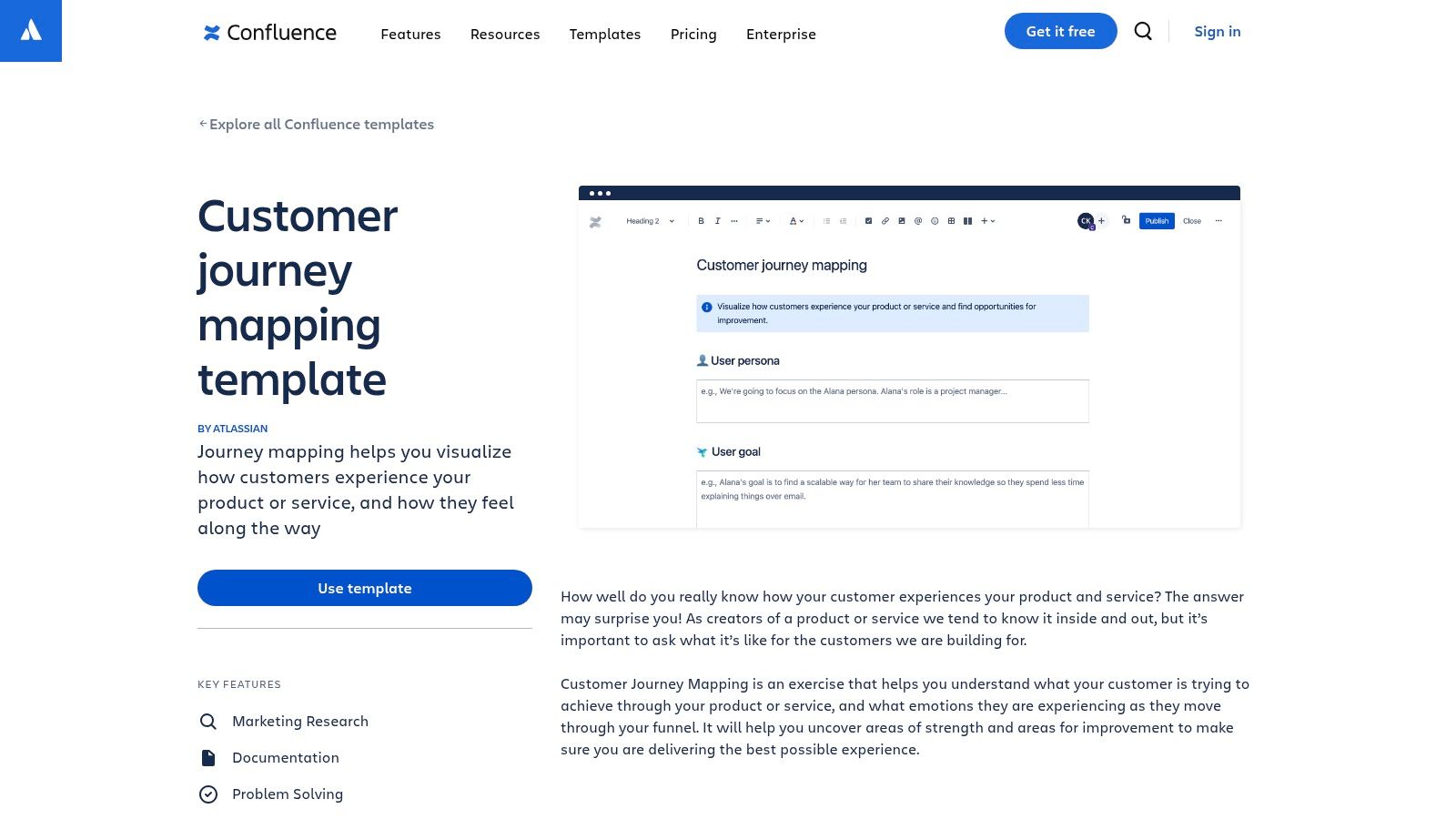
Unlike purely visual tools, Confluence allows you to embed your journey map alongside project requirements, meeting notes, and technical specifications. This tight integration with tools like Jira is its standout feature, allowing teams to create tasks directly from pain points identified on the map. This transforms the journey map from a strategic artifact into a tactical, trackable part of your development cycle. For those interested in how such tools fit into a broader strategy, you can explore concepts related to website project management.
Key Details & Use Case
- Best For: Development teams, product managers, and B2B companies already invested in the Atlassian ecosystem (Jira, Trello).
- Access: Confluence offers a free plan suitable for small teams. Paid plans are required for larger teams needing advanced features and permissions.
- Practical Tip: Use the “/jira” command within your Confluence journey map page to instantly create a new Jira issue linked to a specific customer pain point or opportunity. This ensures that insights from the map are immediately converted into actionable development tasks.
Explore Atlassian’s User Journey Template
8. Product School
Product School provides a free, no-nonsense user journey template designed for accessibility and straightforward implementation. Validated by industry professionals, this resource stands out because it avoids specialized software, offering downloadable files for Google Slides and PowerPoint. This approach is ideal for product managers and marketers who need to quickly create and present a journey map without the learning curve of a complex digital platform.
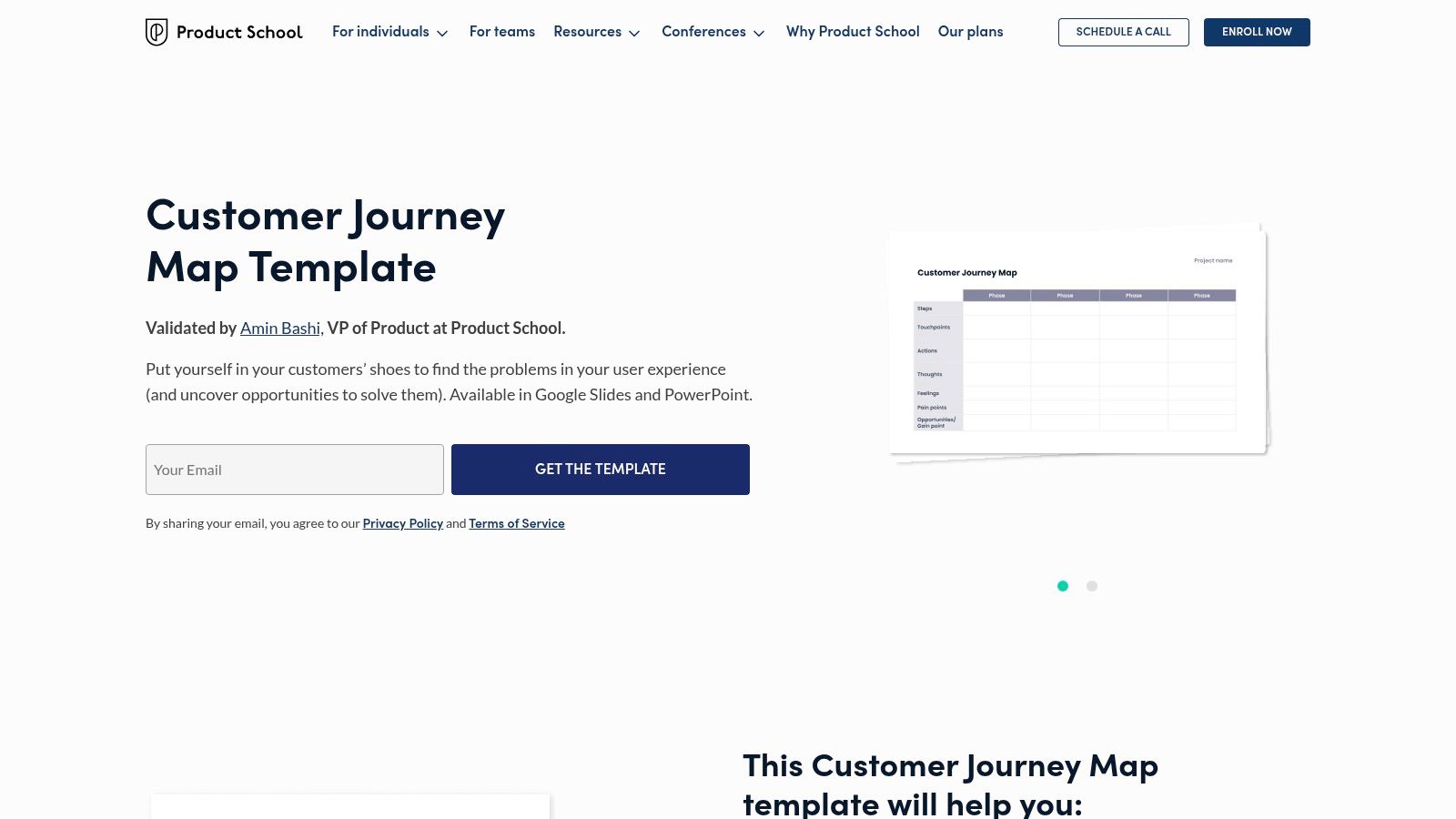
Unlike collaborative online whiteboards, Product School’s template is a static asset. This makes it perfect for offline work, individual preparation, or for creating a polished final version to include in presentations and reports. Its strength lies in its simplicity and universal compatibility, ensuring anyone on your team can open, edit, and understand the map with familiar tools. The focus is less on real-time brainstorming and more on producing a clear, presentable deliverable.
Key Details & Use Case
- Best For: Product managers, marketers, and teams needing a simple, presentation-ready template that works offline.
- Access: The template is completely free to download. Users provide their email to receive the download link for the Google Slides and PowerPoint files.
- Practical Tip: Once you’ve completed your map, save a version as a PDF. This creates a clean, non-editable final document to share with executives or stakeholders, ensuring the information is presented exactly as you intended.
Explore Product School’s User Journey Template
9. Meegle
Meegle offers a free user journey template that is deeply integrated into its broader project management ecosystem. This approach is ideal for teams that already use Meegle for task management, as it allows them to connect journey map insights directly to actionable project tasks and timelines. The template serves as a practical tool for visualizing customer interactions without needing to switch to a separate, dedicated mapping platform.
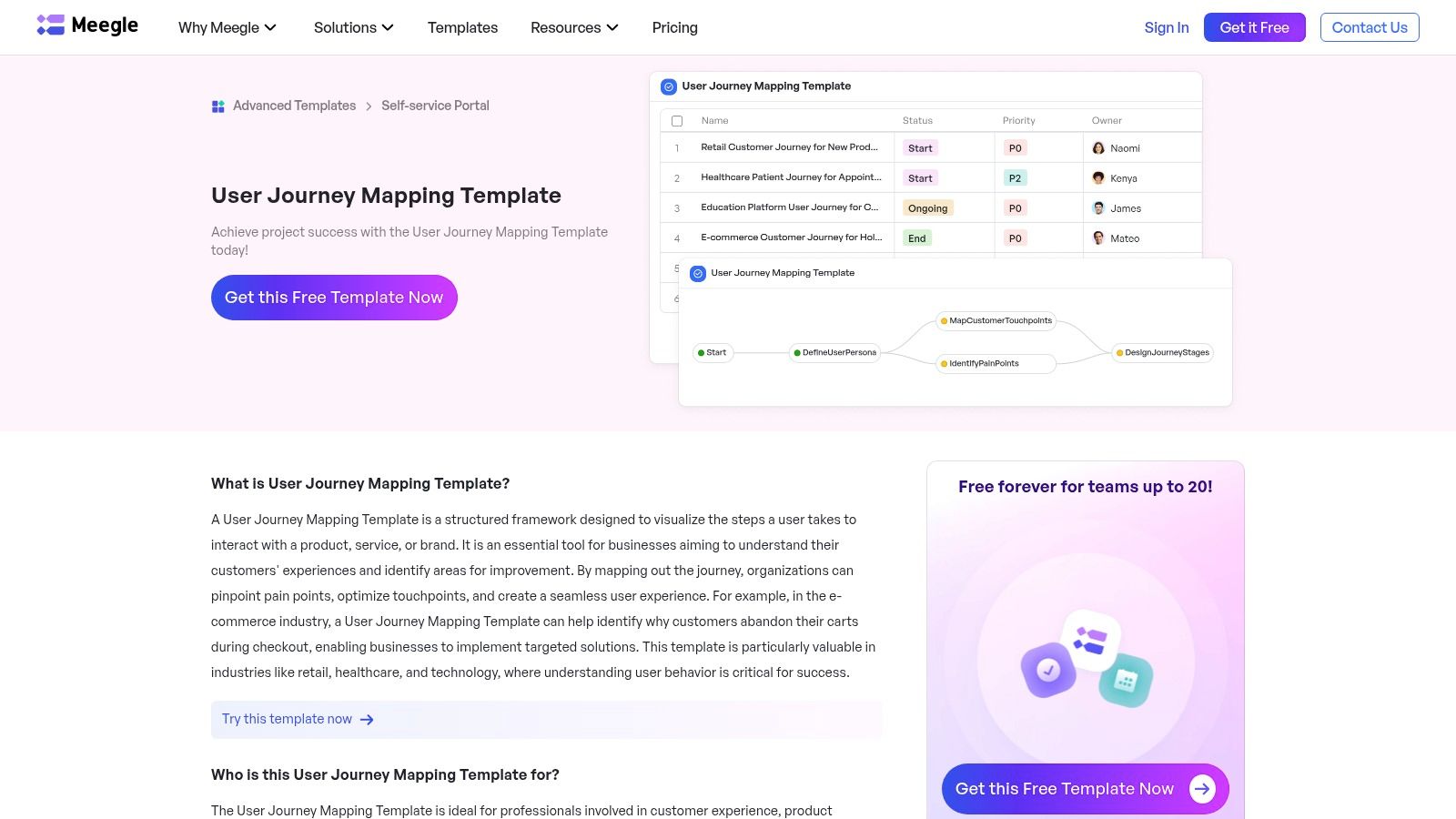
Unlike standalone visualization tools, Meegle's strength is its seamless workflow integration. You can map out a customer’s experience and immediately create corresponding tasks for development, marketing, or support teams within the same interface. This ensures that the insights gained from the journey mapping exercise don't get lost in translation and are tied to specific, trackable work items, making it highly efficient.
Key Details & Use Case
- Best For: Teams already using Meegle's project management suite who want a no-cost, integrated solution for journey mapping.
- Access: The template is free to use but is contained within the Meegle platform, which may require you to create an account.
- Practical Tip: Once you've identified a key pain point on the map, use Meegle's task assignment feature to create a sub-project dedicated to solving it. You can link the specific journey stage directly in the project description for context.
Explore Meegle’s User Journey Template
10. Milanote
Milanote is a flexible visual workspace designed for creative professionals, making it an excellent tool for crafting a highly customized user journey template. Its strength is its free-form, drag-and-drop canvas, which allows you to organize research, ideas, and multimedia content in one place. You can easily pull in images, videos, notes, and links to build a rich, context-aware journey map that tells a complete story.
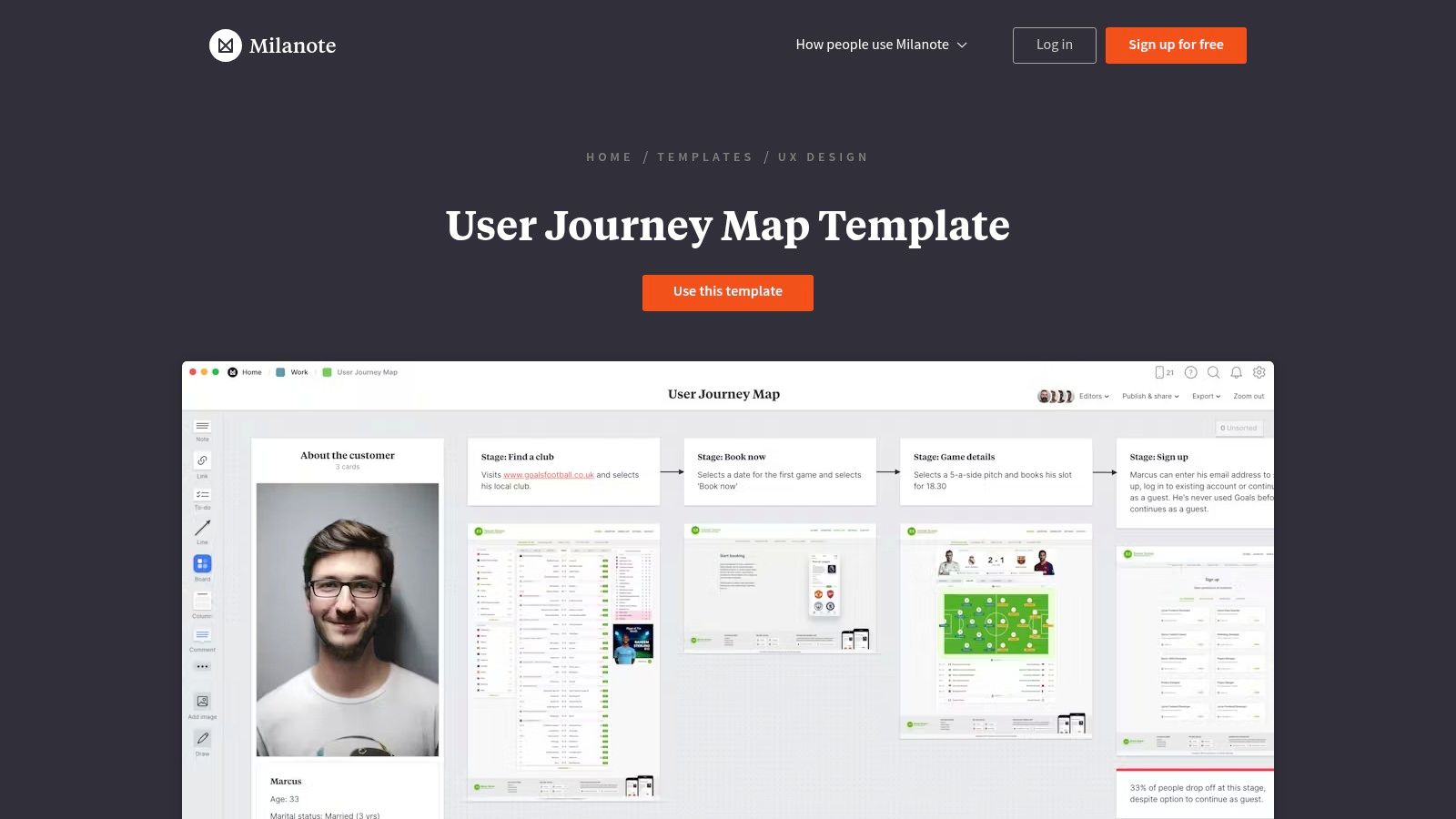
Unlike more structured diagramming tools, Milanote feels like a digital mood board, giving creative teams the freedom to explore and connect ideas organically. This makes it perfect for the early, exploratory phases of user journey mapping where brainstorming and visual thinking are paramount. The real-time collaboration ensures the entire team can contribute to the board simultaneously.
Key Details & Use Case
- Best For: Creative teams, freelancers, and strategists who prefer a visual, non-linear approach to mapping the user experience.
- Access: Milanote offers a functional free plan with a limit on the number of notes, images, and links you can add. A paid subscription is required for unlimited storage and advanced features.
- Practical Tip: Use Milanote's "boards within boards" feature to nest detailed user personas, research findings, or specific touchpoint analyses directly within your main journey map. This keeps your canvas clean while providing deep, clickable context where needed.
Explore Milanote’s User Journey Map Template
11. UIBundle
UIBundle provides a downloadable user journey template specifically for designers who work within the Sketch ecosystem. Created by experienced professionals, this free resource offers a clean, well-structured layout that focuses on the essentials without the clutter of online collaboration tools. Its primary advantage is its offline accessibility and deep integration with a designer's existing workflow in Sketch.
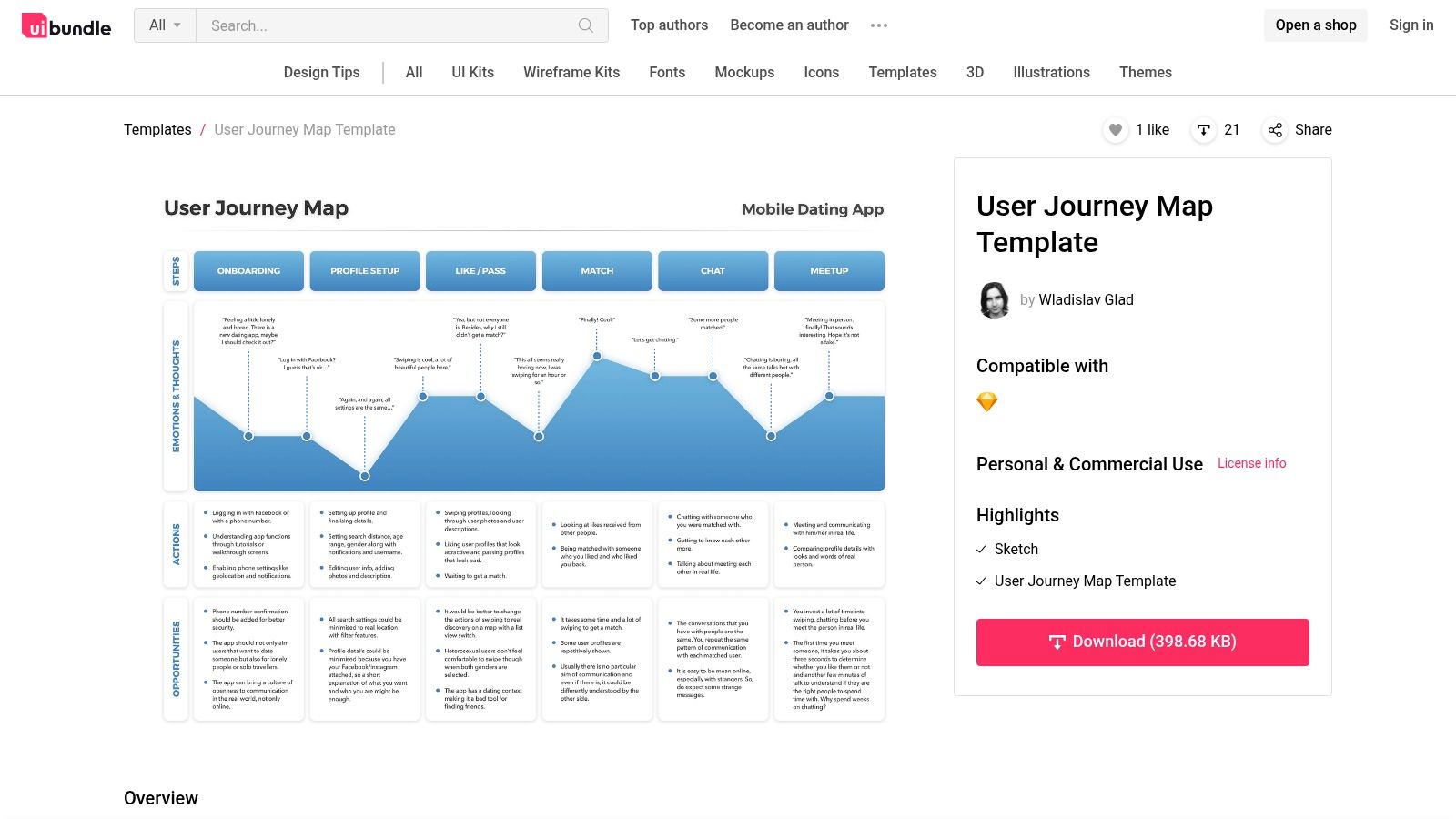
Unlike cloud-based platforms, UIBundle's template is a standalone file, perfect for individual designers or small teams who prefer to build and present their journey maps without relying on an internet connection or subscription service. This makes it ideal for focused, independent work where real-time collaboration is not a priority. The design is fully customizable, allowing you to easily adapt colors, fonts, and sections to match your project's branding.
Key Details & Use Case
- Best For: UI/UX designers and solo entrepreneurs who use Sketch and need a straightforward, offline template for individual mapping projects.
- Access: The template is completely free to download and use. You just need to have Sketch installed on your machine.
- Practical Tip: Before diving in, duplicate the original template file. Use one version as your master and the other for your active project. This ensures you always have a clean, untouched version to start new maps from scratch quickly.
Explore UIBundle’s User Journey Template
12. Miro (User Journey Mapping by Luke Baker)
Miro, a leading online collaborative whiteboard, hosts this expert-designed user journey template by Luke Baker. It provides a structured yet flexible framework built on an infinite canvas, making it ideal for teams that need space to expand their thinking. This specific template guides you through mapping touchpoints, user actions, goals, and challenges, ensuring a comprehensive view of the customer experience.
What sets this template apart is its origin from an industry practitioner, offering a pre-built structure that reflects real-world application. Rather than starting from a blank slate, your team benefits from a guided process, focusing collaborative energy on insights instead of setup. This is perfect for remote teams needing to work together in real-time on a single, shared artifact.
Key Details & Use Case
- Best For: Product teams, UX researchers, and marketing strategists who prefer a structured, expert-led template for collaborative remote mapping sessions.
- Access: The template is accessible on Miro. Miro offers a free plan with limited editable boards, while full access to advanced features and unlimited boards requires a paid subscription.
- Practical Tip: Use Miro’s integration with tools like Jira or Asana. You can convert identified opportunities or pain points from your journey map directly into actionable tickets for your development or marketing backlogs, closing the loop between insight and execution.
Explore Miro’s User Journey Template by Luke Baker
User Journey Template Tools Comparison
| Tool / Resource | Core Features / Highlights | User Experience ★ | Value Proposition 💰 | Target Audience 👥 | Unique Selling Points ✨ |
|---|---|---|---|---|---|
| Ultimate Guide To User Journey Mapping Tools | Expert insights, CMS tailored | ★★★★ | 💰 Pay only for time used | Digital strategists & web managers | 🏆 Deep OneNine expertise, strategic focus |
| Mural | Visual mapping, collaboration, templates | ★★★★ | 💰 Subscription required | Remote teams, cross-functional | ✨ Extensive templates, intuitive interface |
| Figma (FigJam) | Drag-drop, real-time collab, Figma integration | ★★★★ | 💰 Free | Designers, creative teams | ✨ Free, seamless Figma integration |
| Lucidchart | Customizable templates, platform integrations | ★★★★ | 💰 Premium features paid | Teams needing complex diagrams | ✨ Supports complex diagrams & integrations |
| Miro | Infinite canvas, real-time collaboration | ★★★★ | 💰 Freemium with paid upgrades | Remote & expansive teams | ✨ Infinite canvas, wide integrations |
| Slickplan | Customizable templates, collaboration | ★★★ | 💰 Affordable | Teams seeking ease and value | ✨ Integrates with own tool suite |
| Atlassian Confluence | Templates, integration with Jira | ★★★★ | 💰 Requires Atlassian account | Atlassian ecosystem users | ✨ Seamless Atlassian product integration |
| Product School | Editable offline templates, multiple formats | ★★★ | 💰 Free | Presenters, offline users | ✨ Industry-validated, easy offline use |
| Meegle | Templates, collaboration, project mgmt | ★★★ | 💰 Free | Project management users | ✨ Integrated with Meegle suite |
| Milanote | Visual org, multimedia, real-time collab | ★★★ | 💰 Free with premium options | Creative teams | ✨ Multimedia support, creative focus |
| UIBundle | Sketch-compatible, offline editable | ★★★ | 💰 Free | Designers using Sketch | ✨ Designed by professionals, offline use |
| Miro (User Journey Mapping by Luke Baker) | Expert-built template, collaboration | ★★★★ | 💰 Freemium with paid upgrades | Remote & expert teams | 🏆 Expert-designed, structured approach |
Start Mapping Your Path to a Better User Experience
A user journey template is far more than a checklist or a diagram. It's a lens that brings your user's world into sharp focus. By systematically mapping their actions, thoughts, and feelings at every touchpoint, you uncover the hidden friction points and crucial moments of delight that truly define their experience with your brand.
The 12 diverse resources we've explored, from collaborative powerhouses like Miro and Mural to specialized kits from Product School and UIBundle, provide a robust starting point for any team. Whether you need a high-fidelity design in Figma or a simple, structured document in Confluence, there is a user journey template perfectly suited to your workflow and project complexity.
Turning Insight into Impact
The most significant takeaway is that the value of a user journey map lies not in its creation, but in its application. It's a living document designed to spark conversation, challenge assumptions, and drive meaningful change. The goal is to move from planning to action.
Your next steps are clear:
- Select the Right Tool for the Job: Revisit the templates and choose one that aligns with your team's skills, budget, and the specific problem you're trying to solve. A quick, low-fidelity map in FigJam might be perfect for an initial brainstorming session, while a detailed Lucidchart diagram is better for presenting a finalized strategy to stakeholders.
- Assemble Your Cross-Functional Team: Involve representatives from marketing, sales, product development, and customer support. Each department holds a unique piece of the customer puzzle, and their combined perspectives will make your map exponentially more valuable.
- Start Mapping and Iterate: Don't strive for perfection on the first try. Your initial map is a hypothesis. Use it to guide your research, validate your assumptions with real user data, and refine it over time. The insights you gain from this process are the foundation of a truly user-centric business strategy.
Final Thoughts on Your Journey
Ultimately, embarking on a user journey mapping exercise is a declaration that you are committed to seeing your business through your customers' eyes. Each pain point you identify is an opportunity to improve. Each moment of delight you discover is a chance to build loyalty.
This process transforms abstract data into a compelling human story, enabling you to build products, services, and digital experiences that are not only functional but also intuitive and enjoyable. By embracing this user-first mindset, you aren't just improving a website or an app; you are building a stronger, more resilient business that customers will love and trust.
Translating these critical insights into a powerful web strategy and design is where the real work begins. The team at OneNine specializes in using tools like these to build websites that don't just look great, but deliver exceptional user experiences that drive measurable business growth. Schedule a consultation with us today to see how we can help you turn your user journey map into your most powerful marketing asset.


