
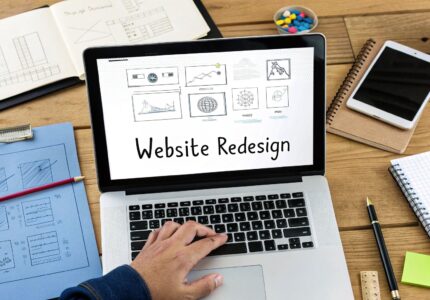
A website redesign for a small business is a total overhaul—not just a fresh coat of paint. We're talking about rethinking its entire look, feel, and how it works from the ground up. The goal? A better experience for your visitors and, ultimately, better results for your business. It's a strategic move to fix what's broken, whether that's sluggish performance, a brand that feels stuck in the past, or conversion rates that have flatlined.
Knowing When It’s Time for a Website Redesign
Let’s be honest: is your website an asset or an anchor? Too many small business owners hold onto their current site way past its expiration date, usually because the thought of a redesign feels like a monumental task. But a clunky, outdated website doesn't just look unprofessional; it actively hurts your business by driving away potential customers and frustrating the ones you already have.
The first step is learning to spot the warning signs that your digital presence isn't pulling its weight.
This is a familiar scene for many: a slow, frustrating website that makes you want to throw your laptop out the window. It's a classic signal that things need to change.
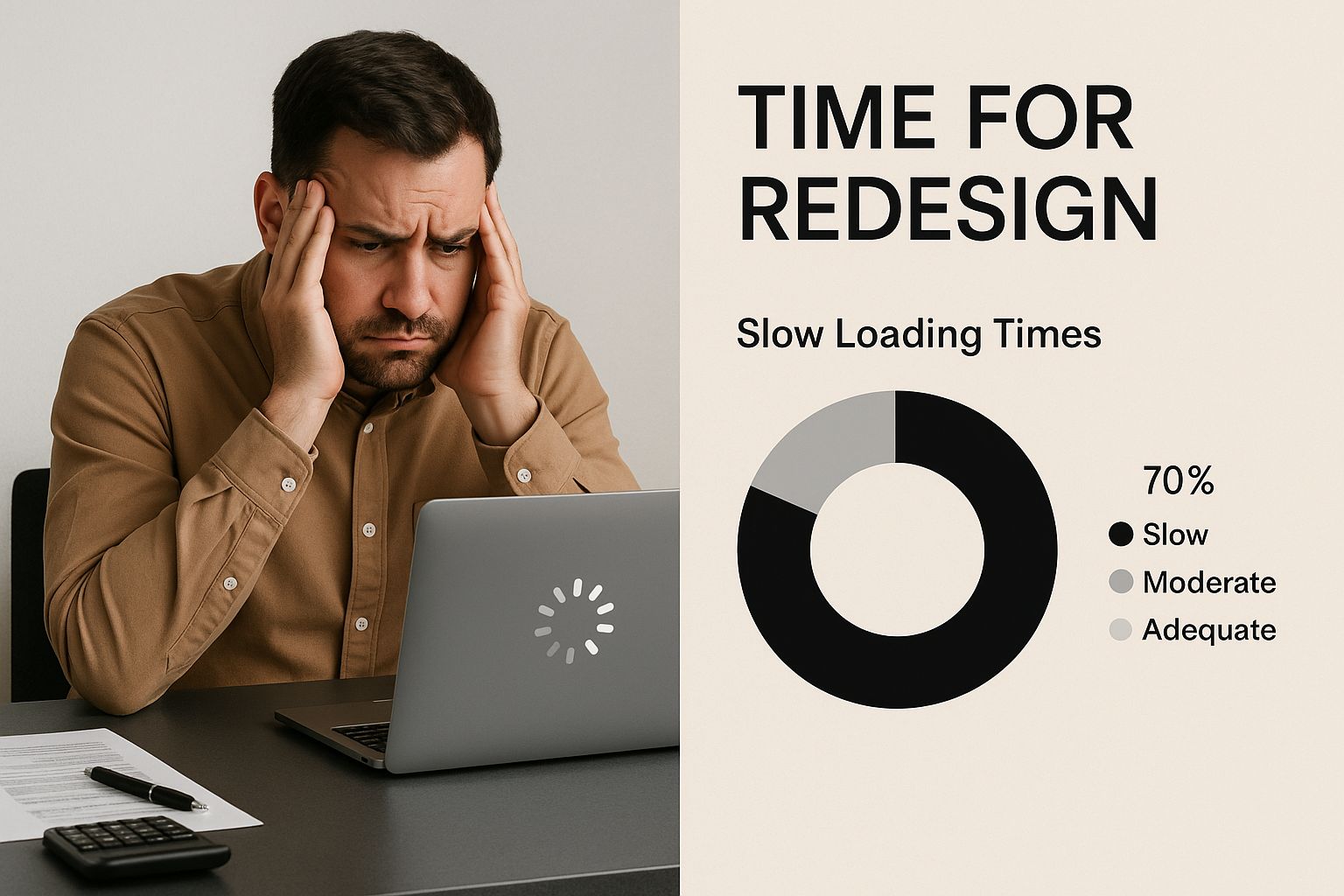
This image nails the core problem—a terrible user experience—which is one of the most urgent reasons to start planning a redesign.
Your User Experience Is Lagging
The biggest red flag of all is a poor user experience (UX). If visitors can't find what they're looking for quickly and easily, they're gone. Slow-loading pages are a huge offender here; research shows that even a one-second delay can send your bounce rate through the roof. A confusing navigation menu is another common tripwire.
Keep an eye out for these UX red flags in your analytics:
- High Bounce Rate: A big chunk of your visitors are landing on one page and immediately leaving. That's a strong sign your site either didn't meet their expectations or was just too hard to use.
- Low Time on Page: People aren't sticking around to read your content. This could mean it’s not relevant to them, or the layout makes it a chore to read.
- Poor Mobile Responsiveness: Your site looks weird or is a nightmare to navigate on a phone. With more than half of all web traffic coming from mobile devices, a site that isn't mobile-friendly is basically broken.
A professional, easy-to-use site completely changes how people see your business. Good design leads to happy users, which in turn leads to loyal customers.
Your Brand and Business Have Evolved
Your business doesn't stand still, so why should your website? A site you built five years ago probably doesn't reflect who you are today. Maybe you've gone through a rebrand, started targeting a new type of customer, or launched a whole new line of services. These are all perfect reasons for a redesign.
Your website is often the very first impression a potential customer gets of your brand. You have to make it count.
Think about a local bakery that started out just selling bread and pastries. If they’ve since expanded into corporate catering and online cake orders, their old, simple website becomes a liability. It's holding back their new revenue streams because it doesn't even show customers they exist.
Your Conversion Rates Are Stagnant
At the end of the day, your website needs to be a tool that helps you grow. Whether you're trying to get leads, sell products, or book appointments, your site has to be built to convert visitors into customers. If you're getting decent traffic but your sales and leads have hit a plateau, the problem is almost certainly your website's design and user flow.
A small business website redesign can tackle this head-on by:
- Making your calls-to-action (CTAs) impossible to miss.
- Simplifying your checkout process or contact forms.
- Building trust with a modern look and customer testimonials.
By redesigning with clear goals in mind, you can turn your website from a passive online brochure into an active, 24/7 sales engine that directly boosts your bottom line.
Setting Smart Goals and a Realistic Budget
Jumping into a small business website redesign without a clear destination is like starting a road trip without a map. You might end up somewhere interesting, but it almost certainly won’t be where you needed to go. Before you even think about colors or fonts, you have to nail down what success actually looks like for your business.
A great redesign is driven by strategy, not just aesthetics. Your new website should be a tool that actively works for you, hitting specific business objectives. Vague goals like "get more traffic" or "look more modern" are a recipe for a project with no real impact. You have to get specific.
Define Your Redesign Objectives
What's the single most important thing you need this new website to do?
For an e-commerce store, the main goal might be to bump up the average order value by 15%. For a local plumber, it could be generating 25% more qualified leads through a new booking form.
Think about where your current site is falling short. Are people abandoning their shopping carts left and right? Is your bounce rate through the roof on mobile? Every one of these problems is an opportunity to set a powerful, measurable goal.
A huge objective for most small businesses is figuring out how to increase website conversions. It’s all about turning more of your hard-earned visitors into actual customers.
Here are a few examples of strong, actionable goals that get real results:
- Boost our mobile conversion rate from 1% to 3% within six months.
- Slash the bounce rate on our key service pages by 20% by improving page speed and content.
- Grow our newsletter list by 50% with better-placed, easier-to-use opt-in forms.
- Cut down on customer support tickets by 10% by building out a killer FAQ section that actually answers questions.
Think of your goals as the North Star for the entire project. Every decision you make—from layout to functionality—should be checked against whether it helps you get closer to those specific outcomes.
Establishing a Realistic Redesign Budget
Once your goals are crystal clear, it’s time to talk money. I know, this is often the most stressful part of a redesign, but going in with a realistic financial plan is non-negotiable. The price tag can swing wildly depending on what you need, how complex the project is, and who you hire to do the work.
One of the biggest challenges for small businesses is that you don't do this very often, so the costs can be a bit of a shock. If you go the DIY route with a website builder, you might spend anywhere from $100 to $3,000. But if you outsource it to a professional agency, you're looking at a much larger investment, typically from $15,000 to $30,000. And don't forget—those numbers usually don't include extras like professional photography or content writing, which can easily add another 20-30% to the final bill.
This initial investment is just one piece of the puzzle. For a deeper look into what goes into the price, our guide on the small business website cost breaks it all down for you.
To give you a clearer picture, here are some common scenarios and what you can expect to pay.
Redesign Budgeting Scenarios for Small Businesses
| Approach | Estimated Cost Range | Best For | Potential Hidden Costs |
|---|---|---|---|
| DIY Website Builder | $100 – $3,000 | Solopreneurs or brand-new businesses with very tight budgets and simple needs. | Premium templates, app/plugin fees, your own time investment, potential for poor SEO. |
| Hiring a Freelancer | $3,000 – $15,000 | Businesses needing a custom look and feel without the overhead of an agency. | Limited scope, potential for project delays if it's a one-person show, ongoing support costs. |
| Working with an Agency | $15,000 – $30,000+ | Established businesses looking for a strategic, end-to-end redesign with a team of experts. | Content creation (copywriting, photos), ongoing retainers for maintenance and marketing. |
These figures are just a starting point, but they should help you anchor your expectations and have more productive conversations with potential partners.
By setting clear goals and a realistic budget from the get-go, you transform your redesign from a costly expense into a strategic investment—one that’s positioned to deliver a serious return.
Auditing Your Website and Sizing Up Competitors

Before you start dreaming up new designs, you need to get brutally honest about what you already have. Think of it like a home renovation—you don't start swinging a sledgehammer without knowing which walls are load-bearing. A deep-dive audit gives you that essential blueprint, showing you what’s working, what’s broken, and where your biggest opportunities are hiding.
This isn't about gut feelings. You might feel like your site is clunky, but hard data will tell you exactly which pages are losing visitors. You might think a certain feature is important, but analytics will show you if anyone is actually using it.
Performing a Health Check on Your Current Site
First things first, let's look inward. You need to diagnose the technical issues, content gaps, and user experience hiccups that are holding you back right now. Before you even think about design, it's wise to run a comprehensive website audit to get a clear picture of your site's strengths and weaknesses.
I always recommend starting with these core areas:
- User Experience (UX) and Usability: Is the site genuinely easy for people to use? Can a brand-new visitor figure out what you do in seconds? Tools like heatmaps are great for this, as they show you exactly where people are clicking (and where they aren't).
- Mobile Responsiveness: Seriously, pull up your site on your phone. Then have a friend do it on theirs. If you have to pinch-and-zoom to read text or buttons are too tiny to tap, you've got a huge problem that the redesign must solve.
- Search Engine Optimization (SEO) Health: Are you even showing up on Google for the terms that matter? A quick SEO check can uncover a ton of low-hanging fruit, like broken links, missing meta descriptions, and slow-loading pages that are killing your ranking.
- Content Performance: Your content should be an asset, not just filler taking up space. You need to know which pages are bringing in traffic and which are dead weight. Our guide on how to do a content audit for your website walks you through this process.
A website audit isn’t about finding flaws to feel bad about. It’s about gathering intelligence to make smart, informed decisions that will make your small business website redesign a success from day one.
Analyzing Your Competitors' Digital Strategy
Once you’ve got a handle on your own site, it's time to put on your detective hat and look at the competition. This is one of the most valuable things you can do. You’re not looking to copy anyone; you’re looking for patterns, opportunities, and weaknesses you can exploit.
Pick three to five of your closest competitors and start poking around their websites. Put yourself in the shoes of their ideal customer and be critical.
Questions to Ask During Competitor Analysis
- What's their first impression? When you land on their homepage, do you instantly get what they do? Does it look professional and trustworthy, or is it a cluttered mess from 2010?
- How are they trying to get leads? Look for their calls-to-action (CTAs). Are they pushing a free demo, a downloadable guide, or just a simple "Contact Us" form? Pay attention to where they place them.
- What kind of content do they have? Are they blogging? Do they have case studies or video testimonials? See what topics they’re covering. This can spark ideas and reveal content gaps you could fill.
- What's their user journey like? Try to do something on their site, like find pricing or sign up for their newsletter. Was it a breeze, or did you get frustrated and want to give up? Every point of friction for their users is a potential win for you.
This kind of analysis gives you a powerful roadmap. For instance, you might find that your top competitor has a great blog but their service pages are a confusing wall of text. Boom. That's your opening. Your redesign can aim to have the clearest, most compelling service pages in the entire industry.
By combining an internal audit with a sharp analysis of your competition, you move from guesswork to a real strategy. You’ll have a complete picture of where you stand, arming you with the insights to build a site that doesn’t just look better—it performs better.
Mapping Out Your New Site Structure and User Flow
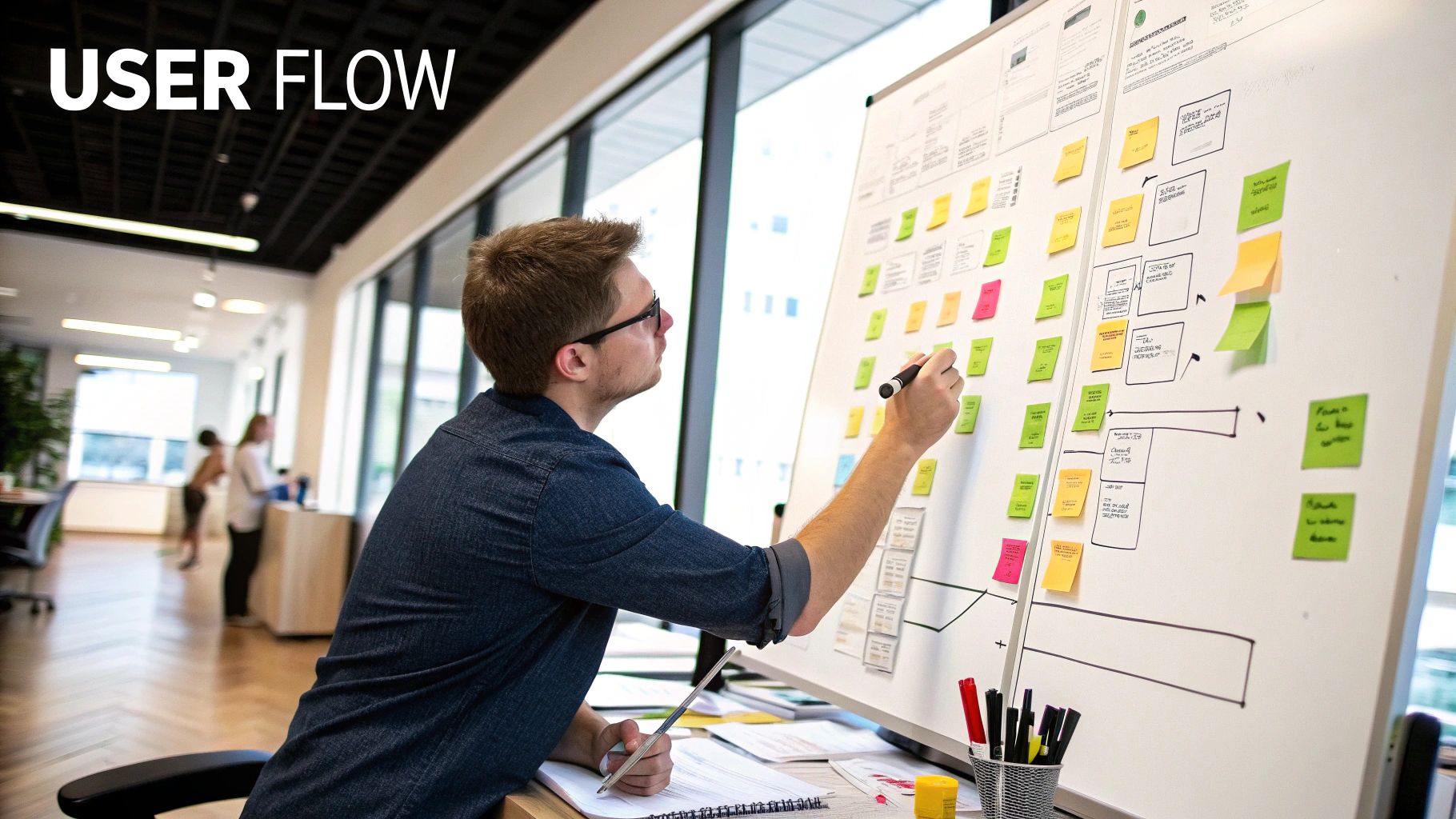
Alright, you’ve done the homework. You’ve audited your old site and peeked at what the competition is up to. Now for the fun part—building the new foundation.
This is where your vision really starts to take shape. But before we get caught up in colors and fonts, we have to act like architects and draw up the blueprints. In the web world, that means creating a sitemap and mapping out the user flow.
Crafting an Intuitive Sitemap
Think of a sitemap as the floor plan for your new website. It’s a simple, hierarchical list of every page you'll have and how they all connect. This process forces you to organize your content logically, in a way that makes sense to your visitors—not just you.
A messy sitemap leads to a confusing website. It’s that simple. Your goal is to build a structure so intuitive that a first-time visitor can find exactly what they need in just a couple of clicks.
Start by listing every single page you think your new site will need. Don't hold back; you can always combine or cut pages later.
- Homepage: Your digital front door.
- About Us: The place to share your story and introduce your team.
- Services/Products: A primary page that branches out to individual pages for each offering.
- Contact Us: The essential details—address, phone, contact form.
- Blog: Your hub for content and industry expertise.
- Testimonials/Case Studies: Crucial social proof that builds trust.
Once you have your list, start grouping related pages. For instance, all your individual service pages should live under a main "Services" menu item. A clean structure is the bedrock of a good user experience and a key part of a solid website information architecture.
Your sitemap isn't just a planning tool; it’s the first draft of your user's journey. Getting it right means your visitors won't have to think—they'll just know where to go next. This clarity is essential for a successful small business website redesign.
Designing for the Mobile-First Reality
As you're mapping everything out, keep one phrase in your head: mobile-first. This isn't just a buzzword anymore; it’s the standard. Your blueprint must prioritize the experience on a small screen, because that’s where most of your audience lives now.
With roughly 84% of visitors preferring to browse on their phones, a design that isn’t mobile-friendly is already a relic. Building for mobile first forces you to focus on what’s absolutely essential, cutting the fluff and ensuring a clean, fast experience for the vast majority of your users.
Visualizing the User Journey with Wireframes
With your sitemap set, it’s time to move on to wireframes. A wireframe is a basic, black-and-white layout of a webpage. It shows where key elements like the navigation, headlines, calls-to-action (CTAs), and images will sit, without any distracting visual design getting in the way.
Think of it like this:
- Sitemap: Tells you what pages you need.
- Wireframe: Shows you what goes on each of those pages.
Creating simple wireframes helps you focus purely on layout and function before aesthetics enter the picture. On your homepage wireframe, you might decide exactly where to place your main "Request a Quote" button for maximum visibility. On a service page, you’d map out the flow from a compelling headline to the service details, and finally, to a contact form.
This step is incredibly valuable because making changes to a simple wireframe is cheap and easy. It’s far more expensive and time-consuming to move things around once the site is already in visual design or development. By mapping out your structure and flow first, you ensure the final product isn’t just beautiful—it’s built to perform.
Bringing the Design to Life and Sticking the Landing
https://www.youtube.com/embed/ZC37jl0lRF8
Alright, the planning phase is over. You've got your sitemap and wireframes, which are essentially the blueprints for your new website. Now it's time to put on the hard hat and start building. This is where your strategy gets turned into actual visual design and working code, all leading up to the single most important day of the project: launch day.
Getting through this stage successfully takes a careful mix of technical skill and obsessive project management. We're turning a vision into a real, live website that not only works but also doesn't wreck your existing search engine rankings in the process.
Choosing Your Technology Foundation
The first big decision you have to make is what platform, or Content Management System (CMS), your new site will be built on. This isn't a small choice. It will affect everything from how you update your blog to how well your site can grow with your business. There’s no single "best" answer here—the right choice is all about your specific needs.
Let's look at the heavy hitters for a small business website redesign.
| Platform | Best For | Key Pros | Key Cons |
|---|---|---|---|
| WordPress | Businesses that need maximum flexibility, custom features, and a strong blog. | Infinitely customizable with themes and plugins. Strong SEO capabilities. You own your data. | Requires more technical maintenance (updates, security). Can have a steeper learning curve. |
| Shopify | E-commerce businesses focused on selling products online, from startups to large retailers. | All-in-one e-commerce solution. Excellent product management. Secure and reliable. | Less content flexibility than WordPress. Transaction fees can add up. |
| Squarespace | Service-based businesses, creatives, and portfolios needing a visually stunning site with minimal fuss. | Beautiful, professionally designed templates. Extremely easy to use. All-in-one hosting and support. | Limited customization. Not ideal for complex sites or advanced e-commerce. |
Think of it this way: a local restaurant that just needs a beautiful menu and contact page would be perfectly happy with Squarespace's simplicity. A growing e-commerce brand, however, will almost certainly need the powerful sales tools baked into Shopify. And if you're a consultant whose business relies on a popular blog, the unmatched content power of WordPress is probably the way to go.
Getting Through Development and Content Migration
With a platform selected, the real development work can kick off. Designers and developers will now take those static wireframes and mockups and build them into a functional staging site. This is a private, password-protected version of your new website that you can click around on and test.
While the technical magic is happening, you'll need to tackle content migration. This means physically moving all of your valuable content—blog posts, product details, images, you name it—from the old site over to the new one. Don't underestimate this step; it's almost always more time-consuming than people think, but it's absolutely vital for keeping your content and SEO equity intact.
A huge mistake I see all the time is treating content migration like a simple copy-and-paste job. See this as a golden opportunity to audit and improve your content, making sure every word aligns with the goals of your small business website redesign.
The Pre-Launch Sanity Check
Before you even dream of clicking that "go live" button, you need to run a final, thorough check of everything. Seriously, don't skip this. Missing one small detail here can lead to lost traffic, 404 errors, and a terrible first impression for your visitors.
Here's the bare-minimum checklist you need to run through:
- Cross-Browser and Device Testing: Open the site on Chrome, Safari, and Firefox. Then pull it up on your phone, your partner's phone, and a tablet. Does it look and work great on all of them?
- Analytics and Tracking: Make sure your Google Analytics tracking code (or whatever you use) is installed on every single page. If it's not, you'll be flying blind after launch.
- Form Functionality: Go fill out every form on your site. The contact form, the newsletter signup, the quote request—all of them. Confirm that the submissions actually land in your inbox.
- Implementing 301 Redirects: This is the most critical SEO task in the entire process. You need a map of 301 redirects that tells search engines, "Hey, this old page now lives over here." Forgetting to redirect a page that gets a lot of traffic is a surefire way to kill your search rankings.
This final check is your last line of defense. A few hours of careful testing now will save you from weeks of headaches and lost revenue later. Launch day should feel like a celebration, not a panic attack.
Now What? The Post-Launch Cycle of Improvement
Hitting "go-live" on your new website feels like crossing the finish line, but in reality, it's just the starting gun for the next race. The real work of turning a great launch into a long-term business asset starts now. It's time to shift from a project mindset to a process of continuous, data-driven improvement.
Right away, you need to live inside your analytics. A tool like Google Analytics isn't just for counting visitors anymore; it's your window into what people are actually doing on your site. Keep a close eye on the key performance indicators (KPIs) you set way back at the beginning. Is the bounce rate on your service pages dropping like you'd hoped? Are mobile conversions finally starting to tick upward?
Listen to the Data, and Your Customers
Analytics will tell you what's happening, but you need to talk to real people to understand why. This is where so many businesses drop the ball. Don't be shy—ask your customers what they think of the new site. A simple survey link in a post-purchase email or a non-intrusive feedback widget can give you golden insights you'd never find in a spreadsheet.
This combo of hard data and human feedback becomes your roadmap for what's next.
- Test, Don't Guess: Got a hunch that a green button would work better than a blue one? Don't just change it—test it. Use A/B testing tools on your most important pages to experiment with different headlines, calls-to-action, or layouts. Let your users' actions tell you what actually moves the needle.
- Find the Friction: Heatmaps are fantastic for this. They show you exactly where people are clicking, scrolling, and getting stuck. If you see that nobody is clicking your shiny new "Case Studies" link, you know you've got a problem. Maybe it's in the wrong spot, or the text isn't compelling enough.
A successful small business website redesign is never truly "done." It’s a living, breathing part of your business that has to adapt to your customers and your goals. This ongoing effort is what ensures your investment keeps paying off for years.
Start a simple list of potential improvements. Prioritize them based on potential impact versus the effort required, then start knocking them out one by one. This iterative approach is the secret to making sure your website never feels dated again.
Answering Your Website Redesign Questions
Thinking about a website redesign often sparks a long list of questions. Getting those answers sorted out early on is the key to moving forward confidently and making sure your investment pays off. Let's dig into some of the most common things business owners ask.
How Long Does a Redesign Actually Take?
This is probably the number one question, and for good reason. For a small business, a standard redesign—from the first kickoff meeting to flipping the switch—usually takes somewhere between 8 and 12 weeks.
Of course, that timeline can stretch. If you're adding complex features like a custom e-commerce store, a members-only area, or migrating thousands of blog posts, you'll need to account for more time.
Will I Lose All My SEO Rankings?
Losing your hard-earned spot on Google is a huge—and totally valid—fear. The good news is, it's preventable with a solid plan.
The most important part of protecting your SEO is setting up 301 redirects. Think of them as permanent change-of-address forms for search engines. For every single page on your old site that gets a new URL, a 301 redirect tells Google, "Hey, that page you loved is now over here." This passes most of your SEO value to the new page.
In fact, a redesign is the perfect chance to boost your SEO. You can clean up old technical issues, optimize your content, and build a much faster, more secure foundation.
Who Should I Hire to Redesign My Website?
Finding the right team is critical. You've generally got three paths to choose from: a freelancer, a full agency, or doing it yourself with a website builder.
- Freelancers: A fantastic choice for projects with a well-defined scope and a tighter budget. Best when you need a specific skill, like just a designer or just a developer.
- Agencies: Bring a whole team to the table—strategists, designers, developers, and copywriters. They're built for more complex projects where you need a partner to manage the entire process from start to finish.
- DIY Builders: Tools like Squarespace or Wix are great for new businesses with very small budgets and straightforward needs.
Here’s a pro tip: When you're checking out potential partners, don't just ask to see their portfolio. Ask to see their redesign portfolio. Building a site from scratch is one thing; redesigning one while preserving its history and improving its performance is a whole different ballgame.
The right choice really boils down to your budget, how quickly you need it done, and just how ambitious your goals are for the new site.
Ready to transform your online presence with a strategic website redesign? The team at OneNine has the expertise to guide you through every step, ensuring your new site not only looks great but also achieves your business goals. Learn more about our website redesign services and let's build something amazing together.


