

Think of your website as more than just a digital brochure. It's a powerful tool designed to find leads, build your reputation, and grow your business. It’s your online storefront, working around the clock to turn curious visitors into paying customers.
Your Website Is Your Best 24/7 Salesperson
What if you could hire a salesperson who worked 24/7, never called in sick, and delivered a perfect pitch to every single person they met? That’s exactly what a great website does for your business. Too many owners treat their site like a static business card, but that’s a huge missed opportunity.
A well-designed website is an active, living asset—a dependable machine for attracting new customers. It's the best tool you have for proving your credibility, reaching new people, and turning interest into actual sales. It’s less about flashy animations and more about creating a system that gets results.
First Impressions Are Everything
The second a potential customer lands on your page, they're forming an opinion about your entire business. A clean, professional, and easy-to-use design tells them you’re competent and trustworthy. On the other hand, a cluttered, old, or broken site will send them running straight to your competitors.
It’s a bit startling, but 94% of first impressions are tied directly to your website’s design. This means the look and feel of your site can win or lose a customer in just a few seconds.
A clunky design does real damage. In fact, 38% of people will click away if a website’s layout is unattractive. Another 39% will leave if the images take too long to load. These stats show just how important it is to get both the visuals and the performance right.
A Real-World Transformation
I once worked with a local bakery that survived entirely on walk-in customers. Their first website was just a single page with their address and phone number—that’s it. After we gave them a proper small business web design, their online presence completely changed. The new site had beautiful, professional photos of their pastries, an online ordering system that was a breeze to use, and a page full of glowing customer reviews.
The impact was immediate. Online orders shot up, and they started getting customers from nearby towns who found them through Google searches. Their website became their number one salesperson, bringing in money long after the shop closed for the day.
Of course, a great design is just the start. You also need to get people to your site in the first place. Learning some proven strategies to boost organic traffic is the perfect next step. The bakery's story is a perfect example of how smart design fuels growth, a concept we dive into in our guide on how to increase online sales.
The Pillars of a High-Performing Website
Building a website that actually helps your business grow isn't about some secret technical formula. It’s about getting a few core principles right. Think of these as the foundation for your digital storefront—the essential elements that hold everything up.
A physical shop needs a good layout, clear signs, and an obvious place to pay. Your website is no different. It needs to guide visitors from the moment they arrive to the moment they become a customer. Let's walk through the four pillars every small business owner needs to understand.
User Experience Is Your Digital Hospitality
User Experience (UX) boils down to one simple thing: how a person feels when they use your website. Is it easy and enjoyable, or a frustrating mess? A great website masters this, from having an intuitive menu all the way to using specific strategies to optimize landing pages for conversions.
Imagine walking into a cluttered store with no price tags and a hidden checkout counter. You’d turn around and leave. That’s exactly what poor UX does to your website visitors—it makes them hit the back button.
Good UX is often invisible because it just works. It helps your visitors find what they need without having to think about it. Key elements include:
- Simple Navigation: A clear menu that gets people to important pages like "Services," "About," or "Contact" without a scavenger hunt.
- Fast Load Times: Your site has to be quick. Even a few seconds of delay is enough to make someone lose patience and click away.
- Readability: Use clean fonts, short paragraphs, and plenty of "white space" to make your content easy to scan and absorb.
Mobile-First Design Is Non-Negotiable
Not too long ago, we designed websites for big desktop screens and worried about mobile later. Today, that approach is completely backward. A mobile-first approach means you design for the smallest screen first and then adapt the design for tablets and desktops.
This isn't just a design trend; it’s a direct response to how people behave now. By 2025, a massive 84% of website visitors will browse on mobile devices. If your site isn't built for a phone, you're ignoring the vast majority of your audience.
A site that's a pain to use on a phone is a site that's actively turning away business. It's that simple.
SEO Helps Customers Find You
Search Engine Optimization (SEO) is all about making your website appealing to search engines like Google. Think of it as the giant, flashing sign on the highway pointing directly to your business. Without it, you're pretty much invisible online.
Good small business web design weaves SEO into its DNA from the very beginning. This goes way beyond just sprinkling keywords around. It’s about building a site that search engines can easily understand and trust. The infographic below shows how all these pieces—UX, mobile design, and SEO—fit together.
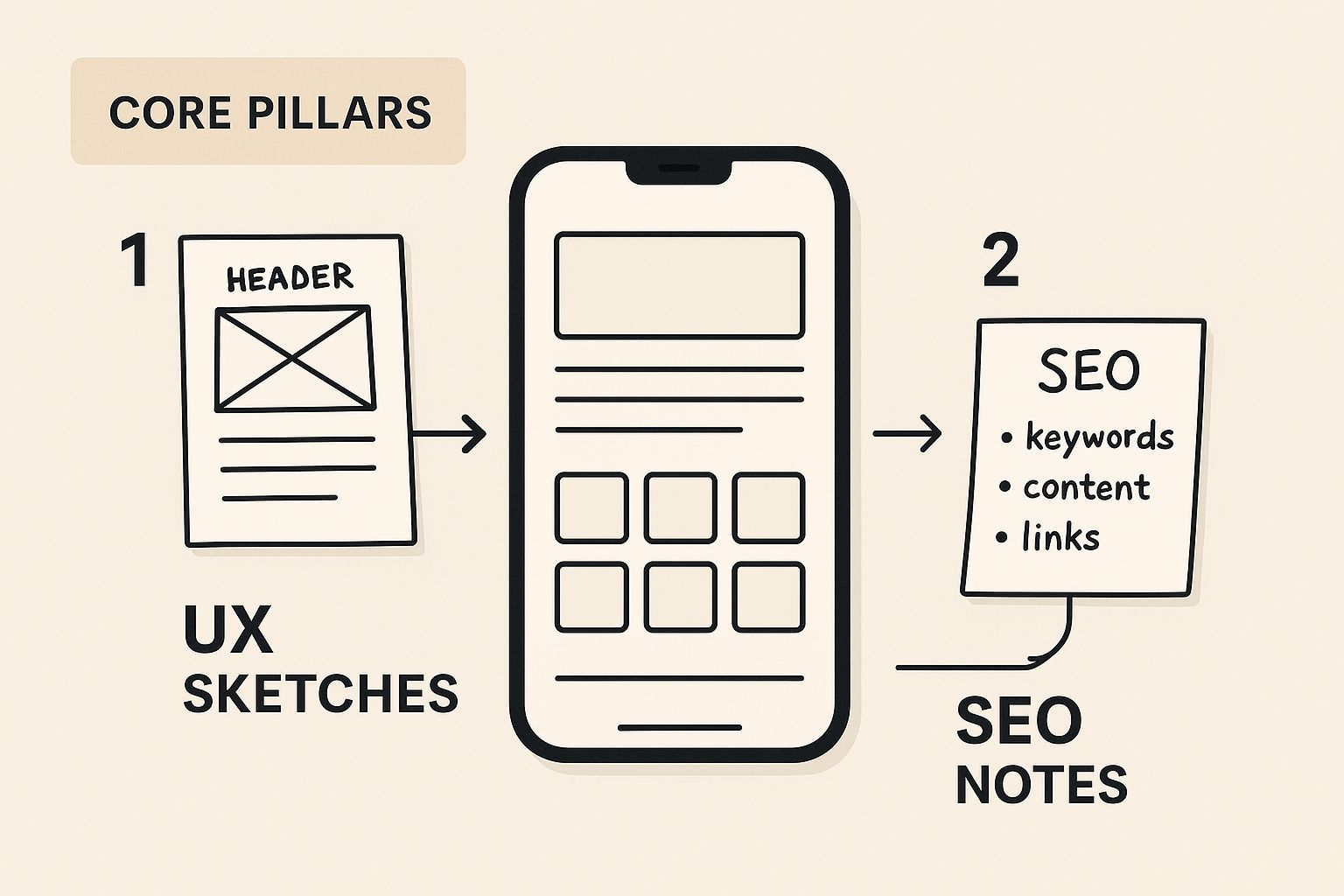
As you can see, a great user experience and a mobile-friendly site are huge signals to Google that your website is worth showing to people. Some of the SEO basics include:
- Keyword Research: Knowing the actual words and phrases your customers type into Google.
- On-Page SEO: Placing those keywords in your page titles, headings, and content naturally.
- Quality Content: Creating genuinely helpful articles, guides, and pages that answer your audience's questions.
To get a more complete picture, take a look at our guide on essential website design best practices for success.
CTAs Tell Visitors What to Do Next
Finally, every single page on your site needs a purpose. It should guide your visitor toward taking a specific step. That's where a Call-to-Action (CTA) comes in—it’s the button or link that tells people exactly what to do next. It's the digital version of a helpful cashier asking, "Ready to check out?"
Without a clear CTA, a visitor might love what they read… and then leave because they weren't sure what to do. Your CTAs are the bridge between interest and action.
Make your CTAs stand out. They need to be:
- Action-Oriented: Start with strong verbs like "Get a Free Quote," "Shop Now," or "Schedule a Consultation."
- Visually Distinct: Use a color that pops against the background so the button is impossible to miss.
- Strategically Placed: Position them right where someone is likely to make a decision, like right after you describe a service or at the bottom of a blog post.
To wrap it all up, here’s a quick-glance table summarizing how these core components come together to drive real results for your business.
Core Components of Effective Web Design
| Pillar | Simple Analogy | Why It Drives Business Growth |
|---|---|---|
| User Experience (UX) | A well-organized, brightly-lit store | Keeps visitors engaged and makes it easy for them to buy from you. |
| Mobile-First Design | Ensuring your storefront looks great from the sidewalk | Caters to the majority of today's users, preventing lost sales. |
| SEO | The big, visible sign on the main road | Helps new customers discover your business through search engines. |
| Calls-to-Action (CTAs) | A clear and friendly checkout counter | Turns passive browsers into active leads and paying customers. |
Focusing on these four pillars isn't just about making a "pretty" website. It's about building a powerful tool that works for your business 24/7.
Your Web Design Roadmap From Idea to Launch
https://www.youtube.com/embed/zS0sMMPSJPc
Building a website can feel like a massive undertaking, but it doesn't have to be. The secret is breaking the journey down into a clear, step-by-step roadmap. When you have a plan, a potentially overwhelming project becomes a series of manageable tasks.
Think of it like building a house—you wouldn't just start nailing boards together without a blueprint. You need a plan, then a foundation, then the frame, and finally, all the finishing touches. A great website follows a surprisingly similar, logical path.
Whether you're doing it yourself or working with a pro, knowing these stages keeps your project on track and focused on what really matters. Let's walk through the essential phases that take your website from a rough idea to a successful launch.
Phase 1: Define Your Goals and Audience
Before you even think about colors or fonts, you have to answer two fundamental questions: What is this website supposed to do? And who is it for? Getting this right is the foundation for every other decision you'll make.
Your main goal might be to generate leads, sell products, or just build credibility. Be specific. Instead of a vague goal like "get more customers," aim for something concrete, like "capture 20 qualified leads per month through our contact form."
Next, get a crystal-clear picture of your ideal customer. Are they young and glued to their phones, or are they older and less comfortable with technology? Understanding their needs and frustrations will shape everything from your design to the words you use on the page.
Phase 2: Wireframing and Visual Design
With clear goals, it's time to sketch out the blueprint. In the web design world, we call this wireframing. A wireframe is a simple, black-and-white layout of your site. It’s all about structure and function—where the menu goes, where the buttons live, how the content is organized—without any distracting colors or images.
Once that skeletal structure is approved, the fun begins: the visual design phase. This is where your brand's personality comes to life. A designer will take the wireframes and apply your logo, color palette, and fonts, creating a polished mockup that looks and feels like the final website.
A structured process isn't just about being organized; it's about being efficient and getting results. A clear plan helps you sidestep the common mistakes that can blow up your timeline and budget.
For a closer look at this structured method, you can explore the different website development stages that professionals rely on to keep projects running smoothly.
Phase 3: Development and Content Creation
This is the construction phase. Developers take the approved design and turn it into a living, breathing website. They write the code and set up the back-end systems to make sure everything works, from the contact form that pings your inbox to the shopping cart that processes payments.
While the technical build is happening, you’ll be focused on creating the content. This means writing the text for your pages, sourcing high-quality photos, and producing any videos you want to feature. After all, compelling content is what will connect with your visitors and convince them to take action.
Phase 4: Testing and Final Launch
Before you pop the champagne, your website needs to be put through its paces. This final testing phase is crucial. We check for bugs, hunt down broken links, and make sure the site looks great on every browser and device, especially mobile phones. Every button, every form, and every link needs to work exactly as expected.
Having a solid launch plan ensures a smooth debut. On average, a small business website takes one to two months, but more than half of traditional redesigns blow past their deadlines. What's worse, nearly 80% of those delayed projects drag on for over a year. That’s why a clear roadmap and a dedicated testing phase are non-negotiable for staying on schedule. You can find more insights into small business website design challenges at highervisibility.com.
Once everything is tested, polished, and approved, it’s time for the big reveal. Following these steps helps make sure your website launches without a hitch, ready to become the powerful digital front door your business deserves.
Choosing Your Path: DIY vs. Hiring a Pro
So, you need a website. One of the first, and biggest, forks in the road you'll face is deciding who’s actually going to build this thing. Should you roll up your sleeves and go the Do-It-Yourself route, or is it better to bring in a professional?
There's no single "right" answer here. The best choice really comes down to a trade-off between four key things: your budget, your time, how much control you want, and your level of expertise. Let's break down what each path looks like so you can figure out which one makes the most sense for your business right now.
The DIY Approach: Building It Yourself
Thanks to modern website builders like Squarespace, Wix, and Shopify, creating a pretty decent website without touching a line of code is easier than ever. These platforms have exploded in popularity for a good reason—they give you a straightforward way to get online.
The most obvious win here is the cost. For a low monthly fee, you can get a site up and running, which is a massive relief for businesses watching every penny. You also get total creative control. Want to change a photo at 10 PM? Go for it. No need to email a designer and wait.
But that control comes with a catch: your time. Building a website, even with a slick template, is a serious time-suck. You’re not just dragging and dropping a few boxes. You're the one writing all the text, finding the right images, and figuring out why that contact form isn't working. It can quickly spiral from a small weekend task into a major project.
Choosing the DIY path means you are not just the business owner; you also become the project manager, designer, copywriter, and technical support specialist. It offers ultimate control but demands a significant investment of your time and energy.
And while these builders are fantastic, they do have their limits. You're working inside their playground, using their rules and their tools. If you need a truly unique feature or want to break free from the template look, you might hit a wall. That can become a problem as your business grows and your needs get more sophisticated.
Hiring a Professional Designer or Agency
Hiring a pro is a different kind of investment. Instead of trading your time, you're investing money to get an expert in your corner who can deliver a high-quality result, and usually much faster.
A good web designer doesn't just build a pretty website; they build a strategic business tool. They bring years of hands-on experience in things like user experience (UX), search engine optimization (SEO), and figuring out how to get visitors to actually do something. They know how to build a site that not only looks incredible but is engineered from the ground up to attract traffic and convert it into customers.

This approach frees you from a massive headache and lets you focus on what you do best—running your business. A pro handles all the technical stuff, making sure the site is fast, secure, and built right. What you get in the end is a custom-fit asset that truly represents your brand and is built specifically to hit your business goals.
The main hurdle, of course, is the upfront cost. It’s a significantly bigger check to write than a monthly DIY subscription. You also hand over some of that minute-to-minute control, since updates and changes will go through your designer.
Comparing DIY Website Builders and Professional Designers
To help you weigh the options, here’s a side-by-side analysis to help you decide between building your own website and hiring an expert.
| Factor | DIY Website Builder | Hiring a Professional |
|---|---|---|
| Budget | Low monthly subscription fees. Very budget-friendly upfront. | Higher upfront investment. A long-term strategic expense. |
| Time | Requires a significant personal time commitment from you. | Frees up your time to focus on your business. |
| Control | Full, immediate control over all content and design changes. | Less direct control; changes are managed by the expert. |
| Expertise | Relies on your own skills and willingness to learn. | Taps into expert knowledge of design, SEO, and strategy. |
| Customization | Limited by the platform's templates and features. | Fully custom, tailored to your specific business needs and goals. |
Ultimately, the choice is yours. If your budget is super tight and you have more time than money to spare, a DIY builder is a brilliant way to get started. But if your goal is to build a powerful marketing machine that drives real growth from day one, investing in a professional is almost always the smarter long-term play.
Real Examples of Winning Small Business Websites
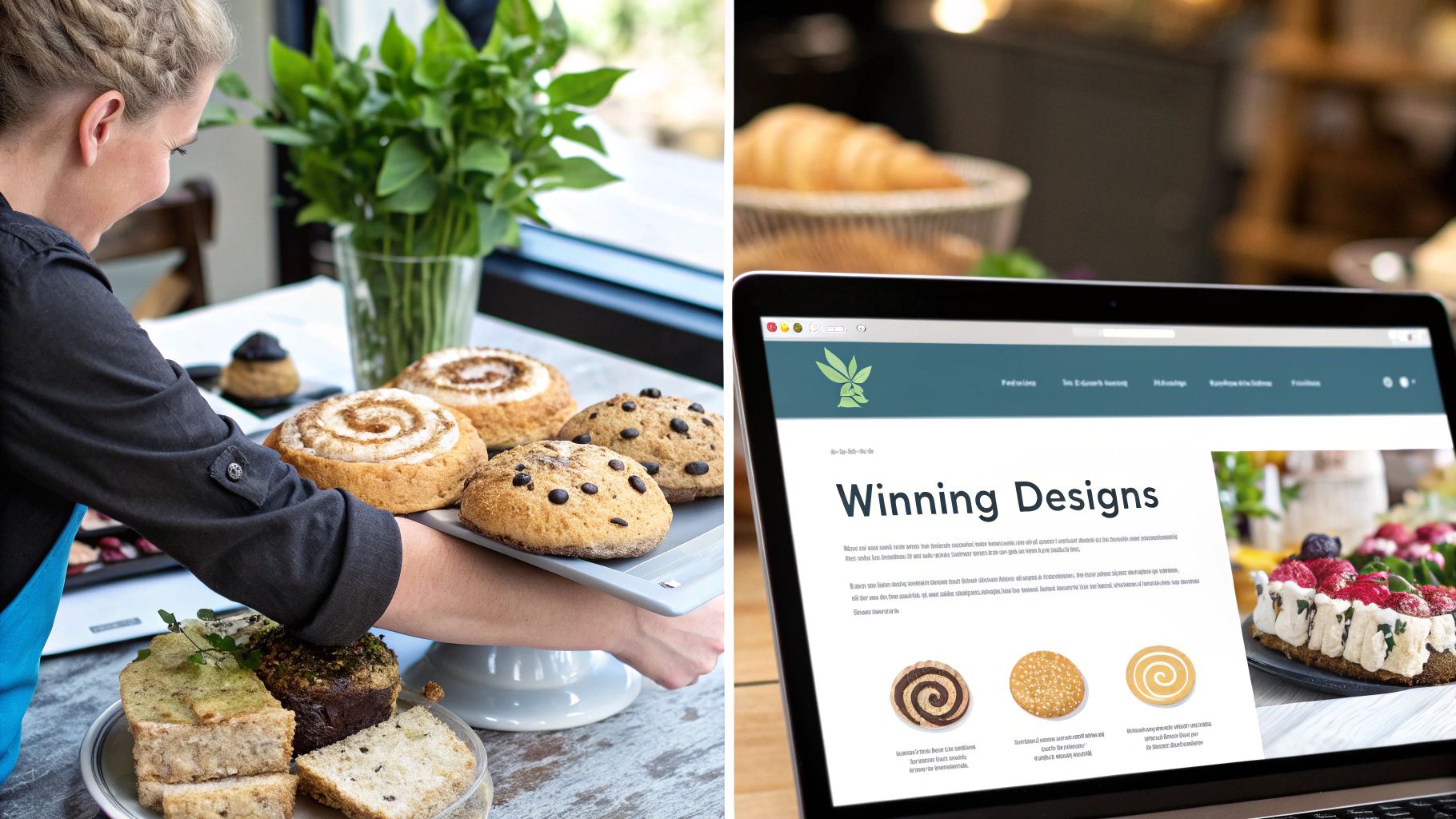
Theory is one thing, but seeing great design in the wild is where the lessons really stick. The best way to grasp what makes an effective small business web design is to check out what successful companies are actually doing. These examples aren't just easy on the eyes; they're hard-working machines built to get results.
Let’s pull back the curtain on a few websites that are absolutely crushing it and figure out their secret sauce. Each one applies the core ideas we've covered—a great user experience, clear calls-to-action, and a mobile-friendly layout—to turn casual browsers into paying customers. Think of these as a source of inspiration for your own project.
The Local Bakery That Makes Ordering a Piece of Cake
Imagine landing on a local bakery's website. The first thing that hits you? Gorgeous, mouth-watering photos of their fresh bread and pastries. You can almost smell them through the screen. That visual hook immediately gets you emotionally invested. But the site’s real genius is in its function.
The online ordering system is the hero here. It's clean, simple, and works perfectly on your phone while you're on the go. Adding a croissant to your cart, picking a time, and paying takes just a couple of taps. No friction, no frustration.
- Why It Works: It masterfully blends stunning visuals with a dead-simple user experience. That impossible-to-miss "Order Now" button is the perfect call-to-action, pointing visitors right where the business wants them to go.
The Consultant Who Sells Trust, Not Services
Now, let's switch gears to a solo business consultant. Their homepage doesn't hit you with a hard sell. Instead, right at the top, you find a section packed with client testimonials, complete with names, faces, and company logos. This isn't bragging; it's social proof, and it builds credibility from the first second.
The site is also incredibly easy to navigate, with straightforward menu options like "My Process" and "Case Studies." This kind of language demystifies what they do and shows potential clients the results they can expect, answering their biggest questions before they even think to ask.
By leading with testimonials and case studies, a consultant’s website changes the conversation from "here's what I sell" to "here's how I solve problems for people just like you." This builds trust, which is the most important asset for any service business.
This simple shift turns the website from a digital business card into a powerful engine for building trust, making the sales conversation a whole lot warmer.
The E-commerce Shop That Loves Mobile Shoppers
Finally, picture a small online shop that sells handmade goods. Their website is a textbook example of mobile-first design. Pull it up on your phone, and you’ll see big, beautiful product images, short and snappy descriptions, and an "Add to Cart" button that’s always within thumb's reach.
They’ve obsessed over the details to make mobile shopping a breeze.
- Clean Product Pages: Every page is dedicated to a single product, showcasing it from all angles with high-quality photos.
- Simple Checkout: The payment process is broken down into small, manageable steps, which is a huge factor in preventing people from abandoning their carts.
- Visible Contact Info: A clear link to an FAQ or contact page reassures shoppers that help is available if they need it.
This relentless focus on a smooth mobile experience is non-negotiable today, with so many purchases happening on smartphones. By getting rid of the roadblocks, the site makes it ridiculously easy for people to click "buy."
Your Digital Front Door Awaits
We've walked through the strategy, the tools, and even seen what great design looks like in the wild. Now, it's time to put it all together. Think of your website as the digital front door to your business. It’s often the very first impression you make, and in a world of endless options, that first look is everything.
The biggest takeaway should be this: small business web design isn't just another expense on a spreadsheet. It’s a direct investment in the future of your company. A well-built site acts as your tireless, 24/7 salesperson—building trust, pulling in new customers, and driving sales even while you sleep. It’s quite possibly the hardest-working employee you'll ever have.
What's Your Next Move?
You now have a solid foundation to build upon. You know what makes a site work, from a smooth user experience to a design that shines on a smartphone. You also have a clear roadmap for getting from a simple idea to a live, functioning website.
The most important step is always the next one. Whether you grab a notebook to sketch out your site's main goal or start looking for the right design partner, the key is to simply start moving.
Don't let the scale of the project hold you back. Every successful online presence started with a single, intentional step. Here’s how you can take that step today:
- Define Your #1 Goal: If a visitor could only do one thing on your site, what would it be? Write it down.
- List Your Must-Have Pages: Go beyond the homepage. Do you need a "Services" page? An "About Us" story? A "Contact" form? Make a list.
- Find Inspiration: Start looking at websites you love, even if they're in a completely different industry. Take notes on what you like about their look, feel, and features.
You're now ready to make smart decisions and build a digital front door that doesn't just look the part but actively helps grow your business. Go on, take that first step. You've got this.
Common Questions About Web Design
If you're thinking about building a website for your small business, you've probably got a few questions. That's a good thing. Making a smart decision about your online presence is crucial, so let's clear up some of the most common things business owners ask.
How Much Should a Small Business Website Cost?
This is always the first question, and the honest answer is: it really depends. It’s a lot like buying a car. You could get a dependable used sedan for a few thousand dollars, a brand-new SUV for a mid-range price, or a custom-built performance vehicle for a serious investment. They all get you from A to B, but they’re built for very different needs and budgets.
Website costs fall into a similar spectrum:
- DIY Builders (Low Cost): Using a platform like Squarespace or Wix might only set you back a few hundred dollars a year. It's the cheapest route, but be prepared to trade that saved money for your own time and learning curve.
- Freelancers (Moderate Cost): A freelance designer will typically charge anywhere from $2,000 to $10,000+ for a standard business website. The final price tag really hinges on their level of experience and how complex your project is.
- Agencies (Higher Investment): Working with a professional agency usually starts around $10,000 and can go up significantly from there. You're not just paying for a website; you're investing in a team of specialists—strategists, designers, developers, and project managers—who handle absolutely everything.
Ultimately, your final cost will be shaped by things like custom features, e-commerce capabilities, and the sheer amount of content you need.
How Long Does It Take to Build a New Website?
The timeline is tied directly to the site's complexity and who's doing the work. A simple, five-page informational site can get off the ground pretty fast. But if you need custom features like an online store or a complex booking system, it’s going to take more time to get it right.
Here are some realistic timeframes to expect:
- DIY Projects: This could take you a single weekend or drag on for a few months. It all comes down to how quickly you can learn the platform and how much time you can actually dedicate to it.
- Professional Projects: For a typical small business website built by a pro, plan for about 4 to 12 weeks from the initial meeting to the day you go live.
That window includes all the important steps: strategy, design, development, adding content, and making sure everything works perfectly before launch.
Rushing the process is one of the biggest mistakes you can make. A well-planned project that takes 8 weeks will deliver far better results than a sloppy site thrown together in two.
Do I Actually Need a Blog on My Business Site?
Short answer: yes, absolutely. A blog is one of the most effective tools in your marketing toolkit for attracting new customers. It’s not just for posting company updates; it’s a powerhouse for your search engine optimization (SEO).
Every time you publish a genuinely helpful blog post, you’re creating another doorway for people to find you through a Google search. For instance, a local plumber could write a post titled, "5 Common Causes of a Leaky Faucet." That article directly answers a question their potential customers are typing into search engines.
When you consistently create content that solves your audience's problems, you:
- Attract the Right Audience: You bring in people who are actively searching for the solutions you offer.
- Establish Expertise: You position yourself as a go-to authority in your industry.
- Boost Your SEO: The more relevant, high-quality pages your site has, the more reasons Google has to show you in search results.
Think of your blog as a magnet, quietly working 24/7 to pull your ideal customers right to your website.
At OneNine, we specialize in taking the complexity out of web design. Whether you need a brand new site or want to improve your existing one, our team is ready to build a powerful online presence that drives real business results. Get in touch with us today to start the conversation.


