

Choosing the right software can be the difference between a frustrating project and a seamless digital launch. With countless platforms all claiming to be the best, it's difficult to know where to invest your time and money. This guide is designed to cut through that noise and provide a clear, actionable roadmap for building your ideal web design toolkit. We'll explore the industry's top-tier options, from powerful design and prototyping platforms like Figma to sophisticated website builders like Webflow and Framer.
Our goal is to help you find the best web design tools for your specific needs, whether you're a small business owner, a marketing team lead, or a growing agency. Each entry in this list provides a straightforward summary, an honest look at its pros and cons, and clear pricing information. We also include screenshots and direct links to help you evaluate each platform quickly. You'll get practical insights into who each tool is best for, how it integrates with other software, and what a real-world workflow looks like.
We focus on established, robust solutions that form the core of most professional workflows. However, the software landscape is always growing. For those exploring niche or emerging platforms for web design, you might also find resources discussing new or specialized offerings, such as those highlighted in the Dank Tools collection. This guide provides the foundational knowledge you need to make an informed decision, ensuring you select tools that not only meet your immediate project requirements but also support your long-term growth. Let's dive in and find the perfect stack for you.
1. Figma
Figma has cemented its position as the industry-standard interface design tool, and for good reason. It’s a powerful, browser-based platform where designers create everything from simple wireframes to high-fidelity, interactive prototypes. Its standout feature is real-time collaboration, allowing multiple team members to design, comment, and iterate within the same file simultaneously, eliminating version control headaches.
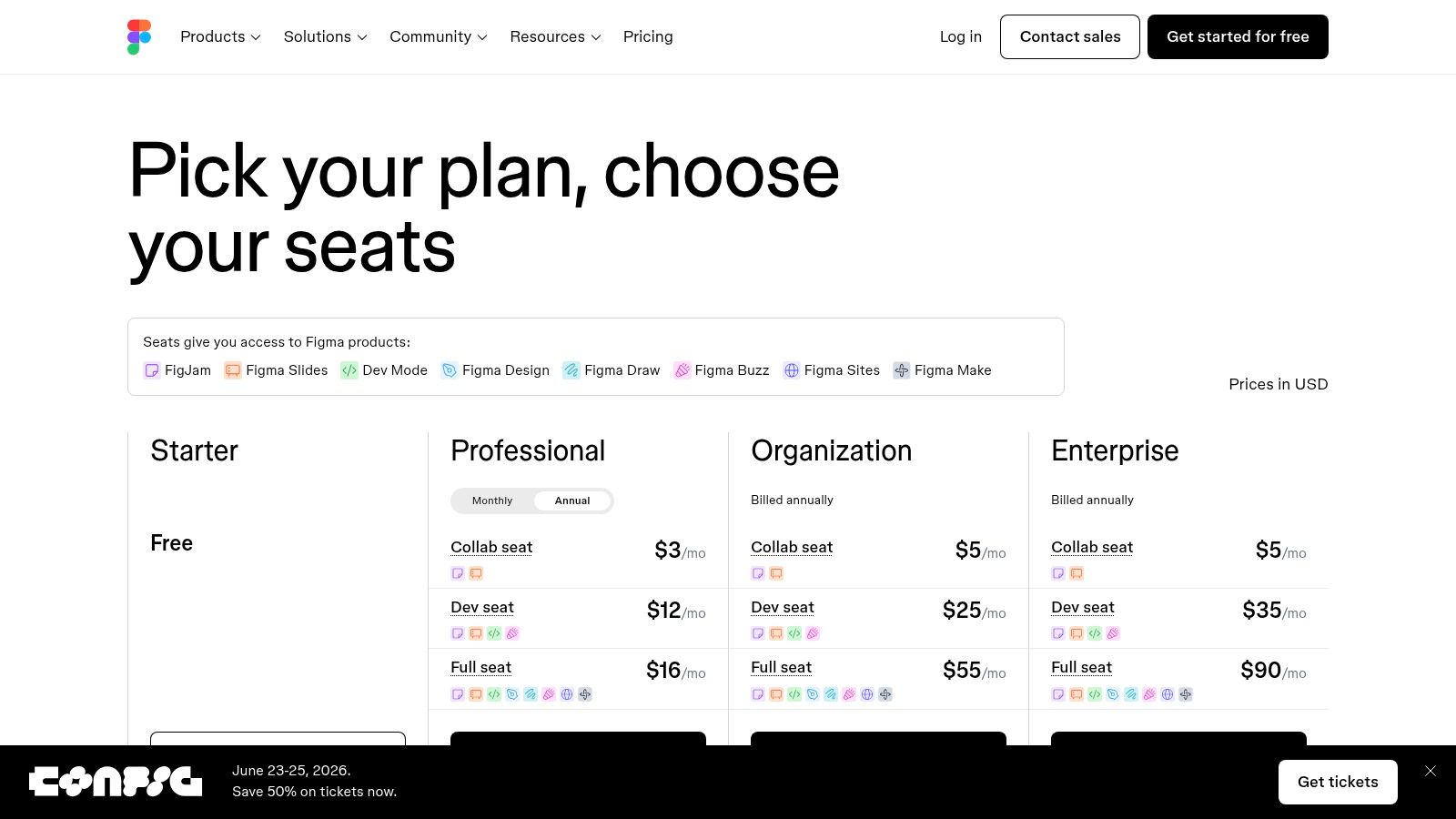
This collaborative power extends beyond design teams. With features like Dev Mode, developers can inspect designs, grab code snippets, and access assets directly, streamlining the handoff process. The platform is also a leader in building and managing design systems, which ensures brand consistency across large-scale projects. Figma's robust community and plugin ecosystem provide endless resources, from icon libraries to workflow automation tools.
Key Details & Pricing
| Aspect | Details |
|---|---|
| Best For | Product teams, design agencies, and businesses of any size needing a collaborative design and prototyping solution. |
| Pros | Superior real-time collaboration, extensive plugin and template ecosystem, and an all-in-one design-to-handoff workflow. |
| Cons | Can be resource-intensive on older computers, and the 2025 pricing changes may impact budgets for larger teams. |
| Pricing | Offers a generous Free tier for individuals, a Professional plan at $12 per editor/month, and a Business plan at $45 per editor/month with advanced features. |
For a deeper dive into structuring your designs, you can explore this user journey template for Figma. Ultimately, Figma is one of the best web design tools because it centralizes the entire product design lifecycle, from initial brainstorming in FigJam to developer handoff.
Website: https://www.figma.com
2. Webflow
Webflow bridges the gap between no-code website builders and custom development, offering visual design tools that produce clean, production-ready code. It empowers designers to build professional, responsive websites with complex interactions and animations without writing a single line of code. Its integrated CMS is a powerhouse for marketing teams, allowing for easy content updates on visually rich sites.
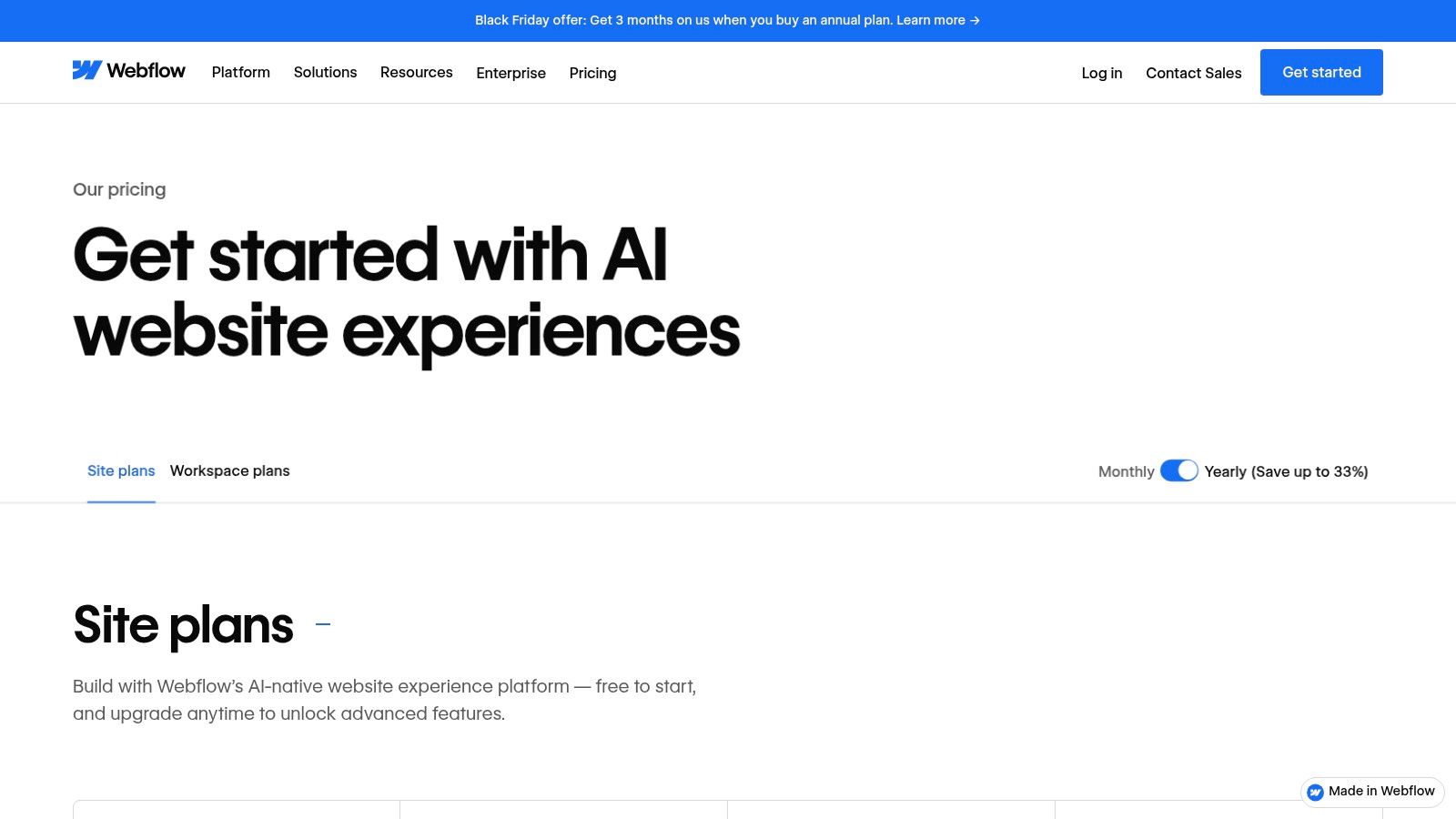
Unlike simpler builders, Webflow gives you granular control over HTML, CSS, and JavaScript properties through a visual interface, essentially translating design decisions directly into code. This makes it a favorite among agencies and freelancers who need to deliver high-performance, custom marketing websites. The platform also includes managed hosting, robust security, and a global CDN, creating an all-in-one solution for launching and scaling professional web projects.
Key Details & Pricing
| Aspect | Details |
|---|---|
| Best For | Marketing teams, agencies, and businesses needing high-quality, custom websites with a powerful, integrated CMS. |
| Pros | Produces clean, production-ready code, has a robust CMS for marketing sites, and scales well from individuals to enterprise. |
| Cons | The learning curve can be steep for advanced interactions, and per-site plan limits can increase costs unexpectedly. |
| Pricing | Offers a Free starter plan to build and learn. Paid site plans start at $14/month (Basic) and go up to $39/month (Business) billed annually. Workspace plans for teams are also available. |
For those evaluating it against e-commerce platforms, you can learn more about its capabilities in this Webflow vs. Shopify comparison. Ultimately, Webflow is one of the best web design tools because it provides the creative freedom of front-end development within a completely visual, no-code environment.
Website: https://webflow.com/pricing
3. Framer
Framer has rapidly emerged as a favorite for designers who want to build and launch high-performance websites without touching code. It blends an intuitive visual design canvas, reminiscent of tools like Figma, with a powerful relational CMS and production-ready hosting. This unique combination allows creators to go directly from design to a live, optimized site, complete with advanced animations and interactive components.
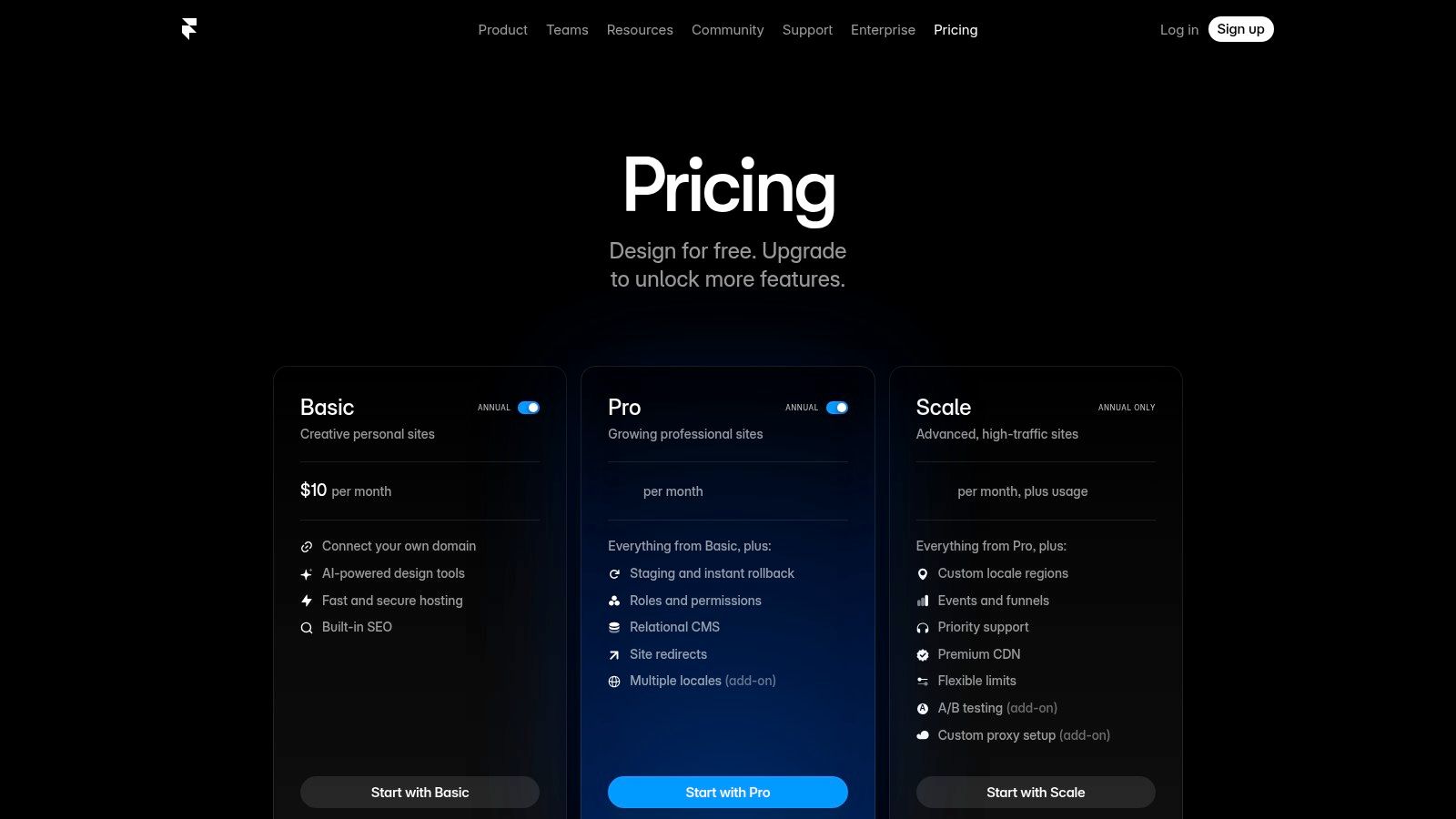
What sets Framer apart is its emphasis on speed, both in the design-to-publish workflow and in the final website's performance. It leverages an incredibly fast publishing pipeline and a global CDN to ensure sites load almost instantly. With integrated features like a relational CMS, staging environments, redirects, and built-in analytics, it provides a comprehensive toolkit for launching professional marketing sites and landing pages. AI-assisted layout features further accelerate the building process, making it one of the best web design tools for rapid execution.
Key Details & Pricing
| Aspect | Details |
|---|---|
| Best For | Designers, startups, and marketing teams needing to ship beautiful, high-performance websites quickly without developer dependency. |
| Pros | Extremely fast publishing pipeline and site performance, clean and intuitive editor UX, and powerful built-in CMS and analytics features. |
| Cons | Can become expensive due to tier limits (pages, CMS items, bandwidth) and extra costs for editor seats. The ecosystem is smaller than WordPress or Webflow. |
| Pricing | Includes a Free plan for hobby projects, a Mini plan at $5/site/month (billed annually), a Basic plan at $15/site/month, and a Pro plan at $30/site/month for more traffic and features. |
For teams that prioritize design fidelity and world-class performance, Framer offers a compelling all-in-one solution. It effectively removes the traditional handoff process by empowering designers to own the entire journey from concept to launch, all within a single, unified platform.
Website: https://www.framer.com/pricing?utm_source=openai
4. Sketch
Sketch was one of the original pioneers in vector-based UI design, offering a lightweight and focused alternative to legacy design software. As a native Mac application, its core strength lies in its fast, smooth performance and deep integration with the macOS ecosystem. It’s an excellent choice for designers who prefer a native app experience for creating high-fidelity interfaces, wireframes, and prototypes.
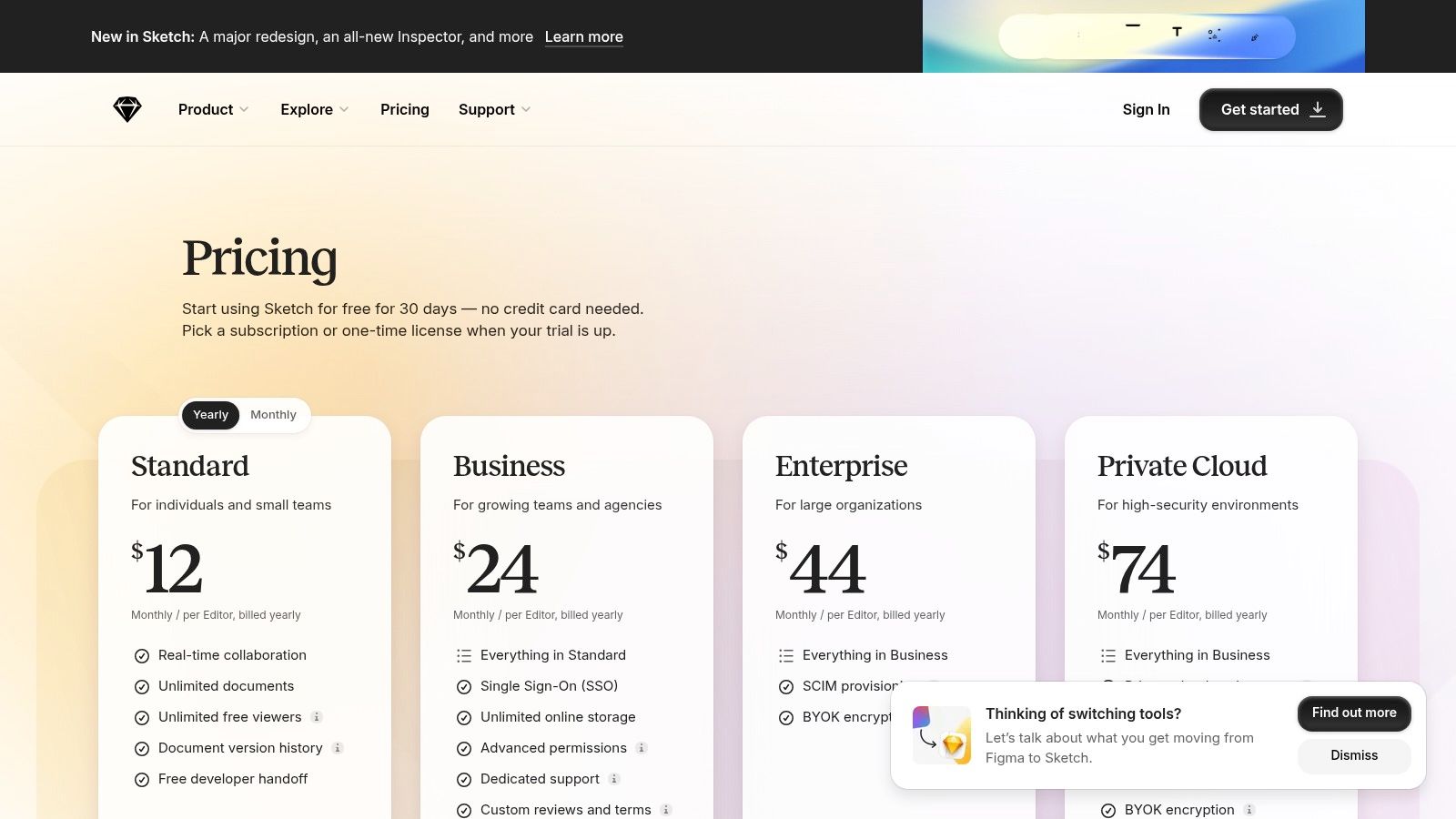
While Figma has captured much of the market with its browser-first collaboration, Sketch has adapted by introducing a web app for viewing, inspecting, and handoff, ensuring non-Mac stakeholders can participate in the review process. Its companion iPhone and iPad apps allow for real-time previewing of designs on actual devices, which is invaluable for mobile-first projects. Sketch’s flexible licensing model also sets it apart, giving teams the choice between a subscription or a perpetual license for the Mac app.
Key Details & Pricing
| Aspect | Details |
|---|---|
| Best For | Mac-centric design teams and freelancers who prioritize native app performance and flexible licensing. |
| Pros | Smooth native performance on macOS and flexible licensing options (subscription or a perpetual Mac-only license). |
| Cons | The main design editor is Mac-only, limiting cross-platform teams. Its plugin ecosystem is smaller than Figma's. |
| Pricing | The Standard plan is $12 per editor/month (or $120/year), which includes the Mac app and workspace access. A Mac-only License is available for a one-time payment of $120. |
For those just starting the design process, understanding the fundamentals of structure is key; you can see how to create website wireframes for foundational guidance. Overall, Sketch remains one of the best web design tools for Mac users who value a polished, native application with a clean and intuitive interface.
Website: https://www.sketch.com/pricing/?utm_source=openai
5. Adobe Creative Cloud
Adobe Creative Cloud remains a cornerstone in the creative industry, offering a powerful suite of applications essential for web design. While not a single tool, its collection, including Photoshop for raster graphics and Illustrator for vector assets, provides an unparalleled depth for creating bespoke UI elements, custom illustrations, and high-quality mockups. These applications are the industry standard for asset creation, ensuring professional-grade results.
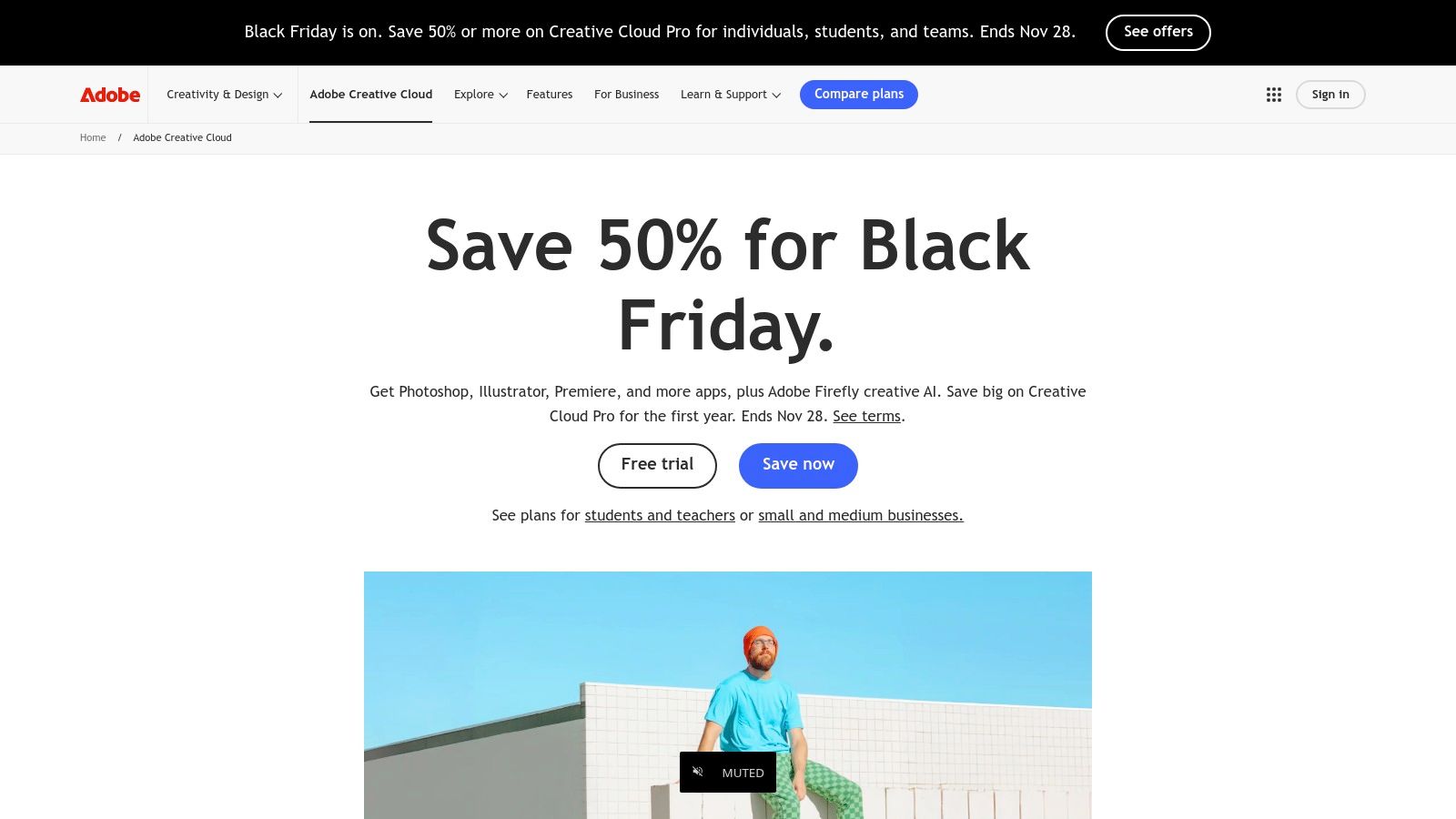
The suite's strength lies in its integrated ecosystem. Creative Cloud Libraries allow designers to share assets, colors, and styles seamlessly across apps and with team members, maintaining brand consistency. The recent integration of Adobe Firefly brings generative AI capabilities directly into workflows, accelerating content creation. This robust combination of specialized tools and interconnected features makes Adobe Creative Cloud one of the best web design tools for agencies and enterprises that demand precision and power in their creative process.
Key Details & Pricing
| Aspect | Details |
|---|---|
| Best For | Creative agencies, enterprises, and individual designers who need a comprehensive, professional-grade toolset for graphic and asset creation. |
| Pros | Deep, pro-grade toolset trusted across the industry, a rich ecosystem of assets and fonts, and powerful cross-app integrations. |
| Cons | Can have a steep learning curve for newcomers, and plan complexity with AI credit tiers may be confusing. |
| Pricing | The All Apps plan for individuals is $59.99/month. Business plans offer more collaborative features and start at $89.99/month per license. |
While tools like Figma handle prototyping, Adobe's suite is often the starting point where the core visual identity and assets for a web project are born. It’s an indispensable part of a complete web design toolkit for creating truly custom digital experiences.
Website: https://www.adobe.com/creativecloud
6. Affinity (by Canva)
Affinity, now part of the Canva family, offers a powerful suite of professional-grade design applications that directly challenge the subscription-based giants. It combines vector illustration (Designer), photo editing (Photo), and page layout (Publisher) into a unified ecosystem, providing robust tools for creating web graphics, UI elements, and marketing materials. Its major draw is its performance and professional feature set, now accessible with a simpler pricing model.
The platform is renowned for its speed, non-destructive editing capabilities, and excellent compatibility with industry-standard file formats like PSD, AI, and PDF. This makes it a viable and budget-friendly alternative for freelancers and agencies looking to reduce software overhead without sacrificing quality. The integration with Canva also hints at a future where powerful, technical design and accessible, template-driven creation work together, making it a versatile choice among the best web design tools.
Key Details & Pricing
| Aspect | Details |
|---|---|
| Best For | Freelancers, small agencies, and businesses seeking a professional, one-time purchase alternative to subscription design software. |
| Pros | Zero license fee for the core app and strong performance. A powerful, budget-friendly alternative to paid subscription tools. |
| Cons | The new model is recent, so its long-term roadmap is still evolving. Some advanced AI features are tied to Canva Premium. |
| Pricing | The core Affinity suite is now Free to use. Access to premium features and integrations requires a Canva Premium subscription. |
Ultimately, Affinity stands out by delivering professional-level design capabilities without the recurring monthly cost, empowering designers to create high-quality web assets with a single, affordable investment.
Website: https://affinity.studio
7. Canva
Canva has become a go-to platform for rapid design, making it accessible for non-designers to create professional-looking web assets and marketing materials. While not a traditional UI/UX tool, its intuitive, template-driven approach allows users to quickly generate mockups, social media graphics, and even simple, one-page websites. Its strength lies in its vast library of templates, stock photos, and easy-to-use design elements.
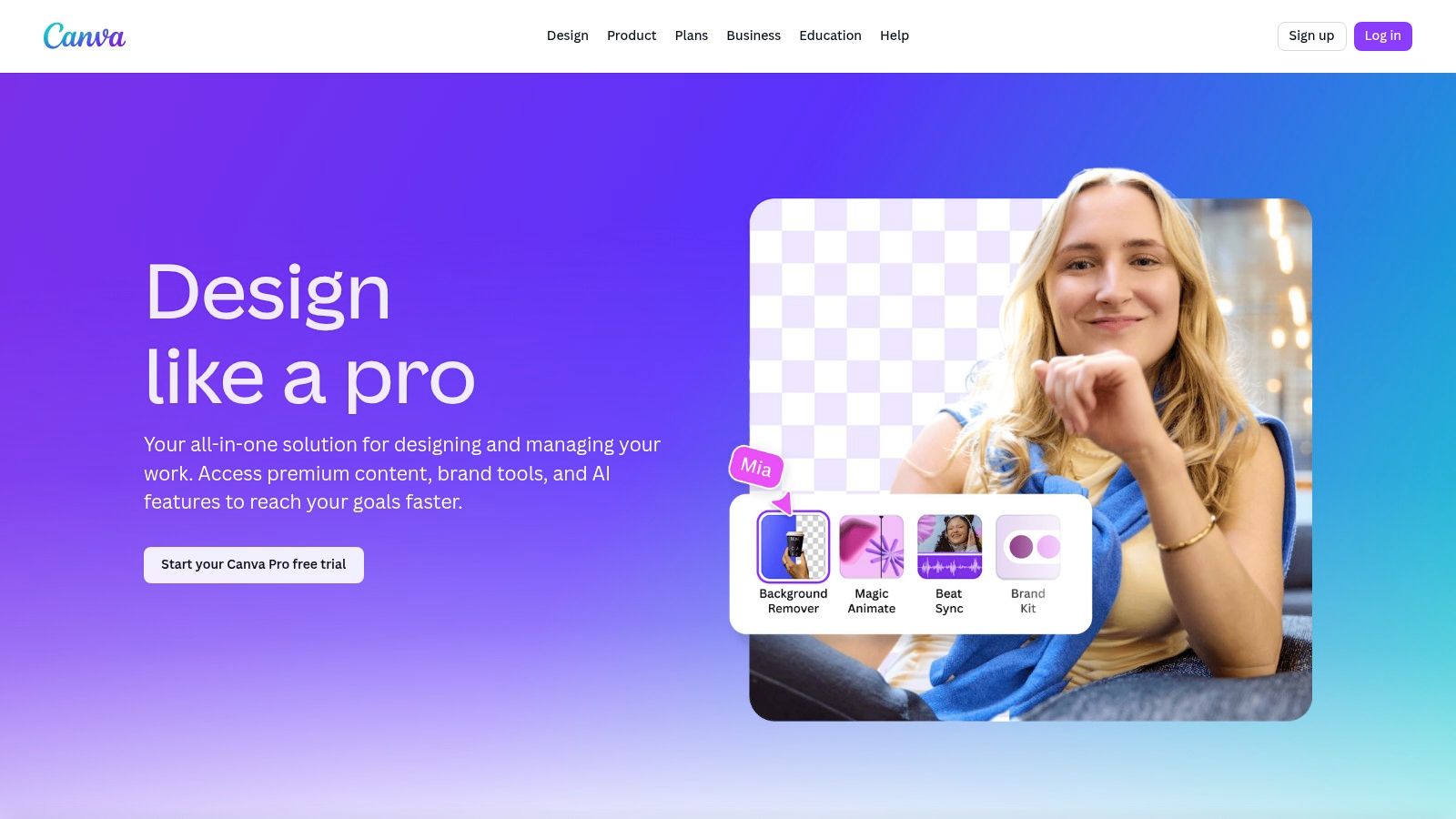
The platform has significantly expanded its capabilities with over 25 AI-powered features, including background removal and text-to-image generation, which speed up the content creation process. Brand Kits help maintain consistency, and the lightweight website builder is perfect for launching quick landing pages or event sites without any code. For teams needing to produce a high volume of visual content for the web, Canva is an invaluable asset, bridging the gap between simple ideas and polished execution.
Key Details & Pricing
| Aspect | Details |
|---|---|
| Best For | Marketers, small business owners, and non-designers needing to create web graphics and simple websites quickly. |
| Pros | Extremely fast to learn with a broad content library, ideal for non-designers and small teams producing web assets. |
| Cons | Less precise than professional UI tools; export and brand control limits versus pro toolchains. |
| Pricing | Includes a robust Free plan, a Pro plan starting at $14.99 per person/month, and a Teams plan at $29.99 per month for the first 5 people. |
While it won't replace sophisticated prototyping tools for complex projects, Canva is one of the best web design tools for empowering entire teams to contribute to a brand's visual presence online with minimal friction. It excels at democratizing design for everyday business needs.
Website: https://www.canva.com/pro/?utm_source=openai
8. Wix Studio
Wix Studio is Wix's answer for agencies and freelancers who need more power and scalability than the classic editor provides. It’s an advanced, flexible platform designed for creating high-end websites with pixel-perfect precision and sophisticated client management tools. It combines a visual, no-code canvas with the ability to add custom CSS, animations, and custom code, giving designers full creative control over responsive behaviors.
The platform is built for professional workflows, offering a centralized workspace to manage multiple client sites, reusable assets, and team roles. It also includes a developer-focused environment with APIs, npm package integration, and a VS Code-based IDE for building complex web applications. With built-in AI tools for responsive design and content generation, Wix Studio stands out as one of the best web design tools for professionals who want a visual builder without sacrificing deep customization and powerful backend capabilities.
Key Details & Pricing
| Aspect | Details |
|---|---|
| Best For | Web design agencies, freelancers, and enterprises needing a scalable platform for building and managing multiple client websites. |
| Pros | Strong client handoff features, robust role permissions, and powerful integrations with headless APIs for complex projects. |
| Cons | Pricing details can be scattered across documentation, and some advanced features like SSO require higher-tier plans. |
| Pricing | Wix Studio offers several plans tailored to different needs, starting from a Light plan at $17/month up to a Business Elite plan at $159/month for e-commerce. Custom Enterprise plans are also available. |
Ultimately, Wix Studio bridges the gap between traditional website builders and fully custom development, offering an integrated solution for professionals who deliver websites at scale.
Website: https://www.wix.com/studio?utm_source=openai
9. Squarespace
Squarespace is a design-centric, all-in-one website builder renowned for its polished, modern templates that look great right out of the box. It’s ideal for creators, small businesses, and portfolios where visual appeal is paramount. The platform integrates everything from hosting and domains to e-commerce and marketing tools, offering a cohesive and straightforward experience for users who want a professional site without a steep learning curve.
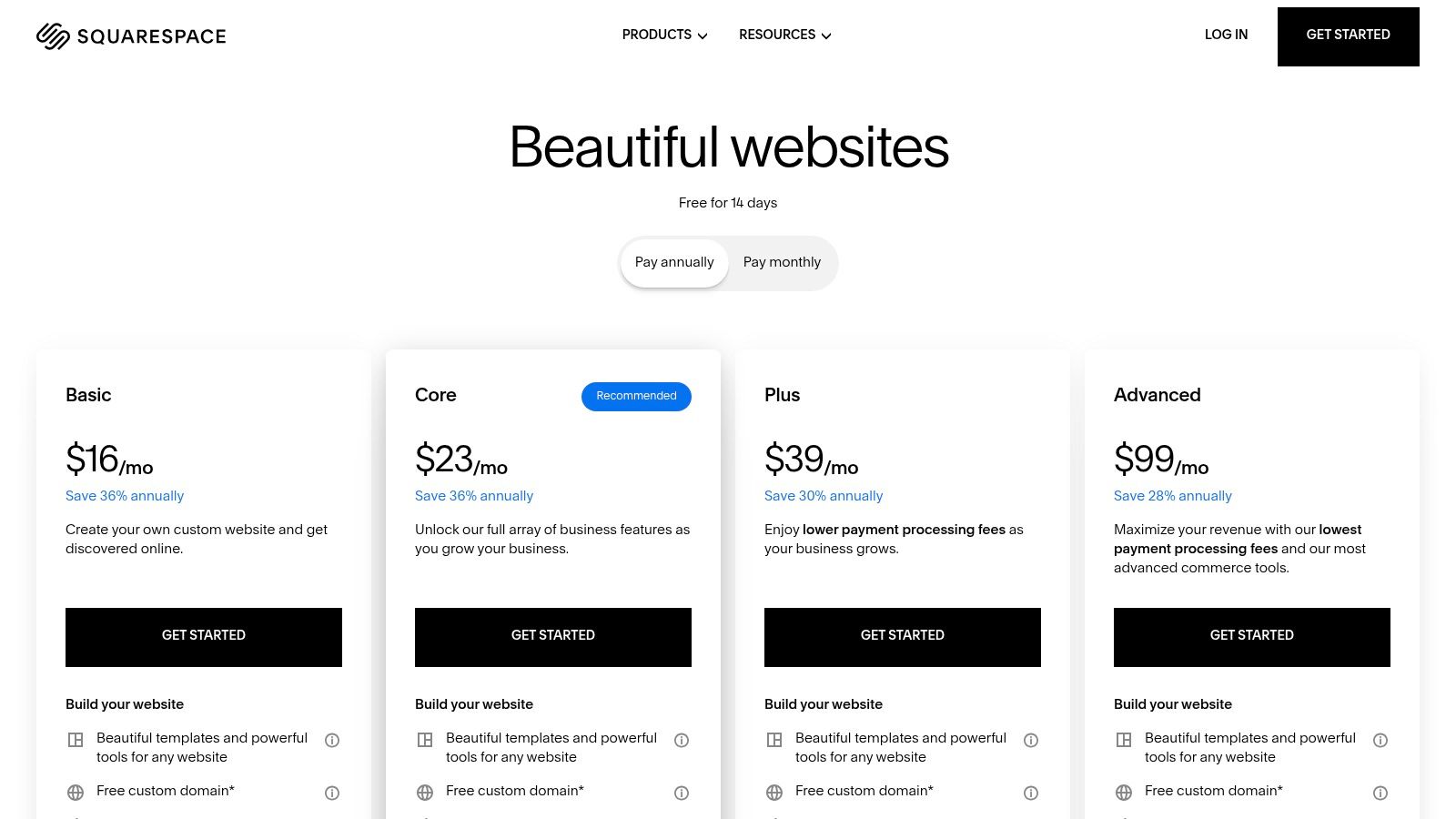
Unlike more developer-focused tools, Squarespace prioritizes a streamlined visual editing experience. Its new Fluid Engine editor provides more granular control over layouts than before, allowing for overlapping elements and more creative designs. The platform excels with built-in features like scheduling, email campaigns, and membership areas, reducing the need for third-party plugins. This integrated approach makes it one of the best web design tools for entrepreneurs who need to manage their entire online presence in one place.
Key Details & Pricing
| Aspect | Details |
|---|---|
| Best For | Small businesses, artists, photographers, and entrepreneurs needing a visually stunning website with integrated e-commerce and marketing. |
| Pros | Excellent default designs and cohesive product stack, simple pricing, and reliable hosting included. |
| Cons | Less granular layout control than Webflow or Framer, and advanced developer customization is limited to higher-tier plans. |
| Pricing | Plans start with a Personal tier at $16/month, a Business plan at $23/month, and Commerce plans starting at $27/month (billed annually). |
Squarespace is the go-to solution for those who value aesthetics and simplicity. It removes technical barriers, allowing you to focus on content and business growth while maintaining a high-quality, professional online presence.
Website: https://www.squarespace.com/pricing
10. WordPress.com
WordPress.com offers a streamlined, managed hosting experience for the world's most popular content management system. It removes the technical overhead of self-hosting, allowing creators and businesses to focus on content and design within the familiar WordPress ecosystem. Users can leverage the powerful block editor and a curated selection of premium themes to build everything from a simple blog to a full-fledged business site.
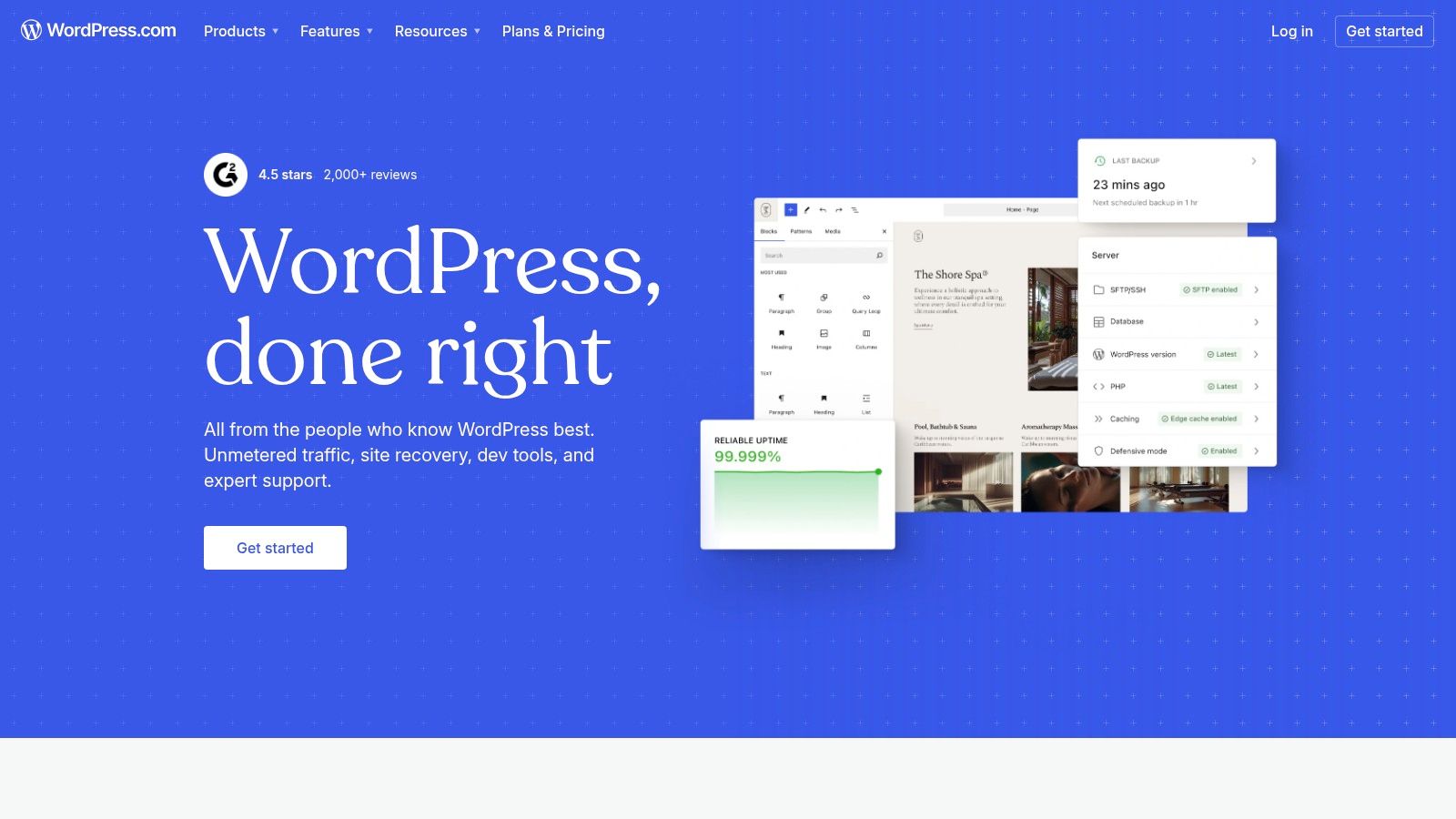
This platform stands out by bundling essential services like domains, SSL certificates, backups, and CDN on higher-tier plans, simplifying website management. For those looking to innovate, an early-access AI site builder helps draft initial layouts and content, accelerating the creation process. While WordPress.com offers a robust solution for many, it's also worth considering various WordPress blog alternatives that might better suit specific project needs or preferences. This makes it one of the best web design tools for users who want WordPress power without the hassle.
Key Details & Pricing
| Aspect | Details |
|---|---|
| Best For | Bloggers, freelancers, and small businesses seeking a managed WordPress solution with scalable features. |
| Pros | Familiar WordPress ecosystem with managed hosting, scales from personal sites to business/commerce plans, and built-in security and performance features. |
| Cons | More opinionated and gated than self-hosted WordPress.org, and advanced plugin and theme freedom requires Business+ plans. |
| Pricing | Includes a Free plan for basic use, a Personal plan at $4/month, a Premium plan at $8/month, and a Business plan at $25/month for full plugin access. |
Ultimately, WordPress.com provides a secure and accessible entry point into the powerful WordPress world, balancing ease of use with the flexibility required to grow.
Website: https://www.wordpress.com
11. ThemeForest (Envato Market)
For projects that need a fast turnaround or a pre-built foundation, ThemeForest is a massive marketplace offering thousands of website templates and themes. It serves as a valuable resource for quickly launching sites on platforms like WordPress, Shopify, and Webflow, or for grabbing HTML templates for custom development. Instead of designing from scratch, you can purchase a professional theme and customize it to fit your brand.
The platform’s strength lies in its sheer volume and variety, catering to nearly any industry or niche imaginable. Each item typically includes user ratings, live previews, and direct support from the theme's author, which helps in making an informed decision. While not a design tool in the traditional sense, it’s one of the best web design tools for sourcing design assets that accelerate development, allowing teams to focus on content and strategy rather than initial layout and coding.
Key Details & Pricing
| Aspect | Details |
|---|---|
| Best For | Freelancers, agencies, and SMBs needing a cost-effective and rapid way to launch aesthetically pleasing websites or client prototypes. |
| Pros | Huge selection and competitive pricing, significantly saves time on design and initial development, and includes author support for purchased items. |
| Cons | Quality and support can vary widely between authors, and over-customization can sometimes be more complex than building from a simpler base. |
| Pricing | Themes are sold individually with a one-time payment. Prices typically range from $15 to $80 per license, depending on the complexity and platform. |
When using ThemeForest, always check the author's ratings, comments, and last-updated date to ensure the product is well-supported and high-quality. Ultimately, it’s an indispensable resource for getting a project off the ground quickly without a significant upfront investment in custom design.
Website: https://themeforest.net/category/site-templates
12. Creative Market
Creative Market is less of a standalone tool and more of an essential resource hub for designers looking to accelerate their workflow. It's a vast online marketplace where independent creators sell high-quality digital design assets. You can find everything from comprehensive UI kits and web themes to custom fonts, icons, and photorealistic mockups, saving you countless hours of creation time.
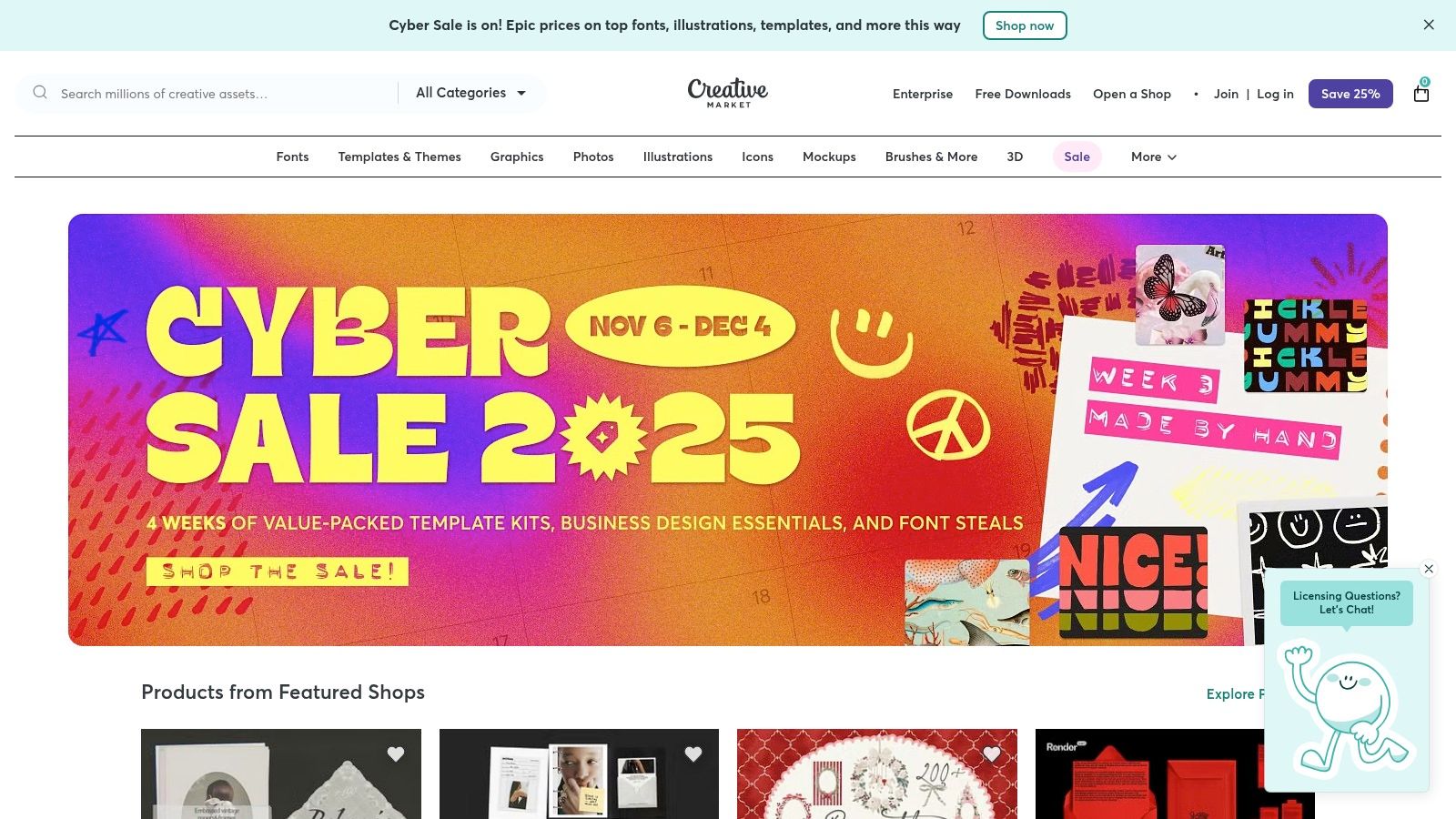
Unlike subscription services, Creative Market operates on a per-asset basis, which is ideal for one-off projects or for designers who need specific items without a long-term commitment. Its clear, tiered licensing system (Personal, Commercial, and Extended Commercial) makes it easy to purchase assets with the correct usage rights for your project. The platform also offers frequent bundles, discounts, and a popular weekly rotation of "free goods," providing an excellent way to build up your asset library on a budget.
Key Details & Pricing
| Aspect | Details |
|---|---|
| Best For | Freelancers, agencies, and designers needing to quickly acquire high-quality assets like UI kits, fonts, and templates. |
| Pros | A massive library of diverse assets, transparent and straightforward licensing, and no mandatory subscription. |
| Cons | Asset quality can be inconsistent across different creators, and you must carefully verify license scope for each purchase. |
| Pricing | Prices are set by individual creators and vary per asset. A Free account provides access to the marketplace and weekly free goods. Paid assets are purchased individually. |
While not a design application itself, Creative Market is one of the best web design tools because it provides the raw materials to bring ideas to life faster and more efficiently. For any team, having access to such a repository can be a massive strategic advantage.
Website: https://creativemarket.com
Top 12 Web Design Tools — Feature Comparison
| Tool | Core strengths | UX / Quality ★ | Value / Pricing 💰 | Target Audience 👥 | Unique selling point ✨ |
|---|---|---|---|---|---|
| Figma | Collaborative UI design, prototyping, design systems | ★★★★★ | 💰 Seat-based subscription (org pricing ↑) | 👥 Product & design teams, enterprises | 🏆 Real-time multiuser + huge plugin community |
| Webflow | Visual no-code builder, CMS, hosting, production-ready code | ★★★★ | 💰 Per-site plans (can scale costly) | 👥 Agencies & marketing teams | ✨ Code-level control + integrated CMS & CDN |
| Framer | Design-to-live sites, relational CMS, fast publish | ★★★★ | 💰 Tiered plans + editor seat surcharges | 👥 Designers & small agencies | ✨ Very fast publishing pipeline + analytics |
| Sketch | Mac-native UI/UX app, prototyping, native previews | ★★★★ | 💰 Flexible license/subscription options | 👥 Mac-centric design teams | ✨ Smooth native performance + device previews |
| Adobe Creative Cloud | Pro-grade raster/vector tools, asset & font ecosystem | ★★★★★ | 💰 Subscription + AI credit tiers (complex) | 👥 Agencies, studios, enterprises | 🏆 Industry-standard tools + Firefly AI |
| Affinity (by Canva) | Unified vector/photo/layout studios; pro import support | ★★★★ | 💰 Core app free; optional Canva Premium AI | 👥 Budget-conscious designers | ✨ Pro-grade editor with no core license fee |
| Canva | Template-driven design, brand kits, lightweight site builder | ★★★ | 💰 Free + Pro subscription; team plans | 👥 Non-designers, small teams & marketers | ✨ Massive template/library + many AI tools |
| Wix Studio | Agency-focused builder, dev workspace, APIs & roles | ★★★★ | 💰 Enterprise-focused pricing (gated) | 👥 Agencies & freelancers managing clients | ✨ Dev workspace (npm/VS Code) + role controls |
| Squarespace | Design-forward templates, commerce, coherent stack | ★★★★ | 💰 Simple tiered plans; reliable hosting | 👥 Small businesses, creatives | ✨ High-quality default designs & commerce tools |
| WordPress.com | Hosted WordPress, block editor, managed hosting tiers | ★★★★ | 💰 Managed plans; Business+ for plugins | 👥 Bloggers to businesses needing WP | ✨ Familiar WP ecosystem with managed ops |
| ThemeForest (Envato) | Large theme/template marketplace across platforms | ★★★ | 💰 Low-cost templates; author support varies | 👥 Agencies, devs needing quick templates | ✨ Huge catalog for rapid prototyping |
| Creative Market | Marketplace for UI kits, templates, fonts, assets | ★★★★ | 💰 Transparent tiered licensing; bundles/free goods | 👥 Designers seeking assets & UI kits | ✨ Clear licensing + frequent deals/free goods |
From Tools to Triumph: Building Your Perfect Workflow
Navigating the landscape of the best web design tools can feel overwhelming. We've journeyed through a comprehensive list, from the collaborative design power of Figma and the precision of Sketch to the no-code revolution led by Webflow and Framer. We’ve also explored user-friendly builders like Wix Studio and Squarespace, the vast ecosystem of WordPress, and marketplaces like ThemeForest that offer ready-made solutions.
The central takeaway is this: there is no single "best" tool for everyone. The ideal choice is deeply personal and depends entirely on your specific context. A solo entrepreneur might thrive with the simplicity and all-in-one nature of Squarespace, while a growing agency will likely need the advanced design-to-development workflow offered by combining Figma and Webflow.
Finding Your Perfect Fit: Key Questions to Ask
Before you commit to a subscription or start a project, take a moment to reflect on your core needs. Your answers to these questions will guide you toward the right combination of tools and prevent costly mistakes down the line.
- What is my primary goal? Are you building a simple portfolio, a complex e-commerce store, a content-heavy blog, or a highly interactive web application? The complexity of your goal will immediately narrow down your options.
- What is my technical skill level? Be honest about your comfort with code. If HTML and CSS are foreign concepts, platforms like Wix Studio or Canva are excellent starting points. If you have some technical knowledge, Webflow offers a powerful visual development environment without demanding traditional coding skills.
- What is my budget? Consider both the initial setup costs and the ongoing monthly or annual fees. Remember to factor in costs for plugins, themes, and hosting if you choose a self-hosted solution like WordPress.
- How much customization do I need? Website builders offer speed and simplicity at the cost of creative freedom. Platforms like WordPress and Webflow provide near-limitless customization but come with a steeper learning curve.
- Will I need to integrate with other tools? Think about your existing marketing stack, CRM, and analytics platforms. Ensure your chosen web design tool has the necessary integrations to create a seamless operational workflow.
The Real Challenge: From Selection to Integration
Choosing your tools is just the first step. The true path to success lies in building a cohesive and efficient workflow where each tool serves a specific purpose without creating friction. This is where many businesses, especially small to medium-sized ones, encounter challenges. Juggling design files in Figma, implementing them in Webflow, managing content in a CMS, and ensuring everything is optimized for performance requires expertise and dedicated time.
A disjointed workflow leads to inefficiencies, technical debt, and a final product that doesn't quite meet the initial vision. The real value isn't just in the tools themselves, but in the strategy that connects them. For many, this is the point where bringing in an expert partner becomes a strategic advantage, transforming a collection of powerful software into a unified, high-performing digital asset. Your website is your most important marketing tool; ensuring it's built on a solid, well-integrated foundation is an investment that pays dividends for years to come.
Ready to bridge the gap between having the best web design tools and building a powerful, high-performing website? The team at OneNine specializes in implementing and managing websites across all major platforms, ensuring your tools work together flawlessly to achieve your business goals. Contact OneNine today to see how our expert team can build and manage a digital presence that drives results.


