
When your WordPress site feels sluggish, a speed optimization service is what you call in to get under the hood and fix what’s slowing it down. Think of it as a professional pit crew for your website. They diagnose the technical roadblocks and implement fixes that make everything run faster, leading to a better user experience, higher SEO rankings, and ultimately, more revenue.
Why a Slow Website Is a Silent Business Killer
Picture your website as a brick-and-mortar shop. A slow-loading page is the digital equivalent of a massive queue with only one cashier. People get fed up, turn around, and leave—often heading straight to your competitor down the street. This isn't just a hypothetical; it happens online every single day.
In the world of e-commerce and online services, speed is everything. A visitor's patience wears thin in seconds, and a clunky website is the quickest way to lose a sale. This isn't just a minor annoyance; it's a direct blow to your business's health.
This infographic paints a perfect picture of that user frustration kicking in.
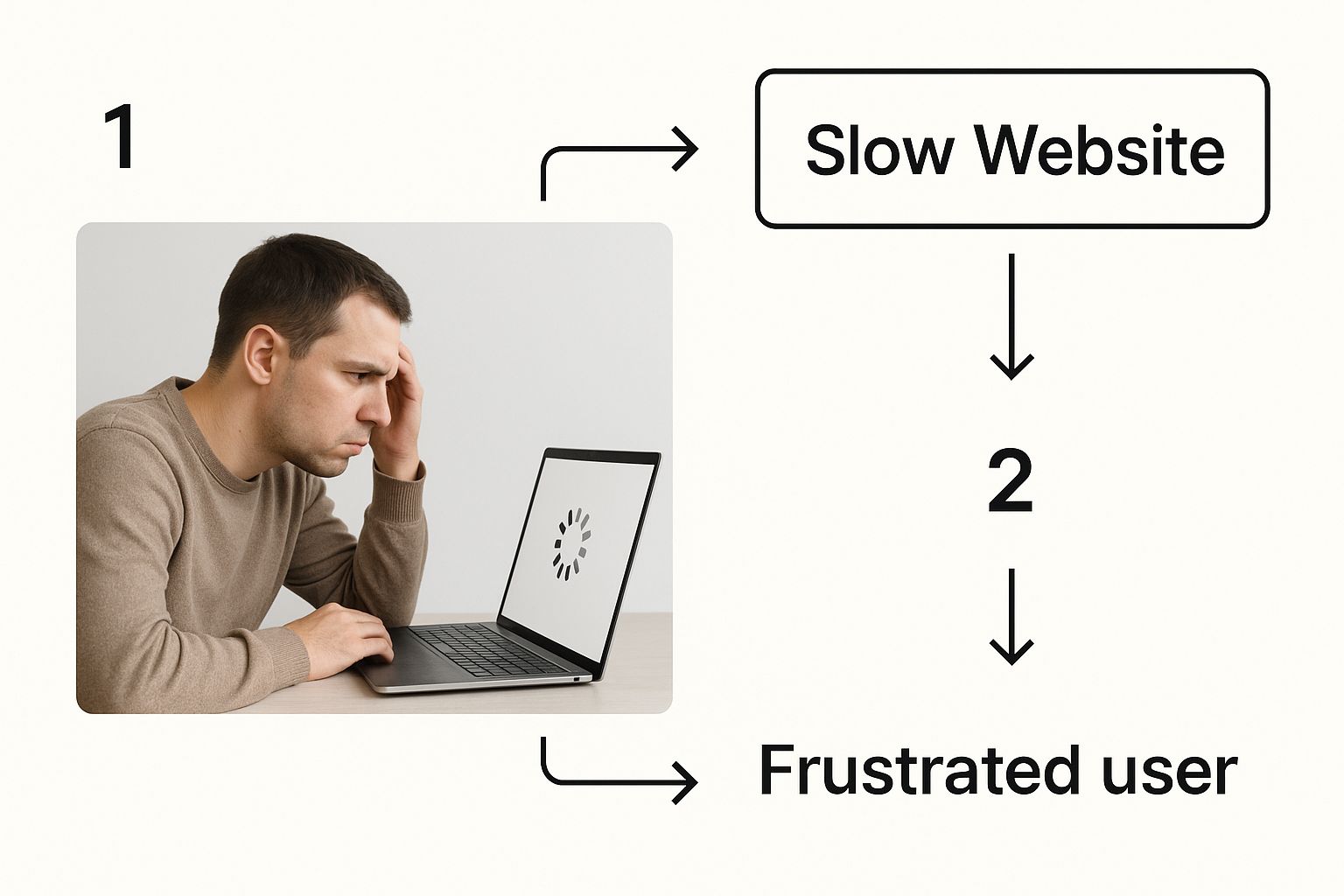
You can see the exact moment a potential customer's excitement turns to irritation, which immediately sours their perception of your brand.
The Financial Impact of Milliseconds
The link between site speed and revenue isn't just a theory; it's proven by data. Research consistently shows that a mere one-second delay in page load time can cause a 7% drop in conversions. For any business selling online, that adds up to a staggering loss over time.
On the flip side, WordPress sites that get a professional tune-up often see an average 20% increase in overall traffic. It's a clear demonstration of how speed keeps visitors on your site. This is exactly why WordPress speed optimisation services are such a smart investment—they tackle the root technical problems that are quietly costing you money.
Understanding Core Web Vitals
So, how does Google measure this experience? It uses a set of metrics called Core Web Vitals. You can think of them as your website's health report card, focusing on three critical areas:
- Largest Contentful Paint (LCP): How fast does the most important content appear on the screen?
- Interaction to Next Paint (INP): When someone clicks a button, how quickly does the page react?
- Cumulative Layout Shift (CLS): Do things jump around on the page as it loads? (We all hate that).
A bad score here sends a clear signal to search engines: your site is frustrating to use. As a result, Google is less likely to show your pages in search results, making it much harder for new customers to find you. High bounce rates are a classic symptom of poor Core Web Vitals. To dig deeper into this, you can learn more about what causes a high bounce rate in Google Analytics.
Bringing in a professional ensures your site not only feels fast to real people but also checks all the technical boxes for search engines, giving you a serious edge over the competition.
What Happens When You Hire a Speed Expert
Hiring someone to speed up your WordPress site can feel a bit like handing your car keys to a master mechanic. You know something’s wrong under the hood, but the actual repair process seems like a blur of technical jargon. In reality, it’s a methodical, step-by-step process designed to get your website running in top gear.
Think of it as a high-performance tune-up. A speed expert doesn't just slap on a quick fix; they systematically diagnose and resolve every single issue putting the brakes on your site. This process turns a slow, frustrating user experience into a smooth, fast one that both your visitors and Google will appreciate.
Let's pull back the curtain and see what actually happens when you bring in a pro.
The Initial Diagnostic Check
The first thing any good expert does is a deep performance audit. Before touching a single line of code, they need to understand exactly what’s causing the slowdown. This isn’t about running a single speed test and calling it a day; it's a full-blown investigation into your site's technical health.
This diagnostic phase is everything. An expert will analyze all the moving parts, from how quickly your server responds to how your site renders on a phone, creating a detailed roadmap for the work ahead. It’s the foundation for every improvement that follows. You can learn more about how deep these investigations go in our guide to website audit services.
A typical audit will look at:
- Core Web Vitals: Measuring Largest Contentful Paint (LCP), Interaction to Next Paint (INP), and Cumulative Layout Shift (CLS) to see how your site stacks up against Google's core user experience benchmarks.
- Waterfall Charts: Breaking down every single file request to pinpoint the exact scripts, images, or plugins causing bottlenecks.
- Plugin and Theme Review: Hunting down bloated or poorly coded elements that are hogging your site's resources.
Core Components of a WordPress Speed Optimisation Service
To give you a clearer picture, this table breaks down the common tasks involved in a professional tune-up. It shows you what an expert tackles and, more importantly, why it matters for your site's performance.
| Optimisation Area | What It Means (Simple Terms) | Why It Matters |
|---|---|---|
| Server & Hosting | Making sure your website's "home" is fast and properly set up. | A slow server is like building a skyscraper on a shaky foundation. Everything else will be slow, too. |
| Image Optimisation | Compressing and resizing images so they load quickly without losing quality. | Large images are the #1 cause of slow websites. This is a quick and massive win. |
| Code Minification | Removing unnecessary spaces and comments from CSS and JavaScript files. | Think of it as cleaning up clutter. Lighter code files are downloaded and processed much faster. |
| Database Cleanup | Getting rid of old post revisions, spam comments, and other junk. | A clean database works more efficiently, just like a well-organized filing cabinet. |
| Caching | Creating and storing a "snapshot" of your site so it doesn't have to be rebuilt for every visitor. | This delivers pages almost instantly to repeat visitors and dramatically reduces server load. |
| CDN Integration | Using a global network of servers to deliver your content from a location physically closer to the user. | Cuts down on load times for international visitors, ensuring a fast experience for everyone, everywhere. |
Ultimately, a comprehensive service addresses your site from the ground up, ensuring no stone is left unturned in the quest for speed.
Tuning the Engine and Reducing the Weight
Once the problems are laid bare, the real work begins. This phase is like a mechanic tuning your car's engine while stripping out unnecessary weight to make it faster and more efficient.
For a website, this means diving into the hosting environment and technical guts of your site. An expert will fix server-level issues, minify bulky code files, and compress those oversized images to lighten the load. They are directly targeting the performance bottlenecks discovered during the audit.
"Hiring a speed expert is akin to engaging specialized IT support, much like leveraging IT managed services for business growth, which ensures consistent performance and reliability."
This engine-tuning process is where you'll often see the biggest speed gains. By cleaning up the code, optimizing the database, and making sure the server is configured properly, an expert lays the groundwork for a seriously fast website.
Streamlining the Body and Adding a Turbo
The final stage is all about advanced techniques that give your site an extra burst of speed. Think of it like streamlining a car's body for better aerodynamics and adding a turbocharger. This is where caching and Content Delivery Networks (CDNs) really shine.
An expert will set up a smart caching strategy that serves static, ready-to-go versions of your pages. For returning visitors, the experience is almost instant because their browser doesn't have to rebuild the page from scratch. On top of that, they'll often configure a CDN to spread your site's files across a global network, ensuring blazing-fast load times for users, no matter where they are in the world.
These final touches are what take a site from "good" to "great."
The Three Pillars of a Lightning-Fast WordPress Site
So, how do professional WordPress speed optimisation services work their magic? It helps to think of your website not as a single thing, but as a system with three core parts, much like a high-performance race car. It isn't just the engine that makes a car fast; it's the engine, the chassis, and the lightweight body all working together in perfect harmony.
Experts focus on all three of these pillars to build a truly fast website.

Let's pop the hood and see what makes each one so critical for speed.
Pillar 1: Your Foundation (Server and Hosting)
First up is your website's hosting—the digital plot of land where your site lives. If that foundation is built on unstable ground, everything you put on top of it is at risk of slowing down, no matter how well-crafted it is.
Many people start out on cheap, shared hosting plans. Think of this like living in a crowded apartment building with a shared water supply. When everyone decides to take a shower at the same time (gets a traffic spike), your water pressure drops to a trickle. The server's power—its memory, CPU, and bandwidth—is being split between you and hundreds of other websites.
This is exactly why a speed expert always starts their investigation here. They know that no amount of code tweaking can ever make up for a slow, overburdened server.
A slow server is the single biggest bottleneck you can have. Even a perfectly optimized site will feel sluggish if the server takes forever to respond. This initial delay is called Time to First Byte (TTFB), and a high TTFB is a dead giveaway that your hosting is the problem.
Moving to managed WordPress hosting or a good Virtual Private Server (VPS) is like upgrading to your own house with its own dedicated water line. You get the resources you pay for, and the environment is built specifically for WordPress.
Add a Content Delivery Network (CDN) to the mix, and you've got a global support system. A CDN stores copies of your site in data centers all over the world. So, when someone from London visits your site (hosted in Los Angeles), they get served the content from a server nearby in Europe, not from halfway across the globe. The difference in speed is massive.
Pillar 2: Your Cargo (On-Page Elements)
The second pillar is all about your site's "cargo"—everything a visitor's browser has to download to display your page. This means images, videos, fonts, and scripts. Imagine you're packing a suitcase. If you stuff it with heavy, unnecessary items, it’s going to be a real pain to lug around.
Huge, unoptimized images are the most common offender. They’re the digital equivalent of packing a set of dumbbells in your carry-on luggage. A speed optimization service acts like a professional packer, making sure every single item is as light as possible without sacrificing an ounce of quality.
They do this using a few key techniques:
- Image Compression: This involves using smart tools to shrink image file sizes, often by 70% or more, with zero noticeable loss in visual quality. Knowing the best image formats for web is a huge part of this; modern formats like WebP can offer incredible quality at a fraction of the file size.
- Lazy Loading: This is a brilliant trick that tells the browser not to load images or videos until a user actually scrolls down to them. It’s like keeping most of your clothes in your suitcase and only taking out the outfit you need right now. This makes the initial page load feel almost instant.
By trimming the fat from your on-page elements, an expert makes sure your site’s "suitcase" is light and easy for browsers to handle, giving your visitors a much quicker journey.
Pillar 3: Your Engine (Code and Database)
The final pillar is your website's engine—the code and database that make everything run. This includes WordPress itself, your theme, your plugins, and the database that stores all your content. A messy, inefficient engine will chug along slowly, no matter how good the rest of the car is.
Two of the most powerful ways to tune this engine are caching and minification.
Think of caching this way: Imagine a coffee shop where the barista has to grind the beans, steam the milk, and pull a fresh shot of espresso for every single customer. It would take forever. Caching is like the barista pre-making a big batch of the most popular coffee and keeping it hot and ready to go. When someone orders it, it’s served instantly. A caching system does the same thing by creating a static, ready-made version of your webpage, so the server doesn't have to build it from scratch for every single visitor.
Minification, on the other hand, is about simplifying the engine's instructions. Code files (like CSS and JavaScript) are often full of extra spaces, comments, and notes that are helpful for developers but totally useless to a web browser. Minification strips all that junk out, making the files smaller and easier for browsers to read. It's like turning a long, wordy instruction manual into a simple, one-page checklist.
A clean database is also a must. Over time, your database gets clogged with old post revisions, spam comments, and other digital clutter. Optimizing it is like cleaning out the gunk from your engine's parts so it can run smoothly. To learn more about the nuts and bolts, you can explore these actionable strategies to improve website loading speed.
By meticulously working on all three pillars—the foundation, the cargo, and the engine—a professional service delivers a complete overhaul that guarantees a faster, more reliable WordPress site.
How to Choose the Right Speed Optimisation Partner
Picking the right partner to speed up your WordPress site is a big deal. It’s not just about hiring someone to make a few technical changes; you're trusting them with a critical piece of your business's performance. The right expert can help you climb the search rankings and win more customers, while the wrong one can leave you with nothing but empty promises and a lighter wallet.
To make a smart choice, you have to look past the shiny sales pages. You need to really dig into how they work, what they’ve done for others, and how they communicate. Think of it like hiring a specialist doctor for your business—you want someone who knows their stuff, explains things clearly, and has a solid plan to get you healthy.
Scrutinize Their Track Record and Proof of Work
First things first: you need to see proof that they know what they're doing. Any reputable WordPress speed optimisation service will be eager to show off their wins. Don’t just take their word for it; ask for the receipts.
Look for detailed case studies. A good case study isn't just a happy quote from a client; it's a story that walks you through the entire process. It should clearly lay out the client’s original problem, what the service provider did to fix it, and, most importantly, the measurable results that came from their work.
Here’s what you should be looking for:
- Before-and-after speed scores: They should have clear screenshots from well-known tools like GTmetrix or Google PageSpeed Insights.
- Core Web Vitals improvements: Did they take a site from failing red or yellow scores to all green? This shows they can meet Google's strict standards.
- Real business impact: The best case studies tie speed improvements to actual business results, like a lower bounce rate, longer visitor sessions, or a jump in sales.
If a provider seems cagey about sharing this stuff or their examples feel vague, that's a huge red flag. Transparency is the hallmark of a confident, skilled team.
Understand Their Communication and Reporting Process
A great speed partner does more than just fix your site—they keep you in the loop the whole time. Clear communication is absolutely essential. Before you agree to anything, you need to know exactly how they'll report their progress.
Ask them directly: What does your reporting look like? Will I get a detailed summary of the initial audit? How about a final report showing everything you did and the results you achieved? This is even more important if you’re thinking about a monthly plan. Knowing who to call and how fast they'll get back to you is key to a stress-free partnership.
A one-time fix is great, but a slow website isn't a one-and-done problem. New plugins, theme updates, or even just adding more content can drag your performance back down. A true partner won’t just fix what’s broken today; they’ll give you the tools and advice to keep your site fast for the long haul.
This brings us to a crucial decision: do you need a one-time project or ongoing support?
Differentiating Between a One-Time Fix and a Monthly Service
Not every business needs the same thing. Understanding the two main ways these services are offered will help you pick what's right for your goals and budget.
To help you decide, let's break down the differences.
One-Time Fix vs. Monthly Service Comparison
| Feature | One-Time Optimisation Service | Monthly Maintenance Service |
|---|---|---|
| Best For | Businesses with a fairly stable site that just needs a major performance boost. | Growing sites, e-commerce stores, or anyone who regularly adds new content and features. |
| Scope | A single, focused project designed to fix all current speed issues. | Ongoing performance monitoring, regular tune-ups, and proactive problem-solving. |
| Cost Model | A one-off project fee. | A recurring monthly retainer. |
| Outcome | Your site is fast when the project ends, but it's on you to keep it that way. | Your site stays consistently fast because a team is actively preventing future slowdowns. |
A one-time fix can be the perfect solution to get your site in shape right now. But if your website is always changing—with new blog posts, products, or plugins being added—a monthly service gives you peace of mind, making sure your site stays fast no matter how much it grows.
Critical Questions to Ask Potential Providers
To cut through the sales pitches and find a partner you can count on, you need to ask the right questions. Keep this list handy for your first conversation with any potential provider.
- What is your process for diagnosing speed issues? They should talk about a deep-dive audit, not just plugging your URL into a free tool.
- How do you measure success? A good answer will focus on Core Web Vitals and real user experience metrics, not just a single vanity score.
- Do you create a full backup and work on a staging site first? The only right answer here is "yes." This is a basic safety net that is non-negotiable.
- What specific techniques will you use on my site? They should be able to clearly explain their plan, covering things like caching, image optimization, code cleanup, and database tuning.
- Can you provide detailed reports showing the work completed and the results achieved? This shows they are transparent and hold themselves accountable.
Their answers will tell you everything you need to know about their professionalism, skill, and commitment to their clients. It’s what empowers you to choose a partner who will deliver real, lasting results.
Real-World Results of Speed Optimisation
It’s one thing to talk about the theory, but seeing the real-world impact of speed optimisation is when the lightbulb really goes on. Investing in WordPress speed optimisation services isn't just about getting a good score on a speed test; it's about making a real, measurable difference to your business's bottom line.

So, let's step away from the technical stuff for a moment and look at a few stories that show the powerful return you get from a faster website. These examples show how speed translates directly into more sales, better visibility on Google, and higher-quality leads.
Case Study 1: The E-commerce Store That Halved Cart Abandonment
Picture an online shop selling beautiful, handcrafted leather goods. They had amazing products and a dedicated following, but their sales had hit a plateau. When they looked at their analytics, they found a shocking statistic: a cart abandonment rate of nearly 80%. People were loving their products enough to add them to the cart, but then vanishing before they paid.
The problem? A painfully slow checkout process. Every single step, from typing in a shipping address to processing the payment, took ages to load. That friction was just enough to make potential customers give up in frustration.
After bringing in a speed optimisation service, the team went to work on the checkout pages. They cleaned up the code, fine-tuned the database, and set up advanced caching. The difference was night and day.
The page load time during checkout plunged from over six seconds to under two. In just one month, their cart abandonment rate was cut almost in half, which led to a 35% increase in completed sales. This is a perfect example of how speed is a crucial part of the customer journey, with a direct line to your revenue.
Case Study 2: The Blog That Climbed the Google Rankings
Next up, let's look at a blog that published in-depth financial advice. The articles were excellent, but the site was going nowhere in organic search. Despite having great content, they were constantly being outranked by competitors with weaker posts.
Their issue wasn't the quality of their content; it was the user experience. The site was weighed down by huge images, too many ad scripts, and a bloated theme. The experience was so sluggish that Google had a hard time indexing their pages, and visitors were bouncing right off the site.
A full-scale speed optimisation project tackled these issues head-on. The service compressed every image, introduced lazy loading, and stripped out all the unnecessary code from the theme. They also deferred scripts that weren't essential, allowing the actual content to appear almost instantly.
The impact on their SEO was huge.
- Dwell time went up: Visitors stuck around longer because the site felt fast and responsive.
- Bounce rate went down: Fewer people left right away, sending a strong positive signal to Google.
- Keyword rankings improved: Within three months, several of their most important articles shot up from the second page of Google to the top five results.
This all resulted in a 60% surge in organic traffic. It’s a great reminder that a fast site isn't just a "nice-to-have" for users; it's a non-negotiable for anyone serious about ranking high in search engines.
Case Study 3: The Local Service Business That Captured More Leads
Finally, let’s consider a local plumbing company. Their website had one job: get potential customers to either fill out a contact form or call for emergency service. The site looked professional, but the "Contact Us" page was shockingly slow, especially on a phone.
This was a massive problem. Someone with a burst pipe isn't going to sit around waiting for a form to load—they’re just going to hit the back button and call the next plumber on the list. That slow page was costing them high-value leads every single day.
A targeted optimisation effort fixed this critical bottleneck. By focusing on the mobile experience and making sure the contact form loaded instantly, they removed the last obstacle standing between a person in need and a solution. The result was a 40% increase in qualified leads from the website in just a few weeks. It proves that for any service business, speed directly translates into more customers and a healthier bottom line.
Frequently Asked Questions About WordPress Speed
Even after covering the ins and outs, you probably still have a few questions. That's a good thing. Investing in your website’s performance is a big deal, and you should have all the facts before you jump in.
This section tackles the most common questions we hear from business owners about WordPress speed optimisation. Think of it as our final chat to clear up any lingering doubts so you can feel confident making the right call for your business.
How Much Do WordPress Speed Services Typically Cost?
This is a big one, and the honest answer is: it depends. The cost really hinges on how complex your website is. For a one-time, deep-dive optimization project, you could be looking at anywhere from a few hundred to several thousand dollars. It’s a bit like renovating a kitchen—a small, straightforward job costs a lot less than a large, custom-built space.
If you’re thinking about ongoing support, monthly maintenance plans often start in the $100 to $300 per month range. This is more like having a property manager on call to keep everything running smoothly year-round.
The key is to see this as an investment in your user experience and bottom line, not just a technical line item. A cheap service might just install a caching plugin and call it a day, but a true professional will perform a full audit, implement deep-seated fixes, and stick around to make sure the results last.
Can't I Just Use a Caching Plugin Myself?
That’s a great question. And yes, you absolutely can! Caching plugins like WP Rocket are powerful tools and often a fantastic first step. You'll likely see a noticeable improvement right away.
But a plugin is only one piece of a much bigger performance puzzle. It’s like putting high-performance tires on a car that desperately needs an engine tune-up. The tires definitely help, but they can't fix the core problem.
A professional speed optimization service goes much deeper. They'll:
- Tackle server-level bottlenecks and hosting configuration quirks.
- Clean out and streamline your website's database—something a plugin just can't do.
- Dig into the actual code of your theme and other plugins to resolve conflicts and inefficiencies that are unique to your site.
Going the DIY route with a plugin can give you a nice boost. But a professional service is the difference between a quick fix and a comprehensive solution that addresses every single bottleneck for maximum, long-lasting speed.
How Quickly Will I See a Difference?
You'll see changes in your technical speed scores almost immediately. As soon as the work is done—usually within a week or so—you can pop your URL into tools like GTmetrix or Google PageSpeed Insights and see a real, measurable jump in your scores. The technical "before and after" is often dramatic and happens fast.
The business impact, however, takes a little more time to surface. Things like better SEO rankings, a lower bounce rate, and higher conversion rates will start to build over the following weeks and months. This is simply because it takes time for search engines to recrawl your faster site, recognize the improvement, and reward you for it. The technical boost is instant; the business rewards follow right behind.
Will This Mess Up My Website's Design or Functionality?
Absolutely not. A core promise of any reputable speed service is to boost performance without changing a single pixel of your site's look, feel, or function. All the work happens "under the hood," focusing purely on code efficiency and the technical foundation.
Your visitors won't notice any changes to the design or layout. What they will notice is a website that feels snappy, smooth, and instantly responsive.
Any expert worth their salt follows a strict safety-first process. Before touching your live site, they will:
- Take a full backup of everything—all your files and the database.
- Work on a staging site, which is a private copy of your website.
- Test every single change on that staging site to make sure everything works perfectly.
Only after you've given the thumbs-up on the staging site will they carefully apply the changes to your live website. This process guarantees a seamless, risk-free transition to a much faster site. Always ask if a service uses a staging environment—it's a non-negotiable sign of a true professional.
Ready to stop losing customers to a slow website? The team at OneNine offers expert website management and optimisation services designed to deliver a fast, reliable, and high-converting online presence. We handle the technical complexities so you can focus on growing your business. Get in touch with us today to see how we can help.


