
Managing a web development project is all about taking an idea and turning it into a real, functioning website, without the chaos. It’s the framework that guides a project from the first conversation to the final launch, making sure everything gets done on time and—crucially—within budget. Without it, you're just navigating in the dark; with it, you have a clear path to success.
Building a Bulletproof Foundation for Your Web Project
A great website isn't built with code first. It's built with conversations, questions, and a solid plan. This discovery and planning phase is the absolute bedrock of the entire project. It's where you take a client's fuzzy vision and sharpen it into a set of crystal-clear goals and a well-defined scope.
Honestly, this is where most projects either succeed or fail. Get this part right, and you'll sidestep costly revisions, keep everyone on the same page, and set realistic expectations from day one. If you rush it, you’re basically inviting scope creep and endless miscommunications to the party.
Defining Clear Goals and Objectives
First things first, you have to get specific. Vague requests like "we want a modern website" don't give a development team anything concrete to work with. What does the site actually need to do? Generate leads? Sell products directly? Serve as an information hub?
The goals need to be measurable. Instead of "increase sales," a much better goal is "increase online sales by 15% within six months of launch." That kind of clarity becomes the guiding light for every design and development decision you make.
Don't just take my word for it. The data shows that a shocking 37% of project failures trace back to poorly defined goals. It's no surprise that organizations with mature project management practices hit their targets far more often (77% success) compared to those without (63%).
Identifying Stakeholders and Gathering Requirements
Once you know what you're building, you need to figure out who you're building it for. This means identifying every single stakeholder—from the client’s marketing and sales teams to their C-suite, plus your own internal crew of designers, developers, and writers. Each person brings a different perspective and a unique set of needs to the table.
Getting requirements out of people is an art form. It’s more than just taking notes; it's about asking the right questions to uncover the real problem a requested feature is supposed to solve.
- User Stories: Think from the user's point of view. For example: "As a shopper, I want to filter products by color so I can find a blue shirt faster."
- Use Cases: Map out the exact steps a person will take. For instance, detailing the journey from the homepage to a successful checkout.
- Workshops: Get all the key players in a room (virtual or otherwise). Brainstorming together is the fastest way to prioritize what's truly important.
To keep all this information from becoming a tangled mess, a good template is a lifesaver. You can find a great starting point right here: https://onenine.com/website-brief-template/
Creating the Project Charter and Scope
With your goals set and requirements in hand, it's time to make it official with a project charter. This document is the project's constitution. It lays out the budget, timeline, key deliverables, and who's responsible for what. It's the one document everyone can point to when questions come up later.
The project charter is your north star. It prevents misunderstandings and ensures that every team member, from the junior developer to the CEO, is aligned on the project’s vision and constraints.
A huge part of this is figuring out what to build now versus what can wait. Using an effective feature prioritization framework is absolutely essential for keeping the project focused. It helps you separate the "must-haves" from the "nice-to-haves." This detailed project scope becomes your best defense against the dreaded scope creep that has sunk countless web projects.
Choosing the Right Project Management Methodology
Picking the right project management methodology is a lot like choosing the right tool for a job. You wouldn't use a sledgehammer to hang a picture frame, right? In the same way, the framework you choose to manage a web project has to match its complexity, the client's needs, and how much is likely to change along the way.
This isn't just some academic decision. The methodology you land on sets the entire rhythm for the project. It dictates how your team communicates, how you handle unexpected changes, and ultimately, how smoothly you get from kickoff to launch.
Good collaboration is the engine that drives any successful project, no matter which framework you use.
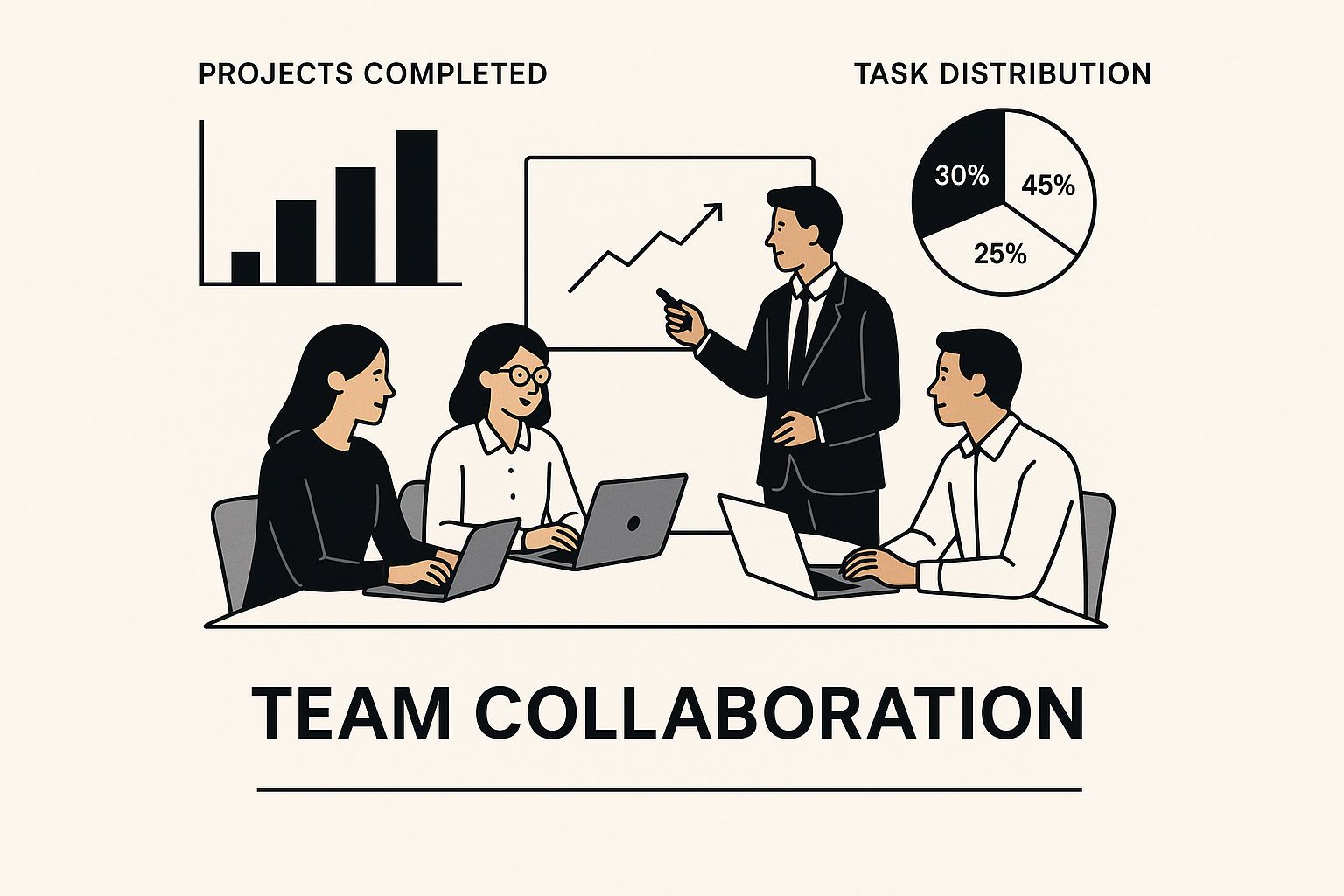
As you can see, getting the team dynamic right is non-negotiable. Now, let's look at the specific frameworks you can use to structure that collaboration.
The Agile Approach for Dynamic Projects
Agile is the king of flexibility. It’s my go-to for projects where the finish line isn't perfectly defined from the start—think of a complex e-commerce site with features that will evolve, or a new SaaS application.
Instead of one long march, the project is broken down into short, iterative cycles we call sprints. At the end of each sprint, the team delivers a small, working piece of the website. This constant delivery loop allows for regular feedback from stakeholders, which is crucial for keeping the project aligned with shifting business goals.
Agile thrives on change. It’s built for collaboration and quick adaptation, making it ideal for web projects where requirements are expected to shift and new ideas will emerge during development.
If you’re building something where user feedback will heavily shape the final product, Agile is almost always the right call. For a deeper look at this in action, you can read up on our approach to https://onenine.com/agile-website-development/. Of course, to properly run any methodology, a solid grasp of project management fundamentals is key. Resources like the Project Management Professional (PMP) Study Guide can provide that foundational knowledge.
When Waterfall Makes Perfect Sense
Waterfall is the classic, linear approach. It’s a step-by-step process where you complete one phase entirely before moving to the next: requirements, then design, then development, testing, and finally, deployment.
I've found this method works beautifully for projects with a rock-solid scope and fixed requirements. A perfect example is a small marketing website for a local business or a simple brochure site. The client knows exactly what they want, the features are clear, and major changes are highly unlikely.
Here’s why it still has its place:
- Predictability: Its rigid structure provides a clear timeline and budget right from the start.
- Documentation: Waterfall forces you to create thorough documentation at each stage, leaving a detailed project record.
- Simplicity: The process is straightforward and easy for everyone—the team and the client—to understand.
While it lacks flexibility, that predictability can be a huge advantage when the project's path is clear. It gives clients a sense of security when they want all the details locked in before a single line of code is written.
The Rise of the Hybrid Model
So what happens when your project has a fixed foundation but needs room for innovation? That's where the Hybrid model comes in, blending the upfront planning of Waterfall with the iterative flexibility of Agile.
I see this a lot. A team might use a Waterfall approach for the initial discovery and design phases to create a solid, well-documented plan. But once development starts, they switch to Agile sprints to build out the features. This allows them to adapt to feedback without derailing the entire project.
This blended approach isn't just a niche strategy; it’s becoming the norm. In fact, research shows that roughly 60% of project managers now use hybrid methods to get the best of both worlds.
Choosing the right methodology isn't about finding the "best" one, but the one that's the best fit for your specific project, team, and client. The table below breaks down the key differences to help you decide.
Comparing Project Management Methodologies
A clear comparison of Agile, Waterfall, and Hybrid models to help you choose the best fit for your next web project.
| Methodology | Best For | Key Advantage | Potential Drawback |
|---|---|---|---|
| Agile | Complex projects with evolving requirements and a need for user feedback. | High adaptability and continuous client involvement. | Scope can "creep" if not managed carefully. |
| Waterfall | Simple projects with a clearly defined scope and fixed requirements. | Predictable timelines, budget, and clear deliverables. | Inflexible; difficult to accommodate late changes. |
| Hybrid | Projects with a stable core but evolving features or functionalities. | Combines upfront planning with execution flexibility. | Can be complex to manage two different mindsets. |
Ultimately, whether you stick to a classic or mix and match, the goal is the same: to create a predictable, efficient, and successful path from an idea to a finished website.
Selecting the Right Tools for Your Team
Your project management tool is the heartbeat of your web development project. Get it right, and you have a single source of truth where communication flows, tasks are crystal clear, and everyone can see progress. Get it wrong, and you’ve just created another login your team resents and ignores.
The market is flooded with great options, from the developer-first power of Jira to the beautiful simplicity of Trello and the all-in-one muscle of Asana. But the goal isn’t to grab the most popular platform; it’s about finding the one that actually fits how your team works.
First, Figure Out What You Actually Need
Before you ever look at a feature list, you have to diagnose the real problems you’re trying to solve. The "best" tool is simply the one that removes your team's biggest headaches.
Start by asking some honest questions:
- What’s our biggest bottleneck? Is it disorganized client feedback? Blown deadlines? A total lack of visibility into what the devs are working on?
- How does our team naturally work? Do they think visually with drag-and-drop boards, or do they prefer detailed, data-heavy backlogs?
- How complex are our projects? A five-page marketing site has wildly different needs than a SaaS platform with a full CI/CD pipeline.
A team building a simple brochure site, for example, could absolutely crush it with Trello. Its card-based system is perfect for tracking a linear path from "To Do" to "Done." On the other hand, a large team working on an e-commerce platform that needs serious bug tracking will feel boxed in and will probably lean toward Jira’s robust, developer-centric workflows.
Don't choose a tool for the features you might use someday. Choose it for the problems it solves for you right now. The fanciest software is worthless if its complexity stops your team from actually using it.
And this isn't just a nice-to-have. It’s how modern teams operate.
An estimated 82% of companies are using project management software to get more organized. Interestingly, smaller businesses are 13% more likely than large corporations to adopt these tools. If you're curious about the data, you can explore more project management statistics here.
This chart from Monday.com breaks down the main reasons companies make the investment.
As you can see, it's all about improving efficiency. That means the tool you pick has to actively remove friction, not add to it.
Key Factors for Evaluating Tools
Once you have a clear picture of your needs, you can start weighing your options. Look past the shiny marketing and get down to the nitty-gritty of how a tool will function in your day-to-day.
Integration Capabilities
Your project management tool can't be an island. It absolutely has to play nice with the other software your team relies on.
- Version Control: Does it hook into Git, GitHub, or GitLab? Linking commits and pull requests directly to tasks saves developers a ton of time.
- Communication: A solid Slack or Microsoft Teams integration is non-negotiable. It pulls important updates into the channels your team already lives in.
- Design Tools: Can you link Figma or InVision files directly to tasks? This tightens the feedback loop between designers and developers.
Scalability and Growth
The tool that’s perfect for your three-person team today might be a nightmare for a ten-person team next year. Think about the platform's ability to grow with you. Does it offer advanced features you can turn on later? How does the pricing change as you add more people? Choosing a tool with a clear growth path saves you from a painful migration down the line.
User-Friendliness and Adoption
A tool is only good if people actually use it. A clean, intuitive interface that doesn't require a week of training is paramount. If the software feels like a chore, your team will find workarounds, and your "single source of truth" will become a ghost town.
Ultimately, this is about empowering your team, not policing them. Pull your designers and developers into the decision-making process. Run a trial with a small, real-world project and get their unfiltered feedback. When you find a platform that clicks with how they work, you’re not just buying software—you’re investing in a more organized, efficient, and collaborative future. For a few more specific ideas, check out our guide on the top project management tools for creative agencies.
Navigating Project Execution and Monitoring

Alright, this is where the rubber meets the road. All that careful planning is about to get real. The execution and monitoring phase is the daily grind—the rhythm of coding, testing, and talking that brings a project to life. We're shifting from grand strategy to the consistent, disciplined work that builds an actual website.
Getting this part right is all about establishing a steady beat for your team and your stakeholders. The aim is a predictable flow of information and progress. That predictability is what builds trust and keeps everyone on the same page. Without it, projects quickly spiral into a mess of missed updates, surprise roadblocks, and last-minute panic.
The Power of Agile Ceremonies
Even if you're not running a textbook Agile project, borrowing its core "ceremonies" brings an incredible amount of structure. These aren't just meetings for the sake of meetings; they are laser-focused checkpoints designed to keep things moving forward.
A few of these are non-negotiable for any web project I run:
- Sprint Planning: This is where the team formally commits to a chunk of work for the next cycle (usually one or two weeks). As the project manager, I'll bring the prioritized list of tasks, and the development team decides what they can realistically pull in and complete.
- Daily Stand-ups: This is a quick, 15-minute huddle, not a status report for me. Each person answers three simple questions: What did I do yesterday? What will I do today? What's blocking me? It's all about unblocking each other, fast.
- Sprint Retrospectives: At the end of every sprint, we pause and reflect. The whole point is to figure out what went well, what was a pain, and what we can do better next time. This is the engine of continuous improvement, and it's gold.
These structured meetups are what stop small hiccups from snowballing into massive emergencies.
Proactive Risk Management and Monitoring
Let's be real: risks are going to pop up. A key team member might get sick, a third-party API might go down, or a critical dependency could be delayed. The difference between a smooth project and a nightmare is how you prepare for these things.
Proactive risk management isn't about having a crystal ball; it's just about thinking ahead. Early on, get the team together to brainstorm potential problems and log them in a risk register. For each risk, we estimate its likelihood and potential impact, then we map out a response before it happens.
For instance, if only one developer understands the payment gateway integration, that’s a huge risk. A simple mitigation plan could be to schedule knowledge-sharing sessions or enforce paired programming for that part of the code.
A project manager’s job is not just to track what has been done, but to constantly look ahead for what could go wrong. Identifying a potential roadblock a week before it hits is a win; reacting to it after it has already caused a delay is a failure.
During the project, your management tools are your dashboard. Key metrics give you an honest look at the project's health:
- Velocity: This tracks how much work the team actually completes in a typical sprint. It's incredibly useful for forecasting how long future work will take.
- Burndown Charts: This simple graph shows work remaining versus time left. A nice, steady downward slope tells you things are on track.
Watching these metrics helps you spot when you're drifting off course, giving you time to correct before it's too late.
Mastering Stakeholder Communication and Feedback
Clear, consistent communication with your clients and stakeholders is everything. They should never have to ask for an update. Set a communication schedule—a weekly email summary, a bi-weekly demo—and stick to it religiously.
Keep your updates focused on business outcomes, not technical jargon. Instead of saying, "We refactored the user authentication service," try, "We've made the login system faster and more secure for your customers." Even better, show them. Live demos of new features are always more powerful than a long email.
The feedback loop can make or break you. If you don't structure it, you’ll be drowning in a chaotic stream of conflicting opinions from emails, Slack messages, and random phone calls. You need a process.
- Centralize Feedback: Pick one place for all feedback. This could be a specific board in your project management tool like Jira or comments within a Figma prototype. No exceptions.
- Set Deadlines: Give stakeholders a clear window to provide their thoughts on a deliverable. This stops feedback from trickling in after the team has already moved on.
- Review and Prioritize: My job as the PM is to collect all the feedback, spot any contradictions, and work with the client to prioritize the changes. Not every piece of feedback is urgent or even necessary, and it’s up to you to align it with the project's main goals.
Managing a Smooth Launch and Post-Launch Handoff
This is it. The final stretch. All the planning, coding, and revisions come down to this moment. But getting a site live is so much more than flipping a switch. It’s a carefully planned event that can make or break the entire project's success. A messy launch can instantly tarnish months of incredible work and shake a client's confidence.
This last phase shouldn't be a frantic scramble. It’s a methodical process full of checks and balances to ensure a smooth transition. Honestly, the best launches are the ones that feel a little anticlimactic. If launch day feels controlled and even a bit boring, you’ve done your job perfectly.
The Pre-Launch Playbook
Before you even dream of deploying, you need a pre-launch checklist. This isn’t just busywork; it's your final defense against embarrassing bugs, slow load times, and forgotten details. Think of it as the final walkthrough before you hand over the keys to a new house.
This checklist should be a living document that gets better with every project you complete. At a minimum, it absolutely must include:
- Serious QA Testing: I'm not talking about a quick click-through. This means testing on every major browser, a dozen different devices, and all sorts of screen sizes. Every form, every link, every button needs to work flawlessly.
- User Acceptance Testing (UAT): This is the client's turn. You give them access to a staging environment and let them confirm that the site does exactly what they asked for. Guide them with clear test cases to make the process efficient.
- Final SEO Sweep: Are all the title tags, meta descriptions, and image alt tags in place? Is there a sitemap ready for Google? And for goodness' sake, is the analytics tracking code installed correctly?
A rushed launch is a disaster waiting to happen. The pressure is always on, but pushing a buggy site live will cost you far more in the long run than taking one extra day to get it right. Your checklist is your promise of quality.
Once every single item is checked off, you can schedule the deployment. Pro tip: always plan the launch for a low-traffic window, like late on a Tuesday night or early on a Saturday morning, to minimize any potential impact on users.
Planning for Life After Launch
The project isn't over when the site goes live. For your client, that’s when their journey truly begins. A thoughtful post-launch plan is a core part of effective web development project management, and it's what separates a one-off vendor from a long-term partner.
A proper handoff has a few essential parts:
- A Support Plan: We call this the "hypercare" period. For the first 30-60 days, our team is on high alert to squash any critical bugs that might have slipped through the cracks. It gives the client peace of mind.
- Client Training: Don't just email them a username and password and wish them luck. Schedule a live training session. Walk their team through updating content, managing pages, or whatever else they'll need to do day-to-day.
- Clear Documentation: Give them a guide. It should cover everything from how to log into the CMS to how to use that cool custom feature you built. This empowers them to handle small things themselves and saves you from answering the same questions over and over.
This kind of structured handover builds incredible trust and often leads to ongoing maintenance retainers or future projects.
The Power of the Project Post-Mortem
After the launch-day excitement fades and the site is humming along nicely, there's one last thing to do: the post-mortem. This meeting isn't for pointing fingers; it's for learning and getting better.
Get the whole project team in a room—PMs, designers, and developers. Talk about what went right and celebrate those wins. Then, have an honest conversation about what went wrong. Did scope creep get out of hand? Was there a communication breakdown with the client?
Every lesson you capture here makes your process stronger for the next client. It’s how you turn experience into expertise and ensure your next web development project runs even more smoothly.
Common Web Development Project Management Questions
If you manage web projects long enough, you'll start to see the same questions and problems pop up time and again. Knowing how to handle them isn't just about solving the immediate issue; it's about building trust with your team and your clients.
Let's walk through a few of the most common hurdles you'll face and talk about practical ways to clear them. This is your field guide for those moments that make you think, "Okay, what now?"
What Is the Biggest Challenge in This Field?
Without a doubt, the number one challenge is scope creep. It’s the silent killer of timelines and budgets. It starts with a small, seemingly innocent request and, before you know it, the project has ballooned into something far bigger than what everyone originally agreed on.
Your best defense is a good offense. This starts with an iron-clad scope document that’s so detailed it leaves no room for ambiguity. Every key stakeholder needs to sign off on it. Once that’s locked in, you need a formal change request process. This isn't about being difficult or saying "no." It's about making the consequences clear: "We can absolutely add that feature, but it will add X days to the timeline and Y dollars to the budget." This forces an informed decision.
How Do You Handle Non-Technical Stakeholders?
Think of yourself as a translator. Your job is to convert technical details into business impact. Ditch the jargon entirely. Instead of talking about API latency, explain how a faster-loading page will lead to more sales.
Visual aids are a lifesaver.
- Show, don't just tell. Use mockups and wireframes to illustrate design changes.
- Run live demos. Let stakeholders click around a staging environment to see and feel the progress.
- Keep reports simple. Focus on milestones achieved and what's coming up next, not the nitty-gritty of the code.
It also helps to have a single point of contact (usually the PM). This stops developers from getting conflicting feedback from the marketing team, the CEO, and everyone in between.
Your role is to bridge the gap between code and business goals. When you successfully translate technical progress into clear business outcomes, you build trust and keep everyone aligned, ensuring a smoother project journey for all involved.
What Features Are Essential in a PM Tool?
There are a million tools out there, but a few features are non-negotiable for managing a web project effectively. You need more than a glorified to-do list; you need a central nervous system for the entire project.
Look for a tool with robust task management, ideally with a visual workflow like a Kanban board. Integration with version control systems like GitHub or GitLab is also crucial for keeping developers in their flow. And of course, you need solid collaboration features—things like comments, file sharing, and progress reporting. A tool that lets you customize workflows is a huge bonus, since no two teams work exactly alike.
Is Agile or Waterfall a Better Choice?
Ah, the classic question. The honest answer is: it depends entirely on how predictable your project is.
If you know exactly what needs to be built, the requirements are set in stone, and changes are highly unlikely, Waterfall can work just fine. Think of a simple, static brochure website where the scope is fixed from day one.
But for most modern web projects—like a new SaaS platform or a complex e-commerce site—requirements are almost guaranteed to change. For those, Agile is the clear winner. Its iterative approach, built around sprints and feedback loops, is designed to embrace change. Honestly, most teams I've worked with land on a Hybrid model, using a bit of Waterfall for the initial high-level planning and then switching to Agile sprints for the actual development work. It often provides the best of both worlds.
At OneNine, we simplify the complexities of website management so you can focus on your business. From initial strategy to post-launch support, we're your dedicated partner in building a powerful online presence. Learn more about our services.


