

Picking a payment gateway is more than just a technical box to tick—it's a core business decision. The provider you choose has a direct line to your customer's trust, your bottom line, and how smooth your checkout process feels. It all starts with a fundamental choice: do you send customers off-site to pay, or do you handle everything right on your own domain?
Choosing the Right Payment Gateway for Your Business
Before you even think about code, you need to pick the right partner. This decision will define your customer's final step in their buying journey, not to mention your operational costs and security headaches. It's really about striking a balance between a great user experience, affordable fees, and what your team can realistically handle.
The payment gateway market is massive for a reason. Valued at roughly $12.81 billion in 2025, it’s expected to grow at a 13.42% clip through 2033. This isn't just a trend; it's a reflection of how essential seamless, digital transactions have become for every business online. You can dig into the numbers in this complete payment gateways market analysis.
Hosted vs. Integrated Gateways
Your first big fork in the road is deciding between a hosted or an integrated gateway. They work very differently, and each comes with its own set of pros and cons.
- Hosted Gateways: Think of services like the standard version of PayPal. When a customer clicks "buy," they're redirected to PayPal's secure page to finish the transaction. The biggest plus here is simplicity. You offload a massive chunk of security and PCI DSS compliance because the sensitive data never touches your server.
- Integrated Gateways: This is where providers like Stripe shine. The entire payment process happens on your website. Using an API, the payment fields are built right into your checkout flow. It looks and feels like your brand, which is huge for user experience. The trade-off? You take on more responsibility for security and compliance.
From my experience, that seamless, on-site experience you get with an integrated gateway is usually worth the extra work. It keeps the customer in your environment, which often means fewer abandoned carts.
Here's a quick comparison to help you see the differences at a glance.
Hosted vs Integrated Gateway Comparison
This table breaks down the key trade-offs between the two main types of payment gateways. Use it to decide which approach is a better fit for your business needs and technical resources.
| Feature | Hosted Gateway (e.g., PayPal Standard) | Integrated Gateway (e.g., Stripe) |
|---|---|---|
| Customer Experience | Redirects to a third-party site. Can feel disjointed. | Seamless. The customer never leaves your website. |
| Setup & Maintenance | Very easy to set up, often with simple plugins. Minimal maintenance. | Requires more technical work (API integration). Ongoing maintenance. |
| Security Burden | Low. The provider handles most PCI DSS compliance. | Higher. You are responsible for securing your side of the integration. |
| Customization | Limited. You get the provider's branded checkout page. | High. Full control over the look, feel, and flow of checkout. |
| Best For | Startups, small businesses, or those with limited tech resources. | Growing businesses, e-commerce stores focused on brand and UX. |
Ultimately, the right choice depends on your priorities. Simplicity and low overhead? Hosted is your friend. Brand control and a frictionless user journey? Go integrated.
Key Factors to Consider
Once you've decided on the type of gateway, you need to weigh the providers themselves. Don't just pick the biggest name; look at how each one stacks up against your specific needs.
- Transaction Fees: This is the most obvious cost. Most gateways charge a percentage plus a flat fee, like the common 2.9% + $0.30. But don't stop there. Dig into the fine print for monthly fees, setup costs, and extra charges for things like international payments or chargebacks.
- Currency and Country Support: If you're selling globally (or even just thinking about it), this is critical. Make sure the gateway works in your target countries and supports the payment methods people actually use there.
- Security and PCI Compliance: Any gateway worth its salt will be fully PCI DSS compliant. Solutions like Stripe and PayPal make this easier by using tokenization, which means they handle the raw credit card data. This dramatically shrinks your compliance scope, saving you a world of headaches.
- Developer Documentation: If you're building a custom site, this is non-negotiable. Good documentation is the difference between a smooth integration and a project full of expensive, frustrating errors. Check out their API docs before you commit.
The best gateway for your business is one that aligns with your technical capabilities, budget, and growth ambitions. A startup might prioritize the simplicity of a hosted solution, while a scaling e-commerce brand will likely favor the control of an integrated API.
This visual breaks down a few popular options to help you see how they compare on key metrics.
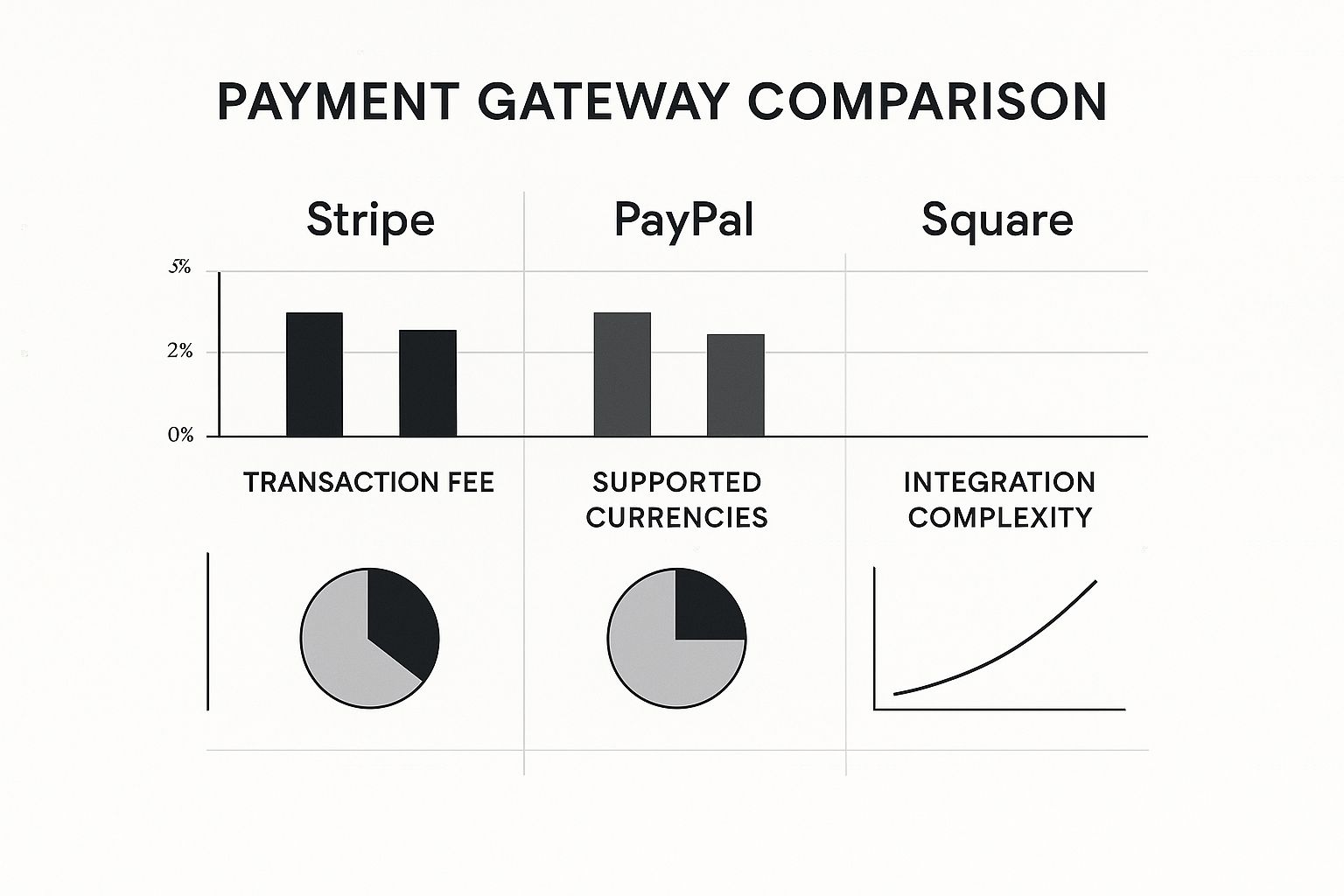
As you can see, while the transaction fees look similar on the surface, the real differences emerge when you look at global reach and how complex the integration is. Choosing wisely now will save you the pain of having to switch everything over down the road.
Laying the Groundwork for a Secure Integration
Before you even think about installing a plugin or touching a line of code, let's talk about setting the stage. I've seen too many people jump straight into the technical side of payment gateways, only to run into security issues and frustrating delays later. Getting your website ready first is non-negotiable. It’s about building a fortress for your customers' data and earning their trust from the get-go.

First things first: you absolutely need an SSL certificate. This isn't just a "nice-to-have" anymore; it's the bedrock of e-commerce security. An SSL certificate encrypts the connection between your customer's browser and your website, scrambling their sensitive information so hackers can't read it. It’s what gives you that little padlock icon and the https:// in your URL.
Without it, you're leaving your customers' names, addresses, and credit card details completely exposed. Worse, modern browsers will slap a big "Not Secure" warning on your site, which is the fastest way to kill a sale before it even starts. If you're new to this, take a moment to understand what is an SSL certificate and why it's so critical.
Getting Your Legal Ducks in a Row
Once your site is technically secure, it’s time for some legal housekeeping. Payment providers like Stripe and PayPal are serious about compliance—they won't approve a live account unless you have clear, accessible policies on your website. They need to know you're running a transparent and legitimate operation.
Make sure these pages are clearly visible on your site, usually in the footer:
- Terms of Service: This is your rulebook. It should spell out everything from payment terms to shipping policies so customers know exactly what to expect.
- Privacy Policy: This one is a huge legal requirement in places with laws like GDPR and CCPA. You have to tell people what data you collect and how you protect it.
- Refund Policy: No one likes surprises when it comes to returns. A clear refund policy builds massive trust and can even help you cut down on costly chargebacks.
I can't stress this enough: skipping these legal pages is a shortcut to getting your payment account suspended. Gateways run checks, and they will not risk their own business by partnering with someone who isn't compliant.
Finding and Protecting Your API Keys
With the security and legal foundations in place, you're ready for the final prep step: locating your API keys. Think of these keys as the secret handshake between your website and the payment gateway. They authenticate every request, proving that it's really you trying to process a payment.
You'll find these in your payment provider's dashboard, almost always in a section labeled "Developers" or "API." You’ll see two distinct keys:
- Publishable Key (or Public Key): This one is safe to use on the front-end of your site (your customer-facing code). It’s designed to identify your website to the gateway, but it can’t be used for anything sensitive.
- Secret Key: This is the big one. As the name says, it must be kept secret and only used on your server. Never, ever let this key be exposed in your public website code. This key is what authorizes the important stuff, like actually charging a card or issuing a refund.
A good analogy is that the publishable key is your library card—it proves who you are. The secret key is the master key to the entire building. Guard it carefully. Your integration's security depends on it.
Effortless Integration with E-commerce Platforms
If you're running your store on a major e-commerce platform, I've got good news: the heavy lifting of payment integration is already done for you. Platforms like Shopify, WooCommerce, and BigCommerce are designed to make connecting a payment gateway feel more like installing an app than writing code. Your job is less about technical wrangling and more about making the right choice for your business.
The whole online payment world has exploded recently. The market is projected to skyrocket from USD 35.17 billion in 2024 to an incredible USD 152.26 billion by 2032. This isn't just a random statistic; it's a reflection of businesses just like yours needing fast, reliable, and secure ways to get paid online. It really highlights how vital these platforms and their built-in tools have become.

This screenshot shows the official Stripe plugin for WooCommerce, which is my go-to recommendation for WordPress sites. Just look at the high ratings and the number of active installations—that tells you it's a trusted, well-supported solution that takes the pain out of a complex process.
A Practical Walkthrough: Integrating Stripe with WooCommerce
Let's get our hands dirty with the most popular e-commerce setup on the web: a WordPress site running WooCommerce. If you've chosen a solid gateway like Stripe, getting it hooked up is surprisingly simple. It really just comes down to installing a specialized plugin.
You'll start right from your WordPress dashboard. Forget about touching any code. Just head over to "Plugins," search for the official "WooCommerce Stripe Payment Gateway," and install it. A quick word of advice: always stick to the official plugin to avoid security and compatibility headaches down the road.
Once it's installed and activated, you'll find a new settings area under your WooCommerce configuration. This is where the magic happens—connecting your site to your Stripe account. The plugin uses a secure, streamlined connection, so most of the time you don't even have to mess around with manually copying and pasting API keys anymore.
Now for the most critical part of the setup: enabling Test Mode.
I can't stress this enough: always start in Test Mode. It lets you run fake transactions using test credit card numbers that Stripe provides. You can simulate everything from successful payments to declined cards, ensuring your checkout is flawless before a single real customer tries to buy from you.
After you've run your tests and are confident everything is working, you just uncheck the Test Mode box. Your live API keys will kick in, and you're ready to accept real payments. It’s that easy.
Activating Payments on Shopify
Shopify takes an even more direct approach. It has its own built-in processor, Shopify Payments (which is actually powered by Stripe), and for most store owners, it’s the best and simplest option. Activating it is as straightforward as filling out your business details.
Here's the typical flow inside your Shopify admin:
- Find Settings: Look for the "Settings" menu in the bottom-left corner of your dashboard.
- Go to Payments: This section is dedicated to everything related to how you get paid.
- Activate Shopify Payments: You'll see a prominent button to complete your account setup. This just involves providing your business information and bank account details for payouts.
Of course, if you'd rather use a third-party gateway like PayPal, Shopify supports over 100 of them. You can add them from the same "Payments" screen by entering the credentials for that service. The whole process is designed to be intuitive. If you're still weighing which platform is the best fit, our guide at https://onenine.com/shopify-vs-woocommerce-vs-bigcommerce/ can help clear things up.
Key Configuration Settings to Double-Check
No matter which platform you’re on, connecting the gateway is just the beginning. You’ll want to tweak a few settings to match your business operations and give your customers a smooth experience.
- Payment Methods: Are you sticking to credit cards, or do you want to offer digital wallets like Apple Pay and Google Pay? Most modern integrations let you enable these with a simple checkbox.
- Transaction Type: You need to decide if you want to Authorize and Capture the payment immediately or just Authorize it first and capture the funds later when you ship the order. The second option is very common for businesses selling physical goods.
- Checkout Display: Take a moment to customize the text and appearance of your payment fields. A clear, professional-looking checkout page is proven to reduce cart abandonment.
If all this still sounds a bit overwhelming, an Ecommerce Store Web Design Package can be a fantastic investment. These services usually include setting up and configuring your payment gateway, making sure it’s optimized from day one. This lets you focus on what you do best—your products and your marketing—knowing the technical side is rock-solid.
A Developer's Guide to Custom Payment Integration
Sometimes, off-the-shelf plugins just don’t give you the control you need. When your business model demands a unique checkout flow, it’s time to roll up your sleeves and build a custom API integration. This is where you get to craft a payment experience that fits your product perfectly, giving you a real competitive edge.

Going custom is pretty much a necessity for SaaS platforms, unique web applications, or any business where the standard "add to cart, checkout" model feels clumsy. For this guide, we'll use Stripe as our example—its documentation is top-notch, and its APIs have set the standard for the industry.
Setting Up the Server-Side Foundation
The heart of any custom payment system beats on your server. This is where all the secure communication with the payment gateway happens, safely shielded from the client's browser. Your first job is to get your backend ready to talk to the gateway's API.
Let's say you're building a checkout for an online course. The whole process kicks off when a user clicks "Enroll Now." At that moment, your server needs to get to work.
- Install the SDK: Your first step is to grab the official Software Development Kit (SDK) for whatever language you're using. Whether it's Node.js, PHP, or Python, gateways like Stripe provide libraries that make API calls much cleaner. For a Node.js project, it's as simple as running
npm install stripe. - Initialize with Your Secret Key: Next, you'll initialize the SDK in your server code using your secret API key. This is critical: this key has the power to do anything in your account, so it must never be exposed on the front end.
- Create a Checkout Session: When the user is ready to pay, your server makes an API call to create a "payment intent" or a "checkout session." This is a secure object that holds all the transaction details—the price, currency, and what the user is buying.
This server-side session is the single source of truth for the transaction. It's a secure container that the front end can use to display the payment form without ever touching sensitive data like the total price, which could otherwise be manipulated in the browser.
Building the Client-Side Experience
With the server ready to handle the heavy lifting, the next piece is the front end—what your user actually sees. Modern gateways offer JavaScript libraries (like Stripe.js) that make this part both secure and surprisingly simple.
The goal here is to collect the customer's card details without that sensitive data ever touching your server. This is a huge deal for reducing your PCI compliance burden. The library does this by creating a secure iframe, hosted by the payment gateway, directly on your page. This is often called the Payment Element.
On the front end, your code will:
- Fetch the unique client secret from the checkout session you just created on the server.
- Use that secret to initialize the library and inject the Payment Element into your checkout page's HTML.
- Hook up a "Pay" button that, when clicked, tells the library to send the payment details directly to the gateway's servers.
This method means the credit card number never even passes through your infrastructure. The gateway handles it, tokenizes it, and sends you back a simple confirmation or an error. It’s the modern standard for a reason.
The Critical Role of Webhooks
So, the user has entered their card details and hit "Pay." How does your server actually know the payment was successful? You can't just trust a message from the user's browser. The connection could drop, or worse, a savvy user could try to fake a success message.
This is where webhooks are absolutely essential. They are the most reliable piece of any custom integration. A webhook is just an automated message sent from the payment gateway’s server to your server, notifying you that something happened.
You’ll need to set up a dedicated URL on your server (like https://your-api.com/stripe-webhooks) that listens for these events. The most important one is checkout.session.completed. When your webhook endpoint gets this event, it's the gateway’s official confirmation that you've been paid.
Once you receive this secure notification, your server can confidently:
- Flip the order status to "Paid" in your database.
- Enroll the user in their course.
- Fire off a confirmation email.
Without webhooks, you’d be left guessing whether a payment actually went through, which is a recipe for a terrible customer experience. This is how you build a truly robust system.
The scale of these systems is mind-boggling. In 2025, payment gateways processed an astonishing $2.78 trillion globally. This growth is directly tied to the e-commerce boom, which is expected to hit $7.4 trillion in sales in 2025, underscoring just how vital these secure integrations are for modern business. You can dive deeper into these figures with recent payment gateway statistics. This data highlights why mastering a custom integration is such a valuable skill.
Testing Your Integration Before Going Live
https://www.youtube.com/embed/7edR32QVp_A
Launching a new payment system without testing it first is a rookie mistake. It’s like opening a shop without making sure the cash register actually works. You're not just risking a few bugs; you're putting your revenue and your entire reputation on the line from day one.
The good news is, you don’t have to use real money to do this. Every major payment gateway gives you a sandbox or test mode. Think of it as a complete copy of the live payment environment where you can play with fake money. Getting into test mode is usually easy—it’s often just a toggle in your plugin settings or a matter of swapping your live API keys for your test keys.
Simulating Real-World Scenarios
Once you're in that sandbox, your job is to try and break everything. You need to walk through every single thing a real customer might do, good or bad. Payment gateways even provide special test credit card numbers designed to trigger specific results, which is incredibly helpful.
Here's a quick checklist of what you absolutely have to test:
- Successful payments: The happy path. Does the transaction go through? Does the customer land on a proper confirmation page? Do you get the order notification?
- Declined cards: Use a test card that’s meant to fail for insufficient funds. Your website needs to show a clear, helpful message, not some confusing error code that scares the customer away.
- Expired cards: See what happens when a customer enters an old expiration date. The system should gently prompt them to fix it, not just reject the payment outright.
- Incorrect CVC: A failed CVC is a huge red flag for fraud. Make sure your checkout handles this common mistake smoothly.
Running through these scenarios is critical. A well-handled card decline can be the difference between a customer trying a different card and just giving up and leaving your site forever.
Reinforcing Security Best Practices
While you’re testing, it's also the perfect time to do one last security check. Modern gateways like Stripe make your life so much easier when it comes to PCI DSS compliance. They handle this primarily through a process called tokenization, where the actual card number is swapped out for a secure, one-time-use token.
Your server should never, ever see or store a raw credit card number. The whole point of a secure payment integration is letting the gateway’s systems handle that sensitive data. This is your single most important line of defense.
To really be sure your system is locked down, think about running a Fast Automated Penetration Testing scan as part of your pre-launch checks. It's a great way to catch vulnerabilities you might have overlooked. For a more hands-on approach, our code review checklist can also help you spot any issues before they become real problems.
Putting your payment integration through its paces is the final, non-negotiable step before you flip the switch. It’s what turns a stressful, risky launch into a smooth, predictable process that keeps both you and your customers happy.
Answering Your Top Payment Gateway Questions
When you're setting up online payments, a few questions always seem to come up. I've heard them countless times from clients. Getting these sorted out early on helps you understand what you're dealing with, plan your launch, and make the right choices for your business.
Let's clear up some of the most common points of confusion.
Payment Gateway vs. Payment Processor: What's the Real Difference?
This is the big one. Almost everyone mixes these up at first, and it's easy to see why.
Think of the payment gateway as the digital version of a credit card terminal you'd see in a store. It’s the secure go-between that takes the customer's payment information from your website and passes it along. It’s the part your customer actually interacts with.
The payment processor is the engine room. It works behind the scenes, talking to the banks to check for funds, get the transaction approved, and actually move the money into your account.
The good news? Modern services like Stripe or PayPal handle both jobs. They bundle the gateway and the processor into a single, seamless package, so you only have to work with one company. It makes life so much easier.
How Long Will This Integration Actually Take?
This completely depends on what kind of website you have. The difference can be huge.
- Using a platform like Shopify or WooCommerce? You're in luck. You can usually install an official plugin and be ready to take payments in under an hour. It's mostly a plug-and-play situation.
- Building a custom website or app? This is a different story. A developer will need anywhere from a few days to several weeks to integrate a gateway from scratch. It all comes down to how complex your checkout is and how good the gateway's documentation is for your developer.
The bottom line is that platform integrations are built for speed. Custom work, on the other hand, requires a serious time investment to make sure everything is secure and works perfectly.
Do I Really Need a Merchant Account?
Not necessarily, and this is a major change from how things used to be.
In the old days, you absolutely had to get an internet merchant account directly from a bank. It was a slow process filled with paperwork. This special account was the only way your business could legally accept card payments online.
Today, all-in-one providers like Stripe and PayPal act as payment aggregators. They use their own master merchant account and give you a sub-account when you sign up. This lets you skip the entire process of applying for one at a bank. For most small and medium-sized businesses, this is the fastest and simplest way to get up and running.
At OneNine, we live and breathe this stuff. We make complex technical projects feel simple. Whether you need a quick payment setup for your e-commerce store or a completely custom solution, our team knows how to get it done right. Let us worry about the tech, so you can focus on your business. Visit us at https://onenine.com to see how we can help with development and website management.


