
Defining clear expectations between a service provider and a client is crucial for a successful partnership. A Service Level Agreement (SLA) is the cornerstone of this relationship, outlining performance metrics, responsibilities, and remedies if standards aren't met. However, drafting one from scratch is time-consuming and requires specific expertise, often leading to vague or unenforceable terms. This is where high-quality service level agreement templates become indispensable, providing a structured framework to ensure clarity and accountability for everyone involved.
This guide eliminates the guesswork by curating the top platforms and resources for reliable SLA templates. We'll dive into each option, providing screenshots, direct links, and a practical analysis of their strengths and weaknesses. Before focusing on specific SLA providers, it's helpful to understand the broader utility of templates for legal documents. For a wider perspective, you can explore the best templates for legal documents to see how they streamline various business and personal needs.
Our goal is straightforward: to help you quickly find the right template for your specific situation. Whether you're an agency defining client deliverables, an IT department managing internal support, or an SMB formalizing vendor relationships, this list has a solution for you. We will explore everything from simple, fill-in-the-blank forms to comprehensive, customizable platforms.
1. PandaDoc
PandaDoc stands out by transforming the process of finding a service level agreement template into a complete, end-to-end workflow. Instead of just offering a downloadable file, it provides an integrated platform where you can select, customize, send, and get your SLA e-signed without ever leaving the application. This is ideal for businesses that need to issue SLAs frequently and want to streamline the entire document lifecycle.
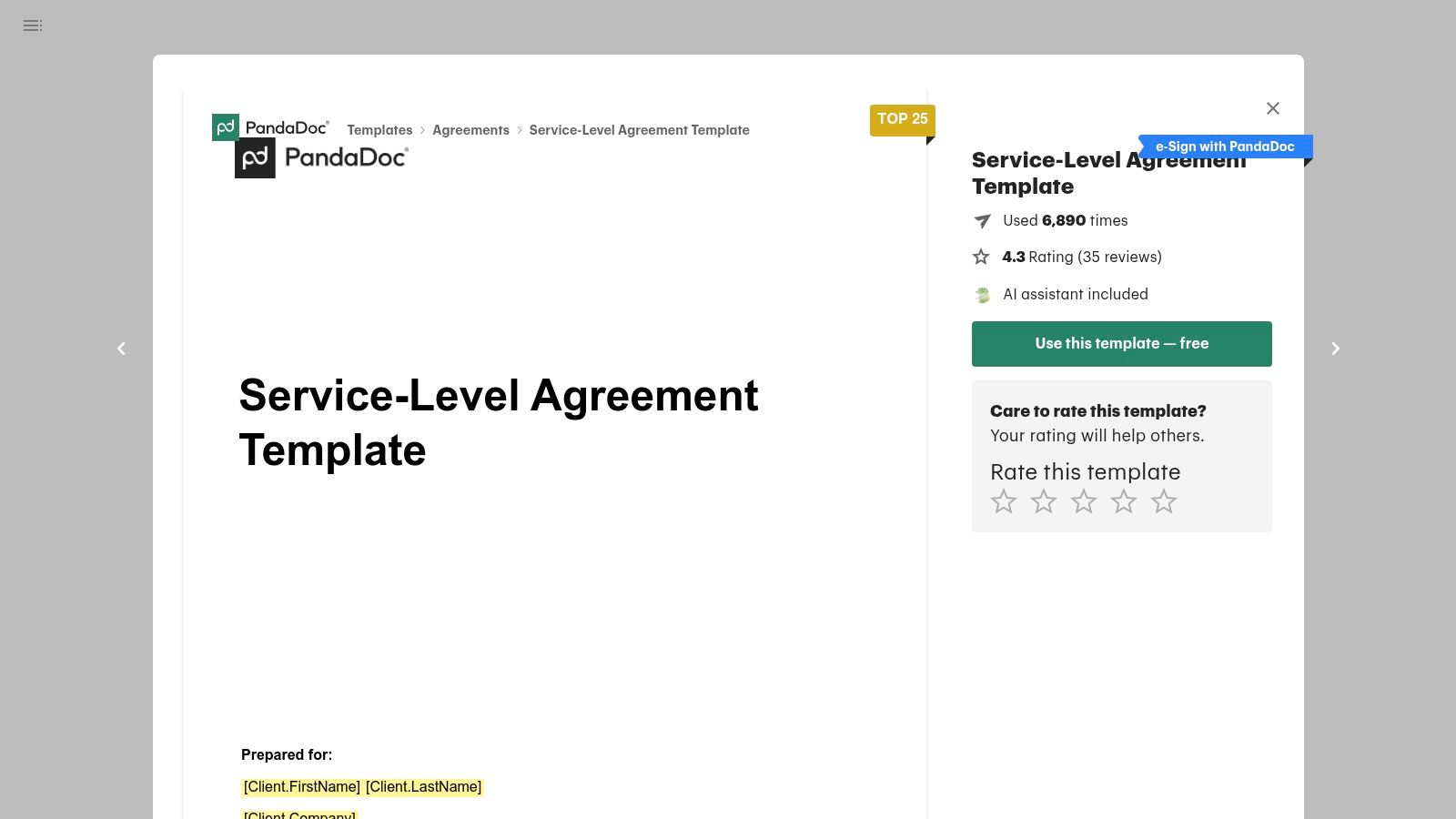
The platform offers multiple SLA variants, including general service agreements and more specific versions tailored for cloud and SaaS providers. Its online editor is intuitive, allowing you to easily adjust clauses, add your branding, and insert smart content blocks.
Key Features & Assessment
PandaDoc’s true strength is its all-in-one nature. The built-in e-signature functionality is legally binding, and the workflow tools provide real-time tracking, so you know exactly when a client has viewed or signed the document.
- Pros:
- Seamless "fill, send, and sign" workflow in a single tool.
- Offers several practical SLA templates, including for SaaS.
- Includes version control and a content library for reusable clauses.
- Cons:
- Advanced features like deep CRM integrations are tied to pricier plans.
- The free plan has limitations on the number of documents you can send.
Website: PandaDoc Service Level Agreement Template
2. Rocket Lawyer
Rocket Lawyer takes a unique, interview-style approach to creating a service level agreement template. Instead of presenting a static document, the platform guides you through a series of questions about your services, metrics, and terms. As you answer, the agreement is built in real-time, making it an excellent choice for business owners who may not be legal experts but need a compliant and comprehensive document.
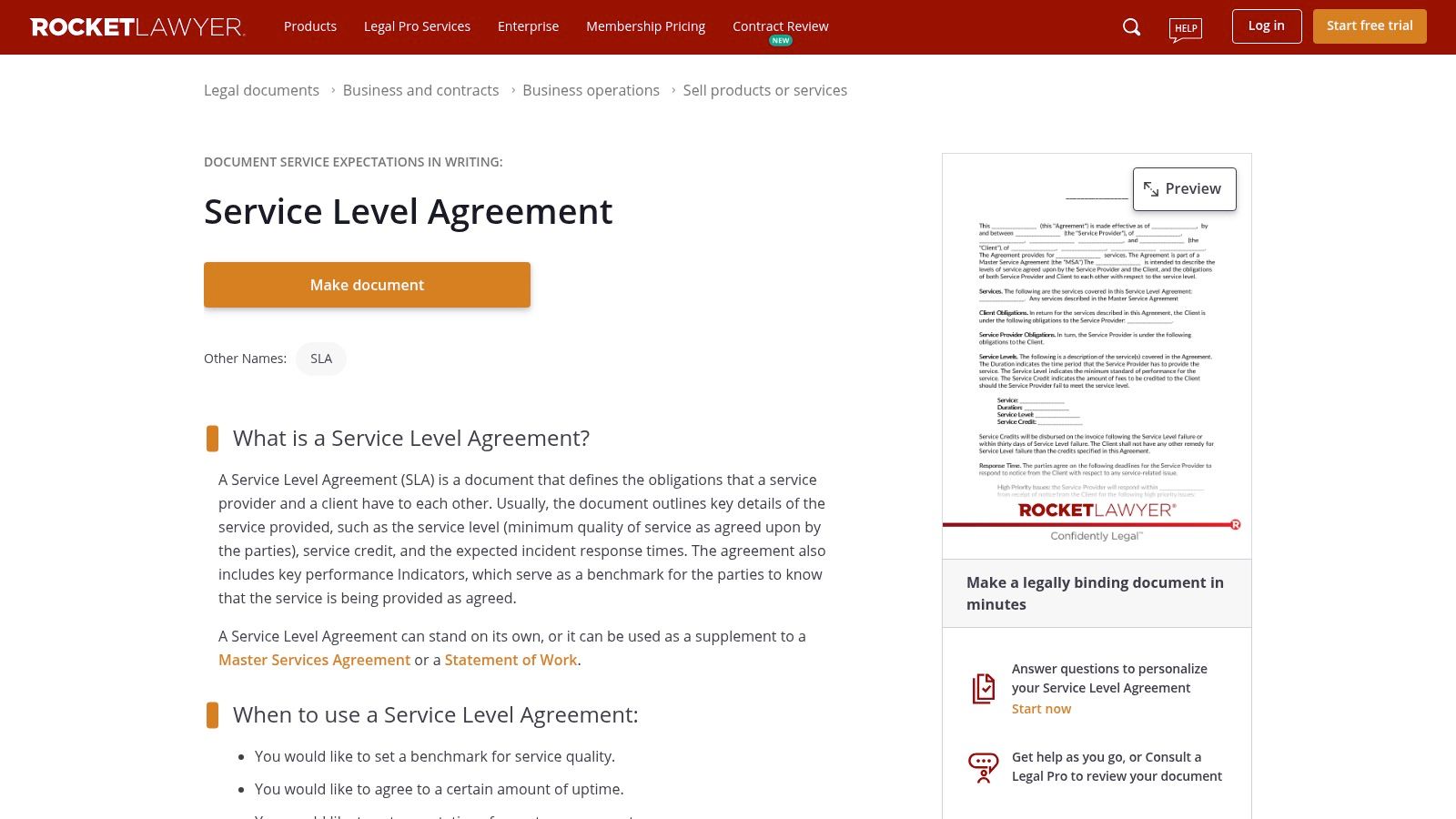
This guided process ensures you consider crucial clauses you might otherwise overlook. Once complete, your SLA can be saved, shared, and signed electronically using RocketSign. The platform’s major differentiator is the direct integration of legal support, offering document reviews or consultations with an attorney.
Key Features & Assessment
The platform’s strength lies in its ability to demystify legal document creation for non-lawyers. The step-by-step builder instills confidence that your SLA is sound, while the option for professional legal review provides an added layer of assurance.
- Pros:
- Strong guidance for non-lawyers with a step-by-step document builder.
- Ability to consult legal professionals directly on the platform.
- Includes cloud storage and integrated e-signature functionality.
- Cons:
- Full access to download, print, and use attorney services requires a paid membership.
- Exporting in multiple formats might be gated by the subscription plan.
Website: Rocket Lawyer Service Level Agreement
3. Jotform
Jotform offers a highly accessible approach to creating a service level agreement template, focusing on simplicity and speed. It provides a free, customizable PDF template that users can quickly modify using a drag-and-drop editor. This makes it a great choice for small businesses or freelancers who need a professional-looking SLA without the complexity of a full-scale contract management platform.
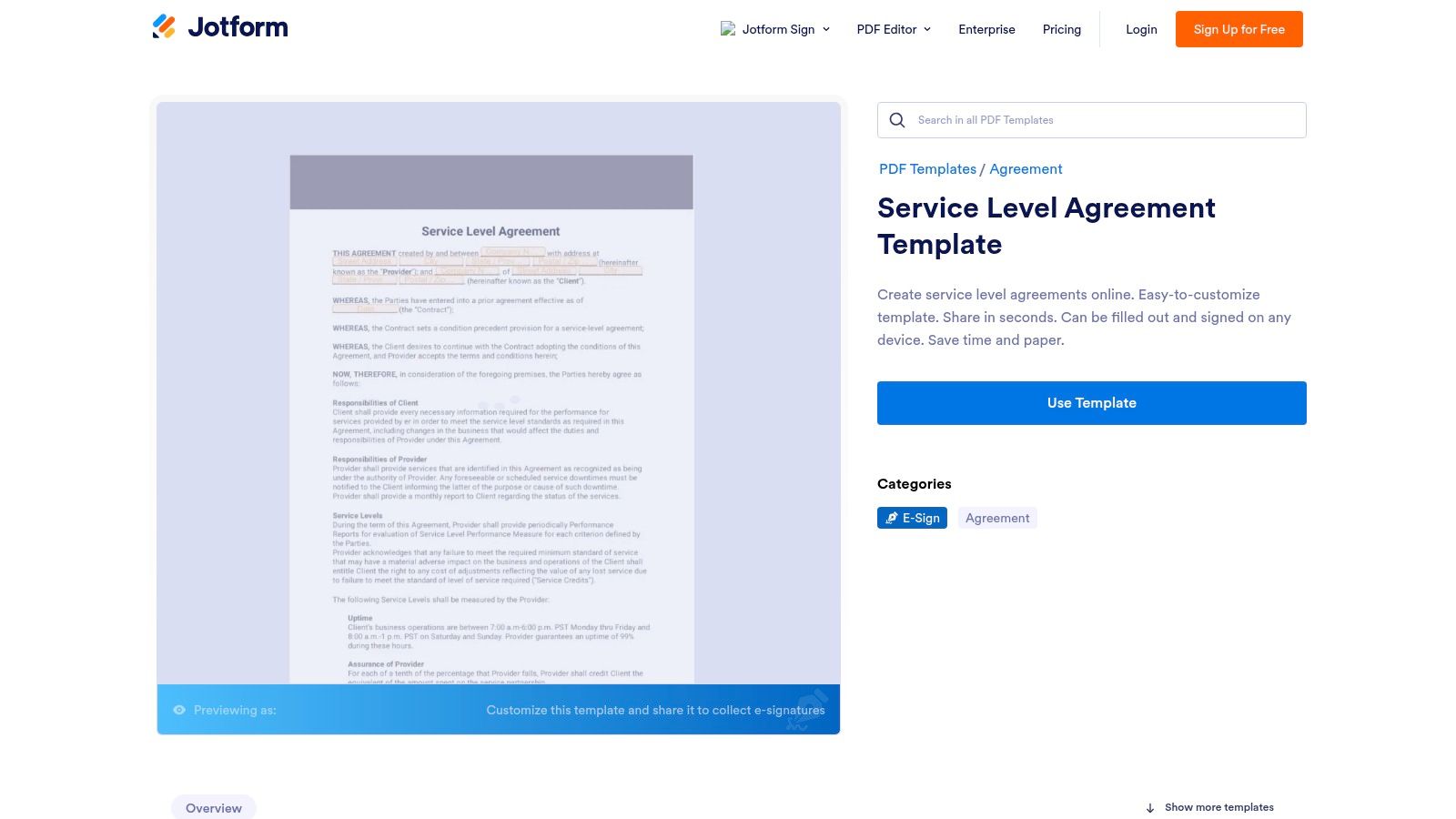
The platform is designed to convert submitted form data into a polished, signed PDF document automatically. This workflow is perfect for straightforward agreements where you collect information from a client and immediately generate a signed SLA, which works seamlessly on both desktop and mobile devices.
Key Features & Assessment
Jotform’s main advantage is its form-to-PDF pipeline, which is ideal for lightweight e-signature workflows. While it may lack the in-depth legal clause guidance of specialized services, it excels at making the process of creating and signing a basic agreement incredibly fast and user-friendly.
- Pros:
- Intuitive drag-and-drop editor for fast customization.
- Automatically generates a polished PDF after form submission.
- Excellent for simple, high-volume e-sign needs.
- Cons:
- Offers less clause guidance compared to dedicated legal software.
- Lacks advanced features for complex redlining and contract negotiation.
Website: Jotform Service Level Agreement Template
4. Template.net
Template.net offers a massive library of downloadable templates, making it a go-to resource for those who need a service level agreement template quickly and without complex software. Its primary strength is the sheer breadth of its collection, covering specific industries like IT services, marketing agencies, HR, call centers, and even building maintenance. This makes it an excellent starting point for businesses looking for a framework tailored to their niche.
Unlike all-in-one platforms, Template.net focuses on providing editable files. You can download your chosen SLA in familiar formats like Google Docs, Microsoft Word, or PDF, allowing for offline customization using software you already own. The platform clearly separates free samples from premium options, which require a subscription.
Key Features & Assessment
The main appeal of Template.net is its convenience and variety. If you just need a solid, industry-specific draft to adapt, you can find and download one in minutes. However, the quality can be inconsistent, and many of the more comprehensive templates are behind a paywall.
- Pros:
- Extensive catalog with templates for numerous specific industries.
- Available in multiple common file formats (Word, Google Docs, PDF).
- Simple download process for immediate editing.
- Cons:
- Template quality and detail can vary significantly.
- The best and most detailed templates often require a premium subscription.
- No integrated workflow tools like e-signatures or tracking.
Website: Template.net Service Level Agreement Templates
5. HubSpot
HubSpot excels by offering a highly focused service level agreement template designed specifically to align sales and marketing teams. Rather than a generic legal document, their resources are educational tools that help businesses formalize lead qualification criteria, handoff processes, and mutual performance commitments. This approach is perfect for go-to-market teams looking to improve operational efficiency and hold each other accountable for shared revenue goals.
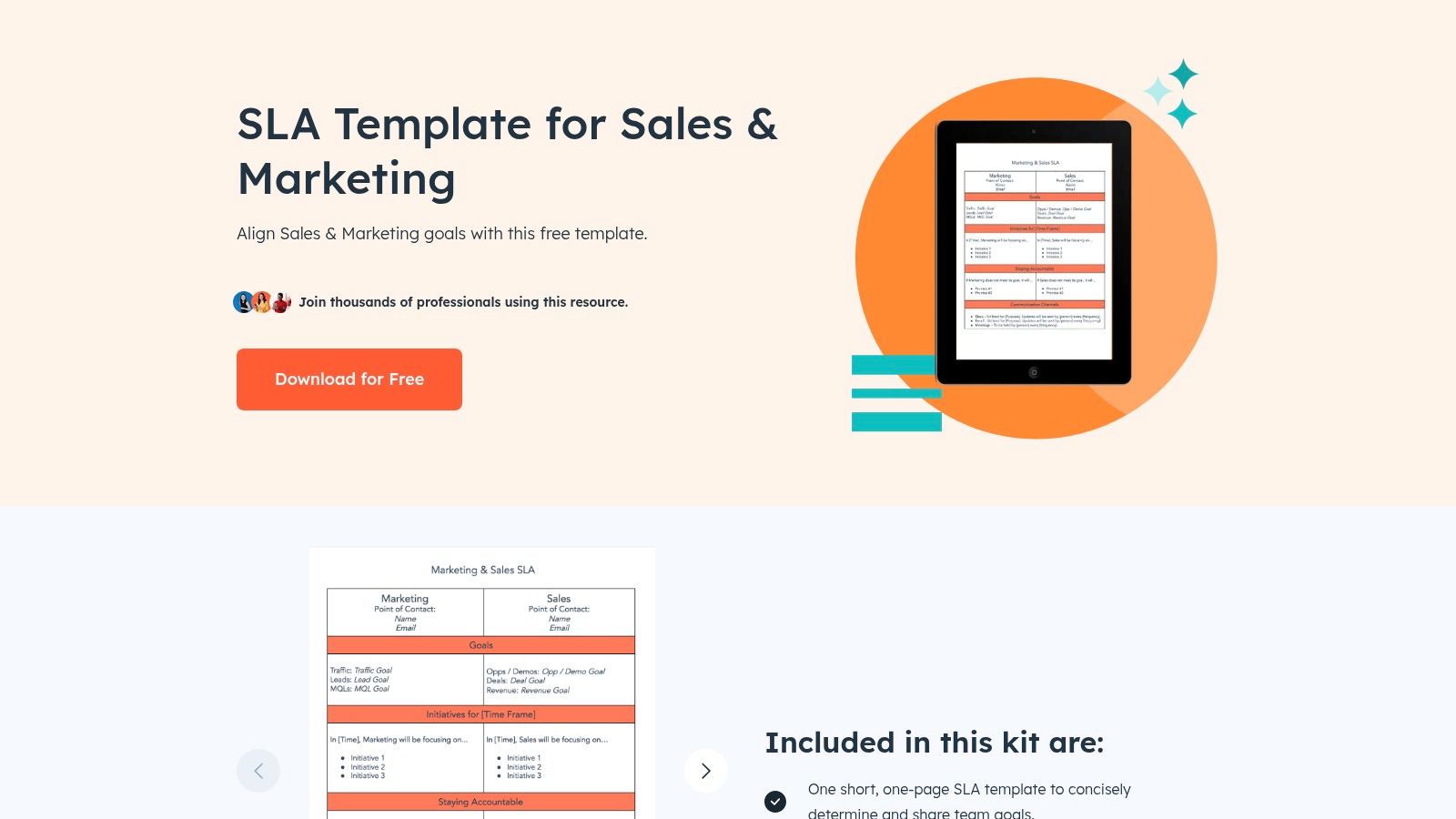
The free templates come in both short and long versions, accompanied by comprehensive guides on how to fill them out. This makes HubSpot an excellent starting point for businesses new to internal SLAs, ensuring the final document is both practical and actionable within the context of sales and marketing workflows.
Key Features & Assessment
HubSpot’s strength lies in its educational focus and clear use case. The templates are less about technical uptime and more about operational harmony between commercial teams. They are built to integrate conceptually with the HubSpot CRM, creating a seamless link between documented promises and day-to-day activities tracked in the software.
- Pros:
- Excellent for aligning internal sales and marketing functions.
- Completely free to download (requires email submission).
- Includes valuable guidance for drafting an effective internal SLA.
- Cons:
- Templates are not suitable for IT or technical service providers.
- Access is gated behind a lead-capture form.
Website: HubSpot SLA Template
6. Law Insider
Law Insider offers a unique approach for anyone drafting a service level agreement template by providing a massive, searchable database of real-world contracts. Instead of a pre-built template, it lets you benchmark your terms against thousands of clauses from publicly filed agreements. This is invaluable for legal teams, procurement specialists, and business owners who need to ensure their SLA terms for uptime, remedies, and service credits are aligned with industry standards.
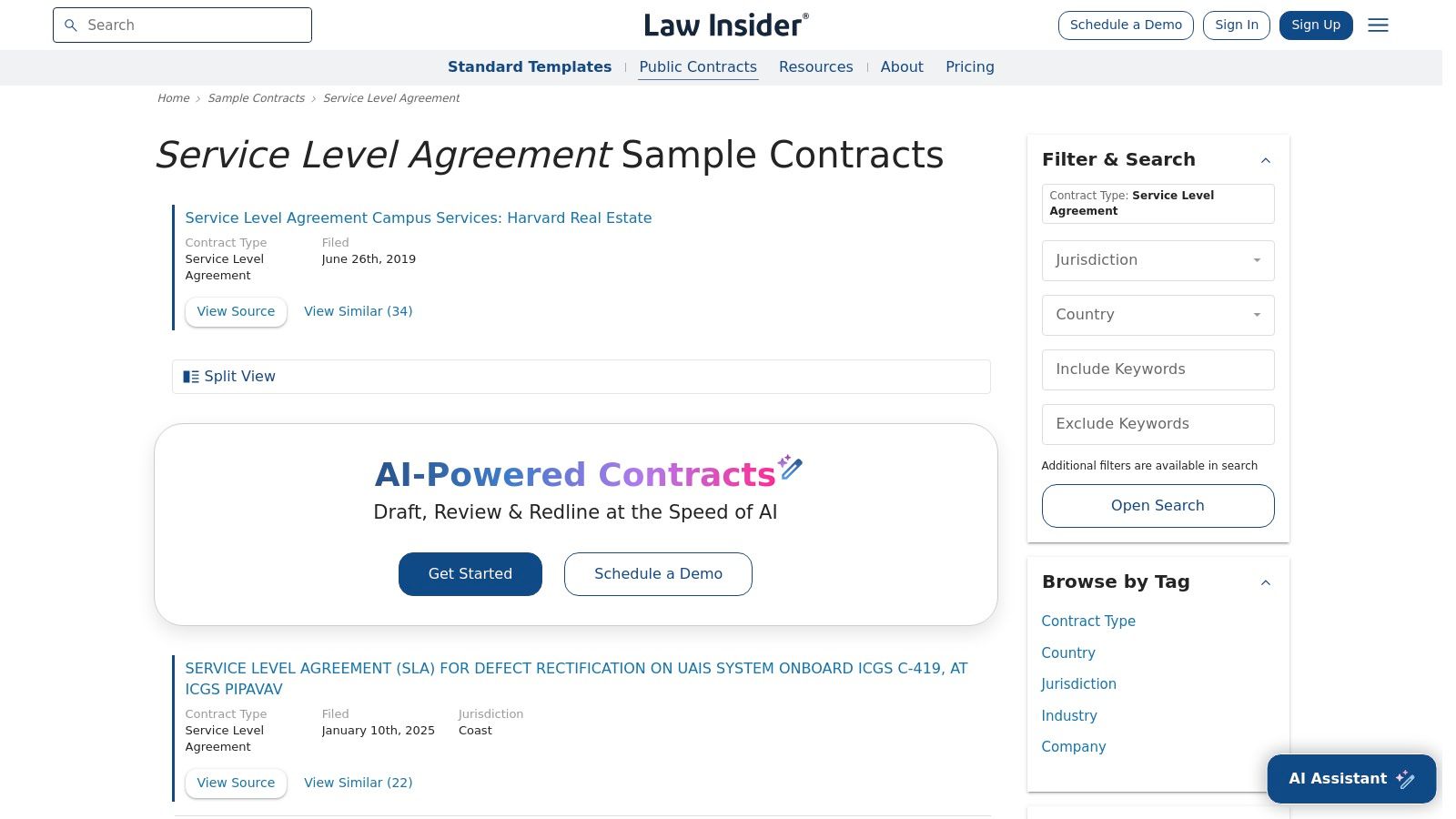
The platform allows you to search for specific clauses, compare wording from different companies, and gain contextual insights into how certain terms are applied. This level of detail is crucial for managing expectations and creating a robust agreement. While Law Insider focuses on contract agreements, other legal tech solutions are emerging to assist with various document types. For example, some platforms offer AI-powered templates for legal document generation, streamlining the creation of demand letters and other crucial legal paperwork.
Key Features & Assessment
Law Insider’s strength is its unparalleled library of real-world examples, which empowers you to refine your SLA with market-tested language. For a deeper understanding of the principles behind these clauses, learn more about how to manage client expectations.
- Pros:
- Ideal for viewing market-standard SLA wording and clauses.
- Helps refine detailed SLA components like remedies and service credits.
- Excellent research tool for ensuring your agreement is comprehensive.
- Cons:
- It is not a fill-in-the-blank template service, requiring more manual work.
- Full advanced access and unlimited searching require a paid subscription.
Website: Law Insider Service Level Agreements
7. Common Paper (Open Standard SLA)
Common Paper offers a unique approach by providing a free, open-standard service level agreement template developed collaboratively by lawyers. Rather than a proprietary tool, it's a community-vetted document designed to standardize and simplify contracting for SaaS and IT services. This model is perfect for startups and SMBs looking to adopt a fair, well-understood baseline for their SLAs without starting from scratch.
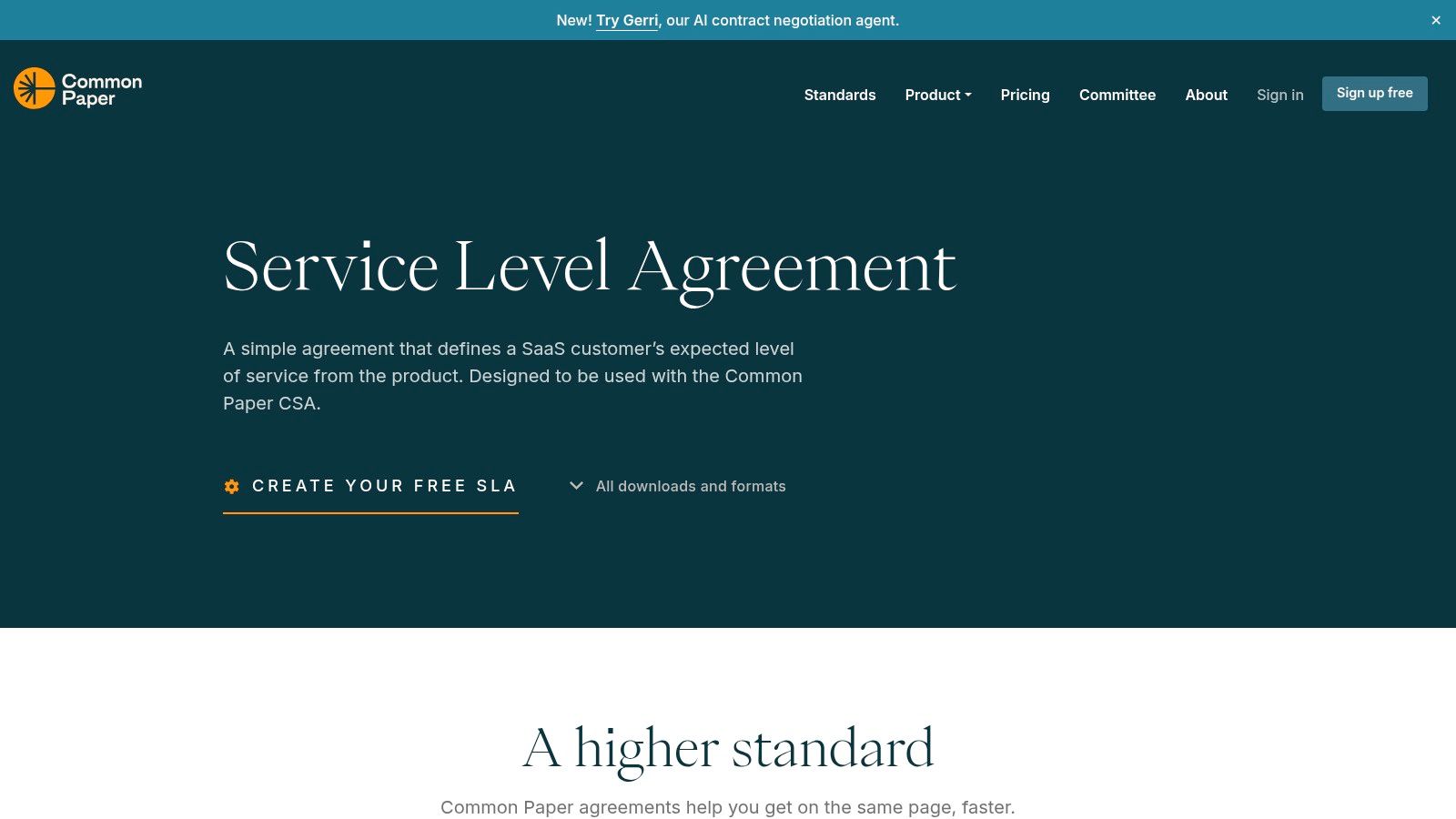
The template is provided as a standard agreement with an editable cover page where you fill in the specifics, such as uptime commitments and service credit calculations. Its strength lies in its clarity and permissive CC BY 4.0 license, which encourages adoption and adaptation across the industry.
Key Features & Assessment
The open-source nature of Common Paper’s SLA is its key differentiator. It aims to reduce negotiation friction by using terms that are becoming an industry standard. The document includes clear definitions and well-structured tables for uptime and service credits, making it transparent for both the provider and the customer.
- Pros:
- Lawyer-vetted, open-standard terms are easy to adapt and trusted.
- Excellent for startups and SMBs standardizing their SLA process.
- Completely free to use and modify under a permissive license.
- Cons:
- Still requires legal counsel to review for your specific use case.
- Lacks the guided, wizard-style assistance found in software platforms.
Website: Common Paper Service Level Agreement
8. Atlassian (Jira Service Management)
Atlassian approaches the service level agreement template from an operational perspective rather than a purely legal one. Instead of providing a downloadable document, Jira Service Management offers a platform to build, manage, and track SLAs directly within your service desk workflows. This is ideal for IT, support, and operations teams who need to enforce and report on SLA metrics like response and resolution times in real time.
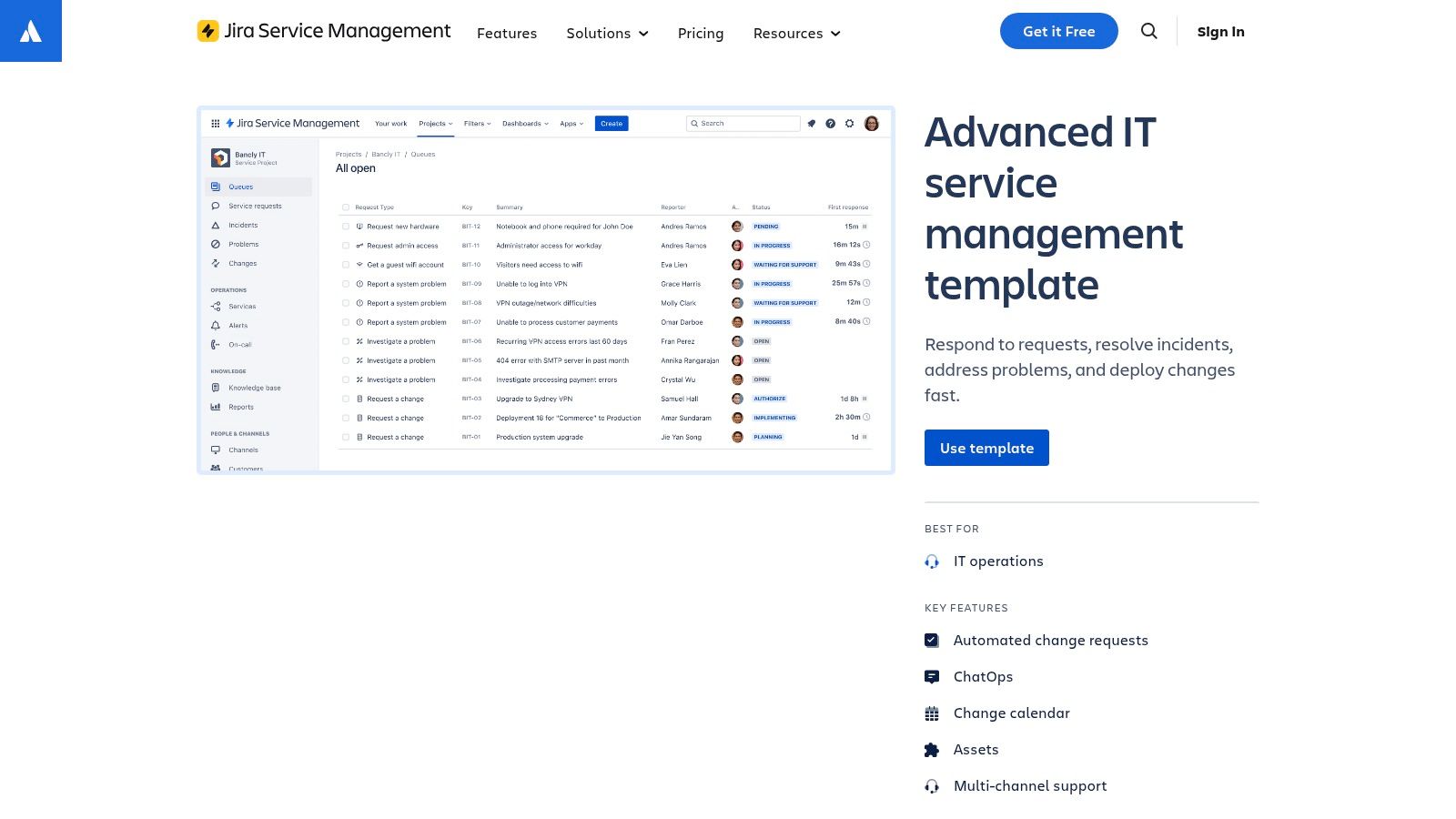
The platform provides pre-configured templates for IT service management and other business functions, allowing you to define SLA goals, set calendars for business hours, and automate actions when a breach is imminent. This focus on live monitoring is crucial for maintaining service quality and is a core component of a resilient IT infrastructure, which you can read about in our guide on website backups.
Key Features & Assessment
Atlassian’s strength is its ability to make SLAs an active part of daily operations. The built-in reporting dashboards give managers immediate visibility into team performance against promised service levels, turning the agreement from a static document into a dynamic management tool.
- Pros:
- Excellent for operationalizing SLAs directly within a service desk.
- Rich documentation and best-practice guides for setting up effective metrics.
- Extensive reporting and automation capabilities.
- Cons:
- Not a traditional legal template generator; it's a management platform.
- Can be complex and costly for teams simply needing a document.
Website: Atlassian Jira Service Management
9. ClickUp
ClickUp approaches the challenge of a service level agreement template from a project management perspective. Instead of offering a traditional legal document, it provides a Service Level Management RACI Matrix template. This unique resource focuses on the operational side of an SLA, helping teams clearly define who is Responsible, Accountable, Consulted, and Informed for each service commitment, ensuring everyone understands their role in upholding the agreement.
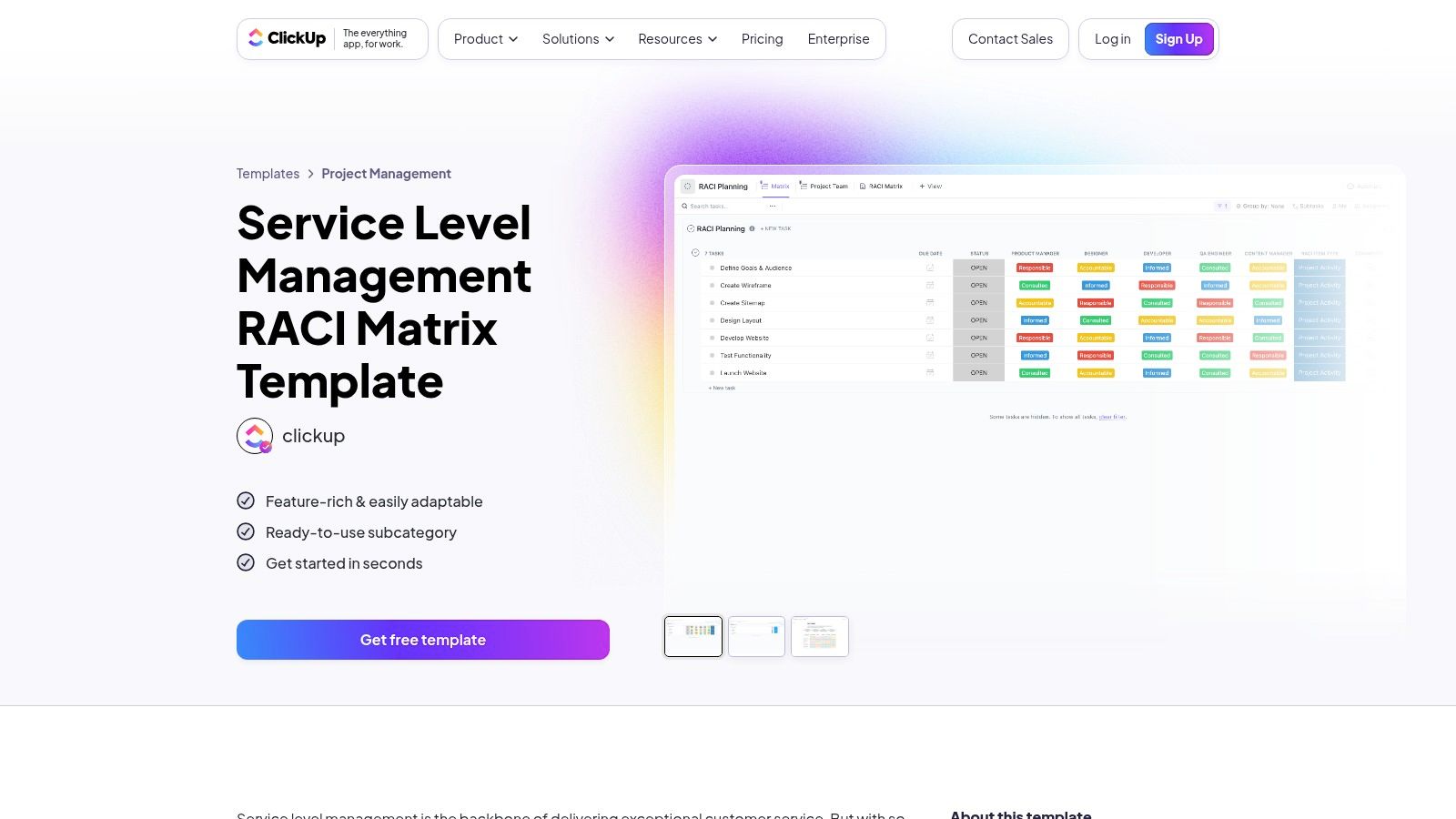
This tool is perfect for teams that need to translate a signed SLA into actionable tasks and responsibilities within their workflow. The platform also offers related Statement of Work (SOW) templates where you can reference SLA targets, integrating service commitments directly into project execution plans.
Key Features & Assessment
ClickUp’s strength is in making SLAs operational. By mapping out roles with its RACI matrix, it prevents the common problem of service commitments being agreed upon but poorly executed. The platform’s custom fields, dashboards, and automated notifications allow you to build a system for tracking and reporting on SLA performance.
- Pros:
- Excellent for clarifying roles and responsibilities in SLA execution.
- Integrates service management directly into project workflows.
- A generous free tier is available with flexible customization options.
- Cons:
- This is a management tool, not a legally binding contract template.
- Can be complex to set up for teams new to the platform.
Website: ClickUp Service Level Management RACI Matrix
10. Smartsheet
Smartsheet takes a different approach by focusing on the operational side of service level agreements rather than providing a traditional template. Instead of offering a fillable document, it provides its own official SLA policy as a reference and empowers users with tools to track and enforce the terms of an agreement. This is perfect for teams that already have an SLA and need a robust system to monitor performance, deadlines, and compliance in real-time.
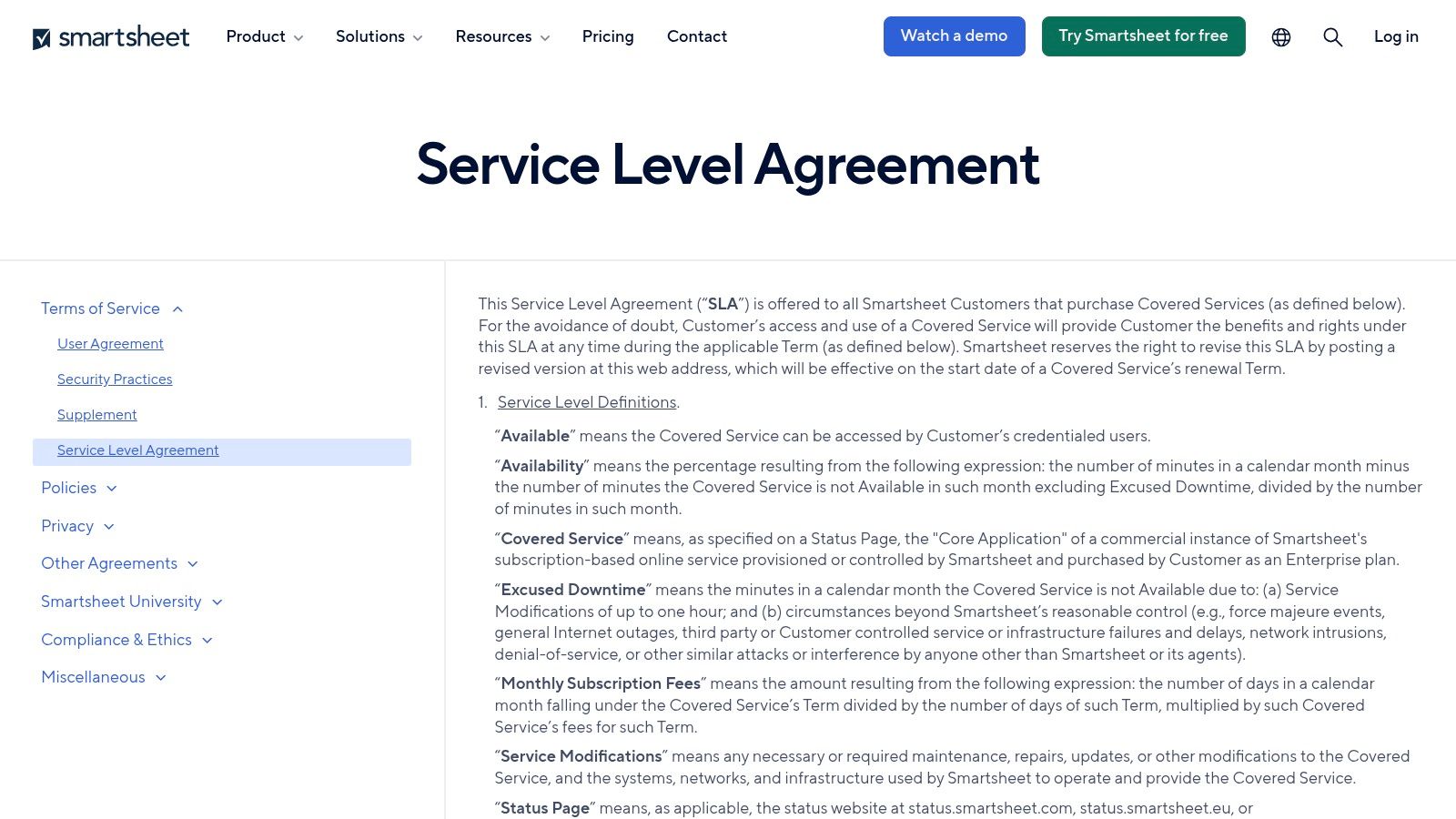
The platform shines with its formula-based tracking, allowing you to set up automated alerts for due dates, business hours, and response times. Its active community forum is a goldmine for finding custom formulas and solutions for complex SLA tracking scenarios, such as those needed for a comprehensive website maintenance plan.
Key Features & Assessment
Smartsheet excels as a practical companion to a formal legal document. By translating SLA terms into automated workflows and measurable metrics, it helps ensure that service commitments are met consistently. It shifts the focus from the static document to the dynamic process of service delivery.
- Pros:
- Excellent operational tool for tracking compliance against an existing SLA.
- Strong community support with practical formulas for deadline tracking.
- Provides its own SLA policy as a real-world example.
- Cons:
- It is not a source for a downloadable or fillable legal service level agreement template.
- Requires some familiarity with spreadsheet formulas to implement advanced tracking.
Website: Smartsheet SLA Policy
11. Etsy (Marketplace)
Etsy offers a unique and often overlooked source for a service level agreement template by leveraging its vast marketplace of independent creators. Instead of a single platform-provided document, you gain access to dozens of editable templates created by different sellers, often small business owners or legal professionals themselves. This approach is perfect for those who need a legally sound but visually appealing document quickly and affordably.
The templates are typically available as instant digital downloads in common formats like Microsoft Word, Google Docs, and PDF. This makes it incredibly easy to purchase a template and begin customizing it with your specific service metrics and branding within minutes. The variety means you can find everything from simple, one-page SLAs to more comprehensive, multi-page agreements.
Key Features & Assessment
The primary advantage of using Etsy is the combination of affordability, variety, and speed. You can browse different designs and structures, read seller reviews to gauge quality, and download your chosen file immediately after purchase. It’s an excellent option for freelancers or small businesses that don't require an integrated document management system.
- Pros:
- Extremely affordable with one-time purchase costs.
- Wide variety of designs and formats from numerous independent sellers.
- Instant digital download provides immediate access.
- Cons:
- Quality and legal accuracy can vary significantly between sellers.
- No built-in legal support, workflow tools, or e-signature features.
Website: Etsy Service Level Agreement Templates
12. Amazon (Books/Guides on SLAs)
Amazon offers a different kind of resource for those who want to create a truly robust service level agreement template. Instead of providing a downloadable file, it serves as a marketplace for books and guides that teach the underlying principles of structuring, negotiating, and measuring effective SLAs. This approach is ideal for teams wanting a deep, foundational understanding before they begin drafting or customizing a template.
Here, you can find a vast selection of print and eBook titles covering everything from SLA strategy and key metrics to service credits and negotiation best practices. User reviews and ratings help you gauge the quality of each resource, ensuring you can find authoritative guidance tailored to your industry and specific needs.
Key Features & Assessment
The unique value of Amazon is the educational depth it provides. By learning the "why" behind SLA clauses, you can craft a document that is not just legally sound but also strategically aligned with your business goals. It empowers you to move beyond a generic template to create a highly customized and effective agreement.
- Pros:
- Provides detailed background and strategic guidance on SLAs.
- Helps improve the quality and precision of your template's clauses.
- Wide selection of authors and perspectives to choose from.
- Cons:
- Not a ready-to-fill legal SLA template; requires you to apply the knowledge.
- Quality, relevance, and recency can vary significantly by individual title.
Website: Amazon
Service Level Agreement Template Resources Comparison
| Service | Core Features ✨ | User Experience ★★★★☆ | Value Proposition 💰 | Target Audience 👥 | Unique Selling Points 🏆 | Price Points 💰 |
|---|---|---|---|---|---|---|
| PandaDoc | Editable SLA templates, e-sign, workflow | Seamless “fill, send, sign” in one platform | Transparent pricing, free trials | SaaS/cloud businesses, legal teams | Multiple SLA variants, version control | Tiered plans, some extra fees |
| Rocket Lawyer | Guided SLA builder, RocketSign e-sign | User-friendly for non-lawyers | Legal consultation available on platform | Small businesses, non-lawyers | Attorney help, cloud storage | Paid membership required |
| Jotform | Drag-and-drop SLA templates, PDF output | Fast customization, mobile & desktop support | Free & easy sharing | SMBs needing quick e-sign workflows | Polished PDF generation | Free tier, paid upgrades |
| Template.net | Wide SLA template catalog, multi-format | Easy download and edit, format variety | Industry-specific templates | Diverse industries | Large template variety | Free samples & subscription |
| HubSpot | Sales & marketing SLA templates | High-quality content, clear guidance | Free downloads with educational content | Sales/marketing teams | CRM integration synergy | Free (email signup required) |
| Law Insider | SLA clause database, sample contracts | Detailed clause comparison and insights | Benchmarking and refining SLA language | Legal professionals, drafters | Thousands of real contract samples | Paid subscription for full access |
| Common Paper (Open SLA) | Open standard SLA, uptime & credits tables | Lawyer-vetted, editable | Free with permissive license | Startups, SMBs | Open license, standardized SLA terms | Free |
| Atlassian (Jira SM) | SLA tracking, ITSM templates, reporting | Operational SLA management tools | Rich docs & marketplace apps | IT service desks | SLA operationalization beyond drafting | Higher cost, complex setup |
| ClickUp | SLA role RACI matrix, SOW templates | Customizable dashboards & notifications | Free tier with flexible project management | Project managers, teams | Clarifies SLA roles & responsibilities | Free & paid tiers |
| Smartsheet | SLA due date formulas, community support | Strong formula-based SLA tracking | Community-driven operational SLA companion | Operations & support teams | SLA formulas & alerts for compliance | Subscription-based |
| Etsy (Marketplace) | Instant download SLA templates | Variety of seller designs & fast access | Affordable and diverse template options | Small businesses, freelancers | Seller reviews and multiple formats | Generally low cost |
| Amazon (Books/Guides) | SLA strategy & metrics literature | In-depth SLA background & best practices | Detailed learning resources | Teams seeking SLA knowledge | Wide range of books & expert guides | Varies by title |
Final Thoughts
Navigating the landscape of service level agreement templates can feel overwhelming, but as we've explored, the right resource is out there for every business need. From the comprehensive legal frameworks offered by Rocket Lawyer and Law Insider to the highly integrated, workflow-driven solutions within Atlassian and ClickUp, your options are vast and varied.
The key takeaway is that no single template fits all. Your choice should be a strategic decision, not just a matter of convenience. A simple, downloadable template from Template.net might be perfect for an internal agreement, while a complex client-facing SLA for a tech service will demand the robust, customizable features of a tool like PandaDoc or the standardized clarity of Common Paper.
How to Choose the Right SLA Template
Before you download the first template you see, take a moment to assess your specific requirements. This strategic pause will save you significant time and prevent future misunderstandings.
Consider these critical factors:
- Complexity of Service: Is your service straightforward, or does it have multiple performance tiers and dependencies? For complex offerings, tools like Smartsheet or Jira Service Management provide the necessary detail and tracking capabilities.
- Legal Rigor: How legally binding does this document need to be? If you're dealing with high-stakes contracts, platforms like Rocket Lawyer offer attorney-reviewed language that provides an essential layer of protection.
- Integration Needs: Do you need your SLA to connect with your project management or CRM software? If so, HubSpot, ClickUp, and Atlassian are designed to integrate these agreements directly into your daily operations.
- Customization vs. Standardization: Do you need a highly tailored document, or is an industry-standard agreement more appropriate? Platforms like Jotform offer easy customization, while resources like Common Paper provide a solid, standardized foundation.
Implementing Your Service Level Agreement
Once you've selected a template, the work is just beginning. Effective implementation is what transforms a document into a powerful tool for building trust and managing expectations. Clearly define all metrics, ensure all stakeholders understand their responsibilities, and establish a regular review process to keep the agreement relevant as your services and client relationships evolve.
Ultimately, the goal of any robust service level agreement is to foster clarity, accountability, and trust. These elements are the bedrock of strong business relationships. For more insights on achieving this, explore strategies to increase customer satisfaction and build lasting loyalty. By choosing the right service level agreement templates and implementing them thoughtfully, you are not just creating a contract; you are designing a blueprint for success.
Ready to take the next step in managing your business-critical applications and infrastructure? OneNine provides a fully managed platform on your cloud, ensuring your services meet and exceed the promises laid out in your SLAs. Let us handle the complexity of high availability so you can focus on your customers.


