Your website's design is far more than just aesthetics; it's the bedrock of trust, the guide for user experience, and a powerful driver for conversions. It’s the very first hello a potential customer gets from your brand. A sharp, intuitive design quietly signals professionalism and value before they’ve even read a word. On the flip side, a clunky or dated site can send them clicking away in an instant.
Your Website Is Your Digital First Impression
Think of your website as your digital storefront. If you walked into a shop that was cluttered, disorganized, and dimly lit, you’d probably turn right around and leave. Your website works the same way, but the judgment happens much, much faster. You don’t have a few minutes to make a good impression—you have milliseconds.
That initial reaction is almost entirely visual. It’s a gut feeling. Research shows that it takes a visitor a mere 50 milliseconds to form an opinion about your website. What’s more, a whopping 94% of people’s first impressions are tied directly to its design. And maybe most importantly, 75% of users admit to making judgments about a company's credibility based on its website’s design.
This means the visual quality of your site determines whether someone sticks around long enough to even see what you have to offer.
The Power of Visual Communication
Great design is a silent communicator. It tells visitors you’re professional, you pay attention to detail, and you care about their experience. These are qualities people instinctively transfer to your business as a whole. A clean layout, consistent branding, and high-quality images all work together to build that crucial initial credibility.
This is a fundamental part of how you build a powerful brand identity, something you can learn more about by understanding how to create a brand identity. Since the header is the first thing people see, it sets the tone for everything else. For a little inspiration, check out some of these standout website header design examples.
Your website is your best employee. It works 24/7, never calls in sick, and is tasked with converting strangers into customers. Its "attire"—the design—is the first thing people notice.
To put it all into perspective, here's a quick summary of how design choices connect directly to business outcomes.
Why Website Design Matters at a Glance
| Design Pillar | Business Impact |
|---|---|
| First Impression & Credibility | Establishes immediate trust and encourages visitors to stay longer. |
| User Experience (UX) | Makes navigation intuitive, reducing frustration and bounce rates. |
| Brand Perception | Reinforces your brand's identity, values, and professionalism. |
| Conversion Rates | Guides users toward taking action, like making a purchase or filling out a form. |
This clear connection between design and performance is why investing in your website's look and feel is never just a cosmetic choice—it's a strategic business decision.
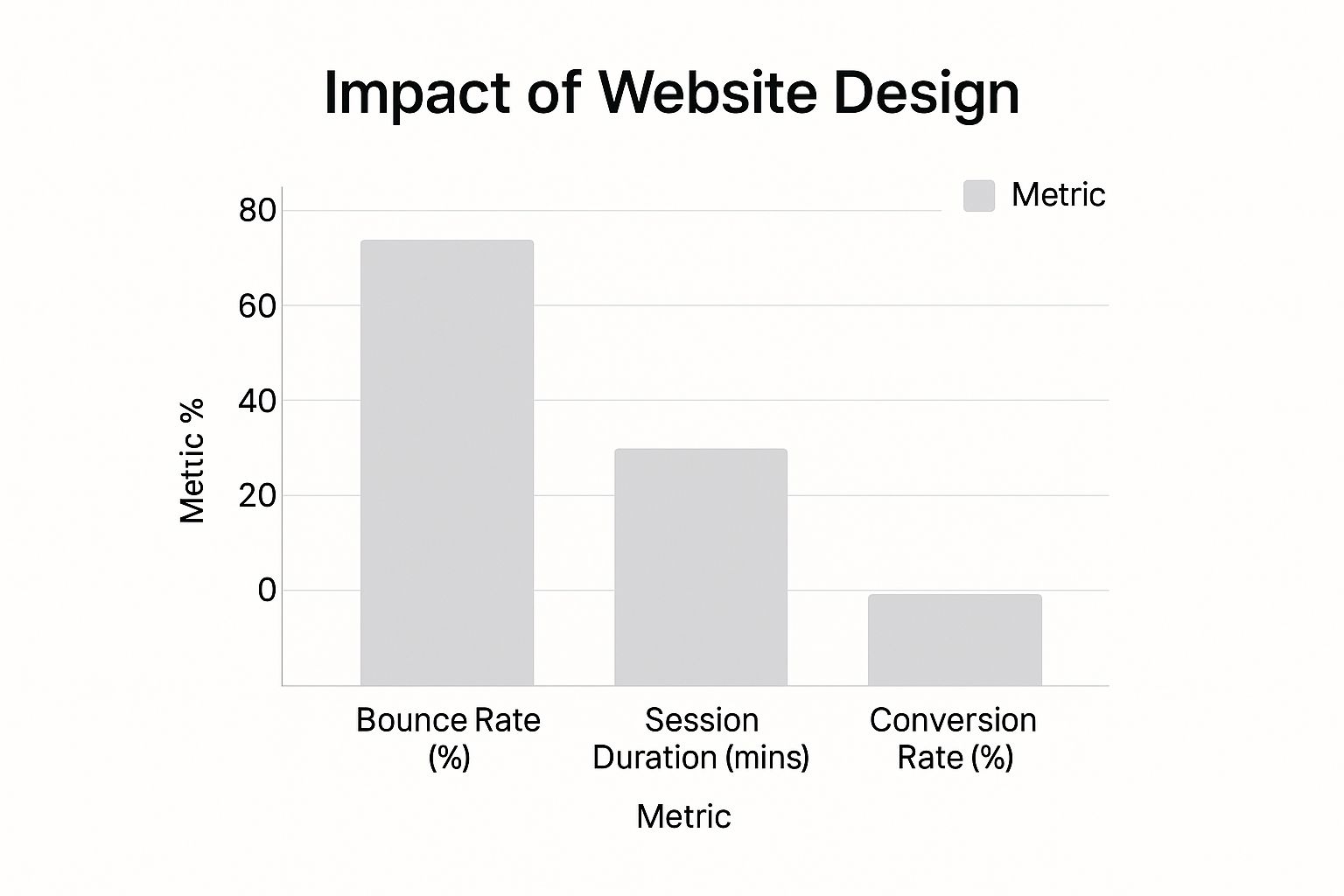
As you can see, the data doesn't lie. A thoughtful and professional design directly leads to lower bounce rates, longer visits, and, most importantly, higher conversion rates. It’s one of the most direct lines you can draw between a creative choice and your bottom line.
How a Professional Design Builds Lasting Trust
On the internet, trust is everything. Think about it—before someone hands over their email, let alone their credit card details, they need to feel certain your business is the real deal. Your website’s design is your first, and arguably most important, chance to build that confidence.
It’s a bit like meeting a financial advisor. One shows up in a sharp suit to a pristine office and presents their information with clarity. The other is wearing sweatpants and working from a cluttered room. Who are you giving your money to? It’s a no-brainer. Your website is that first impression, your digital suit and tie.
A polished, professional design isn’t just about looking good; it's a direct reflection of your company's standards. If a site looks amateurish—with clashing fonts, blurry photos, or a confusing layout—it screams "we don't care about the details." And if you don't care about your own website, why would a customer trust you to care about them?
The Anatomy of a Trustworthy Design
Building trust isn’t about flashy animations or chasing every new trend. It’s rooted in a series of deliberate design choices that, together, create a feeling of safety and credibility. Every single element either builds a user’s confidence or chips away at it.
Here are the key components that make a site feel trustworthy:
- Consistent Branding: Using the same colors, logos, and fonts across every page creates a stable, cohesive experience. It reinforces who you are.
- High-Quality Imagery: Real, professional photos of your team, workspace, or products forge a human connection. They show you’re proud of what you do, whereas generic stock photos can feel cold and impersonal.
- A Polished Layout: A clean, organized structure that’s easy to navigate shows you respect the visitor’s time and makes them feel in control.
A website that looks like it was thrown together in an afternoon can trigger immediate suspicion. It might make someone wonder if you’re even still in business or if their personal information is safe with you.
Investing in professional design is a direct investment in your brand's credibility. It’s not just an expense; it’s a foundational step in making customers feel safe enough to engage with and purchase from you.
The Little Details That Make a Big Difference
Beyond the big picture, it’s the small details that often have the biggest impact on a user's perception. Think about the subtle cues that make you feel secure when you're browsing or shopping online.
These small but mighty trust signals are non-negotiable:
- Clear Contact Information: A prominent "Contact Us" page with a real address, phone number, and email shows you’re an actual business with nothing to hide. It makes you accessible.
- Professional Typography: Well-chosen fonts that are clear and easy to read instantly convey professionalism. A chaotic mix of styles just looks messy and untrustworthy.
- An Error-Free Experience: A site that’s free of broken links, typos, and frustrating loading errors proves that you’re diligent and on top of things.
Each of these elements helps create an environment where a visitor can relax and feel comfortable. When every part of your website looks and feels professional, people are far more likely to trust you, stick around, and become loyal customers.
Improving How Users Interact with Your Website
Sure, a beautiful design might catch someone's eye, but what makes them stay? It all comes down to how the website feels to use. This is the heart of User Experience (UX). A truly great design isn't just about looking good—it's about being effortless and enjoyable to interact with.
Think of it like this: would you rather shop in a well-organized supermarket with clear signs and wide aisles, or a chaotic one where you can't find a thing? Good UX makes your website that easy-to-navigate store. It respects your visitor's time and prevents them from getting frustrated and leaving.
If a user lands on your site and has no clue what to do or where to click next, all your fancy graphics and clever copy are for nothing. They'll just hit the back button.
Guiding Your Visitors with Intuitive Design
The best UX is practically invisible. When a website just works the way you expect it to, you don't even notice the design. You simply get what you came for. This seamless feeling is built on a foundation of intuitive navigation, a logical layout, and easy-to-read text.
Here are a few things that make all the difference:
- Simple Navigation: The menu should be predictable and clean. Users shouldn't have to go on a scavenger hunt to find essential pages like "Services" or "Contact Us."
- Logical Hierarchy: The most important information should stand out. A clear visual flow guides the user's eye naturally from one section to the next.
- Readable Text: Using clean fonts, comfortable text sizes, and plenty of white space makes your content easy to scan and understand.
These aren't just minor details; they're the building blocks of a great experience. You can dive deeper into the core principles here: https://onenine.com/what-is-user-experience-design/
Good design is like a good conversation—it flows naturally. A user should never have to stop and think, "What am I supposed to do here?" The next step should always feel obvious.
The Critical Role of Speed and Accessibility
Beyond the layout, your site's performance is a massive part of the user experience. A slow website is probably the fastest way to lose a visitor for good.
Consider this: over 26% of visitors will leave a site if it takes more than five seconds to load. And for mobile users, the stakes are even higher. They are five times more likely to abandon a site if it isn't mobile-friendly. On the flip side, a whopping 74% of visitors are more likely to come back to a site that offers a great mobile experience.
At the end of the day, a positive user experience keeps people on your site longer, cuts down on their frustration, and guides them smoothly toward their goal. To make sure your website delivers, it's always a good idea to follow established key website design best practices. This approach turns a simple visit into an enjoyable journey.
Turning More Visitors into Loyal Customers
A great website doesn't just sit there looking pretty—it's an active part of your sales team. Its job is to turn casual browsers into loyal customers, and this is where smart design comes into play. We call this process conversion optimization, and it’s all about making your site’s look and feel directly support your business goals.
Think of it like a well-organized store. The best ones guide you effortlessly toward what you're looking for. A good website does the same thing online, using design to gently steer a visitor's attention. It’s not about manipulation; it’s about clarity. The goal is to make it incredibly simple for people to find what they need and take that next step, whether that's buying a product or signing up for your email list.
Every single element on a page can either help or hurt your chances of making that happen. When done right, design builds momentum, smoothly guiding a user from their first click to a final purchase.
Using Visuals to Guide User Actions
Your site's layout is a roadmap for the visitor's eyes. We use a principle called visual hierarchy to control what people notice first. Big, bold text grabs attention. Bright colors pop. Elements placed at the top of the page are seen before those at the bottom.
It's a deliberate strategy. A designer might use a huge headline to hook you, follow it with a short sentence explaining the benefit, and then draw your eye to a colorful call-to-action (CTA) button that says "Get Started." This path feels natural, but it’s carefully constructed to make the desired action the obvious next choice.
Every design choice should serve a purpose. If an element isn't helping guide the user toward a conversion, it's likely just adding clutter and creating a distraction.
Even color has a job to do. Different colors trigger different emotions. Blue, for instance, tends to feel trustworthy and secure, which is why you see it all over banking and tech websites. Red can create a sense of urgency, making it perfect for "Buy Now" buttons during a flash sale.
Removing Friction from the Process
What’s the fastest way to lose a customer? Make things complicated. We’ve all been there: you fill up your online cart, head to checkout, and are hit with a ten-step form asking for your life story. Most people just give up.
Good design is obsessed with making things simple, especially at critical moments like checkout. It’s all about removing the roadblocks—or "friction"—that make people hesitate.
Here’s how design smooths out the journey:
- Simple Forms: Only ask for what you absolutely need. If a form has to be long, break it into a few easy steps.
- Clear Instructions: Use plain language. Tell people exactly what to do next.
- Visible Progress: A progress bar showing a user they're on "Step 2 of 3" is incredibly reassuring.
The smallest changes can make a huge difference. Companies have seen their sales jump just by changing a button's color or moving it to a different spot on the page. This is a perfect example of why the design of a website is important—it’s not just about looks, it’s about getting real results for your business.
Why Good Design Is Essential for SEO Success

It’s a common mistake to see web design and Search Engine Optimization (SEO) as two different jobs. One team makes things pretty, and the other team works on getting Google’s attention. The truth is, they're two sides of the same coin, working together toward the very same goal.
Think about it from Google's perspective. Its entire job is to serve up the best, most helpful, and easiest-to-use results for any given search. A huge piece of that puzzle is the user's actual experience on your website, which is dictated almost entirely by its design. A stunning site is pointless if no one can find it, but all the SEO in the world won't help if a clunky design sends visitors running for the back button.
The link becomes crystal clear when you realize what Google actually measures. It's not just counting keywords anymore; it's watching how real people behave on your site.
How Design Directly Influences SEO Signals
A great user experience sends all the right signals back to search engines. When visitors stick around, click through to other pages, and don't immediately bounce back to the search results, Google pays close attention. That behavior tells its algorithm, "Hey, this page is valuable."
These positive signals are a direct byproduct of smart design:
- Lower Bounce Rates: An intuitive, well-organized site invites people to explore, not exit.
- Longer Dwell Time: Engaging layouts and readable text keep people hooked, increasing the time they spend absorbing your content.
These aren't just feel-good metrics; they are powerful indicators of quality that directly impact your search rankings. This is why building an SEO-friendly web design from day one is so critical.
Think of good design as a handshake with Google. By providing a great user experience, you are showing that your website deserves to be recommended to others.
The Technical Side of Design and SEO
Beyond how users feel, several behind-the-scenes technical factors are crucial for SEO, and they're all tied to design. Search engine crawlers need to be able to navigate and understand your website's content easily, and your design choices can either help or hinder that process.
Here’s where the technical and design worlds collide:
- Mobile-Friendliness: Having a responsive design that looks and works great on any screen isn't just a "nice-to-have" feature anymore. Google now uses mobile-first indexing, which means it primarily looks at your site's mobile version to determine its rank.
- Page Load Speed: Huge, unoptimized images and clunky code are design problems that can grind your site to a halt. With page speed being a confirmed ranking factor, a fast, lightweight design is non-negotiable.
- Site Structure: A logical site map and clear navigation aren't just for users. A well-structured site, planned during the design phase, makes it incredibly easy for search engine bots to crawl and index all of your pages.
This really drives home why the design of a website is important for so much more than looks. It's the very foundation of any solid SEO strategy.
Got Questions About Website Design? Let's Get Them Answered.
Even with all the benefits laid out, you're probably wondering about the practical side of things. It's completely normal. Let's tackle the questions I hear most often from business owners, so you can move forward feeling confident.
So, How Much Does a Good Website Actually Cost?
This is the big one, isn't it? The honest answer is: it really depends. Think of it like building a house. A small, simple bungalow has a very different price tag than a custom-built mansion with all the bells and whistles.
A basic site using a pre-made template might only set you back a few thousand dollars. But if you’re after a completely custom design with special features, you could be looking at tens of thousands.
The final cost really boils down to a few things:
- How complex is the design and what does it need to do?
- Do you need to sell products online (e-commerce)?
- How much custom coding and development is involved?
- Are you working with a freelancer or an established agency?
The key is to stop thinking of it as a cost and start seeing it as an investment. A cheap website that nobody uses is a waste of money. A great one that brings in business pays for itself many times over.
Can I Just Build a Website Myself?
You absolutely can. With fantastic tools out there like Squarespace and Wix, building your own site has never been easier. If all you need is a simple online brochure or a small portfolio, going the DIY route can be a perfectly fine place to start.
But it’s important to know the trade-offs.
While these platforms are easy to use, they can be limiting when you need unique features or want to really dial in your SEO. Understanding why the design of a website is important is about more than just aesthetics; it's about strategy. A professional brings a deep understanding of user psychology and technical know-how that a drag-and-drop builder just can't replicate.
How Long is This Whole Process Going to Take?
Like the cost, the timeline is all about the scope of the project. A straightforward, informational site can be designed and launched in just a few weeks.
On the other hand, a large online store or a site with a lot of custom integrations could easily take several months to get right. It’s a process, and good things take time.
A standard professional project usually flows through these stages:
- Discovery & Strategy: We start by digging into your goals and who you're trying to reach.
- Wireframing & Prototyping: This is where we create the architectural blueprint for the site.
- Visual Design: Now for the fun part—bringing your brand to life with colors, fonts, and imagery.
- Development & Testing: The site gets built, and we poke and prod every part of it to make sure it’s flawless before launch.
No matter the project, clear communication and quick feedback are what keep the wheels turning and the timeline on track.
At OneNine, we know every business is different, and a one-size-fits-all website just doesn't cut it. We build custom websites that don't just look incredible—they get real, measurable results. Whether you're starting from scratch or need an expert hand with your current site, we’re here to make your website a powerful, stress-free tool for your business.
Learn more about how we can elevate your online presence at onenine.com.


