

So, what exactly is website support? Think of it as the ongoing care and feeding your website needs to stay healthy, secure, and effective. It’s not a one-and-done task but a continuous process of maintaining, securing, and updating your site so it runs like a well-oiled machine.
Essentially, it's a digital insurance policy for your online presence. It’s there to prevent costly downtime, embarrassing security breaches, and frustrating performance issues before they ever happen.
Why Your Website Needs Constant Support
It’s easy to think of a website as something you build once and then forget about, like a printed brochure. That’s a huge mistake. A better analogy is a high-performance car. It needs regular oil changes, tire rotations, and engine checks to run safely and efficiently. Your website is no different.
Ignoring it doesn't just lead to a slow or buggy experience for your visitors; it’s an open invitation for disaster.
Without proactive support, you're leaving your digital front door unlocked. A single outdated plugin can create a vulnerability for hackers, while unmonitored server hiccups can lead to a total site crash. The fallout can be severe, from lost sales and stolen customer data to long-term damage to your brand’s reputation.
The True Cost of Neglect
Many businesses see support as a cost to be minimized, but that’s a dangerously shortsighted view. The price you pay to fix a crisis—like a hacked website or a massive data loss—is almost always exponentially higher than the cost of preventing it in the first place. Emergency fixes are expensive, and rebuilding customer trust can take years.
Proactive care is always smarter and cheaper than reactive panic. A well-maintained website is a secure, fast, and reliable asset that builds trust and drives growth.
Ongoing support tackles these risks head-on. It's about much more than just fixing things when they break; it's a continuous cycle of improvement and protection. This includes:
- Preventing Catastrophes: Regular security scans and software updates patch holes before malicious actors can find them.
- Ensuring Peak Performance: Constant monitoring keeps your site fast and responsive, which is a huge factor for both user experience and SEO rankings.
- Maintaining Stability: Proactively dealing with issues like managing technical debt is critical for the long-term health of your site and keeps future problems at bay.
From Static Page to Dynamic Asset
Your website is a living, breathing tool that should grow and change right alongside your business. It's your 24/7 salesperson, your top marketing channel, and a direct link to your customers.
Reliable website support ensures this vital asset is always working for you, not against you. It gives you the peace of mind to know your online presence is secure, efficient, and ready to help you seize new opportunities. It’s what turns a simple online page into a powerful engine for business success.
What Are Website Support Services, Really?
So, what are you actually paying for when you sign up for a website support plan? It’s not just a generic "help desk" you call when things break. Think of it more like the dedicated pit crew for a race car. Each member has a specific, critical job—checking the engine, changing tires, fine-tuning the aerodynamics—all working together to ensure the car runs at peak performance and, most importantly, doesn't crash.
Good website support is the same idea. It’s a collection of proactive services designed to keep your digital storefront running smoothly, securely, and efficiently. It's all the behind-the-scenes work that prevents slowdowns, stops hackers in their tracks, and makes sure your site is a reliable asset, not a nagging liability.
Let's pull back the curtain and look at the essential components you should expect. The goal is always a mix of prevention (avoiding problems) and rapid response (fixing them when they pop up).
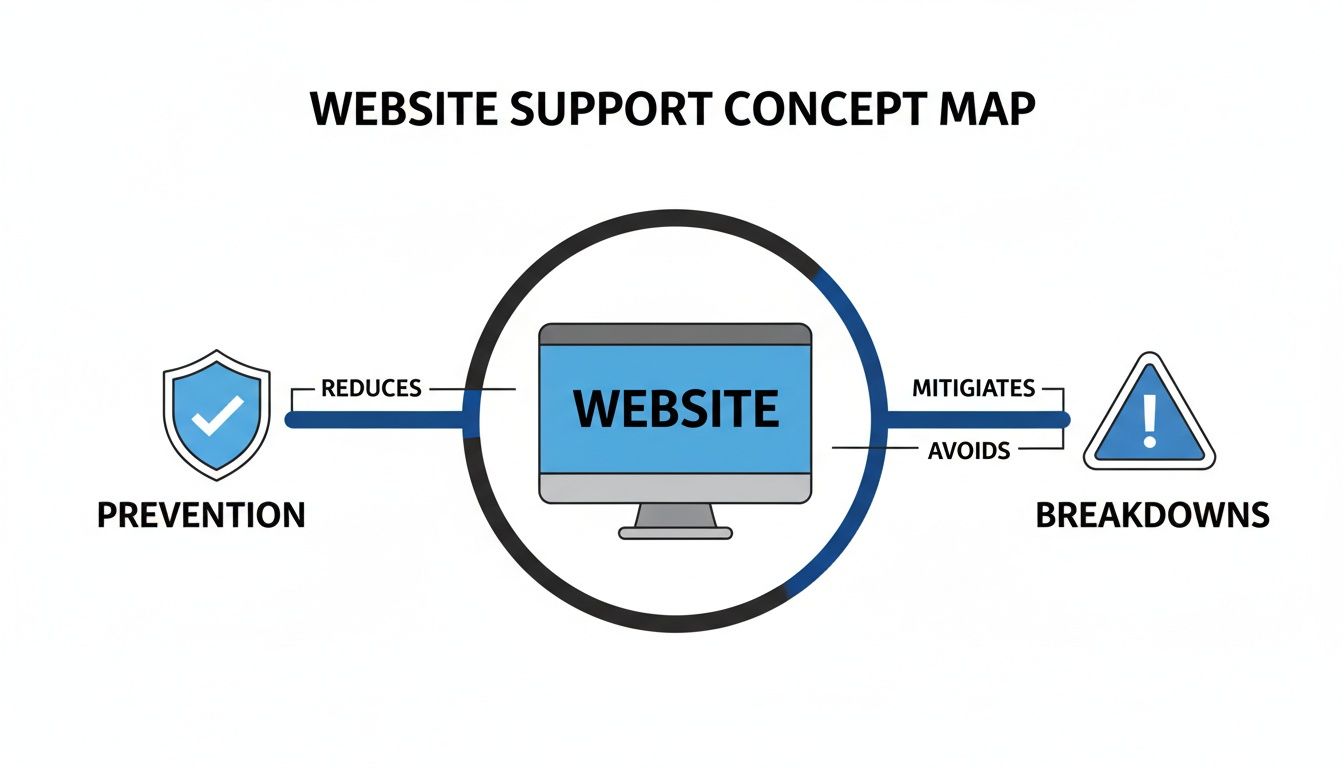
As you can see, a solid preventative strategy is the foundation. It directly reduces how often things go wrong, turning support into a function of maintaining health rather than just constantly putting out fires.
Technical Maintenance and Updates
At its heart, website support is about consistent, disciplined upkeep. The software that runs your website—the content management system (CMS) like WordPress, its plugins, and its theme—is always changing. Developers are constantly releasing updates to add features, boost performance, and, most critically, patch security flaws.
Ignoring these updates is like leaving a window unlocked in your house. It’s an open invitation for trouble. A professional support team handles this for you, making sure every piece of software is up-to-date and playing nicely together. This typically includes:
- Plugin and Theme Updates: Carefully updating all third-party software to head off conflicts and close security loopholes before they can be exploited.
- CMS Core Updates: Applying both minor and major updates to your core platform to maintain security and keep everything running as it should.
- Bug Fixes: Hunting down and squashing those little code errors or glitches that can ruin a user's experience, like a contact form that won't send or a product image that's out of place.
Security and Performance Monitoring
You can't fix a problem you don't know exists. That's why robust support always includes 24/7 monitoring to catch issues before they escalate into disasters. It’s the digital version of having a security guard patrolling your building and an engineer keeping a constant eye on the machinery.
A slow website doesn't just annoy visitors—it actively drives them away. More than half of users will abandon a site if it takes longer than 3 seconds to load.
This constant vigilance is a safety net that protects your reputation and your revenue. This vital area of website support involves:
- Uptime Monitoring: This is a simple but crucial service. If your website goes down for any reason, the system instantly alerts your support team so they can jump on it immediately.
- Performance Scans: Regular checkups on page load speed and other key performance metrics help identify and fix bottlenecks that are slowing your site down for visitors.
- Malware Scanning and Removal: Proactive scans search for and destroy malicious code. This protects your site, your company's reputation, and your customers' sensitive data from criminals.
Tying Services to Real Business Value
It’s easy to get lost in all the technical jargon, but every single one of these services has a direct and tangible impact on your business. Understanding this connection is key to seeing the true value of your investment. From building customer trust to protecting your bottom line, each task is tied to a meaningful outcome.
To make it crystal clear, this table breaks down the core support services and connects them directly to the business benefits they deliver.
Key Website Support Services and Their Business Impact
| Service Component | What It Does | Why It Matters (Business Benefit) |
|---|---|---|
| Regular Backups | Creates and securely stores copies of your website's files and database at frequent intervals. | Provides a safety net against data loss, hacking, or server failure, ensuring quick recovery and minimizing downtime. |
| Software Updates | Keeps your CMS, plugins, and themes updated to the latest, most secure versions. | Patches security holes, prevents compatibility issues, and ensures access to the latest features, protecting your site. |
| Uptime Monitoring | Continuously checks if your website is online and accessible to visitors around the clock. | Guarantees reliability and availability, preventing lost sales and protecting your professional reputation from costly outages. |
| Security Scanning | Actively scans for malware, viruses, and other vulnerabilities that could compromise your site. | Protects sensitive customer data, prevents blacklisting by search engines, and builds trust with your audience. |
| Content Updates | Assists with adding or modifying text, images, or pages on your site as your business needs change. | Keeps your website fresh and relevant, allowing you to quickly launch promotions, update information, and engage your audience. |
| Performance Checks | Analyzes and optimizes page load speed, server response times, and overall site performance. | Improves user experience, reduces bounce rates, and boosts SEO rankings, leading to higher engagement and conversions. |
By translating technical tasks into clear business advantages, you can see how a good support plan isn't a cost—it's an investment in stability, security, and growth.
Navigating Support Plans and Pricing
Picking a website support plan can feel like trying to order from a menu in a language you don't speak. You see words like "retainer," "pay-as-you-go," and "SLA" tossed around, and it's easy to get lost. The goal is simple: find a plan that fits your business needs and your budget, so you're only paying for what you actually need—no surprises.
Think of it like a cell phone plan. Some people need unlimited data for streaming and constant use, while others just need a few call minutes a month. The right plan is all about how you use it, and website support is exactly the same.
Common Pricing Models
Most agencies structure their support pricing in one of three ways. Each has its pros and cons, depending on how much help you need and how predictable those needs are. Getting a handle on these is the first step to making a smart choice.
- Monthly Retainer: This is the most popular model by far. You pay a set fee each month for a specific number of hours or a pre-defined list of services. This is perfect for businesses that need consistent maintenance, regular content updates, and someone always watching over security. It makes budgeting a breeze and fosters a real partnership with your support team.
- Pay-As-You-Go (Hourly): It’s just what it sounds like—you pay an hourly rate only when you need something done. This can work well for businesses with very stable websites that rarely change or for those who have an in-house person for minor tweaks. While it seems flexible, it can get pricey fast if a big problem pops up, as emergency rates are almost always higher.
- Project-Based: This is for a specific, one-off job with a clear beginning and end, like a site redesign, adding a new feature, or moving to a new server. You agree on a fixed price for a defined scope of work. It’s not for ongoing support but is ideal for planned, significant upgrades.
For most businesses looking for reliable, proactive care, a monthly retainer usually hits the sweet spot. If you want to see what these often look like in practice, you can check out different website care plans to see how services are typically bundled together.
Understanding the Service Level Agreement (SLA)
No matter which pricing model you lean toward, it absolutely must be backed by a Service Level Agreement (SLA). This might sound like a stuffy legal document, but it's one of the most important parts of your relationship with a support provider.
An SLA is the official rulebook for your partnership. It cuts through the jargon and clearly defines what services you get, how fast the team will respond, and who is responsible for what.
Simply put, an SLA turns vague promises into solid, measurable commitments. It’s your guarantee of service and your best tool for holding your provider accountable. A good SLA prevents headaches and arguments down the road by making sure everyone is on the same page from day one.
What to Look for in Your SLA
A strong SLA is all about specifics. It shouldn't leave any room for doubt about what happens when you need help. As you review one, make sure it clearly defines these key areas:
- Response Time: This is how quickly the team promises to acknowledge your request. A solid standard is 1-4 hours for urgent issues during business hours.
- Resolution Time: This is the target for actually fixing the problem. It will naturally vary based on how complex the issue is, but the SLA should give you estimates for different types of problems (e.g., critical, major, minor).
- Business Hours and Availability: The SLA must spell out the support team’s working hours and what to expect on weekends or holidays. Is there a plan for 24/7 emergencies?
- Scope of Services: This is a checklist of exactly what’s covered by your plan (like plugin updates, security scans, or content changes) and, just as important, what’s not covered and would cost extra.
By taking the time to understand the pricing models and digging into the details of the SLA, you can choose a support partner with confidence. This is how you find a team that's truly committed to keeping your site secure, stable, and running at its best.
How to Choose the Right Support Partner

Picking a website support provider isn't just a technical task—it’s about finding a true partner for your business. This team will be your digital first responder, the mechanic for your website, and a key player in your online success. The right partner won't just put out fires; they'll help you prevent them in the first place.
On the other hand, the wrong choice can mean sluggish response times, unexpected bills, and a constant feeling of being left in the dark. To steer clear of that mess, you need a straightforward way to size up your options and find a team that genuinely gets what you're trying to achieve.
Build Your Evaluation Checklist
Before you start getting quotes, put together a checklist of your non-negotiables. This simple step helps you compare providers fairly and ensures you don't forget something critical in the heat of a sales pitch. Think of it as writing the job description before you start interviewing.
Your checklist should nail down a few key areas:
- Technical Expertise: Do they actually know their way around your platform, whether it's WordPress, Shopify, or a custom build? Ask to see work they've done for businesses like yours.
- Communication Style: How do they talk to clients? Is it all email, or do they have a dedicated portal or phone support? Their process needs to mesh with how your team works.
- Client Testimonials and Reviews: What are their current clients saying about them? Dig around on third-party review sites to get the real story on their reliability.
- Proactive vs. Reactive Approach: Are they just waiting for things to break, or are they actively monitoring performance, suggesting optimizations, and offering strategic advice?
A great partner does more than just wait for you to report a problem. For example, 70% of customers now expect a company's website to have a self-service option. A forward-thinking partner might suggest building a knowledge base, not just for your customers but for your own team, to head off future support requests. You can dive deeper into these expectations by exploring these customer support trends for 2025.
Ask the Right Questions
Once you’ve got a shortlist, it's time to ask some direct questions. The way a provider answers will tell you everything you need to know about their process, their expertise, and how they handle pressure. If you get vague, hand-wavy answers, that’s a major red flag.
Don't be shy about getting into the nitty-gritty. Their responses will paint a clear picture of what it will actually be like to work with them when something inevitably goes wrong.
A potential partner's process for handling a crisis is one of the best indicators of their overall competence and reliability. If they can't clearly explain their emergency protocol, they likely don't have one.
Here are a few essential questions to ask every single provider you're considering:
-
"Walk me through your process for handling a critical security breach."
- What you're listening for: A clear, step-by-step plan. It should include immediate lockdown, an investigation, clear communication with you, and a review afterward to prevent it from happening again.
-
"How do you prioritize incoming support tickets?"
- What you're listening for: A defined system based on urgency. A "site down" emergency should always jump to the front of the line ahead of a minor typo fix. This shows they have their act together.
-
"Who will be my main point of contact, and what's their technical background?"
- What you're listening for: Are you talking directly to a developer who can solve the problem, or a project manager who's just passing messages along? Direct access almost always means faster fixes.
-
"What, exactly, is included in our plan, and what would cost extra?"
- What you're listening for: Total transparency. You need to know what your monthly fee covers to avoid surprise bills for work you thought was included. This is a vital part of finding the right website maintenance company.
Look Beyond the Technical Skills
Finally, remember that this is a partnership. Technical chops are table stakes, but the provider's attitude and business acumen are just as important. Do they seem genuinely curious about your business goals, or are they just trying to make a sale?
The best support teams feel like an extension of your own. They offer advice, suggest improvements, and are invested in your success. Choosing a partner with that kind of mindset is how you turn a simple service agreement into a real asset for your business.
The Impact of a Bad Mobile Experience on Your Support

If your website support isn’t built for mobile users, you might as well not have it for a huge chunk of your audience. Good support isn't just about having answers; it's about being there for customers wherever they are. And more often than not, they’re on their phones, trying to solve a problem on the go.
Think about it from their perspective. A customer is frustrated and pulls up your live chat, but the window completely blocks the product page they have a question about. Or they find a help article, but the text is so small they have to pinch and zoom constantly just to read a sentence. These aren't minor inconveniences. They're deal-breakers that send customers running to your competitors.
Why "Mobile-First" Isn't Just a Buzzword
Putting mobile first is no longer optional—it's absolutely essential for any credible support strategy. The data paints a very clear picture. By 2025, smartphones are expected to account for 62.54% of all global website traffic, a huge increase from just over 50% a few years ago.
On top of that, mobile users are notoriously impatient. More than half will leave a website if it takes longer than three seconds to load. You can dig into more data on mobile traffic trends to see how user behavior has shifted.
This means you have to fundamentally rethink how you deliver support. Every single interaction, from the moment a customer looks for help to the final resolution, has to feel natural on a small screen. A clunky mobile interface is a fast track to losing a customer's trust, and their business.
A support ticket that’s easy to submit on a desktop but impossible on a phone isn't a support system—it's a broken process. Great support is accessible everywhere, every time.
The Building Blocks of Mobile-Friendly Support
Getting your support system to work well on mobile is about more than just having a responsive website. It means paying close attention to the specific tools and channels people use when they’re in a jam.
Here’s what you absolutely need to get right:
- Readable Help Articles: Your entire knowledge base and FAQ section must be easy to read and scroll through on any device. That means big, legible fonts, simple single-column layouts, and links that are easy to tap.
- Simple Contact Forms: Keep forms short and sweet. Use large input fields and only ask for the information you absolutely need. No one wants to fill out ten tiny boxes on a phone keyboard.
- Polite Chat Widgets: Live chat pop-ups should be helpful, not aggressive. They need to be easy to close and shouldn't cover up the content the user is trying to look at.
At the end of the day, a great mobile support experience sends a powerful message: you respect your customers' time and are ready to help them without making them jump through hoops. This focus is a cornerstone of any modern website support plan and has a direct line to customer happiness and loyalty.
Measuring the ROI of Your Website Support
It’s one thing to feel good about investing in professional website support, but how do you actually prove it’s working? Measuring the return on investment (ROI) goes way beyond just looking at your monthly invoice. It's about connecting the dots between your support services and real, tangible business outcomes.
Think of it like this: you don't judge a car's value solely by its maintenance bills. You measure it by its reliability and its ability to get you where you need to go safely and efficiently. Your website is no different. The right metrics show how support is protecting your revenue and even helping it grow.
Key Performance Indicators That Matter
To get a clear picture of your ROI, you have to track the right data. Certain Key Performance Indicators (KPIs) give you a direct line of sight into the health and efficiency of your website, showing how solid support prevents losses and creates new opportunities.
Start by keeping an eye on these essential metrics:
- Website Uptime: This is the big one. If your site is down, it’s not making you any money. A high uptime percentage, ideally 99.9% or better, is the clearest sign of a stable, well-maintained website.
- Page Load Speed: Slow websites are conversion killers. Period. Monitoring how fast your key pages load tells you if performance optimizations are actually improving the user experience and keeping people from bouncing away.
- Support Ticket Resolution Time: When something breaks, how fast does it get fixed? Tracking the average time it takes to resolve an issue is a direct measure of your support team’s responsiveness and efficiency.
Connecting Support to Business Growth
Beyond the purely technical stuff, great support has a ripple effect across your entire business. It influences everything from customer loyalty to how well you rank on Google. This is where the true value really starts to shine.
For instance, a fast and helpful support channel directly impacts customer satisfaction. In fact, live chat is now the top support choice for 41% of consumers, and 73% report positive experiences with it—blowing traditional phone and email support out of the water. You can explore more insights on these 2025 website trends and what they mean for you. This shows how the right tools, when properly maintained, can give customer retention a serious boost.
A well-supported website isn't just a technical asset; it's a powerful marketing tool. Its stability, speed, and security are direct signals to search engines and customers that your business is reliable and trustworthy.
This reliability translates directly into better business outcomes. A secure, fast-loading site is rewarded by search engines with better rankings, which means more organic traffic for you. A great user experience leads to lower bounce rates and higher engagement, turning more visitors into actual customers.
To dig deeper into the numbers, check out our guide on the ROI of professional website management. By tracking these business-level metrics alongside your technical KPIs, you’ll build a complete picture of how your support investment is paying for itself many times over.
Got Questions About Website Support? We’ve Got Answers.
Even after you've mapped everything out, a few questions about website support might still be bouncing around in your head. Let's tackle some of the most common ones so you can move forward with confidence.
How Much Should I Expect to Pay for Website Support?
This is the big one, and the honest answer is: it depends. The cost really hinges on how complex your site is, how much traffic it gets, and what level of service you actually need.
For a small WordPress site, a basic maintenance plan might run you somewhere between $100 to $300 a month. But if you're running a large e-commerce store or a complex web application that needs round-the-clock monitoring and lightning-fast support, you could be looking at anywhere from $500 to over $2,000 per month.
The key is to find a plan that fits your business goals without over- or under-serving you. Always make sure the cost comes with a crystal-clear Service Level Agreement (SLA).
What's the Real Difference Between Web Design and Support?
It’s easy to blur the lines here, but the distinction is pretty simple. Think of it like building a house.
Web design is the construction project. It has a start date and a finish line, and the end goal is to build and launch a functional, beautiful website.
Website support is the ongoing home maintenance. It’s the landscaping, the security system, the plumbing check-ups, and the fresh coat of paint—all the continuous work that keeps your website running smoothly, securely, and effectively long after the launch party is over.
A classic mistake we see all the time is businesses pouring a huge budget into an amazing website design, only to leave zero dollars for its ongoing health. That’s like building a dream home and then firing the security guard and never fixing a leak.
My Website Just Went Down. What Should I Do?
Okay, first thing's first: take a deep breath. Panicking won't help. Your very first move should be to contact your website support provider. If you have a good one, their SLA will tell you exactly what their emergency protocol is.
While you're waiting for them to jump on it, here are a couple of quick things you can check yourself:
- Is it down for everyone? Pop your URL into a tool like downforeveryoneorjustme.com to confirm the outage is real and not just a problem on your end.
- Check your hosting status. Sometimes the problem isn't with your website's code but with the server it lives on. Most hosting companies have a status page you can check for widespread issues.
After that, step back and let your support team do their thing. They have the tools and expertise to diagnose the problem and get you back online.
At OneNine, our whole mission is to make website management simple. We provide clear, expert support that’s designed to grow right alongside your business. We get our hands dirty with the technical stuff so you can stay focused on what you do best. Let us be your partner in digital success. Learn more about how we can help.


