

Beyond The Basics: Website Project Planning Fundamentals
Launching a website without a solid plan is a recipe for wasted time and stress. It’s like heading out on a cross-country trip with no map—you might arrive, but you’ll face wrong turns and delays. Effective planning sets the stage for a smooth process and a successful online outcome.
Website project planning begins by understanding the client’s vision, matching their business objectives to website features, and building a clear framework to guide each phase of the project.
Understanding Client Needs And Objectives
The first step is a thorough discovery process. Instead of asking only about design, dig into the client’s target audience and core goals. This helps you see how the website will support their success.
For example, a small business may focus on brand awareness, while an e-commerce site aims to drive online sales. A shared understanding at this stage keeps everyone aligned.
Defining Scope And Deliverables
Clearly outlining the project scope keeps the team on track and prevents scope creep. Include:
- Specific features and functionalities
- Content requirements
- Design elements and style guidelines
When both client and team agree on deliverables and deadlines, the project moves forward smoothly. For further insights, explore drone risk management.
Resource Allocation And Budgeting
Resource planning ensures the right skills are assigned to each task. A clear budget covers:
| Metric | Value |
|---|---|
| Global web development market by 2030 | $104.31 billion |
| Expected CAGR (2025–2030) | 6.91% |
For more detailed statistics, see here.
A detailed budget outlines costs for design, development, content creation, and ongoing maintenance.
Establishing A Realistic Timeline
Break the project into phases with key milestones. Consider:
- Project complexity
- Resource availability
- Client’s desired launch date
With a realistic timeline, the team can manage deadlines effectively. On-time delivery boosts client satisfaction and highlights the value of careful planning.
The Toolkit That Makes Website Project Planning Actually Work
Moving beyond simple spreadsheets, successful website project planning hinges on using the right software combined with proven methodologies. This empowers web teams to optimize their processes and achieve better results. Let's explore how these elements work together to drive project success.
Essential Software for Website Project Planning
Think of project management software as the central hub for your website project. Platforms like Asana, Trello, and Monday.com offer a centralized platform for several key functions:
- Task Management: Break down the project into individual tasks and assign them to team members.
- Progress Tracking: Monitor the completion status of each task and the overall project.
- Communication: Facilitate clear communication among team members and with clients.
- File Sharing: Store and share project-related documents and assets easily.
These tools are essential for keeping projects organized and everyone on the same page. In addition, specialized tools play vital roles. These include software for design collaboration (Figma, Adobe XD), code repositories (GitHub, GitLab), and content management (WordPress, Contentful). These tools further streamline workflows and maintain version control.
Methodologies That Drive Success
Having the right tools is just as important as using the right methodologies. Two leading frameworks often guide website project planning: Agile and Waterfall. Agile, with its iterative nature and focus on flexibility, is well-suited for projects where requirements might change during development. Waterfall, with its linear and sequential structure, offers more predictability for projects with well-defined scopes. Many teams find a hybrid approach works best, combining elements of both Agile and Waterfall to customize the process to the project's specific needs.
To help you understand the different methodologies available, we've put together a comparison table:
Website Project Planning Methodologies Comparison
A comparison of different project management methodologies for website development projects
| Methodology | Best For | Timeline Flexibility | Client Involvement | Documentation Level | Ideal Project Size |
|---|---|---|---|---|---|
| Agile | Projects with evolving requirements | High | High | Moderate | Small to Medium |
| Waterfall | Projects with fixed scopes | Low | Low | High | Medium to Large |
| Hybrid | Adapting to various project needs | Moderate | Moderate | Moderate | Varies |
This table highlights key distinctions, such as the flexibility offered by Agile and the extensive documentation typical of Waterfall. A hybrid approach allows teams to balance these aspects, tailoring the process to unique project requirements.
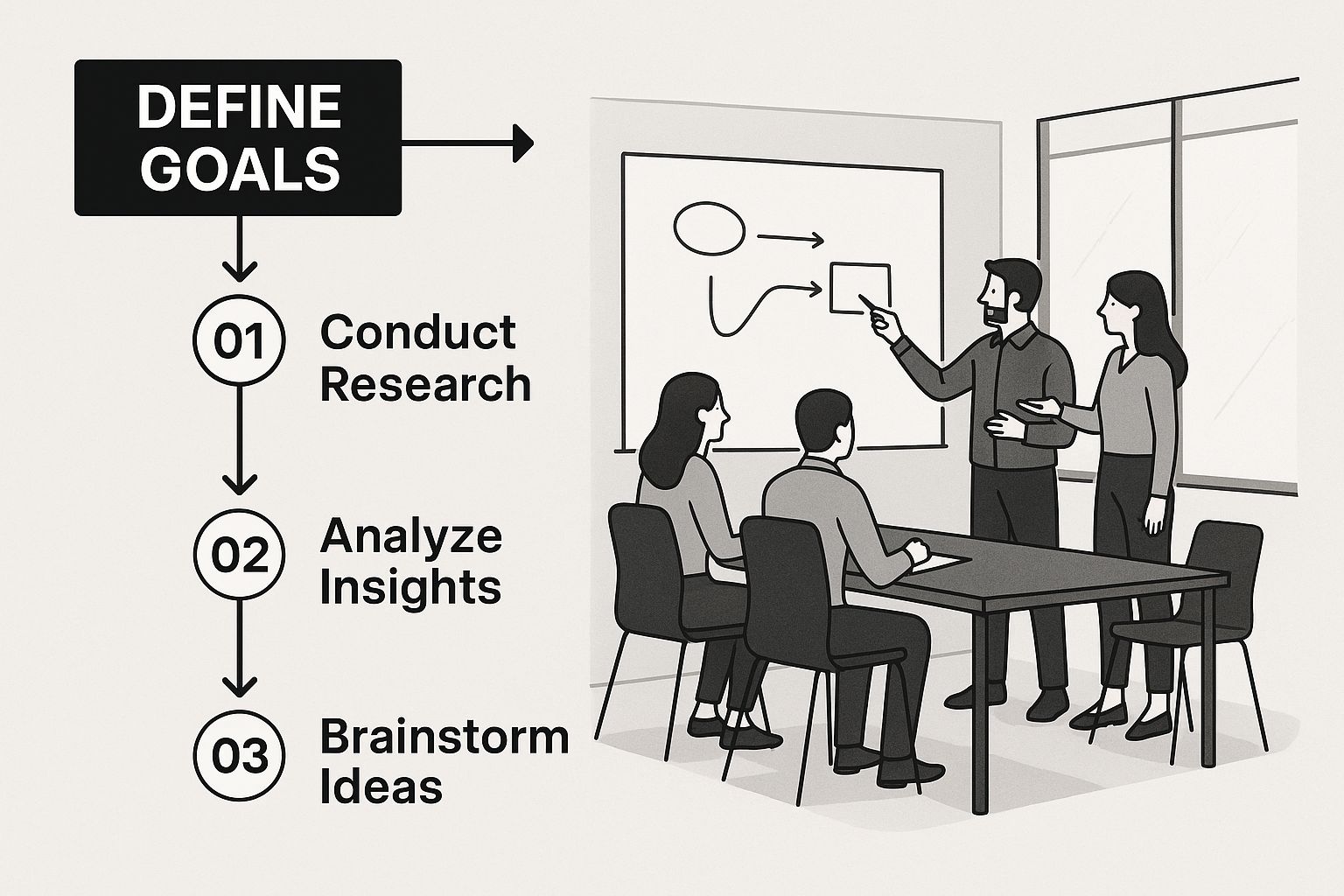
The infographic above shows a team defining goals, a crucial first step in any project. Clearly defined objectives are the foundation for all planning activities, guiding decisions and ensuring everyone is working towards a shared vision. This initial focus on goal setting minimizes misunderstandings and keeps projects aligned with client needs.
Choosing Tools That Scale
Choosing the right tools isn't simply about features; it’s also about scalability. Your chosen tools should be able to grow with your business. A small agency might start with free project management software, but as they grow, investing in premium features or enterprise solutions becomes essential for managing larger teams and more complex projects. Effective project management is crucial in web development. Research shows that almost 10% of project budgets are lost due to poor performance, and 80% of project managers consider effective project portfolio management critical for success. More statistics can be found here. This highlights the importance of choosing tools that not only meet current needs but also adapt to future growth, ensuring continued efficiency and effectiveness.
Creating Timelines That Actually Hold Up
Missed deadlines are a common problem in website project planning. This section explores how to create realistic timelines that consider the complexities of web development. By using these strategies, you can set accurate expectations and avoid the stress of constantly trying to catch up.
Sequencing Project Phases for Optimal Flow
A good timeline starts with understanding project dependencies. Think of building a house: the roof can't go on before the walls. Website development is similar; some tasks must be finished before others can begin.
For example, the design phase needs to be complete before development starts. This prevents wasted work and ensures a smoother process. Content creation should happen alongside design, letting developers use real content as they build. This integrated approach keeps the project moving efficiently.
Building in Buffers, Not Padding
Buffers are important for handling unexpected delays. But there’s a difference between a buffer and padding. Padding artificially increases task times, while a buffer is extra time for unexpected problems.
A buffer is like an emergency fund for your project. It’s there for unexpected issues, keeping you on track without derailing the entire timeline. This allows for realistic planning without overly optimistic estimates.
Identifying and Mitigating Timeline Disruptors
Experienced project managers know problems are inevitable. The key is to identify potential disruptors early.
- Unclear Requirements: Start with a detailed scoping session to make sure everyone understands the project from the beginning.
- Scope Creep: Create a clear process for handling changes to the original project scope.
- Communication Bottlenecks: Use regular project updates and open communication channels to keep information flowing.
- Resource Availability: Check team member availability before finalizing the timeline to avoid scheduling conflicts.
By addressing these common challenges proactively, you can reduce the risk of delays and ensure the project stays on schedule.
Communicating Timeline Changes Effectively
Even with good planning, changes are sometimes needed. When this happens, clear communication is essential. Be honest with the client about the reasons for the change and the new delivery date. This builds trust and strengthens the relationship.
Explain how the change affects the project and what steps are being taken to minimize any negative impact. This reassures the client that the project is still under control. Open communication throughout the process shows professionalism and your commitment to a successful project.
Mastering The Money: Budget Planning That Prevents Panic

Creating a realistic budget is essential for any website project. This section explores the financial side, going beyond simple hourly rates to understand how successful teams build comprehensive budgets. These budgets not only hold up under scrutiny but also protect both your profit margins and client relationships.
Practical Approaches To Estimating Development Costs
Accurately estimating development costs requires a detailed breakdown of the project scope. Start by listing every task, from design and development to content creation and testing. Then, estimate the time needed for each. This process helps identify potential cost overruns early.
Also, consider the different skill levels each task requires. Senior developers, for instance, have higher rates than junior developers. Strategically assigning resources can optimize the budget without sacrificing quality.
Accounting For Often-Overlooked Expenses
Hidden costs can quickly derail a project budget. Be sure to factor in expenses like software licenses, stock photos, and third-party integrations. These seemingly small costs can accumulate.
Hosting and domain registration fees are recurring costs that should be included in the budget from the beginning. Ongoing maintenance and updates after the website launch are also important. These costs are vital for keeping the site secure and running efficiently.
Building Contingencies For Unexpected Issues
Every project encounters unexpected hurdles. A contingency fund acts as a safety net, covering unexpected issues that may arise during development and preventing budget overruns.
For instance, a sudden change in client requirements or a technical problem can quickly impact the budget. A contingency fund offers flexibility to address these without derailing the project. This also helps manage client expectations, reinforcing your professionalism and preparedness.
To help visualize typical website project costs, let's take a look at the following table:
Website Project Budget Breakdown
Typical cost distribution across different components of website development projects
| Budget Component | Percentage of Total Budget | Common Range | Cost Factors | Budget-Saving Tips |
|---|---|---|---|---|
| Design (UX/UI) | 10-20% | $2,000 – $10,000 | Complexity of design, number of revisions, designer experience | Use pre-designed templates, limit revisions, clearly define scope |
| Development (Front-end & Back-end) | 30-40% | $6,000 – $20,000 | Complexity of features, platform used, developer experience | Use a modular approach, prioritize essential features, outsource to cost-effective developers |
| Content Creation | 10-15% | $2,000 – $7,500 | Type of content (written, video, graphic), volume of content, writer/editor experience | Repurpose existing content, use free stock photos and videos, create a content calendar |
| Testing & Quality Assurance | 5-10% | $1,000 – $5,000 | Testing methodology, number of test cases, testing tools used | Automate testing where possible, use free testing tools, involve users in testing |
| Project Management | 5-10% | $1,000 – $5,000 | Project complexity, communication overhead, project management tools | Use free project management tools, streamline communication, clearly define roles and responsibilities |
| Hosting & Domain | 1-2% | $200 – $1,000 | Hosting provider, domain name, SSL certificate | Choose a cost-effective hosting provider, opt for a yearly domain registration |
| Marketing & SEO | 5-10% | $1,000 – $5,000 | Marketing strategy, SEO tools, advertising budget | Use free SEO tools, focus on organic marketing, build a strong social media presence |
This table provides a general overview of common budget components and their associated costs. Keep in mind that these are estimates, and actual costs will vary depending on the specific requirements of your project. Carefully analyzing these areas can help you create a more accurate and manageable budget.
Resource Allocation For Maximum Efficiency
Effective resource allocation involves matching skills to tasks and preventing burnout. Consider when to bring in specialized expertise versus developing in-house capabilities. For complex functionalities, hiring a specialist might be more cost-effective than training current team members.
This approach saves time and guarantees high-quality results. It also lets in-house developers focus on other parts of the project, boosting overall efficiency.
Budget Conversations With Clients: Transparency And Value
Open communication about the budget is vital for a strong client relationship. Explain costs clearly, highlighting the value of each component. This helps clients understand the investment and appreciate your expertise.
When discussing pricing, emphasize the return on investment (ROI). Show how the website will contribute to their business goals. This value-driven approach presents the project as a strategic investment, not just an expense.
Handling Scope Expansion Requests
Scope creep is common in website projects. Establish a clear process for handling requests that exceed the initial agreement. This process should outline how changes affect the budget and timeline.
For example, a change request form can document the request, associated costs, and needed approvals. This formal approach keeps everyone informed and avoids misunderstandings. It also lets you discuss alternatives that fit the existing budget. This proactive approach maintains client satisfaction without hurting your profitability.
The Human Factor: Stakeholder Management That Works
Website projects depend heavily on the people involved. Technology is simply a tool. It's the human element – the stakeholders – that truly determines a project's success. This section explores the crucial skill of managing diverse stakeholders, each with their own priorities and technical understanding.
Identifying Key Decision-Makers and Approval Hierarchies
Just like a conductor leads an orchestra, a project manager must orchestrate the various stakeholders involved in a website project. This begins with identifying the key decision-makers. Who has the final say on design choices? Who approves budget changes? Establishing a clear approval hierarchy prevents confusion and promotes efficient decision-making. This clarity streamlines communication and keeps the project on track.
Tailoring Communication Approaches
Different stakeholders require different communication styles. A technically proficient developer needs detailed specifications, while a CEO may prefer a high-level progress summary. Adapting your communication to each individual’s needs fosters understanding and avoids miscommunication. For example, using visual aids like mockups and wireframes can effectively communicate design concepts to non-technical stakeholders. Concise progress reports tailored for executives can keep them informed without overwhelming them with technical details.
Conducting Productive Requirements Workshops
Gathering requirements is essential for a successful website project. Requirements workshops bring stakeholders together to discuss their needs and expectations. These workshops provide a structured environment for gathering input and ensuring everyone is heard. Think of it as a focused brainstorming session designed to capture the website's essential elements. By fostering open dialogue and collaborative discussion, these workshops build a shared understanding of project goals.
Establishing Meaningful Feedback Loops
Feedback is vital for any website project. Establishing clear and consistent feedback loops allows stakeholders to provide input at critical stages, preventing costly revisions later. This is like making small course corrections during a journey, rather than having to make a U-turn later on. This approach also gives stakeholders a sense of ownership, increasing their commitment to the project. However, feedback loops must be structured to avoid the "design by committee" pitfall where excessive opinions can hinder progress.
Managing Difficult Stakeholder Situations
Not every stakeholder interaction will be easy. Conflicting feedback, unreasonable requests, and slow responses can create obstacles. Developing strategies for navigating these challenges is essential. When facing conflicting feedback, facilitate a discussion to understand the underlying needs behind each perspective. For unreasonable requests, explain the impact on the budget and timeline and offer alternative solutions within the project scope. If responses are slow, proactively follow up and communicate the impact of delays on the project timeline. Addressing these challenges head-on maintains project momentum and strengthens stakeholder relationships. This proactive approach reinforces your role as a problem-solver, builds trust, and contributes to a successful outcome.
Future-Proofing: Technology Planning Beyond the Launch
A successful website launch is a big achievement, but it's not the end of the journey. Smart planning means thinking ahead and building in technological flexibility right from the start. This ensures your website stays relevant, adapts to change, and performs well long after it goes live.
Evaluating Emerging Technologies and Balancing Innovation with Reliability
Keeping up with new technologies is essential, but jumping on every new trend isn't always the best approach. It's important to balance using innovative technologies with ensuring your website remains stable. It's similar to renovating a house: you want modern updates, but not if they compromise the foundation.
For example, exploring AI-driven features or automated processes can improve user experience, but relying on untested technologies can cause bugs and instability. A progressive enhancement approach is a good alternative. Begin with a core set of reliable technologies and gradually add new features as they become established and proven. This minimizes risk while still allowing for innovation.
Architectural Decisions That Support Future Growth
Building a website for future growth requires flexible architecture. Think of it as designing a building that can have more floors added later. A modular design makes it easy to expand and add new features without rebuilding the entire site. This means choosing a Content Management System (CMS) and development framework that are scalable. If your website's architecture is inflexible, adding features later can become expensive and time-consuming.
Building Technical Documentation and Planning for Seamless Handoffs
Clear, comprehensive documentation is vital for long-term website maintenance. Consider it a detailed owner's manual for your website. This documentation should cover the website's architecture, codebase, and any third-party integrations. This ensures future developers can easily understand and maintain the site.
Smooth handoffs between development teams are also important. A structured handover process, including thorough documentation and knowledge transfer sessions, minimizes errors and ensures a smooth transition. This is particularly crucial for ongoing maintenance and updates, keeping the website secure and optimized.
Establishing Governance Frameworks for Long-Term Website Integrity
As a website grows and changes, maintaining its integrity requires a governance framework. This means establishing clear guidelines for content updates, design changes, and technical implementations. Think of it as a set of rules that keep the website aligned with its original purpose and branding. A governance framework helps manage user access and permissions, preventing unauthorized changes and ensuring the site remains secure. This maintains the website's quality and prevents it from becoming disorganized over time, ensuring consistency and security.
When Things Go Sideways: Risk Management That Saves Projects
Website project planning, even with the most meticulous preparation, often encounters unexpected bumps in the road. This is where risk management comes into play. Think of it as having a Plan B, or even better, multiple backup plans. This section provides a practical framework for anticipating potential problems, developing strategies to address them, and creating contingency plans that actually work.
Identifying and Categorizing Risks in Website Development
Experienced project managers know that identifying risks early is crucial. They categorize these potential risks into different groups, making them easier to manage. These groups typically include:
- Technical Risks: These encompass issues like server problems, software bugs, and difficulties integrating different systems.
- Content Risks: This category includes delays in content delivery, writer availability, and concerns about content quality.
- External Risks: These are factors outside your direct control, such as third-party service disruptions or unexpected shifts in a client’s situation.
Categorizing risks allows you to focus your mitigation efforts and ensures a more comprehensive approach to project planning.
Prioritizing Risks and Developing Mitigation Strategies
Not all risks are equal. Some are more likely to occur or have a bigger impact on the project than others. Prioritize risks based on their potential impact and probability. Focus on issues that could cause the most disruption and are most likely to happen.
For example, a small design change requested late in the project is low impact and easily managed. However, a major server outage is high impact and requires a robust mitigation strategy, like having a backup server ready to go. Prioritizing risks helps you allocate resources effectively.
Contingency Planning: Preparing for the Unexpected
Contingency planning is all about having a “Plan B,” and sometimes even a “Plan C.” It involves anticipating potential problems and developing solutions before they become major crises. Consider incorporating IT support best practices during website project planning to ensure a smooth transition and ongoing site maintenance.
For instance, if a key team member becomes unavailable, having a trained backup developer ready to step in can minimize disruption. If content delivery is delayed, a library of pre-approved stock content can fill the gap. These proactive steps help keep your project on track, even when unexpected events occur.
Fostering a Culture of Open Communication and Early Issue Reporting
Creating a team environment where potential problems are addressed early, rather than swept under the rug, is essential. This requires open communication and a culture where team members feel safe raising concerns without fear of blame.
Regular check-ins and transparent progress reports can help identify potential issues early. This allows for timely intervention, preventing small hiccups from turning into major roadblocks. Early issue reporting builds trust and fosters a more collaborative and productive work environment.
Managing Client Expectations Around Potential Challenges
Being transparent with your client about potential risks is essential. While you don't want to undermine their confidence, setting realistic expectations is important. Explain that while you're taking every precaution to avoid issues, some factors are beyond your control. This open communication builds trust and strengthens the client relationship.
When risks do arise, clearly communicate the problem and explain your mitigation strategy. This proactive communication reassures the client that you're managing the situation effectively and working towards a solution. This reinforces their trust in your abilities and solidifies your partnership.
Ready to simplify your website project planning and ensure a seamless launch? OneNine provides expert website management and development services, handling everything from initial planning to ongoing maintenance. Visit us to learn more.


