
At its heart, the difference is pretty simple. Web design is all about a website's visuals and user experience—what you see and how you feel when you use it. On the other hand, web development is about building the functional code and a solid foundation that makes those visuals work.
It really boils down to whether your focus is on creative expression or logical construction.
Understanding The Core Differences
Think of a web designer as an architect. They're the ones drawing up the blueprints for a house, figuring out the room layouts, picking the color palettes, and making sure the final space is both beautiful and intuitive to navigate. Their world revolves around the user's journey and the emotional connection they have with the site.
The web developer, then, is the construction crew. They take those architectural plans and bring them to life by laying the foundation, putting up the walls, and installing all the plumbing and electrical systems. Their job is to ensure everything is structurally sound, secure, and functions exactly as it should.
This distinction is critical because you absolutely need both for a successful website. Great design has a massive impact—it influences a staggering 94% of a visitor's first impression of a business. But without a developer to build it, even the most stunning design remains just a pretty picture.
To see how they fit together, it helps to understand the full process of how to build a professional website, which shows where one role hands off to the other.
Key Takeaway: Web design is about how it looks and feels. Web development is about how it works. One simply can't function effectively without the other.
Web Design vs Web Development At a Glance
To make it even clearer, here’s a quick table breaking down the key differences between a web designer and a web developer.
| Aspect | Web Design | Web Development |
|---|---|---|
| Primary Goal | Create a visually appealing and user-friendly interface (UI/UX). | Build a functional, fast, and secure website from the design. |
| Core Focus | Aesthetics, usability, branding, and user journey. | Logic, code, server infrastructure, and application performance. |
| Common Tools | Figma, Sketch, Adobe XD, Photoshop, InVision. | VS Code, Git, JavaScript, Python, PHP, and various frameworks. |
Ultimately, while each field requires a different skillset and mindset, they both share a common objective: to build an outstanding experience for the end-user.
If you want to go deeper into the technical side, you can explore the core website development technologies that developers use to power modern sites.
A Day in the Life: Roles and Responsibilities
The best way to get a feel for the difference between web design and web development is to step into their shoes. Forget the abstract definitions for a moment and look at what they actually do all day. Their daily tasks show a clear split in focus—one is all about understanding the user, while the other is about executing the technical plan.
A web designer’s day is built around the user. Their work doesn’t start with picking out cool colors or fonts; it starts with research. They need to get inside the heads of the target audience to figure out their needs, frustrations, and goals. That understanding is the foundation for everything that follows.
The Designer's Creative Workflow
A designer’s job is to turn those user needs into a visual and interactive blueprint. They aren’t just making things look pretty; they’re making them intuitive, logical, and easy to navigate.
Here’s what a typical day might involve:
- Conducting User Research: Chatting with stakeholders and future users to nail down the project goals and what people actually want from the site.
- Creating Wireframes and Sitemaps: Sketching out the basic structure of the website. Think of this as the architectural blueprint that maps out how a user will move through the site.
- Developing High-Fidelity Mockups: Using tools like Figma or Sketch to create detailed, pixel-perfect visuals of every page.
- Defining Visual Identity: Choosing the right typography, color schemes, and imagery that fit the brand’s vibe.
A great design is more than just how it looks; it’s a strategic plan for how someone will experience your website. It’s the invisible hand guiding a visitor from their first click to their final action.
The Developer's Technical Execution
Once the designer’s blueprint is ready, the web developer takes over to bring it to life. Their world is all about logic, code, and solving technical puzzles. This role is usually split into two main camps: front-end and back-end.
Front-end developers focus on the "client-side"—basically, everything you see and click on in your browser. They are the essential link between the designer's vision and a functioning website, translating those static mockups into a live, interactive experience. Their daily toolkit includes languages like HTML, CSS, and JavaScript.
Back-end developers, on the other hand, work on the "server-side." They’re the ones building and maintaining the engine that runs the website behind the curtain. This means managing databases, writing application logic, and making sure all the data flows securely and efficiently.
A huge part of a developer's job is implementing solid security. Knowing and applying web application security best practices is non-negotiable for protecting user data and keeping the site safe.
Think about an e-commerce checkout page. The designer first plans the layout to make the process as smooth as possible. Then, the front-end developer codes the form fields and buttons so they work on any device. Finally, when you hit "Purchase," the back-end developer's code kicks in to process the payment securely and log the order in the database. It’s this seamless teamwork that turns a great idea into a real, working feature.
A Look at Their Essential Skills and Toolkits
The clearest way to see the difference between web design and web development is to look at the tools they use every day. It's a bit like comparing a painter's studio to an engineer's workshop. One is all about creativity and human connection, while the other is grounded in logic, structure, and technical execution.
A web designer operates in a visual world. They’re masters of things like color theory, typography, and layout, using these elements to create a clear path for the user. But it's not just about making things look good; a huge part of their job is understanding human psychology to anticipate how people will interact with the site.
The Designer's Creative Arsenal
Designers spend their time in creative software, turning abstract ideas into tangible mockups. Their main goal is to create a high-fidelity blueprint that shows exactly how the final product will look and feel.
- Figma & Sketch: These are the go-to tools for modern UI/UX design. They let designers build interactive prototypes that feel just like a real website, which is invaluable for testing and feedback.
- Adobe XD & Photoshop: While Figma is incredibly popular, the Adobe suite remains a powerhouse for creating detailed visual assets, editing photos, and establishing a brand’s aesthetic.
Ultimately, a great designer knows how to translate a company's goals into an intuitive and engaging visual journey. If you want to dive deeper, understanding the fundamentals of user experience design is a great place to start.
Key Insight: A designer’s toolkit is all about answering the "why" and "how" of a user's journey before any code gets written. They shape the experience from the user's point of view.
The Developer's Technical Toolkit
On the flip side, a developer’s toolkit is packed with programming languages, frameworks, and code editors. Their job is to take the designer’s static visuals and breathe life into them with code, making everything functional, interactive, and fast.
The developer's home base is a code editor like Visual Studio Code, which is a sophisticated environment for writing, testing, and debugging code.
This screenshot gives you a glimpse into a modern code editor. The organized layout with panels for files, code, and the command-line terminal shows just how technical and multifaceted development work is.
The core languages for any front-end developer are HTML, CSS, and JavaScript. But today’s web is built on more than just the basics. Frameworks and libraries are essential for building complex applications efficiently. In fact, 41% of developers now use Node.js, showing just how quickly the tech landscape changes and why constant learning is a must. You can check out more stats to see how fast technologies change.
Other critical tools in their kit include:
- Frameworks like React & Angular: These are powerful JavaScript libraries that help developers build complex, dynamic user interfaces without starting from scratch.
- Git & GitHub: This version control system is non-negotiable for any serious project. It allows developers to track every single code change and collaborate seamlessly with a team.
How Designers and Developers Work Together
A great website is never just one person’s masterpiece. It's born from a tight-knit partnership between design and development, where the lines between web design and web development blur into a fluid, collaborative process. Think of it as a cycle: one person's output becomes the other's input, moving the project from a creative vision to a real, working product.
It all kicks off with the designer. Their job is to take the project's business goals and user needs and spin them into a visual blueprint. This isn't just a pretty picture; it's a full package with high-fidelity mockups, a style guide nailing down every color and font, and often, interactive prototypes. These assets are the common language that spells out the design's intent for the developer.
The Critical Handoff Phase
This handoff is where the two worlds truly connect. Designers rely on specialized tools to translate their visual concepts into something a developer can actually build.
Tools like Zeplin or the Inspect mode in InVision are absolutely essential here. They let a developer click on any part of a design mockup and pull out the exact CSS properties, measurements, color codes, and assets they need. It cuts out the guesswork and drastically reduces the endless back-and-forth that can bog down a project.
Here’s a look at how InVision, a popular tool for design collaboration, makes this happen.
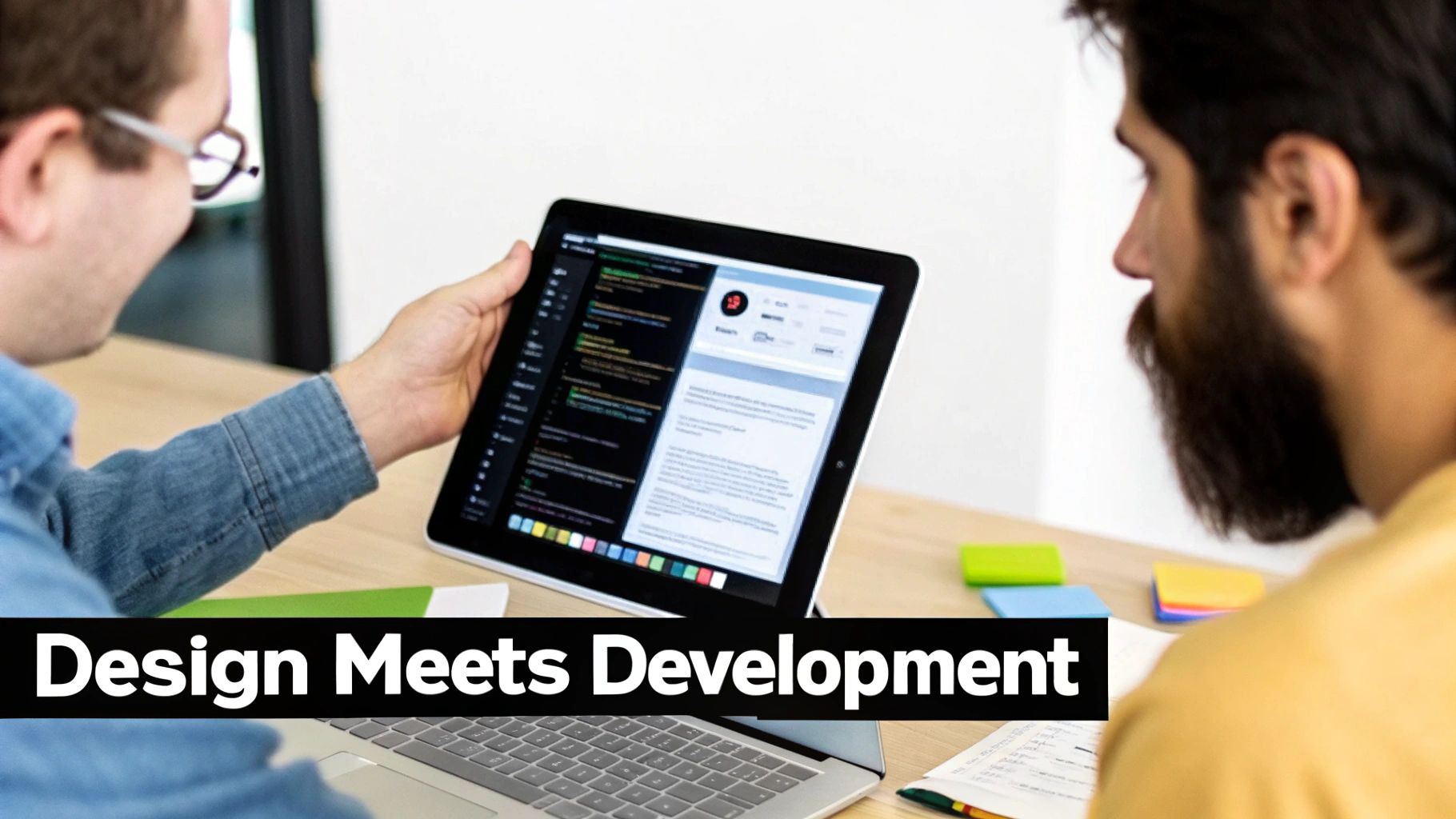
This kind of view shows a clickable prototype that simulates the user journey. It allows developers to feel the intended flow and see every interaction in action before they even start coding.
Of course, the process isn't always smooth sailing. A common sticking point is when a beautiful design creates a major technical headache. For instance, a complex, slick animation might look incredible in a prototype but could absolutely tank the website's loading speed and performance in the real world.
Key Insight: Great collaboration is built on constant communication. Developers need to flag technical issues early on, and designers must be willing to tweak their vision to fit real-world limitations.
This ongoing feedback loop is what guarantees the final website is not just stunning to look at, but also technically solid, fast, and accessible. It’s a balancing act that honors the expertise each pro brings to the project, ensuring the goals are met without cutting corners on quality. The best results always come when designers and developers see themselves as partners solving the same problem.
Exploring Career Paths and Salary Potential
When you're weighing a career in web design against one in web development, the money and long-term prospects are obviously a huge deal. Both fields offer solid, rewarding paths, but they definitely diverge when it comes to salary, job growth, and how much specialization can boost your income.
Let's be blunt: web development usually brings in a higher salary. It all comes down to the technical complexity. Companies are willing to pay top dollar for developers who can build and maintain the complex engines that run their websites and applications. That demand isn't going anywhere.
Developer Salary and Growth Outlook
For developers, specialized skills are a direct ticket to a bigger paycheck. Your salary really depends on what part of the "stack" you work on.
- Front-End Developer: These folks build what you see and interact with. They can expect to earn an average of $85,000 a year.
- Back-End Developer: Working behind the scenes on servers and databases, back-end pros often pull in salaries around $100,000 or more.
- Full-Stack Developer: The jack-of-all-trades who can handle both front-end and back-end work. Their versatility is rewarded, with average salaries often climbing past $110,000.
Job growth for developers is also on a tear—much faster than the average profession. It makes sense, as pretty much every business today needs a functional, high-performing website to survive.
Designer Salary and Market Trends
The web design world is no slouch either, even though the market is changing a bit. The industry as a whole is massive, with projections hitting $47.4 billion by 2025. But, it's true that the rise of DIY website builders and AI tools has put a squeeze on some traditional design jobs.
Despite that, a talented designer is still very much in demand, earning an average salary of about $70,000. You can dig deeper into these web design industry statistics to see the full picture.
Here's the inside scoop for designers: specialization is everything. A generalist "web designer" might find the market crowded. But a UX/UI designer who lives and breathes user research and strategic thinking? They can command salaries that are right up there with developers.
To give you a clearer picture, here’s a quick breakdown of how the two career paths stack up side-by-side.
Career Snapshot: Designer vs. Developer
| Metric | Web Designer | Web Developer |
|---|---|---|
| Average Salary | $70,000 | $98,000 |
| Specialization Impact | High (UX/UI can significantly increase earnings) | Very High (Back-end/Full-stack command top salaries) |
| Job Growth (BLS) | -13% (2020-2030) | +13% (2020-2030) |
| Key Skills | Creativity, Empathy, Visual Communication, UX/UI | Logic, Problem-Solving, Coding Languages, Databases |
Note: Salary and growth figures are averages and can vary based on location, experience, and specialization.
Ultimately, both careers can provide a great living. The real question is where you fit best. Do you thrive on the logical, problem-solving challenges of development, or are you drawn to the creative, user-focused world of design?
Either way, you’ll need to be a lifelong learner. Technology never stands still, and staying on top of the latest tools and trends is the only way to keep your career moving forward.
Choosing the Right Professional for Your Project
For any business owner, figuring out who to hire first—a web designer or a web developer—can feel like a high-stakes decision. Get it wrong, and you could burn through your budget without much to show for it. The trick is to take a hard look at what your project actually needs right now.
Are you starting with a blank slate and just a concept? Or do you have a fully designed, pixel-perfect mockup that just needs to be brought to life? Answering that one question will tell you exactly where to start.
When to Hire a Web Designer
You’ll want to bring a web designer on board when your needs are all about strategy and visuals. If you're wrestling with your brand's look and feel, trying to get inside your customers' heads, or just figuring out how people will move through your site, a designer is your first call.
A designer is perfect for tasks like:
- Crafting a complete brand identity, from logos to color palettes.
- Running user research to make sure the site structure makes sense for your audience.
- Building out wireframes and interactive prototypes in a tool like Figma.
- Mapping out the entire user interface (UI) and user experience (UX) from top to bottom.
Crucial Insight: Hire a designer when you need to nail down the "what" and "why" of your website. They create the strategic blueprint before any code gets written, ensuring the final site actually connects with your users.
When to Hire a Web Developer
On the flip side, it’s time to hire a web developer when the blueprint is done and you need someone to actually build the house. If you already have a finished design, your priority shifts to finding an expert who can translate those static images into a fully functional, live website. For a deeper dive, check out our guide on how to choose a website developer.
This infographic breaks down the decision-making process in a really simple way.
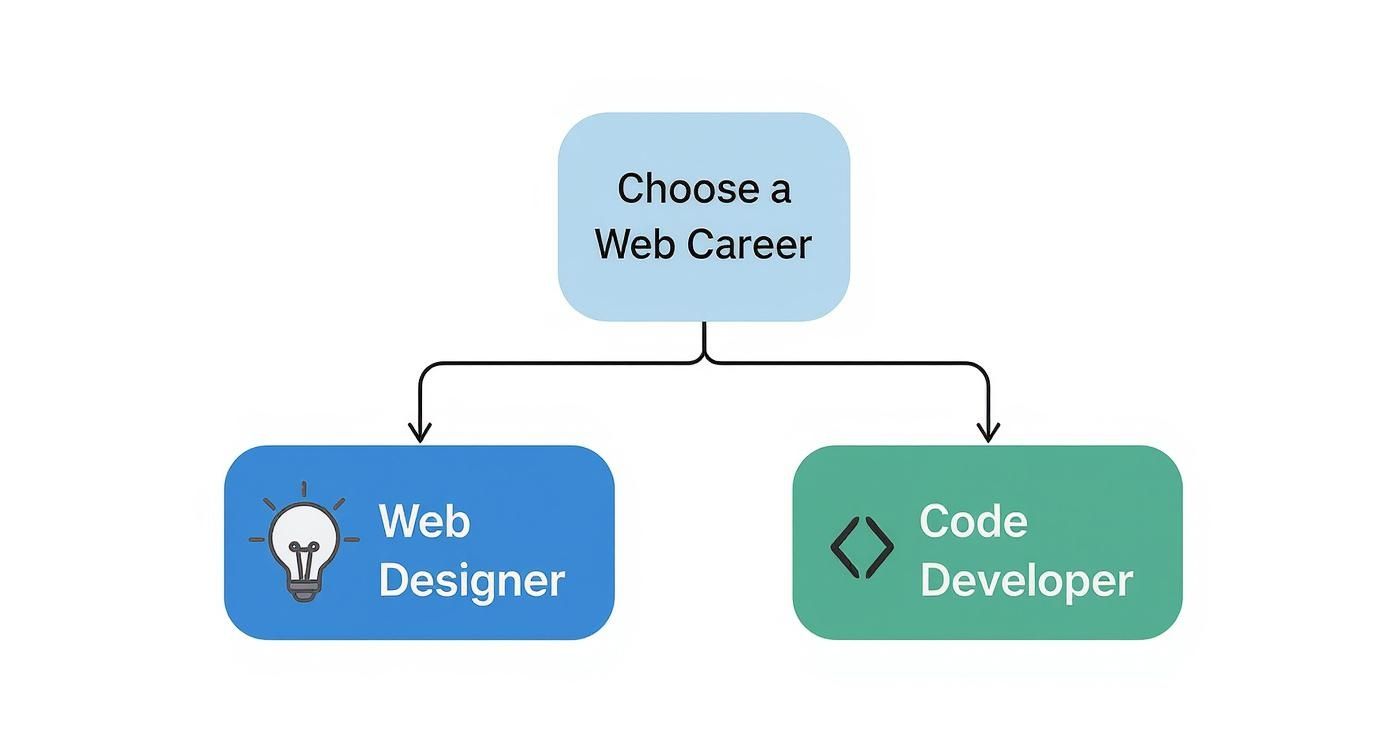
As you can see, the core difference comes down to creativity versus logic. Designers are the visionaries, while developers are the builders. Of course, for bigger projects, you'll need both—a designer to map out the vision and a developer (or a whole team) to make it happen. For smaller jobs, you might find a talented full-stack pro who can handle both sides of the coin.
Frequently Asked Questions
It's natural to have questions when you're trying to figure out the difference between web design and web development. Whether you're looking to hire someone or pick a career, getting the right answers is key. Let’s tackle some of the most common questions people ask.
Can One Person Do Both Web Design and Development?
They sure can. Someone who's skilled in both design and development is often called a full-stack developer. These are the pros who can take a project from a rough sketch on a napkin all the way to a fully functioning, live website.
But let's be realistic—being a true master of both is incredibly rare. Design and development pull from very different parts of the brain. One is all about creativity and user empathy, while the other is pure logic and technical precision. While plenty of developers have a good eye for design and many designers know their way around code, it's a huge challenge to be an expert in both. For anything complex, you'll almost always get a better result by hiring dedicated specialists.
Which Field Is Easier to Get Into?
That really comes down to how you're wired. If you're a visual thinker who loves putting yourself in other people's shoes, web design might click for you more naturally. You can jump into tools like Figma and start creating beautiful mockups pretty quickly, all without touching a line of code.
On the other hand, if you're someone who enjoys logic puzzles and structured problem-solving, development might be a better fit. The learning curve for programming can be steep, no doubt, but it's a very logical, step-by-step process. There are tons of entry-level developer jobs out there, but you'll need to have your coding fundamentals down cold.
The bottom line: Neither one is "easy." The right path depends on whether you'd rather solve problems with visual creativity or with logical code.
Do I Need to Code to Be a Web Designer?
Nope, you don't need to be a coding whiz to be a great web designer. Your main job is to design the user experience and create the visual look and feel of a site. You'll spend most of your time in design software, and what you hand over to the developer are mockups and prototypes, not working code.
That said, knowing the basics of HTML and CSS is a massive advantage. It helps you design things that are actually possible to build, which makes the handoff to a developer a thousand times smoother. A designer who gets the technical side of the web is always a more valuable teammate.
Ready to build a website that blends stunning design with powerful functionality? At OneNine, we provide expert development and management services to bring your vision to life. Learn more about our services.


