At its core, website development is all about using a specific set of tools and languages to bring a website to life. Think of it like a builder's toolkit. These technologies are generally split into three main areas: the front-end (what you see), the back-end (how it works), and the database (where information is stored).
Your Website's Architectural Blueprint
Building a website is a lot like building a house. You wouldn't just start throwing up walls without a detailed blueprint, right? In the digital world, website development technologies are that blueprint. They provide the structure and plan needed to turn a great idea into a real, functional online space people can actually use.
Just like a house has its visible exterior, all the hidden plumbing and wiring, and a foundation holding it all up, a website is built in distinct layers. Getting a handle on these layers is the first step in picking the right tools for your project.
The Three Core Layers of a Website
Every single website, whether it’s a simple personal blog or a huge e-commerce giant, depends on three key parts working together. A great way to think about it is like a restaurant.
-
Front-End: This is the dining room—everything the customer sees and interacts with. It’s the decor, the menus on the tables, the lighting. On a website, this translates to the layout, colors, fonts, and buttons you click on.
-
Back-End: This is the kitchen, the engine of the whole operation. Here, the chefs (the server-side code) take orders, prepare the food, and manage all the behind-the-scenes work. It’s the powerful machinery you never see that makes the website actually do things.
-
Database: This is the pantry. It’s where all the ingredients—customer info, product details, blog posts—are neatly stored and ready to be grabbed when needed.
This diagram gives you a clear picture of how different technologies fit into either the client-side (front-end) or server-side (back-end) of things.
You can see how the tools that create the user-facing experience are totally separate from the ones that manage the server and data. This separation is a cornerstone of how modern websites are built.
A huge part of making this blueprint work is effective systems integration, which is all about making sure these different layers and any third-party services can talk to each other without a hitch. Getting this right is what makes a user's journey feel seamless.
The magic really happens when the front-end, back-end, and database work in perfect harmony. They transform simple, static pages into living, breathing web applications. If one part fails, the whole experience can fall apart, which is why a well-thought-out plan is so important from day one.
It’s no surprise that the demand for people who can build these systems is skyrocketing. The global web development services market is expected to hit a massive USD 125.4 billion by 2030. You can check out the market growth report on Mordor Intelligence. By understanding these core ideas, you’re in a much better position to choose the right technologies to build your own digital vision.
Crafting the User Experience with Front-End Tech
The front-end is where your website makes its first impression. It’s everything a visitor sees, touches, and interacts with—the digital equivalent of your storefront. This is where a great design and smart functionality have to come together to create an experience that keeps people engaged.
Just like a building needs a solid frame, a coat of paint, and working utilities, your website's front-end relies on three core website development technologies that work hand-in-hand. Understanding how they fit together is the first step in seeing how a simple design becomes a living, breathing experience for your customers.
The Three Pillars of the Front-End
Think of building a webpage like building a house. You need structure, style, and a way for things to actually work. In the web world, each of these jobs is handled by a specific technology that brings the visual side of your site to life.
-
HTML (HyperText Markup Language): This is the skeleton of your website. HTML provides the basic structure, organizing content into paragraphs, headings, lists, images, and links. It’s the raw framework holding everything together, much like the steel beams and wooden frames of a house.
-
CSS (Cascading Style Sheets): If HTML is the skeleton, CSS is the interior designer. It’s in charge of the visual presentation—the colors, fonts, spacing, and overall layout. CSS takes that raw HTML structure and makes it look polished and professional, matching your brand’s identity.
-
JavaScript (JS): This is what brings your website to life. JavaScript handles all the interactive elements, from animated graphics and pop-up forms to dynamic maps. It’s the electrical wiring and plumbing that makes buttons clickable and allows content to update on the screen without a full page reload.
Together, these three are the foundation of just about every website you’ve ever visited. They are the essential tools for creating the part of the website your users actually see and use.
Speeding Up Development with Frameworks
Building a complex, modern website from scratch with just HTML, CSS, and JavaScript can take a huge amount of time. That's where front-end frameworks come in. A framework is essentially a collection of pre-written, standardized code that gives developers a massive head start.
Think of it like building a house with prefabricated walls and pre-hung doors instead of cutting every single two-by-four yourself. Frameworks provide that same efficiency for web development by offering ready-to-use components like navigation bars, buttons, and forms.
Using a framework helps developers build more complex and reliable applications, and do it much faster. It also helps keep the code consistent, organized, and easier to manage as your business grows.
A few popular front-end frameworks have become staples in the world of website development technologies, and each one has its own strengths.
- React: Created by Meta, React is famous for its component-based structure. This makes it perfect for building complex user interfaces where data is constantly changing, like a social media feed.
- Angular: Maintained by Google, Angular is a more comprehensive, structured framework. It's a go-to choice for large-scale, enterprise-level applications that need a rock-solid foundation.
- Vue.js: Known for being straightforward and easy to learn, Vue.js is a flexible framework that’s simple to drop into existing projects. It’s a favorite among developers who value flexibility and speed.
These tools don't just speed things up; they make it possible to build sophisticated web applications that feel as smooth and responsive as desktop software.
The Unstoppable Power of JavaScript
At the heart of all modern front-end development is JavaScript. Its incredible versatility has made it the undisputed king of web languages. According to 2024 survey data, JavaScript is used by over 62.3% of developers around the globe.
Its influence doesn't stop at the browser, either. Node.js—a tool that lets JavaScript run on a server—is the most widely used web technology overall, adopted by 41% of developers. This shows just how unique JavaScript is, powering both what the user sees and a lot of what goes on behind the scenes. You can dig deeper into these trends with Blacksmith Agency's web development statistics.
Powering Your Website with Back-End Technologies
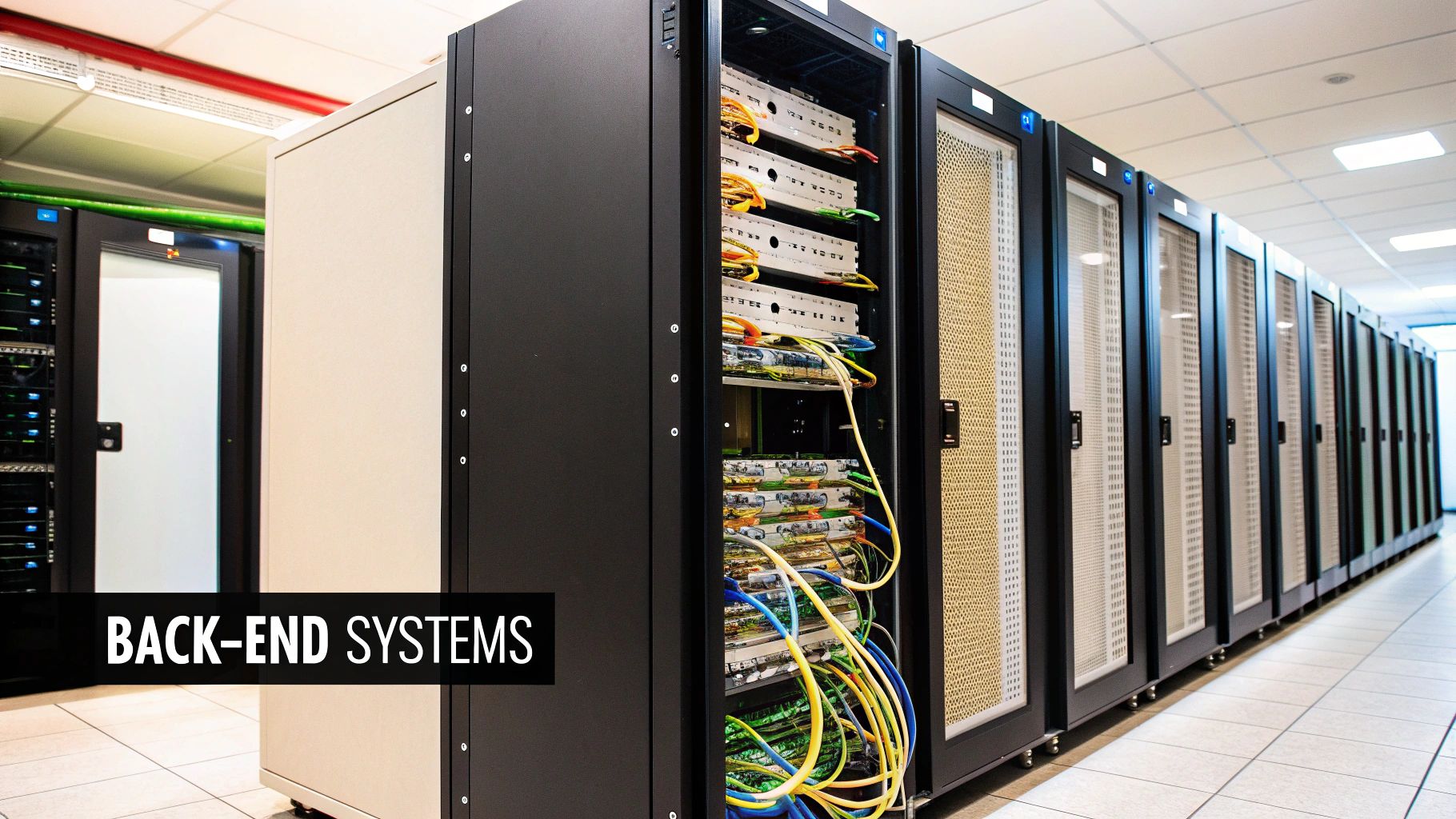
If the front-end is the polished storefront your customers see, the back-end is the warehouse, office, and power plant all rolled into one. It’s the invisible machinery that handles the heavy lifting, from processing a customer's order to securely managing user accounts. This is where the core logic of your website lives.
These powerful website development technologies are the behind-the-scenes workhorses that make sure everything a user does on the front-end actually works. Without a solid back-end, even the most beautiful website is just a static brochure—nice to look at, but not interactive.
The Engine Room of Your Website
I like to think of the back-end as having three main parts, each with a specific job. You’ve got the server (the building), the application (the team working inside), and the database (their organized filing system).
- Servers: A server is basically a powerful computer that "serves" your website's files to a user's browser whenever they type in your address. It’s the home where your website lives online.
- Server-Side Languages: These are the brains of the operation. Written in languages like PHP or Python, these instructions run on the server to handle requests, talk to the database, and carry out complex tasks.
- Databases: This is where all your website’s crucial information is stored and organized. From user login details to product inventory, the database keeps everything structured and easy to find.
Put them all together, and you have the backbone of any dynamic website, handling all the complex processes that happen out of sight.
Choosing Your Back-End Language
The server-side language you choose is a big deal; it dictates how your website's logic is built and how it will scale. There are a few heavy hitters in this space, each suited for different kinds of projects.
- PHP: As one of the original web languages, PHP is an absolute giant. It powers a staggering 77% of all websites with a known server-side language. If you've ever used WordPress, you've used a system built on PHP.
- Python: Known for its clean, readable code, Python is incredibly versatile. It's a powerhouse for data processing and machine learning, but it also shines in web development with frameworks like Django and Flask.
- Java: A robust, object-oriented language, Java is a favorite for huge, enterprise-level applications. Think complex banking systems or large-scale e-commerce platforms.
- Ruby: Famous for its elegant framework, Ruby on Rails, this language was built to make developers' lives easier and speed up development. It's a popular choice for startups for this very reason.
Honestly, the right choice often comes down to your project's needs, future growth plans, and the skills your development team already has.
How Databases Organize Your Information
Databases are much more than digital storage closets. They are highly organized systems designed to find and retrieve data in a flash. When a user logs into your site, the back-end application instantly queries the database to check if their username and password match.
You'll generally run into two main types of databases in modern web development.
Relational Databases (SQL): These databases, like MySQL and PostgreSQL, organize data into neat tables with rows and columns, just like a spreadsheet. They're incredibly reliable and perfect for things that need strict structure, like an e-commerce inventory.
Non-Relational Databases (NoSQL): Databases such as MongoDB are more flexible, storing data in a format that looks more like a document. This makes them great for handling massive amounts of unstructured data—think social media feeds or user-generated content.
The bridge between your application and the database is absolutely critical. This communication is handled by APIs.
The Role of APIs in Connecting Everything
An API (Application Programming Interface) is essentially a messenger that lets different software systems talk to each other.
Here’s a simple analogy: think of ordering food at a restaurant. You (the user on the front-end) tell the waiter (the API) what you want. The waiter takes your order to the kitchen (the back-end), which then prepares your meal (the data). Finally, the waiter brings the finished dish back to your table.
APIs allow your front-end to request information from the back-end without needing to know how the back-end actually works. This clean separation is what ensures that when a user clicks "Buy Now," the system can process the payment, update the inventory, and confirm the order—all in one seamless, invisible process.
Choosing the Right Content Management System
A Content Management System, or CMS, is the engine that runs your website behind the scenes. Think of it as the control panel for your entire digital presence. It’s what lets you or your team publish a blog post, update a product photo, or change a headline without ever having to call a developer or touch a line of code.
Picking the right CMS is a huge decision. It sets the foundation for how you'll manage your site day-to-day and how easily you can grow in the future. It’s all about finding the right balance of power, flexibility, and simplicity for your specific needs.
The Undisputed Market Leader: WordPress
When people talk about a CMS, they’re often thinking of WordPress. It’s an absolute giant in the industry, powering an incredible 43% of all websites on the internet. Its massive popularity comes down to a few key things: it’s open-source (meaning it's free to use), surprisingly easy to get started with, and backed by a colossal community of developers and designers.
With WordPress, you can build just about anything—a simple blog, a sophisticated corporate site, or even a massive online marketplace. Its real magic is in its endless adaptability.
- Vast Plugin Library: Need a contact form, an event calendar, or advanced SEO tools? There's a plugin for that. With over 59,000 free plugins available, you can add almost any feature you can dream up.
- Customization: Thousands of pre-made themes let you change your site's entire look in a few clicks. For something truly unique, developers can build a completely custom theme from the ground up.
- Strong Community: Because so many people use WordPress, finding tutorials, support forums, and expert help is never a problem.
The trade-off for all this power is that you're in charge of security, updates, and maintenance. That's why many businesses choose to work with a professional agency for their CMS website development to keep everything running smoothly.
The Rise of Headless CMS Platforms
A different, more modern approach that’s gaining a lot of steam is the headless CMS. A traditional CMS like WordPress keeps the "head" (the front-end design) and the "body" (the back-end content) bundled together. A headless CMS chops the head off.
What does that mean? It means your content lives in one central hub, but it can be sent anywhere via an API. You can push the same blog post to your website, your mobile app, and even a digital kiosk in a store, all from one place. This gives developers the freedom to build incredibly fast and unique user experiences using modern tools like React or Vue.js.
A headless CMS is perfect for businesses that need to deliver content across multiple digital platforms, not just a single website. It offers superior performance and security by separating the content management environment from the public-facing site.
Platforms like Contentful, Strapi, and Sanity are leading the charge here, giving teams ultimate control over how and where their content appears.
This diagram helps visualize some of the technical choices, like databases and infrastructure, that work behind the scenes to support your CMS.
Having a basic grasp of these concepts helps you understand what it takes to build a system that can grow with your business without breaking a sweat.
All-in-One Solutions for Simplicity
If all that sounds a bit too technical, don't worry. For many people, a simpler, all-in-one platform is the perfect fit. These services bundle your hosting, design tools, and CMS into a single, easy-to-manage package.
-
Shopify: If you’re selling products online, Shopify is the king. It’s built from the ground up for e-commerce, handling everything from payment gateways and shipping to inventory management. It just works.
-
Wix and Squarespace: These are the go-to options for creating beautiful websites without any technical background. Both Wix and Squarespace use intuitive drag-and-drop editors, which make them ideal for portfolios, small business sites, or anyone who values ease of use above all else. They might not have the raw power of WordPress, but they make up for it in simplicity.
To help you see how these platforms stack up, here’s a quick comparison of the most popular options.
Comparing Popular CMS Platforms
This table breaks down the major players by their market share, best-fit scenarios, and overall ease of use to give you a clearer picture of the landscape.
| CMS Platform | Market Share | Ideal For | Flexibility | Ease of Use |
|---|---|---|---|---|
| WordPress | ~63% of CMS market | Blogs, business websites, e-commerce, portfolios—virtually anything. | Very High | Moderate to Easy |
| Shopify | ~5.5% of CMS market | Small to large online stores; best-in-class for e-commerce. | Medium | Very Easy |
| Wix | ~3.5% of CMS market | Small businesses, portfolios, artists, and personal sites. | Low | Extremely Easy |
| Squarespace | ~3% of CMS market | Creatives, photographers, designers, and visually-focused brands. | Low | Extremely Easy |
| Headless CMS | Varies by platform | Multi-platform content delivery (apps, sites), high-performance needs. | Extremely High | Technical/For Developers |
Ultimately, there's no single "best" CMS—only the best one for you. A simple brochure website has completely different requirements than a global e-commerce operation. The key is to match the platform's strengths to your budget, technical comfort level, and long-term business goals.
Finding a Home for Your Website

Every single website, from a simple blog to a sprawling e-commerce empire, needs a place to live on the internet. This digital real estate is called web hosting.
Choosing the right home for your website is one of the most critical decisions you'll make. It directly affects your site's speed, its security, and whether it can handle a flood of new visitors as you grow.
Think of it like finding a place to live. You need a space that fits you perfectly right now but also has room to grow. The web hosting world offers a few different options, each with its own pros and cons, much like deciding between renting an apartment and owning a house.
The sheer size of the global web hosting market shows just how important this decision is. It was valued at USD 125.36 billion in 2025 and is expected to rocket to USD 355.81 billion by 2029. That kind of growth tells you everything you need to know about how vital the right hosting is for any online project.
Traditional Hosting Models Explained
For years, most website owners picked from three classic hosting types. Each one offers a different balance of control, power, and cost. Getting a handle on these is the first step to finding your perfect fit.
- Shared Hosting: This is like renting an apartment. It's affordable and someone else handles the maintenance, but you're sharing resources—like server space and processing power—with other websites. It's a fantastic starting point, but be warned: if your neighbor throws a massive party (gets a huge traffic spike), your site might slow to a crawl.
- Virtual Private Server (VPS) Hosting: Think of a VPS as a condo. You're still in the same building (a physical server) as others, but you have your own private, walled-off space with guaranteed resources. This gives you way more control and better performance than shared hosting, without the hefty price tag of a dedicated machine.
- Dedicated Server Hosting: This is the big one—the equivalent of owning your own house. You get an entire physical server all to yourself. This means maximum power, airtight security, and total control. It's also the most expensive option, usually reserved for high-traffic sites with very specific technical demands.
For those who need truly robust and scalable environments, it's also worth looking into advanced self-hosting solutions using technologies like Terraform, AWS, and ECS.
The Flexibility of Modern Cloud Hosting
There’s a newer, incredibly popular player in the game: cloud hosting. Instead of tying your website to a single server in one location, cloud hosting spreads your data across a vast network of connected servers. The result is pure flexibility.
Imagine your home could instantly expand or shrink based on how many guests you have. That's the magic of cloud hosting. It automatically scales your resources up or down to meet traffic demands, so you only pay for what you actually use.
Big names like Amazon Web Services (AWS), Google Cloud, and Microsoft Azure are the leaders here. Their pay-as-you-go model is both powerful and budget-friendly, making it a brilliant choice for any business that expects to grow.
Essential Add-Ons for Security and Speed
No matter which hosting plan you land on, two other pieces are completely non-negotiable for a modern website.
- SSL Certificate: An SSL (Secure Sockets Layer) certificate encrypts the connection between your website and its visitors. It’s what puts the "s" in "https" and gives you that little padlock icon in the browser bar. It’s absolutely essential for protecting user data, building trust, and even helps with search engine rankings.
- Content Delivery Network (CDN): A CDN is a global network of servers that stores copies of your website in different locations around the world. When someone visits your site, the content is delivered from the server closest to them. This dramatically speeds up loading times for a global audience, which is great for user experience and SEO.
Once you have your hosting and these key elements locked in, you’re ready to go live. For a detailed walkthrough of the final steps, check out our guide on https://onenine.com/how-to-publish-website/ and share your creation with the world.
How to Choose Your Technology Stack
Picking a technology stack for your website is a bit like choosing the right tools to build a house. You wouldn’t use a sledgehammer for finish carpentry, right? Similarly, the front-end, back-end, and database technologies you select need to be the right fit for the job.
There’s no magic formula or single "best" stack for every project. The ideal combination depends entirely on what you want to build. A simple marketing website has completely different needs than a massive e-commerce platform, so your technology choices have to line up with your vision.
Evaluate Your Project's Core Needs
Before you get sold on the latest and greatest framework, it's smart to take a step back and look at the fundamentals. Asking a few key questions can quickly narrow the field and define what you actually need your website development technologies to do.
-
How complex is the project? Are we talking about a simple five-page business site, or a sophisticated application with tons of data and real-time user activity? Simpler sites often do great with a classic LAMP stack (Linux, Apache, MySQL, PHP), while more complex apps might need the power of something like MERN (MongoDB, Express.js, React, Node.js).
-
What’s the budget? Many open-source tools like PHP and MySQL are completely free to use, which can keep your initial investment low. On the other hand, licensed software or specialized cloud hosting can get expensive fast. Thinking about your budget early on means you can explore strategies for efficiency and cost reduction in software development to make a choice that's sustainable.
-
Who is building this? The most amazing technology in the world is useless if no one on your team knows how to use it. If your developers are already experts in JavaScript or Python, sticking with that ecosystem will save a ton of time and money. If not, you’ll need to factor in the cost of hiring new talent.
Answering these questions honestly gives you a solid starting point, helping you steer clear of the wrong tools and find a stack that truly fits your project.
Plan for Future Growth and Scalability
A good tech stack doesn't just solve today's problems—it paves the way for tomorrow's growth. You have to think about scalability, which is just a fancy word for your website's ability to handle more traffic and features down the road. This should be on your mind from day one.
Think of scalability like the foundation of a building. If it’s weak, it will crack the moment you try to add a second story. A strong foundation, however, will support your growth for years, saving you from a massive, expensive rebuild later on.
For instance, many projects start with a monolithic architecture, where everything is built as one big, interconnected unit. It's simple to get going, but can become a nightmare to scale or update. A microservices approach, however, breaks the application into smaller, independent parts. This lets you update, fix, or expand one piece without taking the whole system down—giving you incredible flexibility as you grow.
This kind of forward-thinking is a crucial part of any solid website development process. It ensures the tech you choose today will still be working for you years from now.
Got Questions About Web Tech? Let's Clear Things Up.
Diving into website development can feel like learning a new language, and it's natural to have questions. Most business owners I talk to ask the same kinds of things. Getting straight answers to these common questions is the first step toward making smart, confident decisions for your project.
Let's break down a few of the big ones.
A question I hear almost every day is, "Should I go for a custom website, or is a template good enough?" The best analogy here is buying a suit. A template, like you'd find on Wix or Squarespace, is like an off-the-rack suit. It's quick, affordable, and usually looks pretty sharp. A custom website, on the other hand, is like a bespoke, tailored suit—it’s made to fit your business and its unique needs perfectly.
For a lot of small businesses just getting started, a template is a perfectly good choice. But if you have very specific business processes, need to connect with other specialized software, or are trying to build a truly one-of-a-kind brand experience, a custom build (often on a flexible platform like WordPress) is almost always the better long-term investment.
How Long Will It Take to Build My Website?
This is the classic "how long is a piece of string?" question. Honestly, it all comes down to what you're building. A simple, clean brochure-style website using an existing design might only take a few weeks to get up and running. But a sprawling e-commerce site with thousands of products, custom features, and complex integrations could easily take several months.
So, what moves the timeline? A few key things:
- Custom Design vs. Template: Crafting a unique look from scratch takes a lot more time than tweaking a pre-made template.
- Complex Features: Things like payment systems, customer login portals, or interactive booking calendars add serious development hours.
- Content, Content, Content: The project will fly if you have all your text, photos, and videos ready to go from the start. If not, waiting for content is one of the most common project delays.
The only way to get a real answer is with a detailed project scope. A clear plan that maps out every single page, feature, and design element is your best friend for locking down a realistic timeline and budget.
What’s the Difference Between a Web Designer and a Web Developer?
People often use these titles interchangeably, but they're really two sides of the same coin. Think of it this way:
A web designer is the architect. They're focused on the big picture—the look, the feel, and how a user will actually experience the site (often called UX). They create the visual blueprint for what the website will become.
A web developer is the builder. They take that blueprint from the designer and use code—like HTML, CSS, and JavaScript—to actually construct the website. They’re the ones who make sure everything works, that it looks great on your phone, and that it’s secure. Occasionally you'll find someone who does both, often called a "full-stack" developer.
At OneNine, we have both the architects and the builders under one roof. We take care of the entire process, from the initial design concept all the way to the final, functioning website. This means you can focus on running your business while we handle all the technical details.


