

UX design principles are the invisible pillars holding up every great website. Think of them less as strict rules and more as a trusted roadmap for creating digital experiences that just work—experiences that feel natural, intuitive, and genuinely helpful to your visitors.
What Are UX Design Principles and Why They Matter
Ever been to a grocery store where the aisles aren't labeled, the milk is next to the motor oil, and the checkout counter is hidden in the basement? It's confusing and frustrating. That’s exactly what a website feels like to a user when it ignores core UX principles. These aren't just abstract theories; they're the practical foundation for making your site logical and easy to use.
Putting your user at the center of your design isn't just a nice idea—it's a critical strategy for business growth. When you prioritize clarity, consistency, and usability, you're not just improving the design; you're directly boosting your bottom line. This focus has a real impact on your key metrics by:
- Building Customer Trust: A website that is predictable and easy to navigate feels professional and reliable. This makes visitors more confident in doing business with you.
- Reducing Bounce Rates: When people can find what they’re looking for right away, they stick around. They don't get frustrated and leave.
- Increasing Conversions: A smooth, intuitive path from landing on your site to taking action—like making a purchase or filling out a form—removes the friction that costs you sales.
The Foundation of Modern Interfaces
These ideas aren't brand new. They have a long history rooted in making technology feel more human, especially since the personal computing boom of the 1980s. Pioneers like Don Norman and the forward-thinking teams at Xerox PARC were the ones who really laid the groundwork for the user-friendly interfaces we now take for granted.
In fact, Don Norman officially coined the term "User Experience" when he joined Apple in 1993 as their first ‘User Experience Architect.’ His goal was to capture every single aspect of a person's interaction with a product. His legendary 1988 book, The Design of Everyday Things, introduced concepts that are still so relevant they've been shown to reduce user errors by 25-35% in today's applications.
At its core, user experience design is about empathy. It's the practice of seeing the world through your users' eyes to solve their problems before they even have to ask. This deep understanding is what separates a good product from a great one.
To get the most out of these principles, it helps to understand frameworks like the Design Thinking Process. It gives you a structured way to empathize with users, define their problems, and create effective solutions. By pairing solid principles with a proven process, you build a site that not only looks great but performs even better.
If you’re just starting to dive into this world, our introductory guide on what user experience design is is a great place to get a wider perspective.
The 7 Core UX Design Principles Your Website Needs
Ever used a website that just felt… right? Where finding what you needed was effortless? That’s not an accident. It’s the result of solid UX (User Experience) design principles.
Think of them as the unwritten rules for creating a digital space that’s intuitive, helpful, and even enjoyable. They’re what separate a confusing, frustrating website from one that builds trust, keeps people coming back, and ultimately grows your business.
Let's walk through the 7 essential principles that can make or break your website's success.
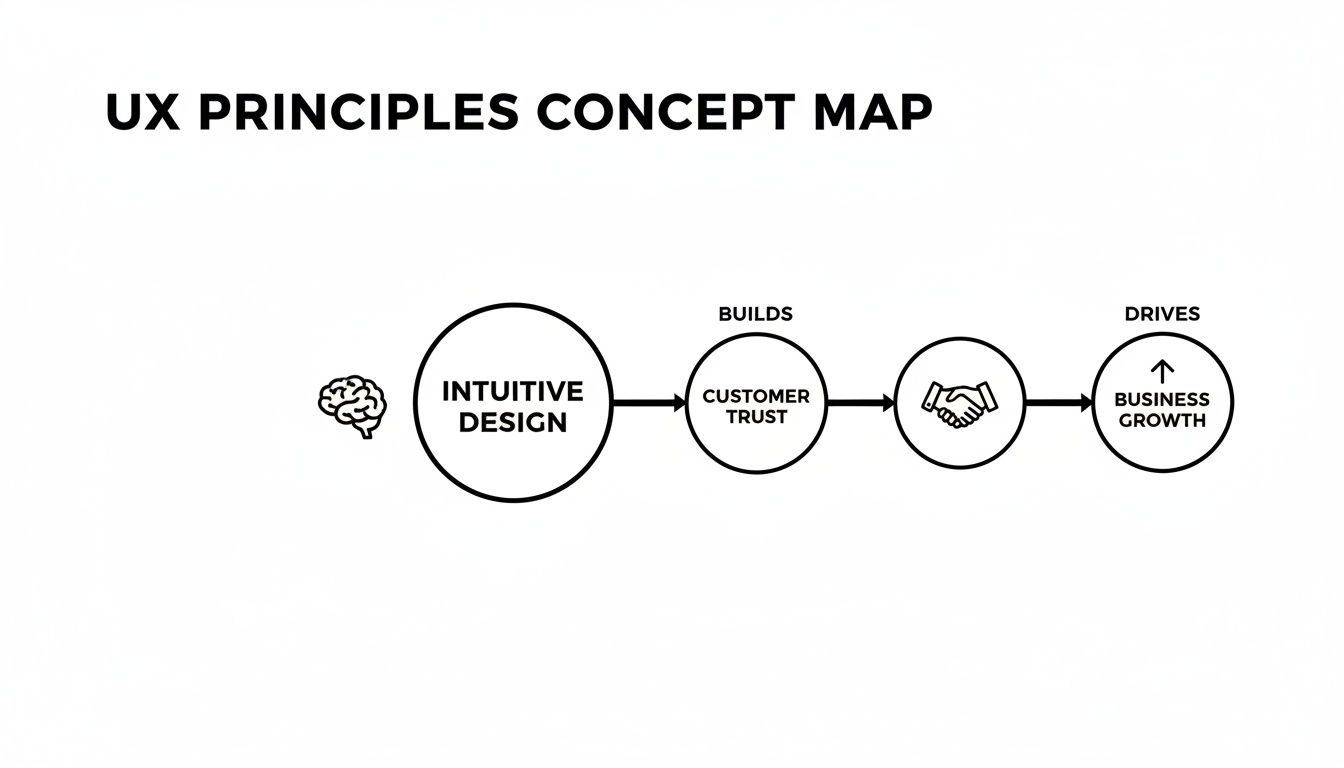
The map above gets right to the point: a smooth user journey isn't just a nice-to-have. It’s the direct path to earning customer trust and seeing real business growth.
1. Hierarchy
When someone lands on your page, their eyes need a roadmap. Visual hierarchy provides that by telling them, "Look here first, then here, then here." It’s about arranging elements to show what’s most important.
Without it, everything on the page screams for attention at once, leaving your visitor overwhelmed and likely to just click away. It's like walking into a party where everyone is shouting—you can't focus on a single conversation.
You create this visual order using simple cues:
- Size: Bigger things grab more attention. Your main headline or call-to-action should be one of the largest elements on the screen.
- Color & Contrast: A bright button on a muted background is impossible to miss. Use color strategically to make key actions pop.
- Placement: We naturally read in patterns. Placing key information at the top or center of the page signals its importance instantly.
A well-organized page guides the user’s eye, making the content feel scannable and easy to digest.
2. Consistency
Consistency is the secret ingredient that makes a website feel familiar and dependable. It means your buttons, links, and menus look and act the same way on every single page.
This isn’t about being boring; it's about being predictable. When users don't have to relearn how to navigate with each click, they feel more confident and in control. This builds a subtle but powerful sense of trust.
Think about two types of consistency:
- Internal: This is all about consistency within your own site. The "Add to Cart" button should look the same on every product page.
- External: This means following common web conventions. Users expect the company logo to be a link back to the homepage in the top-left corner—don't reinvent the wheel.
By being consistent, you lower the "cognitive load" on your users, freeing them up to focus on what they actually came to do.
3. Feedback
Have you ever clicked a button and had nothing happen? For a split second, you wonder, "Did it work?" That moment of uncertainty is what feedback is designed to eliminate.
Feedback is your website’s way of talking back to the user. It confirms their actions and tells them what’s happening. A simple color change when you hover over a button, a spinner while a page loads, or a "Message Sent!" confirmation are all crucial forms of feedback.
Good feedback is:
- Immediate: It happens right after the user acts.
- Clear: There's no mistaking what it means.
- Informative: It tells the user the result of their action (success, error, processing).
These little signals turn a one-way interaction into a responsive conversation, making the user feel heard and reassured.
4. User Control
Nobody likes to feel trapped. This principle is all about giving users a sense of freedom and control over their experience. They should be able to navigate freely, go back easily, and undo mistakes without a fuss.
The classic "undo" button is a perfect example. It’s a safety net that encourages people to explore because they know they can easily reverse a mistake. The same goes for a clearly marked "Cancel" button on a checkout form or a simple "X" to close a pop-up.
Designing with user control in mind means designing for forgiveness. It’s about building clear exits and second chances into your website, so users never feel stuck.
5. Accessibility
At its core, accessibility means designing your website so it can be used by everyone, including people with visual, auditory, motor, or cognitive disabilities.
But here’s the thing: designing for accessibility almost always makes the site better for every user.
Think about it. Captions on a video are essential for someone who is hard of hearing, but they’re also a lifesaver for anyone watching in a loud office. High-contrast text is crucial for someone with low vision, but it also makes your site much easier to read on a phone in bright sunlight. Making your site accessible isn't just the right thing to do; it's a smart business move that expands your audience.
6. Usability
Usability is the ultimate gut-check for your design. It answers one simple question: how easy is it for someone to use your website? If people can't find what they need or struggle to complete a simple task, even the most beautiful design is a failure.
We measure usability by looking at a few key things:
- Learnability: How fast can a new visitor figure things out?
- Efficiency: Once they know their way around, how quickly can they get things done?
- Memorability: If they come back a month later, will they remember how to use it?
- Error Prevention: Does the design help people avoid making mistakes in the first place?
- Satisfaction: Was it a pleasant experience?
Usability is about clarity over clutter. It's about creating the shortest, simplest path for your users to achieve their goals. For a deeper look, check out our guide on applying user-centered design principles.
7. User-Centricity
This last one is the most important because it wraps all the others together. User-centricity is the philosophy of putting your users at the absolute center of every decision you make. It’s about designing with empathy.
This isn't a new-age web concept. Back in 1955, Walt Disney was obsessed with user-centricity at Disneyland. His "Imagineers" were guided by rules like "Know your audience" and "Wear your guest's shoes" to create a magical experience. That same audience-first mindset is why great websites today see 30-50% higher engagement—the experience simply feels like it was made for them.
To be truly user-centric, you have to get out of your own head. You need to talk to real users, understand their frustrations, and watch them interact with your site. When you design for them, and not just for yourself, you create something that truly connects.
Putting UX Design Principles Into Practice
Alright, you’ve got a handle on the core UX principles. That’s the hard part. Now, let’s talk about putting that knowledge to work. This isn't about tearing down your website and starting from scratch; it’s about making smart, targeted tweaks that pack a serious punch. Think of this as your practical guide to getting real results.
You'd be surprised how many game-changing improvements don't require a huge budget or a full-time design team. It often just comes down to seeing your website through your customer's eyes and smoothing out the bumps in their journey. Even small, simple changes can lead to big wins in how people engage with your site and, ultimately, how many of them become customers.

Your Actionable UX Checklist
Let's start where it matters most: your high-traffic pages. Your homepage, key service or product pages, and your contact page are the perfect places to begin because improvements here have the biggest impact. The goal is to make every click and every interaction feel intuitive and effortless.
Here’s a simple checklist to get you rolling:
- Declutter Your Navigation Menu: Is your main menu a laundry list of options? That's a classic case of "decision paralysis." Try to whittle it down to 4-6 essential items that point users exactly where they need to go.
- Strengthen Your Calls-to-Action (CTAs): Take a hard look at your buttons. Are they clear? Do they inspire action? Ditch generic words like "Submit" or "Click Here" for something compelling, like "Get Your Free Quote" or "Download the Guide." Make them pop with a color that stands out from the rest of the page.
- Optimize Your Contact Forms: Nothing kills a lead faster than a long, complicated form. Only ask for what you absolutely need right now. A name, email, and a message box is often all it takes to start a conversation.
- Improve Readability: Nobody wants to read a wall of text. Break up long paragraphs. Use clear headings, subheadings, and bullet points to guide the reader's eye and make your content scannable. One study even found that just improving layout and typography can boost comprehension by 11%.
Test Your Changes Without a Big Budget
You don't need a fancy usability lab to get feedback. In fact, some of the most valuable insights come from quick, low-cost tests that show you how real people interact with your site. The whole point is to find where they get stuck or confused.
A great place to start is the "five-second test." Seriously, just show someone your homepage for five seconds, then take it away. Ask them what they remember and what they think your business does. If they can’t tell you, your core message isn't landing.
"The best way to get a true measure of your website's usability is to watch someone else use it. You’ll be amazed at what you learn when you stop assuming and start observing."
Another fantastic technique is simple task-based testing. Grab a friend or colleague who isn’t familiar with your site and ask them to do something specific, like find a particular product or sign up for your newsletter. Then, just watch them. Don’t help. Their pauses, frustrations, and wrong turns are a goldmine of information, showing you exactly what needs fixing.
If you want to map out these changes before you start coding, our guide on how to create website mockups is a great next step. It’ll help you visualize the improvements and bring these principles to life.
Measuring the Impact of Your UX Improvements
Making changes to your website based on UX principles feels like a step in the right direction, but how do you know if they’re actually working? You can't just rely on a gut feeling. The real answer is found by looking at the data and connecting your design improvements to real-world business results.
Think of your website's analytics as its pulse. Tools like Google Analytics provide a clear view into how people are actually using your site. By tracking a few key numbers, you can stop hoping your design is better and start knowing it is.

Key Metrics That Tell the Story
You don't need to get lost in a sea of data. Just start by focusing on a handful of high-impact numbers that tell you a lot about the quality of your user experience.
Here are the essentials to keep an eye on:
-
Bounce Rate: This is the percentage of people who land on a page and leave without clicking anything else. Think of it as a first impression gone wrong. A high bounce rate often means the page didn't deliver what the visitor expected. When this number drops, it's a great sign your design is doing a better job of pulling people in.
-
Session Duration: This one's simple: how long are people sticking around? Longer average sessions are a good indicator that users are engaged, find your content valuable, and aren't struggling to navigate. If this metric ticks up after a redesign, you’re on the right track.
-
Conversion Rate: This is the big one. It’s the percentage of visitors who take the action you want them to, whether that's filling out a form, signing up, or making a purchase. A higher conversion rate is direct proof that your UX improvements are making it easier for people to become customers.
Looking Beyond the Numbers
While hard data tells you what is happening, it doesn't always tell you why. That's where getting direct feedback from your users comes in. Combining the numbers with real human insights gives you the full story.
Gathering direct feedback is like having a conversation with your customers. It turns anonymous data points into actionable human insights, revealing friction points you might have never found on your own.
You don't need a complicated setup to start gathering this feedback. Try these simple methods:
- On-site surveys: A small pop-up asking, "Was it easy to find what you were looking for today?" can be incredibly revealing.
- Feedback forms: A simple "Share Feedback" link in your footer gives users an easy way to report problems or offer ideas.
This approach—combining data with user feedback—is nothing new. It’s rooted in usability testing, a practice that's been a cornerstone of great design for decades. Way back in 1990, usability was already being defined by metrics for effectiveness and satisfaction, which later became global standards.
For a small business, this history highlights a crucial lesson: constantly testing and refining your site based on real feedback is how you avoid common mistakes and build an experience that truly connects with your audience. You can learn more about how these ideas developed in this brief history of UX design. By tracking these metrics and, more importantly, listening to your users, you can confidently prove the value of investing in great UX.
Common UX Mistakes and How OneNine Can Help
Knowing the core UX design principles is a huge step forward, but even the most well-intentioned businesses stumble into common traps. These aren't just minor design flaws; they're conversion killers that quietly frustrate visitors and send them straight to your competitors.
One of the biggest mistakes we see is prioritizing flashy visuals over simple, clear function. Businesses get caught up chasing the latest design trends without asking a fundamental question: "Does this actually help my customer?" The result is often a site that looks impressive at first glance but is a nightmare to navigate, hiding key information behind confusing animations or overly creative layouts.
Another massive misstep is treating the mobile experience as an afterthought. With over 60% of website traffic now coming from phones, a site that isn't built for a smaller screen is essentially telling the majority of its visitors, "We don't care about you." A shrunken-down, clumsy version of your desktop site just won't cut it anymore.
The Real Cost of Bad UX
These mistakes have very real consequences that hit your bottom line hard. When people can't easily find what they came for, they don't just get annoyed—they leave. This leads directly to a few painful outcomes:
- Lost Sales and Leads: Every visitor who gives up in frustration is a potential sale you'll never see. A confusing checkout or a hidden contact form can single-handedly cripple your revenue goals.
- Damaged Brand Credibility: A clunky, unprofessional website makes your whole business look untrustworthy. It suggests a lack of care, and customers will naturally assume that carelessness extends to your products or services.
- Wasted Marketing Spend: You can pour thousands of dollars into ads to get people to your site, but if the experience is broken, that money is going down the drain. A high bounce rate is a clear sign your marketing is leading people to a dead end.
It's a vicious cycle. The website, which should be your hardest-working employee, ends up actively working against the business it's supposed to grow.
How OneNine Steers You Clear of the Pitfalls
This is where having an experienced partner changes everything. At OneNine, we don't just build websites; we design user-focused digital experiences that are built from the ground up to avoid these very pitfalls. Our entire process is rooted in the UX design principles that turn casual browsers into loyal customers.
We always start by getting to know your users—what are their goals, what frustrates them, and what do they expect from you? This user-first approach means every decision we make serves one purpose: making your customer's journey as smooth and intuitive as possible.
We believe that a great website isn’t just about looking good. It’s about creating a clear, efficient path for users to achieve their goals, which in turn helps you achieve yours.
Instead of chasing trends, we focus on timeless principles like clarity, consistency, and accessibility. We help you sidestep the common mistakes by building a solid foundation based on what we know works. Whether it’s designing a simple, mobile-first navigation menu or optimizing your contact forms to get you more leads, our expertise is your safeguard against costly UX blunders.
When you partner with OneNine, you get more than a web developer. You get a strategic ally dedicated to building an online presence that not only looks professional but also works tirelessly to grow your business. We connect the dots between your challenges and our solutions, turning your website into your most powerful asset.
Got Questions About UX Design? Let's Get Them Answered.
Thinking about user experience often brings up a lot of practical questions. Most business owners I talk to know that focusing on UX design principles is important, but they’re not always sure where to start or what to expect.
Let's tackle some of the most common questions head-on so you can move forward with a clear plan.
What's This Going to Cost Me?
It’s the first thing everyone asks, and for good reason. The most helpful way to look at UX isn't as a cost, but as an investment in your business's ability to grow. The price tag can swing wildly, from small tweaks you handle yourself to a complete, ground-up strategic overhaul.
There's no one-size-fits-all number. A small business might invest a few hundred dollars to fix a frustrating checkout process, while a larger company could budget for extensive user research and A/B testing. The good news is that meaningful improvements can fit almost any budget—and even small changes often deliver a surprisingly high return by increasing conversions and keeping customers happy.
The real question isn't whether you can afford to invest in UX. It's whether you can afford not to. A poor user experience is already costing you—in lost leads, abandoned carts, and a reputation that doesn't reflect the quality of your work.
Can I Fix the UX on My Current Website?
Absolutely. One of the biggest myths is that improving UX means you have to scrap your entire website and start from scratch. While a total redesign is the right call sometimes, it's almost never the only option.
More often than not, small, targeted changes make the biggest difference. Think of it like tuning up an engine instead of replacing the whole car. By zeroing in on specific pain points—a confusing navigation menu, a slow-loading page, a hidden "contact us" button—you can make your existing site work so much better.
- Small Tweaks, Big Impact: Start by applying basic principles like clarity and consistency to your most critical pages.
- Focus on Hotspots: Improving the user's path on your homepage or a key service page will have a positive ripple effect everywhere else.
- No Demolition Needed: The goal is steady, measurable improvement, not a sudden, disruptive teardown.
This approach is more affordable, less risky, and lets you actually see the impact of each change as you make it.
If I Can Only Do One Thing, Where Should I Start?
If you're going to focus on just one thing first, make it clarity. Every other UX principle rests on this foundation. Before a user can admire your sleek design or appreciate your easy navigation, they have to understand what you do and why they should care.
Within seconds of landing on your site, a visitor should have an answer to three simple questions:
- Where am I? (Is this a plumber, a marketing agency, a bakery?)
- What can I do here? (Can I book a call, buy a product, read a blog?)
- Why should I do it? (What's in it for me?)
If the answers aren't dead simple and immediate, you've likely already lost them. Making sure your core message is crystal clear and your calls-to-action are impossible to misunderstand is the single most powerful first step you can take. Get clarity right, and everything else becomes easier.
At OneNine, we specialize in putting these core UX principles into practice to build websites that don't just look good—they get results. Learn how our design and development services can help grow your business.


