
Picking a technology stack isn't just an IT decision. It's a fundamental business choice that will define how your project grows, scales, and adapts for years to come. Get it right, and you've built a solid foundation for success. A mismatch, however, can saddle you with technical debt and expensive do-overs down the road.
Choosing the Right Foundation for Your Project

Let's cut through the jargon and create a simple framework for making a smart decision that actually aligns with your business goals.
The tools you choose become the digital DNA of your website or application. They influence everything—your development speed, hiring costs, and your ability to roll out new features. With the global technology market expected to hit $5.8 trillion in 2025, growing at 5.2% from 2024, the pressure to make the right tech choices has never been higher. For a deeper dive, you can explore more technology growth statistics and see the bigger picture.
What Makes Up a Tech Stack
At its core, a tech stack is just the bundle of software and tools used to build and run an application. Think of them as the different materials you'd use to construct a house. Every web or mobile app relies on a combination of technologies, which fall into two main camps:
-
The Frontend (Client-Side): This is everything your visitors see and click on. It’s the visual layer—the layout, colors, and buttons—built with HTML, styled with CSS, and made interactive with JavaScript (and often a framework like React or Vue.js).
-
The Backend (Server-Side): This is the engine under the hood. It’s where the real work happens: processing data, managing user accounts, and talking to the database. This side uses programming languages like Python or Node.js, a server, and a database like MySQL or MongoDB.
These two sides constantly communicate. The frontend sends a user's request to the backend, which figures out what to do, pulls information from the database, and sends the right response back to the user's screen.
A well-chosen tech stack is not just a collection of popular tools. It is a carefully selected ecosystem where each part complements the others to solve a specific business problem efficiently and scalably.
Why Your Choice Matters So Much
This isn't about chasing the latest, trendiest framework. The stack you choose has real, long-term consequences for your budget and your team's agility. A poor fit can lead to a slow website, security risks, and a nightmare scenario where you can't find developers to maintain it.
On the flip side, the right stack makes development faster, scaling a breeze, and provides a stable launchpad for future ideas.
Before you get lost comparing specific technologies, it’s essential to step back and think about the big-picture criteria. This initial planning is your best defense against costly mistakes.
To get you started, here's a quick rundown of the core factors you should be thinking about.
Core Criteria for Technology Stack Selection
| Evaluation Criteria | Key Question to Ask | Why It Matters |
|---|---|---|
| Project Requirements | What does this application actually need to do? | Your stack must align with your project's complexity, features, and performance needs. |
| Scalability | Can this stack grow with our user base and traffic? | Choosing a scalable stack prevents performance bottlenecks and costly re-platforming later. |
| Team Expertise | What technologies does my team already know well? | Leveraging existing skills accelerates development and reduces the learning curve and hiring costs. |
| Development Cost | What is the total cost of building and maintaining this? | Consider licensing fees, developer salaries, and infrastructure costs to stay within budget. |
| Time to Market | How quickly can we build and launch with this stack? | A faster launch can provide a critical competitive advantage and quicker user feedback. |
| Community & Support | Is there a strong community and good documentation? | A vibrant community ensures you can find help, libraries, and tutorials when you get stuck. |
Thinking through these questions first will give you a clear map for navigating the options and making a choice that truly serves your business for the long haul.
Laying Out Your Project's Technical Blueprint
Before you even think about specific technologies, you need a crystal-clear picture of what you're building. This is where you translate your business vision into a practical technical blueprint. It's about getting concrete, moving from lofty goals to solid requirements that will steer every decision you make down the road.
Jumping straight into a debate like React vs. Vue without this blueprint is a classic mistake. It's like trying to buy lumber before you know if you're building a garden shed or a skyscraper. You have to define the project's scope and its real needs first. A little planning here saves a world of headaches and costly changes later.
A good way to frame this is to think about the entire Software Development Life Cycle. This helps you consider not just the initial build, but the whole journey—from idea to launch and beyond.
How Complex Is This Thing, Really?
The very first question to ask is: what are we actually building? The answer will dramatically narrow down your options. A simple marketing site and a complex software platform are two entirely different beasts.
Your project will probably fit into one of these buckets:
- Simple Projects: Think static sites, marketing landing pages, or a small business brochure website. The main goals here are usually speed and easy content updates, with very little custom functionality.
- Mid-Complexity Projects: This is where you find dynamic websites, blogs with comment sections, or small e-commerce stores. These need a database, a way for users to log in, and connections to tools like payment gateways or email services.
- Complex Projects: We're talking large-scale e-commerce, social networks, or data-heavy SaaS applications. These projects demand a powerful backend, the ability to scale for thousands of users at once, and serious security measures.
Being brutally honest about your project's complexity helps you immediately filter out tools that are either too weak for the job or complete overkill.
What Are the Absolute Must-Haves?
Once you know the scale, it's time to list the non-negotiable features. This isn't a "nice-to-have" wishlist; these are the core functions the project needs to survive.
Get a document open and map out every single thing your users need to be able to do.
- For an e-commerce store: This means user accounts, a product catalog, a shopping cart, secure checkout, and a way to manage orders.
- For a booking platform: You'd need a real-time calendar, user profiles, payment processing, and automated email reminders.
- For a content site: A simple content editor (CMS), search functionality, and social sharing buttons are likely essential.
Pinpointing these features early gives you a ton of clarity. For instance, if you know you need a real-time chat feature, that immediately points you toward a technology like Node.js, which is great at handling that kind of thing.
Your technical blueprint is the bridge between your business goals and the code that brings them to life. A poorly defined blueprint leads to a shaky foundation, while a clear one ensures every technical choice serves a distinct purpose.
Setting Your Performance and Security Standards
Finally, you need to define what "good" actually looks like. Vague goals like "make it fast" are useless. You need to set specific, measurable targets that will guide your architectural choices.
Focus on these key areas:
- Traffic Load: How many users do you realistically expect at launch? What about in a year? An application built for 10,000 concurrent users looks very different from one built for 100.
- Response Times: Aim for specific numbers. For example, "all key pages must load in under 2 seconds." We know from countless studies that this is a critical cutoff for keeping users engaged.
- Data Security: What kind of data are you handling? If it involves payments or personal info, you have to comply with standards like GDPR or PCI DSS. This isn't optional, and it will heavily influence your choice of database, hosting, and backend tech.
By defining these three things—complexity, features, and benchmarks—you create a comprehensive blueprint. This document becomes your north star, turning the process of choosing a tech stack from a guessing game into a logical exercise.
Matching Your Stack to Your Team's Expertise
Look, even the most powerful tech stack is just a pile of tools. Its real potential is only unlocked by the people using it. It's so easy to get lost in feature lists and performance benchmarks, but I've seen it time and time again: the human element is what makes or breaks a project. If you ignore what your team already knows, you're just setting yourself up for delays, budget overruns, and a whole lot of frustration.
The most practical starting point is a brutally honest look at your team's current skills. What languages, frameworks, and platforms are they already comfortable with? Building on that existing expertise can slash your development time and save you from having to pay for expensive training programs.
Start With the Talent You Already Have
Before you jump on the latest, trendiest framework everyone's talking about, do a quick inventory of the skills in your own backyard. This isn't about limiting your choices; it's about being smart with your resources.
Get specific with your questions:
- Frontend Skills: Is your team full of React experts, or are they more comfortable in Vue or Angular?
- Backend Experience: Do they live and breathe Node.js, or is their expertise in Python with Django or PHP with Laravel?
- Database Comfort Zone: Are they SQL wizards with PostgreSQL, or do they prefer NoSQL solutions like MongoDB?
When you build on what your team already knows, they can get started right away, build faster, and squash bugs more efficiently. You aren't just saving a few bucks on training; you're cashing in on years of hands-on experience. That’s an asset you can’t buy.
The best tech stack isn't always the most cutting-edge one. It's the one your team can actually use to solve business problems. Prioritizing what your team knows almost always delivers a better ROI than chasing a "perfect" but unfamiliar technology.
When to Train vs. When to Hire
Of course, you can't always stick with what you know. Sometimes a project just demands a technology that's new to your team. When that happens, you’ve got a big decision to make: train your current team or hire new talent?
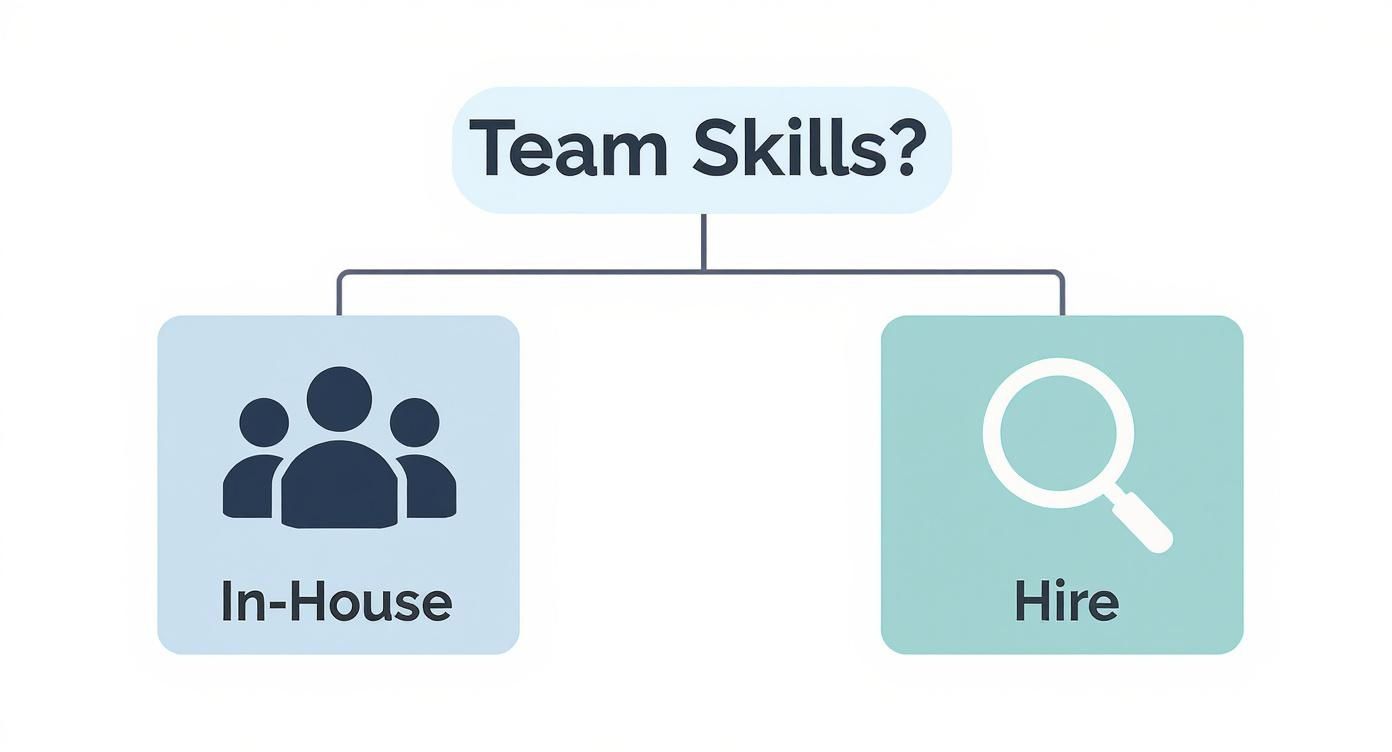
Training your current team is a fantastic move when the new tech is a natural next step from what they already do (like moving from one JavaScript framework to another). It's a great way to invest in your people and build loyalty. Just be realistic—factor in the learning curve and what it’ll do to your project timeline.
Hiring external experts is the way to go when the skills you need are a major leap from what you have in-house, or when you absolutely have to get to market fast. If you need a mobile app but your whole team is web-based, bringing in a seasoned mobile developer is a no-brainer. Our guide on how to hire developers can walk you through finding the right person for the job.
What Does the Talent Market Look Like?
Your decision also has long-term consequences for hiring down the road. Building your stack on some obscure, niche language might seem elegant, but it can turn into a huge headache when you need to grow your team.
This is where looking at the broader market is a huge help. For example, developer surveys consistently show that JavaScript is the most popular programming language on the planet. That means there's a massive global talent pool that knows stacks like MERN (MongoDB, Express, React, Node.js). Choosing a popular stack gives you access to more qualified developers, which usually makes hiring quicker and less expensive. In fact, some reports show that companies using modern JavaScript stacks have seen up to a 40% faster time-to-market. You can learn more about how tech stacks impact development speed in recent industry analyses.
Ultimately, picking a stack is a balancing act. You have to weigh the perfect technical solution against the practical realities of your team and the talent pool. By grounding your decision in what your team can do, you put your project on a much smoother, faster, and more sustainable path.
4 Common Tech Stacks And When To Use Them
With your project goals in mind, let’s dig into the actual tools. You’ve got a world of options, but for most small businesses and marketing teams, the choice usually comes down to one of four main paths. The real trick is matching the right tool to the job, not forcing a tool to do something it wasn’t built for.
Here’s a practical look at four popular approaches. I’ll break down their strengths, weaknesses, and the specific situations where each one truly shines.
1. WordPress: The Content-First Powerhouse
You can't talk about websites without mentioning WordPress. It's the undisputed king of content management, running an incredible 43% of all sites on the internet. What started as a humble blogging platform has grown into a powerful system that can handle everything from a simple business site to a complex membership portal.
Its biggest draw is its sheer flexibility. Thanks to a massive library of themes and plugins, you can add just about any feature you can dream up—from e-commerce with WooCommerce to sophisticated SEO tools. But that flexibility comes with a catch: you're in charge of updates, security, and performance. For a deeper dive, our https://onenine.com/cms-comparison/ breaks down exactly how it stacks up against other platforms.
- Best For: Content-heavy sites, blogs, and marketing websites where you need deep customization without a huge upfront cost.
- Pros: Insanely customizable, a massive community for support, an endless plugin ecosystem, and relatively low initial costs.
- Cons: Needs regular maintenance. If you don't keep things updated, you can run into security problems, and too many plugins will slow your site to a crawl.
2. Shopify: The Turnkey E-commerce Giant
If your main goal is selling products online, stop right here. Shopify was built from the ground up for e-commerce, and it shows. It’s an all-in-one, fully hosted solution that handles your product catalog, payment processing, shipping, and inventory—all straight out of the box.
This "it just works" approach is Shopify's magic. You never have to think about servers, security patches, or technical upkeep because Shopify handles it all. That frees you up to focus on what actually matters: your products and your customers. The trade-off is that you're playing in their sandbox. You have less control over the underlying code and will pay transaction fees on every sale.
- Best For: Any e-commerce business, from a side hustle to a massive enterprise, that wants reliability and ease of use above all else.
- Pros: Incredibly simple to set up, rock-solid security and performance, and a great app store for adding new features.
- Cons: Transaction fees can add up, you have less creative freedom than open-source platforms, and monthly costs can climb as you add more apps.
3. Webflow: The Designer's Dream
Webflow sits in a sweet spot between basic drag-and-drop builders and full-blown custom development. It gives you a powerful visual canvas to build professional, highly custom websites without ever having to write code. It's become a fast favorite for designers who crave total creative freedom without the headache of managing a traditional tech stack.
It truly excels at creating gorgeous marketing sites and landing pages with rich animations and interactions. While it does offer CMS and e-commerce features, they aren't as robust as what you’d get from a dedicated platform like WordPress or Shopify.
Webflow is the perfect example of picking a stack for a specific strength. In this case, that strength is design-forward presentation and lightning-fast visual development.
- Best For: Marketing teams, designers, and agencies that are building visually stunning websites and need pixel-perfect control.
- Pros: Unmatched visual design capabilities, outputs clean and efficient code, and offers excellent performance and security as a hosted platform.
- Cons: The learning curve is steeper than other builders. Plus, its CMS and e-commerce tools are still playing catch-up to the market leaders.
4. Custom Stack: The Ultimate Control
Sometimes, an off-the-shelf solution just won't cut it. For projects with truly unique requirements, a custom stack is the only answer. This means building your website or application from scratch using a combination of technologies like the MERN (MongoDB, Express.js, React, Node.js) or LAMP (Linux, Apache, MySQL, PHP) stacks.
This route gives you absolute, unlimited control and scalability. You own every line of code and can build any feature exactly the way you want it. Of course, this power comes at a price. It's by far the most expensive and time-consuming option, and you'll need a skilled development team to pull it off. You'll also need to make deeper technical choices; for example, a Node.js vs JavaScript decision guide can help you understand the nuances between a language and its runtime environment.
- Best For: SaaS products, complex web apps, and businesses with highly specialized needs that no existing platform can meet.
- Pros: Total control over every feature and performance detail, can be scaled infinitely, and you're never limited by a third-party platform.
- Cons: Extremely high development and ongoing maintenance costs, a much longer timeline to launch, and requires deep technical expertise to build and manage.
How to Future-Proof Your Technology Choices
https://www.youtube.com/embed/_1IKwnbscQU
Choosing a tech stack feels a lot like planting a tree. You don't just pick something that looks good for a season; you need something that will grow strong and stand tall for years. Your stack has to solve today's problems without becoming tomorrow's roadblock. It needs to handle growth without falling over.
This kind of foresight is more critical than you might think. Despite massive investments in digital transformation, projects only have a 35% success rate. On the flip side, companies using modern, scalable tech report up to 70% faster query performance and see a 50% lower total cost of ownership. As this in-depth data transformation report shows, planning for the future isn't a luxury—it's just smart business.
Planning for Scalability
So, what does "scalability" actually mean when the rubber meets the road? It’s your stack’s ability to handle more users, more data, and more features without grinding to a halt.
Think about it: if your marketing campaign goes viral overnight, will your website crash under the pressure, or will it gracefully handle the flood of new visitors?
There are two fundamental ways a system scales:
- Vertical Scaling (Scaling Up): This is like upgrading your car’s engine. You add more power—a faster CPU, more RAM—to your existing server to handle a bigger load. It’s a straightforward approach, but you’ll eventually hit a physical ceiling.
- Horizontal Scaling (Scaling Out): This is more like adding more cars to your fleet. Instead of beefing up one server, you add more servers and distribute the work across them. While it's more complex to set up, this approach offers almost limitless room to grow.
Most large-scale applications today are built for horizontal scaling, so it's wise to pick technologies that play well with that model from the start.
Choosing Architectures That Grow With You
The way your application is structured—its architecture—has a huge impact on how well it can adapt over time. Many projects start with a monolithic architecture, where everything is built as one big, tightly-connected unit. Monoliths are simple to get off the ground, but they can quickly become bottlenecks, making every update slow and risky.
A monolith is like a Jenga tower—pulling out one piece can make the whole thing wobble. A modern architecture, in contrast, is like a set of Lego blocks, allowing you to add, remove, or change pieces without disturbing the rest of the structure.
To avoid getting painted into a corner, modern development leans on more flexible designs:
- Microservices: This approach breaks down a big application into a collection of smaller, independent services. Each one handles a specific function (like user accounts or payment processing) and can be developed, deployed, and scaled on its own.
- Serverless: This model takes things a step further by letting you run code without thinking about servers at all. Often paired with cloud hosting, this approach is incredibly efficient for handling unpredictable traffic and can seriously slash your operational costs.
Bet on Technologies with Strong Communities
Finally, one of the best ways to future-proof your stack is to pick technologies that people are actually using and improving. A framework or language with a vibrant developer community is a massive asset.
It means you get a steady stream of updates, security patches, and third-party tools to work with. When you hit a roadblock, chances are someone has already solved the same problem and posted the answer online.
Before you commit, do a little digging. Does the technology have a public roadmap? Is it backed by a stable organization? Answering these questions helps ensure your stack will stay relevant and secure for years, saving you from a painful and expensive rebuild down the line.
Common Questions About Choosing a Tech Stack
Alright, even with a solid plan, a few big questions always pop up when it's time to pick a tech stack. It's totally normal to get stuck wondering about the real costs, whether you can change your mind later, and what all the jargon actually means.
Let's clear the air. I'll walk you through the most common concerns I hear from clients, giving you the straightforward answers you need to move forward with confidence.
What's This Really Going to Cost Me?
This is usually the first thing people ask, and for good reason. But the sticker price of a platform or a developer's hourly rate is just the tip of the iceberg. To get the full picture, you need to think in terms of the Total Cost of Ownership (TCO). This isn't just about what you pay today; it's about the entire financial commitment over the life of your website.
The true cost is a mix of a few key things:
- Upfront Fees: This is the easy part. A platform like Shopify has a predictable monthly subscription. A custom build using open-source tools like the LAMP stack (Linux, Apache, MySQL, PHP) might have zero licensing fees.
- Hosting and Infrastructure: Your website needs a home. This could be a simple shared hosting plan for a few bucks a month or a more robust cloud setup on AWS or Google Cloud, which can scale into the thousands.
- People Power: Let's be honest, this is often the biggest line item. Hiring developers costs money, and rates vary wildly. A popular stack like MERN (MongoDB, Express, React, Node.js) has a huge talent pool, which can keep hiring competitive. A more obscure technology? You'll likely pay a premium for that specialized expertise.
- Keeping the Lights On: A website is never "finished." You have to budget for security patches, software updates, bug fixes, and general upkeep. A managed platform like Webflow bundles this into your subscription. With an open-source stack, you're paying a developer to handle it.
Sometimes, a low initial cost can fool you into thinking you got a deal, only to get hit with hefty maintenance bills down the road. You have to weigh all these elements together.
Can I Just Switch to a Different Tech Stack Later?
The simple answer is yes, you can. But it's almost never easy or cheap. Moving your website from one core technology to another is a process called migration, and it's a massive undertaking. In many cases, it’s just as complex and costly as building the whole thing over again from scratch.
Think of your tech stack as the foundation of your house. You can't just swap out the concrete slab without a monumental effort and a whole lot of risk.
Migrating a tech stack is serious business. You're looking at potential data loss, customer-facing downtime, and a huge bill for development hours. It’s a last resort, not a casual upgrade.
You’d only ever consider a migration in a few extreme scenarios:
- Your business has scaled so much that your current tech simply can't keep up.
- A key piece of your stack has become obsolete and is no longer being supported (this is a big security risk).
- You're hitting performance or security walls that are impossible to solve on your current platform.
Since it’s such a painful process, the best strategy is to put in the effort now to choose a scalable, well-supported stack from the get-go. A little foresight today can save you from a world of hurt tomorrow.
What’s the Difference Between a "Tech Stack" and a "Framework"?
This one trips a lot of people up, but it's actually pretty straightforward.
A technology stack is the whole toolkit—the entire collection of software and services needed to build and run your application. It’s everything from the server's operating system and the database to the programming languages themselves. The classic LAMP stack is a perfect example; it gives you every layer you need.
A framework, on the other hand, is just one tool within that toolkit. It’s a pre-written collection of code and rules for a specific programming language, designed to make a developer's job faster and more organized.
Let's try a workshop analogy:
- The Tech Stack is the entire workshop: It’s the building, the electricity, the workbenches, the saws, and all the raw lumber.
- A Framework is a specific power tool: Think of a nail gun (like the Django framework for Python) or a high-end table saw (like the React framework for JavaScript). These tools help you build things far more efficiently than you ever could by hand.
So, you don't choose between a stack and a framework. You use frameworks as part of your stack to build better and faster.
At OneNine, we live and breathe these kinds of decisions. We help businesses build websites that not only look great but are built to last on the right foundation. Whether you’re leaning toward WordPress, Shopify, Webflow, or a fully custom solution, our team can help you make the right call and manage your site for long-term success. See how we make website management simple.


