
Think of website security monitoring as a digital alarm system combined with a round-the-clock security guard for your online presence. It’s the continuous, active process of scanning, analyzing, and defending your site against the never-ending stream of digital threats.
What Is Website Security Monitoring
Imagine your website is a real-world, brick-and-mortar shop. You wouldn't dream of leaving it unlocked overnight without security cameras, an alarm system, or someone keeping watch. That's precisely what website security monitoring does for your digital storefront—it protects your most valuable online asset 24/7. It’s not a one-time setup; it’s an ongoing commitment to spot trouble and stop it before real damage is done.
This proactive stance is critical because, whether you realize it or not, your website is constantly being tested by would-be attackers. The average website deflects 94 attacks every single day, with automated bots probing for weaknesses around 370 times daily. With an estimated 12.8 million websites currently infected with malware, the danger is very real. You can get a clearer picture of the risks by looking at the latest web security stats.
Why It Is a Continuous Process
Cybersecurity is never a "set it and forget it" task. New vulnerabilities are found every day in the software, plugins, and platforms we all use. At the same time, hackers are constantly inventing new ways to get past digital defenses.
A website without continuous monitoring is like a ship navigating a storm with its radar turned off. You might be fine for a while, but you won’t see the danger until it’s too late. This ongoing vigilance is what separates a secure website from an easy target.
An effective monitoring cycle is all about staying ahead. It involves:
- Scanning: Routinely checking your site for malware, outdated software, and known security gaps.
- Analyzing: Keeping an eye on website traffic, server logs, and file changes to spot anything out of the ordinary.
- Alerting: Immediately notifying you or your security team the moment a problem is detected.
- Responding: Taking swift action to block attacks, clean up infections, and patch security holes.
Common Threats Prevented by Website Security Monitoring
A solid monitoring strategy is your first line of defense against the most common attacks that can disrupt a small business. It’s a comprehensive shield that protects your revenue, reputation, and customer data.
Here’s a quick look at the kinds of threats it helps neutralize.
| Threat Type | Description | How Monitoring Helps |
|---|---|---|
| Malware Injection | Malicious code is secretly added to your site to steal data or infect visitors. | Regular scans detect and remove malicious files before they can execute. |
| DDoS Attacks | Your server is flooded with fake traffic, making your site unavailable to real users. | Traffic analysis identifies and blocks malicious traffic sources in real-time. |
| Brute Force Attacks | Attackers use automated bots to guess login credentials repeatedly. | Login attempt monitoring flags and blocks suspicious IP addresses after failed attempts. |
| SQL Injection | Hackers exploit form fields to manipulate your database and steal sensitive information. | A Web Application Firewall (WAF) inspects and blocks malicious database queries. |
Ultimately, this constant watchfulness ensures your digital storefront stays open for business and remains a place your customers can trust.
The Pillars of a Strong Security Strategy
Good website security isn't about a single tool you install and forget. It's a system—a web of interconnected defenses all working together. Think of it like securing your house. You don't just lock the front door and call it a day, right? You have deadbolts, an alarm system, sensors on the windows, and maybe a camera or two. Each piece plays a specific, vital role.
Your website needs that same layered approach. A solid security strategy is built on several key pillars that monitor different aspects of your site's health. This shifts you from reacting to problems after they happen to proactively spotting trouble before it ever impacts your customers or your bottom line.
This diagram shows how a complete monitoring strategy protects against the most common threats you'll face.
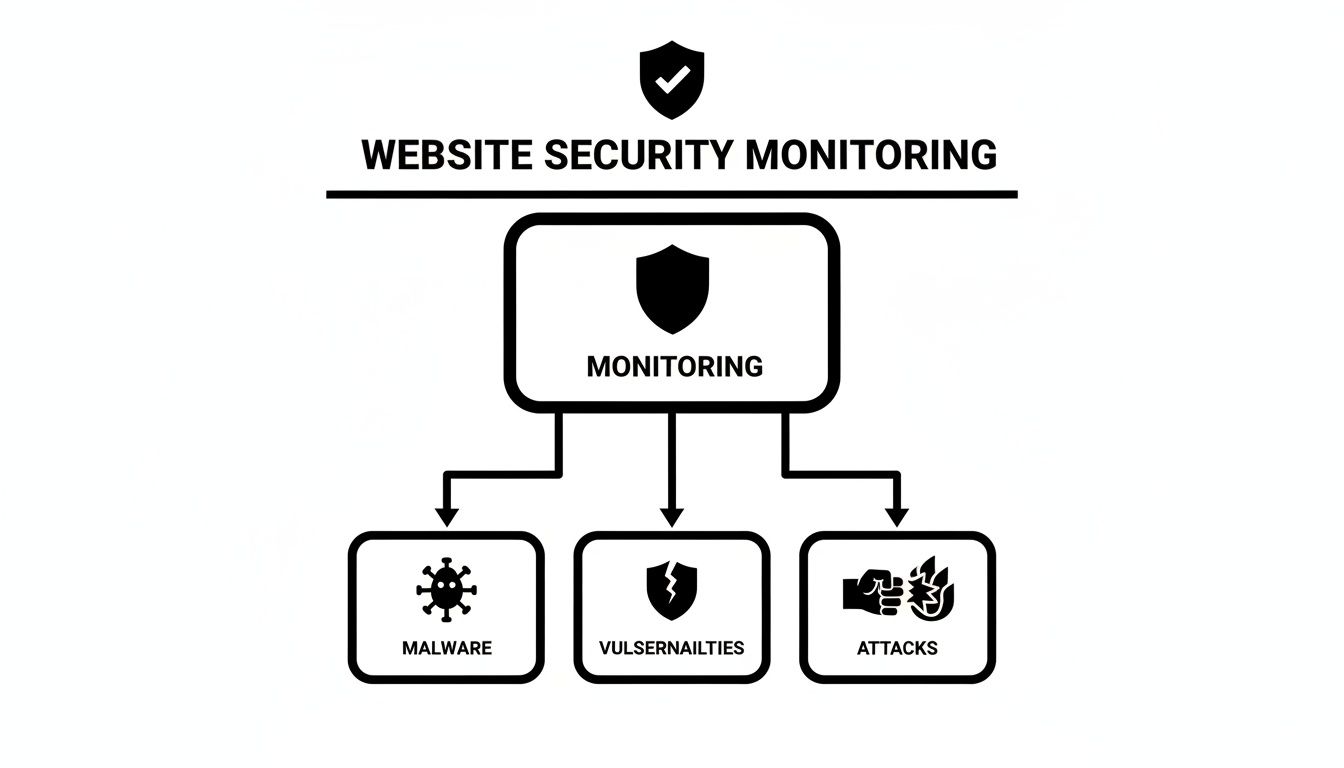
As you can see, a robust plan creates a protective shield against malware, exploits, and direct attacks—the stuff that keeps business owners up at night.
Foundational Uptime and Performance Checks
Let's start with the most fundamental question: "Is my site actually online and working?" This is where uptime monitoring comes in. It’s like a constant pulse check, pinging your website from different locations around the world to make sure it's available for visitors.
When your site goes down, you're not just losing out on sales. Your reputation takes a hit, and so can your search engine rankings. Uptime tools give you instant alerts the moment your site is unreachable, letting you jump on server issues or hosting problems before they cause real damage.
Malware and Vulnerability Scanning
Just because your site is online doesn't mean it's safe. Malware is nasty software designed to steal customer data, deface your content, or hijack your server for criminal activity. The tricky part is that it often hides deep within your website’s files, totally invisible to the naked eye.
- Malware Scanning: This is essentially an antivirus for your website. It regularly combs through your files, database, and code, looking for known malware signatures and suspicious activity.
- Vulnerability Scanning: This part is more proactive. It checks for known security weaknesses in your site's software—like your CMS, plugins, or themes. Think of it as an inspector checking for unlocked windows or weak doors that a burglar could easily get through.
A website can be up and running but still be dangerous for visitors. Regular scanning is the only way to be sure your digital storefront is not only open for business but also a safe place for customers.
Integrity Checks and Firewall Management
These next two pillars are all about actively defending the core of your website and blocking threats before they can even get close.
File integrity monitoring is a crucial, yet often overlooked, defense. It works by taking a digital "fingerprint" of your core website files. The system then constantly compares the live files to that original snapshot. If a file is ever changed, added, or deleted without your permission, you get an immediate alert. This is your first warning that a hack might be in progress.
A Web Application Firewall (WAF), on the other hand, acts as a guard standing between your website and all incoming traffic. It analyzes every request and blocks malicious ones based on a set of security rules. It’s like a bouncer at a club, turning away known troublemakers before they can get inside and cause chaos.
Managing these components properly is a cornerstone of digital defense. For a deeper dive on who should have access to these systems, this complete security roadmap for access control is a great resource. Putting all these pillars in place is one of the most important website security best practices you can adopt for your business.
How Proactive Monitoring Actually Works
It's one thing to know the list of security tools, but it's another thing entirely to understand how they all work together. Proactive monitoring isn't just about installing some software and hoping for the best; it’s about creating a constant, vigilant cycle of watching, analyzing, and acting to protect your website 24/7.
Think of it like the security system for a physical store. You have cameras watching the entrances (traffic monitoring), sensors on the windows (integrity checks), and an alarm that goes off if someone tries to break in (alerting). All these pieces work in concert to provide real protection.
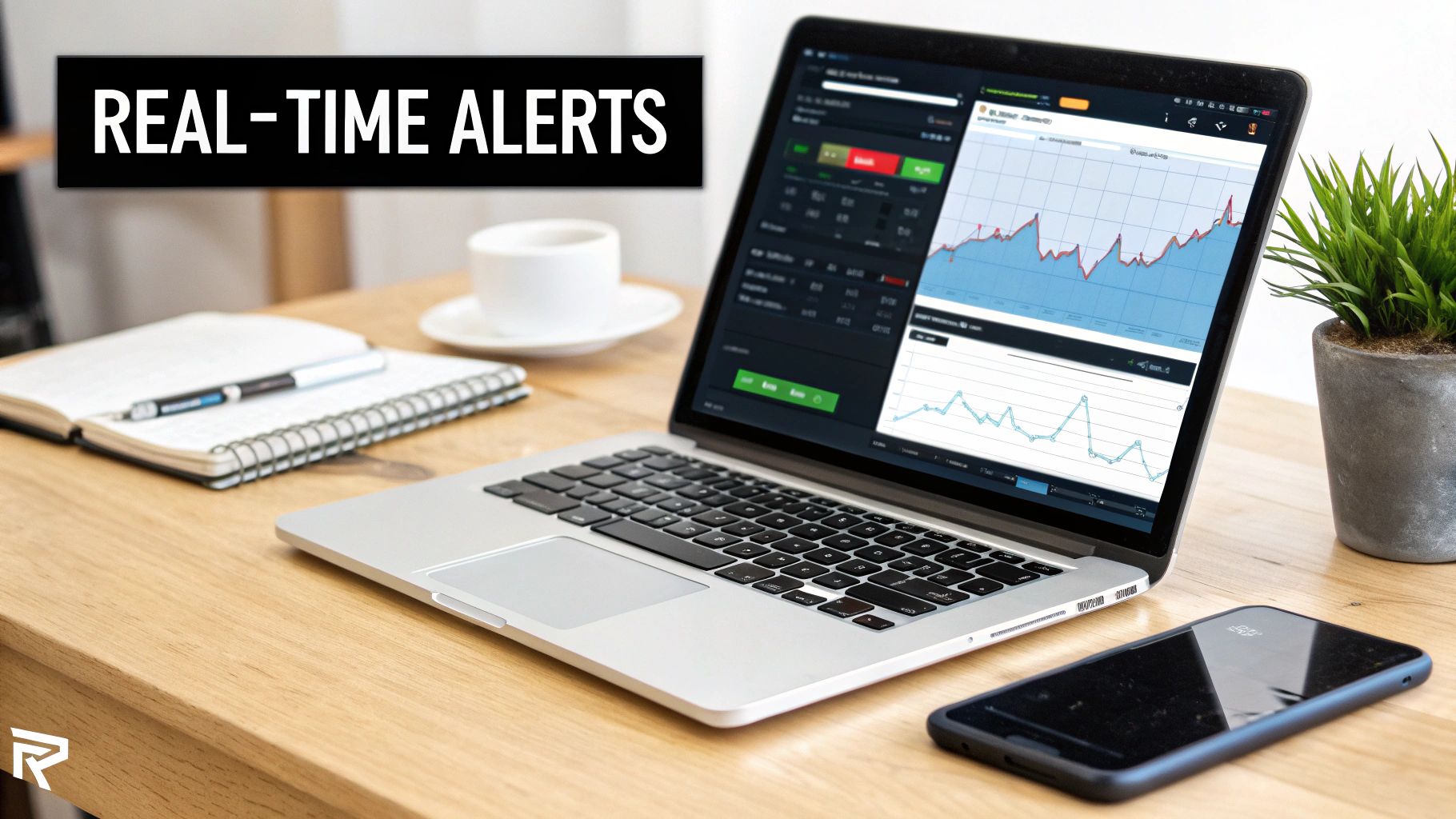
Your website's security monitoring system functions on the same principle. It keeps a constant eye on your site's "vital signs" and sounds the alarm the second something looks wrong.
The Cycle of Automated Defense
This isn't a one-and-done scan. It’s a continuous loop that runs quietly in the background, making sure nothing slips through the cracks.
This cycle breaks down into three key phases that happen over and over:
-
Scanning and Analysis: Automated tools are always working. Malware scanners sift through your website's files. Vulnerability scanners check for outdated code. Uptime monitors ping your server every few minutes from different parts of the world. This is all about gathering data and knowing what "normal" looks like for your site. To see how this piece works, you can check out our guide on how to monitor website uptime effectively.
-
Traffic and Log Inspection: At the same time, tools like a Web Application Firewall (WAF) and log monitors are inspecting every single visitor and every action on your server. They’re trained to spot suspicious patterns, like someone trying to log in with the wrong password dozens of times or injecting strange code into a search bar.
-
Alerting and Action: The moment a tool finds an issue—a bit of malware, a weird spike in traffic, a file that was changed without permission—it triggers an instant alert. This is the alarm bell. It immediately notifies your security team or provider so they can jump in and neutralize the threat before it does any real damage.
Shortening the Critical "Dwell Time"
In the world of cybersecurity, there’s a crucial metric called dwell time. This is the gap between the moment a hacker gets in and the moment you actually find out about it. The longer that gap, the more time they have to steal data, deface your site, or use it to attack your customers.
The entire point of proactive monitoring is to shrink that dwell time—from what could be months down to just minutes. When you catch an attack as it's happening, you rob the attacker of the one thing they need: time.
Without this kind of monitoring, you might not discover a breach until a customer emails you, your web host suspends your account, or Google flags your site with a big red warning. At that point, the damage is done.
Proactive monitoring completely flips the script. It means you’re the first to know, not the last. A firewall might block the initial wave of an attack, while a file integrity scan catches the one tiny change the hacker snuck through. Each layer acts as a safety net, turning security from a reactive nightmare into a manageable, proactive process that keeps your business safe.
Choosing the Right Security Monitoring Service
Picking a partner to protect your website is one of the most important decisions you'll make for your business. This isn't just about buying software; it's about trusting someone with your revenue, your customer data, and your reputation. The market is crowded with options, from do-it-yourself plugins to fully managed services, so knowing what to look for is absolutely critical.
Making a smart choice means looking past the price tag and the marketing slogans. You need a partner who gets your specific situation and can deliver a service that matches the risks your business actually faces.
Think of it like hiring a security firm for your physical store. You wouldn't hire a team without knowing their response time, what they'd do during a break-in, and if they've ever protected a business like yours before. The exact same logic applies to website security monitoring.
Your Evaluation Checklist for Providers
It's easy to get lost in the technical jargon when you're comparing security providers. To cut through the noise, just focus on the practical outcomes and guarantees that will directly impact your business.
Use this checklist to ask the right questions and find a partner you can truly count on.
-
Guaranteed Response Times: When your site is under attack or down, every single second counts. You need to ask potential providers about their Service Level Agreement (SLA). An SLA is a formal promise that defines how quickly they'll act when something goes wrong. Vague assurances like "we respond quickly" just don't cut it. Look for a concrete time frame, like a guaranteed one-hour response to critical alerts.
-
Scope of Services and Cleanup: This is a huge one. Does the service just find problems, or do they actually fix them? Many basic monitoring tools will happily tell you your site is infected with malware but leave the stressful, complicated cleanup process entirely up to you. A real security partner provides an end-to-end service, which means they handle detection, professional malware removal, and website restoration.
-
Reporting and Transparency: You have a right to know what's going on with your website's security. A good provider will send clear, regular reports that show what threats they blocked, scans they performed, and updates they applied. This kind of transparency builds trust and proves they're delivering real value, not just sending an "everything is fine" email once a month.
An effective security partnership is built on clear communication and defined responsibilities. The goal is to find a provider who not only has the technical skills but also aligns with your business's need for reliability and peace of mind.
Platform-Specific Expertise Matters
Not all websites are built the same, so your security partner needs to have deep expertise in the platform your site runs on. A generic, one-size-fits-all approach to security is a recipe for disaster, as it often misses the specific vulnerabilities hackers love to exploit.
- For WordPress: Your provider should be an expert in plugin and theme vulnerabilities, user role security, and database hardening. Ask them directly if they specialize in securing the WordPress ecosystem.
- For Shopify: While Shopify handles a lot of the core security, a good partner will focus on protecting customer data, securing third-party app integrations, and preventing account takeovers.
- For Webflow: Webflow is a closed system and generally very secure, but an expert should focus on securing any custom code integrations, protecting your forms, and ensuring user access follows best practices.
Finally, think about the different ways you can get this done. Each service model requires a different level of involvement and expertise from you.
Comparing Security Monitoring Solutions
To make it clearer, here’s a quick breakdown of the most common approaches. This table compares what you get with DIY tools, automated services, and a fully managed maintenance provider.
| Feature | DIY Plugins | Automated Service | Managed Provider |
|---|---|---|---|
| Expertise Required | High | Medium | Low (Handled by Experts) |
| Incident Response | You handle everything | Automated alerts, you fix | Experts respond and clean up |
| Time Commitment | High | Medium | Very Low |
| Proactive Updates | Manual | Often not included | Included and managed for you |
| Best For | Developers or hobbyists | Tech-savvy owners | Businesses focused on growth |
Ultimately, choosing the right partner means finding a service that frees you up to focus on your business, confident that your digital storefront is in capable hands.
At OneNine, we provide that expert-led, comprehensive management across all major platforms. We make sure your website security is a solution, not another problem on your to-do list.
Your Step-by-Step Incident Response Plan
Even with the best defenses in place, security incidents happen. When they do, panic is your worst enemy. A calm, methodical approach is what separates a manageable problem from a complete catastrophe. This is why you need an incident response plan—it's your playbook for a crisis, written long before the crisis actually hits.
Having a plan ready before you need it is everything. When things go wrong, you won’t have time to figure out who to call or what to do first. A clear, rehearsed plan saves precious minutes, minimizes the damage, and helps you get back on your feet faster.
A chaotic response isn't just stressful; it's expensive. The global average cost of a data breach is expected to reach $4.44 million by 2025, a number that covers everything from cleanup to lost business. With attacks happening roughly every 39 seconds, a small business can be crippled by the downtime and shattered customer trust.
The Immediate Action Checklist
If you think your website has been hacked, don't wait. Follow these steps to contain the threat and kickstart your recovery.
Phase 1: Containment and Assessment
The first job is to stop the bleeding and figure out just how bad the damage is.
-
Isolate Your Website: The very first thing to do is take your site offline by putting it into maintenance mode. This immediately prevents more damage, stops malware from spreading to your visitors, and locks the attacker out. It’s a tough call, but it's the right one.
-
Contact Your Security Partner: If you have a team like OneNine on your side, call them immediately. An expert can jump right into a technical assessment, preserving evidence while identifying how the breach happened and what was affected.
-
Change All Credentials: Reset every single password and access key connected to your site. This means your hosting panel, FTP/SFTP accounts, CMS admin logins (like WordPress), and database passwords. Work from the assumption that everything has been compromised.
Taking your site offline is the most powerful move you can make. It creates a safe space to work, letting you assess the damage without the attacker watching or your customers being exposed to risk.
Phase 2: Recovery and Communication
Once the situation is under control, the focus shifts to cleaning up the mess and rebuilding trust.
Eradication and Restoration
This is where the deep technical work begins.
-
Identify and Remove Malicious Code: Your security team will need to do a deep dive, scanning every file and combing through the database to find and remove malware, backdoors, and other nasty scripts. This takes a skilled hand to avoid accidentally deleting critical files.
-
Restore from a Clean Backup: This is almost always the fastest and safest way to recover. By restoring from a clean, recent backup, you’re essentially hitting the reset button to a point in time before the attack. It’s a powerful reminder of why a solid strategy for your website backups is non-negotiable.
-
Patch Vulnerabilities: After the site is clean, you have to figure out how the attacker got in and plug that hole for good. This might involve updating an old plugin, enforcing stronger password policies, or reconfiguring your firewall.
Communication and Post-Mortem
Finally, you have to manage the human side of the crisis. Be upfront with your customers. Tell them what happened, what you did to fix it, and what you’re doing to make sure it never happens again. Honesty, even when it’s hard, is how you rebuild trust.
Of course. Here is the rewritten section, designed to sound completely human-written and natural.
Your Top Website Security Questions, Answered
Even after getting the rundown on website security monitoring, it’s completely normal to have some questions. Security can get complicated fast, so let's tackle a few of the things that business owners ask me all the time.
How Often Should We Be Scanning for Threats?
The short answer? Constantly. Think of it this way: your website is open for business 24/7, and so are the automated bots trying to break in. Real-time tools like a Web Application Firewall (WAF) and uptime monitors are your always-on, first line of defense. They never sleep.
For the deeper checks, frequency is key.
-
Malware and Vulnerability Scans: These need to happen at least daily. Seriously. New vulnerabilities pop up every single day, and attackers are lightning-fast at exploiting them. A weekly scan just leaves the door wide open for too long.
-
File Integrity Checks: I recommend running these daily, too. You want to know the instant a critical file on your site is changed without your permission. The faster you catch it, the faster you can fix it.
Ultimately, a good security strategy is a mix of that constant, real-time protection and consistent, daily deep scans. Relying on someone to manually check things every now and then just isn't going to cut it against today's automated attacks.
Can I Just Do This Myself?
Look, it's technically possible. If you’re pretty tech-savvy, you can install a few security plugins and get some basic protection. But the real question is, should you?
Proper security isn't a "set it and forget it" task. It requires constant attention, knowing how to read complex scan reports, and being ready to drop everything and fix a problem the second it happens—even if it's at 3 AM.
For most small business owners, your time is far more valuable when spent actually running your business. Handing security over to a dedicated expert not only saves you a massive headache but also prevents the kind of costly mistakes that can happen when you're learning on the fly.
What’s the Difference Between a Firewall and Security Monitoring?
This is a fantastic question, and it’s a point of confusion for a lot of people. I like to use a simple analogy.
Imagine your website is a physical store. A Web Application Firewall (WAF) is the bouncer at your front door. Their job is to check IDs, spot known troublemakers, and stop them from ever stepping foot inside. It's your active, preventative security.
Website security monitoring, on the other hand, is your entire security system. It includes the bouncer (the WAF), but it also includes the security cameras watching the aisles (malware scanning), the silent alarms on the windows (file integrity checks), and the system that automatically calls the police if something goes wrong (alerting).
So, while a firewall is absolutely essential, it's only one part of the bigger picture. Monitoring gives you complete visibility, catching threats that might sneak past the front door or even start from inside.
Trying to navigate all the moving parts of website security can feel overwhelming, but you don’t have to go it alone. OneNine provides expert-led website monitoring and maintenance, giving you the peace of mind that your digital storefront is in good hands. Let us worry about security, so you can get back to focusing on what you do best: growing your business.
Learn more about our managed website services.


