Think of a website design package as a project blueprint for your digital storefront. It bundles all the crucial services—design, development, and essential features like mobile-friendliness—into a clear, predictable plan. This approach saves business owners from the headache of piecing everything together themselves.
Why a Website Package Is Your Smartest Investment
In today's world, not having a website is like running a business with no sign on the door. People who are looking for you simply won't find you. While building a site from the ground up can feel overwhelming, a good package simplifies the whole process. It’s not just another business expense; it’s a core investment in your company's credibility and future growth.
You wouldn't try to build a new retail shop by just buying a pile of bricks and hoping for the best, right? You’d bring in a team with a solid plan. A website package works the same way. It gives you a professional crew and a clear roadmap to build your online presence right from the start.
The Modern Credibility Test
For most potential customers, your website is the very first impression they'll get of your brand. A clean, professional site instantly builds trust. On the flip side, a clunky or outdated site—or no site at all—can send people running to your competitors.
In fact, research shows that nearly one-third of U.S. shoppers have decided not to buy from a small business specifically because it didn't have a website. That single stat says it all: your online presence is no longer just a nice-to-have, it's a make-or-break factor for customers.
Keeping Pace with the Competition
More and more small businesses are getting online, and the trend is only picking up speed. Projections show that by 2025, about 73% of U.S. small businesses will have a website. That’s a big jump from just 64% in 2020. Having a website is quickly becoming the standard, not the exception. You can dig into more small business website statistics to see just how critical this has become.
A solid website package equips you with the tools to compete effectively. It typically includes:
- Professional Design: To make a great first impression that reflects your brand's quality.
- Search Engine Optimization (SEO) Foundation: To help new customers find you when they search on Google.
- 24/7 Accessibility: Your website acts as your round-the-clock salesperson, always there to provide info and capture leads.
- Operational Efficiency: Features like online appointment booking or e-commerce can automate tasks, freeing you up to focus on your business.
Choosing a website design package isn't just about getting a site online. It's about launching a strategic asset designed to attract customers, build unshakable credibility, and fuel sustainable growth for your business.
Decoding Website Design Pricing Models
Figuring out how web designers and agencies bill for their work is the first real step in finding a package that won't break the bank. It can feel a bit murky at first, but most pros stick to one of three main pricing models. Once you get a handle on how they work, you can match your project's goals with what you're comfortable spending.
For a professionally built small business website, you're typically looking at an initial cost between $2,000 and $10,000. But the spending doesn't stop at launch. Ongoing maintenance can easily add another $1,200 or more per year, which is why it's so important to have a clear picture of the pricing structure from day one. In fact, just keeping a website maintained is the biggest headache for about 33% of small businesses, according to small business website statistics from TechReport.com. A clear, sustainable budget is key.
Fixed-Price Packages
A fixed-price package is as straightforward as it gets, which is why it's a huge favorite among small businesses. Think of it like ordering a combo meal—you know exactly what’s included and what the final bill will be before you even start.
These packages are perfect for projects with a clear, defined scope, like a standard five-page "brochure" website or a simple e-commerce store. The biggest win here is budget predictability. No surprise invoices, no sleepless nights. The trade-off? Flexibility. If you ask for anything outside the original agreement, you'll be looking at extra charges, often at a premium hourly rate.
Hourly Rate Projects
Paying by the hour is like hiring a contractor for a custom home project. You pay for the actual time the designer or developer puts into the work. This approach is fantastic when the scope is a bit fuzzy or you know things are going to change along the way.
If you anticipate needing ongoing design tweaks, complex custom features, or strategic consulting, an hourly rate gives you the freedom to adapt as you go. The danger, of course, is that costs can quickly get out of hand if the project isn't managed with a tight grip. Without clear goals and regular check-ins, the final invoice can be a lot higher than you ever expected.
This simple flowchart breaks down the core reasons for getting a professional website in the first place—it all comes down to getting customers and building credibility.
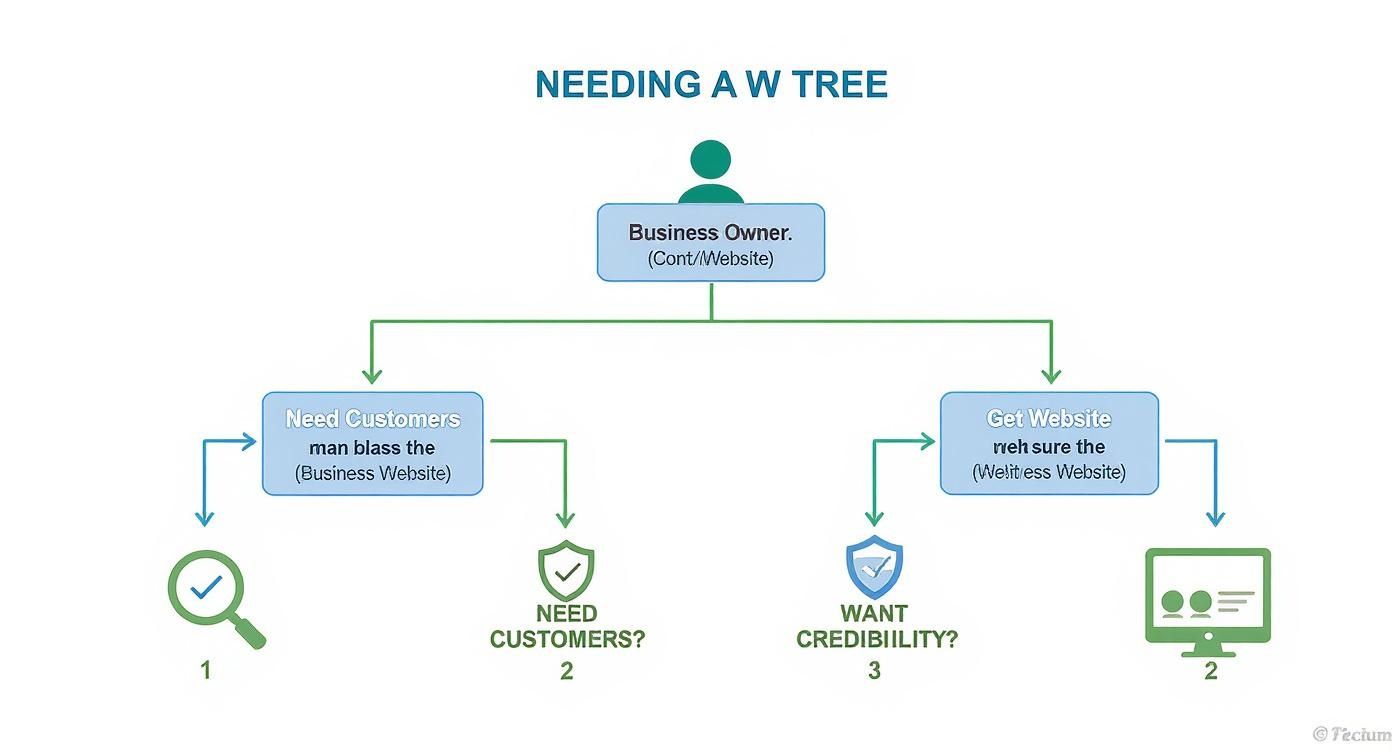
As you can see, whether your primary goal is driving sales or establishing trust in your market, a well-built website is the tool that gets you there.
Monthly Retainer Agreements
A monthly retainer is essentially like keeping a web expert on call. You pay a set fee every month for a pre-defined block of hours or a specific list of ongoing services. This is the ideal setup for businesses that need consistent support long after the website goes live.
A retainer is an investment in your website's long-term health. It ensures your site stays secure, up-to-date, and performing at its best without you having to become a tech expert overnight.
Services that are commonly bundled into a retainer include:
- Regular software and security updates
- Content updates, like publishing new blog posts
- Performance monitoring to keep things speedy
- Ongoing SEO tweaks to help with rankings
This model offers incredible peace of mind and access to a dedicated pro when you need one. The only catch is making sure the monthly cost truly lines up with the value you’re getting. While understanding the models is a great start, you can dive deeper into the numbers in our guide to small business website cost.
To help you decide which approach is right for you, here's a quick side-by-side comparison of the pricing models we've just covered.
Comparing Website Design Pricing Models
A side-by-side comparison of common pricing structures for small business website design, helping you choose the best fit for your budget and needs.
| Pricing Model | Best For | Typical Cost Structure | Pros | Cons |
|---|---|---|---|---|
| Fixed-Price | Projects with a clear, well-defined scope (e.g., brochure sites, basic e-commerce). | A single, upfront project fee, often paid in installments (e.g., 50% upfront, 50% on completion). | Budget predictability; you know the total cost from the start. | Inflexible; scope changes (scope creep) lead to additional costs. |
| Hourly Rate | Evolving projects, ongoing work, or when the scope is initially unclear. | An hourly rate for all time spent on the project, billed at regular intervals (e.g., weekly, bi-weekly). | High flexibility to adapt to changing needs; you only pay for the work done. | Budget uncertainty; costs can escalate if the project isn't managed carefully. |
| Monthly Retainer | Businesses needing ongoing support after launch (e.g., maintenance, security, content updates, SEO). | A recurring monthly fee for a set number of hours or a specific list of services. | Predictable monthly costs and access to a dedicated expert; proactive maintenance. | Can be costly if you don't fully use the allotted hours or services. |
Ultimately, there's no single "best" model—it all comes down to your specific project, your budget, and how much hands-on involvement you want to have after your site is live. By understanding these options, you're in a much better position to have an informed conversation with any agency or designer.
What to Expect in a Standard Website Package
When you're shopping for a website design package, think of it as a "starter kit" for your business's digital home. While the details will vary from agency to agency, a few core components are absolutely non-negotiable.
Knowing these essentials is your best defense against a vague proposal. It helps you make a genuine apples-to-apples comparison and ensures you’re getting what you pay for. Let’s pull back the curtain on what makes up a solid foundation for any small business site.

The Core Page Structure
Every business website needs to tell a story and guide visitors toward a specific action. A standard package should always include a handful of foundational pages to get that job done. At the very least, you should expect to see these four:
- Homepage: This is your digital front door. It needs to grab attention and immediately communicate who you are and what you do.
- About Page: Here’s where you build trust. Share your mission, your story, and introduce the people who make your business tick.
- Services/Products Page: This is where you lay out your offerings in detail. It's your chance to educate potential customers on the value you provide.
- Contact Page: Make it easy for people to reach you. A good contact page includes your address, phone number, and a simple contact form.
These pages are the basic building blocks of your business's online narrative. If a package proposal doesn't explicitly list out the pages, that’s a big red flag.
Essential Technical Features
Beyond just the pages, a professional website needs a solid technical backbone to work properly. These aren't fancy extras; they're absolute must-haves for performance, security, and usability.
Any quality small business website design package will have these baked in:
- Responsive Design: Your site has to look and work great on every device—from a giant desktop monitor to a tiny smartphone. With over 60% of all web traffic coming from mobile, this is non-negotiable.
- Content Management System (CMS): This is the engine under the hood. A CMS gives you a user-friendly dashboard to update your own content, like publishing a blog post or changing text, without having to call a developer for every little thing. WordPress is the most popular, powering over 43% of all websites.
- SSL Certificate: This is what puts that little padlock icon in the browser bar. It encrypts the connection between your site and your visitors, which is crucial for building trust, protecting data, and even for SEO.
- Contact Form Integration: You need a simple way for potential customers to send you a message. If you're curious about the nuts and bolts, you can learn more about how to add a contact form to any website.
Your website package should deliver more than just a visual design. It must provide a secure, adaptable, and user-friendly platform that works for both your customers and your internal team.
Foundational SEO Setup
What good is a beautiful website if no one can find it? A full-blown SEO campaign is its own ongoing service, but any decent design package should include a basic SEO setup from day one. This just means the site is built in a way that search engines like Google can easily read and understand.
This typically includes:
- Keyword-optimized page titles and meta descriptions for your main pages.
- A logical site structure and navigation that’s easy for search engine bots to crawl.
- Image alt text to help with accessibility and image search rankings.
- Submitting your sitemap to Google Search Console to get your pages indexed faster.
This initial setup won't land you on the first page of Google overnight. What it does do is give you a fighting chance to start showing up in search results. Without it, you’re basically invisible to the world’s biggest source of traffic.
Choosing Features That Actually Drive Growth
A great website is so much more than a digital brochure. Think of it as your best employee—one that generates leads, sells products, and builds trust 24/7, even while you sleep. When you're looking at small business website design packages, it’s easy to get bogged down in technical jargon. The trick is to stay focused on the features that actually connect to your business goals.
Your website is a toolkit. You don't need every tool ever made, just the right ones for the job you need to do. Whether you're a local contractor or an e-commerce brand, the goal is always the same: pick features that actively help your bottom line.
Features for Selling Products and Services
If your primary goal is to sell, your website needs to make the buying process completely seamless and secure. This is what turns your site from a passive pamphlet into an active sales machine.
Full e-commerce functionality is the obvious starting point. But this is more than just a "Buy Now" button; it's a whole system. It should include:
- Product Galleries: Crisp, high-quality images and detailed descriptions that show off what you sell.
- Secure Shopping Cart and Checkout: An intuitive process that makes customers feel safe handing over their information.
- Payment Gateway Integration: The ability to easily accept credit cards, PayPal, and other popular payment methods.
- Inventory Management: A back-end system that automatically tracks what's in stock so you don't sell items you don't have.
And this isn't just for physical products. Service businesses can use features like online booking and scheduling to automate their entire client intake process. A local massage therapist, for instance, can let clients see open slots and book an appointment directly on their site, cutting out all that frustrating phone tag.
Features for Attracting and Engaging Customers
Not every visitor is ready to pull out their wallet right away. Many are just browsing or doing research, and your website’s job is to grab their attention and start building a relationship. This is where content and trust-building features are crucial.
An integrated blog is one of the most effective tools for pulling in organic traffic from search engines. When you consistently publish helpful articles about your industry, you establish yourself as an expert and start answering the very questions your potential customers are typing into Google.
On top of that, you need features that build social proof to help convert skeptical visitors into confident buyers. Things like:
- Client Testimonials and Reviews: Nothing builds credibility faster than authentic feedback from happy customers.
- Portfolio or Case Study Galleries: Show, don't just tell. A visual gallery of your best work provides undeniable proof of your skills.
- Trust Badges and Certifications: Displaying security seals or industry awards can give visitor confidence a significant boost.
These elements work together to tell a story of competence and reliability, making the decision to hire you or buy from you that much easier. Getting these right is a huge part of what our guide on conversion rate optimization best practices covers.
A website's true power lies in its ability to meet a customer's needs at every stage of their journey—from initial discovery to the final purchase and beyond. Growth-focused features facilitate this entire process.
Connecting Features to Business Reality
The numbers really drive this point home. While 28% of small businesses still don't have a website, a whopping 81% of shoppers do online research before making a purchase. That’s a massive opportunity gap. A well-designed site with the right features is what bridges that gap, turning those online researchers into paying customers. You can dig into more stats about how consumers interact with small business websites at Wix.com.
Ultimately, every single feature in your website package needs to have a purpose. Before you sign off on anything, ask yourself: "How will this feature help me get more customers, save me time, or make me more money?" If you focus on functionality that drives real results, your website will become a powerful engine for growth, not just an expensive online placeholder.
How to Choose the Right Web Design Partner
Picking the right web design partner is just as critical as picking the right features for your website. Think of it like hiring a general contractor for a home renovation—you need someone who gets your vision but also has the technical chops and project management skills to build it right, on time, and on budget.
Finding that perfect fit means looking beyond a flashy portfolio. You're searching for a true partner, someone who can build a website that functions as a genuine business asset—one that pulls in customers and actually grows your bottom line.

Evaluate Portfolios for Results, Not Just Style
First things first, you'll want to dig into their past work. It's easy to get wowed by beautiful designs, but your job is to look deeper. A stunning website that doesn’t turn visitors into customers is just an expensive digital brochure.
As you click through their portfolio, ask yourself these questions:
- Is there variety? Do all their websites follow the same cookie-cutter template, or can they adapt their style to different brands and industries?
- Are the sites actually functional? Open up a few live examples. Are they intuitive to navigate? Do they load in a snap? Most importantly, how do they look and feel on your phone?
- What results did they actually get? The best agencies don't just show off pretty pictures; they present case studies. Look for hard numbers and tangible outcomes, like a boost in web traffic, better conversion rates, or an increase in qualified leads.
A great portfolio tells a story of success. It proves the designer knows how to hit real business goals, not just chase the latest design fads.
Read Between the Lines of Testimonials
Client testimonials give you a peek behind the curtain into what it's really like to work with an agency. But let's be honest, not all reviews are created equal. Vague praise like, "They were great to work with!" is nice, but it doesn't tell you anything useful.
You want to hunt for the specifics. Look for testimonials that highlight professionalism and process. Comments like, "they delivered the project two weeks ahead of schedule" or "they took the time to truly understand our customers' needs" are pure gold. These details paint a much clearer picture of what you can expect.
A great partner is one who genuinely cares about your business's success. They'll go the extra mile to learn what they need to learn and do what needs to be done to get you results. It's less about knowing everything and more about caring enough to figure it out.
Critical Questions to Ask Every Potential Partner
Before you even think about signing a contract, you need to have a real conversation. This is your interview, your chance to make sure they're the right fit. A good partner will welcome your questions and give you clear, straight answers.
Here’s a checklist of must-ask questions:
- What does your design and development process look like? Ask them to walk you through their workflow, from the initial discovery call to the final launch.
- How many rounds of revisions are included in the package? This is key to avoiding surprise invoices for small tweaks later on.
- Who will be my main point of contact? A single, dedicated contact person makes communication much smoother and keeps the project from going off the rails.
- What’s the estimated timeline for this project? Get a clear start and end date, along with major milestones.
- Who owns the website and all its files when it's done? This is non-negotiable. You must have 100% ownership of your domain, website files, and all content.
- What kind of support or training do you offer after launch? You need to know you won't be left in the dark when it's time to manage your new site.
- What hosting solutions do you use or recommend? A great partner can explain their hosting choices, but it's smart to do your own homework. This guide on how to choose a web hosting provider can help you understand what to look for.
Choosing a web design partner is a big decision. By carefully vetting their portfolio, testimonials, and answers to these questions, you can find a team that will build a website that truly works for your business.
Planning for Post-Launch and Maintenance Costs
Getting your new website live feels like a huge accomplishment, but it's really just the starting line. Think of it like buying a new car. You wouldn't drive it off the lot and then completely forget about oil changes or checking the tires, would you? Your website needs that same kind of consistent attention to run well, stay secure, and keep working for your business.
It’s easy to get so caught up in the initial design and build that you forget about what comes next. But factoring these ongoing costs into your budget from day one is one of the smartest things you can do. These are the fees that protect your investment and keep your site firing on all cylinders.
The Non-Negotiable Recurring Fees
A couple of costs are simply the price of admission for having a professional website. They aren't optional—they're what keep the lights on.
These foundational expenses include:
- Domain Name Renewal: This is the small annual fee to keep your address on the internet (like
yourbusiness.com). It’s not much, but if you let it lapse, you could lose your domain for good. - Web Hosting: Think of this as the rent you pay for the plot of land on the internet where your website lives. Without hosting, your site has nowhere to go.
These two are the absolute bare minimum. If you skip either one, your website simply vanishes from the web.
Why Ongoing Maintenance is So Important
Beyond just keeping your site online, you have to keep it healthy. This is where a real maintenance plan comes in, and it's often a smart addition to any small business website design package.
A good maintenance plan is your insurance policy against the inevitable bumps in the road. It keeps your site fast, secure, and up-to-date with the latest technology. Without it, you're opening the door to slow load times, security vulnerabilities, and a clunky experience that sends potential customers running to your competitors.
Your website is a living business asset, not a one-and-done brochure. Investing in its ongoing health through a maintenance plan protects your initial investment and ensures it continues to generate a positive return.
This isn't about fixing things after they break; it's about preventing them from breaking in the first place. You can get a much deeper look into what website maintenance includes to see just how comprehensive these plans can be.
What Does a Maintenance Plan Actually Cover?
So, what are you paying for each month? A solid maintenance plan handles all the technical housekeeping that you, as a business owner, don’t have time to worry about.
Typically, a plan will bundle these critical tasks together:
- Software and Plugin Updates: The tools that run your site (like WordPress and its plugins) are updated constantly to fix security holes and improve performance. A maintenance plan makes sure these updates are applied safely and on time.
- Regular Backups: Your entire website is saved on a regular schedule. If the worst happens—a hack, a server crash, or a bad update—you can restore a clean, working version in minutes.
- Security Scans: The service includes proactive scans for malware and other threats, stopping attacks before they can cause any real damage.
- Performance Checks: Your site's speed and uptime are constantly monitored to make sure it's always fast and available for your visitors.
Bundling these services into a single plan gives you peace of mind and frees you up to do what you do best: run your business.
Answering Your Top Questions About Website Packages
Even with a plan, a few questions always bubble up when you start looking at website design packages. Let’s clear up some of the most common ones so you can feel totally confident in your next steps.
How Much Should a Small Business Website Cost?
There's no single sticker price, but you can generally expect a professionally built small business website to land somewhere between $2,000 and $10,000 for the initial build. The final cost really hinges on how complex your needs are.
For instance, a simple 5-page "brochure" site will be on the lower end. But if you're looking for an e-commerce store, custom integrations, or a ton of content, you'll likely see the price tag climb past $10,000. Don't forget to factor in ongoing costs, too—things like hosting and maintenance can add $50 to $500+ per month.
Can I Update the Website Myself After It's Built?
Absolutely. In fact, you should be able to. Any decent website package will be built on a Content Management System (CMS), like WordPress. Think of the CMS as the behind-the-scenes dashboard that lets you make changes without having to call a developer.
This means you can easily handle tasks like:
- Publishing a new blog post
- Updating the text on your services page
- Changing photos in your portfolio
A good package always includes a training session to show you the ropes. This gives you the power to keep your site current without being on the hook for every little update.
Here's a critical question to ask any potential partner: "Who owns the website files when the project is done?" The only acceptable answer is you. You need 100% ownership of your domain, your website files, and all of your content. No exceptions.
How Long Does It Take to Build a Small Business Website?
The timeline really depends on the size of the project. For a standard 5-10 page informational website, you can expect a launch in about 4 to 6 weeks. That timeframe usually assumes you're able to provide feedback and content on schedule.
If your website is more involved—say, it needs e-commerce functionality or custom software integrations—the project will naturally take longer. These bigger builds often stretch into the 8 to 12 week range, or sometimes even more. The key to staying on track is crystal-clear communication and a solid project plan from the start.
What’s the Difference Between a Custom Design and a Template?
Let's use a home-building analogy. Using a template is like buying a high-end prefab house. The blueprint is already set, but you get to pick out the paint, flooring, and all the finishes. It's a faster and more budget-friendly way to get a great result because the foundational work is already done.
A custom design is like hiring an architect to draw up plans for your dream home from scratch. It’s built from a blank page, giving you total freedom over every detail and function. This approach costs more and takes longer, but the final product is completely unique to you.
At OneNine, we’re all about making website management feel easy and effective. Whether you need a brand-new site, reliable maintenance, or a clear strategy for growth, our team is ready to be your digital partner. Learn more about how we can help.


