
So, how much does a new website really cost? The honest answer is: it depends. A simple DIY site might only set you back a few hundred dollars, while a complex, custom-built website can easily top $50,000. This is where a web page cost calculator comes in handy—it’s a tool that helps translate your project's wish list into a realistic ballpark budget, so you know exactly where your money is going.
How Much Does a New Website Really Cost?
Think of building a website like buying a car. You could go for a reliable, no-frills sedan that gets the job done, or you could opt for a high-performance luxury vehicle with all the bells and whistles. Both will get you from point A to point B, but the experience, features, and price tag are worlds apart. It's the same deal with your website.
A basic, template-based site with just a handful of pages might only run a few thousand dollars. But as you start adding things like e-commerce capabilities, custom design elements, or specific software integrations, that price will naturally climb. When working with a professional agency, a standard business website typically lands somewhere between $15,000 and $50,000, which accounts for the expert strategy, design, and development work involved.
To give you a clearer picture right away, here’s a quick look at some common project types and their typical cost ranges.
Quick Website Cost Estimates at a Glance
This table provides a summary of estimated cost ranges for different types of websites, helping you quickly find a ballpark figure for your project.
| Website Type | Estimated Cost Range | Best For |
|---|---|---|
| Basic Brochure Site | $5,000 – $15,000 | Small businesses, startups, or portfolios needing a simple online presence. |
| Small Business Site | $15,000 – $40,000 | Established businesses needing features like lead generation forms, blogs, and custom designs. |
| E-commerce Store | $25,000 – $60,000+ | Businesses selling products online, requiring payment gateways, product pages, and inventory management. |
| Custom Web Application | $60,000 – $150,000+ | Companies needing unique functionality, user portals, or complex integrations with other systems. |
Keep in mind these are just starting points. The final cost will always depend on your specific needs and the complexity of the features you choose.
Understanding Your Investment
It's helpful to stop thinking of your website as a one-time expense and start seeing it as a long-term business asset. This simple shift in mindset makes it much easier to understand the costs. The initial build is just the beginning; you also have to account for ongoing maintenance, security updates, and potential feature additions down the road.
A good cost calculator will often hint at these recurring costs, but it’s crucial to factor them into your overall budget from day one. For a really thorough look at what to plan for, check out this detailed breakdown of website costs for a comprehensive look ahead.
This guide is here to pull back the curtain on the numbers. We’ll walk through the factors that push costs up or down and show you how to use a calculator to get a solid starting point. The goal isn't a final, locked-in quote, but a tool to help you have a smarter, more informed conversation about your project.
The real purpose of a cost calculator is to bridge the gap between your vision and a realistic budget. It turns abstract ideas like "a user-friendly design" into tangible line items, so you can make better decisions right from the start.
Key Factors Influencing Your Budget
Before you can get a meaningful estimate, you need to know what you're actually paying for. A few key components will always shape the final quote. Getting a handle on these is the first step toward building an accurate budget.
- Design Complexity: Are we starting with a pre-made template, or do you need a completely unique, custom design built from the ground up?
- Number of Pages: A simple five-page "brochure" website is a whole different ballgame than a 50-page corporate site with multiple unique page layouts.
- Functionality: Do you need special features? Things like e-commerce stores, online booking systems, or private member portals all require significant development time.
- Content Creation: Are you providing all the text and images yourself, or will you need a professional copywriter and photographer to create them for you?
Thinking through these variables will help you approach any web page cost calculator with the clarity needed to get a useful estimate. Our guide on the average cost to build a website dives even deeper into how all these pieces fit together.
Understanding the Core Cost Factors
So, what actually goes into the final price tag for a new website? Think of it like building a house. The final cost depends on the size, the quality of materials, and all the custom features you want to include. A simple one-story home is going to cost a lot less than a sprawling mansion with a pool and home theater.
Every choice you make, from the visual design to the behind-the-scenes functionality, adds a layer of time and complexity. That's what ultimately shapes the budget. Understanding these key components is the first step to making sense of any web page cost calculator and setting a realistic financial plan.
The infographic below gives you a quick visual breakdown of the different tiers, from simple sites to complex, custom-built platforms.
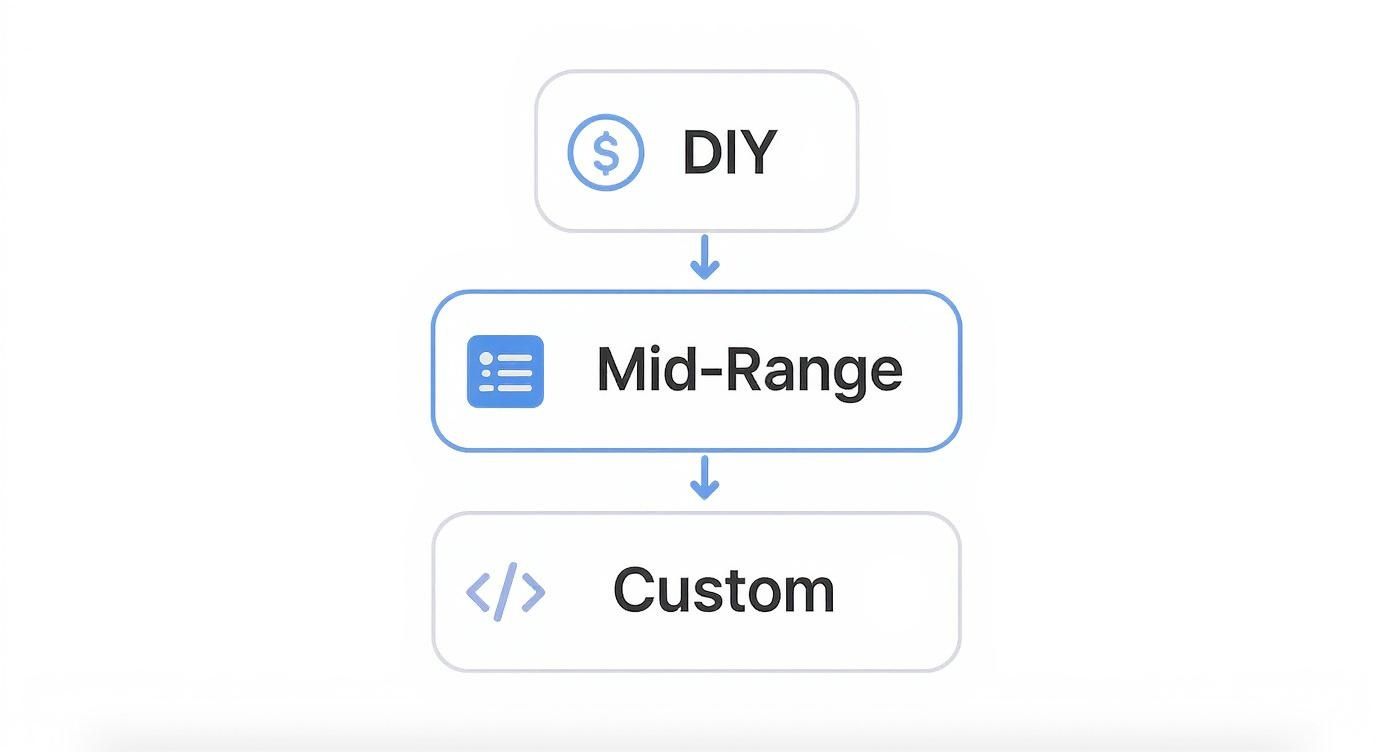
As you can see, the more specialized your needs get, the more the investment grows to match the expert skills and resources required to bring your vision to life.
Design Complexity and User Experience
Design is so much more than picking pretty colors and fonts. It’s about crafting a seamless, intuitive experience for your visitors. This is easily one of the biggest factors that will drive up your website’s cost.
A template-based design is the fastest and most affordable way to get started. It’s like buying a suit off the rack—it looks good, it's ready to go, and it gets the job done. But it was made for the masses, not specifically for you.
A custom design, on the other hand, is the bespoke, tailored suit. Every single element, from the user interface (UI) to the user experience (UX), is built from the ground up to solve your specific business problems. It involves deep research, wireframing, and creating a one-of-a-kind visual identity, which naturally takes a lot more time and expertise.
A well-executed custom design isn’t just an expense; it’s an investment in your brand’s credibility and user engagement. Great UX can lead to higher conversion rates, making the initial cost well worth it in the long run.
Number of Pages and Content Creation
The sheer size of your site is another major cost driver. A simple five-page "brochure" website is worlds away from a 50-page corporate site that needs unique layouts for services, case studies, team bios, and more. Each new page template requires its own design and development work.
And then you have to fill those pages with content—the words, images, and videos.
- Copywriting: Are you writing everything yourself, or do you need a pro to craft compelling, SEO-friendly text? Professional copywriting ensures your message hits the mark.
- Photography and Video: Stock photos are cheap, but custom photos and videos make your brand feel real and trustworthy. Professional media production adds to the budget, but it can completely transform the look and feel of your site.
Never underestimate the effort that goes into creating high-quality content. It’s a huge part of the project that often gets overlooked.
The Role of a Content Management System
A Content Management System (CMS) is the engine room of your website. It’s the tool that lets you add blog posts, update text, and change images without having to call a developer. The CMS you choose has a big impact on both the initial cost and how much flexibility you have down the road.
Common CMS Options and Their Impact:
| CMS Type | Description | Cost Impact |
|---|---|---|
| SaaS Builders | All-in-one platforms like Squarespace or Wix with user-friendly templates. | Lower upfront cost, but you're limited by the platform and pay recurring subscription fees. |
| Open-Source CMS | Systems like WordPress are free, but you'll need a developer for custom themes and plugins. | Higher initial setup cost for a truly custom site, but you get total flexibility and control. |
| Headless CMS | A modern approach that separates the back-end (where content lives) from the front-end (what users see). | Generally the highest development cost due to complexity, but it delivers incredible performance and scalability. |
As businesses look for more transparent pricing, the demand for web page cost calculators has skyrocketed. In fact, over 60% of SMEs now use these tools before even talking to an agency. A basic brochure site might be estimated at $1,000–$10,000, while a custom e-commerce store can easily range from $15,000 to $100,000 or more, all depending on its features. To get a better handle on your own project, check out this ultimate guide for 2025 and see how data is making pricing clearer for everyone.
Advanced Features That Shape Your Budget
Once you have the basics of your website figured out, it's time to think about the features that can really make it work for your business. These advanced functionalities are what turn a simple online brochure into a powerhouse tool. They’re the optional upgrades that add serious value—and come with a bigger price tag.
Think of it like building a house. The foundation and walls are non-negotiable, but adding a custom-built kitchen or a smart home system takes it to another level. It’s the same with a website.
These features aren't plug-and-play. They require specialized development skills, take more time to build and test, and often mean connecting your site to other software. Any good web page cost calculator will treat these as major line items because they represent a huge chunk of the work. Let's break down a few of the most common ones.
E-Commerce Functionality
Planning to sell products or services directly from your website? You’ll need e-commerce functionality, and it's a lot more involved than just slapping a "Buy Now" button on a page. You're essentially building an entire system to manage products, payments, shipping, and taxes.
Depending on how complex you need it to be, adding e-commerce can easily tack on $5,000 to $25,000+ to your project cost.
Several things drive that number up or down:
- Product Catalog Size: A shop with 10 products is a world away from building one with 10,000 items, each with different sizes, colors, and variations.
- Payment Gateway Integration: Getting your site to securely talk to payment processors like Stripe, PayPal, or Authorize.net takes careful, expert setup.
- Custom Features: Do you need subscriptions? What about customer accounts for tracking orders or automatic emails for abandoned carts? Every one of these features adds another layer of development.
A basic store on a platform like Shopify or WooCommerce will keep you on the lower end of that range. A completely custom-built solution with unique sales features? That’s where the budget starts to climb.
E-commerce isn’t a set-it-and-forget-it feature. You have to account for ongoing security updates, software management, and inventory, so make sure that's part of your long-term maintenance budget.
Custom Databases and User Portals
Sometimes a website needs to do more than just show information. Maybe you need a private portal where clients can log in to see project updates, or a searchable directory of industry resources. These kinds of features are all powered by a custom database.
Think of a custom database as the highly organized, secure filing room behind your website. It stores, manages, and serves up specific data when needed. Building one can add anywhere from $10,000 to $50,000+ to your project.
This is a big category, but some common examples include:
- Membership Sites: Putting your best content behind a paywall for subscribers only.
- Online Learning Platforms: Building out a system to host courses, track how students are doing, and handle sign-ups.
- Customer Dashboards: Giving users a personal, logged-in area to manage their account, see past orders, or access exclusive files.
The cost really comes down to how complex the data is and how sophisticated the interface for users needs to be.
Third-Party API Integrations
Your website doesn't exist in a bubble. For it to be truly useful, it often needs to connect with the other software you use to run your business every day. This connection happens through Application Programming Interface (API) integrations.
An API is basically a translator that lets two different pieces of software talk to each other. For example, when someone fills out a contact form on your site, an API can instantly send that information straight into your CRM, like Salesforce or HubSpot. No more manual data entry.
Connecting a single, well-documented API might cost between $1,500 – $5,000. If you need to integrate multiple systems or work with a poorly documented one, the cost can easily jump past $10,000. The price is almost always tied to the quality of the other software's documentation and how much data needs to be passed back and forth.
Getting the Most Out of a Web Page Cost Calculator
Think of a web page cost calculator as a powerful planning tool, but remember: what you get out of it depends entirely on what you put in. It's a bit like using a GPS. A vague destination will give you a long, rambling route, but a specific address gets you there directly. The more specific and honest you are with your answers, the more accurate the estimate will be.
This tool is your first step in turning a vision into a real-world budget. By answering the questions thoughtfully, you're translating abstract ideas into concrete features, which sets you up for a much more productive conversation with a development agency down the road.
Here’s a glimpse of what a typical web page cost calculator looks like. Notice how it breaks down the project into different options for strategy, design, and development.

As you can see, these calculators let you select specific features within key project phases. Each choice you make adjusts the total estimate, giving you a live look at how different features impact the overall cost.
How to Prepare for an Accurate Estimate
Before you start clicking buttons, take a little time to map out what you actually need. A bit of prep work will stop you from just guessing, which can seriously skew the final number. And be honest with yourself—if you know you need complex functionality, don't select the "basic" option just to see a lower price.
Here’s a quick checklist to get you ready:
- Separate Needs from Wants: Make two lists: one for the absolute "must-have" features and another for the "nice-to-haves." This helps you prioritize and see where you might be able to scale back if the budget gets tight.
- Do a Quick Page Count: Get a rough idea of how many unique page templates you’ll need. A "Services" page and a "Team" page, for example, usually have different layouts, so they count as two separate templates.
- Find Some Inspiration: Pull together 2-3 websites you really like. Make notes on what you admire about their design, features, and how they feel to use. This gives you a solid reference point when you're making selections in the calculator.
Having this info handy will make any web page cost calculator a far more useful tool. If you want to get really thorough with this planning stage, check out our guide on how to write project requirements for a step-by-step framework.
Key takeaway: Treat the calculator's estimate as a well-informed starting point, not a final, locked-in quote. Its real job is to give you a realistic budget range and show you what the main cost drivers are for your specific project.
Understanding the Results and What to Do Next
Okay, so you’ve got your estimate. Let’s say it’s $25,000. The natural tendency is to fixate on that number, but the real gold is in the breakdown. A good calculator shows you how that total is split between design, development, content, and so on. That’s where you’ll find the most valuable insights.
If the total seems high, look at the individual line items. Maybe you see that the custom e-commerce integration you wanted is eating up 40% of the budget. This is a great moment to pause and think. Is that feature a day-one essential, or could a simpler off-the-shelf solution work for now? The calculator gives you the power to make these strategic trade-offs before you're deep in a project.
Your calculated estimate is the perfect document to bring to your first meeting with an agency. It shows them you've done your homework and gives everyone a common language to talk about scope, priorities, and budget. It’s the best way to make sure that first conversation is productive and gets you started on the right foot.
Budgeting for Ongoing Website Maintenance
Getting your website live is just the beginning. It's the starting line, not the finish. So many people pour their entire budget into the initial build, completely forgetting that a website needs regular care to perform well over the long haul. Think of it like a new car—you wouldn't just drive it off the lot and never get an oil change, right?
Ignoring maintenance is a recipe for disaster. At first, everything might seem fine, but you're slowly setting yourself up for bigger, more expensive problems. A little proactive care keeps your site secure, running smoothly, and working hard for your business.
The Non-Negotiable Recurring Costs
Let's start with the basics—the "utility bills" for your website. These are the absolute essentials you have to pay just to keep the lights on and your digital doors open. Most web page cost calculators don't even touch on these, so you need to factor them into your planning.
- Web Hosting: This is the physical space on a server where your website's files live. Shared hosting can be as cheap as $10-$50 per month, which is fine for small sites. For more power and security, you’ll look at dedicated or managed hosting, which can run $150+ per month.
- Domain Name Renewal: This is your website's address (like
onenine.com). You have to renew it every year. It’s a small but critical cost, usually around $15-$25 per year. - SSL Certificate: This little padlock in the browser bar tells visitors your site is secure by encrypting their data. Many hosts throw in a basic one for free, but premium certificates with stronger validation can cost anywhere from $50-$250 annually.
These are just the foundational costs. The real work—and where the real value lies—is in actively maintaining the site itself.
The Cost of Keeping Your Website Healthy
Beyond just keeping it online, you need to protect your investment from hackers, bugs, and general decay. This is all about the technical tune-ups and security measures that keep your site from becoming slow, broken, or vulnerable.
Ongoing maintenance can run anywhere from $35 to $5,000 a month ($400 to $60,000 annually), depending on how complex your site is. Interestingly, one study found that 78% of businesses that used cost calculators were happier with their projects because it gave them better control over their budgets.
Here’s what that maintenance budget typically covers:
- Software and Plugin Updates: Keeping your CMS, theme, and plugins current is your first line of defense against security holes.
- Security Monitoring and Scans: Actively looking for malware, vulnerabilities, and any other suspicious activity.
- Regular Backups: If something goes wrong, having a recent backup is a lifesaver. This means creating daily or weekly copies of your entire site.
- Performance Optimization: Making sure your site loads fast by compressing images, cleaning up the database, and keeping an eye on speed.
A well-maintained website is a secure website. Proactive updates and monitoring are the best defense against cyber threats that could take your site offline and damage your reputation.
Planning Your Maintenance Budget
So, how much should you actually set aside? A solid rule of thumb is to budget 10-15% of your initial development cost for annual maintenance.
If you spent $20,000 building your website, you should plan to spend at least $2,000-$3,000 per year to keep it in top shape. To make sure you're covering all your bases, from security patches to content updates, a great resource is this ultimate website maintenance checklist.
At OneNine, we offer clear, straightforward maintenance plans that keep your website a powerful, secure asset for your business. We’ll handle all the technical stuff so you can stay focused on what you do best.
DIY Builders vs. Professional Agencies
So, you're trying to figure out how much your website will cost. Pretty quickly, you'll run into a major fork in the road: should you use a do-it-yourself (DIY) builder like Wix or Squarespace, or is it time to hire a professional agency? This decision is about more than just the initial price—it has a huge impact on where your business can go.
Think of it like building a kitchen. A DIY builder is like getting a flat-pack kit from IKEA. It’s affordable, the instructions are pretty clear, and with some sweat equity, you’ll end up with a perfectly functional kitchen. It looks good and does the job, but you’re stuck with the cabinet styles, countertop materials, and layouts they have on offer.
Hiring an agency, on the other hand, is like commissioning a master carpenter to build a custom kitchen. They’ll watch how you move, design a unique layout for maximum flow, source top-tier materials, and build everything to fit your exact needs. The upfront cost is higher, sure, but the result is a high-performance asset that’s perfectly tailored to you and built to last.
The True Cost of DIY Website Builders
DIY platforms are incredibly popular for a reason—their low monthly fees, often starting under $50 per month, are hard to beat. For a brand-new business or a simple project, they can be a fantastic way to get online fast without a big upfront investment. They’re designed to be user-friendly, with drag-and-drop editors that don't require you to touch a line of code.
But the "cost" of a DIY builder isn't just that monthly subscription. It’s also measured in your time. Every hour you spend learning the platform, tinkering with the design, writing content, and fixing little glitches is an hour you’re not spending on what you do best—running your business. And while these tools are powerful, they have their limits. Custom features, truly unique designs, and deep integrations with other business software can be tough, if not impossible, to pull off.
The biggest tradeoff with DIY builders is sacrificing customization and scalability for a lower initial cost. As your business grows, you may find yourself hitting a ceiling, forcing a costly and time-consuming migration to a more robust platform down the road.
If you decide this route is for you, it's worth knowing your options. To help you out, we’ve reviewed some of the best no-code website builders on the market today.
The Value of a Professional Agency
Working with an agency like OneNine definitely requires a bigger upfront investment. A professional business website typically starts around $15,000. So, what exactly are you paying for? It's simple: you're not just buying a website. You're investing in a dedicated team of experts—strategists, designers, developers, and project managers—all focused on one thing: helping you hit your business goals.
An agency brings high-level strategy to the table. We start by digging deep to understand your customers and your market, making sure the final product isn't just a pretty face but a powerful engine for generating leads and driving growth. The code is clean, the site is fast, and it’s built from day one to grow right alongside your business. This professional approach helps you sidestep the common traps of DIY sites, like poor performance, a weak SEO foundation, and security holes.
To help you see the difference at a glance, here’s a breakdown of what you can expect from each path.
DIY Website Builder vs. Professional Agency
| Factor | DIY Website Builder | Professional Agency |
|---|---|---|
| Upfront Cost | Low (monthly subscription) | High (project-based investment) |
| Time Commitment | High (your own time) | Low (agency handles everything) |
| Customization | Limited to templates and platform features | Fully custom, tailored to your exact needs |
| Expertise | Relies on your own skills | Access to a team of dedicated experts |
| Scalability | Can be restrictive as business grows | Built to scale and evolve with your business |
| Long-Term Support | Community forums and basic customer service | Dedicated support and maintenance plans |
Ultimately, the right choice depends on your budget, your timeline, and your long-term ambitions. A DIY builder can be a great starting point, but an agency is an investment in a strategic asset built for growth.
Still Have Questions About Website Costs?
Alright, so you’ve played around with the numbers and have a ballpark figure in mind. But let's be real, building a website is a big deal, and a few questions are probably still bouncing around in your head. That's a good thing—it means you're being thorough.
Let’s tackle some of the most common questions we get. Think of this as clearing the air before you take the plunge, so you can move forward with total confidence.
Why Is Custom Design So Much More Than a Template?
This is a classic question. Think of it like buying a suit. A template is like buying one off the rack—it looks good, it's affordable, and you can wear it right away. It gets the job done for a lot of people, but it was made for the masses, not specifically for you.
A custom web design, on the other hand, is like getting a bespoke suit. A whole team of experts—strategists, designers, developers—measures twice and cuts once, creating something from the ground up that fits your brand, your customers, and your business goals like a glove. The higher price tag isn't just for a unique look; it's for the hundreds of hours of focused, expert work that goes into building a high-performing digital asset that’s truly one-of-a-kind.
Can I Get a Fixed Price for My Project?
You absolutely can. Most agencies, including us here at OneNine, prefer to work with fixed-price proposals. But there's a catch: a fixed price only works when the project's scope is crystal clear and locked in from the get-go. We base the cost on a very specific list of what we're building.
The real enemy of a fixed budget is "scope creep." That’s the term for when new ideas or feature requests pop up mid-project. Those additions almost always mean extra costs. It's why we spend so much time on planning upfront—it protects both of us from surprises and keeps your budget on track. For more fluid projects, some agencies also work on an hourly basis.
Does the Website Price Include SEO and Marketing?
This is a really important one to understand. The initial cost to build a website almost always includes foundational, on-page SEO. That means we build the site with a clean structure, proper use of headings, and a mobile-first design—all the technical stuff that Google and other search engines want to see.
Foundational SEO makes your site ready to rank, but it doesn't guarantee you'll show up on page one. True SEO is an ongoing marketing marathon, not a one-time setup.
What the build cost doesn’t cover is an ongoing SEO strategy. Things like content creation, link building, and digital ad campaigns are separate marketing services. You'll want to budget for those after the site launches to actually start driving traffic and climbing the search rankings over time.
How Long Does It Take to Build a Website?
Just like the price, the timeline is all over the map. A simple brochure-style website, especially one based on an existing design, can be up and running in 4-6 weeks. But a more complex, custom-built site with e-commerce functionality or special integrations? That could easily take 3-6 months, sometimes even longer.
The timeline really comes down to a few key things:
- The project's complexity. The more custom parts, the more time it takes.
- How many revisions we go through. The feedback process is built into every project.
- Your response time. A big part of the schedule depends on how quickly you can provide feedback and content.
At OneNine, we’re all about open and honest communication from the very first conversation. If you’ve got more questions or you’re ready to get a detailed quote tailored to your project, our team is here to help. Let’s build something amazing together. Learn more about our process.


