
Instead of tying your website to a single, physical server, cloud hosting lets it tap into a whole network of them. Think of it as a pool of computing resources—like processing power, memory, and storage—that your site can draw from whenever it needs to.
This setup is what makes cloud hosting so flexible. It ensures your site stays online and runs smoothly, even if you suddenly get a huge surge in visitors.
So What Is Cloud Hosting Exactly?

Let's use an analogy. Traditional hosting is like owning a single-family home on a fixed plot of land. If you need more space, you have to go through a major, time-consuming renovation.
Cloud hosting is more like living in a futuristic smart city. You have access to a massive, shared power grid and resource network. If you need more electricity for a party, the grid provides it instantly. If one power station goes down for maintenance, another seamlessly picks up the slack without you ever noticing.
That's the big idea behind cloud hosting: reliability through a distributed network. Your website's files and data aren't stuck on one machine. They're spread across a cluster of servers that work in harmony, creating a powerful and resilient foundation for your site.
How Is This Different from Traditional Hosting?
This approach completely changes the game for resource management. You’re no longer stuck with a fixed amount of RAM or CPU power that you paid for upfront. Instead, your website can scale up or down automatically based on real-time demand.
This is a lifesaver for businesses with fluctuating traffic. Think of an e-commerce store during Black Friday or a blog post that suddenly goes viral. With cloud hosting, the system just allocates more resources to handle the load.
To put it in perspective, here’s a quick breakdown of how the two models stack up.
Cloud Hosting vs. Traditional Hosting at a Glance
This table gives you a clear, side-by-side look at the core differences between cloud hosting and older, more conventional methods.
| Feature | Cloud Hosting | Traditional Hosting |
|---|---|---|
| Resources | Pooled from multiple servers | Confined to a single server |
| Scalability | On-demand and automatic | Manual upgrades required |
| Reliability | High (automatic failover) | Dependent on one machine |
| Pricing | Pay-as-you-go model | Fixed monthly fee |
As you can see, the cloud model not only makes your website more resilient but also much more efficient from a cost perspective. You only pay for what you actually use, which means you're not wasting money on server capacity that just sits there idle.
How Cloud Hosting Actually Works
Ever wonder what's going on behind the scenes with cloud hosting? It all comes down to a clever bit of technology called virtualization.
Think of it like this: instead of having one big, physical server doing one job, virtualization software slices that single server into multiple, separate "virtual machines" (VMs). Each VM is like a mini-computer all on its own, with its own dedicated slice of processing power (CPU), memory (RAM), and storage.
These individual VMs are then all connected to form a giant, unified network—this is the "cloud." So, when you use cloud hosting, your website isn't stuck on one physical box. Its files and data are spread across this powerful network, able to grab resources from the entire system whenever needed.
The real magic here is the built-in safety net. If one physical server in the network goes down for maintenance or has a hardware issue, your website doesn't even notice.
The system is smart enough to instantly move your website's workload over to another healthy server in the cloud. This is called automatic failover, and it happens so smoothly in the background that your visitors won't experience any downtime.
This infographic breaks down how that virtualization process creates such a resilient environment.
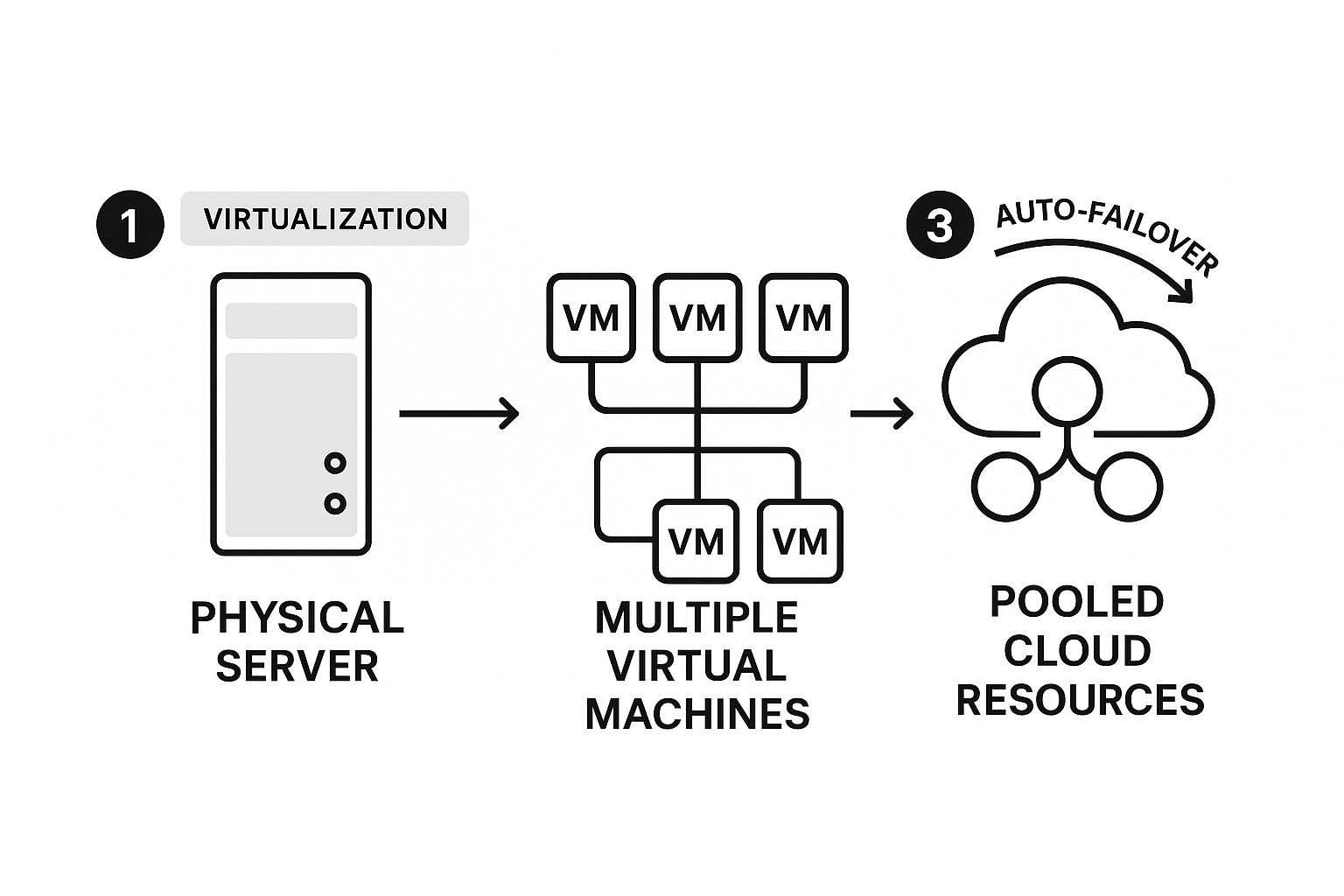
As you can see, you go from relying on one machine to having a whole pool of resources at your disposal. This makes the classic problem of a single server failing and taking down your site a thing of the past.
The Power of Scalable Resources
This networked setup also gives you incredible flexibility. Since your site is drawing from the entire cloud's resource pool, it isn't constrained by the limits of a single server. If you get a sudden spike in traffic from a viral blog post or a big sale, the cloud can immediately assign more resources to your site to handle the extra load.
This dynamic ability to scale up (or down) means your site's performance stays smooth and fast, whether you have a handful of visitors or thousands. If you want to dive deeper into managing this growth, check out our ultimate guide to scaling hosting resources. It's this on-demand adaptability that makes cloud hosting such a great fit for businesses that expect to grow and need a solution that can keep up.
The Real Benefits of Choosing Cloud Hosting

So, why are so many businesses moving to the cloud? It's not just about following a trend. The switch to cloud hosting is driven by some very real, practical advantages that solve common headaches. At its core, it boils down to three huge wins: scalability, cost-efficiency, and rock-solid performance.
Think about an e-commerce shop gearing up for a Black Friday sale. On a traditional server, that massive flood of traffic could easily bring the whole site crashing down, meaning lost sales and unhappy customers. Cloud hosting handles this completely differently. It automatically pulls in more resources to manage the spike and then scales back down when traffic returns to normal.
This ability to adapt on the fly is a genuine game-changer, especially for any business with plans to grow.
Unlocking True Scalability and Performance
With the cloud, scaling up isn't a slow, manual process—it's almost instant. You're no longer boxed in by the physical hardware of one server. Instead, you're tapping into a massive, shared pool of resources that can be assigned to your site whenever you need them.
This elasticity ensures your website stays quick and responsive, whether you have a handful of visitors or a few thousand. And because cloud networks are spread across the globe, your content can be served from a data center physically closer to your visitors, which dramatically cuts down on load times and makes for a much better user experience.
Key Takeaway: Cloud hosting lets your website grow without hitting a ceiling. It provides the power you need, right when you need it, creating a consistently smooth experience for everyone who visits your site.
A Smarter Way to Manage Costs
Maybe the most attractive benefit for many is the pricing model. Cloud hosting generally works on a pay-as-you-go system. This means you only pay for the server resources you actually use, moment to moment. It puts an end to the old problem of paying a fixed price for a server that’s sitting idle most of the time.
This kind of financial efficiency is a huge reason the global cloud computing market is exploding. It's projected to grow from around $738 billion in 2025 to an incredible $1.6 trillion by 2030. That kind of growth shows just how much businesses are focusing on smarter, more flexible ways to spend their money.
Of course, this flexibility means you need a good handle on your resource management. To get the most out of your setup, it’s worth looking into different capacity planning strategies to optimize how you use your cloud environment.
When you add it all up, cloud hosting delivers a powerful mix of advantages:
- Elastic Resources: Scale your site's power, memory, and storage up or down in an instant.
- Cost Efficiency: Pay only for what you use, just like a utility bill, and stop overpaying for capacity you don't need.
- High Availability: If one server in the network fails, another one automatically takes over, keeping your site online without a hiccup.
- Global Performance: Get your content to users faster, no matter where they are in the world, thanks to a distributed network.
By adopting this model, you’re doing more than just renting server space. You're building a flexible, resilient foundation that can handle whatever comes its way.
Comparing Cloud Hosting to Other Options
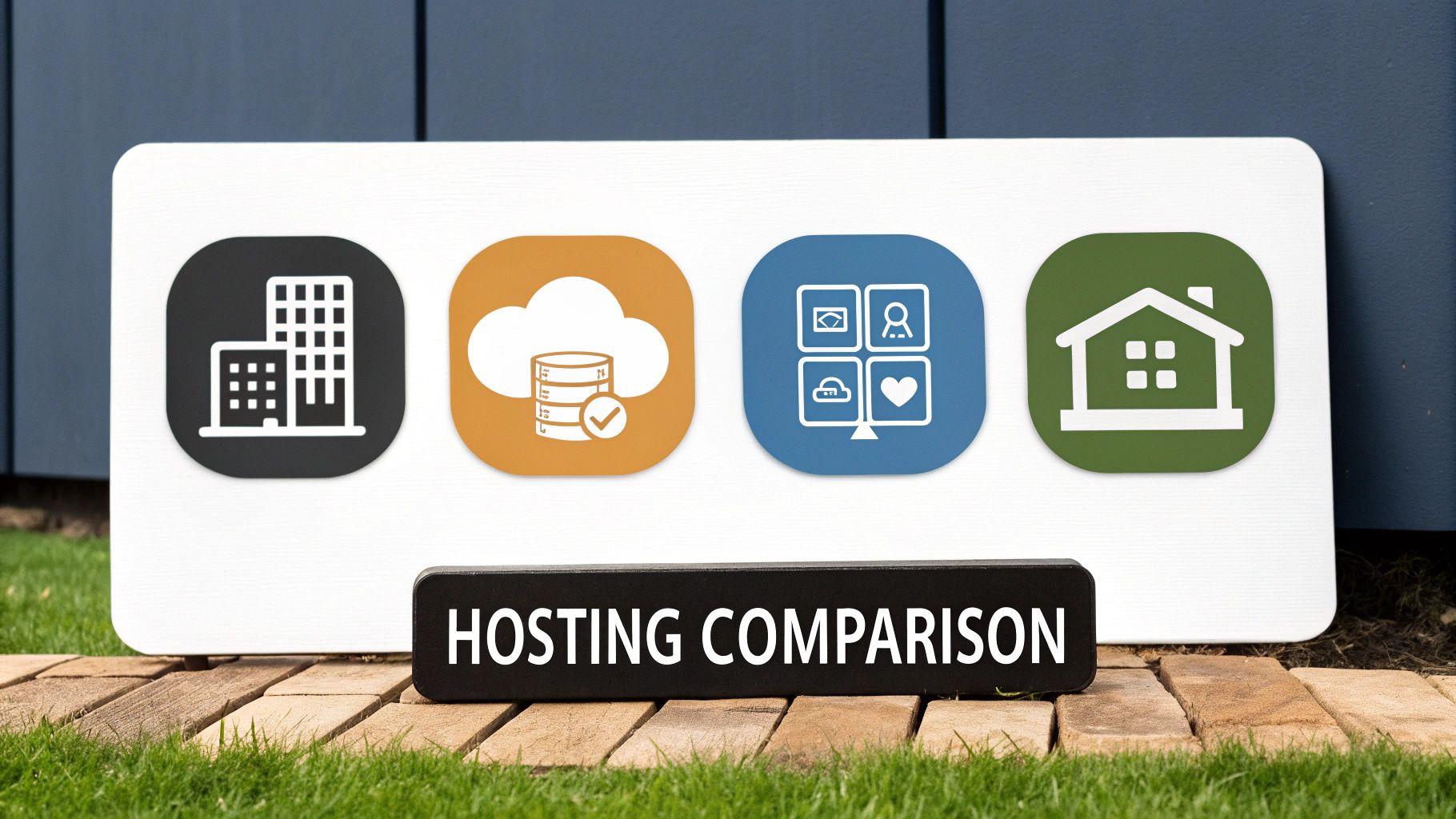
To really get a feel for what makes cloud hosting special, it’s helpful to see how it stacks up against the other hosting models you’ll run into. The best way to think about it is with a simple housing analogy. Each option is built for a different kind of resident, from a small personal blog to a massive online business.
Let’s start with shared hosting. Picture it as living in a big apartment building. It’s cheap because you’re splitting the cost of the building, the utilities, and all the common areas with everyone else. But if your neighbor decides to throw a massive party, you’re going to hear it. In the same way, a traffic spike on another website can slow yours down.
A Look at VPS and Dedicated Servers
A Virtual Private Server (VPS) is the next step up, like owning a townhouse. You get your own dedicated space with more privacy and control than in an apartment, but you still share the property and some basic infrastructure with your neighbors. It strikes a nice balance between affordability and autonomy.
Then you have the dedicated server, which is like owning a detached house on its own plot of land. Every resource—the processor, the memory, the storage—is 100% yours. This gives you incredible performance and total control, but you're also on the hook for all the costs and maintenance. It's powerful, but it’s also rigid and expensive.
Hosting Options Compared Head-to-Head
To put it all in perspective, here’s a quick side-by-side look at how these hosting types compare on the features that matter most.
| Hosting Type | Scalability | Cost Model | Performance | Best For |
|---|---|---|---|---|
| Cloud Hosting | High (On-demand) | Pay-as-you-go | Dynamic & Reliable | Growing businesses, apps, e-commerce |
| Shared Hosting | Low (Fixed resources) | Fixed Monthly Fee | Inconsistent | Small blogs, personal sites |
| VPS Hosting | Medium (Can upgrade) | Fixed Monthly Fee | Good & Consistent | SMBs, growing websites |
| Dedicated Server | Low (Requires migration) | High Fixed Cost | Excellent & Stable | High-traffic sites, enterprise |
This table makes it clear that while older models have their place, cloud hosting offers a completely different level of adaptability.
Cloud hosting throws that whole rulebook out. It isn't like renting one specific building at all. It’s more like having the keys to an entire city's power grid. You can pull as much power as you need, exactly when you need it, and you're never locked into a single physical machine.
Cloud hosting is a fundamentally different model. Instead of renting a fixed space, you're accessing a flexible pool of resources that adapts to your needs in real time, offering a level of scalability that older models can't match.
If you want to dig even deeper, we break it all down in our guide on the key differences between cloud and traditional hosting. Getting these distinctions right is the first step in building your project on a foundation that won’t hold you back.
So, Is Cloud Hosting a Good Fit for You?
Deciding if cloud hosting is right for you isn't just a tech question—it's about your business goals. While the technology is powerful, it really comes into its own when you need flexibility and the ability to grow on demand.
Think about a fast-growing e-commerce shop gearing up for Black Friday. Instead of the site crashing from a massive traffic spike, cloud hosting can automatically add more power to handle every single customer. Once the rush dies down, it scales back. This simple act prevents lost sales and keeps customers happy.
Who Gets the Most Out of Cloud Hosting?
It's not just for online stores, though. A whole range of businesses and creators find that cloud hosting solves their biggest problems.
- Startups and Small Businesses: If you're just starting, you can get online without a huge upfront investment in hardware. You only pay for what you use, which frees up cash for other parts of the business.
- SaaS Applications: For any Software-as-a-Service company, being online 24/7 is non-negotiable. The built-in reliability and automatic backup systems of the cloud mean their customers can always count on the service being there.
- Developers and Agencies: Imagine needing to spin up a new environment to test an idea, then tear it down an hour later. The cloud makes this easy, speeding up development and letting teams experiment without worrying about the cost.
The shift to the cloud is massive. Today, an incredible 94% of companies use cloud services in some capacity, and about 60% of all business data now lives in the cloud. It’s a clear move away from old-school, fixed servers. You can explore more data on this trend to see just how quickly businesses of all sizes are making the switch.
When you look at these examples, you start to see a pattern. If your goals align with the core strengths of cloud hosting—scalability, cost-effectiveness, and reliability—then it’s likely a perfect match. It's about building on a foundation that won't hold you back.
How to Choose a Cloud Hosting Provider
Picking the right cloud hosting provider is a big decision. It's one of those things that will directly affect your website's speed, your budget, and how easily you can grow. With a sea of options out there, it’s easy to get lost. The trick is to look past the flashy marketing and focus on what really matters for your project.
First up, take a hard look at their pricing model. The whole point of cloud hosting is its pay-as-you-go flexibility, but you need to know exactly what you're paying for. Are there sneaky fees for things like data transfer? What about extra charges for technical support? A provider with a clear, upfront pricing page is usually a good sign.
Next, you've got to think about performance and reliability. Every provider will have a Service Level Agreement (SLA), which is basically their promise to keep your site online. You’ll see this as a percentage, like 99.9% uptime. That tiny decimal point might not seem like much, but for any business, downtime equals lost money. A higher SLA is always better.
Evaluating Your Core Needs
Once you've got the basics down, it's time to dig into the features you'll actually use every day. What you need really depends on your technical comfort level and your business goals.
- Customer Support: When your site goes down at 3 AM, you need help now. Is their support team available 24/7? Can you reach them by phone, chat, or email? Fast, expert support is non-negotiable.
- Management Level: Are you comfortable managing a server from the command line, or would you rather have a simple control panel and let someone else handle the technical stuff? This is the difference between unmanaged and managed hosting.
- Scalability: How easy is it to add more resources when you hit a traffic spike? A good cloud provider lets you scale up (and back down) with just a few clicks, so you can adapt instantly without any headaches.
The cloud market is massive. In just the second quarter of 2025, worldwide spending on cloud infrastructure soared to $99 billion. The big three—Amazon Web Services (AWS), Microsoft Azure, and Google Cloud—dominate the space, with AWS alone capturing 30% of the market. You can see a full breakdown in this recent cloud market analysis.
The industry giants offer incredibly powerful platforms, but they're built for developers who know their way around a server. For most business owners, a managed cloud provider is a much better fit—you get all the power without having to become a systems administrator.
In the end, it’s all about finding a provider whose services line up with your needs. To make the process even easier, take a look at our expert guide on how to choose website hosting for a more detailed checklist.
Got Questions About Cloud Hosting? We've Got Answers.
Let's wrap up by tackling a couple of the most common questions people have when they're first exploring cloud hosting.
Is Cloud Hosting Secure?
Absolutely. In fact, it's often more secure than what most businesses could manage on their own. Think about it: major cloud providers like Amazon Web Services and Google Cloud have massive budgets dedicated to security.
They layer their defenses with everything from physical security at their data centers to advanced firewalls and data encryption. It's like having a world-class security team on your side, which is a huge step up from a single server sitting in an office closet.
Is It Easy for Beginners to Use?
This one is a classic "it depends." If you're a developer who wants to configure everything from scratch, you can. But for everyone else, there's managed cloud hosting.
Managed services are the perfect entry point. They give you a simple, user-friendly control panel and have support teams ready to help you out. You get all the power and scalability of the cloud without needing a degree in computer science to use it.


