User experience design is all about putting people first. It’s the art and science of creating products that just work—products that feel intuitive, efficient, and even enjoyable to use. Think of it as the invisible force guiding you through an app or a website, making sure your journey from A to B feels smooth and logical.
What Is User Experience Design, Really?
Imagine you walk into a stunningly beautiful restaurant, but the chairs are rock-hard, the menu is a jumbled mess, and you can't get a server's attention. The place looks great, but the experience is a total letdown. That’s the perfect analogy for a product with a poor user experience.
UX design isn't just about looks; it's about how a product feels and functions for the person using it. It's a deep dive into understanding what users actually need, what motivates them, and what frustrates them. From there, designers use research, testing, and a whole lot of empathy to build a product that helps people achieve their goals with as little friction as possible. Every click, tap, and scroll is thought through to feel natural and helpful.
The Architect vs. The Interior Designer
One of the most common mix-ups in this field is the difference between User Experience (UX) and User Interface (UI) design. The best way I've found to explain it is with a simple home-building analogy.
The UX designer is the architect. They're the ones drawing up the blueprints, figuring out the floor plan, and making sure the layout of the house is functional and logical for the family who will live there. Their job is all about the structure and the flow.
The UI designer is the interior designer. They come in to choose the paint colors, the furniture, the lighting, and all the finishes. They make the space beautiful and ensure that all the things you interact with—like light switches and doorknobs—are easy to spot and use.
You can't have a great home without both. A house with a fantastic layout but terrible decor (good UX, bad UI) is still livable. But a gorgeous house with a confusing, nonsensical floor plan (bad UX, good UI) would be a nightmare to navigate, no matter how pretty it looks.
UX vs. UI: A Simple Breakdown
Let's get crystal clear on the differences. It's crucial to understand that while they work together, UX and UI designers have distinct roles and goals. This table should help clear things up.
| Aspect | User Experience (UX) Design | User Interface (UI) Design |
|---|---|---|
| Primary Focus | The overall feel of the journey and how easy the product is to use. | The visual look, feel, and interactivity of the product's screens. |
| Core Goal | To solve user problems and make the product effective and enjoyable. | To create a beautiful, intuitive, and consistent visual interface. |
| Key Activities | User research, wireframing, building user flows, and usability testing. | Visual design, choosing color palettes, typography, and creating interactive elements. |
| Main Question | "Does this feel effortless and make sense?" | "Is this beautiful and easy to interact with?" |
Ultimately, great UX is about making technology disappear. When a product works so well that you don't even think about it—when it just helps you get things done and makes you feel smart and capable—you know a skilled UX designer has done their job right. They've carefully mapped out every step of your journey behind the scenes.
Where Did UX Design Really Come From?
To get a real handle on user experience, you have to look a lot further back than the first iPhone. The central idea—making things work for people—isn't some new digital concept. It's a principle that’s been refined for over a century, with roots in making factories and military gear less dangerous and more effective.
The ideas we use every day as UX designers started taking shape long before the term even existed. While User Experience (UX) design as a formal job title didn't really show up until the 1980s, its DNA was formed much earlier. Think all the way back to 1911, when Frederick Taylor started studying time and motion to make factory work more efficient. A few years later, Frank and Lillian Gilbreth built on that, breaking down complex tasks into tiny, manageable steps—a technique so powerful it was used to train soldiers in World War I. You can dig deeper into this history over at MeasuringU.
From Cockpits to Keypads
This focus on human-first efficiency really proved its worth when lives were on the line. In the 1940s, a psychologist named Alphonse Chapanis noticed something alarming: many so-called "pilot errors" weren't the pilot's fault at all. The problem was the confusing and poorly designed cockpit controls.
By simply rearranging the controls to be more intuitive, he dramatically cut down on accidents. He proved a core truth that every UX designer lives by today: when a user messes up, it's often the design that failed, not the person.
It wasn't long before this thinking spilled over into the products we use every day. Take the telephone keypad, for instance. That layout is no accident.
Back in 1947, a man named John E. Karlin was put in charge of a new Human Factors team at Bell Labs. He ran a ton of research to figure out the absolute best layout for a push-button phone. The design we ended up with was engineered from the ground up for speed, accuracy, and pure ease of use. It became a global standard for a reason.
All these moments in history share one simple, powerful idea: putting the user first makes things better.
The Goals That Started It All
Whether it was a factory, a cockpit, or a telephone, these early pioneers were all trying to answer the same fundamental questions that drive great UX today:
- How do we make this safer? By designing systems that prevent mistakes before they happen.
- How do we make this more efficient? By cutting out needless steps so people can save time and energy.
- How do we make this easier to learn? By creating logical flows that just make sense to a human brain.
This journey shows that UX has always been about making technology serve people. From figuring out the best way to hold a shovel to arranging the buttons on a phone, the mission has never changed. It’s all about designing for people, not for machines. This rich history in psychology, engineering, and human-factors research is precisely what gives user experience design its power and importance today.
Why Good UX Became Essential for Business
User experience design wasn't always the powerhouse it is today. For a long time, businesses competed on features or price alone. But once personal computers and the internet landed in our homes, the rulebook was torn up.
Suddenly, the power shifted. If your software was clunky or your website was a confusing mess, your competition was just one click away. This new reality forced companies to stop competing on what they offered and start competing on how they offered it. A frustrating digital product was no longer a minor annoyance—it was a direct invitation for a customer to leave and never come back.
This change created an explosion in demand for people who could bridge the gap between technology and human behavior. The growth was nothing short of incredible. Between 1983 and 2017, the UX profession swelled from about 1,000 people to nearly one million practitioners. That’s a 1,000-fold increase fueled by one tech revolution after another.
From Cost Center to Profit Driver
For years, many companies treated design as an afterthought—a superficial expense for making things look pretty. That perspective couldn't have been more wrong. Time and again, data has proven that a great user experience has a direct, measurable impact on the bottom line. It’s not about aesthetics; it’s about making things work better for your customers.
Investing in user experience isn't a cost. It's an investment in customer loyalty, brand trust, and sustainable growth. When users have a positive experience, they come back, they spend more, and they tell their friends.
Think about it: a clear, helpful digital experience builds trust. It shows you respect your customer's time and effort. This simple focus on the user is the foundation of any successful product. Putting these ideas into practice is what user-centered design principles are all about.
The Tangible Business Impact of Good UX
The benefits of prioritizing UX aren't just fuzzy feelings. They show up in the hard numbers and business metrics that every leader cares about. A thoughtfully designed user journey can turn a first-time visitor into a lifelong fan.
Here are a few of the most important ways good UX drives business success:
- Increased Conversion Rates: A seamless checkout flow or a perfectly placed call-to-action button can make a massive difference in how many people buy your product or sign up for your service. Fewer roadblocks always lead to more conversions.
- Enhanced Customer Loyalty: When a product is a joy to use, customers have no reason to look elsewhere. In fact, a staggering 88% of online consumers say they are less likely to return to a site after a bad experience.
- Reduced Support Costs: An intuitive product answers questions before they're even asked. When users can easily figure things out on their own, they don't need to clog up your support lines, saving you significant time and money.
- Stronger Brand Reputation: Every positive interaction a customer has with your product builds your brand. A reputation for being user-friendly is a powerful competitive advantage that creates lasting trust.
Guiding Principles of Great User Experience
So, what separates a product that works from one that people genuinely love to use? It’s not about flashy features. It's about a deep commitment to a handful of core principles that guide every single design decision.
These aren't just abstract ideas; they're the bedrock of what user experience design is. Think of them as a promise you make to your user: that their needs, feelings, and time are at the very center of everything you build. When someone interacts with your product, they should feel more than just productive—they should feel understood and respected.
The Four Pillars of Human-Centered Design
This way of thinking isn't new. Long before we were swiping on screens, brilliant minds were already laying the groundwork. One of the pioneers was American industrial designer Henry Dreyfuss. In his 1955 book Designing for People, he argued that design must serve people, making them feel safe, comfortable, efficient, and happy. It's amazing how perfectly these goals from over half a century ago still define great UX today.
You can learn more about how these historical ideas evolved into modern practice in this overview of UX design history.
Let's break down what these pillars really mean:
- Safety: This is more than just secure passwords. It's about creating a sense of trust. Users need to feel confident that their data is protected and that the app won't crash or lose their work. No surprises, no anxiety.
- Comfort: A comfortable design is intuitive and stress-free. People should never feel lost, confused, or like they've done something wrong. The right information appears at the right time, and getting help is simple.
- Efficiency: This one is all about respecting people's time. A truly efficient product helps users get from point A to point B with the least amount of friction. It's about cutting out useless steps and creating a clear, direct path to their goal.
- Satisfaction: Here's the magic ingredient. A great experience doesn't just work; it leaves you feeling good. It’s that little spark of delight or the quiet sense of accomplishment you get when everything just flows perfectly.
Bringing These Principles to Life
These ideas really click when you see them in action. Think about a checkout process that clearly shows security badges—that’s safety. Or an app menu that helps you find what you need in two taps—that's efficiency. When a design just feels right, it’s usually because these principles are all working together seamlessly.
The best UX is invisible. When a design is so intuitive that you don’t even notice it, you can focus on what you’re trying to do, not on the tool you're using.
For a masterclass in this, just look at the Nielsen Norman Group, a leading voice in UX research.
Their website is a perfect example. Notice how every article shows the estimated reading time? That small detail is a masterstroke of efficiency, respecting your time and helping you decide what to dive into. It’s a simple, powerful way to put the user first.
Of course, you can't just hope you're hitting these marks. You have to check. Our guide to website usability testing walks you through how to get real feedback from actual users. This is how you find out if your design truly feels safe, comfortable, and efficient to the people who matter most.
The UX Design Process From Idea to Reality
Great ideas don't magically become products people love. That journey from a spark of an idea to a real-world solution follows a clear, yet flexible, path—the UX design process. It’s not a rigid checklist to follow blindly, but rather an ongoing cycle of discovery, creation, and refinement. The whole thing is built on one simple idea: continuous learning and improvement.
The process starts by diving deep into the user's world. From there, it moves into sketching out potential solutions and, finally, putting those solutions in front of real people to see what sticks. Think of it as a constant loop of listening, building, and tweaking. Each phase informs the next, making sure the end product is built on solid insights, not just guesswork.
This image shows how the core stages of the UX process flow into one another, creating a continuous loop.
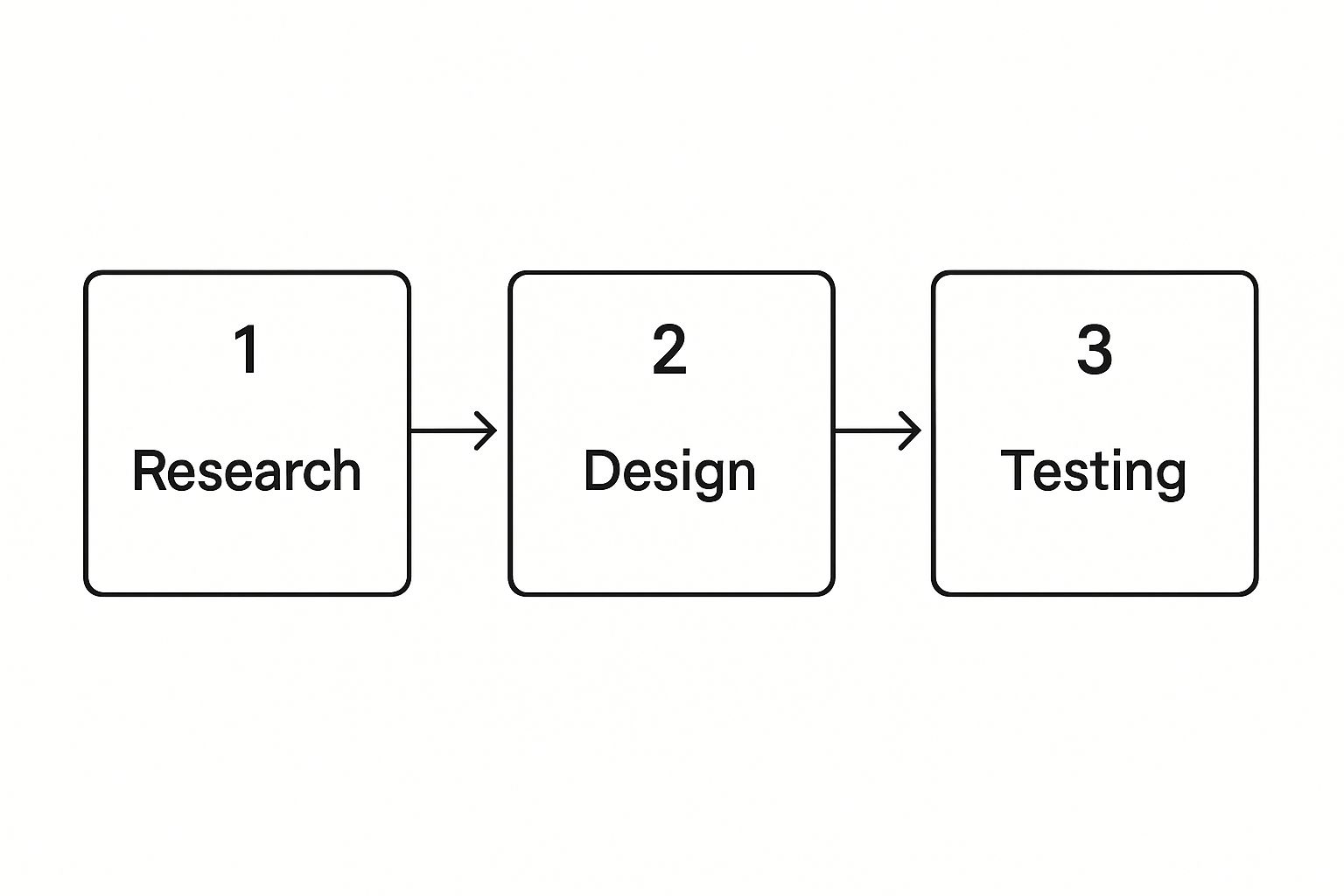
The key thing to remember is that testing doesn't mark the end. Instead, the feedback it generates circles right back to the beginning, fueling the next round of research and design. It’s a truly iterative process.
Phase 1: Understanding Through Research
Before a single pixel is placed, a UX designer needs to become an expert on their user. This first stage is all about empathy. The goal is to set aside your own assumptions and truly understand the motivations, struggles, and behaviors of the people you're designing for. If you skip the research, you're just designing in the dark.
To get this right, designers use a mix of methods:
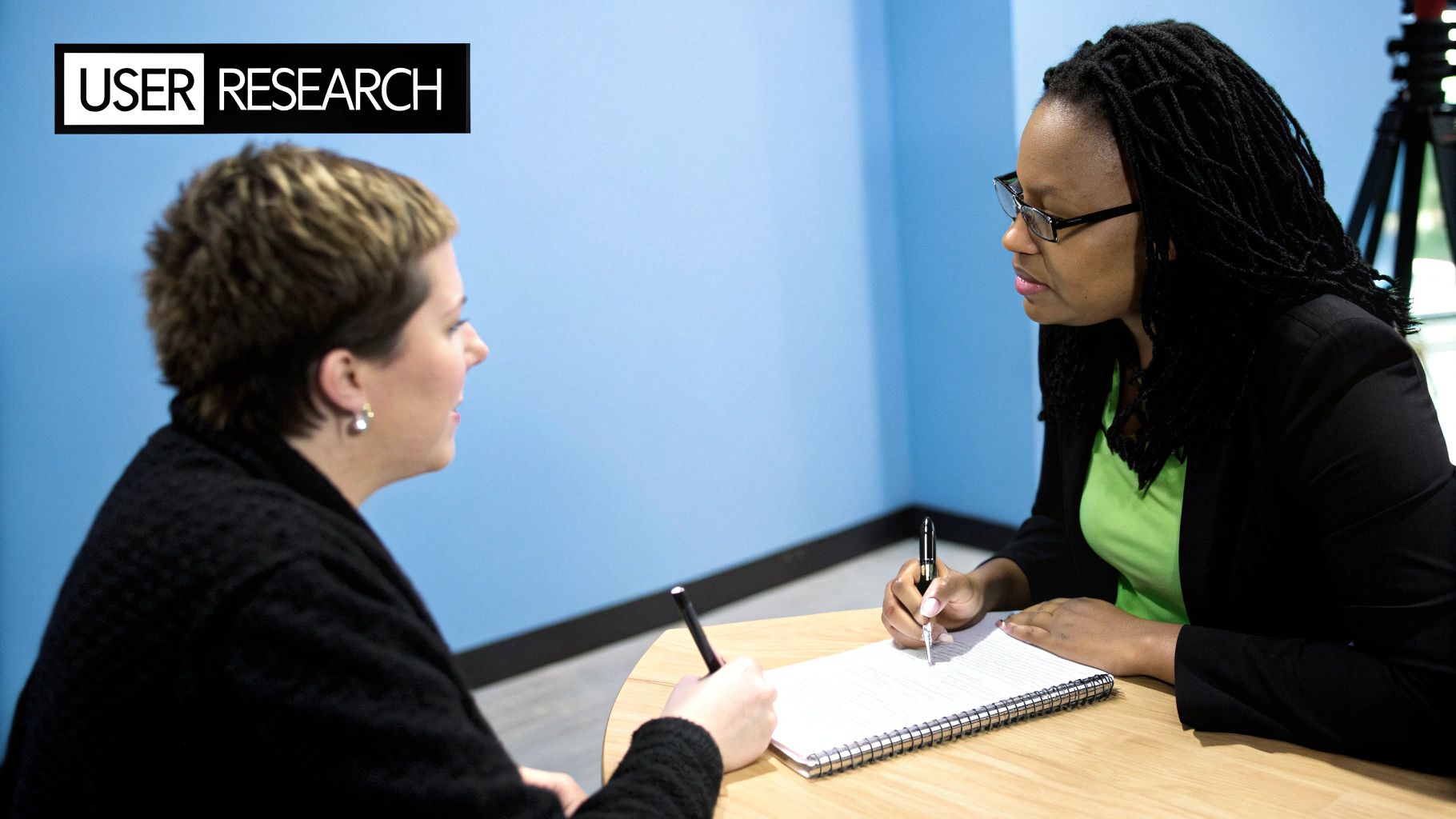
- User Interviews: Having one-on-one conversations with potential users to hear about their experiences firsthand.
- Surveys: Collecting data from a larger audience to spot widespread trends and patterns.
- Persona Creation: Building fictional characters from research data. These user personas act as a stand-in for key user groups, helping the team stay focused on who they are building for.
This stage is all about answering one critical question: "What problem are we really solving here?" The answers you find will shape every single decision that comes next.
Phase 2: Creating with Design and Prototyping
With a solid understanding of the user’s needs, it’s time to start brainstorming solutions. This is where ideas begin to take physical form, moving from abstract thoughts to tangible blueprints. For now, the focus is on structure and flow, not aesthetics like colors and fonts.
This creative phase usually involves a few key steps:
- Ideation and Brainstorming: This is where the team generates a wide range of ideas without judgment. Sketching and mind mapping are great tools for this.
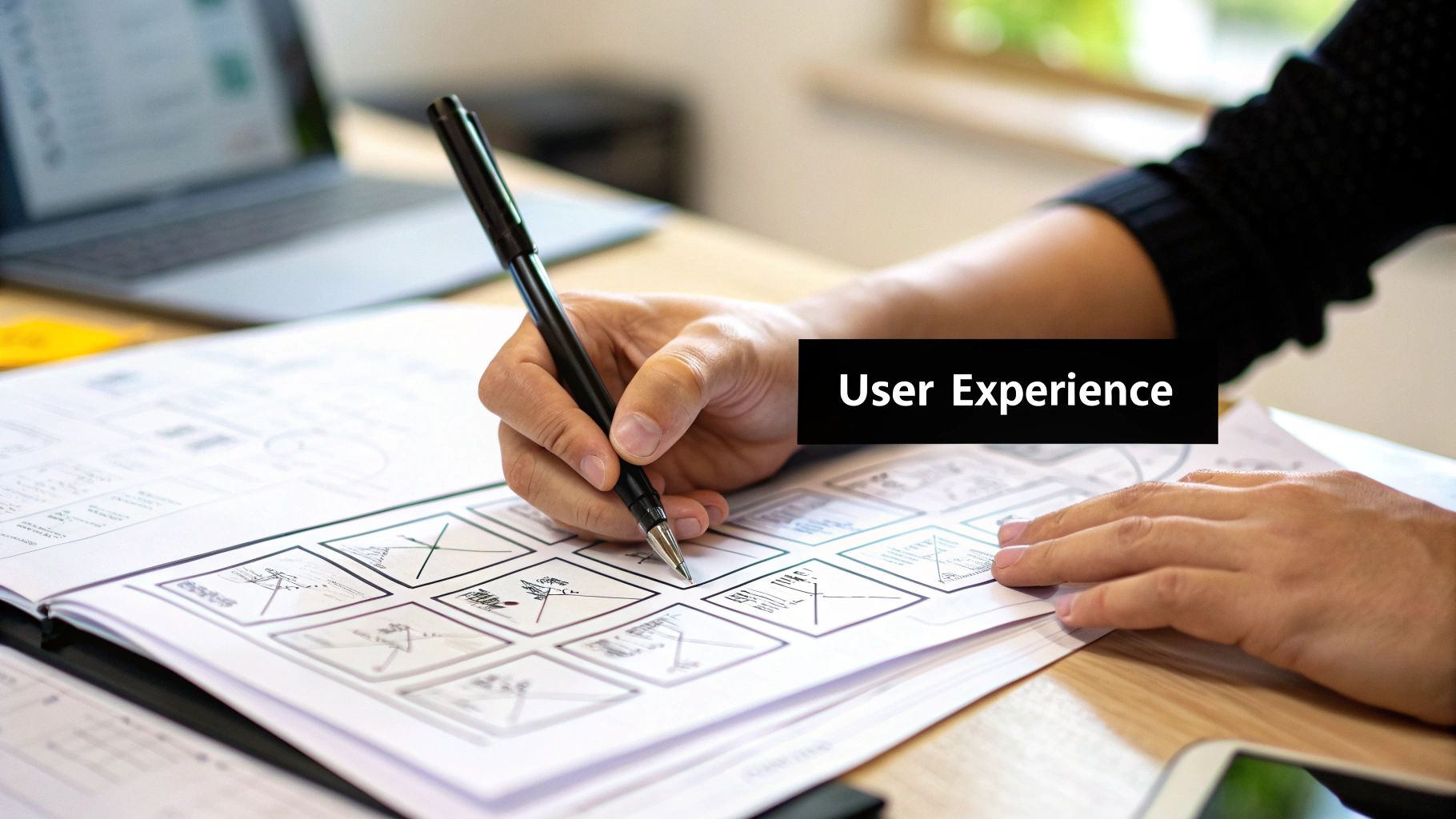
- Wireframing: Creating simple, black-and-white layouts of the product. Think of them as architectural blueprints that show where buttons, menus, and other key elements will live.
- Prototyping: Building interactive mockups that users can actually click through. Prototypes can be as simple as sketches on paper or as complex as a high-fidelity digital version that feels like the finished product.
A prototype isn't meant to be perfect; it's a testable guess. It’s a way to ask users, "Hey, does this make sense to you?" This approach allows for quick, cheap learning long before a single line of expensive code is written.
Phase 3: Validating Through Testing
Once you have a prototype, it's time for the moment of truth. This is where you find out if your solution actually works for real people. Usability testing involves watching users try to complete tasks with your prototype and taking notes on where they get stuck and where they succeed.
This feedback is pure gold. It shines a light on confusing navigation, unclear instructions, or any other friction that gets in the way of a smooth experience. A Forrester report found that a well-designed user interface can boost a website’s conversion rate by up to 200%. Testing is how you uncover those game-changing improvements.
The insights from testing aren't the finish line. They feed directly back into the earlier phases, starting the cycle all over again. Maybe a button needs to be moved, or an entire flow needs a rethink. By consistently measuring how a design works, you can make smarter, more informed decisions. In fact, keeping a close eye on key website performance metrics is a crucial part of proving that your UX efforts are paying off over time.
This iterative loop—research, design, and test—is the engine that powers great user experience. It's an ongoing conversation with your users that ensures the final product isn't just functional, but genuinely helpful and even enjoyable to use.
The Modern UX Designer's Toolkit
Just like a carpenter has a trusted set of tools, a UX designer relies on specialized software to bring ideas to life. These aren't just for making things look pretty; they're essential for everything from understanding how people think to building interactive models and keeping the entire team on the same page.
Thinking about these tools based on what they do helps clarify each stage of the UX process. Let's break down the modern designer's toolkit by its function.
Tools for Research and Understanding
Before you can design a solution, you have to understand the problem. That's where research tools come in. They help us gather and make sense of data about what users truly need, where they get stuck, and how they behave.
- UserTesting & Maze: These platforms are fantastic for running usability tests remotely. You can watch real people interact with your prototype and pinpoint moments of confusion without needing an in-person lab.
- Hotjar: This tool generates "heatmaps" that show you exactly where users are clicking, moving their mouse, and scrolling. It’s a quick, visual way to see what's grabbing their attention.
Tools for Design and Prototyping
This is where ideas start taking visual form. Design and prototyping tools let us create everything from rough, skeletal wireframes to polished, interactive mockups that feel almost like the real thing.
Figma has really taken over as the go-to tool for many designers, mostly because its real-time collaboration is a game-changer. An entire team can jump into the same file at once, which is incredibly useful. Designers use it for wireframing, building clickable prototypes, and creating final UI assets. Of course, tools like Sketch and Adobe XD are also heavy hitters, offering powerful features for screen design.
The real magic of these tools is that they let you "fail fast." You can whip up an interactive prototype in a few hours, get it in front of users, and gather feedback long before a single line of code gets written.
Tools for Collaboration and Feedback
Great UX is a team effort. It requires constant, clear communication between designers, developers, and product managers. Collaboration tools serve as the central hub for brainstorming, feedback, and tracking progress.
Miro, for example, is a digital whiteboard that's perfect for mapping out user journeys or organizing research notes. When it's time to gather structured input, using things like UI/UX design feedback forms provides a clear, consistent way to capture insights. This keeps feedback organized and ensures nothing important gets lost in the shuffle.
Key UX Design Tools by Function
To make sense of it all, it helps to see the tools grouped by what they help you accomplish. From research to final handoff, there's a specific tool for every job.
| Tool Category | Examples | Primary Use Case |
|---|---|---|
| User Research | UserTesting, Hotjar, Maze | Gathering qualitative and quantitative data about user behavior and needs. |
| Wireframing & Prototyping | Figma, Sketch, Adobe XD | Creating low-to-high fidelity visual layouts and interactive mockups. |
| Collaboration & Handoff | Miro, Zeplin, InVision | Facilitating team brainstorming, feedback, and developer handoff. |
Choosing the right tool at the right time is a key skill for any UX designer. The goal isn't to master every single one, but to build a reliable toolkit that helps you move smoothly from an initial idea to a final, user-friendly product.
Answering Your Top Questions About User Experience Design
When you start digging into user experience design, a few questions always seem to surface. Whether you're thinking about a career change or you’re a business owner wanting to build a better product, getting these answers straight is a great first step. Let's walk through some of the most common ones.
Do I Really Need to Know How to Code?
The short answer? Nope. Coding isn't a core requirement for most UX design jobs. Your main focus will be on understanding people and solving their problems through research, strategy, and mapping out user flows—not writing the software itself.
That said, having a basic grasp of what's possible with code, especially HTML and CSS, is a huge plus. It helps you design things that are actually buildable and makes conversations with your development team much smoother. Think of it less as a prerequisite and more as a secret weapon that makes you a better teammate.
What's the Single Most Important Skill I Need?
If I had to boil it all down to one thing, it would be empathy. It's the ability to step out of your own shoes and genuinely understand what your users are thinking, feeling, and struggling with.
Empathy is what helps you solve the right problem. All the other skills, from research to prototyping, are just the tools you use to turn that understanding into something that truly helps people.
Without empathy, even the most beautiful design can completely miss the mark. It’s the engine that powers every good decision in the UX design process.
How Can I Start Learning UX Design?
Getting your foot in the door is easier than you might think. A great place to start is by soaking up knowledge from industry leaders like the Nielsen Norman Group, who publish incredible research on user behavior. After that, it’s all about getting your hands dirty.
- Grab a free tool: Download a program like Figma and just start messing around. You don't need a client to start learning.
- Redesign something you use daily: Pick an app on your phone and brainstorm ways to improve it. Sketch out your ideas, then try building a simple prototype.
- Start a small portfolio: Document these exercises. A handful of well-thought-out redesigns is the perfect way to show how you think and what you can do.
Is AI Going to Replace UX Designers?
Artificial intelligence is shaping up to be a powerful assistant for UX designers, not a replacement. AI is fantastic at handling tedious, repetitive work, like sifting through thousands of user feedback comments to find common themes or generating dozens of design variations in seconds.
This actually frees you up to focus on what people do best: thinking strategically, solving tricky problems, and coming up with creative breakthroughs. AI will act as a collaborator, helping designers build smarter, more personalized experiences, but it won't replace the human expertise required to truly understand people.
At OneNine, we believe a great user experience is the cornerstone of any successful digital product. If you're ready to make your website more intuitive, effective, and enjoyable for your customers, our team is here to guide you. Learn more about how OneNine can simplify your website management and elevate your online presence.


