

So, what does "business website management" actually mean? It’s the ongoing work of keeping your website secure, running smoothly, and in sync with your business goals. It's far more than just a one-and-done setup; think of it as a continuous cycle of security checks, performance tweaks, and content updates.
What Is Business Website Management Really?

Let's be real—"website management" often sounds like a dry, technical chore best left to the IT department. But in practice, it’s a critical business function that directly shapes your brand's credibility, your revenue, and your relationship with customers.
Your website isn't just a digital brochure. It’s your hardest-working employee, operating 24/7 to attract new leads, build trust, and serve your audience. Proper management ensures it's always performing at its best.
With over 1.1 billion websites out there and hundreds more launching every minute, simply existing online isn't enough. Your site has to make a great first impression, especially since 75% of people admit to judging a company's credibility based on its website. A clunky, outdated, or insecure site can send potential customers running to your competitors.
To really get a handle on this, it helps to see website management as a collection of core activities. I've found that breaking it down into these essential areas makes the whole process much more manageable and ensures no critical task falls through the cracks.
Here’s a quick overview of what those pillars are and what they aim to achieve.
Core Pillars of Business Website Management
| Management Pillar | Primary Goal | Key Tasks & Frequency |
|---|---|---|
| Security & Maintenance | Protect the site and visitor data from threats. | Software updates (Weekly/Bi-Weekly), Malware scans (Daily), Backups (Daily) |
| Performance & UX | Ensure a fast, smooth, and intuitive user experience. | Speed tests (Monthly), Mobile optimization checks (Quarterly), Broken link scans (Monthly) |
| Content Management | Keep information fresh, accurate, and valuable to the audience. | Update existing content (As needed), Publish new content (Per schedule), Audit for accuracy (Annually) |
| SEO & Analytics | Improve visibility in search engines and track goal conversions. | Keyword tracking (Weekly), Performance reporting (Monthly), Technical SEO audit (Quarterly) |
Each of these pillars is non-negotiable. Overlooking even one can lead to serious headaches, from damaging security breaches to a slow bleed of potential customers.
A well-managed website is a hard-working asset that builds trust and generates leads around the clock. Neglecting it is like leaving your most important storefront unattended.
When you adopt a structured approach to these areas, your website transforms from a line-item expense into an active, revenue-driving machine. This strategic oversight is what separates successful brands from those that get lost in the noise.
For a deeper look into how these elements come together, check out our comprehensive guide on professional website management. It’s a great roadmap for making your website truly work for you.
Building Your Website Management Workflow

A solid plan is the difference between proactive website management and just putting out fires all day. That screenshot of a WordPress dashboard? For millions of businesses, that’s mission control. It's exactly where a structured workflow comes into play.
Putting a real framework in place turns those chaotic, easy-to-forget tasks into a predictable, efficient process. Without a system, it's inevitable that critical jobs like security scans or content updates get pushed to the back burner, leaving your site stale or, worse, vulnerable.
Choosing Your Operational Hub
Your Content Management System (CMS) is the heart of your daily workflow. The platform you're on—whether it's WordPress, Shopify, or something else—directly shapes how you’ll handle updates, publish content, and manage security. This isn't just a tech decision; it's a core operational one.
The rise of the CMS has completely changed the game. Think about this: back in 2011, a staggering 76% of all websites were painstakingly coded by hand. Today, that number has dropped to just 33%. Why the dramatic shift? Because over 68% of websites now run on a CMS, giving businesses a level of control that was once unheard of. WordPress alone dominates with nearly 63% of the CMS market.
A good CMS makes complex tasks much simpler, but it doesn't eliminate the need for a management plan. It just makes executing that plan a whole lot easier.
Defining Roles and Responsibilities
Once you have your platform, the next big question is: who’s going to do the work? I’ve seen it handled three common ways, each with its own pros and cons.
- In-House Management: This works well if you have someone on your team with the right skills and, crucially, the time. They already know your brand inside and out, which means they can move fast. The downside is that it can easily pull them away from their primary job.
- Hiring a Freelancer: A freelancer can bring in specialized expertise for things like SEO or security monitoring. It's usually more affordable than a full-time hire, but it demands really clear communication and hands-on project management from your side.
- Partnering with an Agency: If you're looking for a complete, hands-off solution, an agency is the way to go. You get a whole team of experts covering design, development, security, and strategy. It's the most comprehensive approach, ensuring every part of your site is professionally managed.
There's no single "right" answer here. The best choice comes down to your budget, your team's capacity, and where you want your business to go.
Using Tools to Stay Organized
No matter who is doing the tasks, you absolutely need a system to track everything. Relying on memory or a messy inbox is just asking for trouble. This is where project management tools become non-negotiable for building a reliable workflow.
A well-oiled workflow, powered by the right tools, ensures nothing falls through the cracks. It turns website management from a source of constant stress into a predictable, value-adding part of your business.
Tools like Trello, Asana, or even a detailed shared spreadsheet can be your command center for all website activities. For example, you can set up recurring tasks for things like:
- Weekly Security Scans: A repeating card assigned to your tech lead every Monday morning.
- Monthly Plugin Audits: A checklist for reviewing and updating all plugins, with a spot to note any issues.
- Quarterly Content Review: A task to hunt down and refresh outdated blog posts or service pages.
To keep your updates consistent and efficient, it's also a good idea to master your content creation workflow as a key piece of your overall strategy. A good system makes sure every part of your website, from the backend code to the newest blog post, gets the attention it needs to help your business thrive.
Your Essential Website Maintenance Checklist
If a workflow is your game plan, then this checklist is where the real work gets done. These are the absolute must-do tasks that keep your website healthy, secure, and running just right. Skipping them is like owning a car and never checking the oil—it’s only a matter of time before something breaks, and it’ll inevitably happen at the worst possible moment.
I always tell people to think of business website management as a steady rhythm of care, not a bunch of one-off projects. Your physical storefront needs daily cleaning and monthly inventory checks, right? Well, your digital storefront deserves the same attention. It's how you protect your investment and make sure every visitor has a great experience.
Core Security and Integrity Tasks
Security isn't a "set it and forget it" feature; it's an ongoing process. You might be surprised to learn that the most common way hackers get in isn't some super-sophisticated attack. More often than not, it's through an outdated piece of software that was simply overlooked.
Picture a small ecommerce shop running on WordPress. They use a popular plugin for their contact forms. The developer finds a security hole and releases a patch, but the shop owner misses the update notification. A week later, automated bots crawling the web find that exact vulnerability and inject malicious code. Suddenly, customers are being redirected to a phishing site, and their data is at risk.
This isn't just a scary story; this stuff happens every single day. Staying on top of updates is your first and most effective line of defense.
Forgetting to update a single plugin can be like leaving the back door of your business wide open. Proactive maintenance turns that lock every single day, ensuring your digital assets and customer data stay safe.
This is exactly why having a regular schedule is non-negotiable. Here are the security tasks you just can't afford to skip:
- Run and Test Your Backups: Don't just set up automated backups and assume they work. A backup that fails to restore is completely useless. I recommend daily automated backups for both your site files and database. Then, once a month, actually test a restore on a staging site. It's the only way to be sure.
- Update Your Core CMS and Plugins: Whether you're on WordPress, Shopify, or another platform, apply security patches the moment they're released. These updates are there for a reason—they fix critical vulnerabilities that bad actors are actively looking for.
- Scan for Malware and Vulnerabilities: Use a good security tool to run automated scans every day. These tools hunt for malicious code, backdoors, and other red flags, letting you catch a problem before it turns into a full-blown disaster.
This graphic really simplifies the flow of these core maintenance duties.
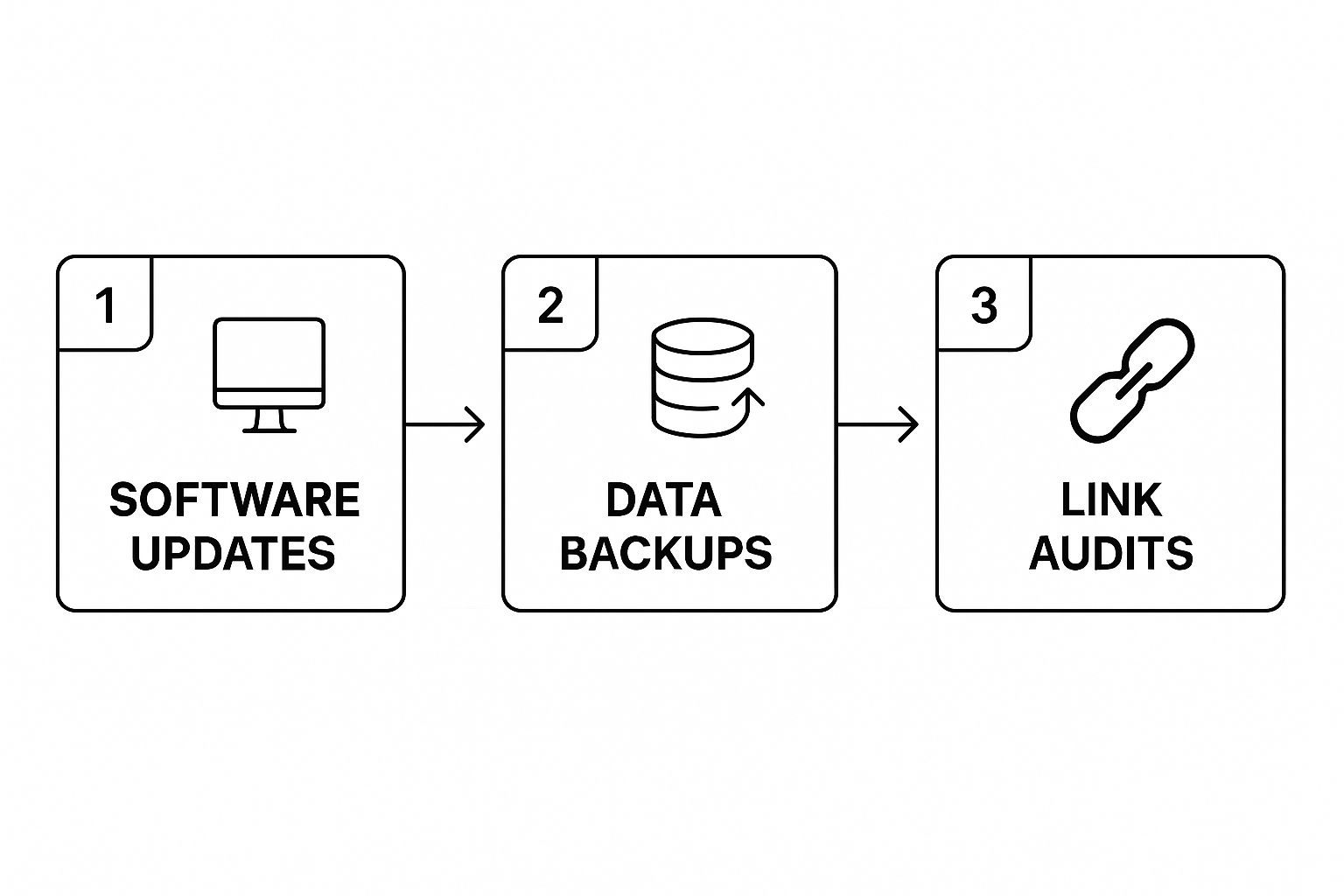
You can see how each task leads to the next, creating a continuous cycle of protection for your site.
Maintaining a Healthy User Experience
Beyond the technical stuff, your checklist has to focus on the user's journey. A website full of broken links and error pages is frustrating for visitors. It also tells search engines that your site is neglected, which can hurt your rankings.
You don't have to hunt for these issues manually. There are fantastic tools out there, like Google Search Console or standalone site crawlers, that will find these problems for you.
Here's what I check for on a monthly basis:
- Audit for Broken Links: Run a full crawl of your site to find any internal or external links leading nowhere. Fix them right away. It's a quick win for both user experience and SEO.
- Monitor 404 Errors: Check your server logs or Google Search Console for "404 Not Found" errors. If a page was moved or deleted, set up a 301 redirect to guide users and search engines to the right place.
- Review and Optimize Forms: Go through and personally test every single form on your site—contact forms, newsletter signups, the checkout process, everything. Make sure they work smoothly and that the submissions are actually being delivered.
By combining these security and user experience checks into a routine, you’re building a powerful strategy for both defense and growth. For an even more detailed breakdown, you can explore this guide to monthly website maintenance tasks which dives deeper into creating the perfect schedule.
Boosting Performance and User Experience
A slow or confusing website doesn't just annoy visitors—it actively costs you business. I've seen it time and again: if people can't find what they need intuitively, they're gone in a flash. That’s why a core part of managing a business website is obsessing over how real people actually experience your site.
The stakes are incredibly high. A staggering 88% of online consumers say they won't return to a site after a single bad experience. This isn't just about making things look nice; performance and user experience (UX) are direct drivers of customer loyalty and, ultimately, your bottom line. It's all about putting yourself in your customer's shoes and smoothing out every single bump in the road.
Making Your Website Faster
Website speed isn't a vanity metric; it's a make-or-break business essential. Even a one-second delay in how fast your page loads can slash conversions by 7%. For an e-commerce store pulling in $100,000 per day, that single second adds up to a shocking $2.5 million in lost sales every single year.
Here are some of the most effective speed boosts you can tackle right now:
- Optimize Your Images: Large, uncompressed images are the usual suspects behind a slow website. I always use tools to compress images before uploading them. Using modern formats like WebP also makes a huge difference.
- Enable Browser Caching: Caching is like giving repeat visitors a VIP pass. It stores parts of your site on their browser, so when they come back, it loads almost instantly without needing to download everything all over again.
- Minify Your Code: This technical-sounding step is simple in practice. It removes unnecessary characters, like extra spaces and developer comments, from your site’s HTML, CSS, and JavaScript files. Smaller files mean faster load times and a much snappier feel for your users.
A big part of modern performance tuning is getting to grips with your Core Web Vitals. These are specific, user-centric metrics that Google uses to measure real-world experience, and they directly influence how well you rank in search results.
Here's an example of what a performance report from Google's PageSpeed Insights looks like.
This kind of report is gold. It gives you a clear score and a prioritized list of what to fix, turning a vague goal like "make the site faster" into an actionable checklist.
Here’s a quick look at some of the most common issues that drag down website speed and how you can address them.
Common Performance Killers and Their Solutions
| Performance Issue | How to Identify It | Actionable Solution |
|---|---|---|
| Bloated Image Files | Run a site speed test; tools like PageSpeed Insights or GTmetrix will flag oversized images. | Compress images with tools like TinyPNG before uploading. Use the WebP format. |
| No Caching Policy | Your speed report will show low scores for "Serve static assets with an efficient cache policy." | Install a caching plugin (e.g., WP Rocket for WordPress) or configure caching rules on your server. |
| Render-Blocking JS/CSS | Reports will mention "Eliminate render-blocking resources" in the opportunities section. | Use plugins or manual techniques to defer the loading of non-critical JavaScript and CSS files. |
| Slow Server Response Time | Look for a high Time to First Byte (TTFB) in your performance audit. | Upgrade your hosting plan, consider a Content Delivery Network (CDN), or optimize your database. |
Fixing these problems isn't just a technical exercise—it’s about respecting your visitor's time and making their experience better from the very first second.
Improving the User Journey
Speed is just one piece of the puzzle. Your site also has to be incredibly easy and even pleasant to use. A great user experience is all about guiding visitors toward their goals, whether that’s finding an answer, buying a product, or getting in touch.
A fast website that’s impossible to navigate is like a pristine sports car with no steering wheel. It looks impressive but gets you nowhere. Good UX provides the direction your visitors need.
Focus on mastering these UX fundamentals:
- Prioritize Mobile-Friendliness: With more than half of all web traffic coming from phones, your site must work flawlessly on a small screen. Don't just assume it does; test it yourself on different devices.
- Simplify Your Navigation: A visitor should be able to find anything they need within three clicks. Use clear, straightforward labels for your menu. This isn't the place for confusing jargon or overly creative names that leave people guessing.
- Craft Compelling Calls-to-Action (CTAs): A CTA's job is to tell people exactly what to do next. Use strong, action-oriented phrases like "Get Your Free Quote" or "Shop the Collection Now" instead of a passive word like "Submit." Make your CTA buttons pop with a contrasting color so they're impossible to miss.
Improving speed and user experience isn't a one-and-done task. It demands constant attention, testing, and refinement—a true cornerstone of any successful website management plan. For a deeper look at the technical side, our guide on comprehensive website performance optimization covers more advanced techniques.
Keeping Your Content and SEO Alive

Here’s a hard truth: a great website is never truly “finished.” The moment you stop nurturing it, it starts to lose its value. This is where your ongoing content strategy and search engine optimization (SEO) come in, turning your site from a static digital brochure into a marketing engine that actually drives growth.
Effective business website management is so much more than just technical fixes. It’s about keeping your site relevant, visible, and engaging for the people you want to reach. Think of your content as the fuel and SEO as the roadmap—without both, even the most beautiful website will sit empty.
Create a Simple Content Calendar
A content calendar doesn't have to be some overly complicated, color-coded beast. Honestly, a simple spreadsheet is often the best place to start. The real goal here is consistency, not complexity. Your calendar is your promise to keep your site fresh and give people a reason to come back.
Start by brainstorming topics your audience genuinely cares about. What problems are they facing? What questions are they constantly asking? Jot down a list of potential blog posts, case studies, or how-to guides that provide real answers. Then, just plug them into your calendar. Even one new piece of quality content a month is a fantastic start.
Find New Opportunities with Keyword Research
Keyword research is like having a direct window into the minds of your potential customers. It shows you the exact words and phrases people are typing into Google to find solutions like yours. When you use tools to uncover these keywords, you can create content that meets a real, existing demand instead of just guessing.
And don't be afraid to think beyond the obvious. Instead of just targeting a broad term like "landscaping services," dig deeper for long-tail keywords like "low-maintenance backyard ideas for small spaces." These super-specific phrases often attract visitors who are much further along in their buying journey.
Your website is a living asset. Keeping content fresh and SEO sharp isn't a chore—it's how you protect your investment and ensure it continues to generate returns long after launch.
Refresh Old Content to Protect Your Rankings
Creating new content is great, but don't overlook the gold mine you're probably already sitting on. Go back through your analytics and find older blog posts that used to perform well but have since started to fade. These are the perfect candidates for a content refresh.
A refresh can be as simple as:
- Updating outdated stats or information.
- Adding new sections to make the article more comprehensive.
- Optimizing for new keywords you've discovered since you first wrote it.
- Improving readability with better formatting or new images.
This process, sometimes called "historical optimization," can breathe new life into your existing assets. It's often one of the quickest ways to boost rankings and traffic with far less effort than creating something brand new from scratch.
Master On-Page SEO Essentials
On-page SEO refers to all the small but mighty optimizations you make directly on your website's pages. These little signals help search engines understand what your content is about, making it much easier for them to rank it for the right searches.
A few key on-page elements you should always manage include:
- Title Tags: This is the clickable headline that shows up in search results. Your job is to make it compelling while including your main keyword.
- Meta Descriptions: That little snippet of text under the title tag. It won't directly impact your rankings, but a good one can be the difference between someone clicking on your link or a competitor's.
- Internal Links: Linking to other relevant pages on your own site is huge. It helps both users and search engine crawlers navigate your content and spreads authority across your website.
With around 73% of U.S. small businesses now having a website, the competition is no joke. Since many B2B sites attract between 1,000 and 10,000 visitors a month, smart content and SEO are what will help you stand out.
Ultimately, blending fresh content with sharp SEO is the secret to sustained visibility and long-term growth. To make sure your articles hit the mark, it's worth learning how to create content for SEO that resonates with both people and search engines.
Answering Your Top Website Management Questions
Even with the best-laid plans, a few practical questions always pop up when it comes to managing a business website. I get asked these all the time, and they’re the real-world concerns that can make or break your decision-making process.
Let's dig into them. Getting clear answers here will help you turn a vague strategy into confident, concrete actions.
Should I Manage My Website Myself or Hire Someone?
This is the big one. Honestly, the right answer boils down to three things: your time, your comfort level with tech, and your budget.
Going the DIY route can be a great place to start. If you're using a straightforward platform like Wix or Squarespace and genuinely have the hours to dedicate to regular updates and security checks, it's a fantastic way to learn the ropes. You get a hands-on feel for your own digital home base.
However, if your schedule is already packed or the thought of a security breach makes you break out in a cold sweat, hiring a professional is a smart move. A pro doesn’t just prevent costly mistakes; they free you up to focus on what you do best—running your business. It almost always delivers a strong return by making sure your site is a reliable asset, not a nagging liability.
Hiring a professional isn't just an expense; it's an investment in stability and peace of mind. The cost of one major mistake from inexperience almost always outweighs the cost of expert management.
How Much Should I Budget for Website Management?
Website management costs can really run the gamut, but we can ballpark it by looking at a few common scenarios.
- The Bare Essentials: For a standard small business site, you're likely looking at $50 to $150 per month. This covers the non-negotiables: web hosting, an SSL certificate for security, and any premium plugins you need.
- Hiring a Freelancer for Maintenance: If you bring in a freelancer or a small agency for a basic care plan—think weekly updates, daily backups, and security scans—the cost usually lands between $150 and $500 per month.
- All-Inclusive Management: For a comprehensive approach that adds SEO, regular content creation, and performance tuning, budgets can climb from $500 to over $5,000 per month. This wide range really depends on how complex your site is and how aggressive your growth goals are.
What Are the Biggest Red Flags of a Poorly Managed Website?
The warning signs of a neglected website are surprisingly easy to spot if you know what to look for. The most critical red flags are the ones that tank user trust and security.
Keep an eye out for these tell-tale signs:
- Slow Load Times: Anything over three seconds is a major problem.
- Browser Security Warnings: That "Not Secure" notice in the address bar is a visitor's worst nightmare.
- A Clunky Mobile Experience: If the site is a mess on a phone, you're bleeding visitors.
- Outdated Information: A copyright date from two years ago or a blog that hasn't seen a new post in months just screams neglect.
- Visible Errors: Broken links that lead to 404 pages don't just frustrate people; they actively hurt your SEO.
Behind the curtain, the biggest red flag of all is a lack of consistent backups and software updates. This is what leaves you dangerously exposed to being hacked—the ultimate consequence of poor website management.
How Do I Know if My Website Management Is Actually Working?
Success isn't just about dodging bullets; it's about hitting your targets. You know your management efforts are effective when you see real-world results that tie back to your business goals.
The best way to do this is by tracking a mix of site health and business growth metrics, which you can easily monitor with a tool like Google Analytics.
Key Health Metrics to Watch:
- Website Uptime: Your goal here should be 99.9% or better. No excuses.
- Page Load Speed: This is a constant battle. Keep pushing to get this number as low as possible.
- Security Incidents: The only good number here is zero.
Key Growth Metrics to Watch:
- Conversion Rate: Are more people actually filling out your forms or buying your products?
- Leads Generated: Is the website bringing in more qualified leads this month than last?
- Search Engine Rankings: Are you climbing the ladder for the keywords that matter most?
When you see positive momentum in these areas, you can be confident your business website management strategy is truly paying off.
At OneNine, we take the complexity out of website management so you can focus on your business. From seamless development to ongoing support, we're your partner in digital success. Learn how we can help.


