Your website probably isn't failing in a dramatic way. It's failing in small, expensive ways.
A page update takes too long, so your team delays it. A campaign idea gets watered down because the site can't support it. Sales asks for a landing page and marketing says, “not this quarter.” You want better performance, cleaner analytics, stronger SEO, or a more flexible ecommerce setup, but every change feels like surgery.
That's usually the moment companies start looking at CMS migration services.
For SMBs, this decision isn't really about software. It's about whether your current website still helps you grow, or whether it has turned into a maintenance burden that absorbs budget, slows execution, and limits what your team can do. A smart migration fixes that. A sloppy one creates new problems.
The right way to think about a migration is simple. Don't ask, “How do we move the site?” Ask, “What kind of website does the business need for the next few years, and is the current platform capable of supporting it?”
Is Your Website Holding Your Business Back
A common story goes like this.
A business launches a website a few years ago. At the time, it feels custom, polished, and good enough. Then the business grows. The marketing team needs landing pages faster. Sales wants better integration with the CRM. Leadership wants cleaner reporting. The ecommerce team wants a smoother checkout flow. None of that happens easily, because the site was built for an earlier version of the company.
So the website stays live, but it stops being useful.
What that looks like in practice
You'll usually see a few patterns show up at once:
- Simple updates feel hard: Routine content edits need a developer, a plugin workaround, or a chain of approvals that burns time.
- The site doesn't support current goals: Your business wants better lead generation, ecommerce growth, multilingual publishing, or faster campaign launches, but the platform keeps getting in the way.
- Maintenance beats momentum: The team spends more energy patching issues than improving the site.
- The website feels disconnected: Analytics, forms, content workflows, and integrations don't line up the way your business operates.
That's when a migration stops being a technical cleanup project and becomes a business decision.
Your CMS should help your team publish, test, and sell. If it mainly forces workarounds, it's already costing you money.
There's also a larger platform shift happening. A widely cited 2024 market snapshot put the headless CMS market at USD 816 million, with 73% of enterprises already adopting headless architecture and growth running at roughly 22% annually, according to this 2024 market snapshot on headless CMS migration services. For SMBs, that doesn't mean you should rush into headless. It means migrations increasingly involve platform modernization, not just moving pages from one admin panel to another.
If your site is slowing execution, frustrating your team, or limiting revenue opportunities, the question isn't whether your website has problems. It's whether you want to keep paying for them.
What CMS Migration Services Really Are
Most owners hear “migration” and think content transfer. That's too narrow.
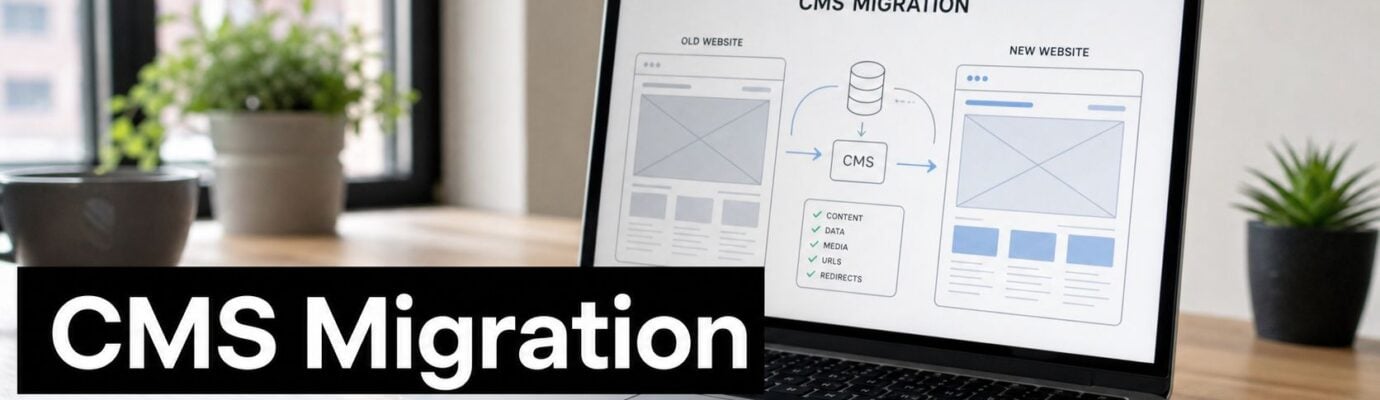
A CMS migration is closer to moving your business headquarters than moving furniture between rooms. You're not just packing up blog posts and page copy. You're relocating systems, processes, assets, workflows, and the paths people use to find you.

What a professional migration actually includes
Good CMS migration services usually cover five business-critical layers:
| Area | What gets handled |
|---|---|
| Content | Pages, posts, product content, metadata, media, and structured fields |
| Site structure | URL paths, redirects, navigation, taxonomies, and internal linking |
| Functionality | Forms, search, ecommerce behavior, memberships, dynamic content, and integrations |
| Workflows | Editorial permissions, publishing approvals, and team processes |
| Front-end delivery | Templates, rendering logic, performance setup, and user experience |
That's why migrations fail when companies treat them like export-import jobs.
Independent migration guidance is clear on this point. A CMS migration should be handled as a multi-layer data transformation project, not just a copy exercise. That guidance recommends mapping content, presentation logic, production workflows, digital assets, and URLs before execution, then using staging and phased rollout to reduce breakage, as explained in Uniform's guide to migrating a CMS.
Why SMBs underestimate the work
From the outside, your website looks like pages and images. Underneath, it usually contains years of hidden decisions:
- Old URL structures that still carry SEO value
- Custom fields that don't map neatly to a new platform
- Embedded tools for forms, booking, ecommerce, or CRM sync
- Editorial shortcuts your team relies on, even if nobody documented them
- Design components that need to be rebuilt, not copied
Practical rule: If your team says, “We mostly just need the content moved,” you probably haven't audited the site deeply enough.
This is also why platform choice matters so much. Moving from a legacy CMS to WordPress, Shopify, Webflow, or a headless setup are not interchangeable decisions. Each one changes who can update the site, how fast you can launch new pages, what integrations are easy, and how much ongoing technical support you'll need.
So when you buy CMS migration services, you're not paying someone to move text boxes. You're paying them to preserve what matters, rebuild what's broken, and give the business a platform it can effectively use.
Five Signs Your Business Needs to Migrate
Some companies migrate too late. They wait until the site becomes a genuine liability. That's expensive, because by then the business has already spent months, sometimes years, absorbing slowdowns and workarounds.
If several of these signs are true, you likely need to stop patching and start planning.

Your team can't move fast
Marketing should be able to publish pages, test messaging, and update content without turning every request into a dev task. If your CMS slows routine work, that's not a minor annoyance. It's a drag on revenue.
A slow editorial workflow means slower campaign launches, slower SEO execution, and slower response to customer demand.
Your site can't support new business priorities
A lot of SMB websites were built for one narrow job. Brochure site. Basic catalog. Simple lead gen. That falls apart when the company needs more.
Maybe you now need:
- Ecommerce flexibility: Better product structure, subscriptions, bundles, or cleaner checkout experiences
- Marketing integrations: Tighter connections to HubSpot, Salesforce, Klaviyo, or analytics tools
- Content scale: Landing pages, resource hubs, location pages, or multilingual publishing
- Omnichannel delivery: Content that needs to appear beyond one traditional website experience
If your current CMS resists those needs, migration isn't optional forever. It's deferred.
Maintenance costs keep rising
Older websites create a nasty pattern. Every small fix becomes custom work. Every plugin or integration feels fragile. Every redesign discussion starts with, “That might break something.”
That's a signal that your website architecture is aging poorly.
When the cost of keeping the old platform stable starts competing with the cost of replacing it, you should stop thinking in terms of maintenance and start thinking in terms of leverage.
The site feels risky to touch
This is common on legacy WordPress builds, old custom CMS setups, and inherited agency builds with weak documentation. Nobody wants to touch the site because nobody fully understands it.
That risk has business consequences:
- Launches get delayed
- Teams avoid improvements
- Technical debt compounds
- Leadership loses confidence in the site
You're considering headless without a clear business reason
This one is different. Sometimes the sign isn't “you must migrate.” It's “you need a real decision process.”
Headless can make sense when performance, structured content, and multi-channel delivery are core to the business. But for many SMBs, a traditional CMS or a platform like WordPress, Shopify, or Webflow is the better fit because the team can operate it. If you're attracted to headless because it sounds modern, slow down. Migrate for business gains, not architecture fashion.
The Standard Five Phase Migration Process
A strong migration project shouldn't feel chaotic. It should feel disciplined.
When clients get nervous about CMS migration services, it's usually because they imagine a black box full of technical risk. A good partner replaces that with a visible process, clear deliverables, and checkpoints that protect the business before anything goes live.

Phase one is discovery and strategy
Smart projects secure victory here.
The team audits the current site, identifies what should move, what should be retired, and what needs to be rebuilt. This is also where platform choice gets decided properly. Not by trend, but by workflow, integrations, growth plans, and internal capabilities.
The key business questions are straightforward:
- What is the site supposed to do better after migration
- Who needs to manage it day to day
- Which content and functionality are worth preserving
- What should be simplified instead of recreated
A serious migration partner also defines success before touching the build.
Phase two is preparation
This phase protects you from avoidable damage.
The team maps content to the new schema, creates redirect plans, prepares staging, checks integrations, and sets a baseline for analytics and SEO. If you want a practical planning reference, this website migration checklist is a useful example of the kind of work that should happen before launch.
You also need operational discipline here. For large content sets, migration throughput is often limited by freeze windows, data volume, and import horsepower. One technical guide notes that after transformation rules are defined, the source system is often put into a read-only freeze, and the actual load can take minutes to days depending on the number of documents and hardware, as described in ArgonDigital's technical guide to content migration challenges.
That matters because CEOs often assume the schedule depends only on page count. It doesn't. It also depends on infrastructure, mapping quality, and how much the target system needs to transform during import.
A short explainer can help make the process more concrete:
Phase three is execution
Now the actual transfer happens.
Content moves. Templates get rebuilt. Search, forms, ecommerce functions, tracking, and integrations are reimplemented. This phase is where weak planning gets exposed fast. If the schema is wrong or key dependencies were missed, execution turns messy.
That's why good teams don't just migrate content. They rebuild the operating model of the site in a controlled way.
Phase four is testing and QA
Professionals differentiate themselves from vendors who merely “got the pages in” at this stage.
Testing needs to cover:
- Page integrity: Layouts, content formatting, images, embeds, and dynamic sections
- User journeys: Forms, product flows, checkout paths, gated content, and lead routing
- SEO safeguards: Redirect behavior, metadata, canonicals, internal links, and crawlability
- Tracking: Analytics, pixels, events, conversions, and attribution logic
Launch is not the moment to discover that your forms don't route correctly or your redirects missed a revenue page.
Phase five is go-live and monitoring
A migration isn't finished when the new site is live. It's finished when the site is stable.
Post-launch monitoring should watch for broken links, crawl issues, analytics gaps, indexing problems, content anomalies, and workflow friction inside the CMS. This period is where a lot of hidden issues finally surface, especially on larger sites.
The best migrations look calm from the outside because the team did the stressful work earlier.
Common Migration Pitfalls and How to Avoid Them
The dangerous myth about migrations is that they're mostly technical. They're not. They're operational, commercial, and reputational.
A bad migration can damage search visibility, scramble critical content, break lead flow, and leave your team with a site they don't know how to use. These are the three mistakes I'd worry about most.
SEO damage after launch
This is the risk that gets underestimated most often.
One study of 892 domain migrations found that organic traffic took an average of 523 days to recover to pre-migration levels, according to FocusReactive's summary of domain migration recovery timelines. That should change how every SMB thinks about website migration. Search recovery can take well over a year if redirects, URL structure, internal linking, and content signals are mishandled.
If organic search matters to your pipeline, SEO cannot be a cleanup task after launch.
To prevent that, insist on:
- A full URL inventory: Every live URL, not just top-level pages
- Redirect mapping: Old URL to new URL, reviewed before go-live
- Metadata preservation: Titles, descriptions, canonicals, alt text, and structured content fields
- Post-launch crawl checks: To catch broken paths, orphaned pages, and indexing issues quickly
If your migration partner talks more about design than redirects, that's a warning sign.
Data loss and broken functionality
This usually happens when teams assume the new CMS can “just take” the old content model.
It usually can't.
Content often lives in mismatched fields, deprecated modules, custom shortcodes, old product structures, or page-builder fragments that don't have a clean equivalent on the new platform. Add forms, search filters, memberships, booking tools, or CRM sync, and the risk grows.
A practical way to lower the risk is to separate what you have into buckets:
| Risk area | What to verify before launch |
|---|---|
| Content data | Field mapping, formatting rules, media relationships |
| Business logic | Forms, calculators, checkout, user permissions |
| Integrations | CRM sync, email tools, analytics, automation |
| Legacy assets | PDFs, downloads, embedded videos, old image paths |
The fix is boring and disciplined. Audit first. Map every important data type. Test real user journeys, not just page layouts.
Scope creep and budget drift
This one is usually a leadership problem disguised as a delivery problem.
Scope blows up when companies start a migration without deciding what kind of project it is. Is it a pure replatform? A redesign? A content cleanup? A brand refresh? A structural SEO overhaul? If the answer is “all of it,” your timeline and budget will keep moving.
Set hard boundaries early:
- Must-have items that make the business case work
- Nice-to-have requests that can wait for phase two
- Legacy features that should be retired instead of rebuilt
- Decision owners who can approve tradeoffs fast
A migration succeeds when leadership treats it like a business transformation with controlled scope, not a wish list attached to a redesign.
How to Choose the Right Migration Partner
Most providers can say they do CMS migration services. That doesn't tell you much.
What matters is whether they can guide the platform decision, manage risk, and deliver a site your team can run after launch. For SMBs, that last part matters a lot. You don't need a flashy build if you end up dependent on developers for every content change.

Start with platform judgment, not migration claims
A good partner shouldn't just ask where you want to move. They should ask whether that destination makes sense.
That's especially important if headless is on the table. Useful migration guidance treats headless projects as specialized work and stresses exhaustive URL inventories, redirect mapping, analytics baselines, and ongoing monitoring, which are signs that the burden is materially higher than a straightforward rebuild, as noted in Bits Orchestra's overview of CMS migrations. For many SMBs, the right advisor helps you avoid unnecessary complexity.
If you're still choosing a platform, this guide on how to choose a CMS is the kind of resource worth reviewing before you sign a migration scope.
Questions worth asking in the first call
Don't ask vague questions like “Have you done migrations before?” Ask questions that expose how they think.
- How do you decide whether to migrate to WordPress, Shopify, Webflow, or headless
- What gets audited before you define scope
- How do you handle redirect mapping and SEO validation
- Who owns QA, and what does QA encompass
- What happens in the first few weeks after launch
- What will my internal team still need help with after the project ends
A partner who can't answer these cleanly probably doesn't have a stable process.
What a strong partner usually has
Look for a mix of strategic and delivery capability.
| Capability | Why it matters |
|---|---|
| Experience on both old and new platforms | They'll spot hidden migration issues earlier |
| SEO competence | They won't treat search visibility as an afterthought |
| Structured project management | You'll get defined milestones, approvals, and responsibilities |
| Real post-launch support | Problems rarely end on launch day |
| Business fluency | They can connect technical choices to revenue, workflow, and operating cost |
One practical option in this space is OneNine, which works across major CMS platforms including WordPress, Shopify, Webflow, and custom environments, and also handles ongoing website management after launch. That kind of continuity can matter if your team wants one partner for migration and day-to-day support.
Choose the team that can tell you when not to rebuild something. Restraint is usually a better sign than enthusiasm.
The Real ROI of a Successful CMS Migration
The payoff from a migration rarely shows up as one dramatic metric. It shows up in how much easier the website becomes to operate and improve.
A B2B company might move from an outdated custom CMS to a platform its marketing team can manage directly. The result isn't just a nicer admin panel. It's faster campaign launches, cleaner landing page production, quicker content updates, and less dependence on developers for routine work.
An ecommerce brand might migrate from a rigid setup to Shopify because product merchandising, promotions, and storefront updates have become too slow. That decision can improve execution speed across the business. Merchandising gets easier. Marketing can launch offers faster. Operations spend less time working around platform limits.
A service business might leave a fragile legacy build and move to WordPress or Webflow because every site change currently feels risky. The ROI comes from lowered maintenance friction, cleaner publishing workflows, and a website leadership trusts enough to invest in.
What to include in your business case
If you need to justify migration internally, focus on these categories:
- Team efficiency: Time saved on edits, launches, approvals, and content publishing
- Revenue support: Better lead generation, stronger ecommerce execution, smoother user journeys
- Risk reduction: Fewer failures tied to outdated architecture, brittle integrations, or undocumented custom code
- Future flexibility: Easier redesigns, easier testing, and less expensive feature expansion
If you want to pressure-test the financial side, use a website ROI calculator to frame the conversation around business outcomes rather than platform preferences.
A successful migration doesn't just give you a new CMS. It gives your business a website that's easier to grow with.
If your current site is hard to update, expensive to maintain, or limiting what your team can do, it's worth having a direct conversation before you commit to a rebuild. OneNine helps SMBs plan, migrate, redesign, and manage websites across major CMS platforms, with a focus on clear process and practical business outcomes.


