

Think of your website as your digital storefront. Just like a physical shop, it’s not something you build once and then forget about. You wouldn't just lock the doors to your brick-and-mortar store and hope for the best, right? You'd be in there every day—sweeping the floors, stocking the shelves, and making sure the lights are on.
Your website needs that same consistent care to stay welcoming, functional, and visible to the people you want to reach. This is the heart of web management for small businesses. It's not a technical chore to check off a list; it's a vital, ongoing part of running your business. Ignoring it is like leaving your storefront's doors locked during business hours or letting dust settle on your best products.
Why Web Management Is Not Just a Technical Task
When you start treating your website like an active part of your operations, everything changes. It stops being a static online brochure and starts working for you. This means focusing on a few key areas that are just as important as running your physical store.
These pillars form the foundation of a healthy, thriving online presence.
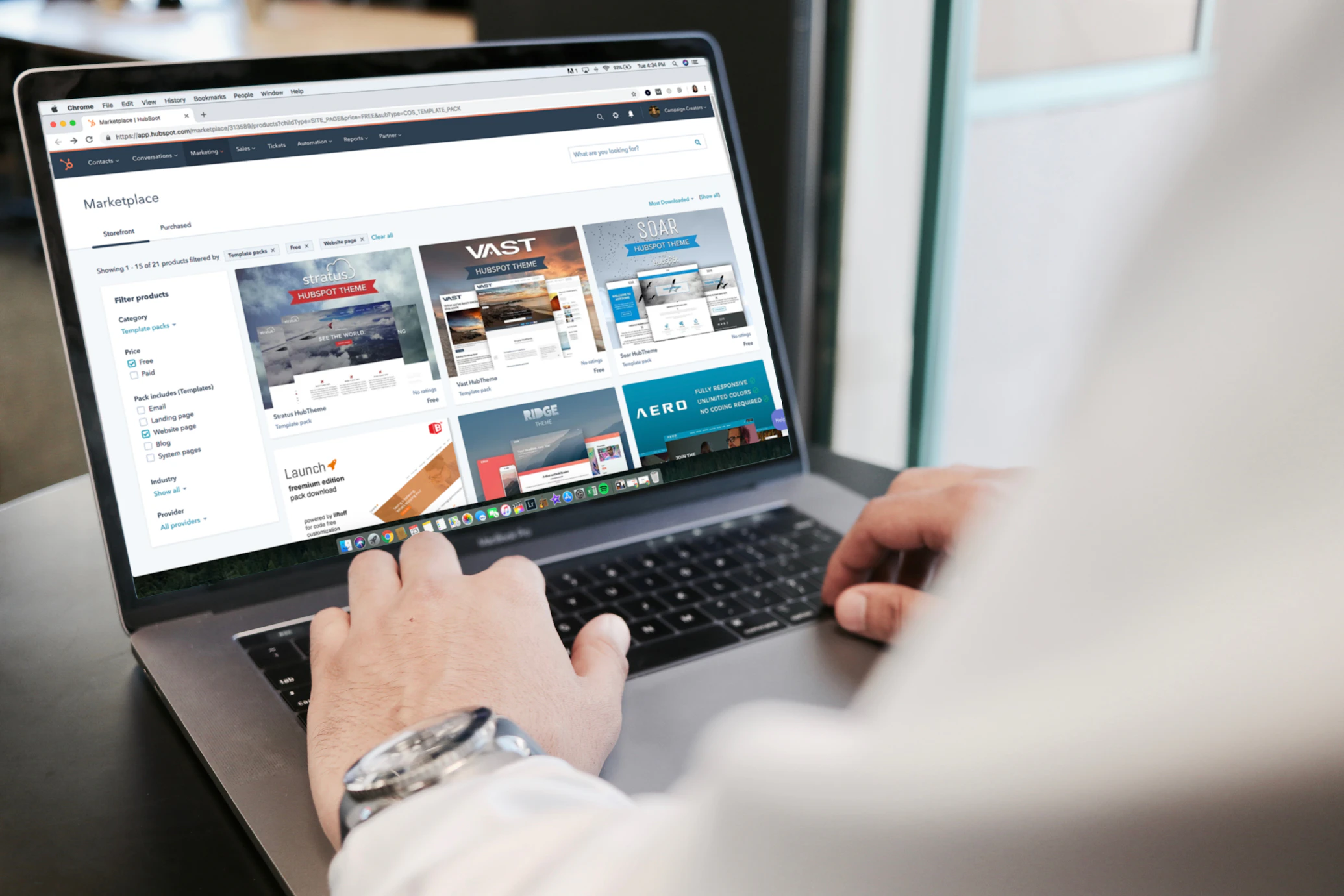
Your Digital Storefront in Action
So, what does this "daily care" actually look like? It breaks down into a few core activities that mirror how you'd manage a physical location. Each one directly impacts your customer's experience and, ultimately, your bottom line.
- Keeping things tidy (Maintenance): Regularly updating your site’s software and fixing broken links is the digital version of keeping your shop clean and everything in working order.
- Locking the doors (Security): Protecting customer data from hackers is just like locking up at night and having a good security system. It's non-negotiable.
- A great shopping experience (User Experience): Making sure your site is fast and easy to get around is like having wide, clear aisles and helpful staff who can point customers in the right direction.
- Location, location, location (SEO): Getting your site to show up on Google is the modern equivalent of choosing a great storefront on a busy street. It brings people to your door.
This isn't just a "nice-to-have." The way customers shop has fundamentally changed. Research shows that 99% of consumers use the internet to find local businesses. And an overwhelming 81% of shoppers do online research before buying anything. That includes reading reviews (55%) or, crucially, visiting the business's website directly (47%). These small business statistics paint a clear picture: if your online storefront is a mess, you're losing customers.
A poorly managed website doesn't just look unprofessional; it actively turns customers away. A slow-loading page, a broken link, or a scary security warning can make a potential buyer click the back button and head straight to your competitor.
The True Business Impact of Web Management
Before we dive deeper, let’s take a moment to summarize how these pillars connect back to your business goals. Thinking about web management this way helps frame it not as a cost, but as an investment in your company's growth and stability.
Here is a quick look at the core components of web management and why they are so vital for the success of your small business.
Key Pillars of Small Business Web Management
| Management Pillar | What It Means for Your Storefront | Why It Matters to Your Business |
|---|---|---|
| Maintenance | Keeping everything clean, updated, and working properly. | Protects your website investment and prevents small issues from becoming costly problems. |
| Security | Locking your doors and protecting customer information. | Builds critical customer trust and safeguards your reputation against data breaches. |
| User Experience (UX) | Ensuring an easy, fast, and pleasant shopping experience. | Reduces bounce rates, encourages sales, and turns visitors into repeat customers. |
| SEO | Choosing a great location with high visibility and foot traffic. | Drives organic traffic from search engines, bringing in new, qualified leads for free. |
By focusing on these four pillars, you shift your perspective from seeing your website as a technical headache to recognizing it as a powerful business asset.
Consistent management protects the time and money you've already invested in your site. It also builds something far more valuable: customer trust. A professional, secure, and reliable website shows people that your business is legitimate and cares about their experience. That trust is the foundation for turning a first-time visitor into a loyal customer who feels confident giving you their business.
Choosing the Right Foundation for Your Website
Deciding where to build your website is one of the first, and most important, choices you'll make for your business online. Think of it like choosing between leasing a retail space in a managed mall or buying your own land to build a custom shop. The path you pick today will affect how much you can grow, what you'll spend, and how much control you have down the road.
Your options really boil down to two main camps: easy-to-use website builders and powerful, flexible content management systems. There's no single "best" choice—it all depends on your technical comfort level, your budget, and what you want your website to do for you.
Do-It-Yourself Website Builders
Platforms like Wix, Squarespace, and Shopify are the all-in-one packages of the web world. They are built for business owners who aren't coders. Using drag-and-drop tools and ready-made templates, you can get a surprisingly professional site up and running yourself.
This approach is incredibly popular for a reason. Most small businesses know they need to be online—73% already have a website, and another 23.5% are planning to get one soon. The market for builders reflects this, with Wix alone commanding 45% of the market and powering around 8 million live sites. You can dig into more of these small business website statistics to see the trends.
These platforms bundle everything you need—hosting, security, design tools, and support—into one predictable monthly fee. That convenience is their main draw.
Key Benefits of DIY Builders:
- No Code Needed: If you can create a PowerPoint slide, you can build a webpage. The visual editors are that intuitive.
- Fast Launch: You can go from an idea to a live website in a few hours or days, not weeks or months.
- Simple Budgeting: One monthly bill typically covers hosting, your security certificate (SSL), and access to customer support.
But, that simplicity has its trade-offs. You're essentially renting space on their platform, which means you're limited to the features and designs they offer. If you dream up a unique function that isn't in their app store, you're usually out of luck.
A DIY builder is like renting a beautifully furnished apartment. It’s ready to go and maintenance is handled, but you can’t exactly start knocking down walls or adding new rooms.
Powerful Content Management Systems
On the flip side, you have Content Management Systems (CMS), with WordPress as the undisputed king. A CMS is like owning the land and hiring an architect. It gives you almost unlimited freedom, but it definitely requires more of your direct involvement.
With a CMS like WordPress, you own your website files completely. You can customize every single pixel and add nearly any feature you can think of through a massive ecosystem of themes and plugins.
Key Benefits of a CMS like WordPress:
- Limitless Flexibility: With tens of thousands of plugins, you can add anything from a sophisticated online store to a private membership area.
- True Ownership: You're not locked into one company. You can pack up your site and move it to a new web host whenever you want.
- Built to Scale: A CMS can grow with your business, easily handling complex features and surges in traffic as you expand.
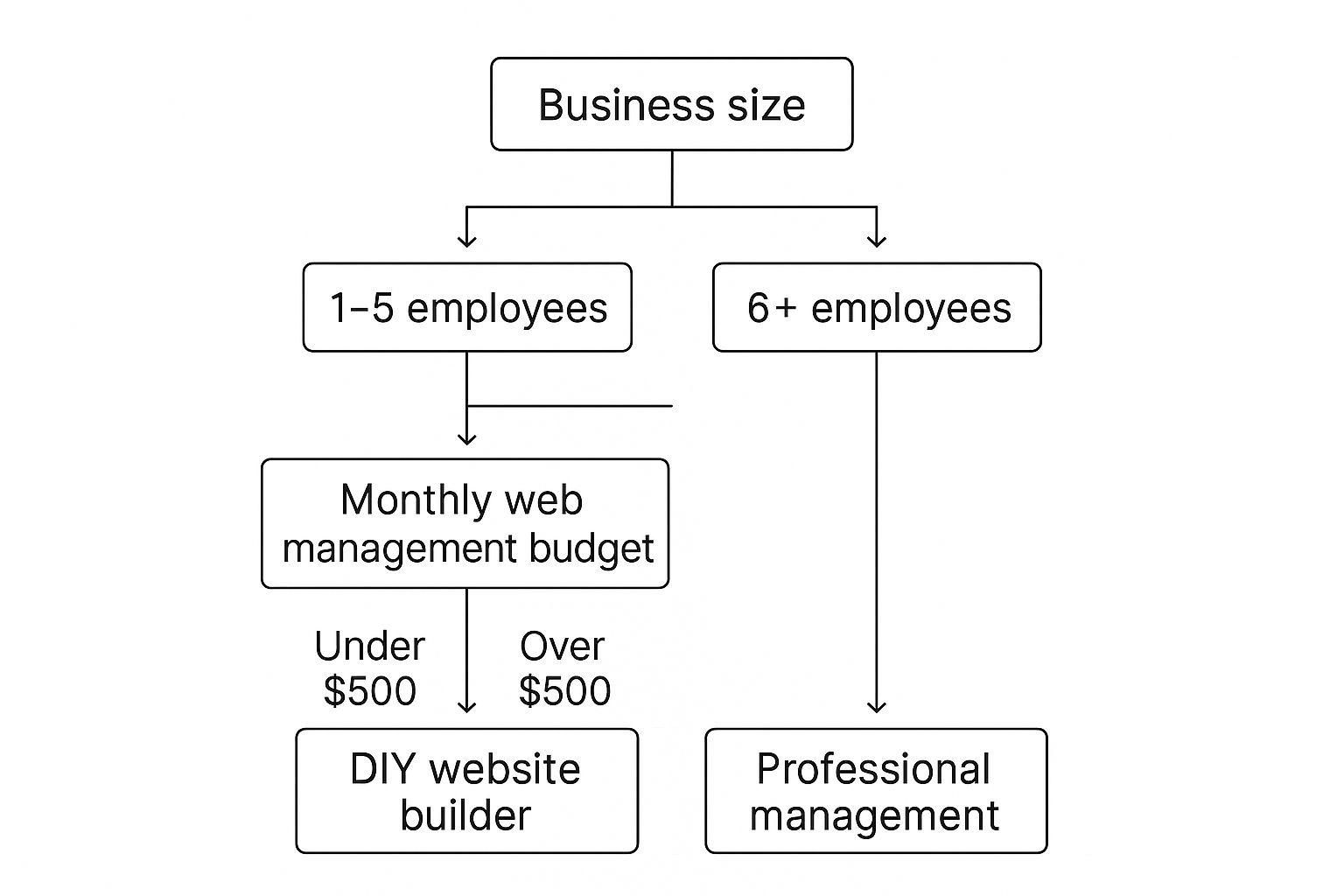
Of course, this power comes with more responsibility. You'll need to find your own web hosting, manage your own security, and stay on top of software updates. It's more work, but it gives you a digital foundation that can adapt to whatever your business needs in the future. The right choice often comes down to a simple question: do you have more time or more money to invest?
Essential Maintenance Tasks You Cannot Afford to Ignore

A website is not a "set it and forget it" project. Think of it like a car; it needs regular tune-ups and oil changes to run smoothly and reliably. If you ignore upkeep, you're essentially just hoping it will run forever on that first tank of gas. Sooner or later, you're going to break down.
This is why proactive web management for small businesses is so critical. These aren't just tedious technical chores—they are fundamental business practices that protect your digital storefront and keep it working for your customers. This ongoing care is a core responsibility, whether you handle it in-house or hire a pro.
The data backs this up. One recent study found that 46% of small businesses have in-house staff managing their websites, while another 32% use DIY builders to keep their sites fresh. It’s clear that business owners are taking more direct control over this crucial asset. For more insights, you can check out these website management trends on WebFX.com.
Your Non-Negotiable Maintenance Checklist
So, what does this essential upkeep actually look like? Here are the core tasks that should be on your regular schedule. Consider this your website’s routine health check.
- Regular Backups: This is your digital insurance policy. A backup is simply a full copy of your website's files and database, stored somewhere safe. If your site ever crashes, gets hacked, or an update goes haywire, you can restore a working version in minutes instead of starting from scratch.
- Software and Plugin Updates: The software that runs your site—like WordPress, its plugins, and themes—is constantly being updated by developers to fix bugs and patch security holes. Putting off these updates is like leaving the back door of your shop unlocked for hackers.
- Performance and Speed Checks: A slow website kills business. Modern customers are impatient, and a loading delay of even a few seconds is enough to send them clicking away to a competitor. You have to test your site speed regularly.
- Broken Link Monitoring: Over time, links on your site can break when pages are moved or deleted. These "404 errors" frustrate visitors and can even hurt your search engine rankings. Finding and fixing them shows both people and search engines that your site is active and well-cared-for.
Neglecting website maintenance is one of the most common—and avoidable—mistakes a small business can make. It's a direct investment in the stability, security, and professional image of your brand.
Turning Maintenance into a Habit
The secret is turning these tasks into a simple, repeatable routine. You don't have to be a tech genius, but you do have to be consistent. Scheduling these checks weekly or monthly is the best way to catch small issues before they become huge, expensive headaches.
This simple habit protects your digital investment and ensures your online presence remains a powerful tool for growth. For business owners looking to build a structured plan, our detailed guide is a great place to start. You can learn more about creating a manageable schedule in our article on website maintenance for small businesses.
Keeping Your Digital Doors Securely Locked

You wouldn't dream of leaving your shop's doors unlocked overnight, right? Your website needs the same common-sense protection. For a small business, website security isn't about building a complex digital fortress; it's about forming simple, powerful habits to protect your customers, your reputation, and all your hard work.
Ignoring your site's security is the digital equivalent of leaving the cash register wide open. A single security incident can damage the trust you've built with your customers. That’s why solid security is a non-negotiable part of web management for small businesses.
The Foundation of Digital Trust
The first, most crucial step in securing your digital storefront is getting an SSL certificate. This simple addition is what puts the "s" in "https" and displays that reassuring little padlock icon in your visitor's browser bar. It creates a secure, encrypted connection between your site and your customers.
Think of it like this: without SSL, any data your customers share—like their name, email, or payment details—is sent like a postcard that anyone can intercept and read. With an SSL certificate, that postcard is sealed inside a locked metal briefcase.
Google actively marks sites without SSL as “Not Secure.” This is an immediate deal-breaker for 85% of online shoppers, who say they will leave a site if they see that warning. An SSL certificate isn't just a nice-to-have feature anymore; it's a fundamental requirement for earning trust online.
This small detail shows customers you take their privacy seriously, which makes them feel safe enough to stick around and do business with you.
Simple Habits, Big Impact
Beyond the initial setup, your day-to-day habits are what truly keep your site safe. Most hackers don't use brilliant code-breaking skills to get in; they count on simple human error. By focusing on a few key practices, you can shut down their most common entry points.
These straightforward steps create a strong first line of defense:
- Use Strong Passwords: Your admin password is the master key to your entire digital operation. Ditch the common words and easy-to-guess sequences. A great password is long and uses a mix of letters, numbers, and symbols. A password manager can be a lifesaver here, creating and storing unique, complex passwords for you.
- Limit User Access: Does everyone on your team really need the keys to the whole kingdom? Probably not. Assign permissions based on job roles, giving people access only to what they need. This simple step minimizes the risk of accidental mistakes or a security breach from a single compromised account.
- Install a Security Plugin: If you're on a platform like WordPress, a good security plugin acts like a 24/7 security guard for your site. It can scan for malware, block shady login attempts, and alert you to potential issues, often handling them automatically.
Staying on top of website security best practices is essential, as threats are always changing. To help you build a solid defense, we’ve put together a detailed guide full of actionable advice. Check out our website security best practices guide to protect your business online to learn more.
By layering these simple but effective strategies, you create a secure environment that both you and your customers can count on.
Helping Customers Find You with SEO and Content
Having a beautiful, secure website is a great first step, but it’s like opening a fantastic shop on a hidden backstreet. If no one can find you, it doesn't matter how amazing your products or services are. This is where Search Engine Optimization (SEO) and content come in. Think of them as the big, bright signs that guide customers from a Google search right to your digital front door.
Effective web management for small businesses is about more than just keeping the lights on; it's about getting seen. SEO is simply the process of helping your website show up in top search results when potential customers are looking for what you offer. It’s the most powerful way to attract a steady stream of visitors who are already looking for a solution you provide.
When you pair SEO with great content, the magic really happens. Helpful blog posts, guides, and articles don't just pull people in—they prove you're an expert and build the trust needed to turn a casual searcher into a loyal customer.
Understanding Your Customers' Language
The foundation of all good SEO is knowing what your customers are actually typing into that search bar. We call this keyword research. It's less about guessing and more about listening to the exact words and phrases people use when they have a problem you can solve.
Imagine you're a local baker. Do people in your town search for an "artisanal patisserie" or "best birthday cakes near me"? Knowing the answer helps you focus your efforts on the terms that bring in real business. It's not about getting the most traffic; it's about getting the right traffic.
Making Your Pages Search-Engine-Friendly
Once you know what your customers are searching for, you need to make sure your website's pages are set up to match. This is called on-page SEO, and it just means making a few simple tweaks to tell search engines like Google what each page is about.
This isn't as technical as it sounds. It often boils down to a few key things:
- Including keywords naturally in your page titles, headings, and main text.
- Writing clear descriptions that appear in search results and make people want to click through to your site.
- Making sure your site is fast and easy to use on a phone, since Google cares a lot about a good user experience.
These small adjustments act like clear labels on your store's aisles, helping both customers and search engines find exactly what they’re looking for with ease.
Winning the Local Search Game
For most small businesses, local customers are everything. Local SEO is all about making your business visible to people in your immediate area. It's what helps you show up in that coveted "Map Pack" on Google when someone searches for "plumber in Anytown" or "coffee shop nearby."
Believe it or not, over 81% of customers use Google to check out local businesses. Appearing in local search results isn't optional anymore; it's essential for getting people through your door or to your website.
The most important first step is to claim and fill out your free Google Business Profile. Think of it as your digital storefront on Google itself. It shows your hours, address, phone number, and—most importantly—your customer reviews.
As you get more comfortable, you can explore other tools and strategies. For instance, digging into small business marketing automation can help you manage your follow-ups and promotions more efficiently, saving you a ton of time.
Your First SEO Action Plan
Getting started with SEO doesn't require a huge budget or a dedicated expert. It's about taking small, consistent steps. Here's a simple checklist of initial tasks any small business owner can tackle to start getting found online.
| SEO Task | Simple Action to Take | Why This Helps Your Business |
|---|---|---|
| Basic Keyword Research | Brainstorm 5-10 phrases your ideal customer would use to find you. Use a free tool to check their popularity. | This focuses your content on what people are actually searching for, which attracts better leads. |
| Optimize Page Titles | Make sure every important page on your site has a unique, descriptive title that includes a main keyword. | This is the clearest signal you can send to Google about what your page is about. |
| Claim Your Google Profile | Go to Google Maps, find your business, and claim (or create) your Google Business Profile. Fill it out completely. | This is your ticket to appearing in local map searches and is often a customer's first impression. |
| Write One Helpful Post | Answer a common customer question in a short blog post (500-700 words). Then, share it on social media. | This shows you know your stuff, builds trust, and creates a new page for Google to find and rank. |
Tackling just one of these a week will put you far ahead of competitors who are still hoping customers will just stumble upon them. You're now taking control and actively guiding them to your door.
Measuring What Matters with Website Analytics
Running a website without checking your analytics is like running a shop with the lights off. You might hear the doorbell jingle, but you’d have no idea who’s walking in, what they’re browsing, or what makes them turn around and leave. Website analytics flip the lights on, giving you a clear view of everything happening in your digital space.
This isn't about drowning in spreadsheets or deciphering confusing graphs. For small businesses, effective web management means focusing on a few key numbers that tell you a story. Thankfully, free tools like Google Analytics make this incredibly accessible, turning raw visitor data into smart business decisions.
Turning Data Into Decisions
Instead of getting overwhelmed, just think of analytics as your personal Q&A session for your business. By keeping an eye on a handful of core metrics, you can get a surprisingly deep understanding of how visitors interact with your site. These numbers are your roadmap, showing you which paths are working and which ones lead to dead ends.
Here are the essential metrics every small business owner should get comfortable with:
- Users: This is the count of unique individuals who dropped by your site. It answers the simple, crucial question: "How many people are we reaching?"
- Session Duration: This tells you the average length of a visit. It helps you figure out: "Are people actually sticking around and reading, or are they bouncing right away?"
- Top Pages: This report shows your most-visited pages. It answers the big one: "What are our star performers? What content or services are people most interested in?"
- Bounce Rate: This is the percentage of visitors who leave after looking at just one page. A high bounce rate often answers the question: "Is this page giving people what they expected to find?"
Think of these four metrics as your website's vital signs. They offer a quick, at-a-glance health check that tells you if your online strategy is connecting with the right people or if you need to make a change.
Putting Your Numbers to Work
Once you have a handle on these numbers, you can start making much smarter choices.
Let's say you notice your "Our Process" page has a really high session duration. That's a strong signal that visitors are genuinely curious about how you work. Maybe it's time to feature that page more prominently on your homepage or link to it from your service descriptions.
On the flip side, what if a popular blog post has a sky-high bounce rate? The content is clearly drawing people in, but they're leaving without taking another step. This is a perfect opportunity to add a clear call-to-action, like a link to a related service or a sign-up form for your newsletter, to guide that traffic toward a goal.
If you’re new to all this, don’t worry. The first step is just getting familiar with the basic concepts. When you’re ready to get started, our beginner’s guide is the perfect place to begin. Check out our no-nonsense guide to website analytics for beginners to build your confidence.
By tracking what truly matters, you can stop guessing and start building a website that genuinely serves your customers and helps your business grow.
Got Questions About Web Management? Let's Get Them Answered
So, we've established that web management is more than just launching a website and hoping for the best. It's an active, ongoing process. If you're like most small business owners, you probably have some practical questions swirling around about what this really means for your wallet, your calendar, and your sanity.
Let's dive into some of the most common ones.
First up: the money question. What does this all actually cost? Web management isn't a single flat fee. Think of it as a bundle of necessary services, each with its own cost. You've got web hosting, your domain name renewal, security certificates (like SSL), and maybe some premium plugins or software that make your site special. This can be as low as a few bucks a month if you're doing it all yourself, or a more significant investment for a team of pros.
How Much Time Will This Take?
Another big one is the time commitment. If you're going the DIY route, a good rule of thumb is to block out 1-3 hours per week for your website. That’s enough time to handle the essentials without feeling like you're falling behind.
Here’s what that might look like:
- Weekly Check-in (30-60 minutes): A quick peek at your analytics, installing any critical software updates, and doing a quick scan for new broken links.
- Monthly Deep Dive (1-2 hours): Running a full site backup, publishing a new blog post, updating your main plugins, and looking over your security scan results.
The key here is consistency, not cramming. A little bit of attention every week beats a panicked, all-day catch-up session once a quarter, every single time.
I always tell business owners to think of their website like a garden. If you tend to it regularly—pulling weeds, watering—it will flourish. But if you neglect it, you'll come back to a mess of problems that are much harder to fix.
When Should I Hire a Professional?
This is the million-dollar question for many: "When is it time to hand this off?" The tipping point usually comes when the time you're sinking into your website starts costing you more in lost business opportunities than it would to just pay an expert.
Here are a few tell-tale signs that it's time to call for backup:
- You Feel Buried: You're constantly behind on updates and just don't have the bandwidth to give your site the attention it needs while also, you know, running your business.
- You've Hit a Technical Wall: You want to add something cool like a custom booking system or a sophisticated e-commerce feature, but it’s way over your head technically.
- Your Growth Has Stalled: You don't have the time or the know-how to focus on things like SEO or content marketing, and your website traffic has completely flatlined.
Hiring an agency for web management for small businesses isn’t giving up; it’s a smart business move. It frees you to focus on what you're actually an expert at—growing your company. It's a direct investment in efficiency, expertise, and your own peace of mind.
Ready to get your website off your plate and into the hands of a team that lives and breathes this stuff? OneNine makes professional web management straightforward and effective for businesses like yours. We’ll take care of all the technical headaches so you can get back to growth. Learn more about our services and let's build something great together.


