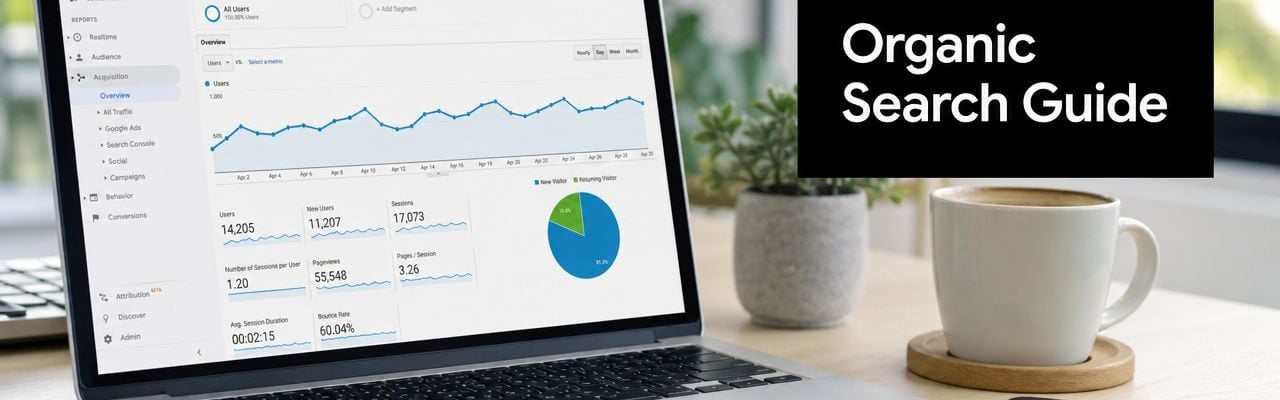
You open Google Analytics, see traffic climbing, and feel two things at once. Relief, because people are visiting your site. Frustration, because you still don't know whether those visitors came from Google, a social post, an email, or pure luck.
That gap matters more than most dashboards admit. If your traffic rose because your service pages started ranking in search, you should probably invest more in SEO. If the rise came from a newsletter or a paid campaign, the next decision is different. The number alone doesn't tell you what to do.
Organic search is often the most interesting traffic source because those visitors were looking for something and found you. But in Google Analytics, that data is only useful if you can find it, understand it, and trust that it's being classified correctly. That's where many business owners get stuck.
Your Website Has Visitors But Who Are They
A common small business story goes like this. You publish a few new pages, maybe update your homepage, maybe write a blog post answering customer questions. A week later, traffic is up. You check the dashboard, smile, then pause because the report still doesn't answer the core question.
¿Quiénes son esas personas?
A local service business might see more visits after posting a guide about pricing. An ecommerce store might notice a spike after improving product descriptions. A B2B company might launch a new landing page and suddenly get more form submissions. In each case, the business owner wants the same answer: did people find us through search, or did something else cause this?
That's where channel data becomes useful. Instead of treating all website traffic as one bucket, Google Analytics separates visitors by source. Organic search is one of those sources, and it's often one of the strongest signals of real market demand because the visitor initiated the journey.
If you're already digging into audience quality, behavioral patterns, and who your users are, OneNine's guide on tracking demographics in Google Analytics is a helpful companion. Demographics can tell you who arrived. Organic search helps explain how they got there.
Regla práctica: Traffic volume is a headline. Traffic source is the story.
When people talk about SEO success, they often jump straight to rankings or keyword tools. But for a business owner, the better question is simpler. Did search bring in people who did something useful on the site?
That question sits at the center of Google Analytics organic search reporting. Not just where to click, but whether the traffic came from search in the first place, and whether your reporting setup is clean enough to trust.
What Organic Search Means in Google Analytics
Búsqueda orgánica means unpaid visits from search engines. Someone searches on Google, Bing, or another search engine, clicks a regular listing, and lands on your website. In Google Analytics, that visit should be grouped under Búsqueda orgánica.
It's the difference between renting attention and earning attention. Paid search is like buying a billboard. Organic search is like being recommended in a directory people already trust.

How Google Analytics decides a visit is organic
Google Analytics looks at the traffic source information it receives when someone lands on your site. If the visit came from a recognized search engine and doesn't carry ad-related campaign signals, Analytics places it in the organic search channel.
That sounds straightforward, but it's easy to confuse organic search with neighboring channels:
- Tráfico directo means Analytics can't clearly identify the source, or the visitor arrived without referrer data.
- Tráfico de referencia means the visit came from another website that isn't classified as a search engine.
- Búsqueda pagada means the click is tied to an ad campaign rather than a regular search result.
Why that definition matters in GA4
In older reporting habits, businesses often treated organic traffic as a basic vanity metric. More search traffic felt good, but the analysis stopped there. GA4 changed the frame.
Google Analytics now treats organic search as a core acquisition channel in the default Adquisición de tráfico report, and GA4 also includes a dedicated Google organic search traffic report that combines Google Analytics and Search Console data, tying search visibility to on-site behavior and business outcomes, as described in Finch's overview of GA4 SEO reporting.
That shift is important. It means organic search isn't just "people from Google." It's a measurable part of the customer journey.
Organic traffic only matters to the business when you connect search visibility to engagement, leads, sales, or another meaningful action.
Un ejemplo sencillo de negocio
Say you run a law firm. A visitor searches "how long does probate take," clicks your article, reads for a few minutes, then submits a consultation form. In reporting terms, that person didn't just produce a session. They created a chain of evidence.
Search created the visit. The page held attention. The site generated a lead.
That's why understanding Google Analytics organic search starts with the definition, but shouldn't end there. The channel label is only useful if it helps you judge whether search is contributing to the business.
Finding Your Organic Search Data in GA4 and UA
A business owner logs into Analytics, sees traffic coming in, and asks a reasonable question: where do I find the visitors who came from Google without ads? The answer is simple enough. The harder part is knowing which report to trust and what each report can and cannot explain.
That distinction matters because finding organic search data is only step one. If you stop at the channel total, you can miss a measurement problem hiding underneath it.
Where to find it in GA4
En GA4, vaya a Informes > Adquisición > Adquisición de tráfico. Set your attention on the primary dimension Grupo de canales predeterminado de la sesión. One of the rows is Búsqueda orgánica.
That row is your front door. It shows how much traffic search engines are sending and how that traffic behaves compared with channels like Direct, Referral, or Paid Search. For a busy owner, this is often the best first report because it connects the source of the visit with outcomes such as engagement and conversions.
GA4 becomes more useful when you pair that channel view with page-level context. If organic search is rising but leads are flat, the business question is no longer “Are we getting traffic?” It becomes “Which landing pages attract the wrong visitors, or fail to move them to action?”
If your reports include the Google organic search traffic view from a Search Console connection, use it as a second lens rather than a replacement for GA4 acquisition data. It helps you compare search visibility metrics with on-site behavior. That matters if you are trying to separate a ranking problem from a page experience problem. Businesses also run into the limits of keyword data in Analytics, which is why a guide to Google Analytics not provided keyword reporting can be helpful when you want to understand what query detail is missing.
Where to find it in Universal Analytics
If you are checking historical data in Universal Analytics, use:
Acquisition > All Traffic > Channels
Luego seleccione Búsqueda orgánica.
UA works like an older filing cabinet. The labels are familiar, and many teams still use old exports or screenshots from those reports in board decks and monthly reviews. If that is your setup, this is the report path you are likely remembering.
Comparación rápida
| Plataforma | Primary Report Path | What it helps you answer |
|---|---|---|
| GA4 | Informes > Adquisición > Adquisición de tráfico | How much search traffic arrived, how it engaged, and whether it converted |
| GA4 with Search Console linked | Google organic search traffic report | Which landing pages earned visibility in Google and how those visits performed on-site |
| Universal Analytics | Acquisition > All Traffic > Channels | Historical channel totals and older session-based reporting views |
Qué revisar primero
Many business owners look at the organic total, nod, and close the tab. A better first review is more practical.
- Tendencia . Is organic traffic growing, falling, or staying flat over time?
- resultados comerciales. Are those visitors filling out forms, calling, buying, or taking another useful action?
- Landing páginas. Which pages are acting like your storefront windows in search?
- Segmentos que importan. If you serve specific regions or rely on mobile users, compare performance by device and country.
A storefront analogy helps here. The channel report tells you how many people walked through the front door. The landing page view shows which window display brought them in. You need both if you want to judge whether SEO is attracting the right people.
One more practical note. Search behavior is changing, and some discovery happens outside classic blue-link results. That is one reason teams exploring AI search and AEO mastery are also rechecking how they measure organic visibility across tools.
GA4 usually gives you a better operating view than UA. But the real skill is not memorizing the clicks. It is knowing that the channel row is a starting point, not a final answer.
Why Your Organic Traffic Numbers Might Be Wrong
If you've ever looked at your organic traffic and thought, "This feels off," you're probably asking the right question. Analytics data isn't automatically clean just because a platform displays it neatly.
The biggest mistake I see is assuming low organic traffic always means weak SEO. Sometimes it does. Sometimes your measurement setup is the actual problem.

The most common hygiene issues
Independent guidance on Google Analytics organic traffic attribution problems notes that GA4 attribution issues can come from redirects, self-referrals, cross-domain tracking, and event-based reporting. The same guidance also warns that GA4 can't directly attribute visits from AI citations or generative search results, which is one reason cross-checking Analytics with Search Console matters.
In plain language, here are the problems that trip people up most:
- Redirects strip context. A visitor comes from search, but the redirect chain interrupts the source information before Analytics records it.
- Self-referrals muddy the trail. Your own site or related domains may appear as referrers if tracking isn't set up consistently.
- Cross-domain journeys break attribution. If users move between domains or subdomains, sessions can fragment.
- Event-heavy setups distort reporting. GA4's event model is powerful, but a messy implementation can create confusion around where sessions came from.
Why organic gets mistaken for direct or referral
Direct traffic sounds clean. In reality, it's often a holding area for visits Analytics couldn't classify properly.
If someone lands on a deep article, a detailed service page, or a long URL that no human would realistically type by hand, and that visit shows up as Direct, you should be skeptical. That doesn't prove it was organic search, but it's a strong clue that source information was lost somewhere in the journey.
A surprising amount of analytics work is detective work. You're often testing whether the label is accurate, not just reading the label.
Referral traffic can also steal credit from organic. This happens when a tool, subdomain, payment flow, or tracking inconsistency causes another site touchpoint to appear as the source instead of the original search engine.
If you're trying to understand missing keyword visibility at the same time, OneNine's article on the Google Analytics not provided keyword problem adds helpful background on why search data often looks incomplete even when traffic is real.
A practical trust test
Use this quick review whenever your organic numbers seem suspicious:
- Look at direct landing pages. If deep content pages get a lot of Direct traffic, investigate.
- Check major redirects. New page migrations and URL changes often create attribution mess.
- Review domain setup. Multiple domains and subdomains need consistent tracking logic.
- Compare with Search Console. If Search Console shows strong search activity for pages that GA4 underreports, your issue may be classification, not SEO.
Businesses also need to think beyond classic search now. If you're trying to understand how discovery is changing in AI-driven results, this guide to AI search and AEO mastery is a useful complement because it frames how search visibility is expanding beyond the old click model.
The core lesson is simple. Before you declare SEO underperforming, make sure your data collection is healthy enough to support that conclusion.
Connecting GA with Google Search Console for a Full Picture
A common reporting problem goes like this. Search Console says a page is getting visibility and clicks from Google, but GA4 shows less organic traffic than you expected. That gap is not just a reporting nuisance. It affects budget decisions, content priorities, and whether you trust your SEO program at all.
Google Analytics and Google Search Console answer different parts of the same business question. Search Console shows how your pages performed before the visit. GA4 shows what happened after someone arrived. If you only use one, you see only half the customer journey.

What the connection gives you
Once the two platforms are linked, GA4 can pair landing page behavior with search performance data such as impressions, clicks, click-through rate, and average position. That matters because SEO is rarely a single-tool measurement job. A page can earn strong visibility in Google, attract weak clicks, and still produce excellent leads once people land. Another page can bring in plenty of visits and produce nothing useful for the business.
That combined view gives you better questions to ask:
- Is Google showing this page often enough?
- Are searchers choosing our result?
- What do those visitors do once they arrive?
- Does that traffic contribute to leads, sales, or another goal?
If you want a broader framework for measuring marketing effectiveness across channels, this same principle applies there too. You get better decisions when acquisition data and outcome data sit next to each other.
Watch the workflow in action
This walkthrough is a helpful visual if you want to see the integration mindset in a practical format.
Use pages as the shared unit of truth
Many business owners ask for a perfect keyword-to-session map. The tools do not really work that way anymore, and chasing that level of precision often creates more frustration than insight.
Landing pages are the more reliable meeting point. Search Console can show which queries and impressions are connected to a page. GA4 can show engagement, conversions, and assisted outcomes for that same page. Put those together, and you can judge whether a page is attracting the right audience, not just whether it received clicks.
If you're trying to identify valuable organic search terms in a world of limited keyword reporting, that page offers a practical lens on working around missing query detail without overreacting to it.
Search Console answers "how were we discovered?" Google Analytics answers "what happened after the visit started?"
A practical monthly review framework
Review one important landing page at a time.
| Pregunta | mejor herramienta |
|---|---|
| Did the page appear in search results? | Búsqueda Consola |
| Did searchers click it? | Búsqueda Consola |
| Did visitors engage on the site? | GA4 |
| Did the page assist a business goal? | GA4 |
This page-level habit also helps with data hygiene. If Search Console shows healthy clicks for a page, but GA4 reports far less organic traffic or pushes too much of that activity into Direct or Referral, treat that as a measurement warning sign. In plain terms, the SEO may be working while the classification is not.
That is the core value of connecting the tools. You are not just getting another report. You are building a cross-check that helps you separate weak SEO performance from messy attribution.
Actionable Steps for Better SEO Measurement
Good SEO measurement isn't about finding one perfect report. It's about building a reporting habit you can trust. That usually means cleaner tagging, better integration, and less obsession with getting every keyword attached to every single session.

The practical checklist
- Review organic monthly. Open GA4's Traffic acquisition report on a consistent schedule and look for changes in organic sessions, landing pages, and conversions.
- Link Search Console now. If GA4 and Search Console aren't connected, you're missing the clearest bridge between search visibility and site behavior.
- Standardize campaign tagging. Untagged or inconsistently tagged marketing activity can pollute channel data and make organic performance harder to trust.
- Audit redirects and referral paths. After migrations, redesigns, or tool changes, check whether source information still survives the visitor journey.
- Inspect deep Direct landings. If detailed pages get unusual Direct traffic, treat that as a measurement clue.
- Use page performance as the core lens. Evaluate which landing pages attract searchers and what those visitors do after arrival.
- Separate measurement problems from SEO problems. Don't rewrite content or cut budgets until you've ruled out attribution errors.
- Track business outcomes. Organic traffic should connect to forms, purchases, calls, or another defined conversion event.
Stop chasing perfect keyword visibility
Keyword-level data in Google Analytics is often incomplete because of privacy constraints. Keyword Hero describes an advanced reverse-engineering workflow that combines up to nine data sources and reports attribution for about 94% de sesiones, en el que 50-60% matched at full certainty and the remainder included at at least 83% de certeza, in its write-up on recovering organic search terms in analytics.
That level of reconstruction can be useful for specialized teams, but it also proves the larger point. Perfect keyword-to-session mapping is complicated. Most businesses will make better decisions by focusing on landing pages, devices, and conversion behavior.
If your setup feels fragmented, technical help can matter as much as reporting discipline. For teams cleaning up tracking and tag management, this article on solving fragmented data with GTM is a practical resource. And if you're reviewing marketing performance across channels, OneNine's guide to medición de la eficacia del marketing gives a broader framework for tying traffic data back to business decisions.
What a trustworthy setup looks like
A trustworthy Google Analytics organic search setup doesn't have to be fancy. It has to be believable.
You should be able to answer these questions without guesswork:
- Which pages attract search visitors?
- Which pages turn those visitors into leads or customers?
- Which traffic patterns look suspicious and need cleanup?
- Which changes improved visibility versus just changing the labeling?
When you can answer those clearly, your SEO reporting becomes useful instead of noisy. That's the main goal.
If your team needs help cleaning up tracking, understanding where website traffic is really coming from, or improving the site experience after the click, Uno nueve works with businesses on website management, development, and ongoing support across platforms like WordPress, Shopify, Webflow, and custom builds. For many companies, better SEO measurement starts with a healthier website setup.


