When you're looking to build a website, it's easy to get tangled in the jargon. Two roles that often get confused are "website designer" and "website developer." The simplest way to think about it is this: a designer handles what you see and how you feel, while a developer builds the engine that makes it all work.
Think of it like building a house. The designer is the architect, drafting blueprints, choosing color palettes, and planning the flow from room to room to make it a beautiful and livable space. The developer is the construction crew, laying the foundation, running the electrical, and making sure the roof doesn't leak. Both are absolutely essential.
Defining the Core Roles: Designer vs. Developer
While designers and developers share the same end goal—a fantastic website—they get there from completely different directions, using unique skills and tools. Knowing who does what is the key to hiring the right person at the right time.
A website designer lives in the world of the user. Their focus is on User Experience (UX) and User Interface (UI). They obsess over questions like, "Where should this button go to get the most clicks?" or "What color scheme makes our brand feel trustworthy?" They create the visual roadmap for your entire site.
On the other hand, a website developer takes that visual roadmap and makes it a reality with code. They're the ones responsible for turning a static picture of a button into something you can actually click. Their work ensures the site is fast, secure, and works perfectly on your phone, tablet, and desktop.
At a Glance: Designer vs. Developer Roles
To really nail down the differences, it helps to see their roles side-by-side. This table gives a quick snapshot of who handles what.
| Aspect | Website Designer | Website Developer |
|---|---|---|
| Primary Focus | Visuals, aesthetics, and user experience (UX/UI). | Functionality, performance, and technical structure. |
| Key Questions | How will users interact with this page? Is the layout intuitive? | Does this code work efficiently? Is the site secure? |
| Essential Tools | Figma, Adobe XD, Sketch, Photoshop, Illustrator. | VS Code, Git, HTML, CSS, JavaScript, PHP, Python. |
| Final Deliverables | Wireframes, mockups, style guides, prototypes. | A live, functional, and responsive website or application. |
Ultimately, you can't have one without the other. A stunning design is just a pretty picture if nothing on the page works, and a perfectly functional website will drive people away if it's confusing or ugly.
The designer architects the experience, shaping how a user feels and navigates. The developer engineers the reality, ensuring that vision is executed with clean, efficient code. Both are vital for digital success.
This clear separation of duties means you have an expert focused on every critical aspect of your project, from the first impression to the final click. Understanding this distinction is the first step toward building a team that can create something truly great.
Comparing Critical Skills and Essential Tools
It’s easy to think of designers and developers as two sides of the same coin, but where they really differ is in their skills and the tools they use every day. Think of it this way: one is an architect focused on the people who will use the building, and the other is an engineer focused on making sure that building stands up strong. Both are critical, but they solve completely different problems.
A designer’s toolkit is all about visuals and empathy. They live and breathe the user’s experience, translating business goals into something that feels intuitive and looks great. Their skills have less to do with code and more to do with psychology and clear communication.
On the flip side, a developer’s world is pure logic and structure. They take the designer's beautiful plans and write the code that makes them actually work. Their job is to build a fast, secure, and reliable product that hums along perfectly behind the scenes.
The Designer’s Skillset and Software
A great web designer is part artist, part analyst. Their main job is to understand the user’s journey—from the moment they land on a page to the final click—and make it as smooth as possible.
Here’s what a designer brings to the table:
- User Experience (UX) Design: This is the research part of the job. They dig into user behaviors and needs to create personas, map out user flows, and organize the site’s structure so that it makes sense to a first-time visitor.
- User Interface (UI) Design: This is the "look and feel." UI skills cover everything from choosing color palettes and fonts to designing buttons and laying out content. The goal is a beautiful, cohesive brand experience.
- Wireframing and Prototyping: Designers build the blueprints for the website. A huge part of their job involves creating website mockups, which are detailed visual guides that show exactly what the site will look like before a single line of code is written.
To get all this done, designers depend on some seriously powerful software. These tools are where the magic happens.
Common Designer Tools:
- Figma: This is the undisputed king of design tools right now. It’s a browser-based app that’s perfect for UI/UX design, prototyping, and collaborating with the whole team in real-time.
- Adobe XD: Adobe’s answer to modern web design, it’s a solid vector-based tool for designing and prototyping websites and apps.
- Sketch: A long-time favorite for Mac users, Sketch is known for its clean interface and powerful UI design features.
A designer obsesses over the user's journey, meticulously crafting each step to be effortless and enjoyable. A developer, in contrast, focuses on the code's performance, ensuring the technical foundation is fast, secure, and scalable.
This difference in mindset is everything. The designer thinks about how a human will interact with the site; the developer thinks about how the machine will execute the commands.
The Developer’s Skillset and Languages
A developer’s expertise is built on the programming languages that make the web go round. Their work typically falls into two camps: front-end (what you see) and back-end (what you don’t).
Front-End Development
The front-end developer is the one who turns a designer’s static picture into a living, breathing website in your browser. They are responsible for the client-side—making sure everything is interactive and looks good on any device.
Their go-to languages are:
- HTML (HyperText Markup Language): The skeleton of every web page. It provides the basic structure and content.
- CSS (Cascading Style Sheets): The style. CSS is used to control colors, fonts, layouts, and all the visual polish.
- JavaScript: The brains. This is what adds interactivity, like animations, pop-ups, and form validations.
Back-End Development
The back-end developer works on the server, building all the logic that you never see but absolutely rely on. This is where user accounts, databases, and payments are managed. They make sure data is stored securely and sent to the front end when needed.
Popular back-end tools include:
- Programming Languages: Python, PHP, Ruby, Java, and Node.js are the heavy hitters for building the server-side of an application.
- Databases: Systems like MySQL, PostgreSQL, and MongoDB are used to store and organize all the website’s data.
- Servers: They need to be comfortable in server environments like Apache or Nginx to get the website live and keep it running smoothly.
Then you have full-stack developers, the jacks-of-all-trades who are skilled in both front-end and back-end work. They can take a project all the way from an idea to a finished product, bridging that crucial gap between design and function. The skills of a website designer vs developer are clearly different, but you can’t have a great website without both.
Mapping the Project Lifecycle and Deliverables
The best way to grasp the different roles of designers and developers is to see how they fit into a typical project timeline. It's not a free-for-all; it's more like a relay race. The designer runs the first leg, carefully creating a plan before handing the baton to the developer to build the final product and cross the finish line.
This structured process is what turns a simple idea into a real, working website. Each pro has their own distinct milestones and outputs, ensuring every detail is thought through and executed correctly.
Phase 1: The Designer’s Architectural Blueprint
Long before a single line of code gets written, the designer is busy laying the foundation. This initial phase is all about strategy, research, and visual planning. The goal is to make sure the end product not only looks great but is also easy to use and helps you meet your business goals. Considering 75% of consumers admit to judging a company's credibility based on its website design, you can see why this stage is so important.
The designer's work usually follows a few key steps, with each one producing a tangible deliverable.
-
Discovery and User Research: First things first, the designer needs to get inside the heads of your audience and understand your goals and your competition. The output is usually a strategy document or detailed user personas that act as a guide for every decision that follows.
-
Sitemaps and User Flows: With the strategy in place, they'll map out the site's structure with a sitemap. This is often paired with user flows, which are diagrams showing the exact steps a visitor might take to do something important, like signing up for a newsletter or buying a product.
-
Wireframes: These are the bare-bones sketches of your website. Think simple, black-and-white layouts that focus only on structure, hierarchy, and where content will go. Colors, fonts, and images are left out on purpose so everyone can focus on the core layout.
-
Mockups and Prototypes: This is where the visuals come to life. The designer creates high-fidelity mockups—static, full-color images that look exactly like the final website. Often, these are stitched together into a clickable prototype that lets you test out the user experience before any development begins.
A designer's final deliverable isn't just a folder of pretty images. It's a complete blueprint, including a style guide, an asset library for fonts and images, and an interactive prototype that clearly shows the developer what to build and how it needs to function.
Phase 2: The Developer’s Functional Construction
Once you've signed off on the designer's blueprint, the developer takes over. Their mission is to turn those static designs into a living, breathing, and secure website. This is where the project shifts from visual concepts to technical execution.
A developer’s workflow is incredibly methodical, broken down into a few key parts to ensure the final product is solid.
Front-End Development
The first task is to build everything a user actually sees and interacts with in their browser—the "client-side" of the site.
- Deliverable: Using languages like HTML, CSS, and JavaScript, the developer translates the designer’s mockups into responsive web pages. You’ll typically get a link to a private "staging" server where you can see the design come to life and click around.
Back-End Development
If your website needs more complex features like a login system, a database, an e-commerce store, or a content management system (CMS), the back-end developer steps in.
- Deliverable: They build and configure the server, database, and all the behind-the-scenes logic that powers the website. This might include setting up payment processing, user authentication, or any other custom functionality your project needs.
Testing and Deployment
Before the big launch, the developer puts the site through its paces. They'll hunt for bugs, check for performance bottlenecks, and make sure it works across all major web browsers.
- Deliverable: After a thorough quality assurance (QA) process, the developer moves the website to a live server, making it public. They'll also handle final security configurations and performance tweaks to make sure it runs smoothly.
At the end of the day, the designer defines the "what" and the "why," while the developer handles the "how." This handoff ensures the finished product is not just beautiful and intuitive, but also well-built, secure, and ready for the real world.
Understanding Costs and Career Paths
Let's talk money. When you're weighing a website designer vs. a developer, your budget will play a huge role in the decision. The investment for each role is quite different, and it all comes down to technical complexity, market demand, and the unique value each professional adds to your project. Getting a handle on these costs is the first step to setting a realistic budget.
As a general rule, developers tend to have higher rates and salaries than designers. This isn't about one being more important than the other—you absolutely need both for a great website. It’s simply a matter of supply and demand for the highly specialized technical skills required to write clean, secure, and efficient code. A developer’s work is the backbone of your site's performance and security, and that's a high-stakes responsibility.
Breaking Down the Compensation Structures
The cost to hire a designer or developer can swing wildly based on their experience, location, and specific skills. For instance, a junior freelance designer might charge around $50 per hour, while a senior full-stack developer who’s an expert in complex frameworks could easily command $150 per hour or more.
You see the same pattern in full-time salaries. The U.S. Bureau of Labor Statistics reports that as of May 2024, web developers earn a median annual wage of $90,930, while web and digital interface designers are at $98,090. But if you look at the broader data, developers often have a higher ceiling, especially in specialized areas like backend development, where average salaries can hit $156,000 annually. You can dig into these trends yourself on the official BLS website.
This difference carries over into project-based work, too. A design project for a simple five-page brochure site might cost a few thousand dollars. On the other hand, developing a custom e-commerce platform from the ground up could easily run into the tens of thousands. To see how these costs stack up in a real-world project, take a look at our guide on the average cost to build a website.
Think of it this way: You're paying a designer for their strategic creativity and user-centric vision. You're paying a developer for their technical expertise to build a secure, functional, and high-performing digital machine.
Comparing Freelance Rates and Project Costs
To put some real numbers to this, let’s look at what you might expect to pay for a typical small business website.
-
Website Designer (Project Focus: UX/UI Design)
- Typical Freelance Rate: $60 – $120 per hour
- Common Project Scope: User research, wireframing, creating high-fidelity mockups for 5-7 pages, and a complete style guide.
- Estimated Project Cost: $3,000 – $8,000
-
Front-End Developer (Project Focus: Implementation)
- Typical Freelance Rate: $75 – $150 per hour
- Common Project Scope: Turning the designer's mockups into a responsive, interactive website using HTML, CSS, and JavaScript.
- Estimated Project Cost: $5,000 – $12,000
These numbers really drive home why you need to know who does what. If your main goal is a visual overhaul and a better user experience, you’ll start by investing in a designer. But to actually bring that vision to life, you'll need to budget for the development phase, which is often a separate and larger expense. Smart planning means accounting for both from the very beginning.
Deciding When to Hire a Designer or a Developer
Making the right hire at the right time is one of the most important calls you'll make for any web project. Choosing between a designer and a developer isn't just about different skill sets; it's about matching your project's most pressing need with the right expert to get the best return on your investment.
So, where do you start? The core goal of your project will always point you in the right direction.
If your main problem is visual—your site looks dated, users can't find what they need, or people are leaving your site almost immediately—you need a designer first. They figure out the "why" behind what users do. On the flip side, if your site looks great but it’s slow, buggy, or needs a complex new feature like a custom appointment scheduler, a developer is your first and most essential call.
Scenario 1: You Need a Simple Marketing Website
When you're launching a new brand or just need a straightforward online presence, your journey almost always starts with a designer. This covers brochure-style sites, portfolios, or informational websites where the main objective is to look professional and clearly explain what you do.
In this situation, the designer will shape your brand's online look, create a logical site map, and build a visually appealing experience for your visitors. For many small businesses, a good designer who knows their way around platforms like Webflow or Squarespace can often handle the entire project, since those tools effectively merge design with basic development. To learn more about what makes a great designer, take a look at our guide on how to choose a website designer.
This infographic really simplifies that initial choice, boiling it down to whether your project needs custom, application-level features.
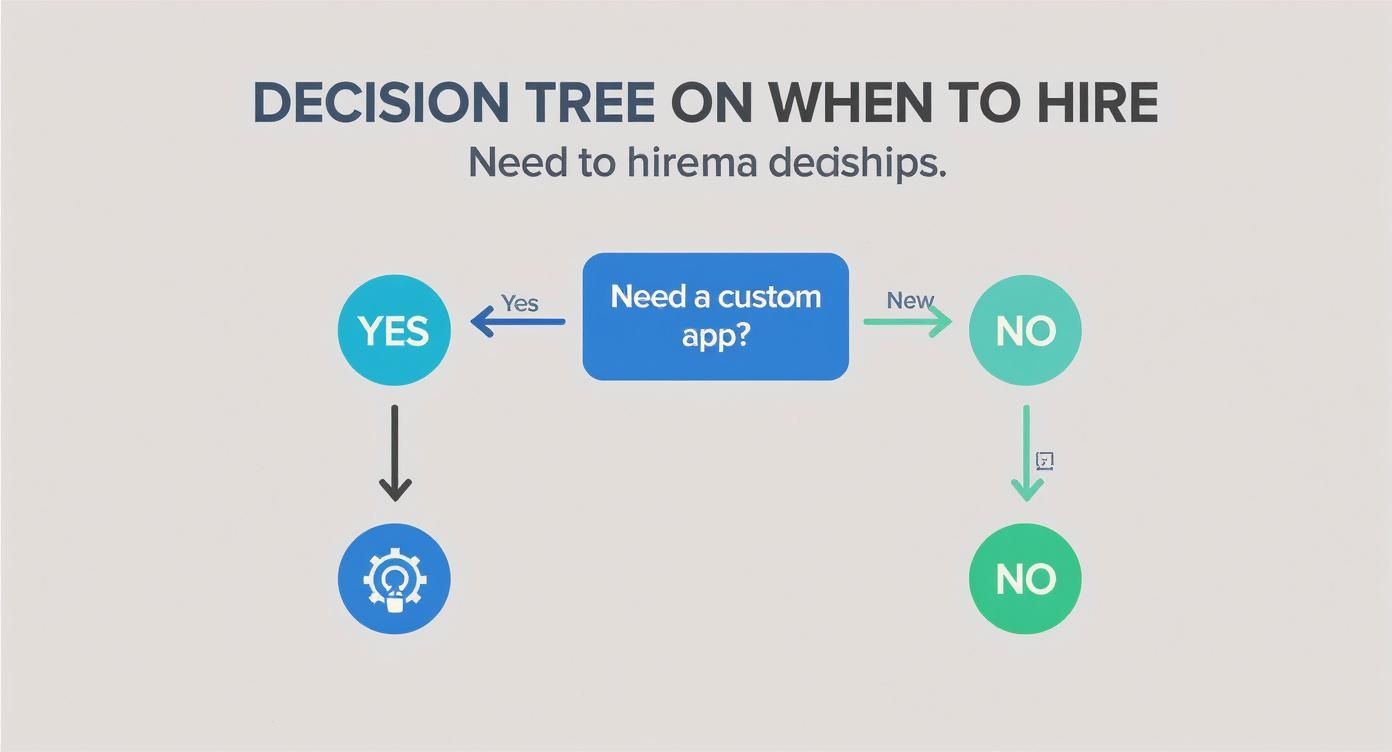
As the graphic shows, if your needs revolve around the user's experience and how the site looks and feels, a designer is the place to start. But if you need something truly custom-built, a developer's expertise is a must.
Scenario 2: You Need a Custom Web Application
When your project idea involves unique functionality that goes way beyond just showing information, you need a developer. Think e-commerce sites with complex inventory rules, social media platforms, SaaS products, or any website that needs user accounts, databases, and custom logic running on a server.
A designer is still absolutely vital to make the application easy to use and look good, but the core challenge here is a technical one. The developer will be the one to design the back-end system, set up the database, and write the code that makes it all work. A beautiful design is completely useless if the technology behind it is broken.
If your project is heavy on development and you're thinking about bringing in outside help, it’s worth reading up on strategies for outsourcing web development to figure out the best way to move forward.
One of the most common mistakes we see is when someone hires a designer to create beautiful, detailed mockups for a complex app without ever talking to a developer. This almost always results in designs that are impossible—or incredibly expensive—to actually build, forcing everyone back to the drawing board.
The Hybrid Solution: The Multidisciplinary Team
For most ambitious web projects, the real question isn’t if you need a designer or a developer, but who you should hire first. The best-case scenario is a collaborative team where both experts work together from the very beginning. The catch? Managing multiple freelancers can quickly become a full-time job.
This is where a multidisciplinary agency like OneNine, or a full-stack professional, can be a game-changer.
-
Full-Stack Professionals: An individual who can handle both the front-end (what users see) and back-end (how it works) can be a great, cost-effective option for smaller projects with some complexity. They act as a bridge, managing both sides of the process themselves.
-
Agencies and Teams: For larger, more complex projects, an agency gives you a single point of contact for an entire team of specialists. This integrated approach makes sure the designer's vision is technically possible and the developer's build is user-friendly, which prevents the communication breakdowns that often happen between separate contractors.
To make things even clearer, this table lays out some common project scenarios and our recommendation for who to hire.
Hiring Guide: Project Scenarios and Recommendations
| Project Type | Primary Goal | Recommended Hire |
|---|---|---|
| New Brand Website | Establish a professional online presence and communicate brand value. | Website Designer |
| E-commerce Store | Sell products online with a secure, user-friendly checkout process. | Developer (if custom) or Designer (if using a platform like Shopify) |
| Web Application (SaaS) | Build a tool or platform with unique, interactive features and user data. | Website Developer |
| Website Redesign | Improve user experience, update visual branding, and increase conversions. | Website Designer |
| Adding a Custom Feature | Integrate new functionality (e.g., booking system, API) into an existing site. | Website Developer |
Ultimately, choosing between a designer and a developer comes down to identifying your project's biggest hurdle. Is it the look and feel, or is it the features and functionality? Answering that one question will always lead you to the right person for the job.
How to Vet and Interview Your Candidates

Alright, so you know whether you need a designer or a developer. Now comes the real work: finding the right one. A slick portfolio is a good starting point, but it's just the surface. The real test comes from a solid interview process where you can dig into how they solve problems and what their workflow actually looks like.
The key is to tailor your questions for the role. For a designer, you're trying to get a feel for their creative process and how they put the user first. When talking to a developer, you need to shift your focus to technical skills, security, and performance. This isn't a formality—it’s your best chance to see how they think before you sign a contract.
Questions for Your Website Designer
When you're interviewing a designer, you want to get past the pretty pictures. Your questions should explore their strategic thinking and how they connect their design choices to your actual business goals.
- "Walk me through a project where user feedback significantly changed the final design." This question is gold. It shows you if they can take criticism and truly prioritize the user experience over their own initial ideas.
- "How do you ensure a design is not only beautiful but also accessible to all users?" This is a non-negotiable. It tests their awareness of critical standards like the WCAG (Web Content Accessibility Guidelines) and shows they design for everyone.
- "What is your process for handing off a design to a developer?" A great designer doesn't just email a JPEG. They provide detailed style guides, organized asset libraries, and clear instructions that make a developer's job seamless.
Questions for Your Website Developer
For developers, the interview needs to confirm their technical problem-solving chops and their dedication to writing clean, efficient code. A portfolio proves they can build things; the interview reveals how they build them. For an even deeper dive, check out our complete guide on how to hire developers.
- "How do you approach website security and performance optimization?" This gets right to the heart of their expertise, covering crucial best practices for both the back-end and front-end.
- "Describe a time you had to work with a non-technical client. How did you explain complex technical concepts?" Communication skills are just as vital as coding skills. This tells you if they can translate technical jargon into plain English.
- "Can you show me a code sample you’re proud of and explain your approach?" This is the best way to see their work firsthand. It allows them to show off their coding standards and walk you through their thought process.
A designer’s portfolio should showcase polished case studies that tell a story of solving a user’s problem. A developer’s portfolio should feature functional, live projects with clean, well-documented code available for review on platforms like GitHub.
It also helps to understand the market you're hiring in. The U.S. job market for web developers and designers is projected to grow by 7 percent from 2024 to 2034. In tech hubs like Seattle, it's not uncommon for developer salaries to hit $135,000. Knowing these trends will help you put together a competitive offer that attracts top talent.
A Few Common Questions
Even after laying it all out, a few questions always seem to pop up. Let's dig into the three most common ones we hear when people are weighing a website designer vs. a developer.
Can One Person Really Do Both Jobs?
Yes, they can. These folks are often called full-stack developers or sometimes multidisciplinary designers. They have a pretty unique mix of skills—an eye for great design and the technical chops to actually build it. They can take a project from a rough sketch all the way to a live website.
But finding someone who is truly a master of both is rare. Usually, a person leans one way or the other. You might find a brilliant developer who can manage some basic design work, or a fantastic designer who knows enough code to bring their ideas to life on a platform like Webflow. For a smaller project, one talented person can be a great, efficient option. But for anything complex, you'll get a much better final product with a dedicated designer and a dedicated developer working as a team.
What's the Real Difference Between UI and UX Design?
This is a big one. The terms get thrown around together so often that it's easy to get them mixed up. They are definitely connected, but they focus on completely different parts of the experience.
-
User Experience (UX) Design is the big picture strategy. It's all about how the website feels and functions—is it logical? Is it easy to use? A UX designer is focused on solving the user's problem by doing research, mapping out how someone will move through the site, and structuring everything to be as intuitive as possible.
-
User Interface (UI) Design is all about the visuals. This is the part you see—the colors, the fonts, the spacing of buttons, the icons. The UI designer takes the strategic blueprint from the UX designer and makes it look great, ensuring everything is visually consistent and appealing.
Here's a simple way to think about it: UX is the skeleton that gives the product its core structure and makes it work. UI is the skin and the clothes that give it a personality and make you want to look at it.
I'm on a Tight Budget. Who Should I Hire First?
If you can only afford to bring on one person right now, let your project's biggest problem guide you.
Start with a designer if your main issue is about branding, how users navigate the site, or the overall look and feel. If your site just looks old, people can't find what they're looking for, or nobody is signing up, a designer can figure out why and create a solid plan to fix it. Getting that design blueprint right from the start can save you a fortune in development mistakes later on.
On the other hand, start with a developer if your needs are all about functionality. If you need a custom tool built, a tricky integration with another system, or your current site is just slow and full of bugs, you absolutely need a developer's technical skills first. You can always make it prettier later, but a website that doesn't work is a complete non-starter.
Figuring out whether you need a designer or a developer can feel complicated, but you don't have to make the decision in a vacuum. At OneNine, we blend design, development, and strategy into one seamless process. Learn how our expert team can become your all-in-one digital partner.


