

So, what exactly is small business website management? It’s everything you do after your website goes live to keep it running smoothly, staying secure, and actually helping your business grow.
Think of it less like a one-and-done project and more like the daily upkeep of a physical shop. You wouldn't just unlock the doors and walk away for a year, right? This is the same idea, just for your online presence. It involves a steady rhythm of technical check-ups, fresh content, and performance tweaks.
Your Website Is Your Digital Storefront
The best way to think about your website is as your primary storefront. A brick-and-mortar store needs constant attention—the windows need cleaning, shelves have to be restocked, and the lights must be on. Your website demands the same level of care to keep it a valuable, welcoming place for visitors.
Without that consistent attention, your site can start to feel dusty and neglected. It might get slow, look outdated, or even become a target for hackers. A poorly managed site can scare off potential customers before they ever get a chance to see what you’re all about.
The Foundation of Digital Success
A well-managed website is an active employee, working 24/7 for your business. The whole point is to give every visitor a great experience, which builds trust and, ultimately, drives sales.
So, what does that look like in practice? It usually boils down to a few key areas:
- Technical Health: This means keeping all the software updated, running regular security scans to block threats, and having backups ready just in case.
- Content Updates: Are your service pages current? Are you adding new blog posts? Keeping information fresh and accurate is crucial for both visitors and Google.
- Performance Optimization: Nobody waits for a slow website. This involves checking your site speed and making sure it loads in a snap, especially on mobile phones.
This infographic really drives home the idea of your website as the central hub of your online world.
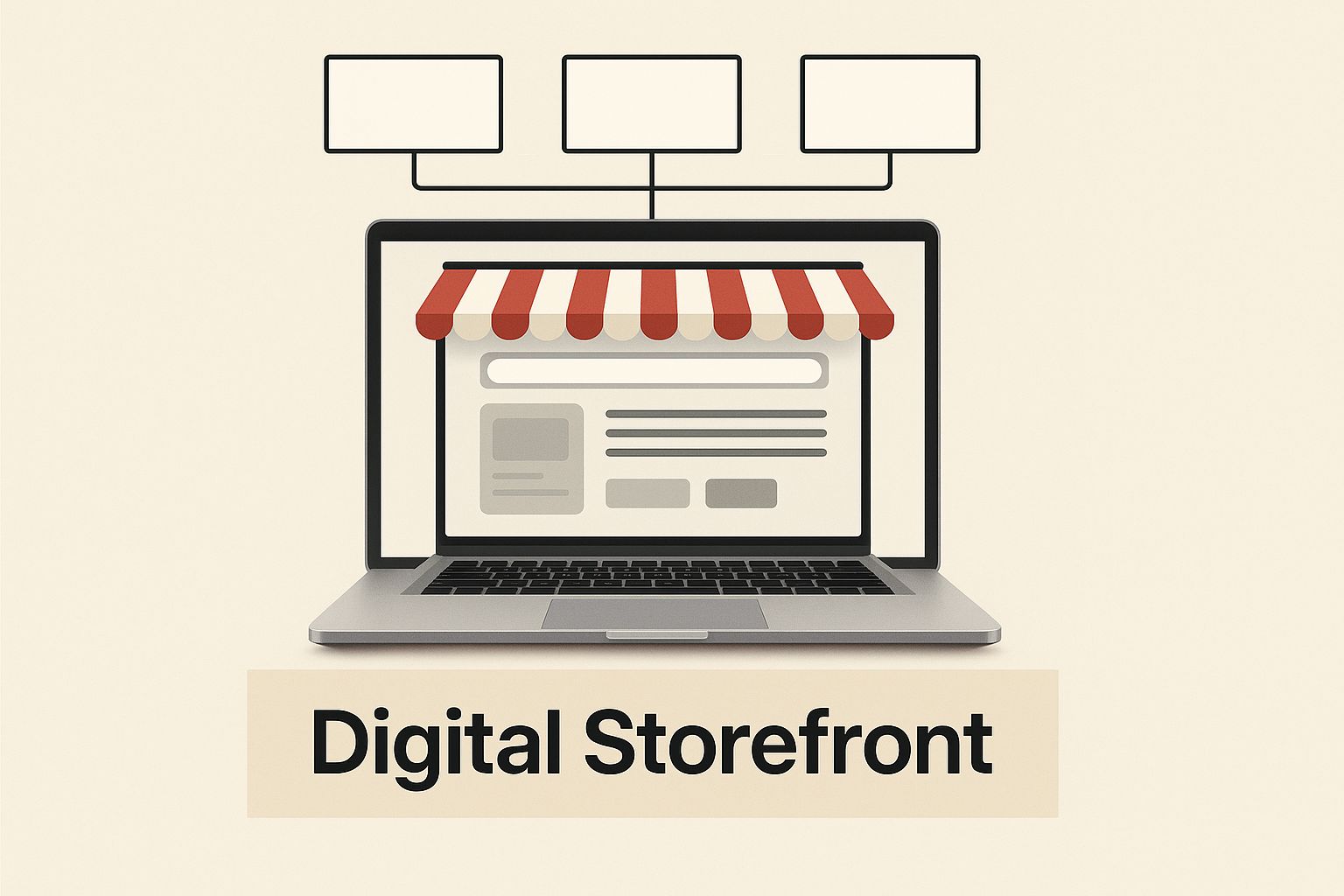
When you see it this way, it stops being a static online brochure and becomes a powerful tool for connecting with customers.
Why Proactive Management Matters
The online world is getting more crowded by the day. By 2025, it's expected that 73% of U.S. small businesses will have a website. That's a huge jump! And with 81% of people doing research online before making a purchase, a neglected website is a massive missed opportunity.
A website is a living, breathing asset that needs constant attention. Being proactive isn't just about fixing things when they break—it's about building a reliable, high-performing platform that brings real value to your business and your customers.
At the end of the day, proper website management turns your site from a simple online business card into your hardest-working marketing and sales tool. If you're curious about the nitty-gritty tasks, you can dig deeper into our guide on what website maintenance includes.
The Five Pillars of Website Management
Thinking about small business website management can feel like you're staring at a giant, messy to-do list. But it doesn't have to be that way. The best approach is to break it down into five core areas that all work together.
Think of them like the pillars holding up a strong building. If one is weak, the whole structure becomes unstable. This framework gives you a clear roadmap to follow, helping you shift from just putting out fires to proactively growing your business.
Pillar 1: Technical Health and Security
First things first: the foundation. Your website's technical health and security are completely non-negotiable. This is all the behind-the-scenes work that keeps your digital storefront open for business, safe from threats, and running smoothly for every visitor.
A good analogy is thinking of your website as a car. Technical management is like getting a regular oil change, rotating the tires, and making sure the engine is in good shape. It covers crucial tasks like:
- Software Updates: Keeping your content management system (CMS), plugins, and themes up-to-date is your first line of defense against security holes.
- Regular Backups: You need copies of your site's files and database. With a staggering 30,000 websites hacked every single day, a recent backup is your ultimate safety net if things go wrong.
- Security Scans: This is all about proactively looking for malware or suspicious activity to stop threats before they can cause any real damage.
Without this pillar firmly in place, any effort you put into marketing or content is built on shaky ground.
Pillar 2: Strategic Content Updates
Content is the very reason people come to your website in the first place. This pillar is all about making sure the information you provide is fresh, accurate, and genuinely helpful to your audience. Stale content sends a bad signal to both visitors and search engines.
But strategic content updates aren't just about randomly publishing a blog post here and there. It requires a thoughtful approach to keeping every part of your site relevant, from updating your service descriptions and team bios to refreshing your portfolio with new work.
A website with outdated information is like a store with empty shelves. It signals to potential customers that you might not be open for business or paying attention to details, which quickly erodes trust.
Plus, regularly adding quality content gives search engines like Google new material to index, which is a huge part of improving your search rankings over time.
Pillar 3: SEO and Performance
So you have a beautiful, secure website with great content. That's fantastic, but it won't do you much good if nobody can find it. This is where Search Engine Optimization (SEO) and site performance come in.
SEO is simply the process of making your site more visible in search engine results. Performance is all about how quickly and smoothly your site loads for a real person.
These two are tied at the hip. Google wants to show its users the best possible results, and that includes sites that offer a great experience. A fast-loading website is a massive part of that. In fact, just a one-second delay in page load time can tank your conversions by 7%.
This pillar involves everything from keyword research to monitoring site speed and making sure your website is a breeze to use on any device.
Pillar 4: User Experience and Conversion
Once people land on your site, you want their visit to be seamless. More than that, you want to guide them toward taking a specific action—whether that’s filling out a contact form, buying a product, or picking up the phone. This is the world of User Experience (UX) and Conversion Rate Optimization (CRO).
Think of yourself as a digital detective. Your job is to analyze how people are actually using your site to find and fix any points of friction. Are people leaving their shopping carts at the same step? Is your contact form asking for too much information? Answering these questions helps you make small, targeted changes that can have a big impact on your bottom line.
A huge part of managing a website well is constantly looking for ways to turn more visitors into actual leads and customers. To dive deeper, you can learn more about effective Conversion Rate Optimization (CRO) strategies and apply them to your own site.
Pillar 5: Analytics and Reporting
This final pillar is what ties everything else together. If you aren't looking at the data, you're just guessing. Analytics and reporting are all about tracking the right numbers to see what's working, what isn't, and where you should focus your energy next.
Don't worry, this isn't about getting lost in a sea of complicated charts. It's about getting clear answers to a few critical business questions:
- Where is our traffic coming from?
- Which pages are the most popular?
- What percentage of visitors are turning into leads?
By setting up a tool like Google Analytics and checking in on your key reports regularly, you can make smart, informed decisions. This is what turns website management from a list of chores into a powerful strategy for real, measurable growth.
To bring it all together, here is a quick overview of how these five pillars support a healthy, high-performing website.
Core Pillars of Website Management at a Glance
| Pillar | Primary Goal | Key Tasks |
|---|---|---|
| Technical Health & Security | Ensure the site is stable, secure, and always online. | Software updates, security scans, daily backups, uptime monitoring. |
| Strategic Content Updates | Keep information fresh, relevant, and valuable to the audience. | Updating service pages, publishing blog posts, adding testimonials. |
| SEO & Performance | Improve visibility in search engines and ensure a fast user experience. | Keyword optimization, page speed improvements, mobile-friendliness. |
| User Experience & Conversion | Make the site easy to use and guide visitors toward taking action. | A/B testing, analyzing user behavior, simplifying forms and checkout. |
| Analytics & Reporting | Track performance and make data-driven decisions for improvement. | Reviewing traffic sources, monitoring conversion rates, creating reports. |
By focusing on these five distinct areas, you create a complete and effective system where each pillar supports the others, leading to a website that truly works for your business.
Essential Website Management Tools for Small Business
Managing your small business website doesn't mean you need a giant budget or a team of developers on standby. It's really about picking the right tools for the job. Think of it like assembling a toolkit for a mechanic—each tool has a specific purpose that helps the whole engine run smoothly.
With the right setup, you can automate tedious tasks, get clear insights into what’s working, and handle complex jobs with ease. This lets you focus on running your business, not just your website. Let's break down the must-have tools for any small business owner.
Content Management Systems (CMS)
Your CMS is the foundation of your website. It’s the control panel that lets you create, edit, and publish content without having to be a coding wizard. For a small business, choosing the right CMS is a huge decision that affects everything down the line.
WordPress is the undisputed king here, powering over 43% of all websites. Why is it so popular? Simple: it’s incredibly flexible. With a massive library of plugins and themes, you can build just about anything—from a basic brochure site to a full-blown online store.
- Why it's a game-changer: You get total control. You aren't locked into one company's ecosystem, and there’s a plugin for almost any feature you can dream up, whether it's for booking appointments or launching an online course.
- Real-world scenario: Imagine a local bakery wants to start a blog to share recipes. Using WordPress, they can easily write new posts, drop in photos or videos, and schedule them to go live automatically. It’s a simple way to keep their customers engaged without a ton of extra work.
Analytics and SEO Tools
If your CMS is the engine, then your analytics and SEO tools are the dashboard and GPS. They show you how your site is performing, where your visitors are coming from, and how to attract more of them. Flying blind is a terrible strategy; data is what turns guesswork into smart decisions.
For tracking visitors, Google Analytics is the go-to, and it's completely free. It gives you a treasure trove of information about your audience—who they are, how they found you, and what pages they love. Just understanding this data is the first step toward a better website.
On the SEO front, tools like Ahrefs or Semrush are absolute powerhouses. They help you uncover the keywords your customers are actually searching for, peek at what your competitors are doing, and track how you rank on Google. While they're paid services, even their free versions offer incredibly valuable insights.
Without data, you're just another person with an opinion. Analytics tools replace assumptions with facts, showing you exactly what’s working and what isn't so you can invest your time and resources wisely.
Performance and Security Monitors
A slow or hacked website can torpedo your reputation in a heartbeat. That's why performance and security monitors are non-negotiable. They act like a 24/7 security guard and pit crew for your site, flagging problems before your visitors ever see them.
- GTmetrix: This free tool is fantastic for checking your site’s speed. It analyzes how fast your pages load and gives you a detailed report on what’s slowing things down, with clear recommendations like "compress these images" or "fix this bit of code."
- Wordfence: If you use WordPress, Wordfence is a must-have security plugin. It sets up a firewall to block sketchy traffic and constantly scans your site for malware or other vulnerabilities.
Trying to pick the right combination of software can feel like a chore, which is why we’ve put together a more detailed guide on the best tools for website maintenance and management. It’ll help you build the perfect toolkit to keep your site fast, safe, and reliable for every single visitor.
Building a Website Management Routine That Actually Sticks

Having the right website tools is one thing, but making them work for you requires a consistent process. Truly effective small business website management isn't about some massive, one-time overhaul. It's built on the small, smart actions you take every day, week, and month.
This is where so many small business owners get stuck. They see a giant to-do list and don't know where to start. The key is to break that list down into a simple, repeatable workflow—a routine that makes sure the important stuff gets done without the overwhelm.
Think of it like keeping your house in order. You wouldn't let things pile up for six months and then try to clean it all in one frantic weekend. You do a little bit each day—wash the dishes, make the bed—and tackle bigger tasks weekly. Your website needs that same kind of steady, predictable care to stay healthy and perform at its best.
Your Daily 15-Minute Checkup
Daily tasks should be lightning-fast and focused on the absolute must-haves. These are the quick checks you can do with your morning coffee that give you peace of mind, confirming your digital storefront is safe, secure, and ready for customers.
Your daily routine shouldn't take more than 10-15 minutes. Here’s what to focus on:
- Run a Security Scan: Fire up a tool like Wordfence and run a quick scan. It’s your first line of defense, catching any new malware or suspicious files before they can cause trouble.
- Check for New Comments: If you have a blog or product reviews, quickly scan for new comments. Approving and replying shows your audience you're listening and keeps the conversation going.
- Confirm Your Backup Ran: Just take a quick peek to make sure your automated daily backup actually completed successfully overnight. This is your ultimate safety net.
Your Weekly Growth Tasks
Each week, you'll shift from defense to offense. Weekly tasks are all about growth, engagement, and keeping your site fresh. This is where you put in an hour or two to make sure your website is actively working for you, not just sitting there.
These tasks are what keep your site from becoming a static, outdated brochure.
- Publish Something New: Add a blog post, a new project to your portfolio, or a customer case study. Fresh content tells search engines your site is active and gives people a reason to come back.
- Glance at Your Analytics: Hop into Google Analytics. You're not doing a deep dive here; just check your main traffic sources, top pages, and bounce rate to see if anything looks unusual.
- Update Your Software & Plugins: This one is critical. Check for updates to your CMS (like WordPress), plugins, and themes. Running these updates weekly closes security holes that hackers love to exploit.
- Test Your Forms: Be your own customer. Fill out your contact form and any lead-capture forms to make sure they're actually sending you the notifications. A broken form is a lost opportunity.
A consistent weekly routine is the engine of your website's growth. It turns maintenance from a chore into a powerful strategy for attracting new visitors and keeping your current audience engaged.
Your Monthly Strategy Review
Once a month, it's time to zoom out. Your monthly review is about stepping back to look at performance, trends, and the bigger picture. This is where you analyze what's working, what's not, and make sure your website is actually helping you hit your business goals.
Block off a couple of hours for this.
- Run a Full Performance Report: Use a tool like GTmetrix to get a detailed look at your site speed. Are new images or plugins slowing things down?
- Review SEO Performance: Check your keyword rankings with a tool like Semrush or Ahrefs. Are you moving up for the terms that matter? Where are the opportunities?
- Analyze User Behavior: If you use tools that provide heatmaps or session recordings, now's the time to watch a few. It’s fascinating to see where people click, how far they scroll, and where they get confused.
- Hunt for Broken Links: Use a free broken link checker to find and fix any links pointing to a 404 error page. It’s a simple fix that improves both user experience and SEO.
Your Quarterly Planning Session
Every three months, you need to think like a CEO. Your quarterly tasks are all about long-term strategy and the overall health of your website. This is your chance to plan for the next quarter and make sure your digital presence is evolving with your business.
This is where you make the high-level decisions that will guide your actions for the next 90 days.
- Conduct a Content Audit: Look back at your older content. Can some posts be updated with new stats and information? Could two smaller posts be combined into one powerhouse guide? Are some just plain outdated and need to go?
- Review Your Business Goals: Is your website still aligned with your core objectives? Revisit your goals for traffic, leads, and sales, and decide if your strategy needs a tweak.
- Test on Different Devices: Grab your phone, a tablet, and open different browsers on your computer. Click through your site on all of them to make sure the experience is seamless for everyone, everywhere.
- Clean Up Your Database: If you’re using WordPress, your database can get cluttered over time with old post revisions and other digital junk. Use a plugin to safely clean it out and keep your site running smoothly.
By breaking down the massive job of website management into this simple, scheduled routine, it becomes totally achievable. This structured approach is the secret to effective small business website management, ensuring you cover everything from daily security to long-term strategic planning.
Common Website Management Mistakes (And How to Sidestep Them)
Sometimes, the quickest way to get ahead is by learning from where others have stumbled. When it comes to managing a small business website, a few common pitfalls show up again and again. They're the kind of quiet mistakes that can really hold back your growth and cause headaches you just don't need.
Getting a handle on these errors isn't just about damage control. It's about building a stronger, more effective online presence from the ground up. Let's walk through the five biggest blunders I see business owners make and cover the simple shifts you can implement to avoid them completely.
Mistake 1: Ignoring Mobile Users
One of the most dangerous assumptions you can make is that your visitors are all sitting at a desk. The reality is completely different. Today, mobile devices account for over half of all web traffic worldwide. If your website is a pain to use on a phone, you're essentially showing a huge chunk of your potential customers the door.
A clunky mobile experience leads to frustrated users who will bounce right over to a competitor with a site that actually works. It also hurts your search rankings, since Google's mobile-first indexing means it judges your site primarily based on its mobile version.
The Fix: Pull out your own smartphone and give your site a real-world test drive. Try to navigate the menu, fill out your contact form, and go through the checkout process. Are the buttons easy to tap? Can you read the text without pinching and zooming? The whole experience should feel effortless.
Mistake 2: Letting Software Updates Pile Up
We’ve all seen it: that little notification telling you a plugin or theme needs an update. It’s easy to think, "I'll get to that later." But ignoring those updates is like leaving the front door of your shop unlocked overnight. Hackers actively look for websites running old software because they know the security loopholes are well-documented.
Putting off updates dramatically increases your risk of getting hacked, which can lead to stolen data, a tanked reputation, and an expensive, stressful cleanup. It's one of the most common—and most preventable—issues out there.
The Fix: Make updates a non-negotiable weekly task. Before you click "update," always run a full backup of your site. This simple habit only takes a few minutes, but it's a powerful safety net if an update causes an unexpected glitch.
Mistake 3: Having No Clear Content Plan
So many businesses launch a beautiful website and then… nothing. The content just sits there, gathering digital dust for months or even years. A website without fresh, relevant information is like a storefront with a faded, outdated window display—it suggests nobody's home.
Without a plan, your site becomes a static online brochure instead of a dynamic marketing engine. You miss out on countless opportunities to rank higher on Google, connect with your audience, and establish yourself as an expert.
A website is a living asset. A content plan is the roadmap that ensures it continues to grow, adapt, and provide value to your audience long after its initial launch.
The Fix: Start with a simple content calendar. You don't need to be a media company. Just plan to publish one new blog post, case study, or updated page each month. That consistency signals to search engines that your site is active and gives people a reason to come back.
Mistake 4: Forgetting to Set Up Backups
For most business owners, website backups are an afterthought—something they only think about after a disaster strikes. By the time your site is down due to a server crash, a hack, or a bad update, it's often too late. Without a recent backup, you could lose everything in an instant.
The consequences are brutal. You might have to rebuild your entire site from scratch, losing years of work, customer data, and sales history. For a small business, that kind of blow can be incredibly difficult to recover from.
The Fix: Automate your backups. Right now. Use a trusted plugin or your hosting provider's built-in service to schedule automatic daily backups of both your site files and your database. And here's the crucial part: make sure those backups are stored somewhere else, like on a cloud service, so they're safe even if your entire server goes down.
Mistake 5: Making Decisions Without Data
Are you thinking about changing your website's design just because you "feel like" it needs a refresh? Are you adding a new service page without knowing if anyone is actually searching for that service? Making decisions based on gut feelings is a recipe for wasted time and money.
If you aren't looking at your analytics, you're flying blind. You have no idea which pages are bringing in visitors, where those visitors are coming from, or what content they actually care about.
The Fix: Install Google Analytics (it’s free!) and block out 30 minutes on your calendar each month to review the basics. Just focus on a few key things: your most popular pages, your top traffic sources, and your conversion rates. This data will give you the clear, simple insights you need to make smart decisions that actually move the needle.
Deciding Between DIY and Hiring a Professional
One of the first big questions every small business owner faces with their website is: who’s going to run this thing? Should you roll up your sleeves and learn the ropes yourself, or is it better to hand the keys over to a pro?
Honestly, there’s no one-size-fits-all answer. It all comes down to a trade-off between your time, your money, and your technical comfort level. Let's break down what each path really looks like.
Evaluating the DIY Approach
Going the Do-It-Yourself route gives you total control. You can make changes on the fly, and you don’t have to pay a monthly fee. That’s a huge plus when you're starting out.
But here’s the catch: the DIY path requires a massive investment of your most precious asset—time. The learning curve can be surprisingly steep. You’re not just writing a blog post now and then; you're also the head of security, the performance engineer, and the on-call IT support when things break. This can easily steal focus from what you do best: running your business.
The real cost of DIY website management isn't measured in dollars, but in hours. Every hour you spend fixing a plugin conflict is an hour you're not spending on growing your business.
If you have a very simple website and genuinely enjoy tinkering with technology, DIY could work out great. But if your time is already stretched thin, the money you save upfront might get eaten up by lost productivity down the road.
When to Hire an Expert
Hiring a professional lets you get back to being a business owner, not a part-time webmaster. You’re paying for expertise and, more importantly, peace of mind. A pro handles all the behind-the-scenes work to keep your site fast, secure, and running smoothly, so it can do its job 24/7: bringing you customers.
While it's a bigger upfront investment, the return is a professional-grade website that you don't have to worry about. If the idea of DIY sounds more like a headache than a fun challenge, you might consider the benefits of hiring a web designer to get things on the right track.
To figure out what’s right for you, get real with yourself and answer these questions:
- Budget: Can I comfortably afford a monthly management fee, or is my time the only resource I have to spend right now?
- Time: How many hours a week can I realistically dedicate to website maintenance without sacrificing my main priorities?
- Skills: Am I confident enough to handle security scans, software updates, and fix things when they inevitably go wrong?
- Goals: Is my website a core part of my sales strategy? If it goes down, do I lose money?
Answering these honestly will point you in the right direction. If outsourcing feels like the way to go, your next step is to start looking into website management companies that align with your business goals.
Frequently Asked Questions
When it comes to managing a website for your small business, questions are bound to pop up. Let's tackle some of the most common ones we hear from entrepreneurs just like you.
How Much Should I Budget for Website Management?
This is the big question, and the honest answer is: it depends on your approach.
If you're rolling up your sleeves and going the DIY route with quality tools, you're probably looking at a monthly cost between $50 and $200. Bringing a freelancer on board for basic upkeep can range from $200 to $1,000 a month.
For the full package—think ongoing SEO, fresh content, and strategic tweaks—working with an agency typically starts around $1,000 and can go up to $5,000+ per month, depending on how much they’re doing for you.
How Often Should I Update My Website Content?
Think consistency over sheer volume. A fantastic starting point for most small businesses is to publish one new piece of content, like a blog post, each week. This simple habit keeps your visitors interested and tells search engines that your site is active and valuable.
Don't forget about your core pages! You'll want to give pages like your "About Us" or service descriptions a quick review once or twice a year to make sure everything is still accurate.
While every part of website management plays a role, security and backups are the absolute foundation. A single security breach or data loss event can be catastrophic for a small business, destroying customer trust and leading to major financial setbacks.
What Is the Most Critical Part of Website Management?
Without a doubt, it’s security and backups. You can pour all your energy into creating amazing content and a beautiful user experience, but none of it matters if your site isn't secure and functional.
Think of it as the foundation of your house. Without solid protection and a reliable backup plan, your entire online presence is vulnerable. This should always be your top priority.
Ready to take the guesswork out of website management? The expert team at OneNine provides comprehensive design, development, and support services to keep your site secure, fast, and effective. Get in touch today to see how we can help you succeed online.


