
Think of website maintenance as all the regular jobs you do to keep your site running smoothly, securely, and quickly. It’s an ongoing process that covers everything from security updates and performance tuning to managing your content and running technical health checks. The goal is simple: give your visitors a flawless experience and protect your online home.
Your Website Needs a Regular Health Check
Your website is a lot like a brand-new car. The day you launch it, everything runs perfectly. But you wouldn't just drive that car for years without ever changing the oil, rotating the tires, or getting a tune-up, right? Website maintenance is that same essential, ongoing care that stops tiny hiccups from turning into massive headaches.
Without it, your site’s speed will slowly grind to a halt, security gaps will start to appear, and old, stale content will make your business look out of touch. A neglected site doesn't just annoy visitors—it also gets penalized by search engines, making it harder for new customers to find you.
The Core Pillars of Website Upkeep
So, what does website maintenance actually include? The easiest way to wrap your head around it is to break the tasks down into a few key categories. Each one tackles a different, but equally important, part of your site's overall health.
This infographic gives a great visual breakdown of where you should focus your efforts.
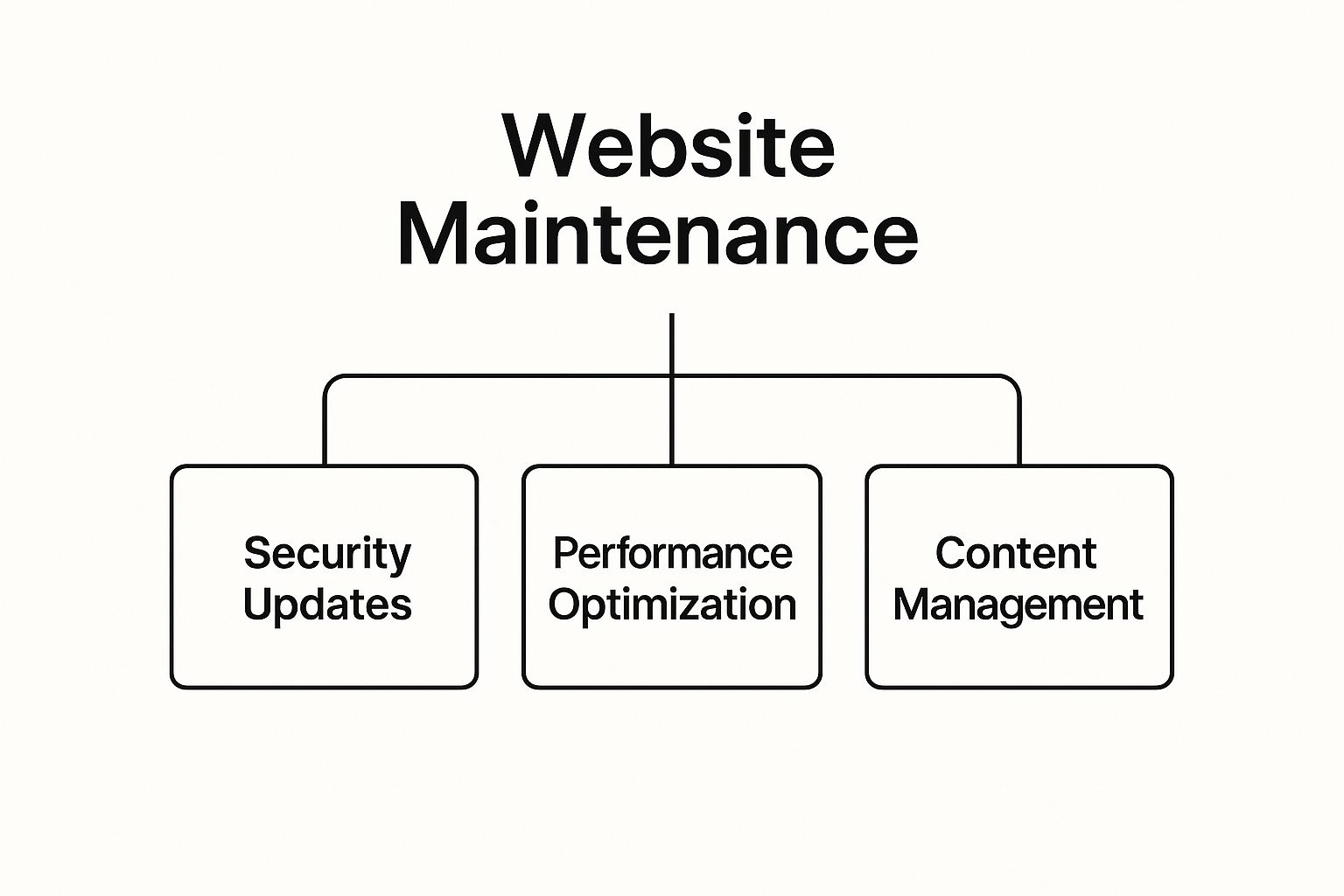
As you can see, a strong maintenance plan is built on a foundation of security, performance, and fresh content. If you let one of these pillars crumble, the whole structure is at risk. They all work together to create an online experience that feels reliable and trustworthy to your visitors.
To give you a clearer picture, here’s a quick summary of how these maintenance pillars fit together.
The Four Pillars of Website Maintenance at a Glance
| Maintenance Pillar | Key Activities | Why It Matters |
|---|---|---|
| Security Monitoring | Updating software, scanning for malware, strengthening passwords. | Protects your site from hackers and keeps customer data safe. |
| Performance Optimization | Optimizing images, checking page speed, cleaning up the database. | Ensures a fast, frustration-free experience for your visitors. |
| Content & SEO | Fixing broken links, updating old content, reviewing keywords. | Keeps your site relevant, boosts search rankings, and engages your audience. |
| Technical Health | Running regular backups, testing forms, ensuring mobile-friendliness. | Prevents data loss and guarantees your site works correctly on all devices. |
This table shows that a well-maintained website isn't just about dodging problems—it’s about creating opportunities. It keeps your site ready to convert visitors into customers, builds trust through sheer reliability, and safeguards your brand's hard-earned reputation.
A great first step is to get a baseline of your site's current condition. Learning how to perform a comprehensive website audit gives you the power to spot issues early and figure out exactly where to focus your maintenance efforts.
What Happens Without Maintenance
Putting off regular upkeep might seem harmless at first, but the problems pile up over time. Did you know that nearly 50% of consumers expect a website to load in two seconds or less? Without consistent performance checks, your site speed is guaranteed to drop.
It's the same story with security. Outdated plugins and themes are the number one way hackers get in. The fallout from a security breach—from losing customer data to a trashed reputation—is far more painful than the small investment in routine maintenance.
You can get a clear snapshot of your site's current health by running a full checkup. For a step-by-step guide, check out our article on conducting The Ultimate Website Health Check. This proactive mindset keeps your digital engine in top shape, ready for whatever comes next.
2. Security: Protecting Your Digital Front Door
Think of your website's security as the lock on your business’s front door. You wouldn't leave your shop unlocked overnight, right? Your digital storefront deserves that same level of protection. A security breach isn't just a technical hiccup; it’s a direct threat to your customer data, your hard-earned reputation, and your bottom line.
This is why rock-solid security is a non-negotiable part of website maintenance. It’s all about building a digital fortress to keep the bad guys out.

This isn’t a one-and-done setup. It's an ongoing commitment, a set of vigilant tasks designed to spot and neutralize threats before they can cause any real damage to your most valuable online asset.
Building Your Digital Defenses
Good website security is built in layers, just like a real-world security system. Each layer tackles a different potential threat, and they all work together to create a formidable defense. The most critical security maintenance tasks fall into a few key areas.
These are the absolute bedrock of a secure website:
- Continuous Malware Scanning: This is your 24/7 digital security guard. Regular scans actively hunt for malicious code, viruses, and other nasty surprises that might have slipped through.
- Firewall Management: Think of a web application firewall (WAF) as a bouncer at the door, checking IDs and turning away trouble before it even gets inside. Maintenance means keeping its blocklist updated to recognize the latest threats.
- SSL Certificate Monitoring: An SSL certificate encrypts the data flowing between your visitors and your site—it’s what puts that little padlock icon in the browser bar. You have to make sure it's valid and not expired to protect data and keep visitor trust.
- Closing Software Vulnerabilities: This is arguably the most important job of all. Hackers love to exploit known weaknesses in outdated software. Keeping your CMS, plugins, and themes updated is the digital equivalent of locking all your windows and doors.
Managing Access and Human Error
Not all threats are sophisticated attacks from shadowy figures. Sometimes, the biggest risks are internal, often stemming from simple human error or sloppy user access controls. A complete security plan has to account for this.
It all starts with regularly reviewing who has access to your website's backend and what level of permission they have.
The principle of least privilege is a core security concept here. It means giving users only the access they absolutely need to do their jobs, and nothing more. This simple practice dramatically reduces the risk of both accidents and intentional harm.
For example, a content writer doesn't need administrator rights to install new plugins or change core site settings. By limiting their permissions, you shrink the potential attack surface.
Here are the essential user management tasks to perform regularly:
- Enforce Strong Passwords: Don't just suggest them—require them. Implement policies for complex passwords (a mix of cases, numbers, and symbols) and encourage regular updates. This makes it so much harder for attackers to guess their way in.
- Audit User Accounts: Periodically go through all user accounts. Remove access for former employees or contractors immediately. Don't leave old, unused accounts active.
- Limit Login Attempts: This is an easy win. Set up your site to temporarily lock out a user after a few failed login attempts. It’s a simple but incredibly effective way to stop brute-force attacks dead in their tracks.
By combining strong external defenses with smart internal controls, you create a security posture that is tough for anyone to penetrate. For a deeper dive into fortifying your site, check out our website security best practices guide to protect your business online. Ultimately, consistent security maintenance gives you peace of mind, so you can get back to focusing on what you do best: growing your business.
Keeping the User Experience Flawless
Think of a slow or broken website as the digital version of a store with a permanently jammed door. It doesn't matter how amazing your products are inside; if customers can't get in or have a terrible time trying, they'll just walk away. That’s why a huge part of website maintenance is all about making sure the user experience is smooth, fast, and works perfectly.
These behind-the-scenes tasks are what separate a professional, trustworthy site from one that feels abandoned. This kind of upkeep has a direct line to how long people stay, whether they buy anything, and if they'll ever bother coming back.

At the end of the day, it’s all about removing friction. A seamless experience builds trust and gently guides visitors toward becoming happy customers.
Keeping Your Site Fast and Functional
Site speed isn’t just some techy metric—it's a critical part of customer service. In fact, research shows that even a one-second delay in page load time can cause a 7% drop in conversions. Regular maintenance is like giving your website’s engine a professional tune-up to keep it running at top speed.
Here are a few key tasks that keep your site humming along:
- Software and Plugin Updates: Just like the apps on your phone need constant updates, so do your website's core software (like WordPress) and any plugins you use. These updates aren't just for new features; they often include vital bug fixes and performance boosts.
- Fixing Broken Links and Images: Nothing screams "neglected website" like clicking a link and landing on a "404 Not Found" page. Running routine checks to find and fix these dead ends ensures every visitor has a smooth journey.
- Database Optimization: Over time, your site’s database gets clogged with junk—old post revisions, spam comments, and other temporary data. Cleaning this out is like tidying up a messy workshop; it suddenly makes everything work faster and more efficiently.
These aren't one-and-done fixes. They're proactive steps you take to prevent your site's performance from slowly degrading over time, keeping your digital storefront looking sharp.
Optimizing for Every Visitor on Every Device
It's a mobile-first world. With more than half of all web traffic now coming from smartphones, you can't afford to have a site that only looks good on a desktop. If your website is a jumbled, unreadable mess on a phone, you're slamming the door on a huge chunk of your potential customers.
Making sure your site is mobile-responsive isn't a "nice-to-have" anymore; it's absolutely essential. This means you need to test it on different screen sizes to make sure the text is easy to read, the buttons are tappable, and the navigation makes sense for everyone, no matter what device they're using.
This piece of maintenance is all about ensuring your digital front door is wide open and welcoming to all. It involves double-checking that everything looks and works correctly across all the major web browsers, too. To really dig into making your site work for your business, exploring a guide on website conversion rate optimization can be incredibly helpful.
Backups: Your Ultimate Safety Net
Just imagine it for a second: all of your hard work—your blog posts, your product pages, your customer data—gone. Vanished in an instant because of a server crash, a hack, or even a simple mistake. It's a business owner's nightmare, but it’s completely preventable. That’s where website backups come in.
A website backup is simply a full copy of your site's files and its database, tucked away safely in a separate location. If the worst happens, you can use that copy to restore your site exactly as it was, keeping downtime and data loss to a minimum.
Here's why backups are a non-negotiable part of website maintenance:
- Disaster Recovery: It’s your get-out-of-jail-free card for getting back online after a major problem.
- Reversing Errors: Did a software update just break your entire site? No problem. You can just roll it back to the last working version.
- Security Protection: If a hacker manages to infect your site with malware, a clean backup from before the attack is your ticket to a quick, clean restoration.
How often should you run backups? It all depends on how often your site changes. A simple portfolio site might be fine with monthly backups. But a busy online store processing orders every day? That needs to be backed up daily, without fail. Skipping this task is one of the biggest risks you can take with your online business.
Keeping Your Content and SEO Strong
Think of your website like a storefront. If the products in the window are dusty and the "Specials" sign is from last year, people are going to walk right by. Your website isn't a static brochure; it's a living, breathing part of your business, and when the content gets stale, it tells customers—and Google—that you might be out of touch.
That’s where content and SEO maintenance comes in. These aren't just chores; they're the essential tasks that keep your site fresh, relevant, and in front of the people who are actively looking for what you do. It’s the difference between having a simple online flyer and a lead-generating machine.
Your Content Isn't Set in Stone
I like to think of a website's content as a garden. You don't just plant it once and hope for the best. It needs consistent care—weeding out the old stuff, pruning what’s there, and planting new seeds to keep it vibrant. The same exact principle applies to your blog posts, service pages, and company info.
Here are a few core things you should be doing regularly:
- Update Old Blog Posts: Dig into your analytics and find those articles that used to be popular but have lost some steam. Can you add new data, update the stats from 2021 to 2024, or include better examples? A simple refresh can breathe new life into a post and get it climbing the search rankings again.
- Review Product and Service Info: Are your prices, features, and descriptions still 100% accurate? Nothing frustrates a potential customer faster than finding out the information they relied on was wrong.
- Get Rid of Outdated Content: Do you still have pages up for a webinar from two years ago or a promotion that’s long since expired? This kind of clutter can confuse both visitors and search engines. It's often best to just remove or redirect them.
You can use a tool like Google Analytics to see which pages get the most traffic. This is a goldmine for deciding where to focus your energy first.
By seeing which pages people are actually visiting, you can spot the content that’s hitting the mark and identify older posts that are prime for an update.
Keeping Your SEO in Fighting Shape
Search Engine Optimization (SEO) is never a "set it and forget it" task. It's more like a constant tune-up. Google's algorithms are always evolving, and you can bet your competitors are trying to figure out how to jump ahead of you. Consistent SEO work is how you protect the ranking you've already earned.
SEO maintenance isn’t about dramatic, overnight wins. It’s about making small, steady improvements over time that build a resilient online presence and protect your rankings from collapsing out of nowhere.
Checking in on your site’s SEO health is a non-negotiable part of website maintenance. It lets you catch the small cracks before they turn into major structural problems.
Here’s what that looks like day-to-day:
- Monitor Your SEO Vitals: Keep a close watch on your organic traffic, keyword rankings, and click-through rates. Are the numbers going up or down? This data is your report card—it tells you what’s working and what needs to be fixed, fast.
- Hunt for Technical Glitches: Use a tool like Google Search Console to find and fix things like crawl errors, broken links, or pages that don't work well on phones. These technical issues can quietly sabotage your search performance if you ignore them.
- Analyze How People Find You: Get a clear picture of what your visitors are actually looking for. What words do they type into Google to land on your site? Which pages do they spend the most time on? This is your roadmap for creating more of the content your audience craves.
By regularly tending to your content and SEO, you make sure your website remains a hardworking asset. It stays relevant, gets found on search engines, and keeps driving real results for your business.
How to Budget for Website Maintenance

Okay, so you know what website maintenance involves. But the real question is, how much should you set aside for it? It’s tempting to see it as just another expense, but a better way to look at it is as an investment in your most important digital asset.
A smart budget is your best defense against getting blindsided by unexpected problems. For 2025, most businesses can expect to spend somewhere between $500 to $5,000 annually. That’s a pretty wide range, and what you’ll actually pay depends on your site's size, complexity, and how much hands-on work you need.
Common Pricing Models
When you start looking for help from a freelancer or an agency, you’ll likely run into a few common ways they charge for their work. Each model has its pros and cons, so it's good to know what you're getting into.
- Hourly Rates: You simply pay for the time they spend working on your site. This is great if you have unpredictable needs or only require help once in a while.
- Monthly Retainers: This is a popular one. You pay a set fee every month for a specific block of hours or a pre-agreed list of services. It gives you predictable costs and ensures someone is always keeping an eye on things.
- Service Packages: Agencies often bundle their services into different tiers. A "basic" package might handle essential updates and backups, while a "premium" one could add things like SEO monitoring and speed optimization.
What Influences the Cost
No two websites are the same, and their maintenance costs will reflect that. The price tag is almost always tied to just how big and complicated your website is.
Think of it like maintaining a vehicle. The cost to service a simple sedan is far less than what it takes to keep a complex commercial truck running. The more moving parts and specialized functions your website has, the more it costs to maintain.
Here are the key things that will move the price up or down:
- Site Complexity: A simple five-page brochure site is worlds away from an e-commerce store with hundreds of products, payment systems, and customer accounts. More complexity means more work.
- Scope of Services: Are you just looking for the basics, like security scans and software updates? Or do you need someone to create content, manage your SEO, and constantly tweak performance?
- Support Level: If you need someone available for 24/7 emergency support, that will naturally cost more than a standard business-hours plan.
Getting a handle on these factors is the first step to creating a budget that makes sense for your business. For a much deeper dive, you can learn more about how much website maintenance should cost in our complete guide.
Got Questions About Website Maintenance? We’ve Got Answers.
Even after you get the hang of what needs doing, a few practical questions always pop up. Let's walk through some of the most common ones I hear from business owners to clear up any confusion about keeping your site in top shape.
How Often Should I Actually Be Doing This Stuff?
There's no single magic number here—it really depends on your website. Think of a simple portfolio site as a classic car you only take out on weekends; it needs less frequent attention. A bustling e-commerce store, however, is more like a daily delivery van—it needs constant checks to keep it running.
- For most business websites: A monthly check-in is the perfect starting point. It’s frequent enough to catch important software updates, run fresh backups, and fix any broken links before they become a real problem.
- For high-traffic or e-commerce sites: You'll want to be much more hands-on. Weekly or even daily monitoring is a smarter bet. When you have sales and customer data on the line, you can't afford to miss a security threat or a performance dip that could cost you money.
Can I Just Do My Own Website Maintenance?
Absolutely, you can! Many business owners are perfectly capable of handling the basics. Things like adding a new blog post, updating a team photo, or running a quick scan for broken links are all great DIY tasks that keep your site feeling fresh.
But here’s where you need to be careful. The more technical stuff is where a little bit of knowledge can be a dangerous thing.
Trying to fix a tricky plugin conflict, patching a server vulnerability, or—worst-case scenario—cleaning up a hacked site requires real expertise. Messing with this yourself can easily break your website or open up even bigger security holes.
What’s the Difference Between Maintenance and a Redesign?
This is a great question, and the distinction is huge. Think of website maintenance as the regular, ongoing tune-up that keeps your current site running smoothly. It’s like getting an oil change for your car, not swapping out the entire engine.
A website redesign, on the other hand, is a massive project. It's a complete overhaul where you rethink the entire look, feel, structure, and sometimes even the technology your site is built on. Maintenance is a regular rhythm; a redesign only happens every few years.
Keeping your website healthy doesn't have to be a headache. At OneNine, we take the technical work off your plate with expert support and straightforward management, so you can get back to what you do best. Learn more about our website management services and let us handle the details.


