

Real website security isn't just a feature you bolt on at the end. It's something you have to bake into the process from the very beginning. Every decision, from who hosts your site to how you handle data, adds another layer of defense. If you skip these foundational steps, it’s like building a house on a shaky foundation—it doesn't matter how strong the rest of it is if the base is weak.
The stakes are higher than ever. By 2025, the cost of cybercrime is expected to hit a staggering $10.5 trillion annually. That’s a massive jump from $3 trillion back in 2015. This isn't just some abstract number; it represents a huge transfer of wealth, dwarfing the economic damage caused by natural disasters year after year. For individual businesses, the average cost of a single data breach has already climbed to $4.88 million.
Build Your Website on a Secure Foundation
Getting the fundamentals right from the start will save you a world of trouble down the road. Let's walk through the two most critical first steps: choosing the right host and encrypting your site's traffic.
Choose a Web Host That Prioritizes Security
Think of your web host as the landlord for your website's home on the internet. A cheap or careless one can leave the doors and windows wide open to threats. When you're shopping around, don't just look at the price tag. Dig deeper into their security posture.
A solid host should offer these essentials right out of the box:
- Automated Backups: This is your "undo" button. If your site gets hacked or a plugin update goes wrong, having a recent backup lets you restore it in minutes, not days. Look for daily or at least weekly options.
- Malware Scanning: Good hosts proactively scan their servers for malicious code, catching threats before they can do real damage.
- DDoS Protection: Distributed Denial of Service (DDoS) attacks are designed to flood your site with junk traffic until it crashes. A quality host will have systems in place to filter out this malicious traffic and keep you online.
- Web Application Firewall (WAF): A WAF is like a security guard for your website, inspecting incoming traffic and blocking common hacking attempts before they even reach your site.
Below is a quick rundown of how security features often stack up across different hosting types.
Hosting Security Features at a Glance
This table compares security features you'll typically find with shared, VPS, and dedicated hosting, helping you choose the right fit for your needs.
| Security Feature | Shared Hosting | VPS Hosting | Dedicated Hosting |
|---|---|---|---|
| Server-level Firewall | Managed by Host | User Configurable | User Configurable |
| DDoS Mitigation | Basic/Included | Varies (Often an Add-on) | Advanced/Included |
| Automated Backups | Often Included | Often an Add-on | Often an Add-on |
| Malware Scanning | Basic/Included | Varies (Often an Add-on) | Varies (User Responsibility) |
| Root Access | No | Yes | Yes |
| Security Isolation | Limited | High | Complete |
While shared hosting is affordable, it offers the least control and isolation. VPS and dedicated plans give you more power to implement custom security measures, but they also place more responsibility on your shoulders. Choose the option that best matches your technical expertise and security requirements.
This whole process—from checking for vulnerabilities to keeping an eye on things—is a continuous loop, not a one-and-done task.
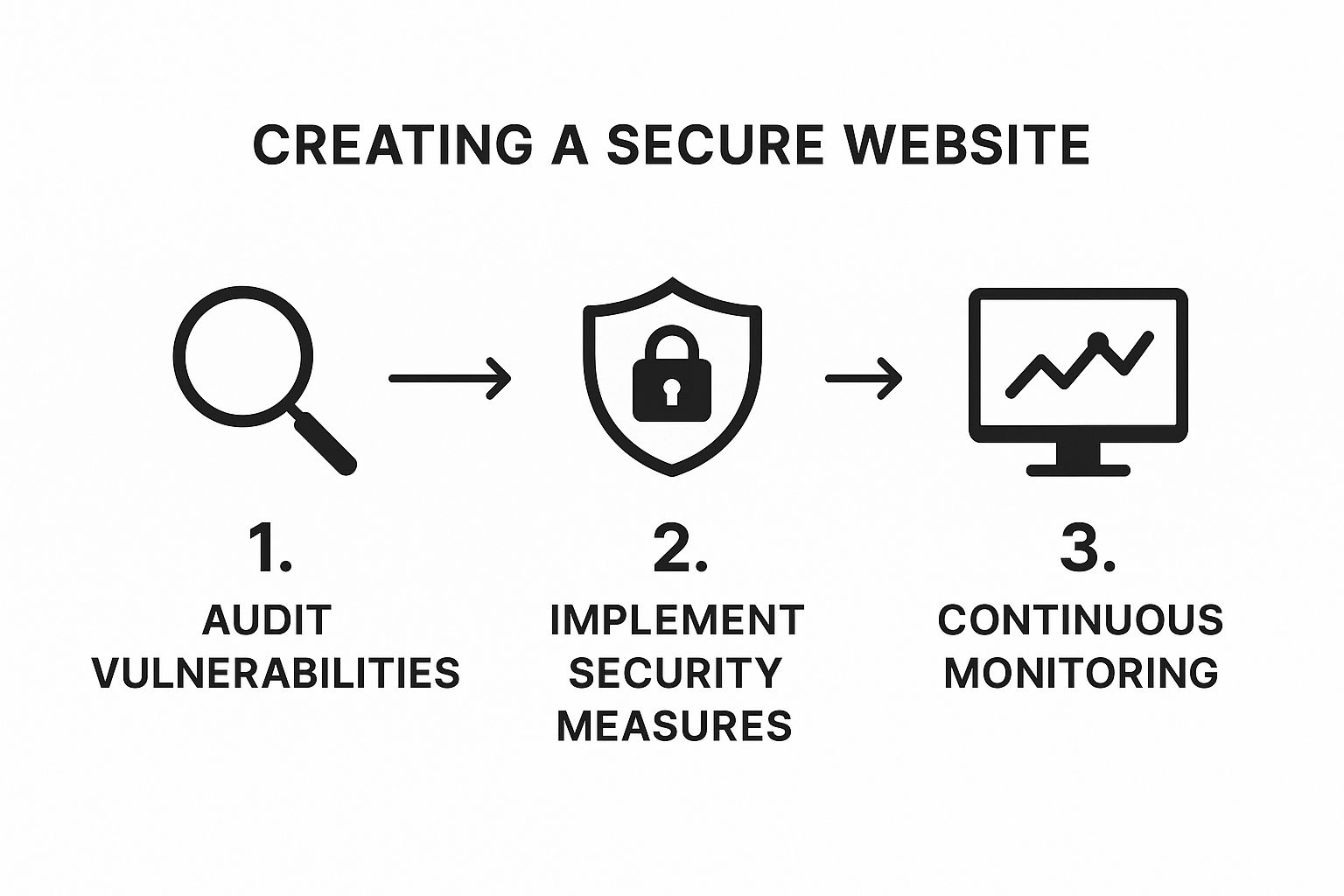
As you can see, security requires constant vigilance. You have to keep circling back to audit, protect, and monitor.
Implement SSL/TLS for HTTPS Encryption
Ever see that little padlock icon in your browser's address bar? That's your sign that a site is using HTTPS, which is made possible by an SSL/TLS certificate.
SSL (Secure Sockets Layer) and its modern successor, TLS (Transport Layer Security), are protocols that encrypt the connection between a visitor's browser and your website. Without that encryption, any data they submit—logins, credit card numbers, personal details—is sent in plain text. It's like sending a postcard through the mail; anyone who gets their hands on it can read it.
An SSL/TLS certificate is no longer a "nice to have" feature. It's a baseline requirement for any website today. It protects user data, builds trust, and even gives you a slight boost in Google's search rankings.
Getting this set up is usually pretty simple. Most decent web hosts now provide free SSL certificates from providers like Let's Encrypt and will even handle the installation for you. If you need to do it yourself, we have a detailed guide on how to configure an SSL certificate.
Taking this one simple step gives your visitors peace of mind, knowing their connection to your site is secure and private.
Securing Your Content Management System
Once your server and its connection are locked down, the next battleground is the software actually running your website—your Content Management System (CMS). Think of platforms like WordPress, Joomla, or Drupal. They're the engines powering millions of sites, which unfortunately makes them huge, flashing targets for automated attacks.
If you don't secure your CMS, it's like building a bank vault but leaving the front door unlocked.

"Hardening" your CMS just means proactively closing all the potential entry points before an attacker has a chance to find them. This is a non-negotiable step in building a website that can actually stand up to real-world threats. And it all starts with who has the keys to the kingdom.
Manage User Roles and Permissions
I've seen this happen a hundred times: a business gives every single user administrator-level access. It feels easier in the moment, but it's an incredibly dangerous shortcut. All it takes is one compromised admin account, and your entire site can be wiped out or taken over.
This is where you need to live by the principle of least privilege.
It's a simple but powerful idea: a user should only have the exact permissions needed to do their job, and absolutely nothing more.
Your content writer, for instance, has no business installing plugins or changing core site settings. Their access should be limited to creating and editing posts. Most CMS platforms have built-in roles that make this easy to manage.
- Administrator: Full and total control. This role should be for one, maybe two, trusted people. That's it.
- Editor: Can publish and manage posts, including content from other users.
- Author: Can only publish and manage their own posts.
- Contributor: Can write posts but can't publish them. Someone else needs to approve their work.
- Subscriber: Basically just a reader who can manage their own profile.
Get into the habit of auditing your user list regularly. If an employee or contractor leaves, delete their account immediately. A forgotten admin account is a ticking time bomb just waiting to be discovered.
Enforce Strong Password Policies and 2FA
Let's be blunt: weak and reused passwords are a gift to hackers. Automated "brute-force" attacks, where bots hammer your login page with thousands of password combinations a second, are happening constantly all over the web. Your job is to make their job as difficult as possible.
Start by forcing everyone to use strong passwords. Most security plugins for any major CMS will let you set policies that demand:
- A minimum length (I'd go with 12 characters or more)
- A mix of uppercase and lowercase letters
- At least one number and one special symbol
But in today's world, even a strong password isn't quite enough. You absolutely must implement Two-Factor Authentication (2FA). This adds a second layer of security, usually a time-sensitive code from an app on your phone, that you have to enter along with your password.
With 2FA enabled, a stolen password becomes almost useless to an attacker. It’s one of the single most effective security moves you can make.
Keep Your Core, Plugins, and Themes Updated
Outdated software is the lowest of the low-hanging fruit for hackers. When a vulnerability is found in the CMS core, a plugin, or a theme, developers rush to release a security patch. At the same time, attackers fire up their automated scanners to find every single site that hasn't applied that patch yet. It's a race, and you don't want to be on the losing side.
In fact, some studies show that nearly 98% of web applications have at least one vulnerability, and it's very often because of an outdated component. This isn't a "maybe I'll get to it" task; it's urgent.
Your update strategy needs to be simple and strict:
- Update Immediately: As soon as a security update is available, apply it. Most platforms now offer automatic updates for major security patches—turn this feature on.
- Delete What You Don't Use: Every single plugin and theme installed on your site is another potential door for an attacker. If you're not using it, get rid of it. And I mean delete it, not just deactivate it. The files are still on your server if it's just deactivated, leaving them vulnerable.
- Stick to Reputable Sources: Only download themes and plugins from the official marketplaces or from developers with a solid reputation. Those "nulled" or free versions of premium themes you see on shady sites are almost always bundled with malware.
Regular maintenance isn't just about getting cool new features. It's a critical security function that closes the most common doors attackers love to kick in.
Writing Code That Defends Against Attacks
You can lock down your server and harden your CMS, but if the code itself is weak, you’ve left the front door wide open. Bad code creates vulnerabilities that attackers love to find. This is where we shift focus from the infrastructure to the application, building security right into the code from the start.
And make no mistake, vulnerabilities are everywhere. Some studies have found that a shocking 98% of web applications have at least one exploitable weakness. These aren't always complex, mastermind-level hacks; more often, they're the result of simple coding oversights. You can get a deeper look into these stats over at Segura Security. This is why getting the code right is so critical.
Sanitize and Validate All User Input
Here’s the first rule of secure coding: never trust user input. Ever. Think of every piece of data coming from a form, URL, or API call as a potential threat. To neutralize this threat, you need to do two things: validate and sanitize.
Validation is your first check. It's all about making sure the data is in the format you expect. If a field is for a phone number, your code should check for numbers and maybe a few special characters like dashes. If it sees something unexpected, like <script> tags, it should reject the input immediately.
Sanitization is your cleanup crew. It involves stripping out any potentially harmful code from the input. This is your safety net for when you have to accept more freeform text, like in a comment section. The goal is to defang any malicious code before it ever touches your database or gets displayed back to other users.
My advice? Treat every bit of user input as hostile until you've proven it's safe through both validation and sanitization. This one habit shuts down a massive number of common attacks.
Prevent SQL Injection with Prepared Statements
One of the oldest and most devastating attacks is SQL Injection. This is where an attacker slips malicious SQL commands into an input field to mess with your database. The classic textbook example is typing ' OR '1'='1 into a password box. If the code is vulnerable, the database sees this as a valid command and might just grant access without the right password.
The absolute best defense against this is using prepared statements, sometimes called parameterized queries.
Instead of mashing user input and your SQL query together in a single string, you send the query template to the database first. Then, you send the user's data separately as parameters. The database engine knows the structure of your command and treats the user's input as just plain data—never as an executable command. This separation makes SQL injection practically impossible.
Block Malicious Scripts with a Content Security Policy
Another huge threat you'll face is Cross-Site Scripting (XSS). This happens when an attacker manages to inject a malicious script (usually JavaScript) onto one of your pages, which then runs in the browsers of your visitors. These scripts are nasty; they can steal session cookies, hijack accounts, or redirect users to phishing sites.
While sanitizing input is your first defense, a Content Security Policy (CSP) adds a powerful, second layer of protection. A CSP is simply an HTTP header your server sends that tells the browser which sources it should trust for scripts, styles, and other assets.
A good CSP can:
- Whitelist Sources: You can define a list of approved domains. For instance, you can tell the browser to only run scripts from your own domain and a trusted CDN, like Google Fonts. Anything else gets blocked.
- Prevent Inline Scripts: A strict policy can forbid all inline
<script>tags. This forces all JavaScript into external files, which makes it incredibly difficult for an attacker to inject and run their own code.
Putting a CSP in place essentially deputizes the user's browser to act as a security guard for your website. It actively blocks unauthorized content from loading, drastically shrinking the surface area for XSS attacks.
Get Smart About Access and Authentication

Let’s talk about the front door to your website: the login page. Controlling who gets through that door is one of the most fundamental parts of web security. If an attacker gets their hands on a compromised user account, especially one with admin rights, every other defense you've built becomes useless. It's like you've handed them the master key to the entire building.
This is why basic password rules just don't cut it anymore. Attackers are constantly looking for weak points, and exploiting public-facing applications accounts for about 40% of all initial intrusions globally. Their favorite tactics? Credential harvesting and data theft. This makes strong authentication your first and best line of defense. You can dig deeper into these threat intelligence findings on the IBM website.
Turn On Multi-Factor Authentication—No Excuses
If you only do one thing from this guide, make it this. Multi-Factor Authentication (MFA), sometimes called 2FA, is a game-changer. It forces users to prove their identity with more than just a password.
This second "factor" is usually something they have on them, like a code from an authenticator app (Google Authenticator is a popular one) or a physical security key. This one simple step renders stolen passwords almost useless. Even if an attacker has the correct username and password, they're stopped cold because they don't have that second piece of the puzzle.
MFA should be mandatory for any user who can publish content or change settings. Most modern platforms have plugins or built-in features that make enabling it a breeze.
Shut Down Brute-Force Attacks
Brute-force attacks are the digital equivalent of a burglar trying every key on a giant key ring. Automated bots hit your login page over and over, trying thousands of password combinations until they get lucky. It's a constant, background noise of malicious activity on the web, but you can shut it down with a couple of smart moves.
- Limit Login Attempts: Set up a rule to temporarily lock an account or IP address after a few failed login attempts—say, five misses in five minutes. This technique, called throttling, makes automated guessing completely impractical.
- Use a CAPTCHA: Putting a tool like Google's reCAPTCHA on your login forms is incredibly effective. It's smart enough to tell humans and bots apart, only showing a challenge when it senses sketchy behavior. Automated scripts just can't get past it.
These two tactics work in tandem to harden your login page, turning it from an easy target into a dead end for bots.
Protect User Sessions From Being Hijacked
Once someone logs in, their browser and your server maintain a connection called a session. If an attacker manages to steal the session identifier (usually stored in a cookie), they can hijack the active session and waltz right into the account without ever needing the password.
Secure session management is about protecting the connection after someone logs in. It ensures an authenticated user's activity can't be spied on or taken over.
A few best practices make a huge difference here:
- Regenerate Session IDs: Always give a user a brand-new session ID the moment they log in. This stops a common attack called session fixation.
- Set Session Timeouts: Don't let sessions stay active forever. Automatically log users out after a period of inactivity, like 30 minutes. This shrinks the window of opportunity for an attacker to find and use an abandoned session.
- Always Use HTTPS: As we've covered, SSL/TLS is non-negotiable. It encrypts everything, including those precious session cookies, making them unreadable to anyone snooping on the network.
Give People Only the Access They Need
Finally, get into the habit of practicing the "principle of least privilege." Role-Based Access Control (RBAC) is just a straightforward way of making sure users only have the permissions they absolutely need to do their jobs. Nothing more.
A marketing intern writing blog posts doesn't need to touch the e-commerce settings. A support agent moderating comments shouldn't have the ability to install new plugins. By assigning specific roles (Administrator, Editor, Author, etc.), you contain the potential damage a compromised account could cause. And while you're at it, do a regular audit of your user list and get rid of any accounts that are no longer active.
10. Keeping Your Website Secure for the Long Haul
Getting your website launched securely is a huge milestone, but it's really just the starting line. Think of security not as a one-and-done task, but as an ongoing process. New threats and vulnerabilities pop up all the time, so staying on top of your site's defenses is critical for protecting your business and your users.
Without a solid maintenance plan, even the most secure website will eventually become vulnerable. This is where we build the habits and routines that keep your site safe day in and day out.
Keep Everything Updated, All the Time
Outdated software is like leaving your front door unlocked. It's one of the easiest ways for attackers to get in. When developers find a security hole in a CMS, plugin, or theme, they release a patch. Hackers count on people being slow to update, and they actively search for sites that haven't applied these crucial fixes.
Make your update routine a non-negotiable part of your week.
- Your CMS Core: Set minor security releases to update automatically. These are the critical patches you can't afford to miss.
- Plugins & Themes: Check for updates at least once a week. It's always a good idea to test them on a staging site first, just to make sure nothing breaks on your live website.
- Delete What You Don't Use: If a plugin or theme isn't active, don't just leave it sitting there. Delete it. Even deactivated code can be an open door for an attacker.
Put a Web Application Firewall (WAF) in Front
A Web Application Firewall, or WAF, is your digital bodyguard. It stands between the internet and your website, inspecting all the traffic coming in. It’s designed to spot and block common attacks before they even get a chance to touch your site's code.
A good WAF is incredibly effective at stopping things like:
- SQL injection attacks
- Cross-Site Scripting (XSS)
- Malicious file uploads
- Spammy bots and scrapers
Many top-tier web hosts include a WAF in their plans. You can also use excellent third-party services like Cloudflare or Sucuri that are easy to set up. Flipping on a WAF is one of the fastest and most impactful things you can do to strengthen your site's defenses. To see how a WAF fits into a larger strategy, check out our complete guide on website security best practices.
A WAF is your first line of defense. It intelligently identifies and blocks known attack patterns, significantly reducing the number of threats your website has to deal with directly.
Scan for Trouble Before It Finds You
You can't fix a problem you don't know you have. That’s why regular security scanning is so important. These automated tools check your website's files, database, and code for known vulnerabilities, malware, and anything else that looks out of place.
I recommend setting up a tool to scan your site automatically at least once a week. Most security plugins offer this, sending you an alert if they find anything suspicious. Make sure your scanner checks for:
- Known Vulnerabilities: It should cross-reference your plugins and themes with a database of known security issues.
- File Integrity: You need to know if any core system files have been changed. This is a huge red flag for a hack.
- Malware Signatures: It should scan for the tell-tale signs of malicious code.
- Blacklist Status: The scanner should check if search engines like Google have flagged your site as unsafe.
To help you stay organized, here is a simple checklist of ongoing security tasks.
Essential Website Security Maintenance Checklist
This checklist breaks down recurring tasks by how often you should do them, ensuring you cover all your bases without feeling overwhelmed.
| Task | Frequency | Tools/Methods |
|---|---|---|
| Backup Website | Daily (Automated) | Hosting Provider Backup, Backup Plugin (e.g., UpdraftPlus) |
| Check for CMS/Plugin Updates | Weekly | CMS Dashboard, Staging Environment for Testing |
| Run Malware/Security Scan | Weekly | Security Plugin (e.g., Wordfence, Sucuri), WAF Logs |
| Review User Accounts & Permissions | Monthly | CMS User Management Panel |
| Test Backup Restoration | Quarterly | Staging or Local Environment |
| Review WAF/Firewall Logs | Quarterly | WAF Provider Dashboard, Server Logs |
| Update Passwords (High-Privilege) | Annually | Password Manager, Manual Update |
| Full Security Audit | Annually | Professional Security Service or Comprehensive Plugin Scan |
Following a schedule like this turns security from a reaction into a routine, which is exactly where you want to be.
Have a Bulletproof Backup and Recovery Plan
No matter how many defenses you put up, things can still go wrong. A solid backup and disaster recovery plan is your ultimate safety net. It’s what allows you to get your site back online quickly with minimal damage if the worst happens.
Don't just set up backups and assume they work. A backup you've never tested is a gamble, not a plan. Make sure your backups are stored off-site—meaning on a server completely separate from your website's server. That way, if your main server is compromised, your backups are still safe.
A good rule of thumb is to have daily automated backups running, and to take a manual backup right before you make any major changes to your site. It’s a simple habit that provides incredible peace of mind.
Common Website Security Questions Answered
https://www.youtube.com/embed/FHRXXrQ765M
Getting your head around website security can feel like a lot, but a few core concepts can make all the difference. I get asked the same questions all the time, so let's break down the answers to help you make smarter decisions about protecting your site.
One of the biggest hurdles for business owners is the cost. It's a fair question, but the price tag isn't as rigid as you might think.
How Much Does It Cost to Make a Website Secure?
Honestly, the cost of securing a website can be anything from completely free to thousands of dollars a month. It all depends on how deep you need to go.
On the free end of the spectrum, you have things like a Let's Encrypt SSL certificate, which gets you that crucial HTTPS padlock. Most good web hosts bundle this in for free these days.
But for a truly solid defense, you'll need to invest a bit. A quality Web Application Firewall (WAF), for instance, can run anywhere from $20 to over $200 a month, depending on your traffic and the features you need. A one-off, professional security audit could easily run into the thousands.
For most small to medium-sized businesses I work with, a realistic security budget lands somewhere between $50 and $500 per month. This typically covers premium hosting, a good WAF, and a reliable backup service. Think of it as insurance—because the cost of cleaning up after a data breach is almost always way higher than the cost of preventing one.
Can I Secure an Existing Site, or Do I Have to Start Over?
You can absolutely secure an existing website. I've seen very few cases where a complete rebuild was necessary, and that's usually only when the site is running on ancient, unsupported tech. For everyone else, it’s all about strengthening what you already have.
The process always starts with a deep dive—a full security audit to find the weak spots. From there, we work through a checklist:
- Update everything: your CMS core, every plugin, and all your themes.
- Get an SSL certificate installed if you don't have one.
- Enforce strong passwords and two-factor authentication (2FA) for all users.
- Do a full scan for any malware or backdoors that might already be hiding.
- Put the site behind a Web Application Firewall (WAF) to filter out bad traffic.
The real secret here is that good security is all about layers. You can add these layers one by one to your current site, making it significantly tougher for attackers to break in without having to start from scratch.
What Is the Single Most Important Security Practice?
If I had to pick just one thing, it would be proactive, consistent updates. The vast majority of website hacks aren't sophisticated, zero-day attacks; they exploit known security holes in outdated software. Hackers run automated scripts 24/7 that do nothing but search for sites running old versions of WordPress, Joomla, or their plugins.
By simply keeping your CMS, plugins, and themes up to date, you slam the door on the most common way attackers get in. To get a better sense of what you’re defending against, you can learn about the most common website security threats and prevention methods in our guide.
This one habit—staying updated—combined with strong passwords and 2FA, is the bedrock of any solid security plan. For a more exhaustive look at real-world strategies, this How to Secure a Website: Real-World Protection Guide is an excellent resource that builds on these fundamental ideas.


