

When you're trying to find the best web hosting for a small business, a few names always pop up: Bluehost for beginners, SiteGround for performance, and Cloudways for scalability. There's a good reason for that—these hosts consistently deliver the support, reliability, and features that a growing business needs to build a solid online home.
Your Guide to Choosing Small Business Hosting
Picking the right web host is a lot like choosing a physical storefront for your business. You need a location that’s reliable, secure, and has room for you to grow. The right host makes sure your website is always online for customers, loads in a flash, and stays safe from digital threats. Nailing this decision from the start is one of the most important things you'll do for your online presence.
This guide is designed to cut through the tech-speak and make your options crystal clear. We'll start with the three most common hosting types you'll encounter.
- Shared Hosting: The most budget-friendly choice. It’s perfect for brand-new websites, personal blogs, or small local businesses just dipping their toes into the online world.
- Virtual Private Server (VPS) Hosting: A serious step up in performance and control. This is the go-to for businesses with growing traffic, e-commerce stores, or more complex needs.
- Cloud Hosting: The most flexible and scalable option. It’s built for sites that get unpredictable traffic spikes or absolutely cannot afford a second of downtime.
A Simple Analogy to Understand Hosting
Let's make this even simpler. Think of web hosting like real estate.
Shared hosting is like renting a desk in a co-working space. It’s affordable because you’re sharing resources (like the kitchen and internet) with everyone else. It works great when you’re just starting out.
A VPS is like leasing your own private office suite. You have your own dedicated space, more privacy, and much more control over your environment.
Finally, Cloud hosting is like having an on-demand warehouse that can magically expand or shrink. If you suddenly get a massive shipment (or a surge in website traffic), it instantly gives you the space you need.
Choosing a web host isn't just a technical task; it's a business decision. Your website's performance, security, and ability to scale are directly tied to the quality of its foundation—the hosting provider you select.
This little analogy should help you picture which option fits where you are right now. Of course, you also want a solution that grows with you. Some providers even offer a growth management platform web hosting that bundles marketing and business tools right into your hosting plan.
For anyone running on WordPress (and that's a lot of us!), you'll want to dig a bit deeper into specific features. We cover exactly what to look for in the best WordPress hosting provider—speed, security, and scalability in another guide.
Our main goal here is to take the mystery out of hosting so you can pick a provider with total confidence.
Quick Comparison of Small Business Hosting Types
To help you see the differences at a glance, here’s a simple table breaking down the three main types of hosting.
| Hosting Type | Best For | Average Monthly Cost | Key Benefit |
|---|---|---|---|
| Shared | Startups, Blogs, & Portfolios | $2 – $15 | Affordability |
| VPS | Growing Businesses & E-commerce | $20 – $80 | Control & Performance |
| Cloud | High-Traffic Sites & Apps | $40 – $250+ | Scalability & Reliability |
This should give you a solid starting point for figuring out which path makes the most sense for your business and your budget.
Breaking Down the Different Types of Web Hosting
Choosing a web host can feel overwhelming, but it doesn't have to be. Think of it this way: if your domain name is your website's street address, your web hosting is the plot of land where your business actually sits. It's the engine under the hood, making sure your site is running, secure, and ready for visitors 24/7.
The first step is getting to know the main types of hosting. Each one is designed for a different stage of business growth, offering its own unique mix of cost, performance, and control. Let's look at the three most common options you'll encounter.
This image highlights some of the key features of a modern data center—the physical place where your website's data lives.
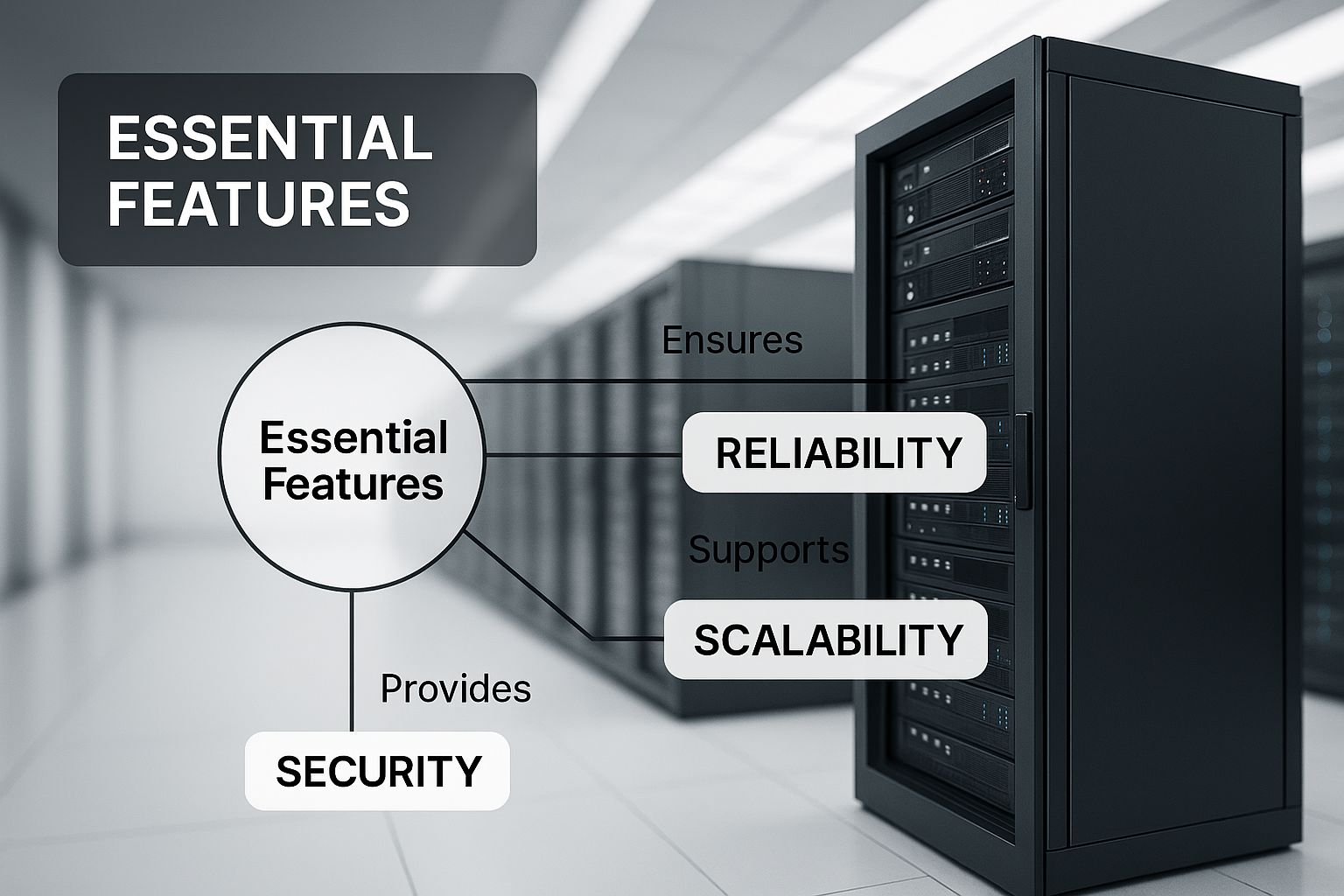
Even the most affordable hosting plans are powered by incredibly complex and secure systems like these.
Shared Hosting: The Perfect Starter Home
Shared hosting is hands-down the most popular and budget-friendly choice, making it the go-to for most new small businesses. I like to compare it to living in an apartment building. You get your own private space (your website), but you share the building's core utilities—like electricity and water—with all the other tenants.
In technical terms, your website shares a single server and its resources, like processing power (CPU) and memory (RAM), with potentially hundreds of other sites. This setup is what makes it so incredibly affordable, giving new businesses a low-risk way to get online.
There's a reason it remains the top pick. Projections show shared hosting will still hold an estimated 37.64% of the market by 2025, making it the biggest slice of the pie. It's simply the most practical starting point.
Best for:
- Brand-new businesses and startups just getting started.
- Personal blogs, portfolios, or simple informational websites.
- Anyone on a tight budget who expects low to moderate traffic.
The only real catch is the "noisy neighbor" effect. If another website on your shared server gets a massive traffic spike, it can sometimes slow your site down. When you start feeling those growing pains, it's a sign you're ready to upgrade.
Virtual Private Server (VPS) Hosting: Your Townhouse Upgrade
Once your business starts to take off and you need more power and control, a Virtual Private Server (or VPS) is the natural next step. To continue our real estate analogy, this is like moving from an apartment into a townhouse. You might still share the same plot of land (the physical server), but you have your own dedicated space, walls, and resources.
A VPS uses a clever technology that splits one powerful server into several isolated virtual servers. Each VPS gets its own guaranteed slice of CPU, RAM, and storage that belongs entirely to you.
That guaranteed slice of resources is what really matters. It means that no matter what your neighbors are doing, their traffic will never affect your website's performance. This creates a much more stable and reliable environment for a growing e-commerce store or a business-critical site.
Best for:
- Businesses that have clearly outgrown their shared hosting plan.
- E-commerce sites that can't afford slowdowns during checkout.
- Websites that need special software or custom server settings.
With a VPS, you get a lot more freedom, but it also comes with a bit more responsibility and may require some technical confidence to manage.
Cloud Hosting: The Flexible, On-Demand Solution
Cloud hosting works in a totally different way. Instead of relying on one single machine, it pulls resources from a huge, interconnected network of servers—the "cloud." This is like having access to a warehouse that can magically expand or shrink to fit whatever you need at a moment's notice.
Let's say a marketing campaign goes viral and your traffic suddenly explodes. Cloud hosting automatically pulls in more resources from the network to handle the surge, keeping your site fast and responsive. This flexibility is its greatest strength. It's also a key point to consider when weighing cloud hosting or traditional hosting for your business.
This model is also incredibly reliable. Because your site isn't tied to a single piece of hardware, if one server in the network goes down, another one instantly picks up the slack. The result is almost no downtime. You also typically pay only for what you use, which is great for businesses that need rock-solid uptime and the ability to scale.
Best for:
- Sites with unpredictable or spiky traffic patterns.
- High-volume e-commerce stores and web applications.
- Any business where 100% uptime is non-negotiable.
Once you understand the pros and cons of each hosting type, you can pick the one that best fits where your business is today—and where you plan to take it tomorrow.
Essential Features to Look For in a Hosting Provider
Okay, you've got the lay of the land with the main types of hosting. Now, it's time to get into the details—the things that really separate a decent hosting provider from a great one. Choosing the right web host for your small business isn't just about picking a plan. It's about finding a partner with the right features to help your website succeed, stay secure, and grow.
Think of it like inspecting a commercial space before you sign the lease. You’d check the electrical, the security system, and whether there's room to expand. The same logic applies here. Getting these details right from the start saves you a world of headaches and expensive moves down the road.

Performance: Uptime and Speed
Performance is the foundation of a good user experience and a successful website. It all comes down to two things: uptime and speed. These aren't just tech buzzwords; they have a direct impact on your reputation and your revenue.
Uptime is simply the amount of time your website is online and available to visitors. Most hosts throw around a 99.9% uptime guarantee, which sounds almost perfect. But what does that actually mean in the real world?
- 99.9% Uptime: This still allows for about 8.77 hours of downtime per year.
- 99.99% Uptime: That number drops dramatically to just 52.6 minutes of downtime per year.
- 99.999% Uptime: Now we're talking. This means only 5.26 minutes of potential downtime annually.
For an e-commerce shop, even a few hours of downtime during a holiday sale could mean thousands in lost sales. A high uptime guarantee is a sign that a provider has real confidence in its infrastructure.
Just as critical is page speed. The global web hosting market is set to explode, projected to hit $355.81 billion by 2029, largely because businesses are demanding faster and more secure sites. Studies consistently show that nearly half of all users expect a website to load in two seconds or less. If your site is slow, they're gone before you can even make your pitch. You can discover more insights about web hosting statistics and see why they are so important for your business.
Security: Your Essential Protections
In this day and age, website security isn't optional. It's a must. A single security breach can shatter customer trust and send your search engine rankings plummeting. Your hosting provider is your first line of defense.
Here are the non-negotiable security features to look for:
- Free SSL Certificate: An SSL (Secure Sockets Layer) certificate encrypts data between your site and your visitors. It’s what gives you the "https" and the little padlock icon in the browser bar. It’s a basic requirement for any professional website today.
- Malware Scanning and Removal: Good hosts are proactive. They should be regularly scanning for malicious software and have a plan to get rid of it. Some include this for free, while others charge extra—make sure you know which it is.
- Regular Backups: Things go wrong. A plugin update fails, a human error occurs, and suddenly your site is broken. Automatic, regular backups are your safety net, letting you restore a clean version of your site and get back to business quickly.
Think of your host's security features as the digital version of a top-notch alarm system, strong locks, and a fireproof safe for your business. You hope you never need them, but you can't afford to run a business without them.
Scalability: Having Room to Grow
Your business isn't going to stand still. As your traffic grows and your needs evolve, your hosting plan has to be able to keep up. That's what scalability is all about.
Imagine you started your business in a small pop-up kiosk. As you get more popular, you'll need to move into a full-sized storefront. A scalable host makes that transition smooth, letting you upgrade your plan (say, from Shared to VPS hosting) without the nightmare of a complex website migration.
Choosing a provider with a clear upgrade path is a smart, strategic move. It ensures you won't be forced to find a new company and deal with all that hassle right when your business is starting to take off.
Customer Support: Your Lifeline When Things Go Wrong
When your website goes down, it's a stressful, panic-inducing moment. This is when you find out what your host's customer support is really worth. It's not just a nice-to-have; it’s an absolute lifeline.
Great support isn't just about being available 24/7. It's about being knowledgeable, responsive, and genuinely helpful.
What to Look for in Support:
- Multiple Ways to Reach Them: Look for 24/7 support through live chat, phone, and a support ticket system. Live chat is usually the fastest for getting urgent problems solved.
- Knowledgeable People: You need a support team that can do more than read a script. They should have the technical chops to figure out what's wrong and actually fix it.
- Real Customer Reviews: Before you sign up, check independent review sites. See what actual customers are saying about support. A pattern of slow, unhelpful responses is a massive red flag.
Never underestimate the value of great support. It's the one feature you hope you'll never have to use, but you'll be incredibly thankful for it when you do.
To help you stay organized while you compare your options, use this checklist. It will help you cut through the marketing noise and focus on what truly matters for your business.
Hosting Provider Evaluation Checklist
| Feature | What to Look For | Why It Matters |
|---|---|---|
| Uptime Guarantee | At least 99.95% uptime, with clear terms for service credits if they fail to meet it. | Every minute of downtime is a minute you can't serve customers or make sales. |
| Speed & Performance | Solid-State Drives (SSDs), Content Delivery Network (CDN) included, server location options. | A faster site leads to better user experience, higher conversions, and improved SEO rankings. |
| Security Features | Free SSL, daily malware scans, web application firewall (WAF), automatic backups. | Protects your data, your customers' information, and your business's reputation from threats. |
| Scalability Options | A clear and easy upgrade path to higher-tier plans (e.g., from Shared to VPS or Cloud). | Ensures your hosting can grow with your business without requiring a painful migration. |
| Customer Support | 24/7 availability via live chat, phone, and tickets. Check independent reviews for quality. | When something inevitably breaks, fast and competent support is your most valuable asset. |
| Pricing & Renewal Rates | Transparent pricing. Be wary of low introductory offers with high renewal rates. | Hidden fees and surprise price hikes can eat into your budget. Know the total cost of ownership. |
| Ease of Use | An intuitive control panel (like cPanel or a custom dashboard) and one-click installers. | Saves you time and frustration, allowing you to manage your site without being a tech expert. |
Keep this checklist handy as you research different providers. Ticking these boxes will put you on the right track to finding a hosting partner you can count on for the long haul.
Matching Your Hosting to Your Business Needs
Your business has its own unique fingerprint, so why would you settle for cookie-cutter hosting? Finding the best web hosting for small business isn’t about picking the most popular option; it's about finding the one that lines up perfectly with your goals, traffic, and day-to-day operations. Choosing the right plan is like picking the right tool for a job—it just makes everything work better.
Let's get practical and move past the theory. I'll walk you through some common small business scenarios and pair them with the hosting that will give them the strongest possible start online. This way, you can see how these concepts apply to a business just like yours.
For Local Service Providers and Professionals
Think of your local plumber, consultant, photographer, or accountant. For these folks, a website is their digital storefront. It's a business card, a portfolio, and a way for new customers to find them.
Their traffic is usually pretty steady, not massive, so the main priorities are looking professional and being reliable.
- Hosting Recommendation: A high-quality Shared Hosting plan is almost always the perfect starting point. It's easy on the wallet, doesn't demand much technical know-how, and has plenty of muscle to run a sharp, professional website on a platform like WordPress.
- Key Features to Prioritize: Look for a provider with a simple control panel (like cPanel), one-click WordPress installation, and a free SSL certificate to show visitors your site is secure. Good customer support is also a lifesaver when you just need a quick answer.
- Why it Works: This approach keeps your costs low while making sure your business looks credible and is always online when potential clients are searching for your services.
For Content Creators and Growing Bloggers
This is for the bloggers, podcasters, and niche publishers out there. For you, the website is the business. Performance is everything. If your site is slow, visitors will click away before they even finish your first sentence.
The key here is being able to grow. You need a host that can keep up with your success.
A post going viral or a shout-out from a major publication can unleash a tidal wave of traffic. Your hosting needs to be ready to ride that wave, not get crushed by it. This is exactly why, at some point, you'll need to move beyond a basic shared plan.
Hosting Recommendation: You can absolutely start with a premium Shared Hosting plan from a provider known for speed, but have VPS Hosting on your radar. A VPS gives you your own slice of server resources (like CPU and RAM), so your site stays lightning-fast, even when you hit the big time.
Key Features to Prioritize:
- Generous Storage and Bandwidth: All those images, podcast files, and videos need a home.
- Server Caching: This is a technical trick that makes your pages load much, much faster. It's a must-have for keeping readers happy.
- A Clear Upgrade Path: Pick a host that makes it dead simple to jump from a shared plan to a VPS when you're ready.
For E-commerce Stores and Online Shops
If you're selling products online, your website's performance is directly tied to your bank account. Every extra second a customer has to wait for a page to load is a chance for them to give up and leave. And since you're handling people's money and personal info, security is non-negotiable.
Simply put, there's no room for error when it comes to speed, security, or uptime.
Hosting Recommendation: VPS Hosting is the starting line for any serious e-commerce store. If you have a huge product catalog or handle a lot of orders, Cloud Hosting is an even smarter move because it’s built for rock-solid reliability and can scale up instantly.
The data backs this up. In 2023, a whopping 73% of U.S. small businesses already had a website, and that number is only growing. As you can discover in more detail on Wix.com, these sites need hosting that can handle steady traffic and support future growth.
Key E-commerce Features to Prioritize:
- PCI Compliance: This is a set of security rules for handling credit card data. Your host needs to provide an environment that meets these standards.
- Dedicated IP Address: This gives your store its own unique address online, which can boost security and help ensure your order confirmation emails actually land in the inbox.
- Robust Security Suite: Look for extras like a Web Application Firewall (WAF), malware scanning, and of course, a free SSL certificate.
- Automatic Daily Backups: If the worst happens, you need to be able to restore your store in a click. Losing sales data is a nightmare you want to avoid.
Common Hosting Mistakes Small Businesses Make
Choosing a web host is one of those foundational business decisions that’s incredibly easy to get wrong. A lot of small business owners just look for the cheapest plan and call it a day, but that's a shortcut that often leads to a dead end. Getting it right from the start saves you from a world of future frustration, lost customers, and security nightmares.
Your website is your digital storefront, and your host is the foundation it’s built on. You wouldn’t build a physical store on shaky ground, right? The same logic applies here.

Let's walk through the most common missteps I see business owners make, so you can sidestep them completely.
Mistake 1: Only Focusing On The Lowest Price
This is, without a doubt, the biggest trap. Those "dollar-a-month" deals are incredibly tempting, but they almost always come with hidden costs you pay for in other ways.
Think about it: to offer rock-bottom prices, something has to give. Usually, it's performance. Super-cheap plans often mean your site is crammed onto an overloaded server with hundreds of others. The result? Your website loads like molasses. A slow site is a business killer—customers bounce, and Google pushes you down in search results.
And don't forget about the renewal shock. That eye-catching $2.95/month promo rate can easily jump to $11.99/month or more when the first year is up. Always, always check the renewal rate to understand the true long-term cost.
Mistake 2: Ignoring Future Growth And Scalability
When you're just launching, it's hard to imagine your website getting a flood of traffic. But what happens when that marketing campaign goes viral or a blog post takes off? If your hosting plan can't handle the surge, your site will crash at the exact moment you need it most.
A classic mistake is picking a host that doesn't offer a simple upgrade path. Here’s how it usually plays out:
- You start small with a basic shared hosting plan, which is fine for day one.
- You grow fast as your business gains traction, and your site starts to feel sluggish.
- You hit a wall when you realize your host makes it difficult or expensive to move to a more powerful plan, like a VPS.
This forces you into a painful and technically messy website migration to a whole new provider. By choosing a host that offers easy scalability from the get-go, you save yourself a massive headache down the road.
Think of your web host as a business partner, not just a utility bill. A good partner supports your growth and makes it easy to succeed, while a bad one creates roadblocks and holds you back.
Mistake 3: Overlooking Customer Support And Security
You never think about customer support until you desperately need it—usually at 2 a.m. when your site is down. When that happens, the last thing you want is a slow, unhelpful support team that just reads from a script.
Before you commit to a host, test their support. Jump on their live chat with a simple pre-sales question. See how quickly and thoughtfully they respond. Good, knowledgeable, 24/7 support isn't a luxury; it's an essential safety net.
Just as critical is security. Don't assume every plan includes the basics. A reliable host should provide, at a minimum:
- A Free SSL Certificate to encrypt data and show visitors that little padlock icon in their browser.
- Regular Malware Scanning to keep the bad guys out.
- Automatic Daily Backups so you can restore your site in a click if something goes wrong.
Failing to check for these features can leave your business wide open to data breaches and costly downtime. By avoiding these common errors, you can choose a hosting plan that actually helps your business thrive, both now and in the future.
Making the Final Decision for Your Business
So, how do you pick the best web host for your small business? It really just boils down to one thing: alignment.
The perfect host isn't necessarily the cheapest one or the one with a million features. It's the provider that lines up perfectly with your specific goals, your budget, and how comfortable you are with the technical side of things. Think of this not as just another monthly bill, but as a real investment in your business's online presence.
Your web host is like a silent business partner. A great one keeps your site fast, secure, and always online, which frees you up to actually run your business instead of playing tech support. This choice has a direct impact on how your customers see you and, ultimately, your bottom line.
The right web hosting is the invisible engine that powers your online success. It should work so well that you forget it’s even there, giving you the freedom to grow without technical limitations holding you back.
Before you pull the trigger, take a moment to circle back to your core needs. Ask yourself:
- Performance: Do I need lightning-fast speed for an e-commerce shop, or is steady, reliable uptime my main concern?
- Support: How important is it to have an expert on call 24/7 if something goes wrong?
- Scalability: If my business takes off, does this host give me an easy and affordable way to upgrade?
Answering these questions honestly will give you the clarity you need to make the right call. Making a smart choice now lays a solid foundation for everything that comes next, which is the perfect first step before you learn how to build a business website that gets results.
A Few Final Questions About Business Hosting
Choosing a web host for your business usually brings up a few last-minute questions. Getting straight answers to these is key to making a smart decision instead of a costly mistake. Let's walk through some of the most common things business owners ask when they're starting out.
Think of this as the final walkthrough before you sign the lease on your new digital storefront.
How Much Should I Actually Budget for Hosting?
If you're just starting out, a solid shared hosting plan is your best bet. You can expect to pay anywhere from $3 to $15 per month for the initial contract. This is plenty to get a professional-looking site up and running without breaking the bank.
Down the road, as your business grows and more people visit your site, you’ll likely need to upgrade. A Virtual Private Server (VPS) plan, for example, typically runs between $20 and $80 per month. Just be sure to keep an eye on the renewal price—it's almost always higher than the sweet introductory deal you sign up for.
For a new business, a safe and realistic budget for quality shared hosting is about $5 to $10 per month. This sweet spot usually gets you a good mix of performance, customer support, and security essentials without straining your finances.
Do I Need to Be a Tech Whiz to Manage My Hosting?
Nope, not at all. Most hosting companies today build their services for regular people, not just developers. You'll get access to a control panel (the most popular one is called cPanel) which is basically a simple dashboard for your website.
From there, you can do things like install WordPress with a single click, create professional email addresses, and manage your files without ever seeing a line of code. If you want a completely hands-off experience, look for "managed" hosting plans. With those, the hosting company takes care of all the technical stuff like security updates and maintenance for you.
Can I Switch to a New Host Later On?
You bet. You're never locked into one hosting company forever. You can always move your site to a new provider through a process known as a website migration.
It might sound intimidating, but many hosts will actually move your site for free (or for a small fee) to win your business. They’ll do all the heavy lifting of transferring your files and database. Still, it's always better to pick the right host from the get-go to avoid the hassle and potential downtime of moving later.
Ready to build a powerful online presence with a team that has your back? OneNine offers expert website design, development, and management services to ensure your digital foundation is solid. Let us handle the technical details so you can focus on growing your business. Get started with OneNine today.


