While many will tell you Shopify is the go-to choice for small businesses—and for good reason—the best ecommerce platform is ultimately the one that fits your specific needs. It's a foundational decision, and what works brilliantly for one entrepreneur could easily hold another back.
Choosing the Right Ecommerce Platform for Your Business
Picking your ecommerce platform is one of the most critical moves you'll make. This isn't just about a website; it's the engine for your entire online operation, shaping everything from how you handle daily orders to your ability to grow in the future. There's no single "best" platform for everyone.
Think of it this way: you wouldn't use a sports car to haul furniture, and you wouldn't enter a minivan in a drag race. The right platform depends entirely on your unique situation—your products, budget, technical comfort level, and long-term ambitions.
Key Factors for Your Decision
Before we get into the nitty-gritty of comparing platforms like Shopify, WooCommerce, and BigCommerce, you need a clear scorecard. As we explore each option, judge them against these core factors:
- Ease of Use: How intuitive is it? For founders juggling a million tasks, you need a platform that lets you set up shop and manage day-to-day operations without calling a developer for every little change.
- Pricing Transparency: What’s the real cost? The advertised monthly fee is just the beginning. You have to account for transaction fees, essential app subscriptions, and potential hosting expenses.
- Scalability and Growth: Will it grow with you? The platform that’s perfect for your first 100 orders might buckle under the pressure of 10,000. It needs to handle more products, traffic, and complexity as your business succeeds.
- Integrated Tools: What’s included out of the box? Some platforms come packed with built-in marketing, SEO, and analytics tools, while others require you to bolt on functionality with third-party apps, which can add up quickly.
Platform Popularity and Market Trends
Looking at what others are using can give you some valuable clues. In the United States, for example, Shopify leads the pack with about 27% of the market share. Wix and WooCommerce are not far behind, at 21% and 16% respectively. The race is even closer in the United Kingdom, where Shopify and Wix are neck-and-neck, each holding 22% of the market. These numbers, detailed further in ecommerce market share trends, show which platforms are consistently meeting the needs of businesses like yours.
Key Takeaway: The goal here is simple: find the platform that strikes the right balance between features, cost, and usability for you. It should remove friction, not create it, freeing you up to focus on what matters most—selling your products.
To help you get a quick sense of the major players, here’s a high-level look at the platforms we'll be breaking down in this guide. This table is a great starting point to see which options might be a good fit right away.
Quick Look at Top Ecommerce Platforms
| Platform | Best For | Starting Price | Ease of Use |
|---|---|---|---|
| Shopify | All-in-one simplicity and beginners | $29/month | Very Easy |
| WooCommerce | Ultimate control and WordPress users | Free (hosting costs apply) | Moderate |
| BigCommerce | Growing businesses with no transaction fees | $29/month | Moderate |
Now that you have the lay of the land, let's dive deeper into what makes each of these platforms tick and which one might be the perfect home for your business.
Shopify for Simplicity and All-In-One Growth
When people ask me where to start with ecommerce, my answer is almost always the same: take a hard look at Shopify. It has earned its reputation as the go-to platform for entrepreneurs who want to get selling fast, without getting bogged down in technical details. Shopify's whole approach is about letting you focus on your products and customers, not on managing servers or wrestling with code.
It's a true all-in-one system. You don't have to piece together separate hosting, install complicated software, or worry about keeping everything secure and updated. It’s all included right out of the box.
The User-Friendly Dashboard and App Store
Shopify’s main draw is its dashboard—it’s just incredibly straightforward. From the moment you add your first product to fulfilling your hundredth order, every step feels logical and well-designed. This is exactly why so many first-time sellers flock to it.
But don't mistake simplicity for a lack of power. The real flexibility comes from the Shopify App Store, which is packed with over 8,000 apps. This massive ecosystem lets you plug in almost any feature you can dream of, from advanced email marketing tools and customer loyalty programs to complex inventory management and dropshipping integrations.
- Product Management: Adding products, creating variants like different sizes or colors, and tracking stock is a breeze.
- Order Fulfillment: You can manage orders, print shipping labels with discounted carrier rates, and handle returns all from one central screen.
- Marketing Tools: It comes with solid built-in features for SEO and even an abandoned cart recovery tool to help you reclaim lost sales.
The numbers speak for themselves. By 2025, Shopify was powering around 4.82 million active stores across the globe, capturing a solid 10.32% of the entire ecommerce platform market. With such a huge community, you're never far from an answer or a helpful resource.
Here’s a look at Shopify’s homepage, which really captures their focus on empowering entrepreneurs.
The message is clear: Shopify wants to give you the tools to start, run, and grow your business, all under one roof.
Seamless Payments and Scalability
Another huge win is Shopify Payments, the platform's own integrated payment processor. It’s ready to go the moment you launch your store, letting you accept all major credit cards without the hassle of setting up a separate merchant account. This not only simplifies your finances but often comes with competitive processing fees.
Key Insight: Shopify’s real magic lies in its scalability. You can start on a basic plan with a low monthly fee and simply upgrade as your business takes off. You’ll never face a disruptive, expensive migration to a new platform just because you’re growing.
This ability to grow with you is invaluable. The same platform that handles your first 10 sales can effortlessly manage 10,000 without skipping a beat. It works just as well for a solopreneur shipping from their living room as it does for a brand with multiple retail locations using Shopify POS.
For a more in-depth, balanced perspective, it's worth checking out Shopify's detailed pros and cons.
Bottom line? Shopify is the perfect choice for business owners who value ease of use, reliability, and having a clear path to scale. It gives you a rock-solid foundation, so you can spend less time managing technology and more time building your brand.
WooCommerce for Ultimate Customization and Control
If platforms like Shopify offer a neat, all-in-one package for ecommerce, think of WooCommerce as the custom-built alternative. It’s not a standalone service. Instead, it’s a free, open-source plugin that bolts onto any WordPress website, turning it into a powerful online store. This one detail is both its biggest advantage and its most significant hurdle.
With WooCommerce, you own everything—the design, the features, and most importantly, your data. But that absolute control comes with a catch: you're also the one responsible for web hosting, site security, and all the maintenance that goes with it. It’s a perfect fit for anyone already familiar with WordPress or for business owners who refuse to compromise on their vision.
The Power of Limitless Customization
The real magic of WooCommerce is its incredible flexibility. Since it’s built on top of WordPress, you tap into a massive ecosystem of themes and plugins that have been developed over many years. You can find a professional theme for just about any industry and then tweak every last detail until it perfectly reflects your brand.
This setup lets you build a store with very specific, tailored functions. Need a sophisticated product customizer, a private members-only area, or an appointment booking system? There's almost certainly a plugin ready to go.
- Total Design Freedom: You aren't stuck inside a theme's pre-set boundaries. With full access to the code and countless page-builder tools, your design options are truly unlimited.
- Feature-Rich Ecosystem: The WordPress and WooCommerce plugin libraries have tens of thousands of add-ons (many free, some paid) to add nearly any feature you can imagine.
- Ownership and Control: It's your store, your data, and your rules. You won't be at the mercy of a platform's changing terms of service or sudden feature limitations.
This degree of freedom is why WooCommerce is such a force in the ecommerce world. It currently powers around 20.1% of all ecommerce sites globally, which adds up to more than 3.5 million active stores. While Shopify might have a slightly larger slice of the pie, WooCommerce's market position is incredibly strong for a self-hosted option. You can dig into more platform statistics in this in-depth market share report.
Understanding the True Costs and Responsibilities
The WooCommerce plugin is free, but running the store isn't. This is where many people get tripped up. You have to budget for several costs that are normally wrapped into the monthly subscription of a hosted platform.
Your total costs will likely include:
- Web Hosting: This can be as cheap as $5-$25 per month for shared hosting, but a good managed WordPress host will run closer to $30-$100+ per month.
- Domain Name: Usually about $10-$20 a year.
- Premium Themes & Plugins: While you can get by with free tools, premium ones for things like subscription billing or advanced shipping can cost anywhere from $50 to over $200 each, often paid annually.
- Developer Help: If you’re not a tech expert, you might need to hire a developer for the initial setup, tricky customizations, or to fix things when they break. This can be a major expense.
Key Insight: Choosing WooCommerce is a trade-off. You're swapping the convenience of a platform like Shopify for complete control and potentially lower costs, but only if you can handle the technical side yourself.
This route requires you to be more hands-on. You are in charge of security, running software updates, and backing up your site. If you let these tasks slide, you could be putting your store at risk. For a great rundown of how to handle these duties, our guide on e-commerce best practices is a fantastic resource.
At the end of the day, WooCommerce is the best ecommerce platform for a small business that has the time and skills to manage its own digital presence—or the budget to hire someone who can.
Comparing Critical Features for Daily Operations

When you're picking an ecommerce platform, it's easy to get lost in the big-picture stuff like pricing or scalability. But what really determines your success—and your sanity—are the tools you use every single day. We're talking about the nitty-gritty: managing products, fulfilling orders, and talking to customers.
A smooth workflow frees you up to actually grow your business instead of constantly fighting your software. Let’s dive into how the top platforms handle these crucial, day-to-day operations.
Product and Inventory Management
At the heart of any store is how you add, organize, and track your products. The real test often comes down to managing product variations—think different sizes, colors, or materials. This is where you see the fundamental difference between a platform built for simplicity and one designed for ultimate control.
- Shopify: It’s famous for its intuitive product management. You can add a new item with all its variants from a single, clean screen. It’s built for speed, making it perfect for sellers who just want to get their products listed without a fuss.
- WooCommerce: This platform gives you nearly unlimited flexibility, but it demands more from you. Setting up complex products often means using a combination of built-in settings and specialized plugins to get things just right.
Let's imagine you sell custom T-shirts. You have 5 sizes, 10 colors, and offer personalized text on the back. In Shopify, you'd use the standard variant system, which handles this neatly. But with WooCommerce, you could install a dedicated "product personalizer" plugin to give customers a live preview as they type—a richer experience, but another piece of software for you to manage.
Order Fulfillment and On-the-Go Management
Once the sales roll in, your focus immediately shifts to fulfillment. You need an efficient way to see orders, print shipping labels, and communicate with customers. For many small business owners, being able to do this from anywhere isn't a luxury; it's a necessity.
Key Differentiator: Shopify's mobile app is a powerhouse. It's a true command center where you can track orders, update inventory, and even make in-person sales. For an entrepreneur who isn't chained to a desk, this is a massive advantage.
WooCommerce has a solid mobile app, but it feels more like a companion to the main desktop site. Shopify’s app, by contrast, feels like it could run the entire business from your pocket. This is a critical distinction if you're someone who sells at markets, trade shows, or simply manages operations while on the move.
Built-in Marketing and Recovery Tools
Marketing tools that are already baked into your platform can save you a ton of time and money. One of the most valuable features for any online store is abandoned cart recovery, which automatically sends emails to shoppers who leave without buying.
Here’s a look at what you get right out of the box:
| Feature | Shopify (Basic Plan) | WooCommerce (Base Install) |
|---|---|---|
| Abandoned Cart Recovery | Included | Requires a paid extension |
| Built-in SEO Tools | Good | Excellent (with plugins) |
| Email Marketing | Shopify Email included | Requires third-party integration |
With Shopify, a functional abandoned cart tool is ready to go from day one, potentially recovering lost sales immediately. On WooCommerce, you gain incredible SEO control with plugins like Yoast, but you'll have to find, install, and likely pay for an add-on to handle cart abandonment. This really gets to the core of the choice: Shopify’s all-in-one convenience versus WooCommerce’s build-it-yourself power.
Analyzing True Platform Pricing and Long-Term Costs
When you're trying to pick the best ecommerce platform for a small business, it’s easy to get fixated on that main monthly price. But that’s just the tip of the iceberg. The real cost of running your online store is a blend of subscriptions, transaction fees, and other expenses that can seriously eat into your profits if you're not careful.
Think of the advertised price as just your ticket to get in the door. For every single sale you make, you'll be paying payment processing fees. On top of that, you have to consider the cost of essential apps, a professional theme, and—if you go with a self-hosted option like WooCommerce—your monthly web hosting bill. These things add up fast.
This image gives a quick visual on how some of the big players stack up.
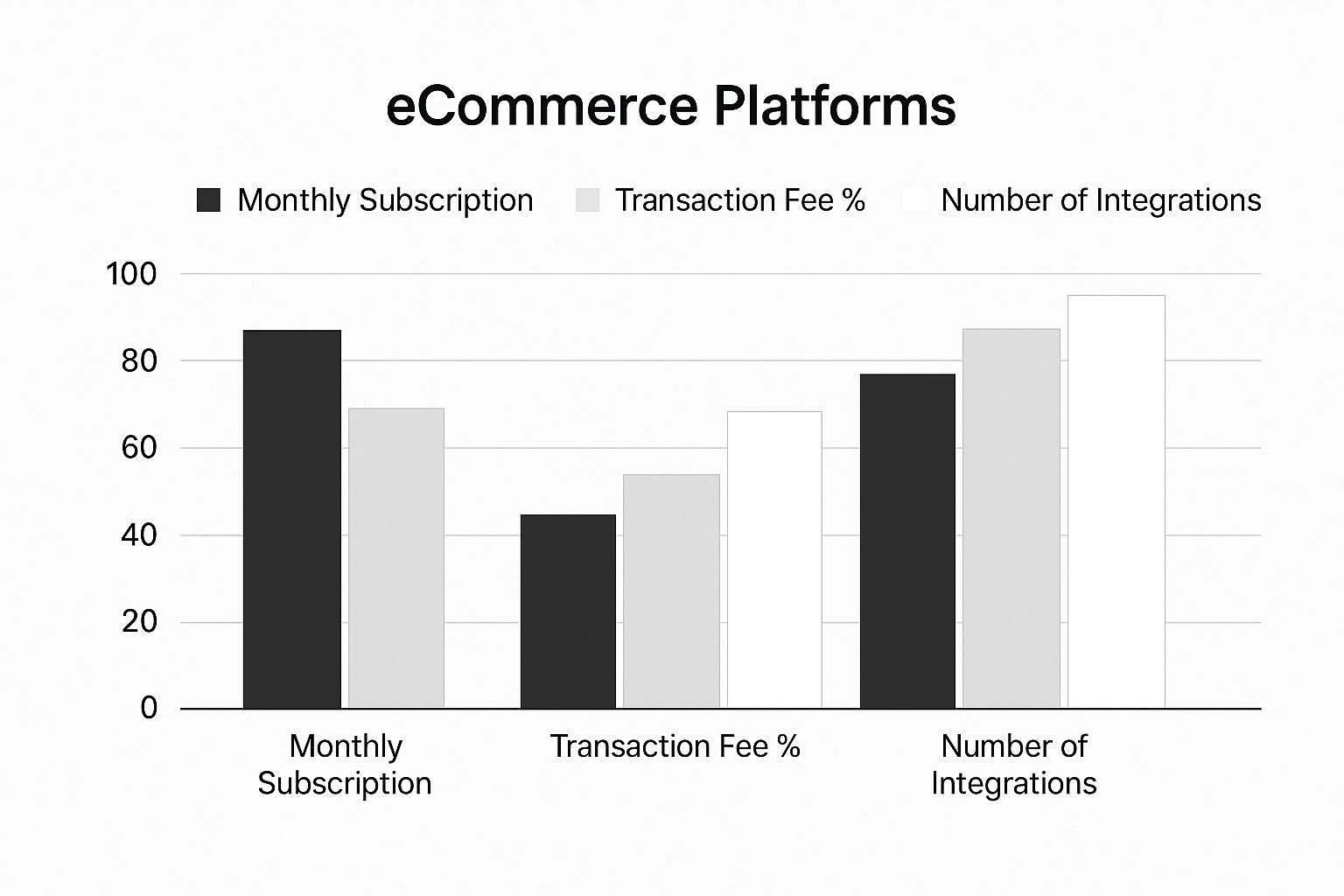
You can see how a platform like WooCommerce, which is built on adding integrations, has a different cost structure than the all-in-one models of Shopify and BigCommerce.
Projecting Your Total Monthly Investment
To get a true sense of what you'll be paying, you need to do the math for your specific situation. If you’re just starting out with low sales volume, a cheaper monthly plan might be perfect, even if the per-transaction fees are a bit higher. But once you start selling more, a platform with zero transaction fees can save you a bundle, making a higher subscription fee totally worth it.
To make this crystal clear, let's walk through an example. Here's a realistic cost breakdown for a new store doing about $5,000 in sales each month.
Estimated Monthly Cost Breakdown for a New Store
This table breaks down what a new store might realistically pay per month across the three major platforms, once you factor in all the necessary components beyond the sticker price.
| Cost Item | Shopify (Basic Plan) | WooCommerce (Shared Hosting) | BigCommerce (Standard Plan) |
|---|---|---|---|
| Monthly Subscription | $29 | $0 | $29 |
| Hosting Fee | Included | ~$15 | Included |
| Transaction Fees | $0 (with Shopify Payments) | $0 | $0 |
| Payment Processing | ~$145 (at 2.9% + 30¢) | ~$145 (at 2.9% + 30¢) | ~$145 (at 2.9% + 30¢) |
| Essential Apps/Plugins | ~$20 | ~$50 | ~$20 |
| Estimated Total Monthly Cost | ~$194 | ~$210 | ~$194 |
Looking at the numbers this way tells a completely different story. WooCommerce is technically "free," but once you start paying for the hosting and essential plugins needed to match the built-in features of Shopify or BigCommerce, it can actually end up being the more expensive option for a small store.
Key Takeaway: Your sales volume is the single most important variable when calculating your long-term costs. What seems cheapest at first might not be the most economical choice as your business scales.
The Hidden Costs of Themes and Design
Another cost that often catches people by surprise is design. Sure, every platform gives you free themes to start with. But to really stand out, you’ll likely want to invest in a premium theme, which typically runs a one-time cost of $150 to $350.
If you need customizations that go beyond what the theme offers out of the box, you might even need to hire a developer. It's a critical investment. The look and feel of your store are a huge part of good website design for small business, and it has a direct impact on whether customers trust you enough to click "buy."
How to Make Your Final Decision
Picking the right ecommerce platform isn't about finding a single "best" option. It's about finding the best fit for you and your business. After weighing the features, pricing, and all the little details, your final choice really comes down to what aligns with your business model, your comfort level with tech, and where you want to go.
Let's break it down into a few common scenarios. See which one sounds the most like your situation—it's a great way to clarify your thinking.
Who Are You and What Do You Need?
-
You're an absolute beginner and just want to start selling. If you need to get your store online quickly without wrestling with technical headaches, Shopify is your best bet. It’s a complete, all-in-one system with a super intuitive dashboard and 24/7 support. It handles the hard stuff so you can focus on your products and customers.
-
You're on a tight budget but know your way around WordPress. If you're already comfortable in the WordPress world and crave total control, WooCommerce is tough to beat. You'll have to handle your own hosting and security, but because it's open-source, you can build a completely custom shop that could end up being cheaper in the long run.
-
You're aiming for the stars and planning for rapid growth. If you have big plans to scale and hate the idea of transaction fees eating into your profits, take a hard look at BigCommerce. It comes loaded with powerful, built-in features made for bigger product catalogs and serious sales volume, all without taking a cut of every sale you make.
Think of your platform as the foundation of your entire online business. The right one makes everything easier, automating tasks and giving you the data you need to grow. The wrong one creates constant friction and holds you back. You want to choose a system that will support your vision for the next three to five years, not just the next three months.
One Last Gut Check Before You Dive In
Before you enter your credit card details, take a moment to ask yourself these final questions. Answering them honestly will help you find a true partner, not just a temporary fix.
- What’s my real monthly budget? Don't just look at the subscription price. Factor in transaction fees and any apps you absolutely need.
- How much time can I realistically spend on tech stuff? Be honest. Are you okay with handling updates, security, and fixing things when they break, or do you want someone else to manage that?
- What features are non-negotiable for me right now? Think about the essentials. Do you need a specific payment gateway, a certain shipping carrier, or a particular marketing tool to make your business work?
- Where do I see this business in three years? Make sure the platform you choose can grow with you. It needs to handle more products, more customers, and more complex needs without forcing you into a painful migration down the road. For more on this, check out our advice on how to grow an online business and start planning ahead.
By walking through these scenarios and using this final checklist, you can move forward confidently, knowing you’ve picked the right platform to build your business on.
Frequently Asked Questions
When you're trying to pick the best ecommerce platform for your small business, a few common questions always seem to pop up. Let's tackle them head-on so you can feel confident in your choice from day one.
How Important Is SEO for My Platform?
Honestly, it's non-negotiable. Think of SEO as the digital version of having your store on a busy main street instead of tucked away in a quiet alley. Without good SEO, potential customers searching on Google simply won't find you, and that's where most online sales begin.
A solid platform should make the SEO basics easy—things like changing page titles, writing meta descriptions, and creating clean URLs. The really great ones, like Shopify or WooCommerce paired with a tool like Yoast, give you more granular control over sitemaps and redirects. This is the stuff that really helps you climb the search rankings and pull in that valuable organic traffic.
Do I Need Design or Coding Skills?
Not anymore, and that’s a huge relief. The idea that you need to be a developer to launch a professional-looking online store is a thing of the past.
Today’s leading platforms give you access to stunning, mobile-friendly themes and drag-and-drop editors. You can build a beautiful, on-brand website that looks completely custom, all without ever touching a line of code.
Can I Switch Ecommerce Platforms Later?
Technically, yes, but I wouldn't recommend it unless you absolutely have to. Moving your entire business—all your products, customer lists, and order history—is a major undertaking. It's complex, can be expensive, and if done poorly, it can seriously damage your SEO rankings and lose critical data.
This is exactly why it’s so important to pick a scalable platform from the start. Choosing a system that can handle your business as it grows from 10 sales to 10,000 will save you a world of pain down the road. A little extra time spent making the right choice now is far better than a massive migration headache later.


